


Here, you will learn how we self-host our Ghost websites using DigitalOcean while saving thousands for larger websites.
Ghost CMS has carved out a niche in content management systems (CMS) by focusing on professional publishing with an emphasis on simplicity, speed, and SEO. Ghost is an attractive option for bloggers, journalists, and content creators looking for a platform that prioritizes content and user experience. Regarding hosting Ghost, DigitalOcean is a powerful, scalable, and cost-effective solution. This guide will walk you through self-hosting Ghost CMS on DigitalOcean using the Marketplace option, simplifying the installation process significantly.
Why Choose Ghost CMS?
Ghost’s appeal lies in its design and functionality:
- Focused on Content: Ghost’s minimalist approach is designed to enhance content creation and presentation.
- Built-in SEO: Search engine optimization and social sharing features are integrated, ensuring your content reaches a wider audience.
- Markdown Support: The native support for Markdown allows for easy text formatting as you type.
- Flexible API: The robust API facilitates seamless integration with other tools and services.
Please read our full review for more information on why you should choose Ghost over another CMS.
Ghost CMS Self-Hosting Pros and Cons
Self-hosting, the practice of running and maintaining a server by yourself for hosting websites, applications, or services, has become increasingly accessible thanks to advancements in technology and the availability of comprehensive resources. However, like any other solution, self-hosting comes with its own set of advantages and disadvantages. Here’s a breakdown of the pros and cons of self-hosting:
Pros of Self-Hosting
Full Control
One of the most significant advantages of self-hosting is having complete control over your server environment. You can customize the server to meet your requirements, from the operating system and software versions to the security settings and performance optimizations.
Data Privacy
When you self-host, your data remains on your server, reducing the risk of third-party access or control. This is particularly important for businesses or individuals with strict data privacy requirements or those handling sensitive information.
Cost Efficiency
For certain projects, self-hosting can be more cost-effective in the long run, especially if you require a large amount of storage or bandwidth. By investing in your own hardware or choosing a cloud provider that allows for granular control over resources, you can optimize costs based on your specific needs. DigitalOcean costs $6 to host a website that receives thousands of visitors daily without slowing down.
Learning and Skill Development
Self-hosting offers a valuable learning experience, providing hands-on exposure to server management, network configuration, and cybersecurity. These skills are highly beneficial in today’s technology-driven landscape.
No Vendor Lock-in
Running your own server means you’re not tied to a specific hosting provider’s services, prices, and terms. You can migrate your data or change your setup without being constrained by vendor-specific limitations.
Cons of Self-Hosting
Technical Expertise Required
Self-hosting requires certain technical knowledge and skills, including server setup, maintenance, security, and troubleshooting. This can be a steep learning curve for beginners.
Time-Consuming
Managing a server takes time, from initial setup to ongoing maintenance and updates. This can be a significant commitment, especially for businesses or individuals without a dedicated IT team.
Security Risks
While self-hosting gives you control over your security, it also places the responsibility squarely on your shoulders. Keeping a server secure from attacks and data breaches requires constant vigilance and up-to-date knowledge of cybersecurity best practices.
Potential for Higher Initial Costs
Depending on your requirements, the initial setup for self-hosting, including purchasing hardware or provisioning cloud resources, can be expensive. Additionally, you may need to invest in backup solutions, redundant hardware, or higher bandwidth, which can add to the cost.
Reliability and Uptime Challenges
Professional hosting services often come with uptime guarantees and redundant systems to ensure your site or service remains online. Achieving the same level of reliability with self-hosting can be challenging and costly, requiring robust backup and failover systems.
If you decide not to self-host your Ghost website, here are the best managed Ghost hosting providers that are more expensive but are much easier to set up and require absolutely no maintenance.
Why DigitalOcean for Hosting Ghost?
DigitalOcean provides an ideal environment for hosting Ghost CMS for several reasons:
- User-Friendly: Its straightforward interface and detailed documentation make setup and management hassle-free.
- Optimized Performance: DigitalOcean’s droplets ensure your Ghost blog operates smoothly and loads quickly.
- Scalable Resources: You can easily scale your resources as your blog grows, accommodating more traffic effortlessly.
- Affordable: With competitive pricing, DigitalOcean offers a cost-effective hosting solution without compromising quality.
A Simplified Guide to Self-Host Ghost CMS on DigitalOcean
Step 1: Create a DigitalOcean Account
Start by signing up for a DigitalOcean account at DigitalOcean’s website.
Step 2: Use the Ghost 1-Click App from DigitalOcean Marketplace
DigitalOcean simplifies the installation of Ghost CMS through its Marketplace. After logging in to your DigitalOcean account:
- Navigate to the Marketplace and search for “Ghost.” Or just click on the following DigitalOcean Marketplace link.

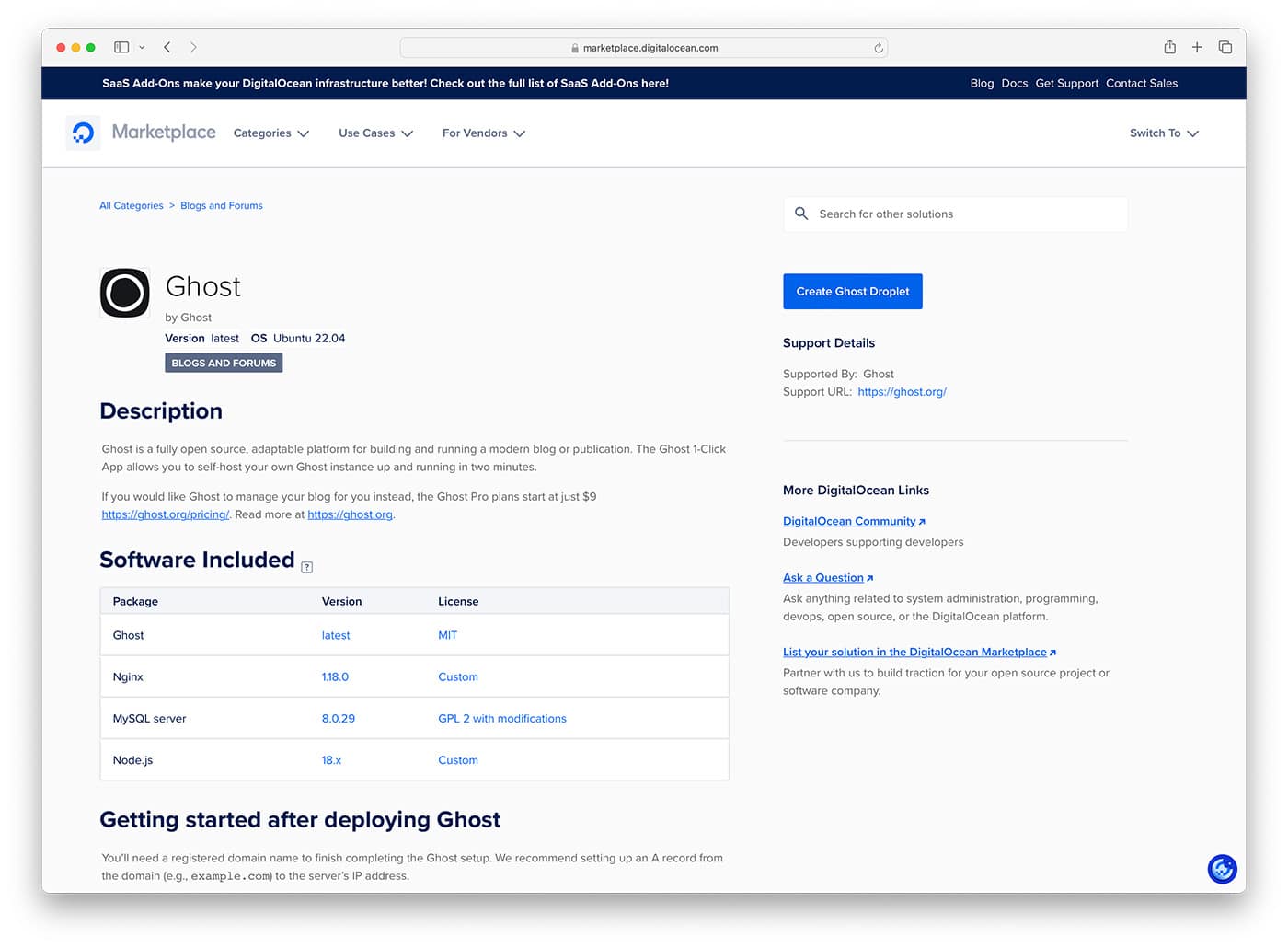
- Select the Ghost 1-Click App, which comes pre-configured for an easy and fast setup.
Step 3: Configure Your Droplet
After selecting the Ghost 1-Click App:

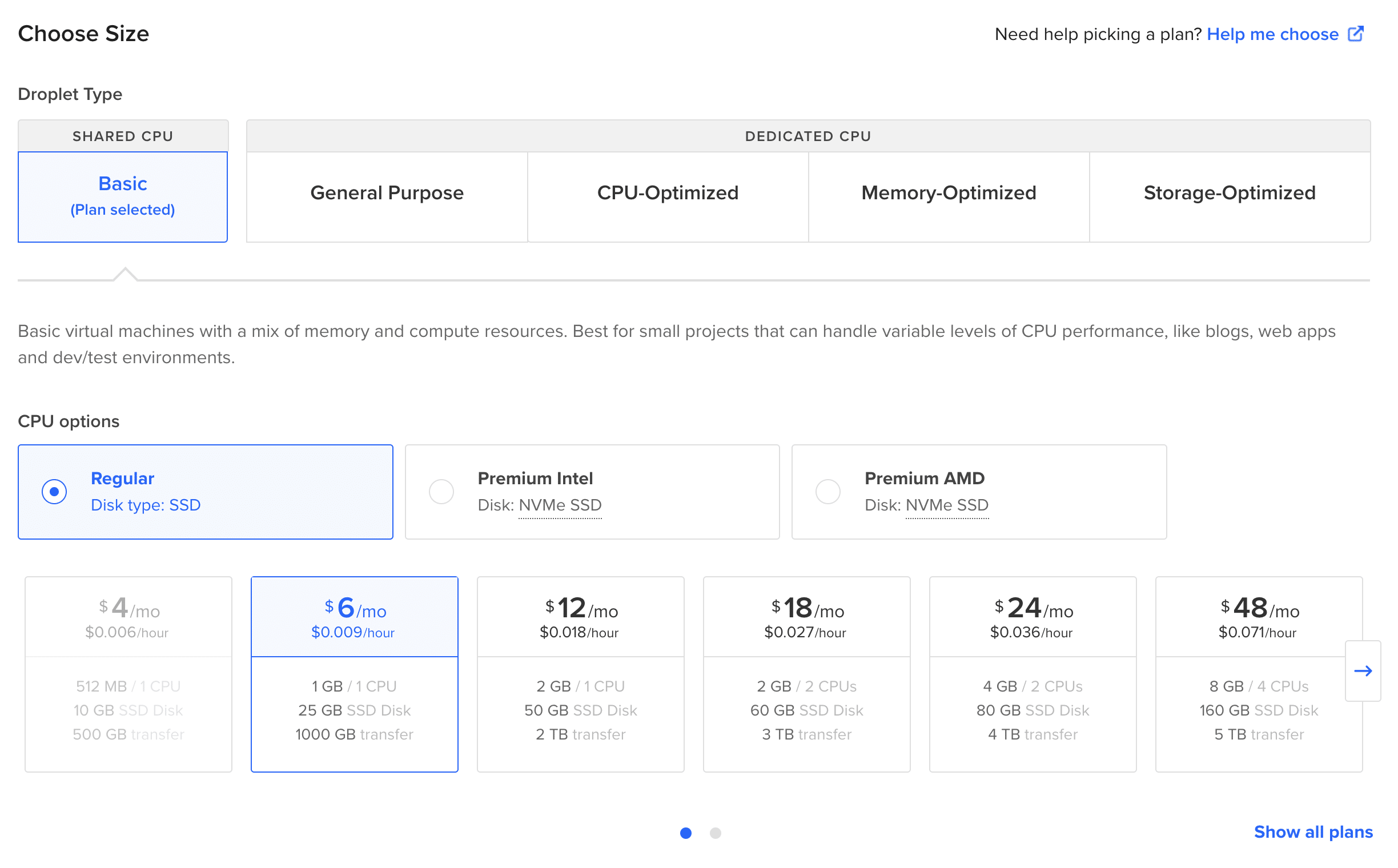
- Choose a Plan: Start with a basic plan; you can upgrade as needed.
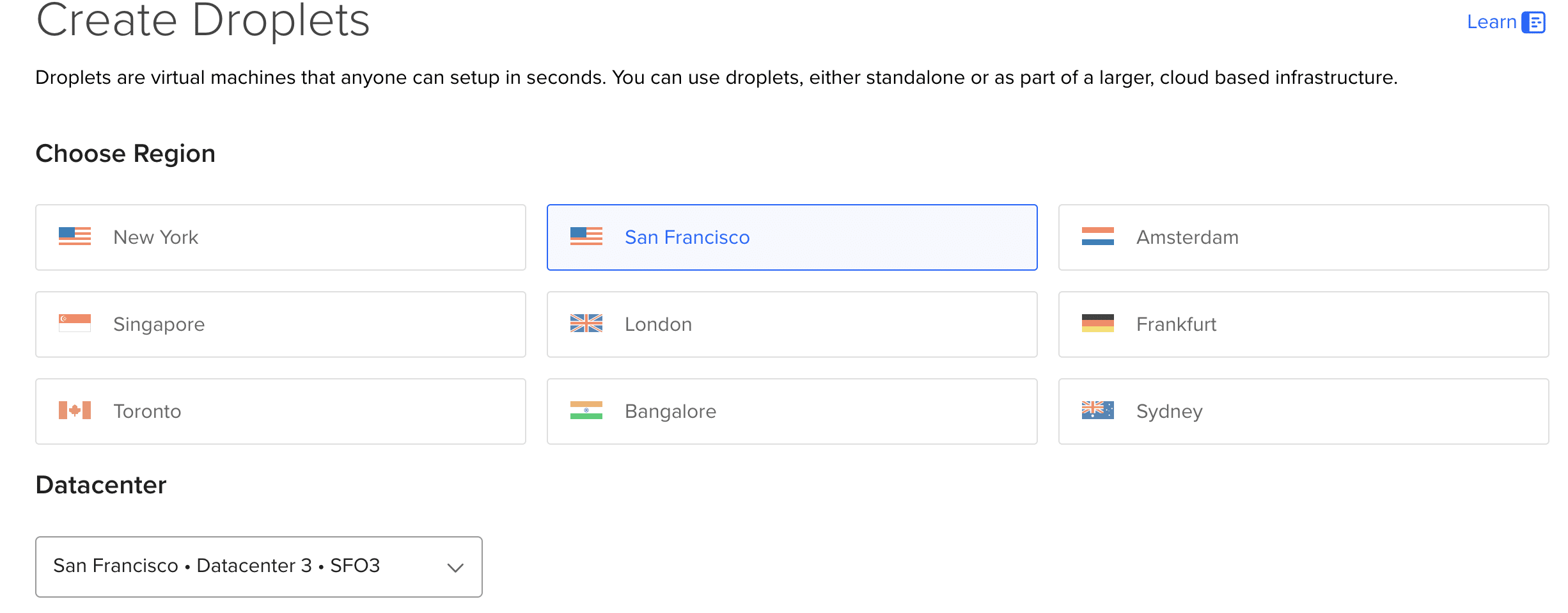
- Select a Datacenter Region: Pick a region closest to your audience for reduced latency. This means that if your target audience is from the United States, you should choose a server in the United States.

- Set Up SSH Keys: For security, it’s advisable to access your droplet via SSH keys. Add an existing key or follow the provided guide to create one.
- Finalize and Create: Choose additional options like backups, then create your droplet.
Step 4: Access Your Droplet and Complete Ghost Setup
Once your droplet is ready, access it via SSH.
ssh root@use_your_newly_created_droplet_ipThe first login will trigger the Ghost setup process, including setting up your domain and securing your site with a Let’s Encrypt SSL certificate. Follow the prompts to complete the setup.
Step 5: Access Your Ghost Blog
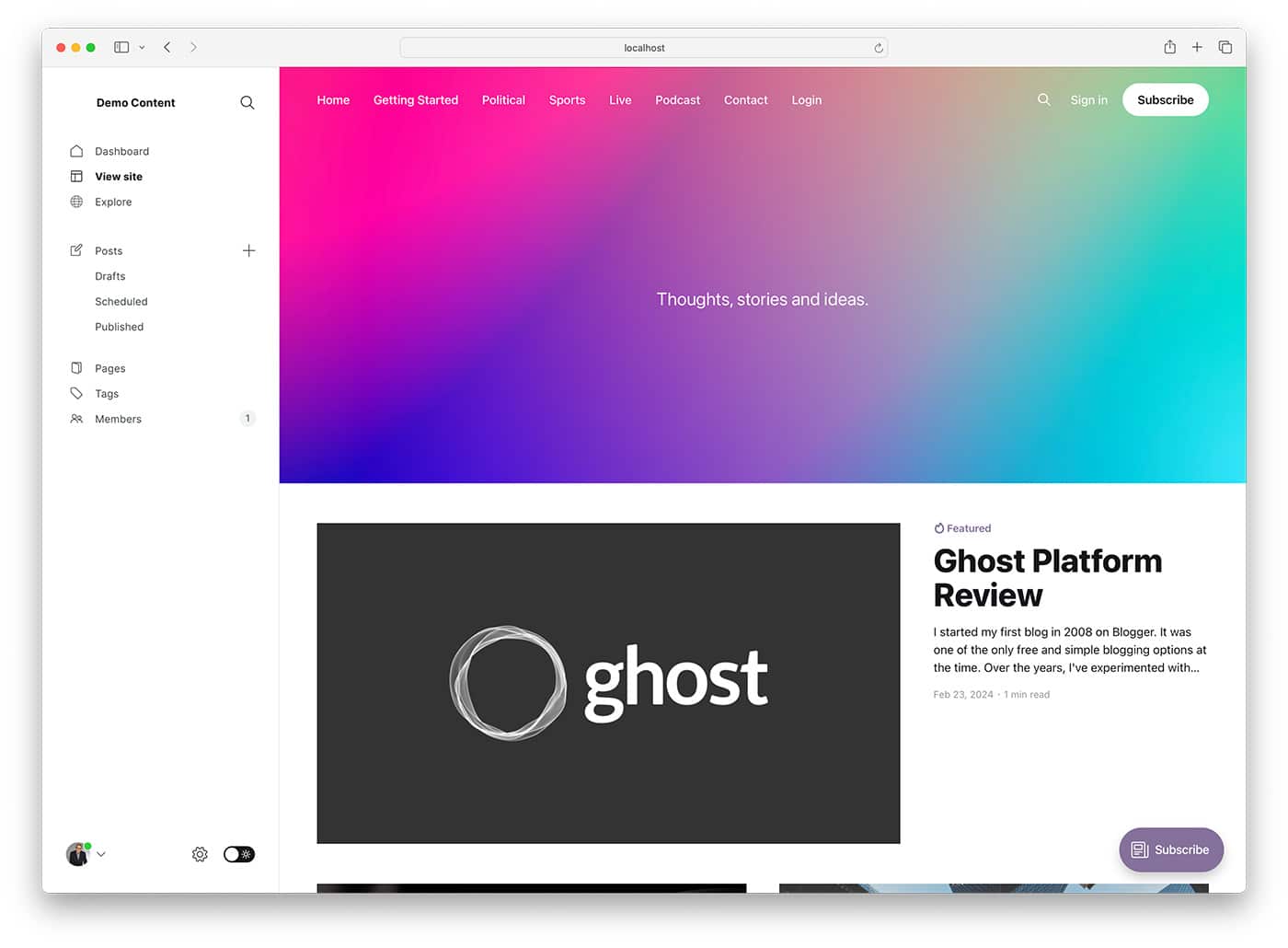
After the setup, your Ghost blog is accessible through your configured domain. You can start customizing your blog, creating content, and exploring Ghost’s features.
Conclusion
Self-hosting Ghost CMS on DigitalOcean using the Marketplace’s 1-Click App offers a blend of simplicity, performance, and affordability. This streamlined approach eliminates the complexity of manual installations, making it accessible for users of all technical backgrounds. By leveraging DigitalOcean’s infrastructure and the ease of setup provided by the Ghost 1-Click App, you can focus more on creating content and less on the technicalities of hosting and maintenance. Whether you’re new to blogging or an experienced content creator, this combination provides a solid foundation for your publishing needs.
FAQ: Self-Hosting Ghost CMS with DigitalOcean
What is Ghost CMS?
Ghost CMS is an open-source, professional publishing platform that creates and manages content easily. It’s known for its simplicity, speed, and SEO-friendly features, making it a popular choice for bloggers, journalists, and content creators.
Why should I choose DigitalOcean to host Ghost CMS?
DigitalOcean offers a user-friendly, scalable, and cost-effective cloud hosting solution. Its performance-optimized droplets, straightforward interface, and comprehensive documentation make it an ideal choice for hosting Ghost CMS, especially with the 1-Click App option available in the DigitalOcean Marketplace.
What is the DigitalOcean Marketplace?
The DigitalOcean Marketplace platform offers pre-configured 1-Click Apps and development stacks to simplify the deployment of applications and services on DigitalOcean droplets. It includes various software, including content management systems like Ghost CMS.
How much does it cost to host Ghost CMS on DigitalOcean?
The cost depends on the droplet plan you choose. DigitalOcean offers various plans starting at a low monthly price, which can be scaled as your site grows. Additional costs may apply for optional features like backups and monitoring services.
Do I need technical skills to self-host Ghost CMS on DigitalOcean?
While having some technical knowledge is beneficial, the Ghost 1-Click App from the DigitalOcean Marketplace significantly simplifies the process. Most users should be familiar with cloud hosting concepts and following the provided setup guide.
Can I scale my Ghost CMS hosting on DigitalOcean as my site grows?
Yes, DigitalOcean allows you to scale your resources easily. As your Ghost blog grows, you can upgrade your droplet plan to accommodate more traffic and storage needs.
How do I secure my Ghost CMS blog on DigitalOcean?
The Ghost 1-Click App includes setting up a Let’s Encrypt SSL certificate to secure your site with HTTPS. Additionally, accessing your droplet via SSH keys instead of passwords adds an extra layer of security.
Can I use my own domain with Ghost CMS on DigitalOcean?
Yes, during the setup process, you’ll be prompted to configure your domain for your Ghost CMS blog. You must update your domain’s DNS settings to point to your DigitalOcean droplet.
What happens if I encounter issues with my Ghost CMS on DigitalOcean?
DigitalOcean provides extensive documentation and a community forum where you can find help for common issues. For more specific problems, you may consider contacting Ghost’s support or consulting with a developer experienced in Ghost and DigitalOcean.
How do I back up my Ghost CMS blog on DigitalOcean?
DigitalOcean offers automated backups as an optional service for your droplets. These can be enabled during the droplet creation process or added later. As an additional backup measure, it’s also a good practice to regularly export your Ghost CMS content through the Ghost admin interface.