
District — Free Streetwear Brand Website Template
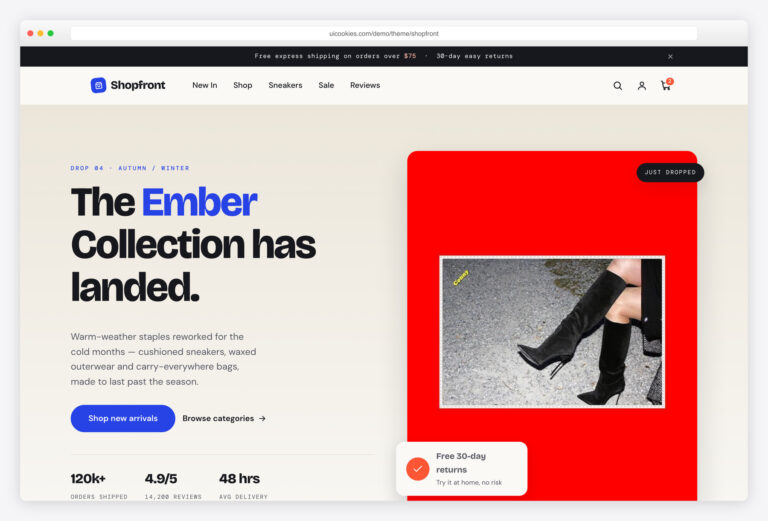
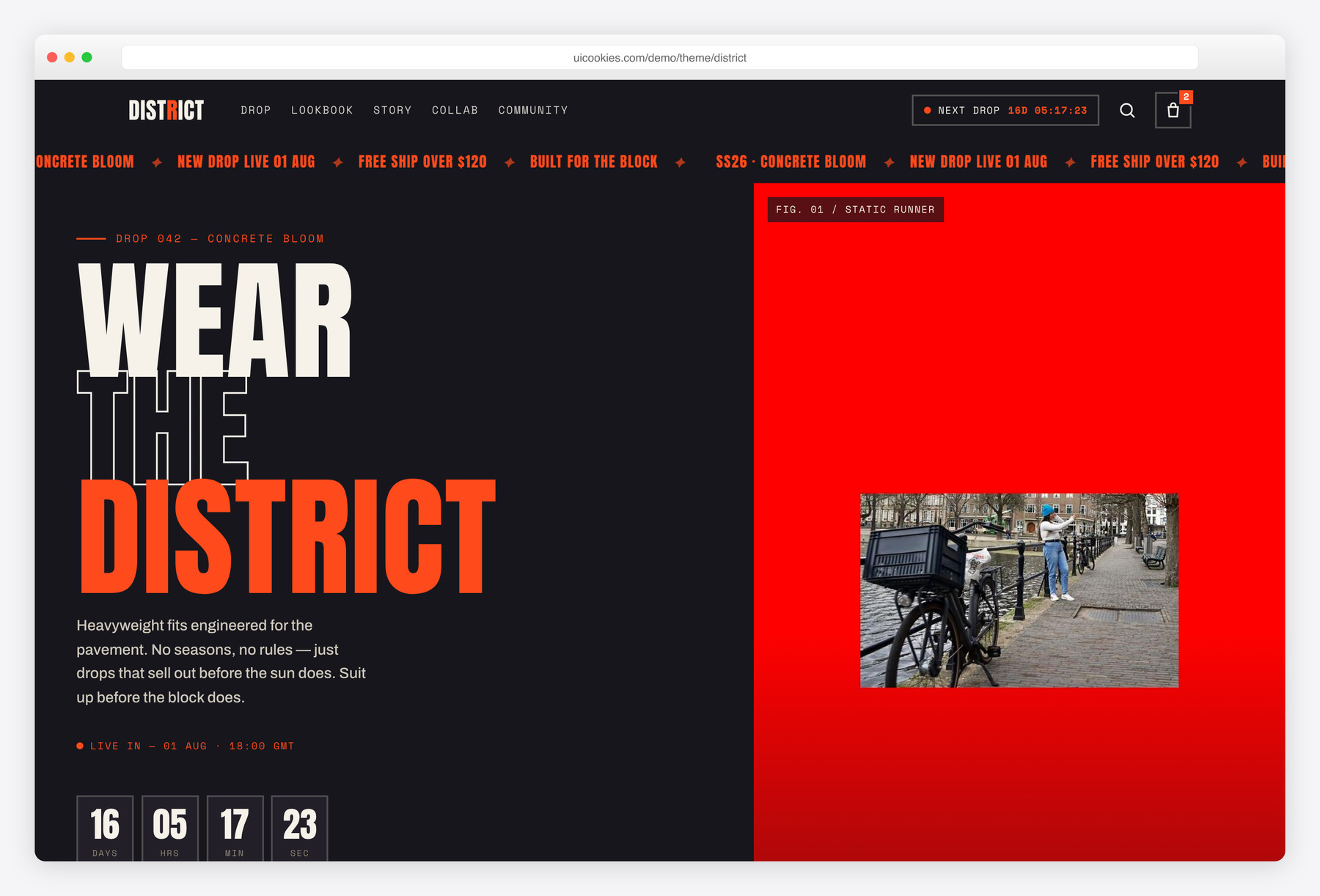
District is a free, single-page Bootstrap 5 template for a streetwear label's product drop, built entirely in vanilla JavaScript with no jQuery or build step. Its standout is a live drop countdown that ticks in both the hero and sticky header and auto-rolls forward so the demo never shows a dead timer. Loud by design: an oversized Anton display face, an asphalt-and-chalk palette with signal-orange and cobalt accents, and hazard-tape marquees between sections.
Key features
- Live drop countdown in the hero and sticky header, auto-rolling
- Numbered product rack with live category filtering and sold-out states
- Add-to-cart micro-interaction that bumps the header cart count
- Scrolling hazard-tape marquees with prefers-reduced-motion handling
- Asymmetric SS26 lookbook grid with hover captions
- Founder manifesto split with signature, brand stats and collab block
- #InTheDistrict community UGC wall with a post-your-fit CTA
- Newsletter block with front-end email validation and status messages
- Fixed header that turns solid on scroll plus full-screen mobile menu
Best for
- Streetwear and apparel labels launching a drop
- A hype-driven single-product or capsule release
- Brands that need a countdown landing page
- Front-end for a Shopify or headless storefront
At a glance
- Framework: Bootstrap 5
- License: Free for personal and commercial use
- Pages: 1 (single-page)
- Responsive: Yes
- Style: Loud streetwear, high-contrast, oversized condensed display + mono utility labels

How to use it
Download the ZIP, unzip it, and open index.html — no build step, nothing to install. Edit the text and images, point any forms at your backend or a form service, and deploy the folder to any static host. Colours and fonts live in css/style.css; the interactions are in js/main.js.
Frequently asked questions
Is District free to use, including commercially?
Yes. District is free for both personal and commercial use, so you can ship it for a real brand or client project. There's no attribution requirement baked into the page. Just swap in your own product photography and copy before you launch.
Can I edit it without a build tool or npm?
Yes. There's no build step, no npm and no compiler. Bootstrap's CSS and JS bundle are self-hosted in the template, fonts load from Google Fonts, and every interaction lives in one plain js/main.js file. Open index.html in any editor, change the markup, and refresh the browser to see it.
How do I change the colours and fonts?
The palette is driven by CSS custom properties, so retuning the asphalt-and-chalk base or the signal-orange and cobalt accents means editing a handful of variables in one place rather than hunting through the stylesheet. The type is the oversized Anton display face paired with a mono utility label font, both pulled from Google Fonts — swap those links to change the whole look.
How does the drop countdown work?
The target date lives in a single data-drop attribute in the hero. The script counts down to it in days, hours, minutes and seconds, mirrored in both the hero and the sticky header. So the demo never shows a dead timer, it automatically rolls the date forward in two-week steps once it passes — point it at your real launch date and delete the roll-forward line if you want a hard deadline.
Can I use it as a real store?
Not on its own. District is a static front-end brand template, so the cart, add-to-bag and product links are demo interactions with no payment processing or checkout. To actually sell, wire the numbered product cards up to your own backend — Shopify, WooCommerce or a headless API — and connect a real order and payment flow.
Is it responsive and mobile-friendly?
Yes. The layout is fully responsive down to phones, built on Bootstrap 5's grid. The fixed header turns solid on scroll and collapses into a full-screen overlay menu on smaller screens, and the asymmetric lookbook and product grids reflow cleanly for mobile.
How does the product filtering behave?
The product rack is numbered and supports live category filtering across Outerwear, Tops, Bottoms, Footwear and Accessories, all handled in vanilla JavaScript with no page reload. Individual cards can be marked sold-out, and adding to cart triggers a micro-interaction that bumps the header cart count and confirms on the button itself.
Is it accessible and CSP-friendly?
Accessibility was built in: there's a skip link, focus-visible rings, landmark structure throughout and IntersectionObserver scroll reveals that respect prefers-reduced-motion, including the hazard-tape marquees. Because all behaviour is hand-written vanilla JavaScript with no jQuery and Bootstrap is self-hosted, it also drops cleanly onto a strict-CSP host.