
Harvest — Free Fine-Dining Restaurant Website Template
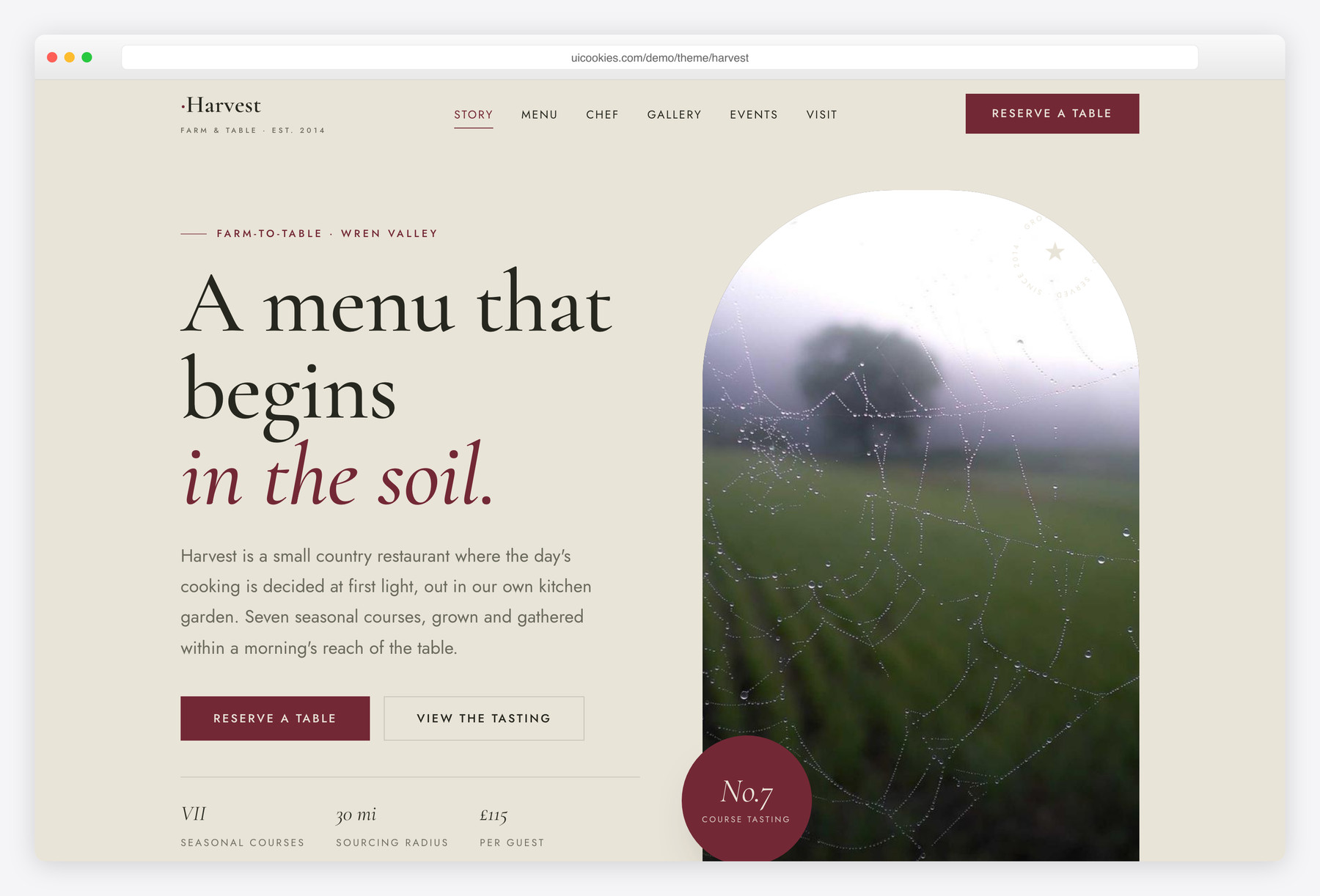
Harvest is a free single-page Bootstrap 5 template for farm-to-table fine dining, built around a dark "tasting card" that lays out a seven-course seasonal menu against roman numerals like a printed carte. It skips the usual bistro look for editorial luxury — a claret-and-loam palette with Cormorant Garamond over Jost — and ships with a validating reservation form, a lightbox food gallery, and a chef story, all hand-built with no jQuery.
Key features
- Dark tasting card lays out a seven-course menu in roman numerals
- À-la-carte supplement list beside the tasting menu
- Reservation form validates email, party size and no past dates
- Accessible, personalised booking confirmation state after submit
- Gapless food gallery with keyboard lightbox (arrow keys + Escape)
- Asymmetric editorial hero with arched frame and rotating SVG seal
- Chef profile with signature quote plus sommelier/pastry team row
- Private-events block: private room, chef's table, communal supper
- Sticky header with scrollspy, IntersectionObserver reveals, mobile drawer nav
Best for
- Farm-to-table and fine-dining restaurants
- Seasonal tasting-menu kitchens
- Supper clubs and private-dining businesses
- Chef's-table or communal-supper concepts
- Any venue wanting an editorial, luxury look
At a glance
- Framework: Bootstrap 5
- License: Free for personal and commercial use
- Pages: 1 (single-page long-scroll)
- Responsive: Yes
- Style: Understated fine-dining luxury — claret, loam & garden sage

How to use it
Download the ZIP, unzip it, and open index.html — no build step, nothing to install. Edit the text and images, point any forms at your backend or a form service, and deploy the folder to any static host. Colours and fonts live in css/style.css; the interactions are in js/main.js.
Frequently asked questions
Is Harvest free to use for a commercial restaurant?
Yes. Harvest is free for both personal and commercial projects — a real restaurant, farm kitchen, supper club or private-dining business. There's no licence fee and no usage cap. No attribution is required, though a link back to uiCookies is appreciated.
Do I need Bootstrap knowledge or a build step to edit it?
No. Harvest is plain HTML with a single CSS file and one vanilla-JavaScript file — there's no npm install, no compiling and no framework to learn. Swap the copy directly in the HTML and drop your photos into the img/ folder. Basic familiarity with HTML is all you need.
How do I change the colours and fonts?
The whole palette — claret, loam and garden sage — is driven by CSS custom properties at the top of css/style.css, so a new scheme is a handful of edits in one place. The type pairing is Cormorant Garamond for headings and Jost for body text, both loaded in the HTML head, so you can swap them there. No preprocessor or rebuild is required.
Is Harvest responsive on mobile?
Yes. It's built on Bootstrap 5's responsive grid and reflows cleanly from large desktop screens down to phones. The navigation collapses into a mobile drawer, and the layout, tasting card and gallery all adapt to smaller viewports.
Can I change the tasting menu or add à-la-carte items?
Absolutely. Each course on the dark tasting card is a simple, self-contained markup block, so you can add, remove, re-order or re-price courses by editing the HTML. The roman numerals and course tags are part of that markup, and the à-la-carte supplement list works the same way. You can run more or fewer than seven courses without touching the CSS.
How does the reservation form work — will it receive bookings?
The form validates entirely in the browser: required fields, email format, no past dates, plus sitting and party-size checks, ending in a personalised confirmation state. It does not send or store bookings on its own — Harvest is a static front-end with no backend or payment processing. To actually receive reservations, point the <form> at your booking provider or a form endpoint of your choice.
Which browsers does Harvest support?
It works in all current versions of Chrome, Firefox, Safari and Edge. The interactive pieces — the lightbox, scrollspy, scroll reveals and mobile drawer — are built with standard modern JavaScript APIs like IntersectionObserver, so no plugins or legacy shims are bundled.
What's included, and does the gallery slow the page down?
You get one single-page long-scroll layout with a hero, farm story, chef profile, seven-course tasting card, plated-food gallery, private-events block, and a combined hours-and-location panel with a CSS-drawn map. The gallery lightbox is dependency-free — no jQuery or plugin — so page weight stays low. Just replace the placeholder photos in img/ with your own optimised images to keep it fast.