
Reverb — Free Music Festival Website Template
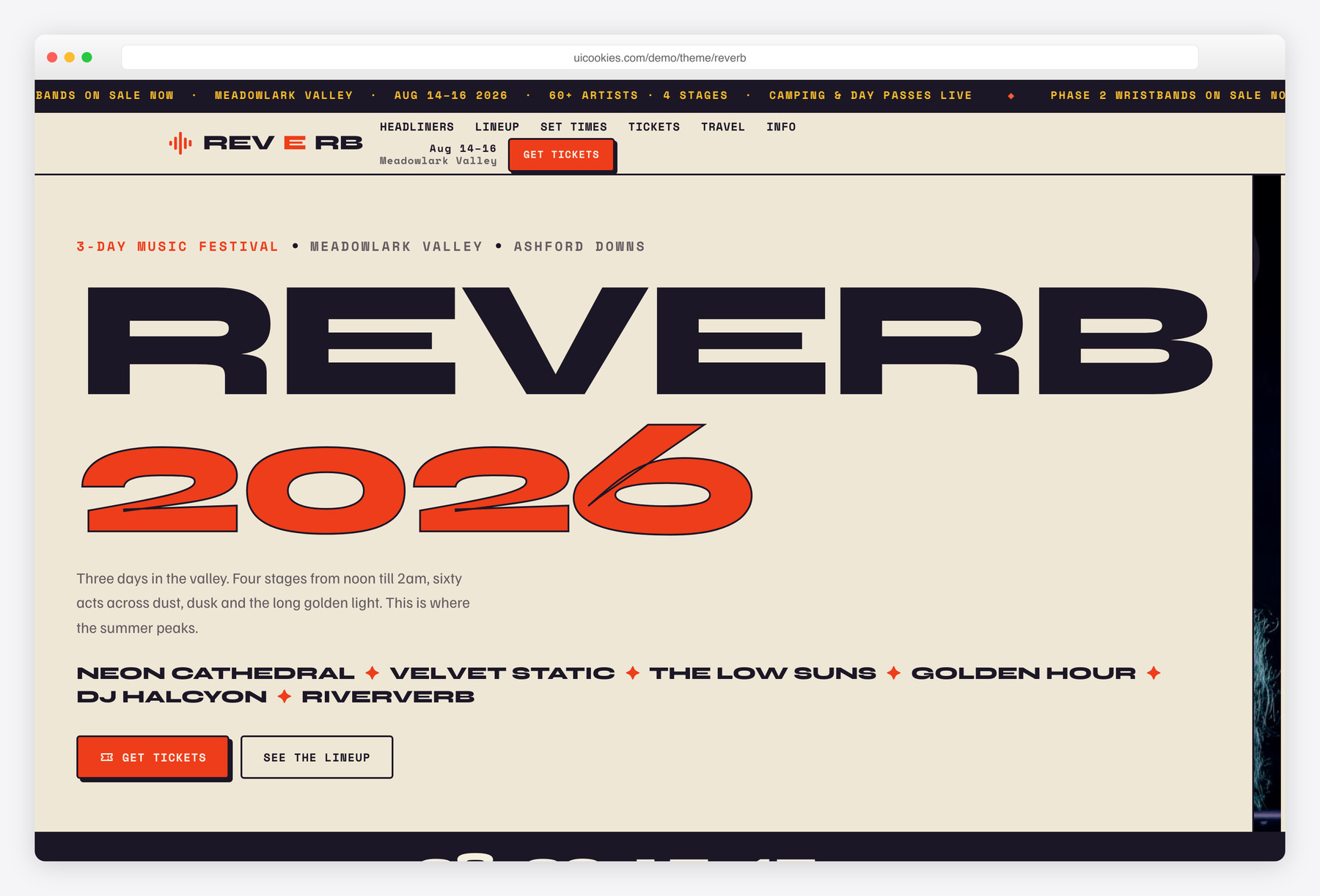
Reverb is a free single-page Bootstrap 5 template styled like a silkscreen gig poster for multi-day music festivals. Unlike a single-artist page, it's engineered for a three-day event — a live gates-open countdown, a lineup that switches by day, a four-stage set-times grid and four ticket tiers — all in hand-written vanilla JavaScript with no jQuery, page builder or CDN-loaded assets.
Key features
- Poster hero with scrolling lineup teaser and live gates-open countdown
- Headliner grid with duotone cards that bloom to colour on hover
- Lineup by day: Friday / Saturday / Sunday tabs in poster billing order
- Four-stage set-times grid with day switcher and colour-coded stages
- Four ticket tiers with live status pills and a featured card
- Venue & travel block: shuttle, parking, camping and accessibility cards
- Newsletter capture with name + email validation and success state
- Scrolling announcement ticker plus inline-SVG sponsor wordmarks
- Self-hosted Bootstrap + inline SVG icons, strict-CSP ready
Best for
- Multi-day music festivals and lineups
- Client event microsites and one-off shows
- Promoters selling tiered festival tickets
- Any bold, poster-style event landing page
At a glance
- Framework: Bootstrap 5
- License: Free for personal and commercial use
- Pages: 1
- Responsive: Yes
- Style: Bold silkscreen gig-poster — warm oat paper, vermilion + midnight + marigold inks, Syne / Familjen Grotesque / Space Mono

How to use it
Download the ZIP, unzip it, and open index.html — no build step, nothing to install. Edit the text and images, point any forms at your backend or a form service, and deploy the folder to any static host. Colours and fonts live in css/style.css; the interactions are in js/main.js.
Frequently asked questions
Is Reverb really free to use commercially?
Yes. Use it for a real festival, a client's event microsite or a one-off show, free for both personal and commercial projects. Attribution to uiCookies is appreciated but never required. There are no license fees, tiers or usage caps.
Do I need a build tool or framework to edit it?
No. Reverb is a single index.html file — open it in a browser and it runs as-is. Bootstrap and its JS bundle are self-hosted in css/vendor and js/vendor, and every icon is inline SVG, so nothing loads from a CDN. That also means it deploys cleanly on hosts with a strict Content Security Policy.
How do I change the colours and fonts?
The palette — warm oat paper with vermilion, midnight-indigo and marigold inks — is defined in the template's CSS, so you recolour the whole poster by editing those values in one place. The type is Syne for the big headlines, Familjen Grotesque for body copy and Space Mono for accents, all declared in the same stylesheet and swappable for your own fonts.
Is it responsive, and which browsers does it support?
Yes, it's fully responsive on Bootstrap 5's grid and reflows cleanly from phone to tablet to desktop, including the day tabs and set-times grid. It runs in all current versions of Chrome, Firefox, Safari and Edge. It also ships full reduced-motion support, so the countdown, ticker and reveal animations respect a visitor's motion preferences.
Does the countdown clock actually work?
Yes, the countdown is live. It reads a target date from the hero markup and ticks down in real time to gates-open. To use it, just change that date to your own event's start time — no configuration or extra scripts needed.
How do I update the lineup and set times?
Everything is plain HTML. Edit the artist names in the lineup poster panels, and the time / act / length rows inside each stage list in the Set Times section. To add a fifth stage, duplicate a stage block; to add another set, copy a list item. No CMS or data file to wire up.
Can I sell tickets directly through the template?
Not on its own — Reverb is a static front end with no backend or payment processing. The four ticket tiers, status pills and "Buy" buttons are a front-end demo. Point the buttons at your own ticketing provider, such as Eventbrite, DICE, See Tickets or Universe, to actually sell.
Does the newsletter form send emails?
The signup form validates the name and email on the front end and shows a success state, but it doesn't deliver anything by itself. Connect it to your email service (Mailchimp, ConvertKit, etc.) or a form-handling endpoint to start collecting subscribers. The validation logic and success UI are already built, so you only supply the destination.