
Premiere — Free Single Film Promo Website Template
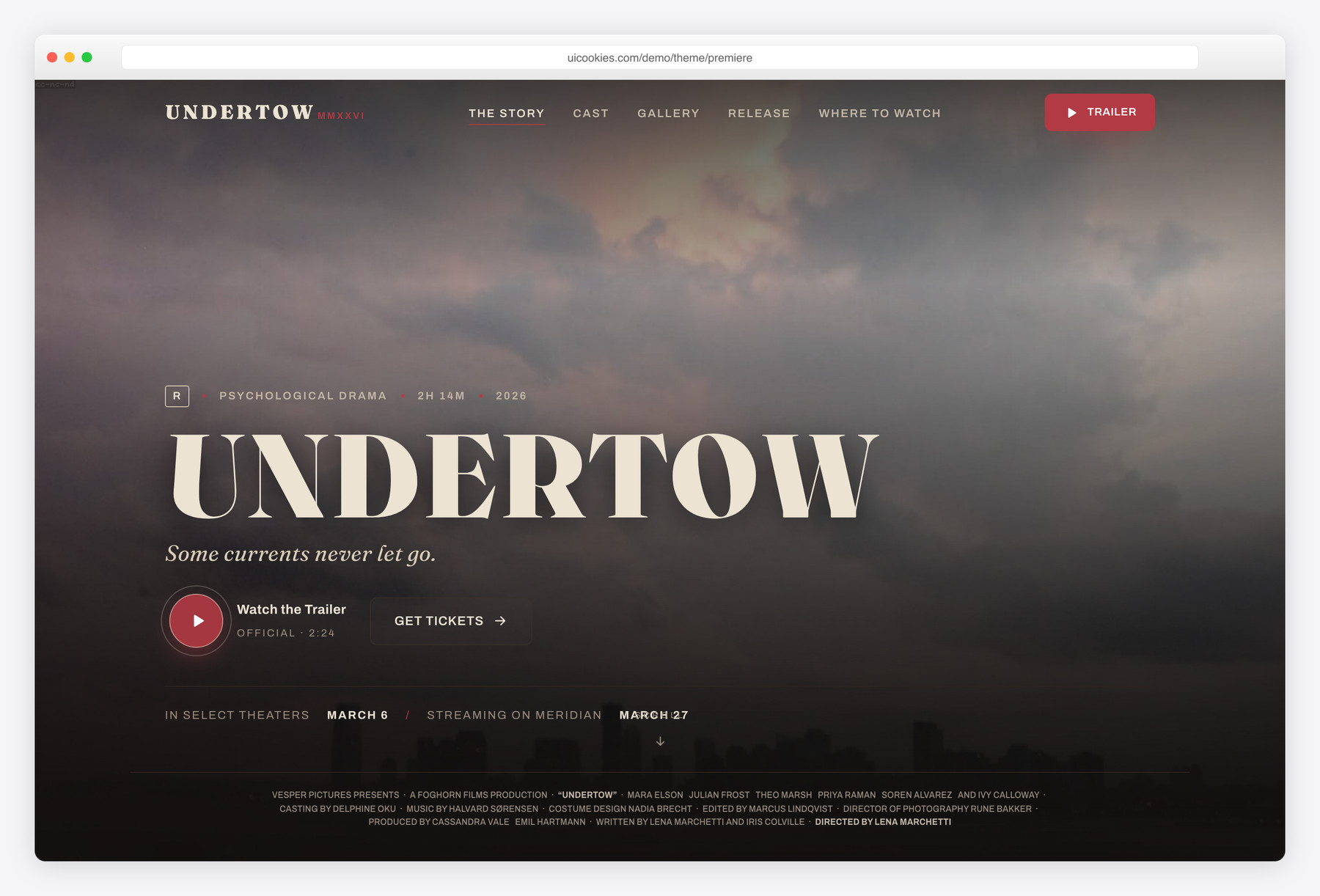
Premiere is a single-page, poster-first promo site for the launch of one feature film — a full-bleed key-art hero that scrolls like a press kit through synopsis, cast, stills, behind-the-scenes, regional release dates, where-to-watch, and festival laurels. Built on Bootstrap 5 with vanilla JavaScript, self-hosted assets, and inline SVG icons, its click-to-reveal trailer is a facade with no third-party embeds, so it deploys clean on strict-CSP hosts.
Key features
- Full-bleed key-art hero with a squeezed billing-credit block
- Click-to-reveal trailer lightbox — no external embeds, CSP-safe
- Cast row with grayscale-to-colour portrait reveals for six characters
- Horizontal filmstrip stills gallery with scroll-snap and sprocket holes
- Region-by-region release calendar with In-Theaters / Streaming tags
- Where-to-watch chips plus a five-badge festival laurels strip
- Behind-the-scenes split with inset frame and director's pull-quote
- Newsletter capture, sticky header, scroll-spy nav, reveal-on-scroll
- All inline SVG icons — no icon font, no extra requests
Best for
- One feature film's theatrical and streaming launch
- Distributors and studios marketing a single title
- Indie filmmakers promoting a festival release
- Documentaries or shorts with one release date
- Anyone needing a dark, poster-driven one-pager
At a glance
- Framework: Bootstrap 5
- License: Free for personal and commercial use
- Pages: 1
- Responsive: Yes
- Style: Warm cinematic noir — dark, dramatic, poster-first

How to use it
Download the ZIP, unzip it, and open index.html — no build step, nothing to install. Edit the text and images, point any forms at your backend or a form service, and deploy the folder to any static host. Colours and fonts live in css/style.css; the interactions are in js/main.js.
Frequently asked questions
Is Premiere free to use, including commercially?
Yes. Premiere is free for both personal and commercial projects, so you can use it for a paid client's film or your own release at no cost. There's no purchase, subscription, or attribution requirement to launch it.
Do I need a build tool or framework to edit it?
No. Premiere is a single static index.html page with plain HTML, CSS, and vanilla JavaScript — there's no build step, bundler, or npm install. Open the files in any editor, change the text and images, and upload them to any host. Everything works straight from the file system.
How do I change the colours and fonts?
The colours and fonts are defined as CSS variables at the top of css/style.css, so you can restyle the whole template from one place. Edit the variable values there and every section — hero, cast, calendar, laurels — updates together. No find-and-replace across the markup is needed.
Does the trailer button play a real video?
By default it opens an accessible lightbox with a poster still and a play control — a facade that keeps the page CSP-clean with no third-party embeds. It includes focus management and Escape-to-close. To make it live, drop your own <video> element or an allowlisted iframe into the dialog.
How is this different from a streaming or OTT template?
Premiere is built for the launch of a single film — one poster, one story, one release — not a multi-title catalogue. There are no genre rows, no title grids, and no subscription tiers. It's the marketing site a distributor stands up for one title's theatrical and streaming run, structured like a press kit rather than a storefront.
Is it responsive, and which browsers does it support?
Yes, the layout is fully responsive and adapts from desktop down to phones, including the filmstrip gallery and release calendar. It's built on Bootstrap 5, so it runs in all current versions of Chrome, Firefox, Safari, and Edge. Motion effects like reveal-on-scroll are reduced-motion aware and respect the visitor's accessibility settings.
Does the newsletter form actually collect signups?
Premiere is a static front-end, so the newsletter capture is markup only and does not send or store email on its own. Point the form's action at your email service or backend — such as Mailchimp, a form endpoint, or your own script — to make it live. The same applies to any backend or CMS: none is included, but the plain HTML is straightforward to wire into one.
Are the icons an icon font, and how are images handled?
No icon font is used — every icon, from play buttons and social marks to the festival laurels and where-to-watch glyphs, is inline SVG, so nothing is blocked by CDN or icon-font restrictions and there are no extra network requests. Assets are self-hosted rather than pulled from a CDN. Swap your own key art, stills, and cast portraits into the /img folder to replace the placeholders.