
Reel — Free Film Festival Website Template
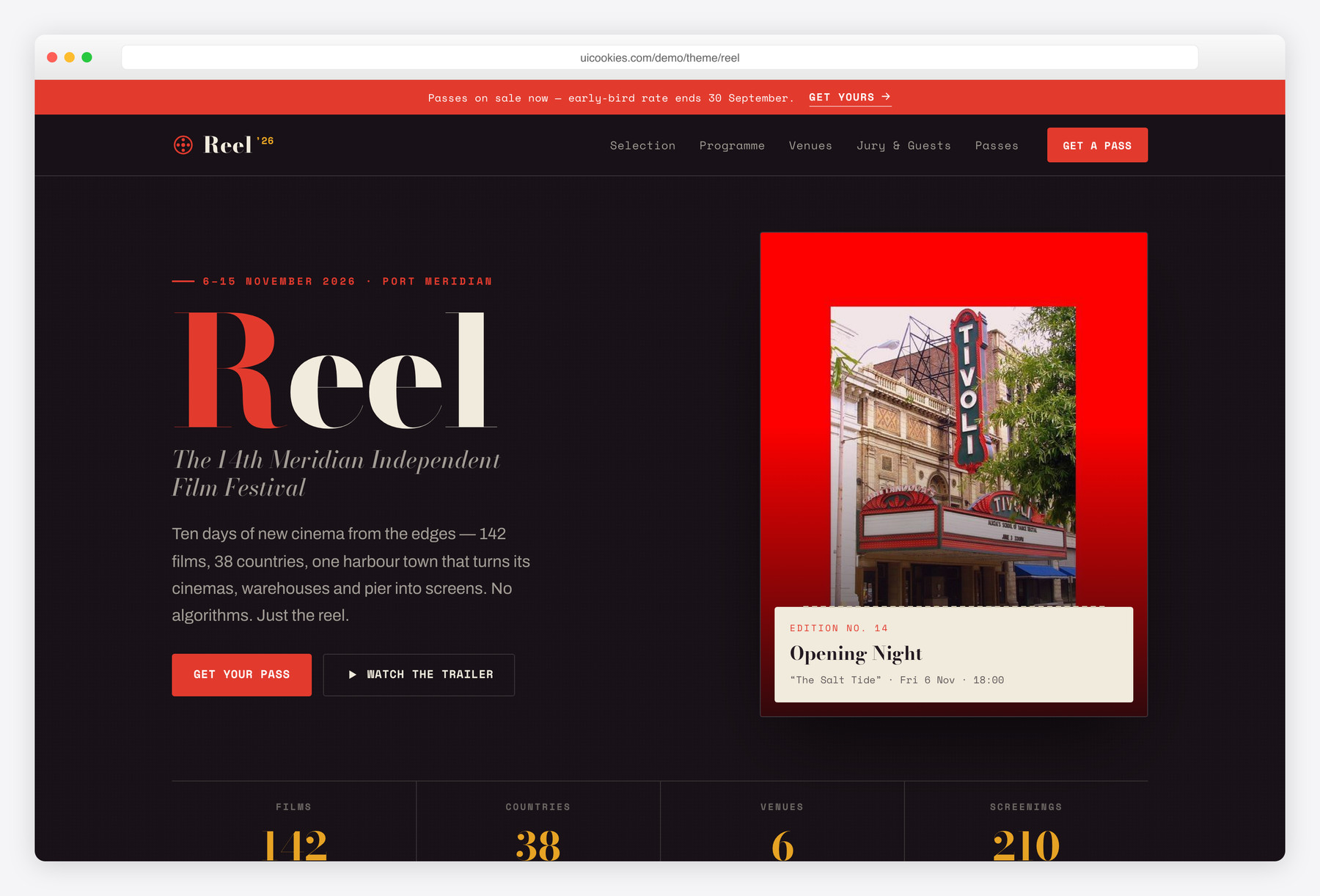
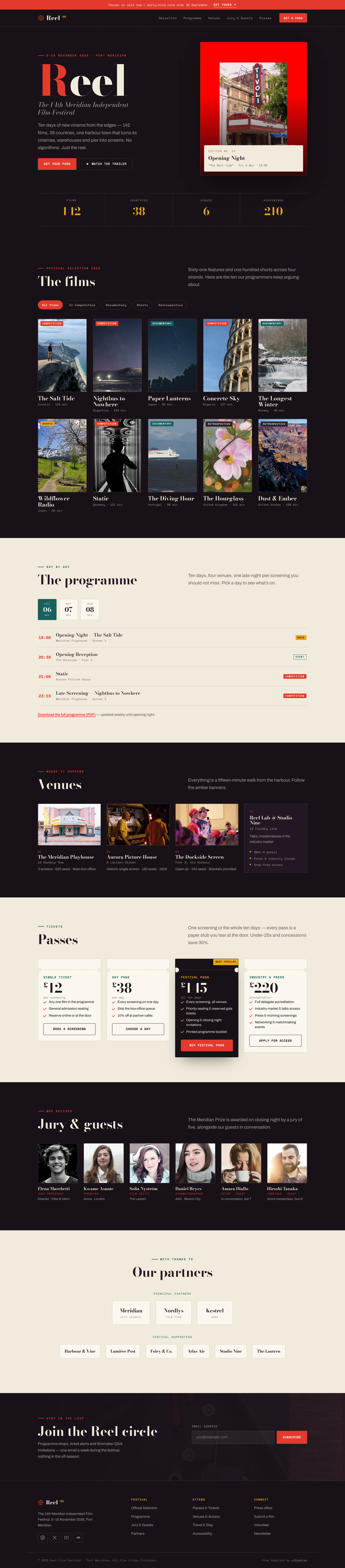
Reel is a free, single-page Bootstrap 5 template for film festivals and independent cinemas, styled like a printed festival programme rather than a streaming app — high-contrast Bodoni headlines, a torn-ticket motif and a risograph scarlet-and-petrol palette on warm paper. Its standout is a filterable official-selection poster grid you sort by strand with no page reload, paired with a day-by-day programme in accessible calendar tabs. Every interaction is vanilla JavaScript on self-hosted Bootstrap 5, so it deploys clean on strict-CSP hosts.
Key features
- Filterable official-selection poster grid — sort by strand, no reload
- Day-by-day programme with accessible calendar tabs and mono times
- Ticket-stub pass cards with perforated edges and a highlighted festival pass
- Venue directory photo cards plus a talks/industry block
- Jury and guests grid with hover-desaturate portraits
- Animated at-a-glance counters that respect reduced motion
- Tiered sponsor logo wall in principal and supporter rows
- Newsletter capture with inline email validation and mobile drawer
- Vanilla JS, inline-SVG icons, self-hosted Bootstrap 5 (strict-CSP friendly)
Best for
- Film festivals announcing an edition lineup
- Independent and arthouse cinemas
- Short-film and documentary festivals
- Repertory or retrospective seasons and film clubs
At a glance
- Framework: Bootstrap 5
- License: Free for personal and commercial use
- Pages: 1
- Responsive: Yes
- Style: Editorial print-poster, cinematic, warm-dark with paper interiors
How to use it
Download the ZIP, unzip it, and open index.html — no build step, nothing to install. Edit the text and images, point any forms at your backend or a form service, and deploy the folder to any static host. Colours and fonts live in css/style.css; the interactions are in js/main.js.
Frequently asked questions
Is Reel free to use, including for a commercial festival?
Yes. Reel is free for both personal and commercial use, so you can run it for a paid, ticketed festival or a commercial cinema without a licence fee. It is a front-end template, so you host it yourself and supply your own programme content, imagery and copy.
Is Reel a streaming or OTT template?
No. It is built for a festival or an independent cinema, not a subscription service. The layout follows a printed festival catalogue — an official-selection grid, a day-by-day programme, venues and passes — rather than a media-player browsing UI. There is no video player, watchlist or account system.
Can I edit it without a build tool or framework?
Yes. Reel is plain HTML, CSS and vanilla JavaScript with self-hosted Bootstrap 5, so you edit the files directly and refresh the browser. There is no npm install, bundler or compile step, and no Node or command-line knowledge is needed to get started.
How do I add more films or screenings?
For the selection grid, duplicate a .film list item and set its data-section to the right strand — Competition, Documentary, Shorts or Retrospective — so the filter picks it up. For the programme, copy a .slot row inside the relevant day panel and edit the title, time and venue. No build step is required.
How does the strand filter work?
The official-selection grid filters in place with vanilla JavaScript — clicking a strand shows and hides posters instantly with no page reload or external library. Each poster is tagged with a data-section value, so adding a film to a strand is just a matter of setting that attribute correctly.
Can I change the colours and fonts?
Yes. The palette and type are CSS custom properties at the top of css/style.css — edit --scarlet, --petrol, --mustard, --ink and --bone to recolour the whole template. To change the typefaces, swap the Google Fonts link in the HTML head for a different display and body pairing.
Is it responsive, and does it use jQuery or icon fonts?
Reel is fully responsive and adapts from desktop down to mobile, including a slide-in navigation drawer. It uses no jQuery and no icon fonts — every icon is inline SVG and all behaviour is vanilla JavaScript — so there are no external font or script dependencies to trip a content-security policy. It runs in all current versions of Chrome, Firefox, Safari and Edge.
Does the newsletter form actually send email?
The newsletter field includes inline email validation on the front end, but like any static template it has no backend, so it does not store or send submissions on its own. To collect addresses, point the form at your own handler or an email service such as Mailchimp or Sendy. There is no payment or ticketing processing either — link the pass cards out to your ticketing provider.