
Streamline — Free Movie & TV Streaming Website Template
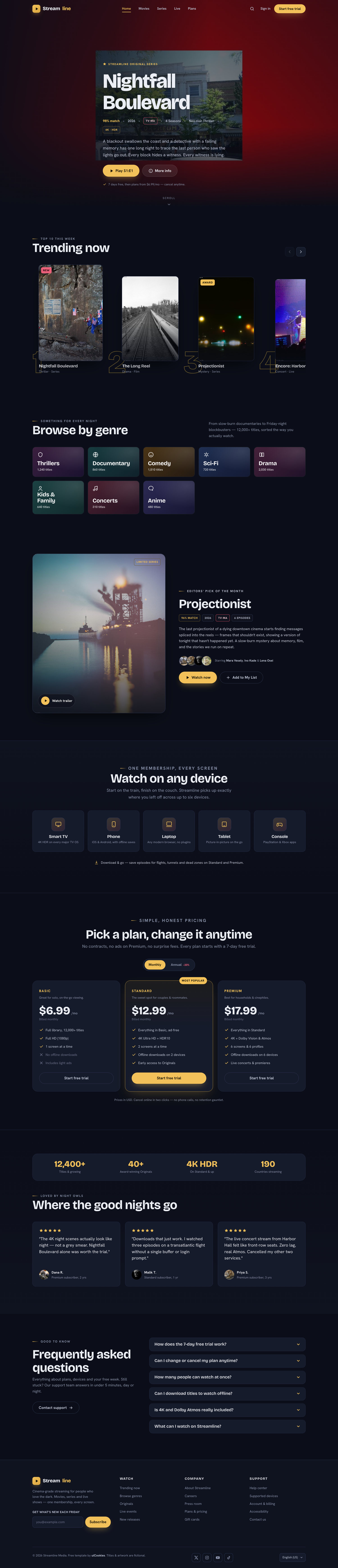
Streamline is a free, dark-mode Bootstrap 5 template for movie and TV streaming sites, built around a marquee-gold-on-midnight-navy palette that avoids the usual "black plus one neon" look. It ships as a complete two-page experience: a long-scroll landing page plus a fully built title-detail page with a four-season episode switcher. Everything is hand-written vanilla JS and self-hosted, with no jQuery, icon fonts or CDN calls.
Key features
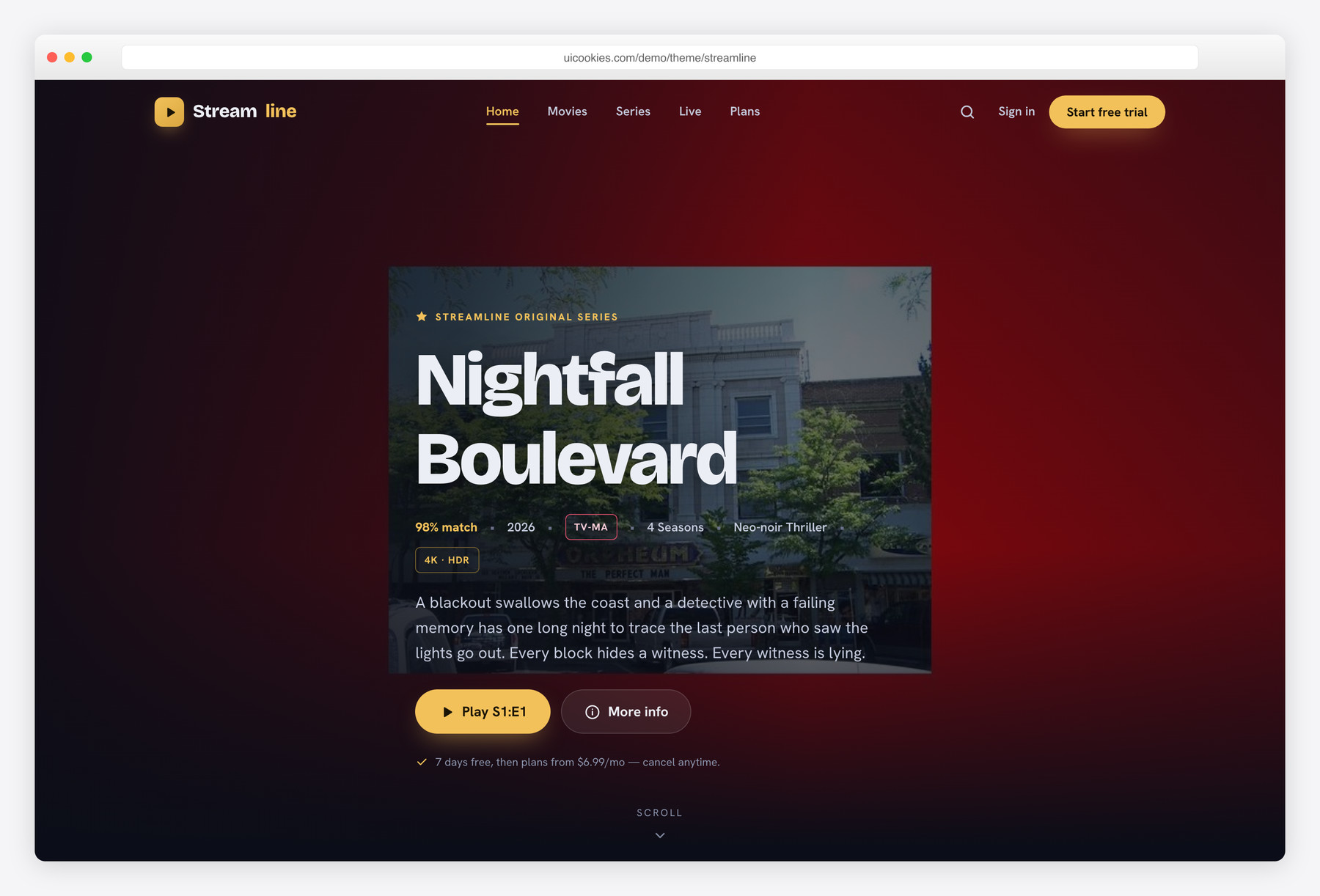
- Full-bleed cinematic hero with match score, maturity chip and play/info CTAs
- Second title-detail page with a 4-season episode switcher
- "Trending now" Top-10 scroll-snap row with ranked numerals and arrows
- Three-tier pricing with a working monthly/annual billing toggle
- Eight duotone genre tiles with per-category hues and hover arrows
- Transparent-to-solid sticky header that blurs in on scroll
- Editors'-pick spotlight split with stacked cast row and trailer overlay
- Vanilla JS and inline-SVG icons — no jQuery, no icon fonts
- Accessible: skip link, focus-visible rings, alt text and aria labels
Best for
- Streaming, OTT and video-on-demand sites
- Film, TV or documentary catalogues
- Media startups pitching a subscription service
- A front-end for a headless video platform or CMS
At a glance
- Framework: Bootstrap 5
- License: Free for personal and commercial use
- Pages: 2 (landing + title detail)
- Responsive: Yes
- Style: Dark, cinematic, marquee-gold on midnight navy
How to use it
Download the ZIP, unzip it, and open index.html — no build step, nothing to install. Edit the text and images, point any forms at your backend or a form service, and deploy the folder to any static host. Colours and fonts live in css/style.css; the interactions are in js/main.js.
Frequently asked questions
Is Streamline really free for commercial projects?
Yes. It is free for both personal and commercial work, with no purchase required. The sample titles, posters and copy are fictional placeholders, so swap in your own catalogue and branding before you launch.
Can I edit it without knowing how to code or run a build tool?
Basic edits are approachable. The pages are plain HTML you can open and change directly, with no build step, compiler or package install needed to preview your changes. You will want some comfort with HTML and CSS to restructure sections, but simple text, image and colour swaps are straightforward.
How do I change the colours and fonts?
The dark cinematic palette — the midnight-navy stage, marquee-gold accent and spotlight-rose highlight — is set with a small set of colour values in the stylesheet, so retheming is mostly a find-and-replace. Fonts load through the Google Fonts link in each page's head; point it at a different family and update the font-family rule to match.
Is it responsive and mobile-friendly?
Yes. The layout is fully responsive and tested from 360px phones up to 1440px desktops, built on Bootstrap 5's grid. Interactions like the trending row and header also respect a reduced-motion preference, so animations tone down for users who ask for that.
Which browsers does it support?
It targets modern evergreen browsers — current Chrome, Edge, Firefox and Safari. It relies on standard features like IntersectionObserver, CSS scroll-snap and focus-visible, which those browsers support, so no legacy Internet Explorer fallbacks are included.
How do I wire up the actual streaming catalogue?
Streamline is a static front-end only. The trending row, genre tiles, pricing and episode list are hand-coded markup, ready to be templated by your CMS, headless backend or video platform. There is no built-in video playback, user accounts or payment processing — the pricing toggle only rewrites the displayed prices, so you connect real checkout and streaming yourself.
What does the second title-detail page include?
The title.html page is a complete detail view: a backdrop hero, synopsis, cast row, a facts sidebar and a season switcher that swaps between four seasons of episodes. It gives you the show-page pattern most OTT sites need, so you are not starting the deepest screen from scratch.
Does it use jQuery, icon fonts or a lot of external calls?
No. Every interaction is vanilla JavaScript in a single guard-claused file, and every icon is inline SVG, so there is no Font Awesome or jQuery to load. Bootstrap's CSS and JS are self-hosted locally and only Google Fonts is fetched remotely, which means it deploys cleanly even behind a strict content-security policy. For best performance, replace the placeholder posters with your own optimised, appropriately sized images.