A wedding website has one job most other sites never face: it has to carry the feeling of a specific day while still doing the plumbing work of collecting RSVPs and getting guests to the right place at the right time. Every template on this page is designed and maintained in-house by uiCookies, built for that exact balance rather than adapted from a generic landing-page layout.
A good celebration site earns its keep on a handful of essentials. Guests need the date, venue and start time in the first scroll; they need an RSVP they can complete on a phone in ten seconds; and they usually want travel or directions, a gallery, and the couple's story. Because the emotional register matters as much as the information, palette and typography do more heavy lifting here than in almost any other niche — so we ship each template with a distinct, finished mood rather than a blank grey shell.
Everything here is free to download, built on Bootstrap 5 (Marigold on the Bootstrap 6 alpha), and completely jQuery-free. Each one comes with a live demo you can click through and a direct download — plain HTML and CSS you edit by hand, no account, no framework build, no dependency to untangle before you can change a name or a date.
The templates
Evermore
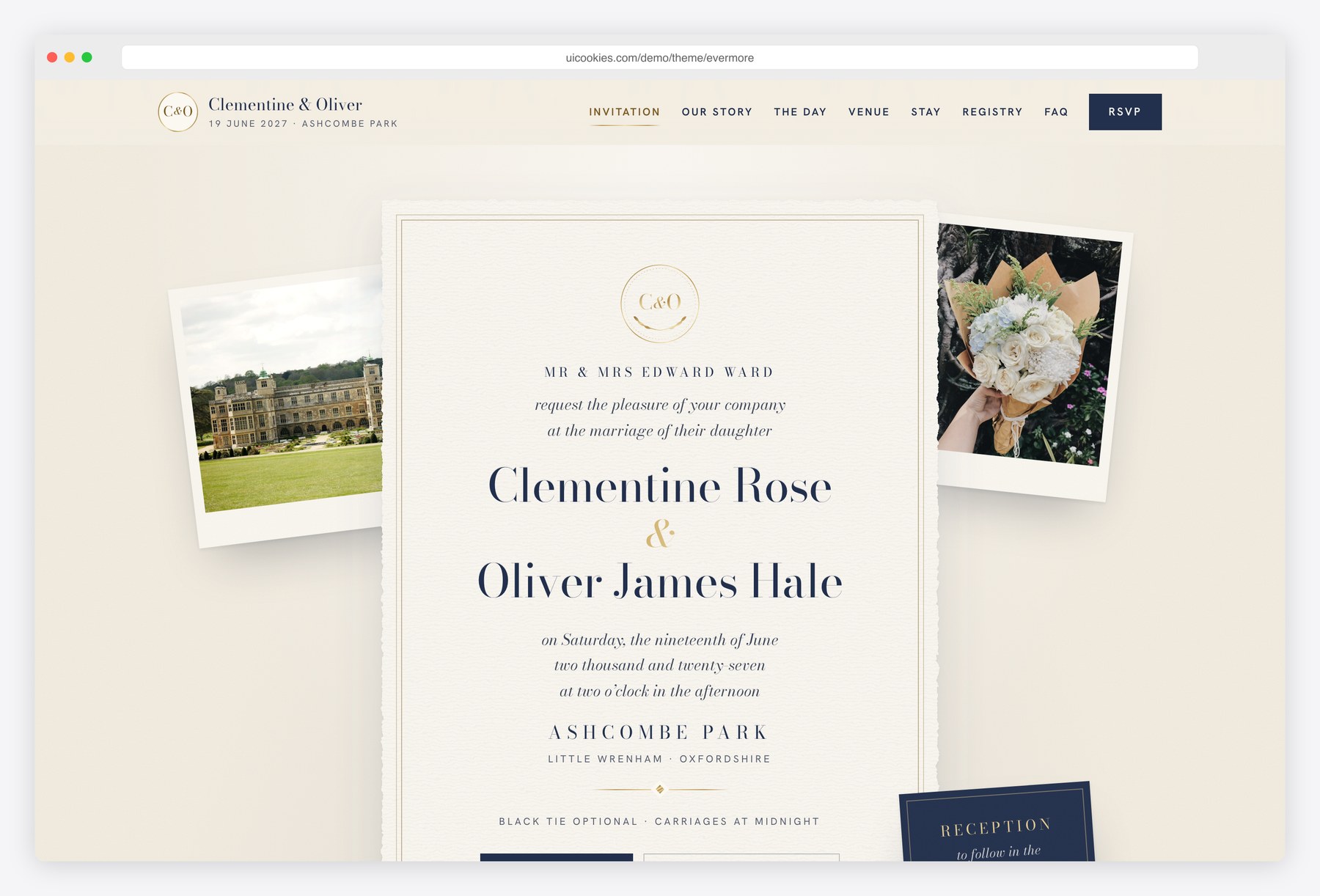
Evermore is a digital wedding invitation designed like a printed stationery suite: navy ink, antique gold foil and formal wording on a deckled card, shown for a fictional couple marrying at an English country estate. It opens with an envelope that guests can skip, and that never plays for visitors who prefer reduced motion. Below the invitation come a countdown, the couple's story, ceremony and reception cards, a nine-step order of the day, an illustrated map, accommodation, dress code, registry and FAQ.
The RSVP page is a reply card: accept or decline, a plus-one whose name and meal appear only when needed, a three-course menu choice, dietary needs and a note to the couple, ending with a save-to-calendar file for guests who accept. Two pages on Bootstrap 5 with vanilla JavaScript and no jQuery.
Saffron
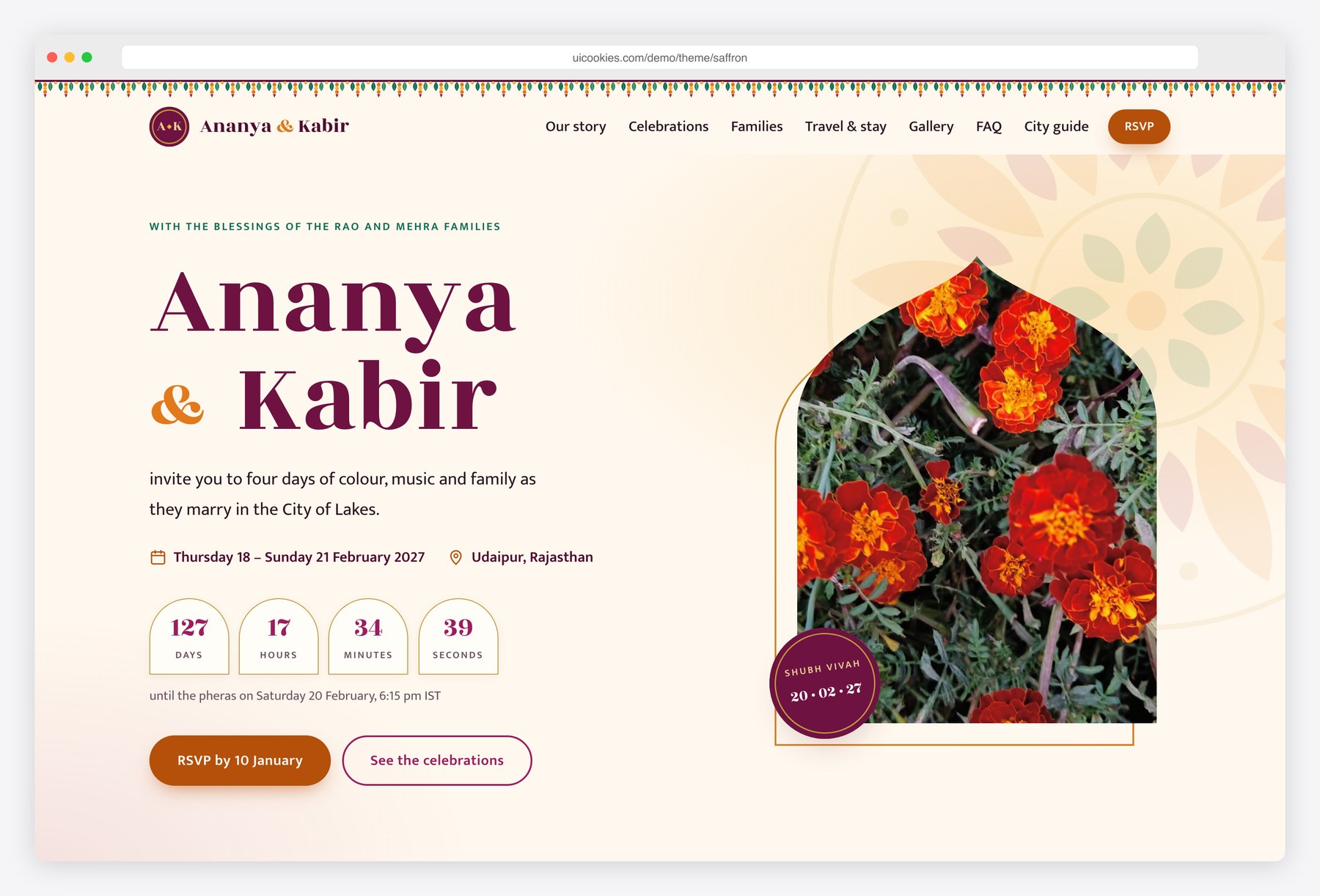
Saffron is built for a multi-day Indian wedding, shown with a fictional couple marrying in Udaipur. Five celebrations from Haldi to the reception each get a card with time, venue, running order and dress-code colour swatches, and guests can add one event or all five to their calendar from the browser. Both families appear with monogram crests and initials avatars.
Three pages: the home page with story, celebrations, travel and room blocks, a gallery and FAQ; an RSVP page that asks about each event separately, with guest count and vegetarian, non-vegetarian, Jain or vegan meals; and a city guide with a weather chart, packing list, venue map and shuttle timetable. Bootstrap 5, vanilla JavaScript, no jQuery.
Tidings
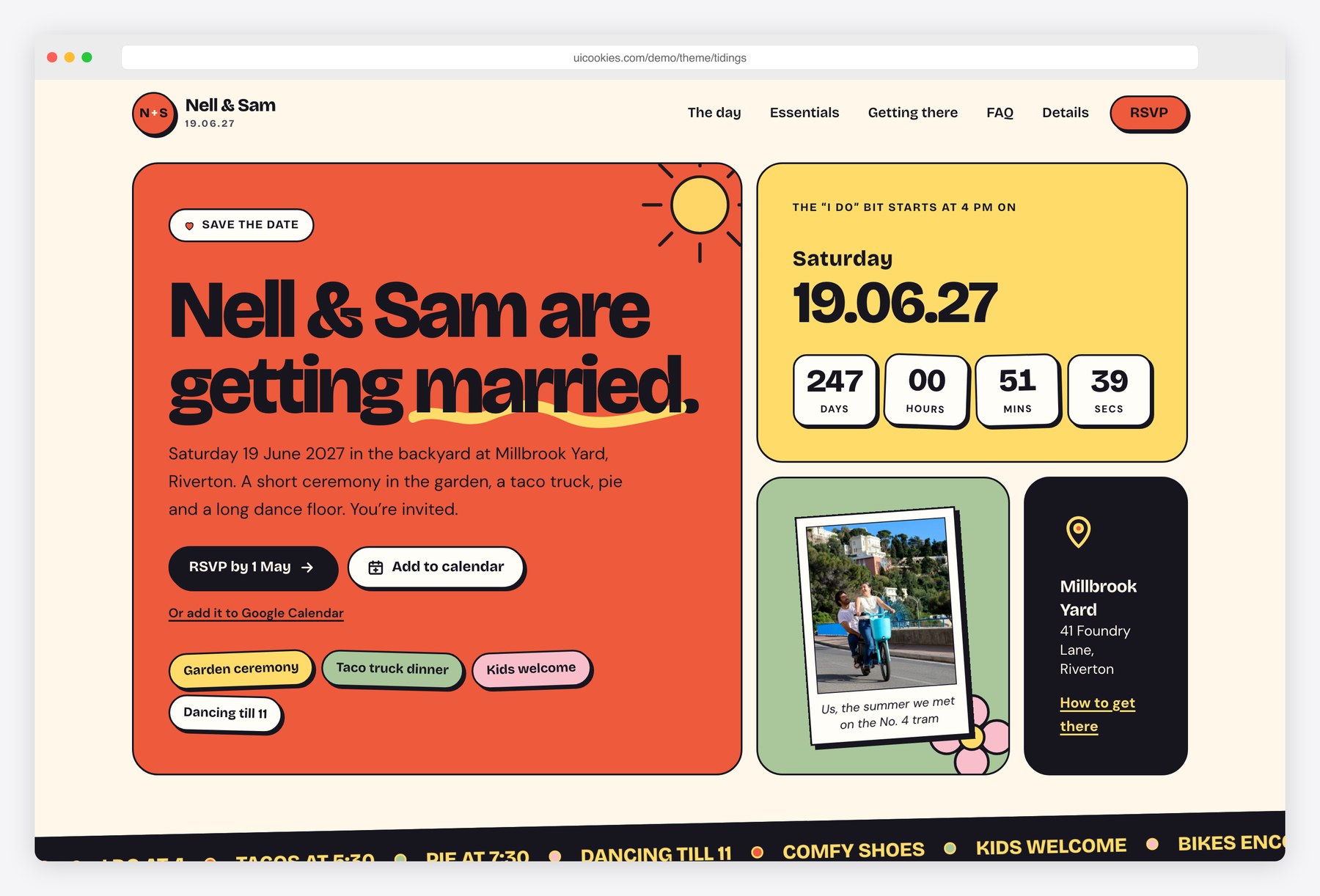
Tidings is a colour-blocked, playful design for a relaxed city or backyard wedding, shown as a fictional wedding at a converted foundry yard. The home page opens with a save-the-date countdown and an add-to-calendar button, then runs the plan for the day as a timeline, essentials cards for dress code, kids, parking and the rain plan, and an illustrated map with travel tabs.
Its RSVP is a three-step flow: guests find their invitation by name, choose attendance for each person in their party and pick meals, with a confirmation screen at the end; without JavaScript it works as one plain form. A details page covers the weekend schedule, hotel block codes and local favourites. Bootstrap 5, vanilla JavaScript, no jQuery.
Marigold
Marigold is a two-page wedding site for one couple, giving guest logistics as much room as mood. The homepage opens on a full-screen photograph with the couple's names and a quiet countdown in days, hours and minutes, then tells their story, sets out the day as a seven-item timeline with times, and adds a photo mosaic, a candid gift-list note and the RSVP. A separate travel and stay page covers getting there, transport times, taxi numbers, four places to stay and an FAQ on children, dress, accessibility and dietary requirements.
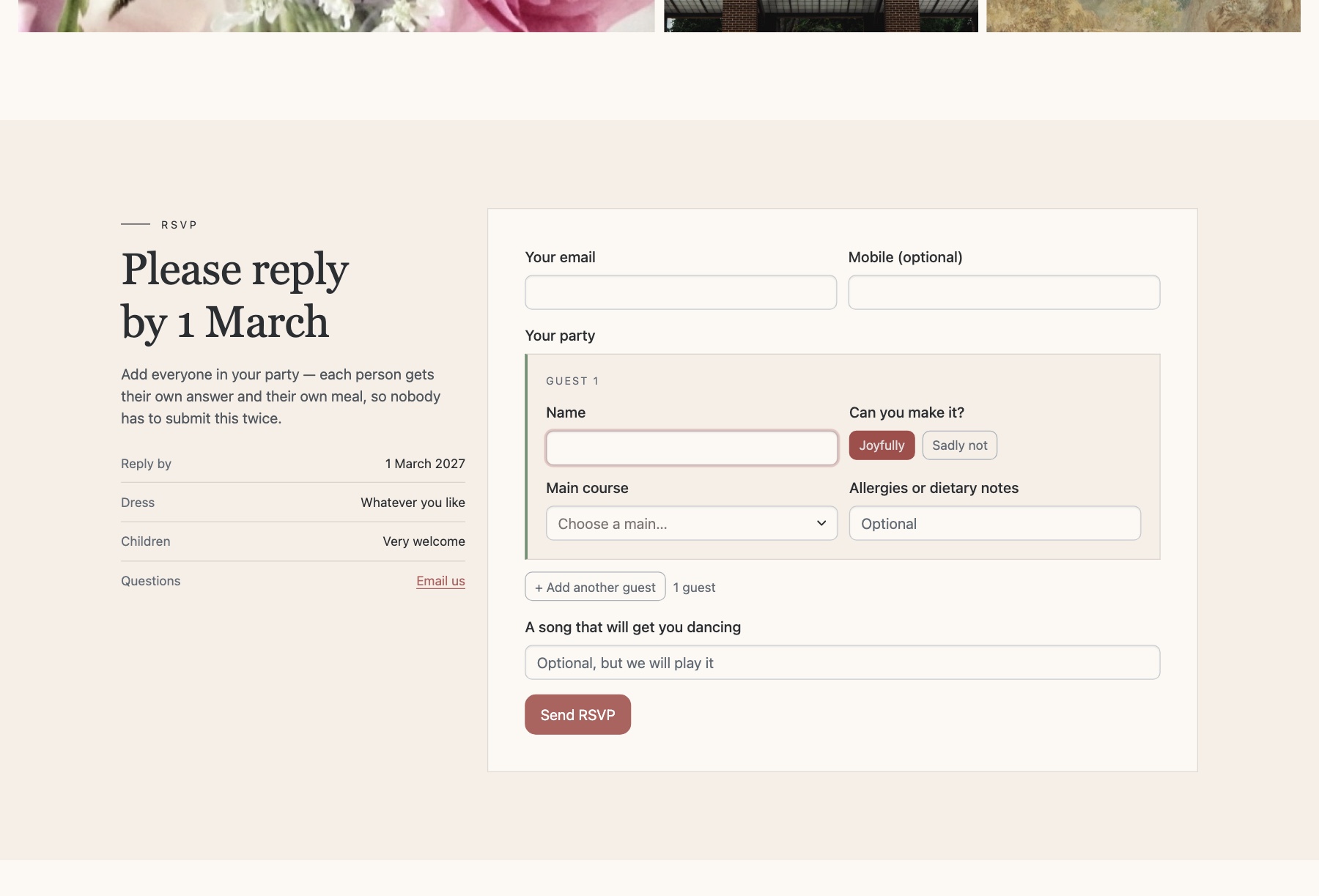
The RSVP accepts a whole party: add up to eight named guests, each with their own attendance answer, main-course choice and dietary note, and the field names are indexed so a normal form POST arrives as a tidy list once you connect a form service or backend. Soft, warm styling with a display serif and hairline rules, plus light and dark modes. Bootstrap 6 (alpha, pinned build), vanilla ESM JavaScript.
Wedding
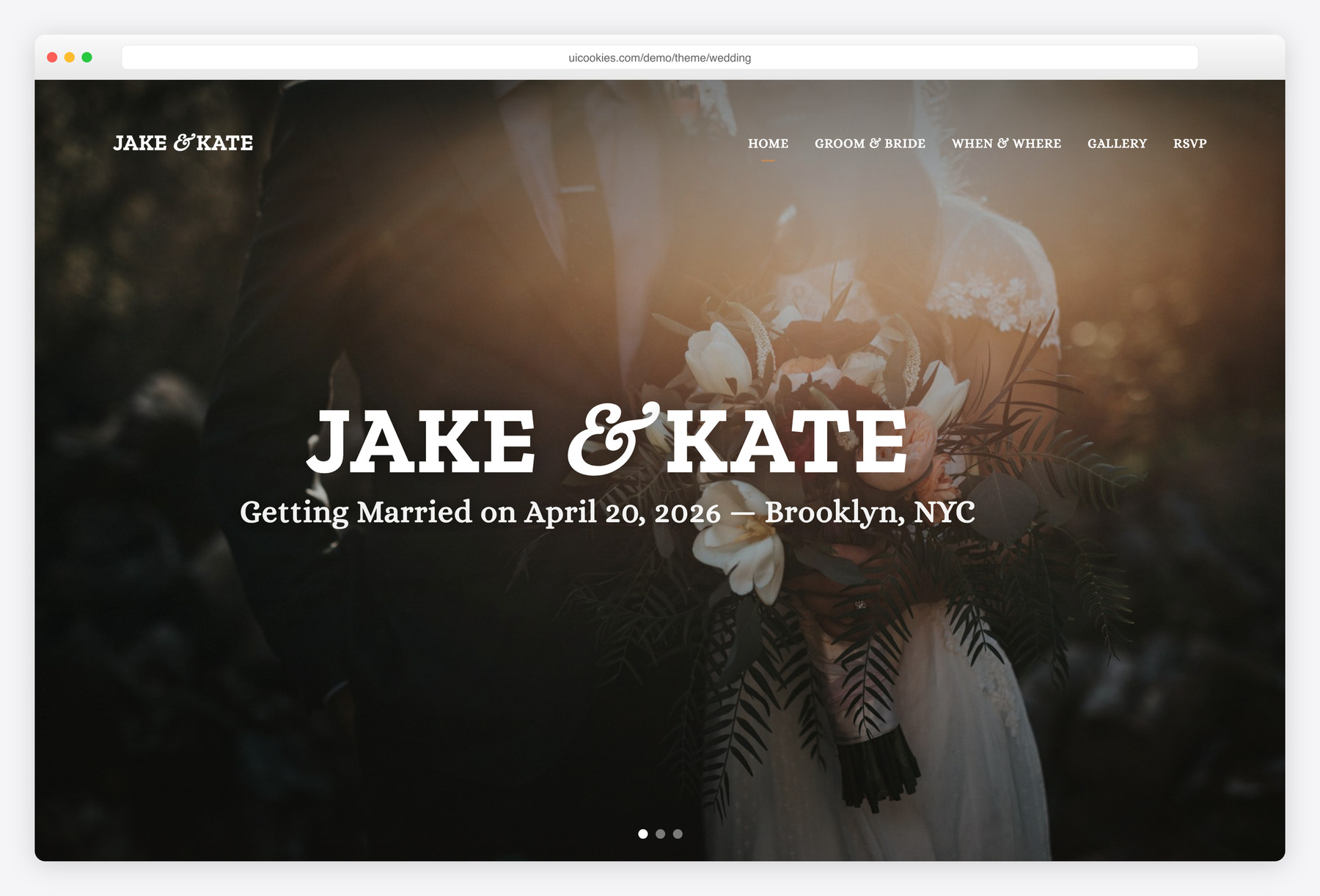
The uncluttered classic — a single-page save-the-date that a couple can personalise faster than any other template here. It walks straight down the essentials in one scroll: the couple's story, the event details, a photo gallery, and an RSVP with a simple yes/no and a note field. Best for people who want something clean, warm and quick to ship, and who would rather swap a name and a photo than manage a dozen extra sections. It ships with compiled CSS ready to go, with the original SCSS source included if you want to restyle at the source.
Everly
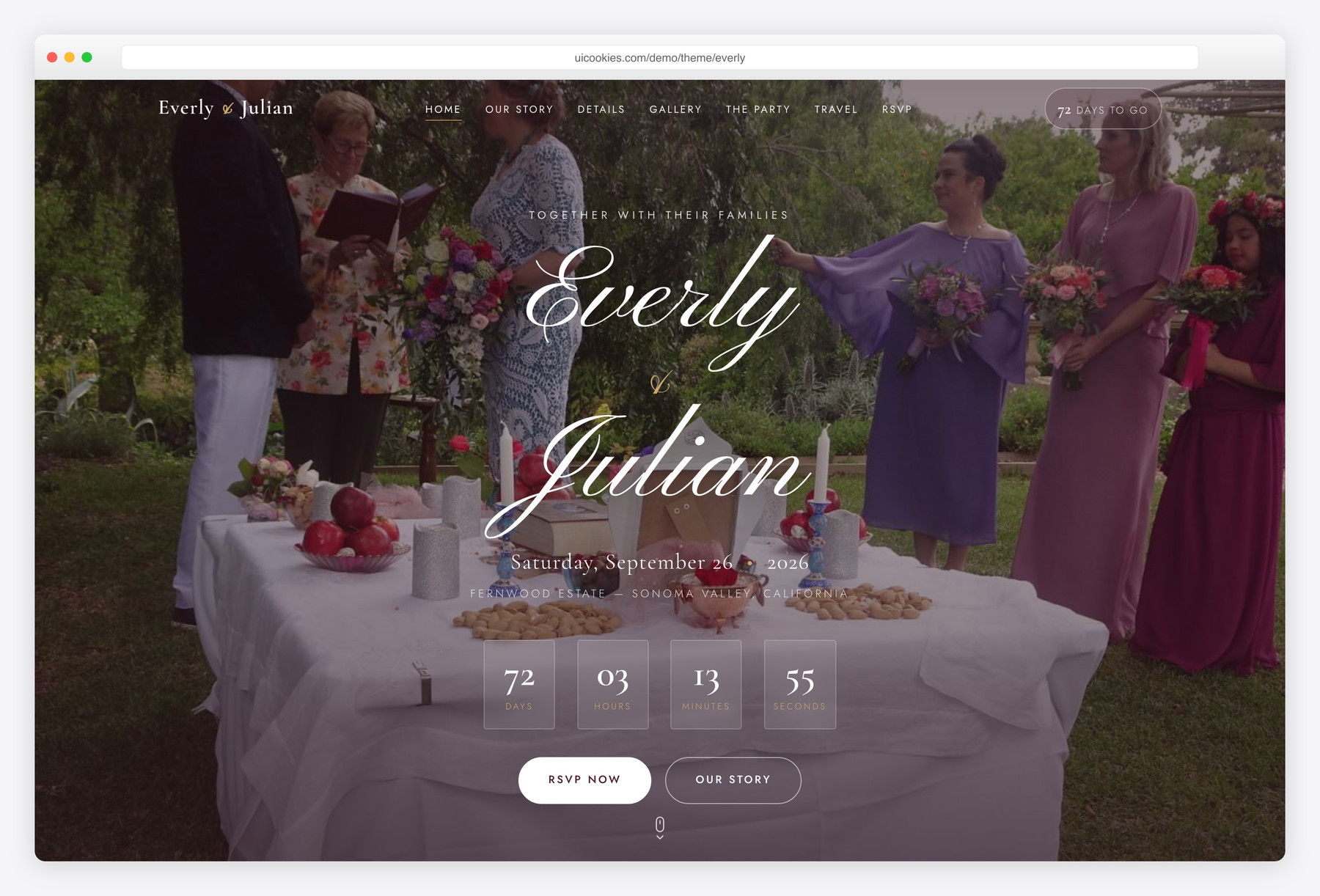
The most complete single-page couple’s site in the collection, and the one for people who want the invitation itself to look designed. It carries a botanical bordeaux-and-eucalyptus palette with elegant Cormorant Garamond typography, and packs in a live countdown, an alternating story timeline, wedding-party, registry and travel sections, and an RSVP that captures meal choice, guest count and even a song request. Best for design-led couples who want every section covered in one self-contained page — no build step, no jQuery, edit it directly and host it anywhere.
Vows
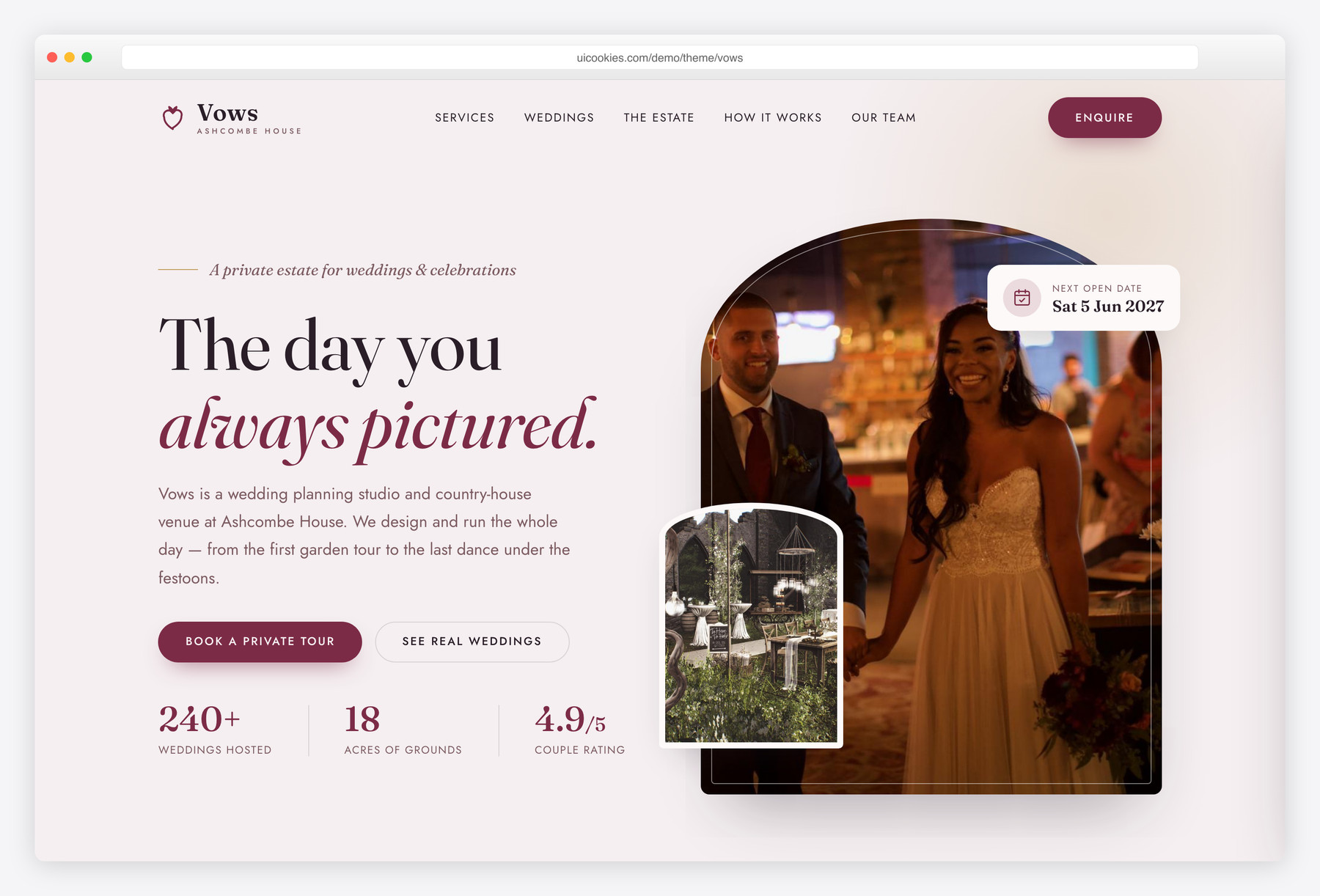
The only template here built for the wedding business rather than a single couple — a planning studio and private venue instead of one save-the-date. It runs on a grown-up mulberry-wine, antique-gold and mauve-blush palette with an arched estate-window motif, and it is structured for lead generation: priced collections, a filterable real-weddings gallery with a lightbox, a planning-process timeline, testimonials and an enquiry form with date and guest-count fields. Best for wedding planners, coordinators and venue owners who need a portfolio site that turns browsers into enquiries.
Compare at a glance
| Template | Best for | Layout | Standout feature |
|---|---|---|---|
| Evermore | Formal weddings and classic invitations | Two pages: invitation + RSVP | Envelope intro and a reply-card RSVP with menu choice |
| Saffron | Multi-day Indian weddings | Three pages: home + RSVP + city guide | RSVP per event, Jain and vegan meal options |
| Tidings | Relaxed city or backyard weddings | Three pages: home + RSVP + details | Three-step RSVP that finds your invite by name |
| Marigold | Couples with families and travelling guests | Two pages: home + travel & stay | Party RSVP for up to eight guests + travel page |
| Wedding | A couple's classic save-the-date | One page: story → details → gallery → RSVP | Simplest to personalise; SCSS source included |
| Everly | Design-led couples who want every section | One self-contained page, no build step | Live countdown + meal-choice RSVP + registry & travel |
| Vows | Wedding planners, coordinators & venues | Multi-section business / portfolio site | Priced collections + filterable portfolio + enquiry form |
How to choose
Start with who the site is for, because it decides everything else. Wedding and Everly are single-event sites for one couple — Wedding when you want minimal and fast, Everly when you want the full editorial treatment with a countdown, timeline and registry. Vows is a different animal: it is a marketing site for a planner or venue, built to show priced collections and past weddings and capture enquiries. Choosing a couple's template for a business (or the reverse) means fighting the layout for the life of the project, so settle this first.
For a couple's site, the RSVP is the feature that actually earns its place — and it is also the one most people get wrong. These are static templates, so the form is front-end markup only; on its own it stores nothing. You wire it to a forms service like Formspree, Netlify Forms or a Google Apps Script that writes to a Sheet, and only then do responses land somewhere you can read them. Everly's richer RSVP (meal choice, guest count, song request) meaningfully cuts the back-and-forth of chasing dietary needs by text, which is worth more than it looks. Beyond that, weight the extras against your timeline: a countdown, travel directions and a gallery are lovely for a long engagement and overkill for a six-week turnaround, so pick the template whose section list you will actually fill.
On customization and hosting, these are plain static sites and that is a feature. Because they are jQuery-free HTML and CSS, you edit names, dates and copy in any text editor and swap images in the folder — Everly and Vows in particular are self-contained with no build step to run first. Host any of them free on Netlify, Cloudflare Pages or GitHub Pages and point a custom domain at it. The single biggest real-world pitfall is images: wedding pages are photo-heavy, and dropping full-resolution camera JPEGs straight into the gallery will crush load times on the venue Wi-Fi where half your guests will open the link — compress and resize before you upload. For a business site like Vows, also plan where the enquiry form routes (inbox or CRM) and keep the portfolio current, and if you use a countdown, double-check the date and timezone so it doesn't quietly finish early.
Marigold belongs with the couple's templates, alongside Wedding and Everly. Choose it over Everly when many guests reply as families or travel in: its RSVP handles up to eight named guests with individual meal choices, and travel and accommodation get a page of their own. Everly remains the all-in-one single-page option, and Vows is still the one for planners and venues. Marigold runs on Bootstrap 6 alpha, so Wedding and Everly are the established Bootstrap 5 choices.
Saffron and Tidings are also couple's sites. Saffron is the one for a celebration that runs over several days: each event gets its own card, dress code and calendar file, and the RSVP asks about every event separately, with Jain and vegan meal options. Tidings suits a relaxed one-day wedding with plenty of guest logistics, and its three-step RSVP finds each invitation by name so families reply once for the whole party. Both run on stable Bootstrap 5.
Evermore is the most formal of the couple's sites: choose it when the invitation itself matters, with traditional wording, a stationery look and an RSVP that collects a menu choice for each guest. Everly covers a similar day with a more editorial, magazine-like feel and everything on one page.
Frequently asked questions
Are these really free, and can I use them for a paid or client wedding?
Yes — every template here is free to download and use for both personal and commercial projects. That covers your own wedding, a wedding you're building for a paying client, or a venue's or planner's own business site.
Will they work properly on phones?
Yes. They’re built on Bootstrap’s responsive grid and tested down to small screens, which matters because most guests open a wedding link on their phone — the RSVP forms, menus and galleries are designed for thumb-tapping, not just desktop.
Do I need Node or a build step to edit them?
No. They're plain HTML and CSS you can edit in any code editor. Everly and Vows are self-contained with nothing to compile; Wedding ships with ready-to-use compiled CSS and also includes the SCSS source if you'd rather restyle at that level.
Where do RSVP and enquiry submissions actually go?
The forms are front-end markup, so by themselves they don't store anything. Connect the form to a service like Formspree, Netlify Forms or a Google Apps Script that writes to a Sheet — then submissions land somewhere you can read and export them.
Can I run one of these on WordPress or another CMS?
They're static templates rather than WordPress themes, so they're happiest hosted as static HTML on something like Netlify or Cloudflare Pages. You can port the markup and styles into a CMS or embed individual sections, but that's a manual job, not a one-click install.
Are they fast, and what should I watch out for?
They're jQuery-free with minimal dependencies, so the templates themselves are light. The main performance risk is your own photos — compress and resize wedding images before uploading, and let the gallery lazy-load, or a page full of full-size JPEGs will feel slow on mobile.
Related templates
Free Restaurant Website Templates · Free Hotel & Resort Website Templates · All free HTML website templates · Free Event & Conference Website Templates