Every template on this page was designed and is maintained in-house by uiCookies, so these are our own legal layouts rather than a list of links to other studios. They cover a full-service law firm built around a case-evaluation form, a typographic site for law firms and accountancies that publish their fees, and an older one-page layout for a small practice.
A law firm website is often the first thing a prospective client checks after a referral or a search, frequently at a stressful moment. It needs to say plainly what the firm handles, show who the client will actually deal with and what credentials they hold, and make the next step, a call or a consultation request, easy to find from any page. Credibility comes from specifics: named attorneys, clearly defined practice areas, a described process and, where your professional rules allow, published fees or results. Plain language matters as much as design, and the whole site has to read well on a phone.
Each template is a static set of HTML, CSS and JavaScript files with a live demo and a direct download, free for personal and commercial use under the standard uiCookies license. Attribution is optional but always welcome, so you can keep, move or remove the footer credit; the full terms are at uicookies.com/license. The three are not the same age. Counsel runs on Bootstrap 5 with vanilla JavaScript and no jQuery, Caseworth is built on Bootstrap 6, which is still in alpha, and Law is an older Bootstrap 4.0 build with jQuery that has not been modernized yet. Consultation, inquiry and contact forms validate in the browser but send nothing until you connect them to a form service, inbox or backend.
The templates
Counsel
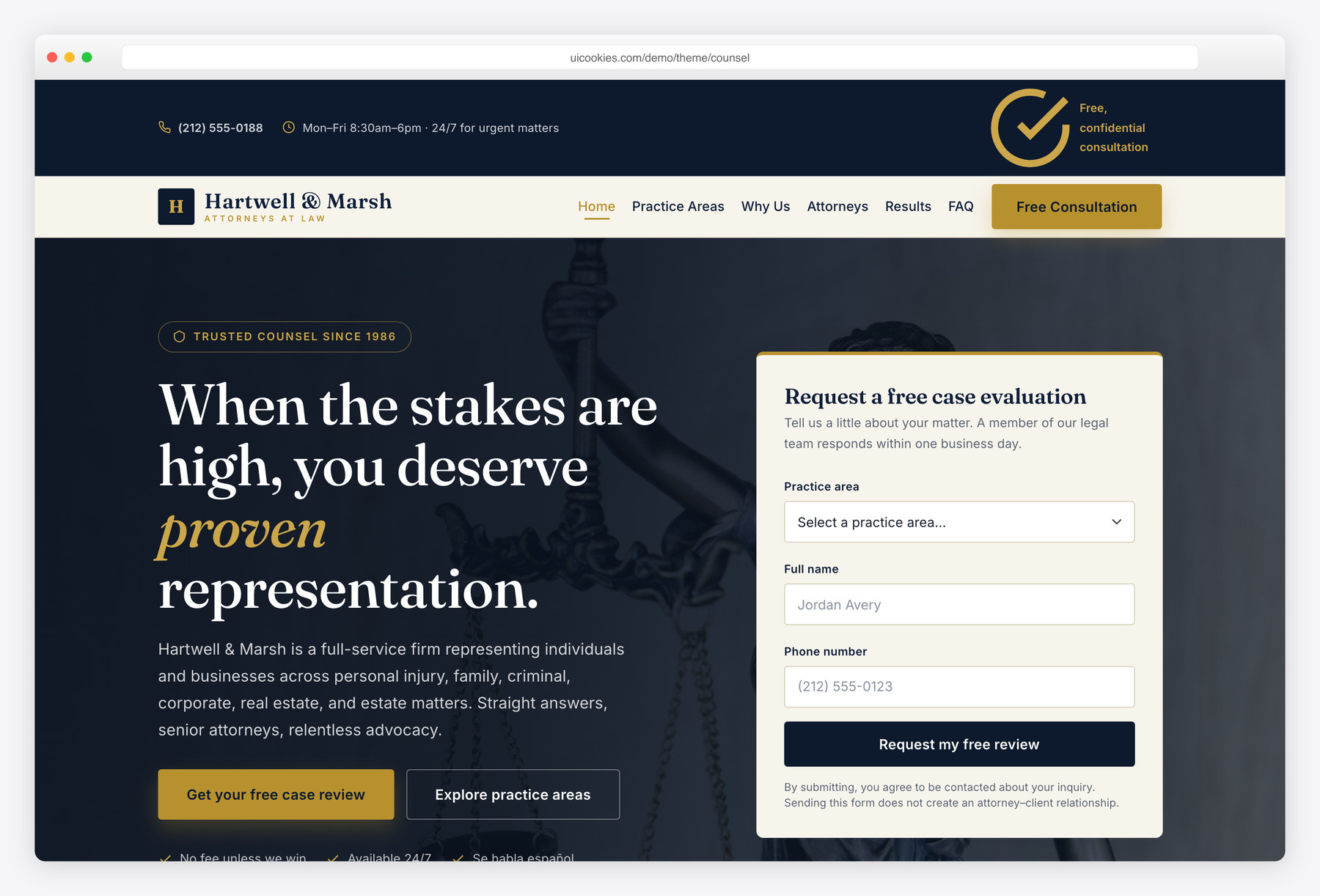
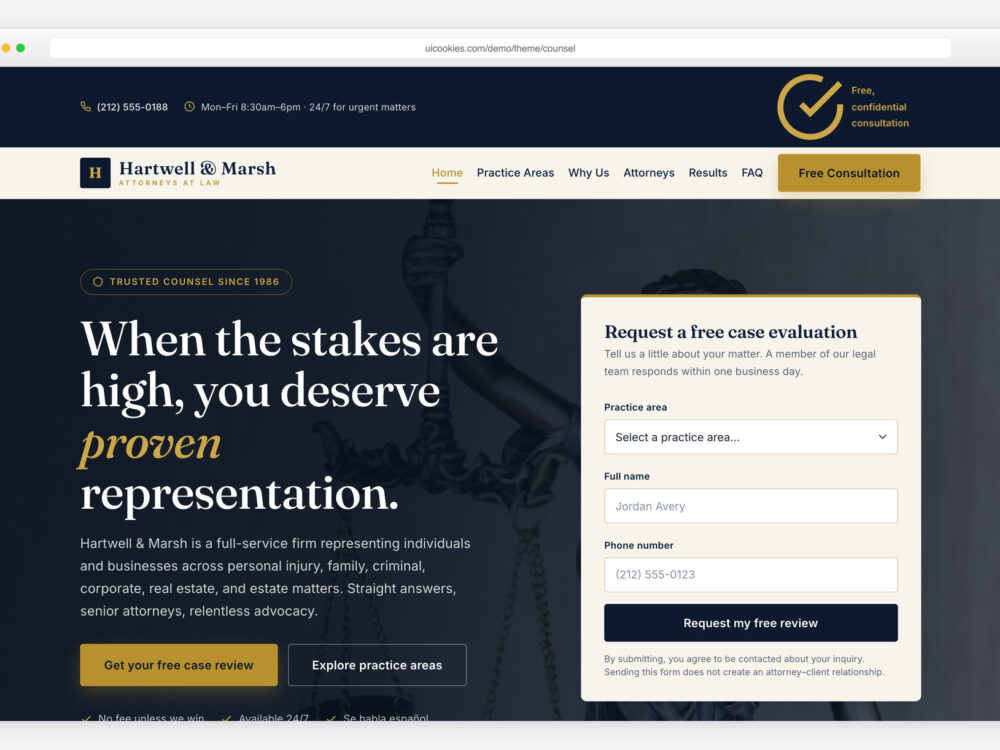
Counsel is a two-page template for solo attorneys and firms handling personal injury, family, criminal defense, business, real estate and estate planning work, with a deep-navy-and-gold identity and Fraunces serif headings over Inter body type. The home page runs a hero case-evaluation form, trust stats, a six-card practice-areas grid, a why-choose-us block, attorney profiles, a case-results strip, a four-step process from consultation to resolution, testimonials, award chips and an FAQ. The practice-areas page gives each of the six areas its own image-and-text section with a checklist.
A top bar and sticky navbar keep a Free Consultation button in view, and the hero form asks for practice area, name and phone with inline validation. The testimonial slider works with dots, keyboard and swipe, and every section stays visible with JavaScript turned off. Built on self-hosted Bootstrap 5 with vanilla JavaScript, no jQuery and no plugins.
Caseworth
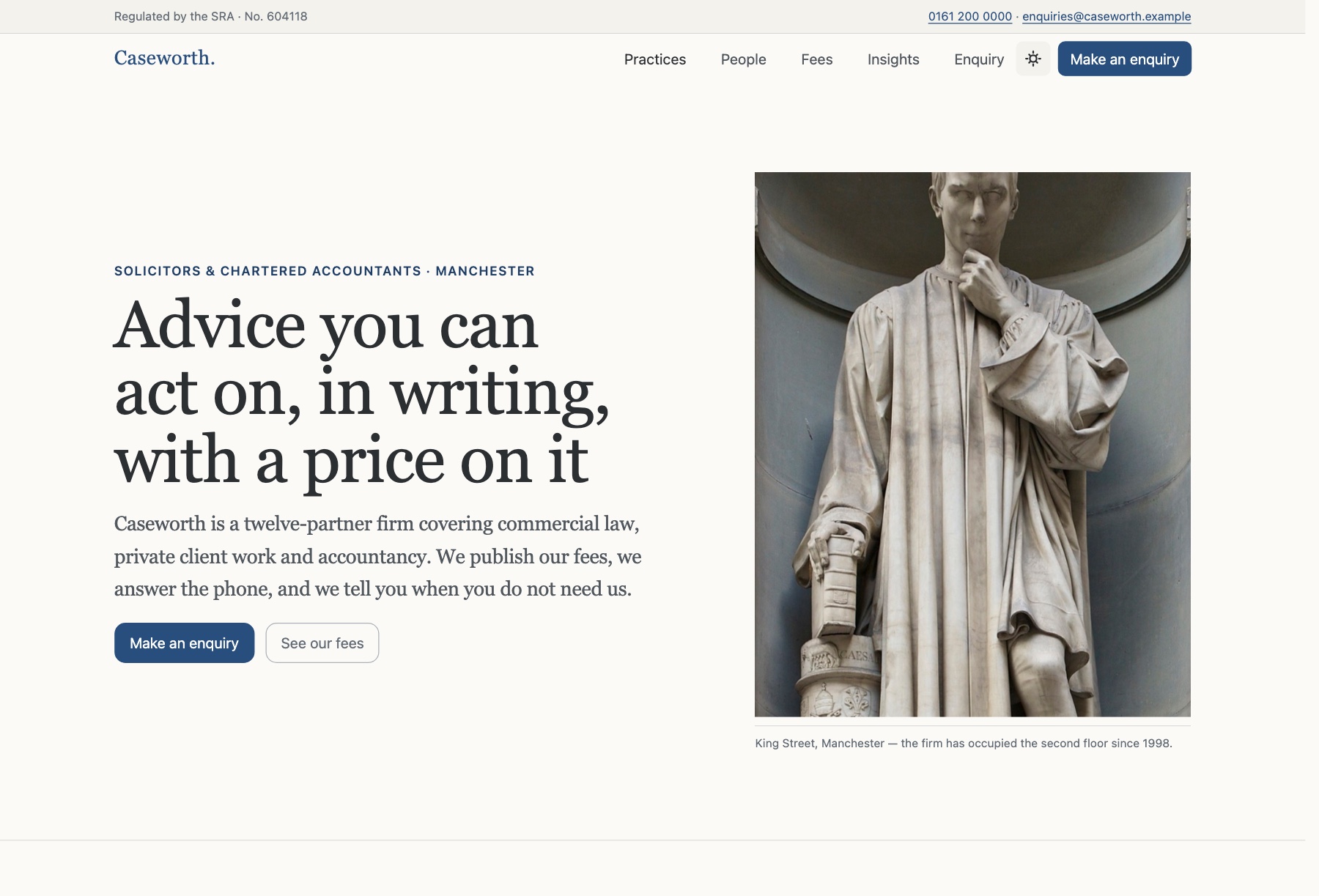
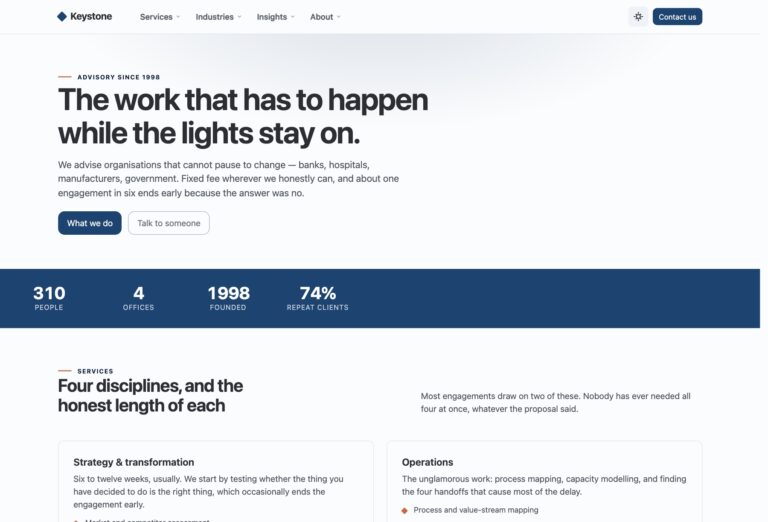
Caseworth suits firms that trade on typography and credibility rather than photography: law firms, solicitors, chartered accountants and tax advisers. Its homepage opens with a typographic masthead and a plate-style photograph, then a ten-item numbered practice index set as a two-column table of contents, partner profiles carrying credentials such as SRA, FCA and CTA, a published fee table, an insights list and an inquiry form. The practice page, demonstrated with employment law, covers scope for employers and individuals, a staged fee table, FAQ accordions and a sticky contact rail.
The fee table uses Bootstrap 6's new stacked table, which reflows into readable blocks on a phone instead of scrolling sideways, and it filters live while degrading to a static table without JavaScript. The inquiry form pairs a searchable Combobox practice picker with an optional Datepicker deadline. Serif throughout, with hairline rules instead of cards. Built on Bootstrap 6 (alpha, pinned build) with ESM-only vanilla JavaScript.
Law
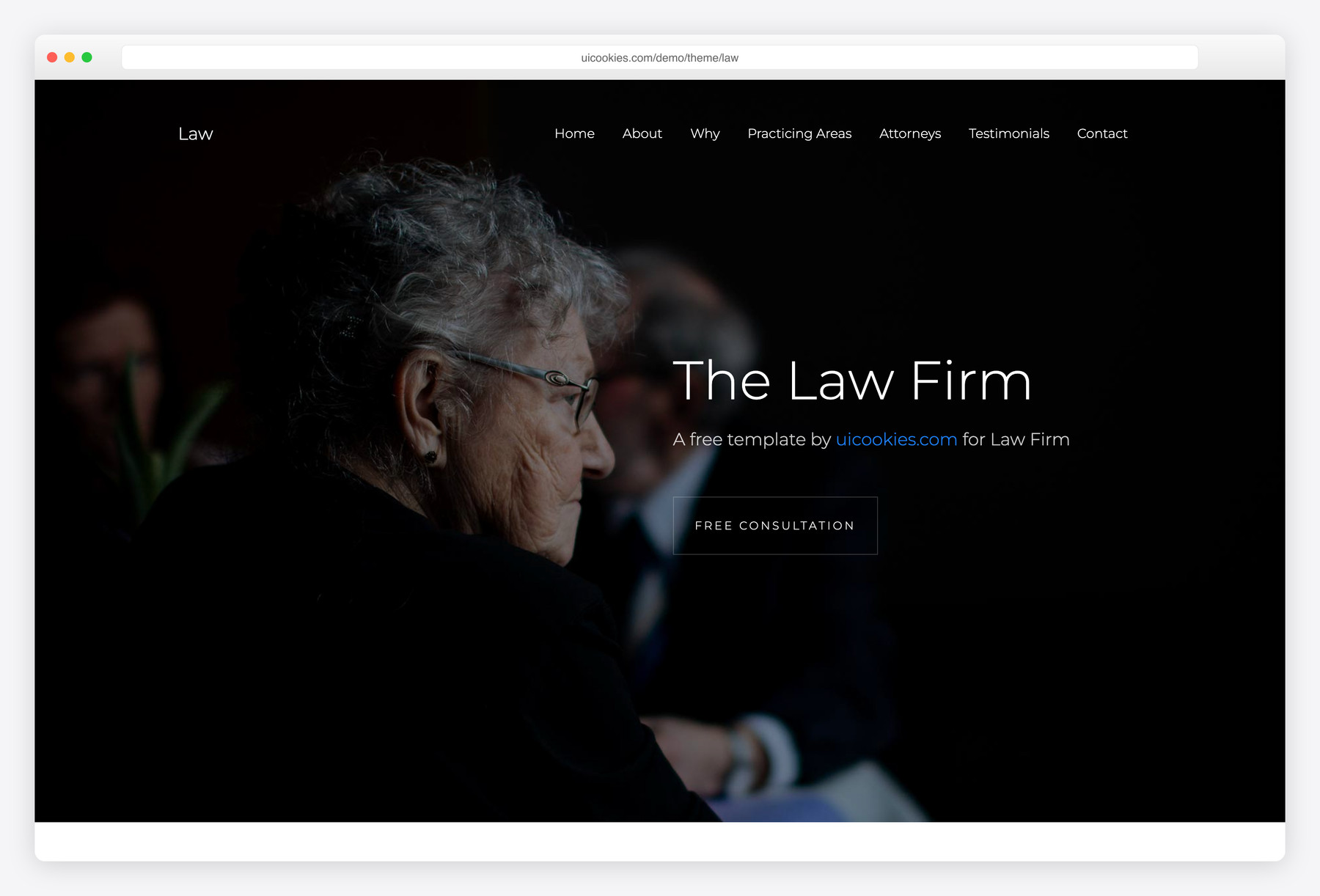
Law comes from an earlier generation of our templates: a single-page site for a small firm, attorney or legal consultancy. The page moves through an introduction headed "Who We Are", a Free Consultation section, a Why Us block, a Practicing Areas section covering criminal, financial, cyber crime, real estate and family law, three attorney profiles, a Happy Customers testimonials section and a Get In Touch contact form. It is a straightforward layout for a practice that wants one scrolling page rather than a multi-page site.
Know what you are getting: this is an older Bootstrap 4.0.0 build that loads jQuery, Popper, Slick and Waypoints, and it has not been modernized yet. It is still a workable starting point for a quick one-page site if you are comfortable editing in that stack. The contact form is front-end only, and the footer credit is optional, so keep or remove it as you like.
Compare at a glance
| Template | Best for | Pages | Standout feature |
|---|---|---|---|
| Counsel | Law firms and solo attorneys | 2 | Case-evaluation form and persistent consultation button |
| Caseworth | Law firms and accountancies publishing fees | 2 | Published fee table that stacks on mobile |
| Law | Small practices wanting one page | 1 | Everything on one page (legacy build) |
How to choose
For most firms, Counsel is the place to start. It runs on a released framework with no jQuery, covers six practice areas across two pages, and leads with a case-evaluation form, which is the conversion a personal injury, family or criminal defense practice usually cares about. Choose Caseworth when your firm competes on transparency and expertise rather than imagery, especially if you publish fixed fees or work alongside accountants and tax advisers, and accept that Bootstrap 6 is still in alpha and supports evergreen browsers only. Law suits a small practice that needs a one-page site quickly and doesn't mind working in an older Bootstrap 4 and jQuery codebase.
There is no dedicated notary template, but the legal patterns here carry over well to a notary office. Caseworth's published fee table is a natural fit for fixed notarial fees, and its numbered practice index can list services instead of practice areas. Counsel's practice-areas page, with an image, description and checklist for each area, works just as well for notary services such as document certification or real estate closings, and its Free Consultation button can become an appointment request. Replace the attorney profiles with the notary's own details and connect the form to a scheduling tool or inbox before launch.
Frequently asked questions
Can I publish case results and client testimonials?
The templates give you room for both: Counsel has a case-results strip and a testimonial slider, and Law has a testimonials section. Whether you can use them depends on your jurisdiction, because lawyer advertising rules often restrict results, testimonials and claims such as "no win, no fee". Check your bar or regulator's rules, add any required disclaimers, and remove the sections if in doubt.
Is the case-evaluation form safe for confidential client details?
The forms are front-end only: they validate in the browser but send nothing until you connect them to a form service, inbox or intake system. Counsel's hero form asks only for practice area, name and phone, which is a sensible limit to keep. Avoid inviting detailed case facts through a plain form that emails itself, and consider a note that submitting the form does not create an attorney-client relationship.
Can I show fixed fees for each service?
Caseworth is built for it. Its homepage fee table filters live and reflows into readable blocks on a phone, and the practice page adds a staged fee table under "How we charge". Counsel and Law don't include a fee table, so you would need to add one.
Which template is easiest to maintain over the long term?
In most cases, Counsel. It runs on self-hosted Bootstrap 5 with vanilla JavaScript and no plugins, and all of its content stays visible without JavaScript. Caseworth uses Bootstrap 6, which has not been released and is still changing, so treat it as a head start on v6; it supports Safari 16.4+, Chrome 111+ and Firefox 113+ only. Law is a legacy Bootstrap 4.0 build with jQuery, Popper, Slick and Waypoints, so it carries the most dependencies of the three.
Can I use these templates for a paying firm, and do I have to keep the footer credit?
Yes, all three are free for personal and commercial use under the standard uiCookies license, including real firm and client sites. You don’t have to keep the footer credit: attribution is optional but always welcome, so you can keep, move or remove it. The full terms are at uicookies.com/license.
Related templates
Free Finance & Fintech Website Templates · Free Business Website Templates · Free Services Website Templates · All free HTML website templates