Every template on this page is designed and maintained in-house by uiCookies — these are our own education themes, not a roundup of other people's work. We build for the way schools, course businesses, and universities actually get discovered: prospective students and parents arrive looking for programs, schedules, admissions steps, and a reason to trust you, and the site has to answer all of that fast.
A good education website does a handful of things well. It presents courses or programs in a way that scales as you add more, makes enrollment or admissions the obvious next step, keeps an events calendar and term schedule current, and earns confidence with faculty or staff profiles and real campus imagery. Because so much of this traffic is parents and students on phones, all of it has to hold up on small screens.
All of these templates are free to download, built on Bootstrap 5 (Northgate and Syllabus on the Bootstrap 6 alpha), and completely jQuery-free. Each ships with a live demo and a direct download, so you can preview the full layout, grab the files, and start editing immediately — no account and no build step.
The templates
Treehouse
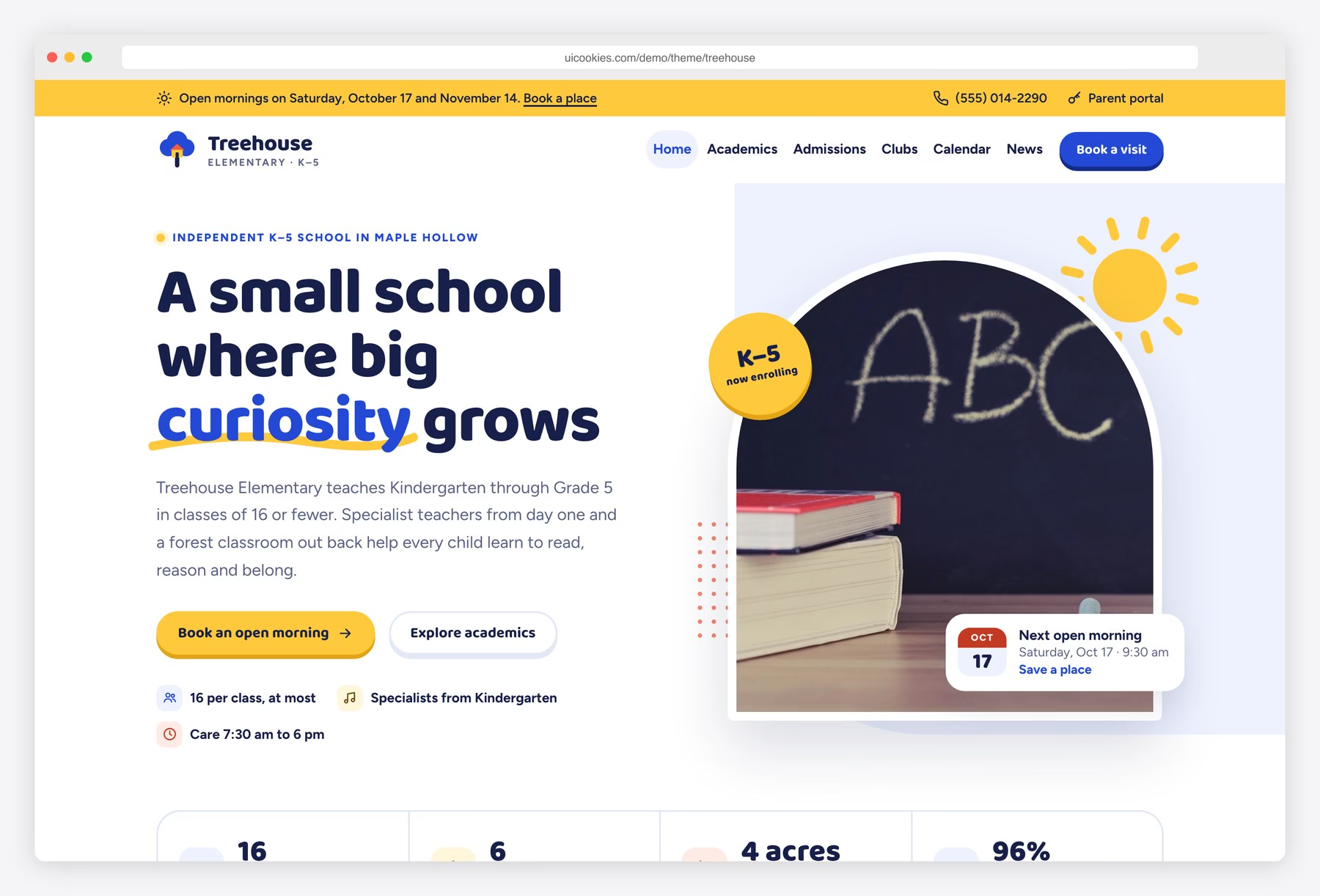
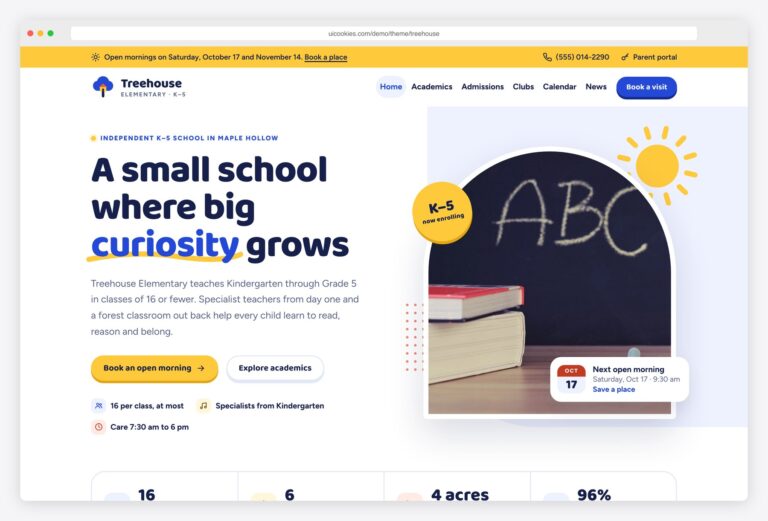
Treehouse is aimed at an elementary or primary school teaching Kindergarten through Grade 5, with pages built around what parents of young children ask. The home page walks through why families choose the school, what each grade learns in K–5 tabs, twelve after-school clubs, a month-view events calendar, news and a parent portal box. An academics page adds the curriculum by grade, specialist subjects, learning support, a Grade 3 weekly timetable and a sample report card, and the admissions page sets out the steps, tuition and fees, key dates and an FAQ.
Parents can filter clubs by weekday, pick a day on the calendar to see its agenda, and book an open morning by choosing a date card; that form validates and says thank you but sends nothing until connected. Calendar events sit in a data list in js/main.js. Royal blue, sunshine yellow and tomato on white. Bootstrap 5, vanilla JavaScript, no jQuery.
Acorn
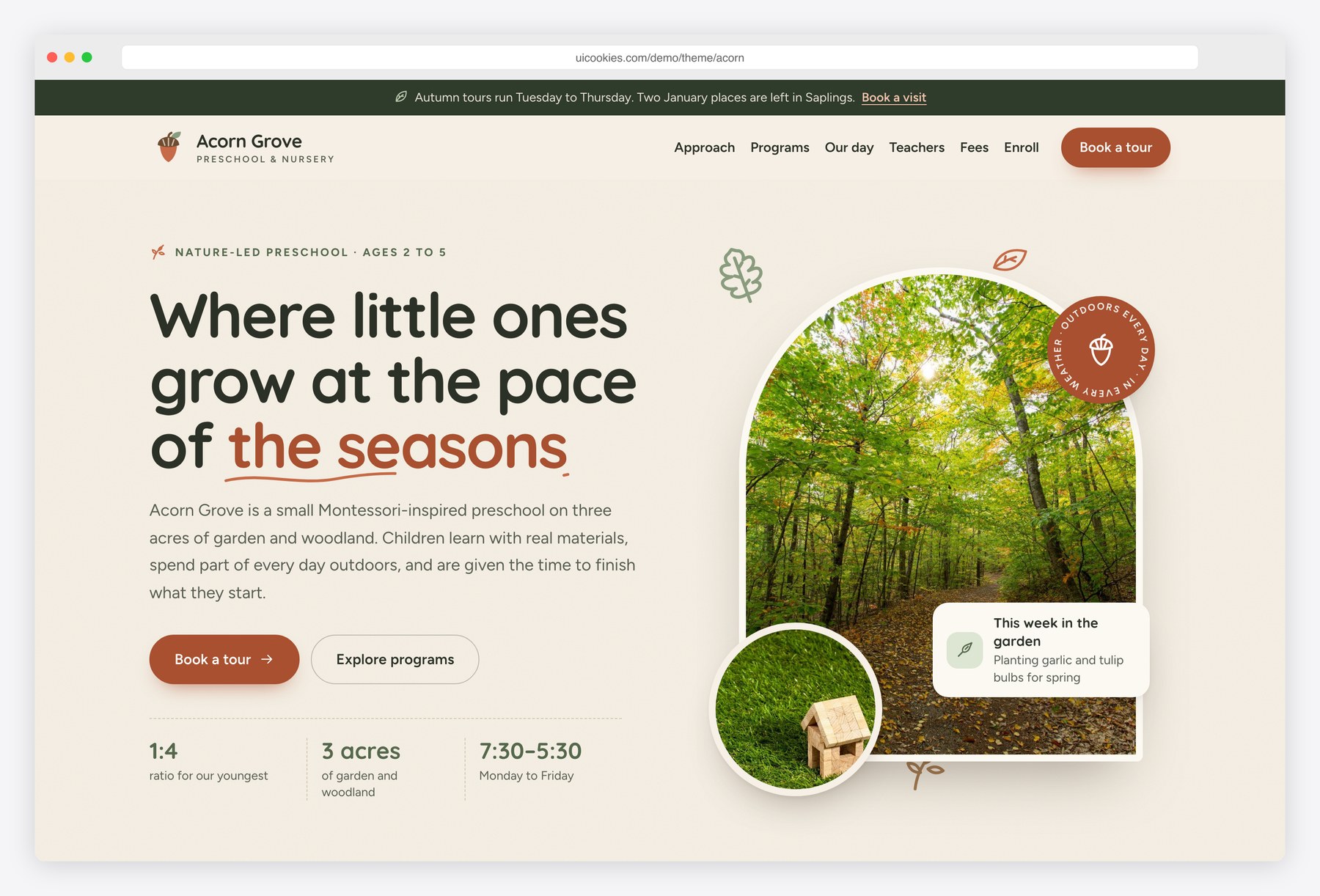
Acorn is a calmer, nature-led take on early years, for a preschool or nursery with children aged two to five; the demo is the fictional Acorn Grove Preschool. Its home page sets out the approach, three rooms by age with ratios and hours, a timeline of the day, teachers, parent testimonials, a book-a-tour form, a fees table and an FAQ. A programs page gives each room daily schedule tabs, curriculum areas, a packing checklist and the step up to kindergarten, and an enrollment page holds a five-step application, a documents checklist and the waitlist.
The day timeline highlights what the children are doing right now, and the application suggests a room from the child's date of birth, estimates the monthly fee and ends on a review step. Tour and application forms are front-end only until you connect a form service. Sage, oat and terracotta with hand-drawn SVG icons and no photos of people. Bootstrap 5, vanilla JavaScript, no jQuery.
Northgate
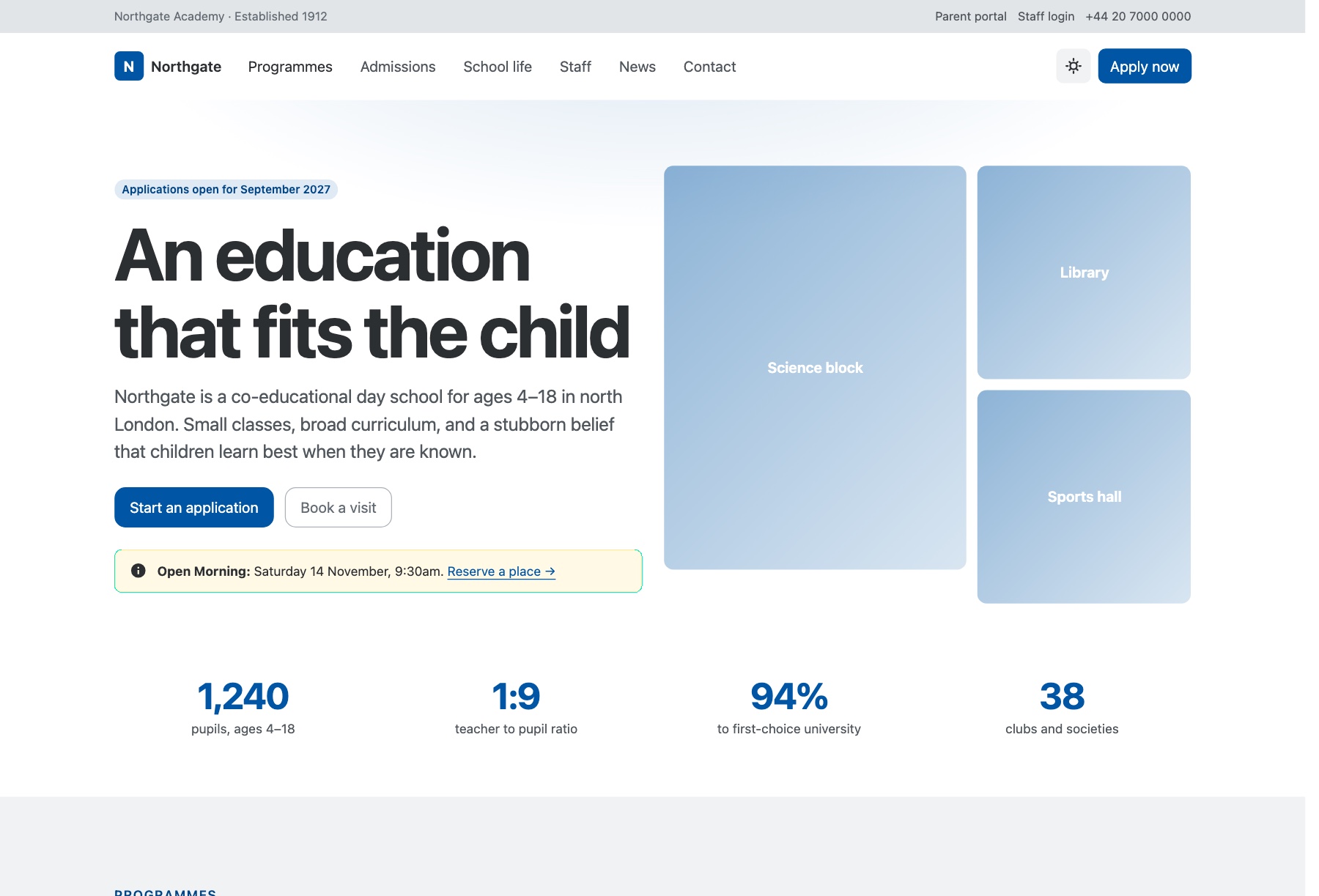
Northgate is a two-page website for schools, colleges and academies, written around what a prospective parent checks before booking a visit. The homepage presents programs by stage (prep school, senior school, sixth form) with a searchable stage filter, a four-step admissions journey, an FAQ, key dates, tabbed school life from rowing to Forest School, staff profiles, news and a visit-request form. A program page, shown in the demo as the sixth form, adds the subject offer, entry requirements and a sticky panel for registering interest.
The admissions steps run on Bootstrap 6's new Stepper, and the visit form combines an entry-point picker, a Datepicker and chip-style interest tags; like every form here, it sends nothing until connected to a form service. A utility bar holds parent portal and staff login links, and one brand token rethemes the whole site. Bootstrap 6 (alpha, pinned build), vanilla ESM JavaScript, remembered dark mode.
Syllabus
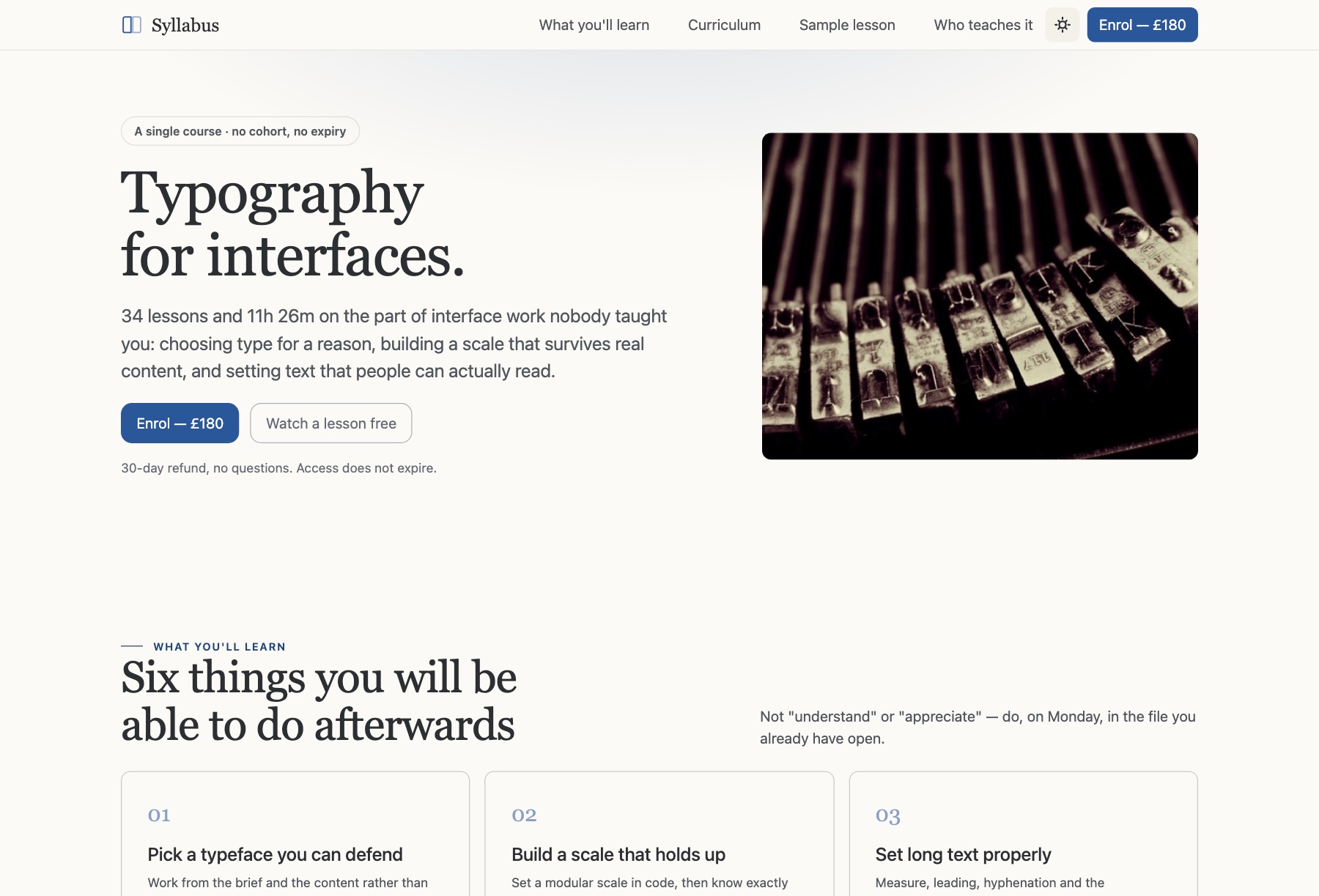
Syllabus presents a single online course in depth rather than a catalog, which fits anyone teaching or selling one structured program. The landing page has a split hero, six learning outcomes, a curriculum of 34 lessons across seven modules with durations, a sticky progress tracker with a pace planner, an instructor section, three reviews, a one-price enrollment panel and an FAQ. The second page is a sample lesson with a video player placeholder, a long-form article, a resources card and the course outline in a sticky sidebar.
Students tick lessons off and their progress is saved in the browser, shared by both pages and synced across tabs, with no account; the footer says so plainly, so it is no substitute for a learning platform with logins. Enter hours per week and the planner returns a finish date. Warm paper-and-ink styling with a display serif. Bootstrap 6 (alpha, pinned build), vanilla ESM JavaScript.
Sprout
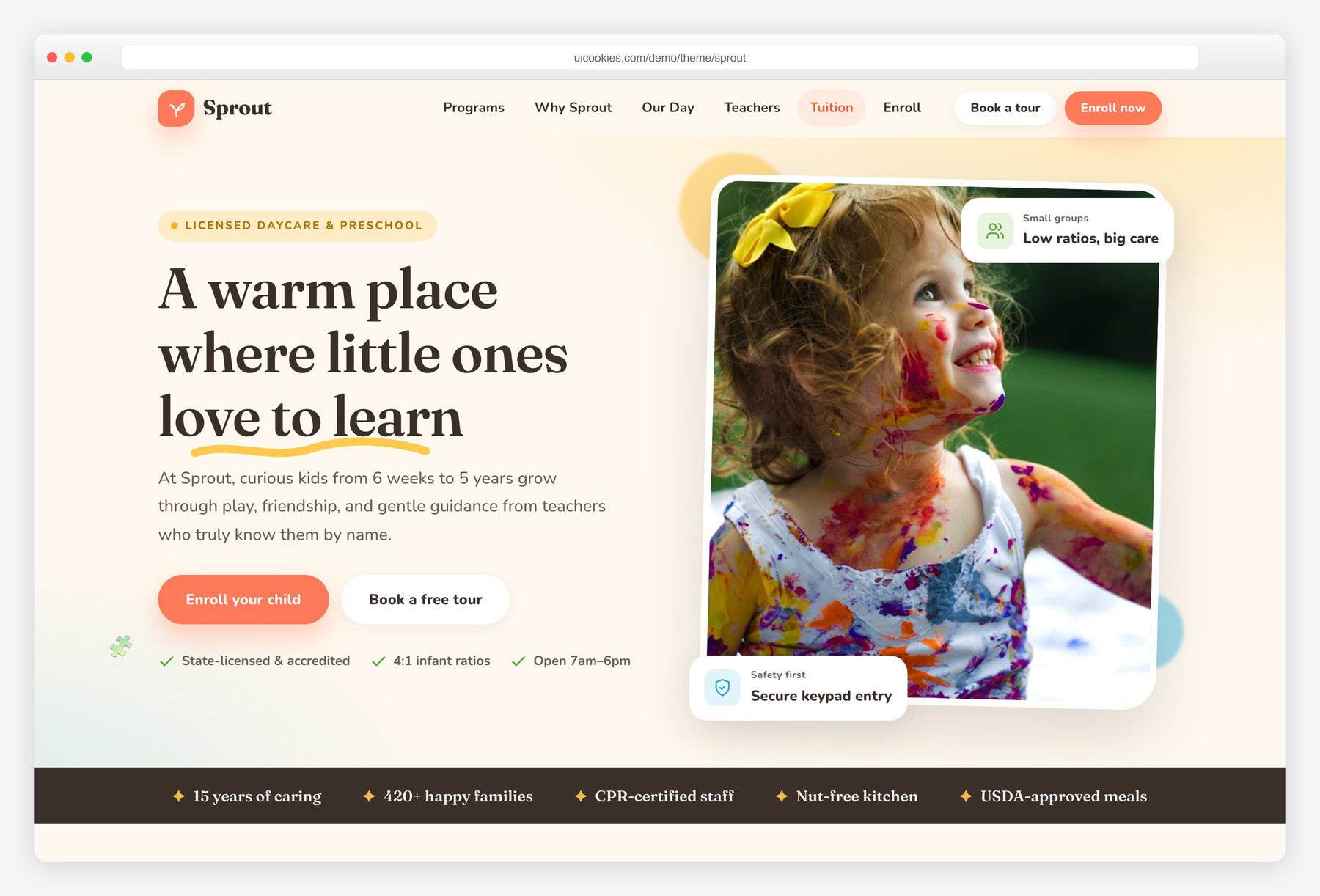
Sprout is a warm, playful template for daycares, preschools and early-learning centers: an age-based programs grid, a why-us section, a daily-schedule timeline, a meet-the-teachers row, a facilities gallery, tuition, testimonials and a book-a-tour form across a home and a programs page.
Cheerful-but-tasteful cream, coral and yellow with rounded friendly shapes make it warm and reassuring for parents. Bootstrap 5, vanilla JavaScript, no jQuery.
Enlight
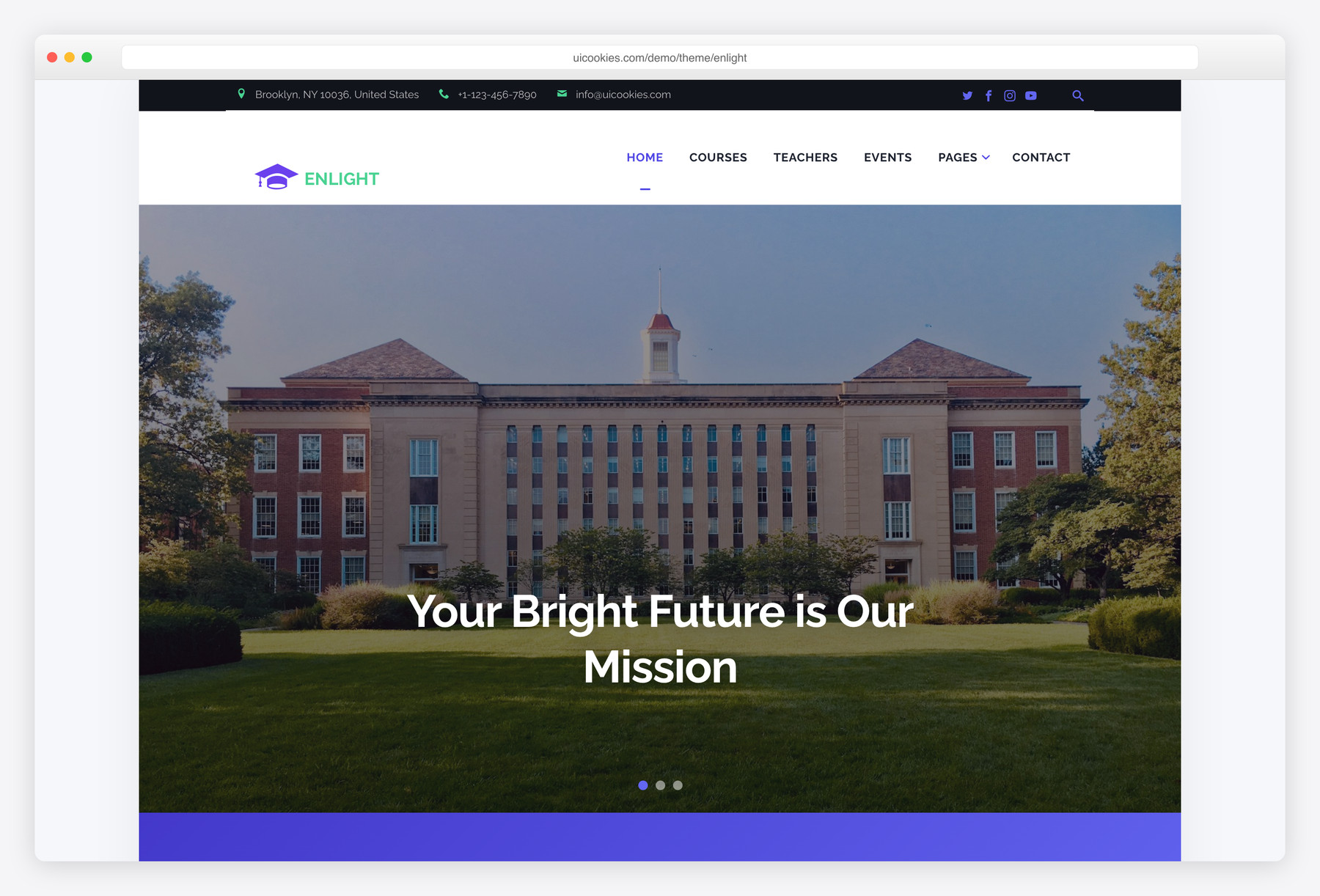
The complete multipage option: nine ready-made pages spanning course listings, a class timetable, an events calendar, and a photo gallery. It's built for schools and academies that need a whole website up and running quickly, not just a single landing page. If you want standard pages already structured and styled from day one, start here.
Campus
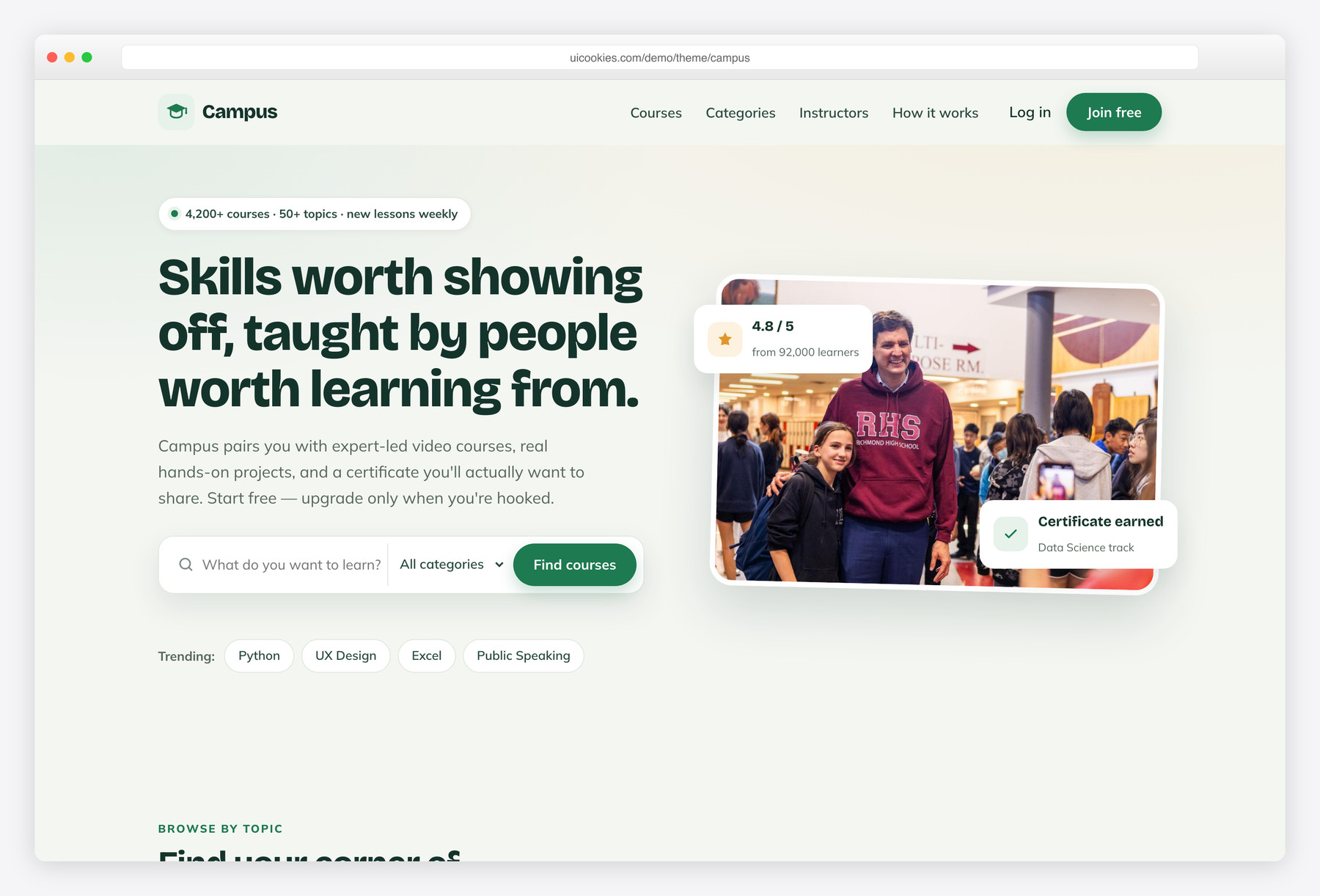
The one template here built to sell courses: a hero search bar leads into a filterable course grid with ratings, prices, and category filters, plus a become-an-instructor flow. It fits e-learning marketplaces and independent course businesses that need browse-and-enroll behavior rather than a brochure site. A warm chalkboard-green identity, animated stat counters, and swipeable testimonials give it an approachable, modern feel.
Academy
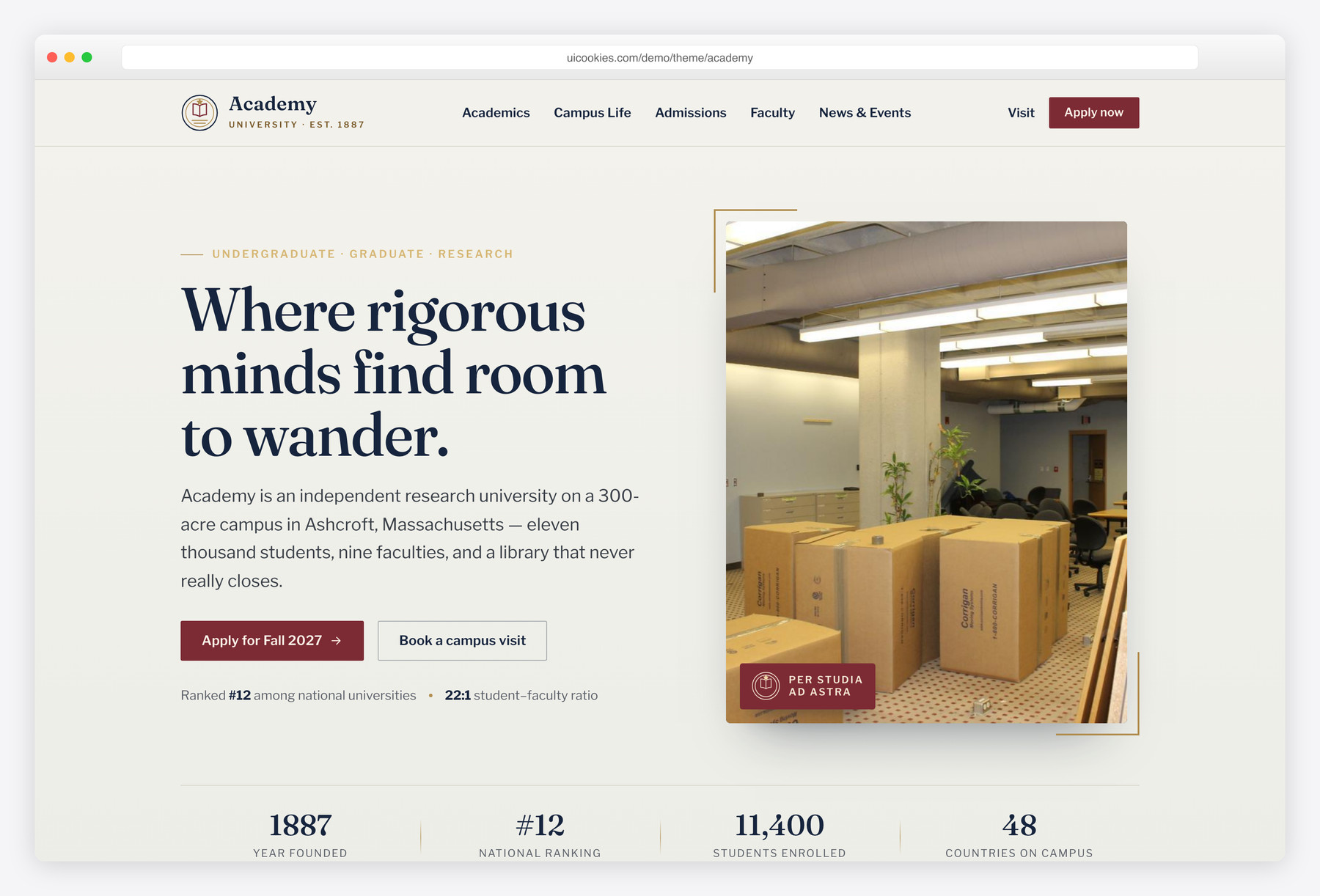
Made for the gravitas of higher education: a stately editorial layout with a faculties grid, a four-step admissions path, notable-faculty profiles, a campus-life gallery, and a newsroom. It suits universities and colleges that need to convey institutional credibility and guide prospective students toward applying. A collegiate palette of navy, heritage garnet, and antique brass, paired with Fraunces and Libre Franklin, sets a distinctly academic tone.
Compare at a glance
| Template | Best for | Layout | Standout feature |
|---|---|---|---|
| Treehouse | Elementary & primary schools (K–5) | Home + academics + admissions pages | Weekday club filter + month-view events calendar |
| Acorn | Nature-led preschools & nurseries | Home + programs + enrollment pages | Live day timeline + five-step application |
| Northgate | Schools, colleges & academies | Homepage + program detail page | Stepper admissions + visit-request form |
| Syllabus | Single-course creators | Course landing + sample lesson | Saved lesson progress + pace planner |
| Sprout | Daycares & preschools | Home + programs page | Daily-schedule timeline + book-a-tour form |
| Enlight | Schools & academies needing a full site | Nine-page multipage site | Timetable, events & gallery built in |
| Campus | Course sellers & e-learning platforms | Search-led course catalog | Filterable grid + instructor signup |
| Academy | Universities & colleges | Editorial institutional site | Faculties grid + 4-step admissions |
How to choose
Start by matching the template to your institution and its single most important action. A K-12 school or academy usually needs a full informational site that ends in an enrollment inquiry, which Enlight's nine pages cover without extra building. A business that sells courses needs visitors to browse, filter, and buy — exactly what Campus's searchable catalog is for. A university or college needs to project credibility and move prospective students toward an application, which is where Academy's faculties grid and admissions path fit. Choosing by institution type first saves you from bending a marketplace layout around a district school, or vice versa.
Look past the visuals to the information architecture. The features that quietly matter are a real events or calendar block, program and course pages that stay clean as you add dozens more, clear and repeated admissions or enrollment calls to action, and staff or faculty profiles that build trust. Two common pitfalls: picking on looks alone and later finding the page structure doesn't fit how your programs are organized, and forgetting that a static template has no backend — your contact, inquiry, and apply forms won't send anything until you wire them up. If your school is publicly funded, budget time for accessibility (color contrast, keyboard navigation, alt text), since that is often a compliance requirement rather than a nicety.
Customization is deliberately low-friction. Because these are static Bootstrap 5 files with no jQuery and no build tooling, you edit the HTML, CSS, and images directly and refresh the browser — no npm, no compile step. Recolor and re-font through CSS variables to match your brand, then host anywhere that serves static files: Netlify, Cloudflare Pages, GitHub Pages, or your existing web host. When you're ready for dynamic features — parent logins, online payments, a student portal, or editor-friendly updates — treat the template as the front end and connect a form service, a headless CMS, or your student information system behind it.
Northgate and Syllabus extend both ends of that range. Northgate sits between Enlight and Academy: a two-page school site with a stepped admissions journey and a visit-request form, organized by stage from prep school to sixth form. Syllabus is narrower than Campus; where Campus lists many courses to browse, Syllabus presents one course in depth with lessons students can tick off. Both run on Bootstrap 6 alpha, so pick a Bootstrap 5 template here if you need a stable base today.
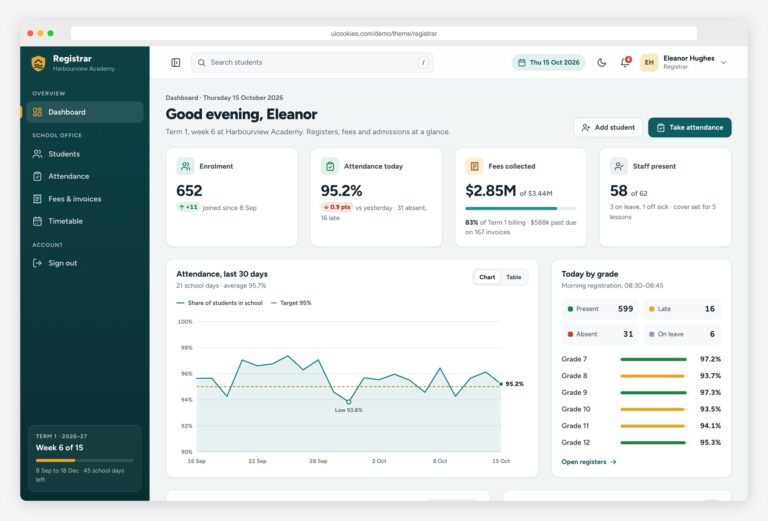
Treehouse and Acorn fill the younger end of the range. Treehouse is a three-page K–5 school site that sits between Sprout and Enlight, with grade-by-grade academics, clubs and admissions but without Enlight's nine pages. Acorn is an alternative to Sprout for preschools and nurseries, adding a timeline of the day and a five-step online application. Both run on stable Bootstrap 5. School management dashboards, among them Registrar, Homeroom and Gradebook, and kids school templates now each have a hub of their own, linked below.
Frequently asked questions
Can I use these for a real school or a paid course business?
Yes. Every uiCookies education template is free to download and use, including on commercial course sites where you charge for enrollment. Attribution is optional but always welcome, and the templates may not be resold or redistributed as templates; the full terms are at uicookies.com/license.
Do the templates work on phones and tablets?
Yes — they're built on the responsive Bootstrap 5 grid and tested across screen sizes. That matters here because a large share of school and admissions traffic comes from parents and students on mobile.
Can I edit them without npm or a build step?
Yes. They're plain HTML, CSS, and vanilla JavaScript, so you can open them in any code editor, change the text and images, and see the result immediately — no compiling or tooling required.
How do I make the enrollment or contact forms actually send?
A static template has no server behind it, so the forms are front-end markup until you connect them. Point them at a form service like Formspree or Netlify Forms, or at your CRM or student information system endpoint, and submissions will start coming through.
Can I connect a template to WordPress or another CMS?
Yes. The markup is standard and portable, so you can convert it into a WordPress theme, pair it with a headless CMS, or keep it fully static — whatever matches how your team updates content.
Will these slow down my site or hurt SEO?
No. They're jQuery-free and lean, so pages load fast out of the box. Add your own meta tags, clean headings, and structured data and they're well positioned for search.
Related templates
Free Sports & Fitness Website Templates · Free News & Magazine Website Templates · All free HTML website templates · Free Kids School & Preschool Website Templates · Free School Management System Templates