
Acorn — Free Preschool Website Template
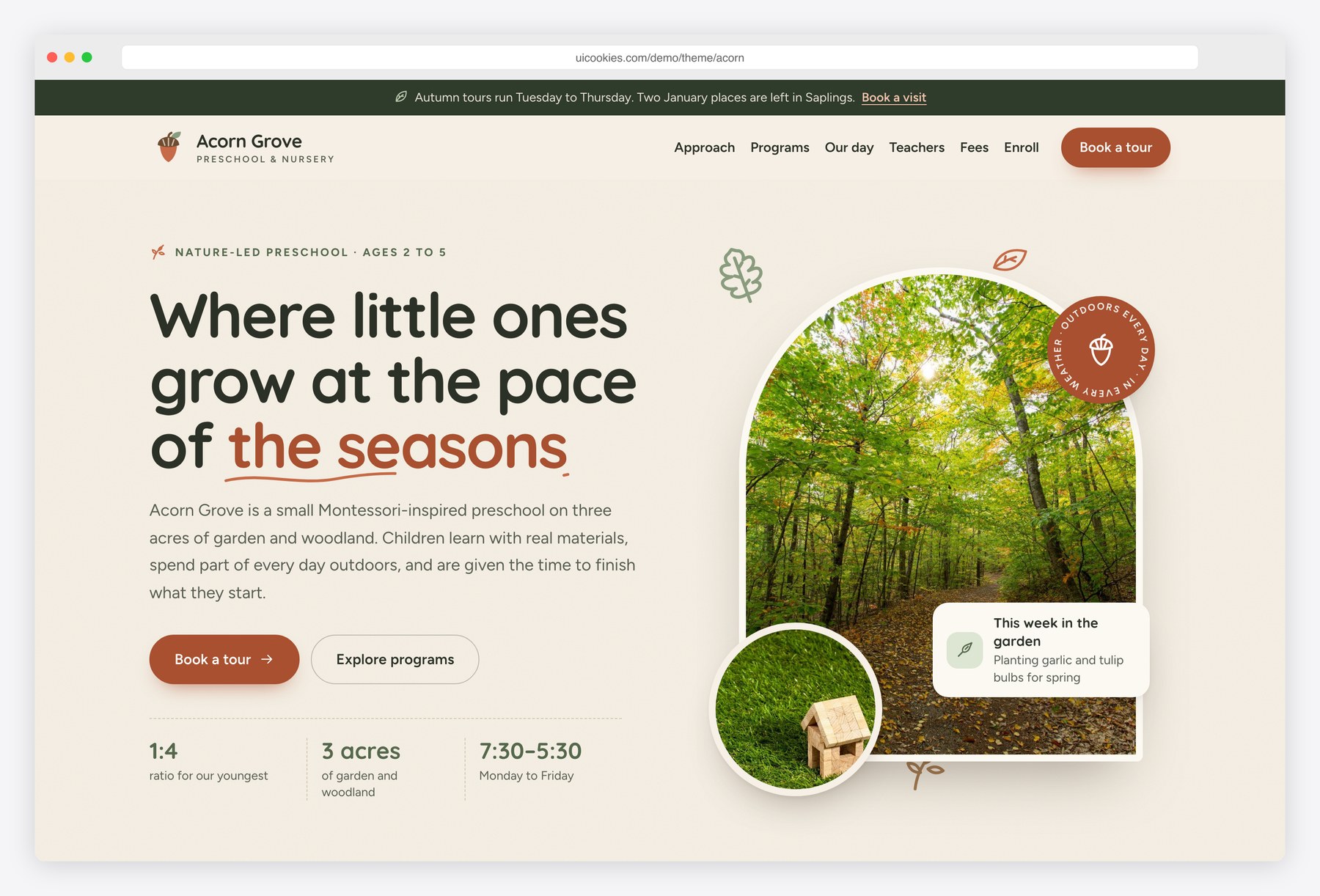
Acorn gives a small preschool a calm, grown-up website in sage, oat, terracotta and warm wood, with rounded Quicksand headings, Figtree body text and hand-drawn acorns and leaves. The daily timeline highlights what the children are doing right now, the tour form offers the next Tuesday to Thursday dates with time slots, and the fees table switches between full days and mornings. On the enrollment page, a five-step application suggests a room from the child’s birthday, estimates the monthly fee and ends with a review of every answer.
Key features
- A day at Acorn timeline that reads each block’s start and end time and highlights what is happening now
- Book-a-tour form with the next Tuesday to Thursday dates as chips, time slots that fill up per day, and validation
- Programs by age for three rooms with ratio, group size, hours, days and availability
- Fees table with a full-day and mornings switch, plus a panel of what every place includes
- Five-step application with a progress bar, per-step validation, conditional second guardian and allergy fields, and a review step with Edit links
- Room suggestion from the child’s date of birth and intake, and a live monthly fee estimate
- Daily schedule tabs per room with arrow-key support, and a curriculum grid for language, maths, nature, art and movement
- What-to-pack and documents checklists that remember ticks on the device, with a printable packing list
- Waitlist charts drawn from small data lists: places open per room and typical wait in months
- Teacher cards with initials avatars and hand-drawn SVG icons throughout, with no photos of people
Best for
- Nature-led, Montessori-inspired or forest-school preschools
- Nurseries and kindergartens for children aged two to five
- Small early-years centres that take tours and applications online
- Developers who want a jQuery-free Bootstrap 5 preschool starter
At a glance
- Bootstrap 5.3.8 with vanilla JavaScript, no jQuery
- 3 pages: index.html, programs.html, enroll.html
- Palette and type set as CSS custom properties in css/style.css
- Quicksand headings with Figtree body text
- Inline SVG icons, illustrations and charts; no icon fonts or chart libraries
- Free for personal and commercial use; attribution optional but welcome. Full terms: uicookies.com/license
How to use it
Unzip the folder and open index.html in a browser. Edit the copy in the three HTML files and replace the photos in img/ with your own. Colours and fonts are CSS custom properties at the top of css/style.css. Timeline times, fee estimates and waitlist charts read data attributes in the HTML, so they follow your edits. The tour and application forms are front-end only: connect a form service before launch, then upload the folder to any static host.
Frequently asked questions
Is Acorn free for a preschool or commercial project?
Yes. Acorn is free for personal and commercial use, including a live preschool website or a client project. Attribution to uiCookies is optional but always welcome, and the full terms are on the uiCookies license page.
What is Acorn built with?
Acorn uses Bootstrap 5.3.8, self-hosted, with one vanilla JavaScript file and no jQuery or other libraries. Icons, illustrations and the waitlist charts are inline SVG, and every section stays visible if JavaScript is turned off.
Which pages and sections are included?
There are three pages. The home page has the hero, approach, programs by age, a day-at-Acorn timeline, teachers, testimonials, a book-a-tour form, fees and an FAQ. The programs page covers each room, daily schedules, curriculum areas, what to pack and the move to kindergarten, and the enroll page holds the steps, the application form, a documents checklist and the waitlist.
Do the tour and application forms send anything?
No. Both forms validate in the browser and then show a confirmation that says clearly they are front-end only. Connect a form service or your own backend before launch so tour requests and applications reach your inbox.
How do I change the daily timeline and the fees?
Each timeline item has data-start and data-end times, and the script uses them to highlight what is happening now. Monthly fees appear in the table on the home page and as data attributes on each room choice in the application, which drive the fee estimate, so update both together.