
Campus — Free Online Course Platform Website Template
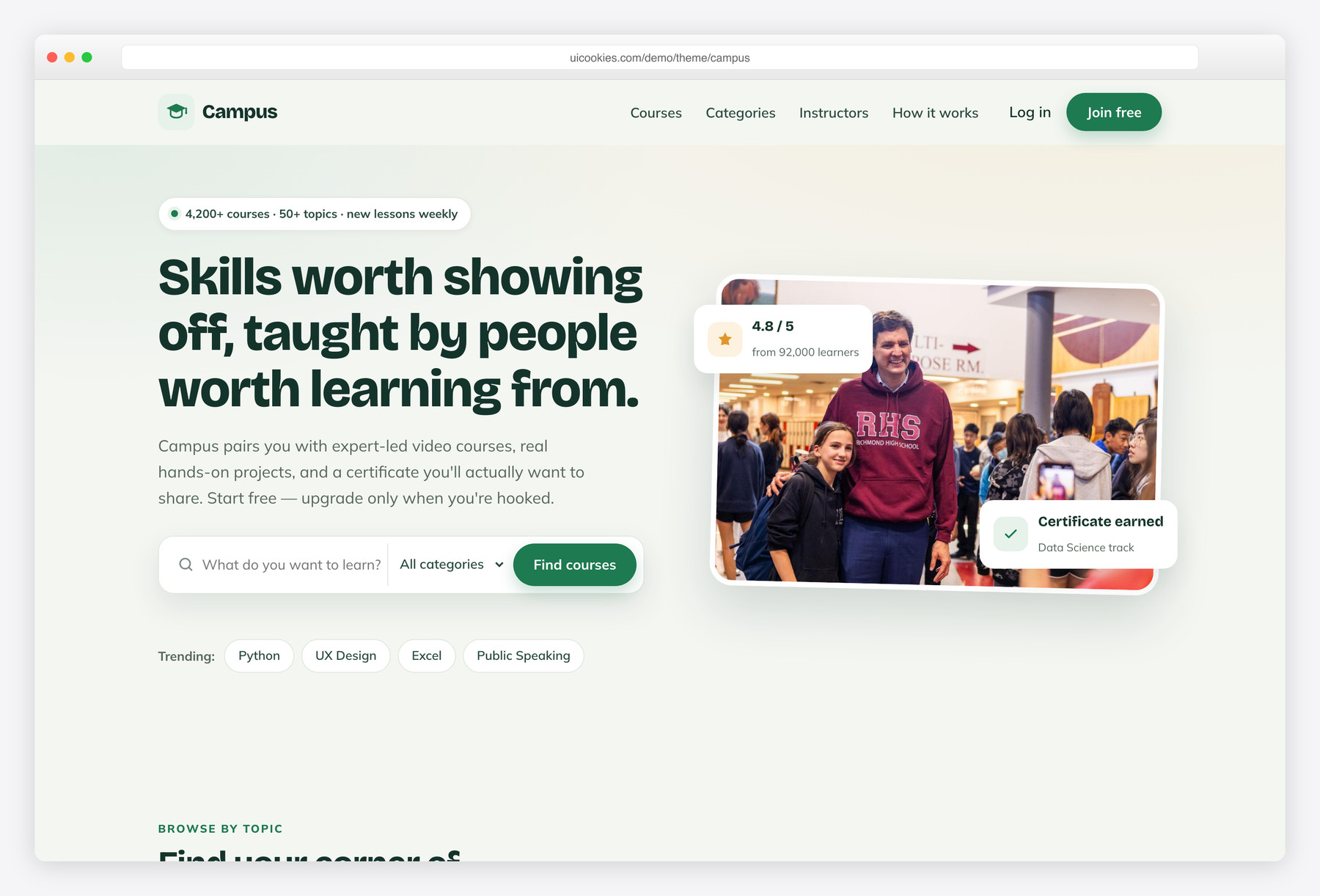
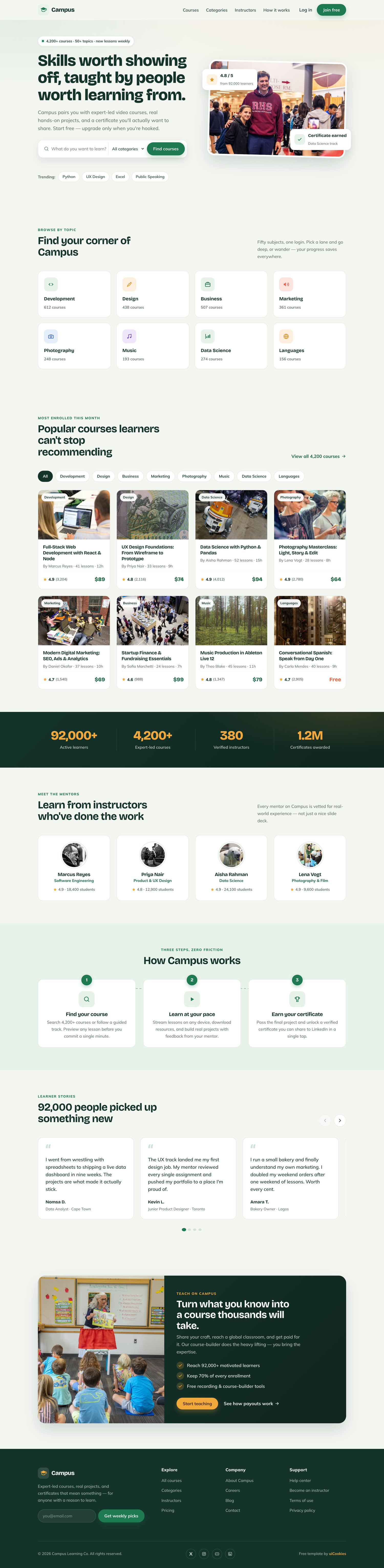
Campus is a free, single-page Bootstrap 5 template built specifically for online-course platforms and e-learning marketplaces, with a hero course-search bar, a filterable eight-card course grid, and a "become an instructor" flow ready to wire up. What sets it apart is its warm chalkboard-green and marigold identity with a Bricolage Grotesque display pairing — human and credible instead of another purple SaaS gradient — and every interaction is hand-written vanilla JavaScript with zero jQuery.
Key features
- Filterable course grid: 8 cards with thumbnail, category, rating and price
- Hero course-search bar with category select, validation and trending chips
- Course prices include a Free tier alongside paid listings
- Animated stats band that counts up on scroll
- Swipeable scroll-snap testimonials slider with prev/next and dots
- Top-instructors row with avatars, specialties and student counts
- 8 browse-by-topic tiles with hand-drawn inline SVG icons
- Three-step 'how it works' flow with a dashed connecting line
- Split instructor CTA plus footer newsletter with email validation
Best for
- Online course marketplaces and e-learning platforms
- Coding bootcamps and training academies
- Single-instructor or creator course sites
- Client builds in the education niche
- A landing page for a new course business
At a glance
- Framework: Bootstrap 5
- License: Free for personal and commercial use
- Pages: 1
- Responsive: Yes
- Style: Friendly academic — chalkboard-green and marigold, Bricolage Grotesque display
How to use it
Download the ZIP, unzip it, and open index.html — no build step, nothing to install. Edit the text and images, point any forms at your backend or a form service, and deploy the folder to any static host. Colours and fonts live in css/style.css; the interactions are in js/main.js.
Frequently asked questions
Is Campus really free to use?
Yes. Campus is free for both personal and commercial projects, with no attribution required. Use it for a full course marketplace, a bootcamp, a single-instructor site, or a paid client build. A link back to uiCookies is always appreciated but never obligatory.
Does it need a build step, jQuery, or a framework?
No. It is static HTML, one CSS file, and one vanilla-JavaScript file, with a self-hosted copy of Bootstrap 5 for the grid and utilities. Just open index.html in a browser and it runs — there is nothing to compile, install, or configure. All interactive pieces, including the filter, counters and slider, are hand-written vanilla JS.
How do I change the colours and fonts?
The chalkboard-green and marigold palette lives in the single CSS file, so recolouring the whole template means editing a handful of values in one place. The fonts are Bricolage Grotesque and Mulish, loaded via one Google Fonts link in the head — swap that link to change typefaces, or self-host the files if you prefer. No build tooling is involved either way.
Is it responsive and mobile-friendly?
Yes. Campus is fully responsive from 360px phones up to 1440px desktops, built on the Bootstrap 5 grid. The course grid, category tiles and testimonials all reflow cleanly on small screens, and the slider is swipeable by touch. It also ships with accessible landmarks, a skip link, focus-visible styles, and prefers-reduced-motion support.
Which browsers does it support?
It works in all current evergreen browsers — Chrome, Firefox, Safari and Edge. It relies on Bootstrap 5 plus modern standards like scroll-snap and focus-visible, so very old browsers such as Internet Explorer are not supported. For the vast majority of real-world visitors this is a non-issue.
How do I connect real courses or a search backend?
The course cards are plain HTML articles with a data-category attribute, so you can generate them from any CMS or database and keep the client-side filtering working. The hero search and footer newsletter are front-end forms with validation already wired — just point their handlers at your own search endpoint or email service. Nothing about the markup locks you into a specific backend.
Does the course-grid filter actually work out of the box?
Yes. The category filter is functional vanilla JavaScript: selecting a category shows and hides the matching course cards instantly, with no page reload. Because each card carries a data-category attribute, extending it to new categories is just a matter of adding cards with the right value. The trending-topic chips in the hero search work the same clean, dependency-free way.
Does Campus handle payments, logins, or actual video hosting?
No — it is a static front-end template, not an application. It gives you the polished marketing and browsing layer (course grid, instructor showcase, search and CTAs) but does not process payments, manage user accounts, or host course video. Wire those up with your own platform or backend; Campus is the presentation layer you build on top of.