These five free school management system templates cover different jobs: daily school administration, a student and parent portal, classroom marking, admissions and assessments. Choose by the people using the screen rather than trying to fit every workflow into one dashboard.
Each download contains Bootstrap 5 HTML, CSS and vanilla JavaScript with fictional records. These are frontend templates, not installed school management software: authentication, shared records, access permissions, backups and server-side validation need your own backend.
All five live demos are open. Confirm your email for a template ZIP; newsletter signup is optional. Original code is free for personal and commercial projects under the uiCookies license.
Compare school management templates
| Template | Primary user | HTML pages | Included workflow |
|---|---|---|---|
| Registrar | School office | 7 | Attendance register, student directory, fee invoices, timetable |
| Homeroom | Students and parents | 6 | Assignments, report cards, messages and a separate parent view |
| Gradebook | Teachers and tutors | 6 | Editable markbook, lesson plans, class reports and CSV export |
| Intake | Admissions staff | 4 | Applicant pipeline, document checklist and interview diary |
| Measure | Learners and markers | 5 | Question bank, timed practice paper, review and marking queue |
Page counts include each supplied HTML screen, including sign-in screens where present. A sign-in screen is a visual template, not an authentication service. The five downloads are separate designs; combining them into one application requires integration work.
Registrar — School office
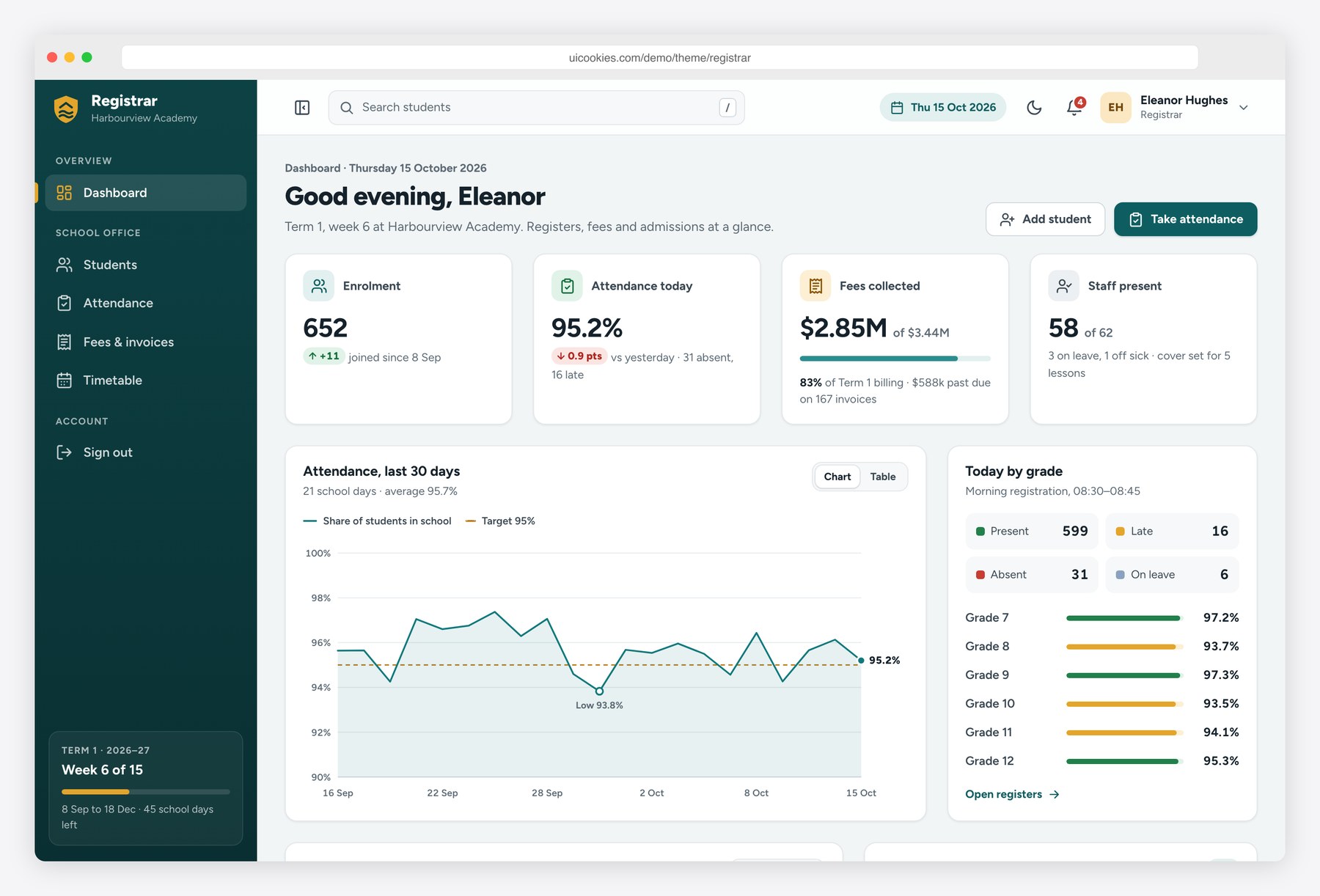
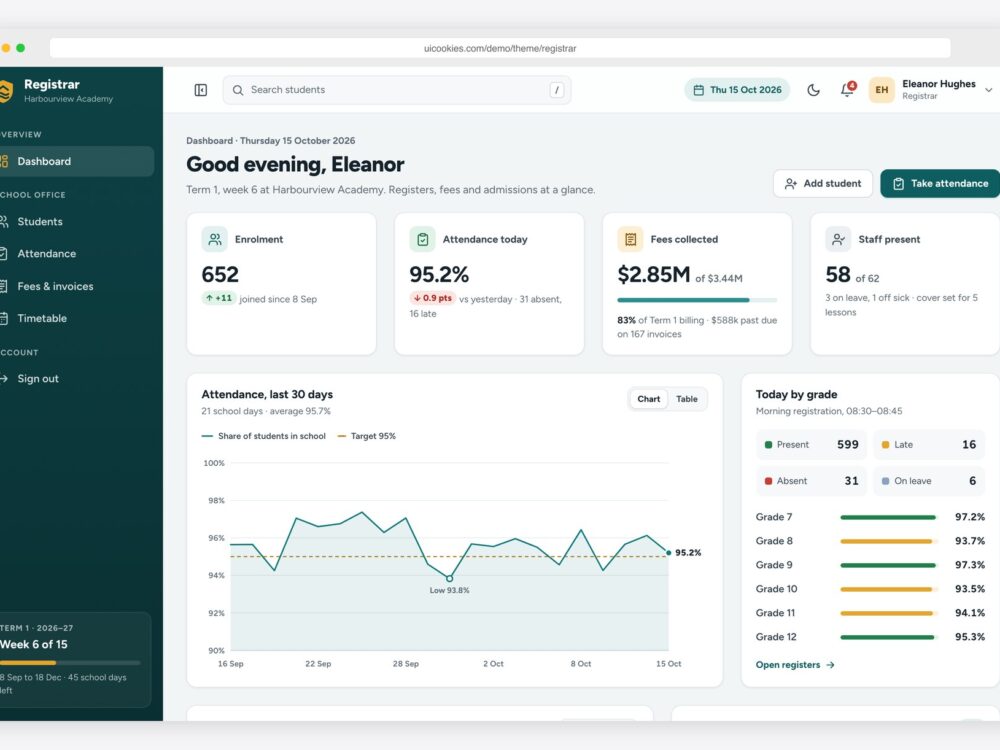
Registrar is a free school management system template for the people who run a school office. It is a seven-page admin dashboard built on Bootstrap 5.3.8 with vanilla JavaScript and no jQuery. The fictional Harbourview Academy fills it with 652 students in 24 classes: a dashboard with enrolment, attendance, fee and staff figures and hand-drawn SVG charts, a student directory with filters, sorting, pagination and CSV export, student profiles with an attendance calendar, grades and a fee ledger, a morning register with Present, Absent and Late toggles, fee invoices with a record-payment form, a weekly timetable by class or teacher, and a staff sign-in page. It includes a collapsible sidebar and a light and dark mode.
Live demo · Details and ZIP download
Homeroom — Students and parents
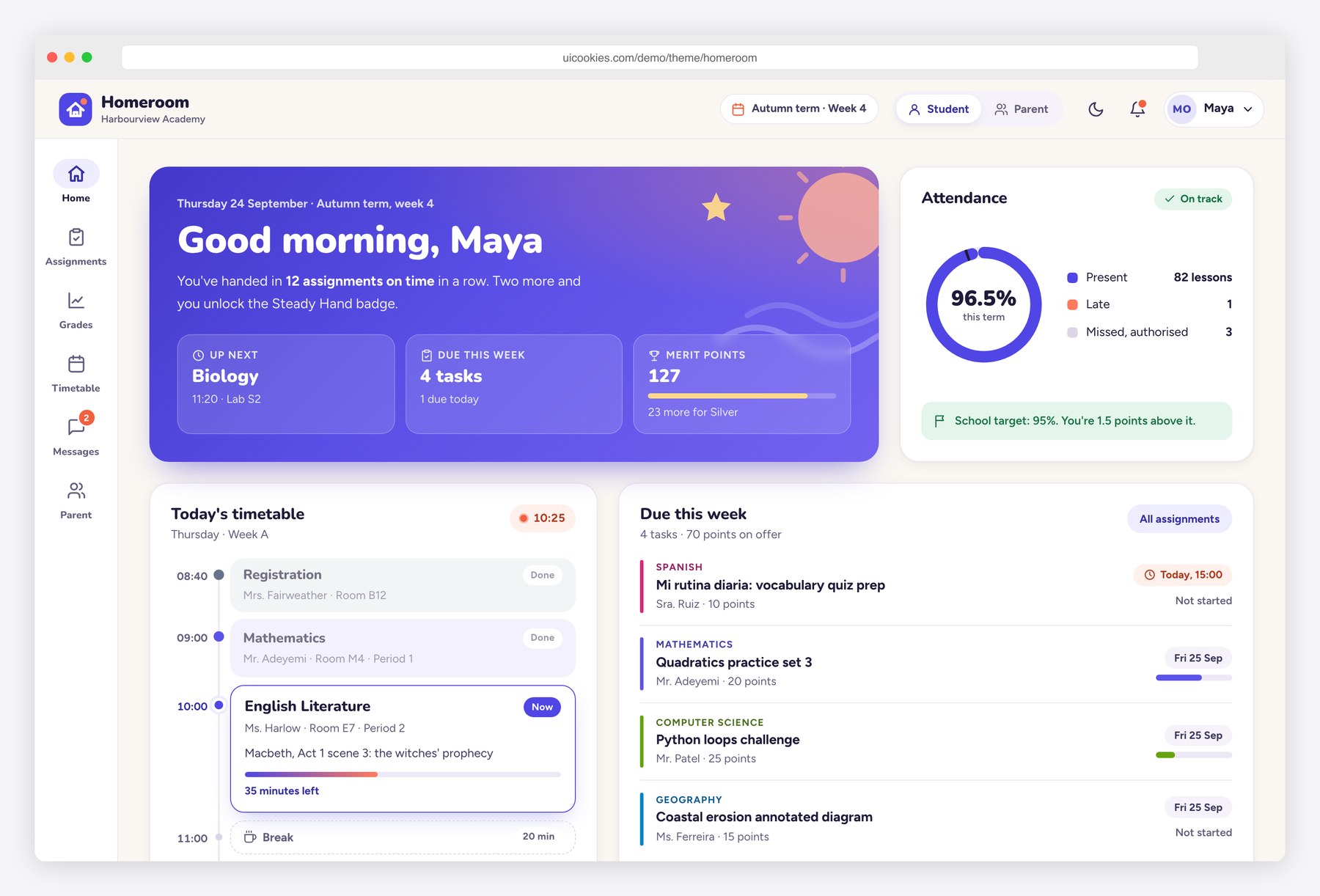
Homeroom is a free student and parent portal dashboard template for school management systems. It is the side students and families log into, not the admin back office. Six pages ship ready to use: a student home with a clock-aware timeline of today's lessons, an assignments list with a detail drawer, rubric and file-drop submission, a report card with term tabs and an SVG grade-trend chart, a weekly timetable with a day and week toggle, a two-pane messages inbox, and a parent view with a child switcher, fees, permission slips and attendance alerts. It is built on Bootstrap 5.3.8 with vanilla JavaScript and no jQuery, and includes a light and dark theme.
Live demo · Details and ZIP download
Gradebook — Teachers and tutors
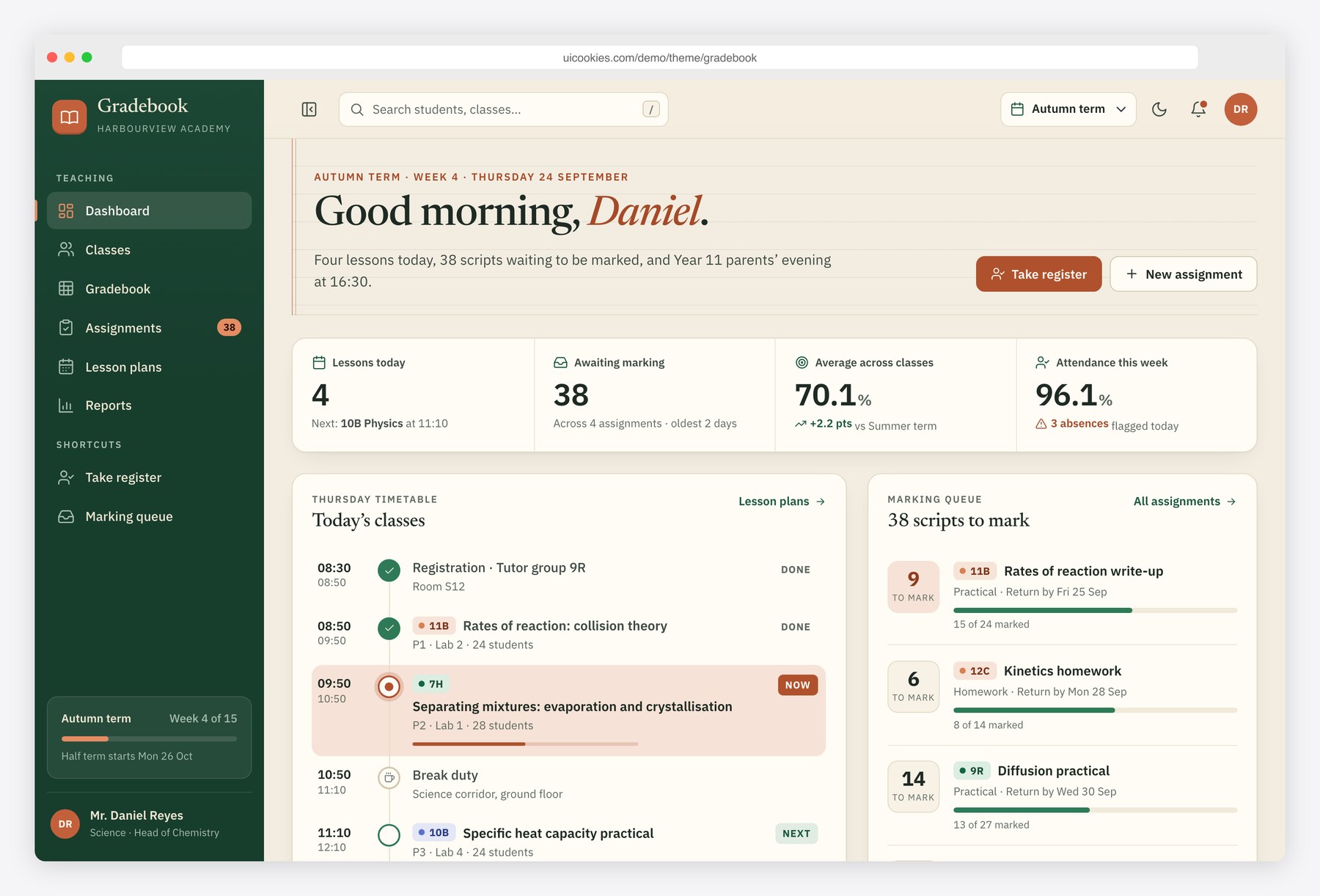
Gradebook is a free teacher dashboard template for a school management system, LMS or tutoring platform. It ships six pages: a daily dashboard with the timetable, marking queue, class averages chart and a quick attendance register; class cards with averages and next lessons; a spreadsheet-style gradebook where marks are typed in with full keyboard navigation and averages recalculate live; an assignments page with a rubric builder; a Monday to Friday lesson plan board with an add and edit dialog; and a class performance report with a histogram and a cross-class comparison. It is built on Bootstrap 5.3.8 with vanilla JavaScript and no jQuery. Charts are hand-drawn inline SVG, and there is a light and dark theme.
Live demo · Details and ZIP download
Intake — Admissions staff
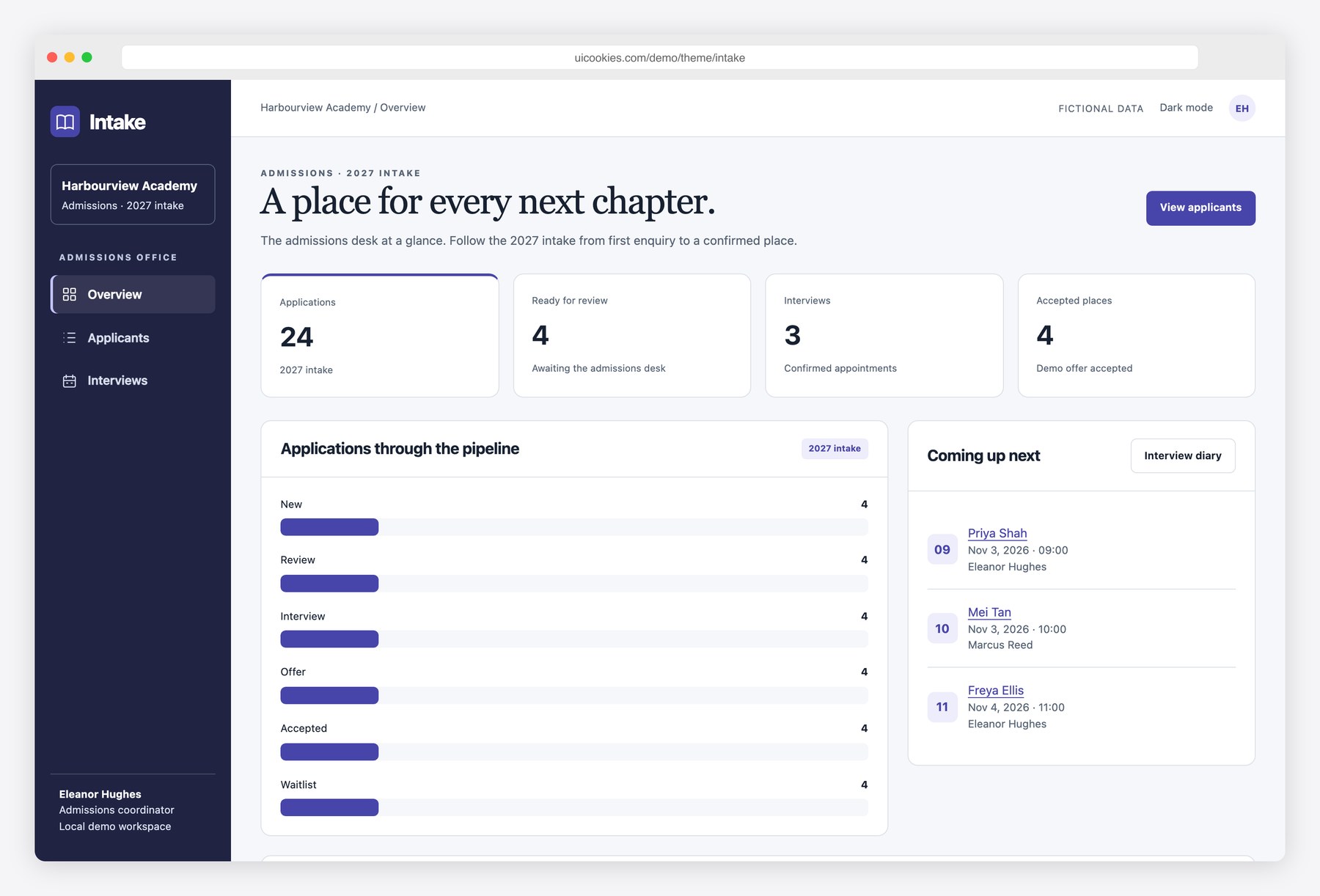
Intake is a school admissions dashboard for an office that needs to follow each application from first enquiry to an accepted offer. Four pages cover an overview, a searchable applicant directory, an individual application with a document checklist and activity history, and an interview diary. The fictional Harbourview Academy has applications for several year groups, with missing documents, review stages and booked interviews. Staff can add applicants, check documents, move an application through the pipeline and book interviews with conflict checks. It runs on self-hosted Bootstrap 5.3.8 and vanilla JavaScript, with light and dark modes. All changes are browser-local demo data; no admissions decisions or messages are sent.
Live demo · Details and ZIP download
Measure — Learners and markers
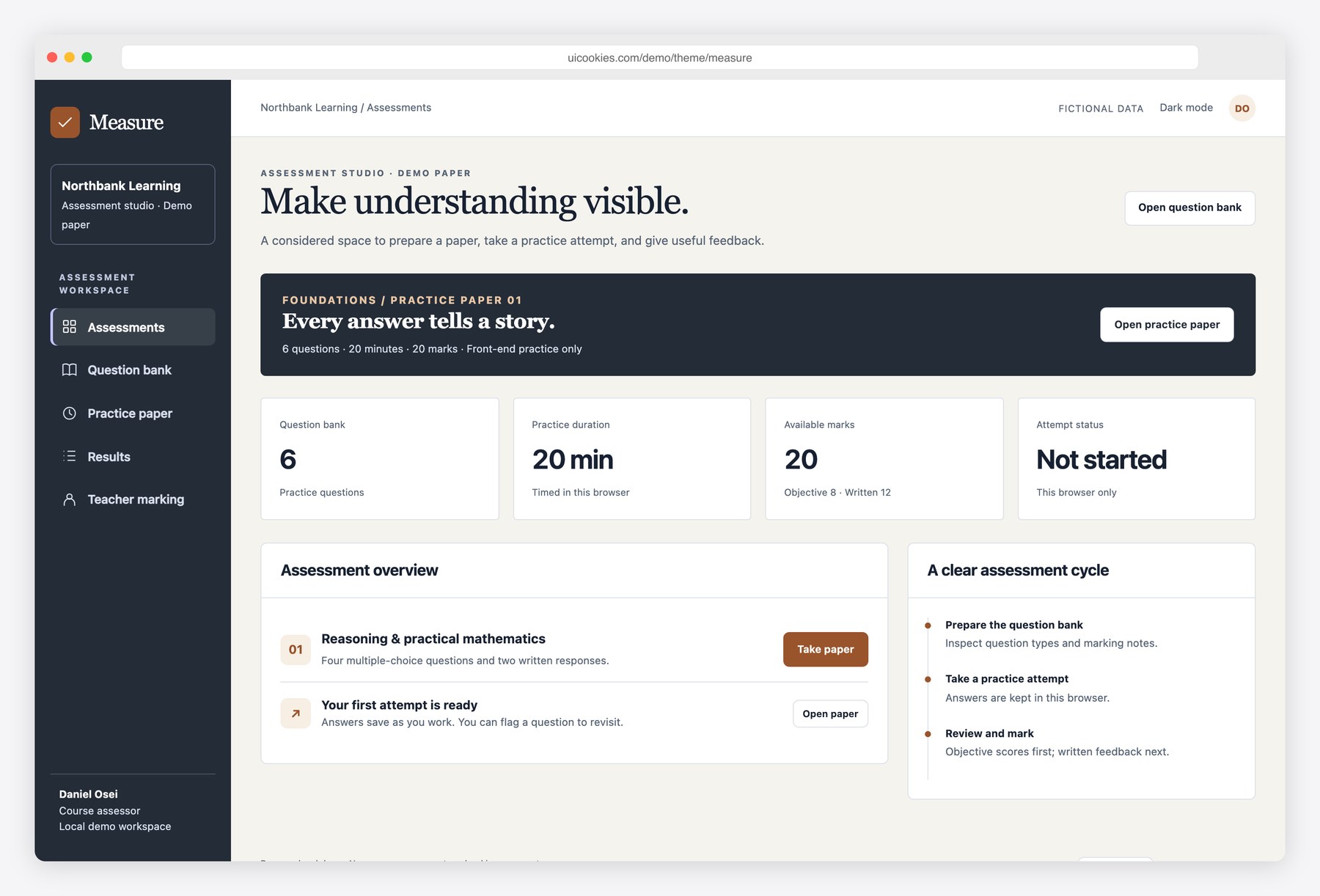
Measure is a five-page exam and assessment interface for a fictional learning provider. The assessment overview opens a six-question paper with multiple-choice and written answers. A question bank supports search, type filters and adding a question to the demo bank; the exam runner saves answers, flags questions for review and keeps an absolute 20-minute deadline across reloads. Submission grades the objective questions and sends the written answers to a local marking queue. The result page separates confirmed marks from marks still awaiting review. Teachers can record written marks and feedback, then see the final total. Bootstrap 5.3.8 and vanilla JavaScript power the interface, with no backend or authentication.
Live demo · Details and ZIP download
How to choose a school dashboard
- Choose Registrar when attendance, student records and fees are the main daily tasks. It is the broadest office starting point, rather than a family portal.
- Choose Homeroom for student and parent access. Its messages, permissions and payment dialogs demonstrate interface states; they do not deliver messages or charge cards.
- Choose Gradebook when keyboard entry and reviewing marks matter more than admissions or fee management.
- Choose Intake for the work before enrolment. Document checks and interview conflicts are browser-local examples, not a shared scheduling service.
- Choose Measure for practice assessments and a marking interface. Its browser timer and local answers are not an exam-security or proctoring system.
What to connect before using real records
- Authentication and role checks on the server for office staff, teachers, learners and guardians. Hiding a navigation item does not enforce access.
- A database and API for students, attendance, marks and fees. Replace sample arrays and browser storage; define who can read and update each record.
- Server-side validation, accessible errors and loading, empty and failed-request states. Test slow requests and accidental duplicate submissions.
- Real message delivery, file storage and payment processing where needed. Keep secrets and private student data out of static source and public demo URLs.
- An accessible workflow test with keyboard users, small screens, long names, empty classes and realistic record counts.
Questions before downloading
Is there a database or working login?
No. The downloads are static interfaces. Their example records and local interactions help you evaluate a workflow; they do not provide secure shared school software.
Can I use the templates commercially?
Yes, including client and student projects, under the linked license. Attribution is optional. Check the bundled credits for any separately licensed assets.
Do I need WordPress or jQuery?
Neither. These five templates use Bootstrap 5 and vanilla JavaScript. A WordPress LMS is a different product and is not included in these downloads.
Related resources
Admin dashboard templates · Data table examples · Cards for portal screens