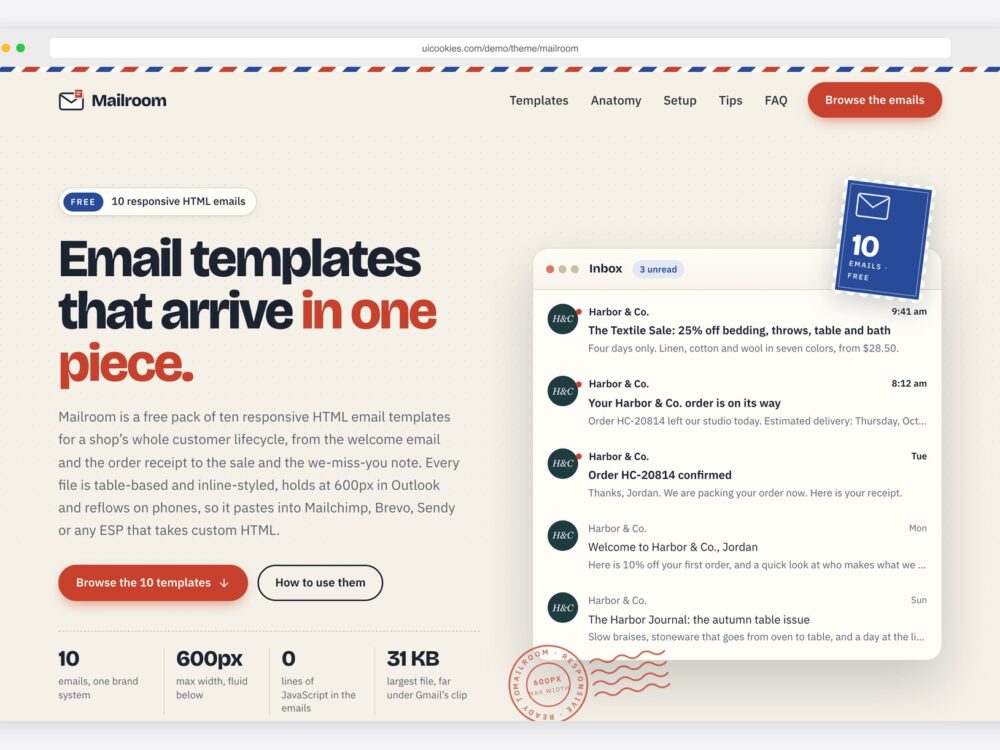
The email templates on this page are designed and maintained in-house by uiCookies, and there is one pack rather than a long list: Mailroom, ten responsive HTML emails written for a single fictional homeware shop, Harbor & Co. Because they share one brand, the welcome email, the receipt and the sale announcement look as though they came from the same company, which is the point of a coherent set of customer emails.
Email is a harder place to design for than the web. Inboxes ignore much of modern CSS, Outlook for Windows has its own rendering rules, dark mode can recolour a message, and many readers see the preheader and the alt text before any image loads. A reliable template leans on the techniques inboxes actually support: presentation tables, inline styles, a fixed maximum width, columns that stack on a phone and buttons that survive with images turned off. It also treats the preheader, the alt text and the plain-text version as copy worth writing.
Mailroom's emails use no JavaScript and no framework. Each one is a table-based layout with inline styles on every element, a 600px maximum width that stays fluid down to 320px, a single style block for mobile media queries and dark mode, and MSO conditional comments with ghost tables for Outlook. A separate gallery page, built on Bootstrap 5 with vanilla JavaScript and no jQuery, previews every email and copies its HTML. The pack is free for personal and commercial use, including client work, and attribution is optional but always welcome; the full terms are at uicookies.com/license.
The templates
Mailroom
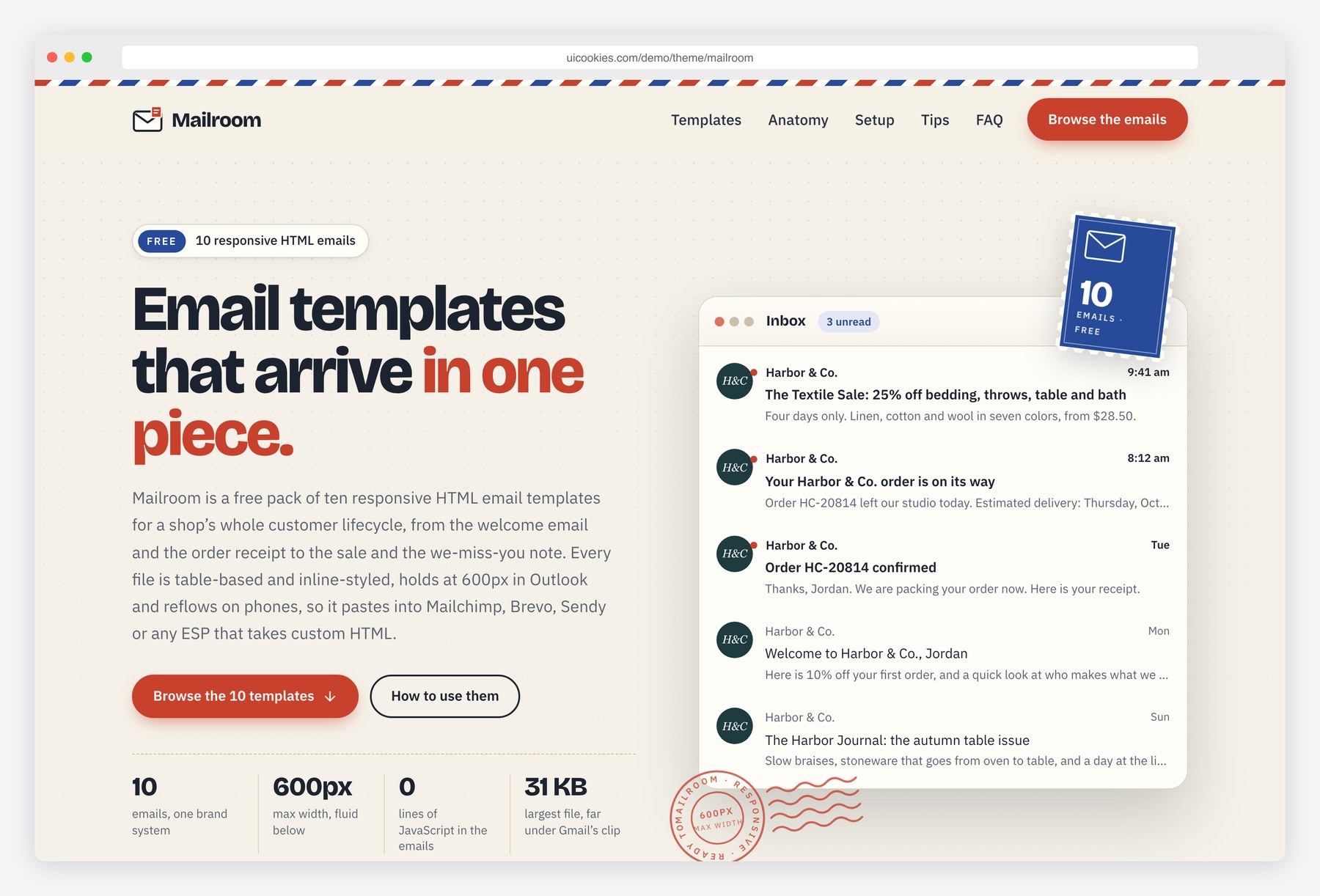
Mailroom is a pack of ten responsive HTML emails that read as one brand system: a sand background, a white card, Georgia headings, a Harbor green button and a clay accent. It covers welcome, newsletter, order receipt, shipping update, password reset, event invitation, abandoned cart, feedback survey, promotional sale and re-engagement, with hybrid two- and three-column rows that stack on phones, a CSS shipping tracker, a 1-to-5 rating row and coupon blocks. It suits online shops that need matching transactional and marketing emails, and developers moving a brand from a drag-and-drop builder to coded templates.
Every email has bulletproof buttons built as padded table cells, a hidden preheader, lang and dir attributes and alt text on every image. The gallery page shows each one in a live scaled preview with desktop, mobile and dark-mode toggles, category filters and a copy HTML button; it runs on Bootstrap 5 with vanilla JavaScript, while the emails use neither.
The 10 emails in the pack
- Welcome — Send it when someone joins your list or signs up with your shop; it introduces the brand in the shared sand-and-white-card layout, with a bulletproof button and a hidden preheader.
- Newsletter — Send it on your regular schedule to subscribers; it uses the same card layout, with a footer whose Mailchimp merge tags cover the web version, preferences and unsubscribe links.
- Order receipt — Send it from your store when an order is placed; it carries sample order data that you swap for your shop platform's own variables.
- Shipping update — Send it from your store when an order ships; it includes a CSS shipping tracker, and its sample order data is replaced with your platform's variables.
- Password reset — Send it from your app or store when a customer asks to reset a password; it is a service email in the same brand frame as the rest of the set.
- Event invitation — Send it to invite customers or subscribers to an event; it is built on the same presentation tables, inline styles and bulletproof button as the other nine.
- Abandoned cart — Send it to shoppers who left items in their cart without checking out; it keeps the shared layout so the reminder is recognisably from your shop.
- Feedback survey — Send it after an order has arrived to ask how it went; it includes a 1-to-5 rating row.
- Promotional sale — Send it to your list when a sale starts; the pack's coupon blocks are there to carry an offer code alongside the button.
- Re-engagement — Send it to subscribers who have stopped engaging, to invite them back; like every email in the pack, it has a hidden preheader and alt text on every image.
How to choose
With a single pack, the choice is less about which template and more about where each email is sent from. The welcome, newsletter, promotional sale, re-engagement, event invitation and abandoned cart emails are the kind you load into your email service provider. The order receipt, shipping update and password reset emails are usually sent by your store or app, so you swap the sample order data for that platform's variables. The gallery page filters the set into transactional, lifecycle and marketing emails, and a sensible order of work is the welcome email first, since it sets the tone for everything a new subscriber receives after it.
If you came looking for Mailchimp email templates, Mailroom's merge tags are written for Mailchimp, and the gallery page and README list the Brevo and Sendy equivalents for first name, email, unsubscribe, web version and preferences. To use an email, upload the images in img/ to your provider or a CDN, replace the ../img/ paths with absolute URLs and paste the file into your provider's custom HTML option. Any provider that accepts custom HTML will take them. These are coded HTML files rather than blocks for a drag-and-drop editor, so edits happen in the HTML.
Frequently asked questions
Can I use Mailroom as a Mailchimp template?
Yes. The merge tags are written for Mailchimp, so you can paste an email into Mailchimp's custom HTML option once its images are uploaded and the ../img/ paths are replaced with absolute URLs. The gallery page includes a setup guide with a Mailchimp tab.
Do the emails work in Outlook and in dark mode?
Yes. MSO conditional comments and ghost tables keep Outlook for Windows at 600px, and the layout never depends on CSS that Outlook ignores, although Outlook shows square corners where other clients show rounded ones. A single style block holds dark-mode colours for Apple Mail, iOS Mail and Outlook.com, while the Gmail apps apply their own colour inversion.
How do I switch the merge tags to Brevo or Sendy?
The gallery page and README.txt include a conversion table with the Brevo and Sendy equivalents for first name, email, unsubscribe, web version and preferences. Swap each Mailchimp tag for your provider's version, and the setup guide on the gallery page has tabs for Brevo, Sendy and other providers.
How do I rebrand all ten emails with my own colours?
Email clients need inline styles, so each colour is written on the elements that use it. README.txt lists the palette's hex values, so a search and replace across the emails folder rebrands all ten files. Replace the photos in img/ with your own at the same sizes, host them online and update the image paths.
Can I send receipts and password resets with these templates?
Yes, but those emails are usually sent from your store or app rather than your newsletter tool. Load the order receipt, shipping update and password reset files into that platform and replace the sample order data with its own variables.
Related templates
Free Landing Page Templates · Free Marketing & Agency Website Templates · Free E-commerce Website Templates · All free HTML website templates