
Counsel — Free Bootstrap 5 Law Firm Website Template
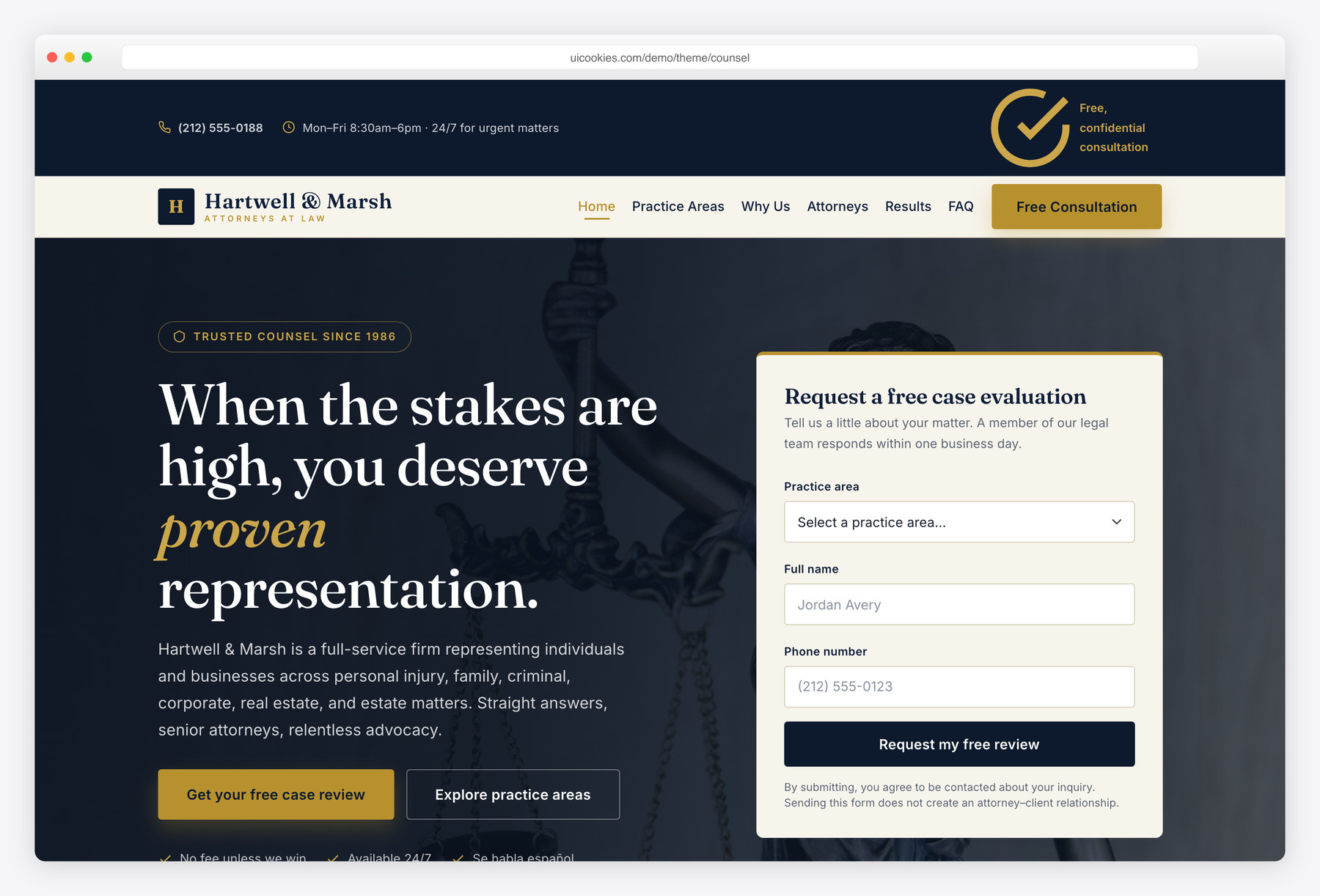
Counsel is a free, authoritative Bootstrap 5 website template for law firms, attorneys, and legal practices, built and maintained in-house by uiCookies. It ships two ready-to-use pages — a full home page and a detailed practice-areas page — with a deep-navy-and-gold identity, Fraunces serif headings, and Inter body type that reads senior and trustworthy. Every interaction, from the sticky navbar and count-up stats to the testimonial slider and the hero case-evaluation form, is written in plain vanilla JavaScript with no jQuery and no plugin dependencies.
Key features
- Two pages: home plus a detailed practice-areas page
- Hero with an inline case-evaluation form (practice area, name, phone) and validation
- Top bar and sticky navbar with a persistent Free Consultation CTA
- Animated count-up trust stats and a notable case-results strip
- Six-card practice-areas grid with matching detail sections and checklists
- Accessible vanilla-JS testimonial slider with dots, keyboard, swipe, and autoplay
- Native details/summary FAQ accordion and bar-recognition award chips
- Progressive enhancement: all content visible without JS, prefers-reduced-motion honoured
- Self-hosted Bootstrap 5, Fraunces + Inter fonts, palette in CSS custom properties
Best for
- Law firms and solo attorneys
- Personal injury, family, and criminal defense practices
- Legal, tax, and professional-services consultancies
- Developers wanting a jQuery-free Bootstrap 5 legal base
At a glance
- Bootstrap 5, self-hosted, with no jQuery and no plugin dependencies
- Two pages: index.html + practice-areas.html
- Vanilla JavaScript: sticky nav, scroll-spy, count-up, slider, form validation, smooth scroll
- Progressive enhancement: content visible without JS; reduced-motion respected
- Accessible: semantic landmarks, ARIA on custom widgets, visible focus, keyboard support
- Fraunces (serif display) + Inter (body) via Google Fonts; deep-navy + gold palette in CSS custom properties

How to use it
Download the ZIP, unzip it, and open index.html — no build step, nothing to install. Edit the text and images, point any forms at your backend or a form service, and deploy the folder to any static host. Colours and fonts live in css/style.css; the interactions are in js/main.js.
Frequently asked questions
Is Counsel free to use for a commercial law firm website?
Yes. Counsel is free for both personal and commercial projects under the standard uiCookies license, so you can use it for a real, paying law practice. Attribution is optional but always welcome, and the full terms are at uicookies.com/license. There is no paid or locked version — what you download is the complete two-page template.
Does Counsel use jQuery or any paid plugins?
No. Counsel is completely jQuery-free and has no third-party plugin dependencies. The sticky navigation, scroll-spy, count-up statistics, testimonial slider, FAQ accordion, and form validation are all written in plain vanilla JavaScript. The only library is Bootstrap 5's own bundle, which is self-hosted and powers the responsive mobile menu.
Does the case-evaluation form actually send submissions?
Not on its own. Counsel is a static front-end template, so the hero case-evaluation form and any contact fields are fully marked up and validated in the browser but have no backend attached. To make them live, point the form's action at a form-handling service or your own server-side script. The client-side validation for the practice area, name, and phone fields works out of the box.
How do I change the colors and typography?
The entire palette is defined as CSS custom properties in the :root block at the top of css/style.css, so you can change the navy, gold, and neutral tones in one place and they cascade across both pages. Typography uses Fraunces for headings and Inter for body text, loaded from Google Fonts in each page's head — swap the font link and the two font-family variables to restyle it.
Is Counsel responsive and mobile-friendly?
Yes. It is built mobile-first on the Bootstrap 5 grid and custom CSS, so the layout adapts fluidly from large desktops down to phones. The navigation collapses into a working mobile menu powered by Bootstrap's collapse component, the stat and practice grids reflow to fewer columns, and the process timeline stacks vertically on small screens.
Will the site work if a visitor has JavaScript disabled?
Yes. Counsel uses progressive enhancement: scroll-reveal elements are only hidden once a js class is added to the page, so with JavaScript off every section renders fully visible. The FAQ uses native HTML details/summary elements that open without any script, and the animations respect the prefers-reduced-motion setting for visitors who prefer less movement.
Which sections and pages are included?
The home page includes a top bar, sticky navbar, hero with case-evaluation form, trust-stats band, practice-areas grid, why-choose-us, attorney team, case-results strip, a four-step process timeline, a testimonials slider, award chips, an FAQ accordion, a call-to-action band, and a full footer. The second page is a detailed practice-areas layout with an alternating image-and-text section and checklist for each of the six areas.
Is Counsel accessible?
Accessibility was built in throughout. The markup uses semantic landmarks and a skip link, every image has descriptive alt text, and custom widgets like the slider and accordion carry ARIA roles and labels. Focus styles are clearly visible, the slider and FAQ are keyboard-operable, and the form fields are properly labelled with inline error messaging for assistive technology.