
Dispatch — Free Editorial Blog & Magazine Website Template
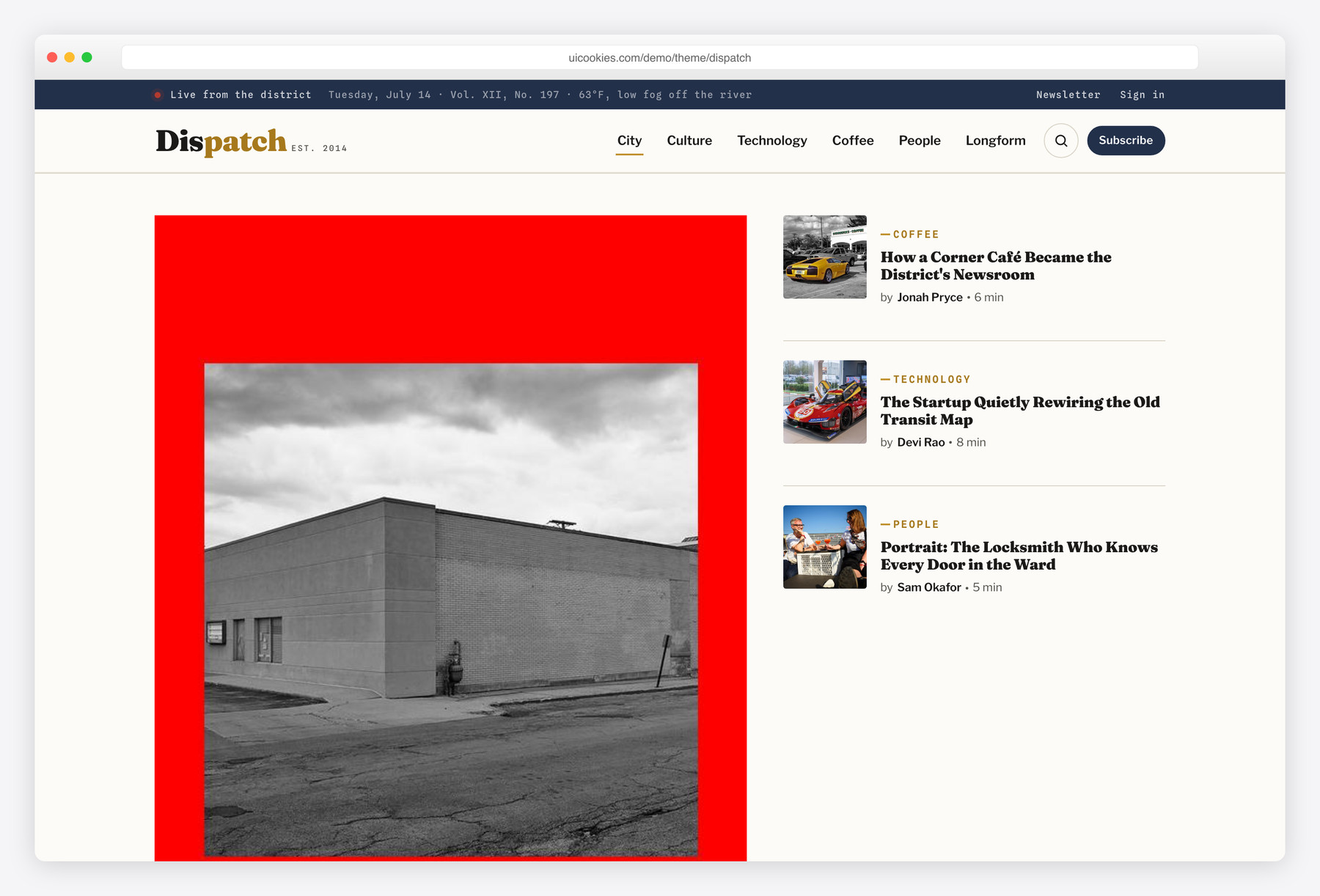
Dispatch is a free Bootstrap 5 editorial blog and magazine template built like a real newsroom front page: a weighted lead story, a filterable "Latest Dispatches" grid, a Most-Read column, and a full single-article layout with a reading-progress bar and sticky share rail. It's completely self-hosted and dependency-free — no jQuery, no icon fonts, no CDN scripts, with hand-drawn inline-SVG icons throughout.
Key features
- Magazine front page with a weighted lead story plus stacked secondary teasers
- JavaScript category filter across the card grid (City / Technology / Coffee / People)
- Complete single-article page with drop cap, pull-quote, inline figures, and related posts
- Reading-progress bar and a sticky vertical share rail on the article page
- Hand-drawn inline-SVG icons and share buttons — zero icon-font dependencies
- Slide-open archive search, off-canvas mobile nav, and a validated newsletter form
- Numbered "Most Read" list plus a navy "Editor's Picks" panel
- IntersectionObserver scroll-reveal with a prefers-reduced-motion fallback
Best for
- Independent city magazines and culture blogs
- Solo writers and columnists who want a real front page
- Local news, coffee, or tech zines
- Editorial newsletters and long-form publications
At a glance
- Framework: Bootstrap 5
- License: Free for personal and commercial use
- Pages: 2 (magazine home + single article)
- Responsive: Yes
- Style: Editorial print magazine — espresso ink, warm newsprint, slate navy, ochre

How to use it
Download the ZIP, unzip it, and open index.html — no build step, nothing to install. Edit the text and images, point any forms at your backend or a form service, and deploy the folder to any static host. Colours and fonts live in css/style.css; the interactions are in js/main.js.
Frequently asked questions
Is Dispatch really free for commercial projects?
Yes. You can use it for personal sites, client work, or a commercial publication at no cost. Attribution is appreciated but not required, and there's no paywalled "pro" upgrade — what you download is the complete template.
Do I need to code or use a build tool to edit it?
No build tool is required. Dispatch is a static front end — plain HTML, one stylesheet, and one vanilla-JavaScript file — so you can open the files in any editor and change the text and markup directly. It ships two pages, the magazine home and a full single-article layout, with no Sass, npm, or compile step to install.
How do I change the colours and fonts?
All colours live as CSS custom properties in a single :root variable block at the top of the stylesheet, so you can restyle the espresso ink, warm newsprint, slate navy, and ochre accent in one place. Fonts are set the same way: Fraunces for display headlines, Libre Franklin for body text, and Spline Sans Mono for datelines and kickers, all from Google Fonts. Swap the variable values to use your own pairing.
Is it responsive and mobile-friendly?
Yes. The layout is built on Bootstrap 5's grid and adapts from phones to widescreen. On smaller screens the desktop navigation collapses into an off-canvas mobile menu, and the magazine grid, share rail, and sidebars reflow to a single readable column.
Which browsers does it support?
Dispatch works in all current versions of Chrome, Firefox, Safari, and Edge. It uses modern standards like CSS custom properties, flexbox and grid, and IntersectionObserver, which are supported across today's evergreen browsers. It is not built for legacy Internet Explorer.
Can I wire up the newsletter form or run it as a real blog?
The newsletter and search fields include front-end validation and interaction, but Dispatch is a static template with no server code, so nothing is submitted or stored out of the box. Point the form's action at your own email service or backend endpoint to collect signups. To publish real articles, drop the markup into a CMS or static-site generator and populate the cards from your posts.
How does it perform, and does it come with images?
Being dependency-free keeps it fast — no jQuery, no icon-font files, and no CDN scripts, just one stylesheet and one small script. Every icon is inline SVG, so it stays crisp at any size and adds no extra requests. Dispatch ships without stock photography, so supply your own optimized images and the page stays light.
Can I add my own categories to the "Latest Dispatches" filter?
Yes, and it needs no extra JavaScript. The filter reads a data-cat value on each article card and a data-filter value on each chip — add a new chip and matching cards that share the same value and the filter picks them up automatically. The four starter categories are City, Technology, Coffee, and People.