
Byte — Free Developer / Tech Blog Website Template
Byte is a free, static Bootstrap 5 blog template built for developers and engineering teams, with syntax-lit code blocks that carry filename bars, line numbers and one-click copy. Its standout is pairing pure-CSS code highlighting with a persisted, flash-free dark-mode toggle — no jQuery, no JS highlighter, and inline-SVG icons that deploy clean behind a strict Content-Security-Policy.
Key features
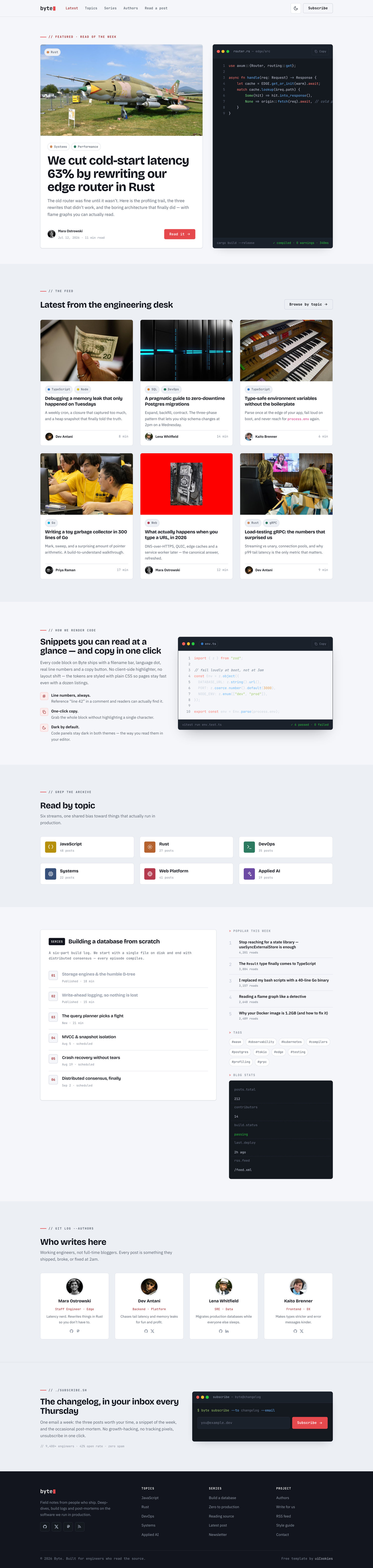
- Pure-CSS syntax-highlighted code blocks — no JS highlighter, no layout shift
- Persisted flash-free light/dark toggle via localStorage early-init
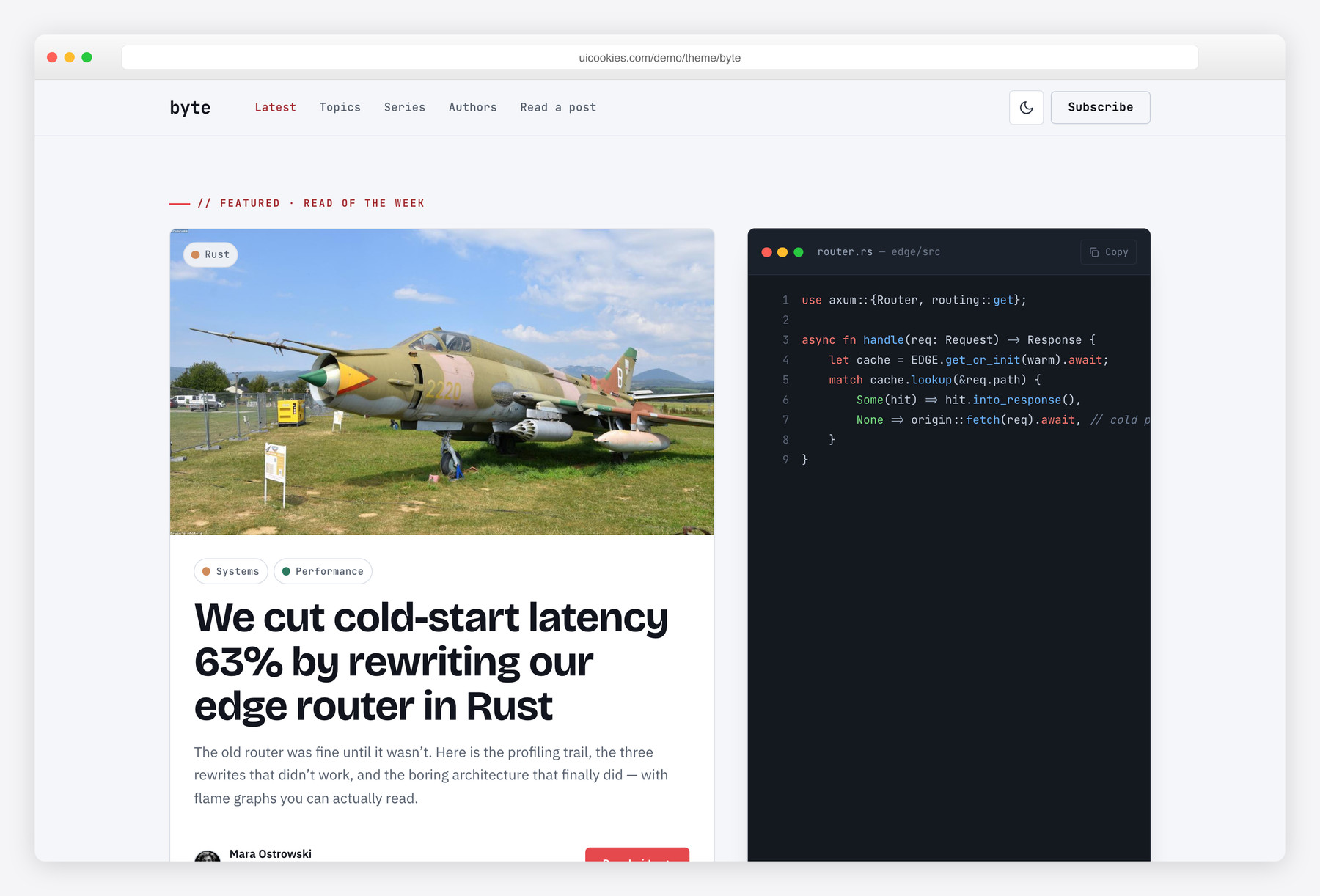
- Terminal-window hero with a live-looking snippet, title bar and copy button
- Language/tag chips with GitHub-style colored dots (JS, TS, Rust, Go, Python)
- Featured post, latest-posts grid, topic browser, series list and popular sidebar
- post.html: sticky scroll-spy table of contents, note/tip/warning callouts, author bio
- Terminal-styled newsletter block with inline email validation
- Accessible: skip link, landmarks, aria-labels, focus rings, reduced-motion support
- Bootstrap 5 with zero jQuery and inline-SVG icons — CSP-clean
Best for
- Developer and engineering team blogs
- Code-heavy tutorials and technical write-ups
- Open-source project or changelog blogs
- Solo devs wanting a fast static site
- Blogs that must deploy behind a strict CSP
At a glance
- Framework: Bootstrap 5
- License: Free for personal and commercial use
- Pages: 2 (index.html, post.html)
- Responsive: Yes
- Style: Technical editorial — blue-black ink, coral signal accent, monospace accents
How to use it
Download the ZIP, unzip it, and open index.html — no build step, nothing to install. Edit the text and images, point any forms at your backend or a form service, and deploy the folder to any static host. Colours and fonts live in css/style.css; the interactions are in js/main.js.
Frequently asked questions
Is Byte free, and can I use it commercially?
Yes. Byte is free for both personal and commercial projects, including a company or client engineering blog. Just replace the demo copy, swap the images in the img/ folder, and point the newsletter form at your own provider. There is no attribution requirement baked into the pages.
Do I need a build tool or any installation to edit it?
No. Byte is a plain static site — two HTML files, one CSS file and a small vanilla-JS file. Open the HTML in any text editor, change the markup and save, then open it in a browser to preview. There is no bundler, package install or compile step to run.
How do I change the colors and fonts?
The palette — the blue-black ink and coral signal accent — is defined as CSS custom properties near the top of the stylesheet, so you recolor the whole site by editing a handful of variables in one place. Fonts are loaded through the Google Fonts link in each page's head and applied via font-family variables, so swapping typefaces means changing that link and the variable. No find-and-replace across files is needed.
Do I need a JavaScript syntax highlighter for the code blocks?
No. All code coloring is done with plain CSS classes on span tokens in the markup, so pages stay fast and there is no highlight flicker or layout shift on load. Code blocks include a filename bar, line numbers and a one-click copy button. If you later prefer a client-side highlighter you can add one, but nothing here requires it.
Does the dark mode remember my choice and avoid the flash?
Yes. Your light or dark selection is saved to localStorage, and a tiny blocking init script applies it before the first paint, so there is no flash of the wrong theme when a page reloads. If you have not chosen yet, it follows your operating-system preference automatically. The toggle is pure vanilla JS with no framework behind it.
Is it responsive, and which browsers does it support?
Yes, the layout is fully responsive and built on the Bootstrap 5 grid, so it adapts from phones up to wide desktops. It works in all current versions of Chrome, Firefox, Safari and Edge. Because it uses standard Bootstrap 5 and modern CSS, no legacy-browser shims are included.
How do I connect the newsletter form or a CMS?
Byte is a static front-end, so the newsletter block ships with inline email validation but does not send anything on its own — point its form action at your email provider (Mailchimp, Buttondown, ConvertKit or similar) to make it live. To manage posts through a CMS, treat the two HTML files as your layout reference and render the same markup from a static-site generator or headless CMS of your choice. There is no built-in backend or database.
What's included, and is it fast?
You get two pages — index.html (featured post, latest grid, topic browser, series list, popular sidebar) and post.html (sticky scroll-spy TOC, note/tip/warning callouts, author bio) — plus the CSS, vanilla JS and image folder. It is intentionally lightweight: no jQuery, no client-side highlighter, self-hosted Bootstrap and inline-SVG icons, with only Google Fonts loaded externally. Swap the demo images for optimized files and it stays quick to load.