
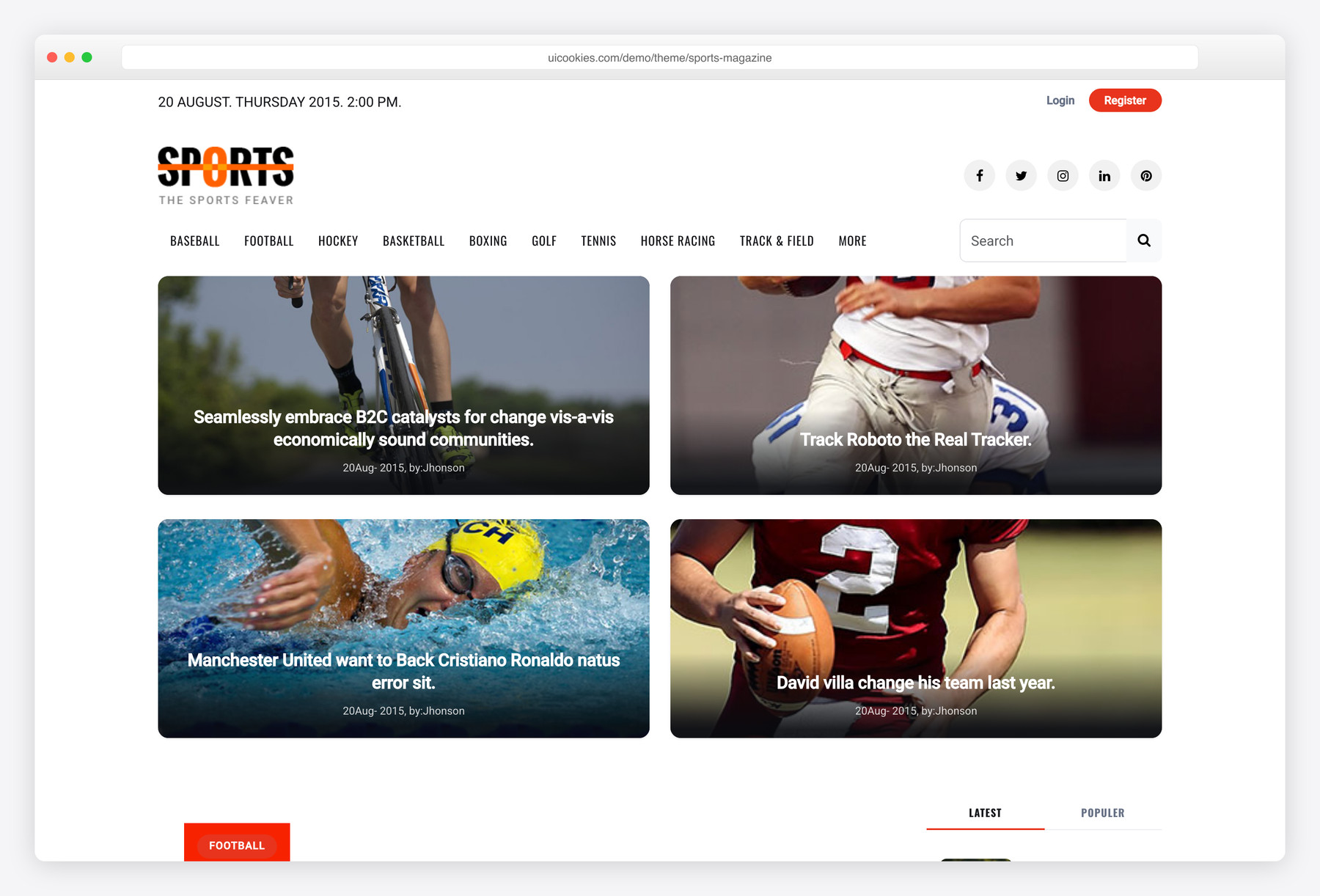

Sports News Portal – Free Bootstrap HTML Magazine Template For Sports Websites
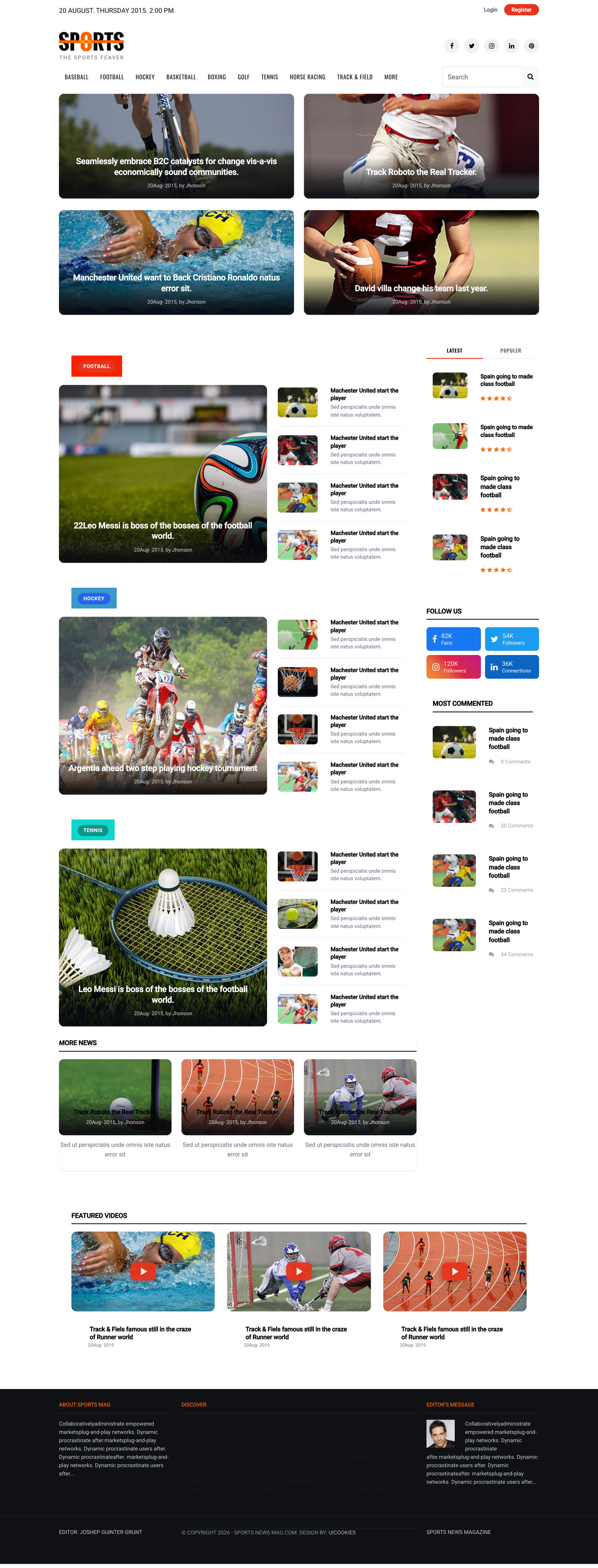
Sports Magazine is a free, Bootstrap 5 news-magazine template for sports sites, blogs, and online publications, with home, category, and single-article layouts that share one design system. It ships completely jQuery-free — the featured carousel runs on CSS scroll-snap and every interaction is plain vanilla JavaScript or a native Bootstrap 5 component, so there are no Owl, Slick, or off-canvas plugins to maintain.
Key features
- Built on Bootstrap 5, fully jQuery-free
- Three HTML layouts: home, category, and single article
- CSS scroll-snap featured carousel, no carousel plugin
- Tabbed latest / popular story lists
- Category-rich header with dropdown navigation
- Single-article layout with sidebar
- Vanilla-JS back-to-top and responsive mobile menu
- Accessible: labelled search, aria-labelled controls, semantic markup
- Font Awesome icons and demo images included
Best for
- Sports news sites and online magazines
- Personal sports or hobby blogs
- Team, league, or club news portals
- Any content-heavy editorial front-end
At a glance
- Bootstrap 5 with no jQuery and no plugin dependencies
- Vanilla JavaScript & native components: scroll-snap carousel, tabs, dropdown, back-to-top, responsive menu
- Three HTML layouts (home, category, single) sharing one design system
- Accessible: labelled search, aria-labelled controls, semantic article markup
- Font Awesome icons and demo images included
How to use it
Download the ZIP, unzip it, and open index.html — no build step, nothing to install. Edit the text and images, point any forms at your backend or a form service, and deploy the folder to any static host. Colours and fonts live in css/style.css; the interactions are in js/main.js.
Frequently asked questions
Is Sports Magazine free to use, including for commercial projects?
Yes. Sports Magazine is free and released under the standard uiCookies license, which covers commercial use. Attribution is optional but always welcome, and the full terms are at uicookies.com/license. You can use it for a personal blog or a revenue-generating publication without buying a separate license.
Do I need to know how to code or run a build tool to edit it?
No build step is required. The template is plain HTML, CSS, and JavaScript, so you can open the .html files in any text editor and edit the markup directly. There's no npm install, Sass compile, or bundler to set up — Bootstrap 5 and Font Awesome load as-is, so what you edit is what ships.
How do I change the colours and fonts?
Colours and fonts live in the template's main CSS file. Because it's built on Bootstrap 5, you can also override Bootstrap's own CSS variables to re-theme buttons, links, and backgrounds site-wide. To swap the typeface, change the web-font link in the page <head> and update the corresponding font-family rule in the CSS — no compilation needed.
Is it responsive and mobile-friendly?
Yes. The layout uses the Bootstrap 5 grid and adapts from desktop down to phones. The navigation collapses into a responsive mobile menu powered by vanilla JavaScript, and the featured carousel, tabs, and article layouts all reflow for small screens.
Which browsers does it support?
Sports Magazine targets modern evergreen browsers — current versions of Chrome, Firefox, Safari, and Edge. It relies on standard Bootstrap 5 markup plus modern CSS such as scroll-snap, so features work across up-to-date browsers. It is not built for Internet Explorer.
Does it really need no jQuery or carousel plugins?
Correct — the template is jQuery-free with no plugin dependencies. The featured carousel, latest/popular tabs, dropdown menu, back-to-top button, and responsive navigation are all plain vanilla JavaScript or Bootstrap 5's own bundle. That means fewer scripts to load and nothing extra to update when Owl, Slick, or an off-canvas plugin changes.
How does the featured carousel work without a slider library?
The featured story carousel uses native CSS scroll-snap instead of a JavaScript slider. The browser handles the sliding and snapping, so the carousel is lightweight, touch-friendly, and free of any Owl or Slick dependency. To change the slides you just edit the story cards in the HTML — there's no plugin config to learn.
Can I connect it to a CMS or make the search and forms work?
Sports Magazine is a static front-end, so it doesn't include a backend, database, or article management out of the box. The search field and any forms are accessible, labelled markup, but they aren't wired to a search engine or mail handler — you connect them to your own backend or plug the templates into a CMS like WordPress or Ghost as theme markup. It's the design and layout layer, not a full publishing platform.


just a test
Hello, the url demo is not correct 😉
Very responsive and incredible design