
Voyage — Free Travel Guide & Blog Website Template
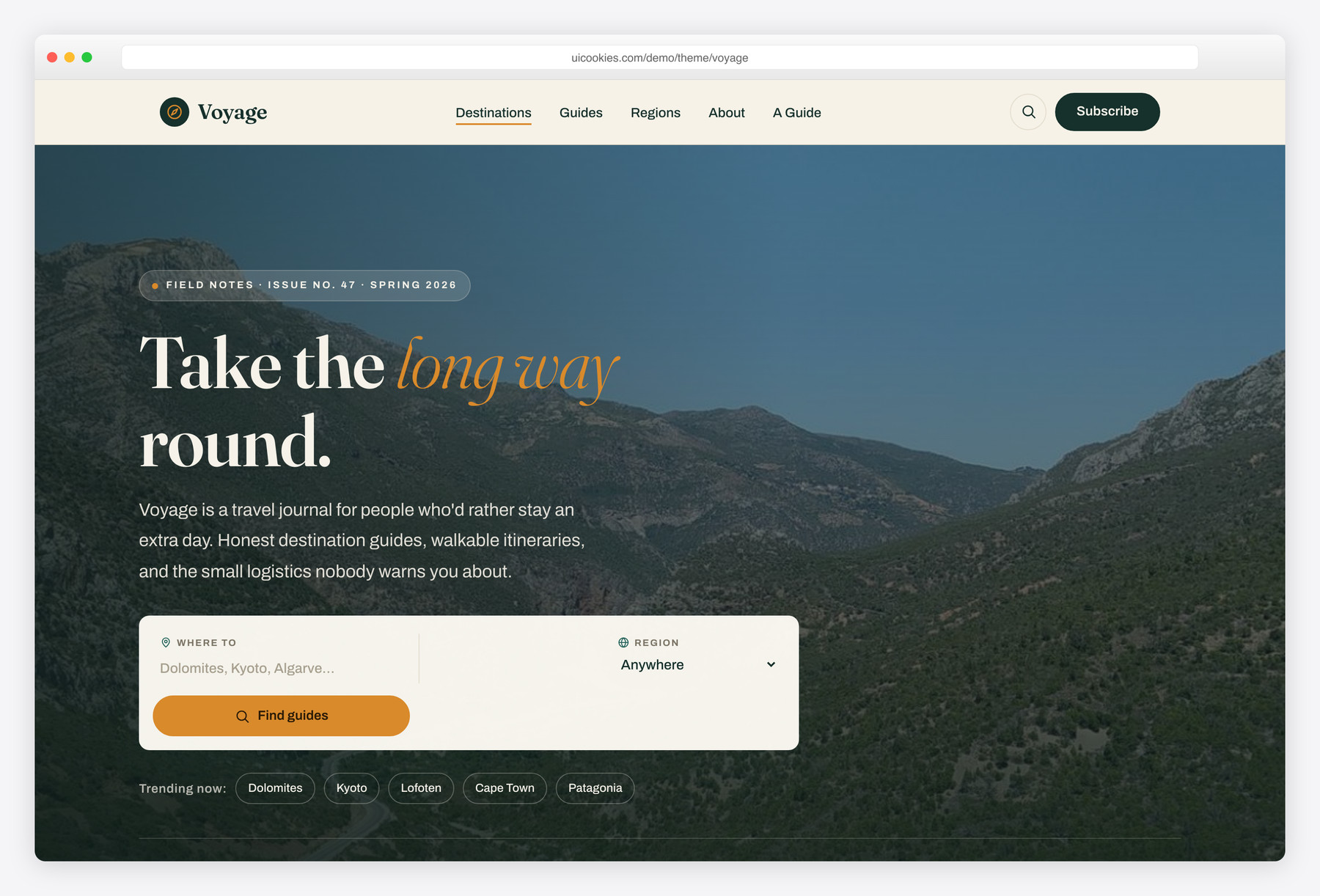
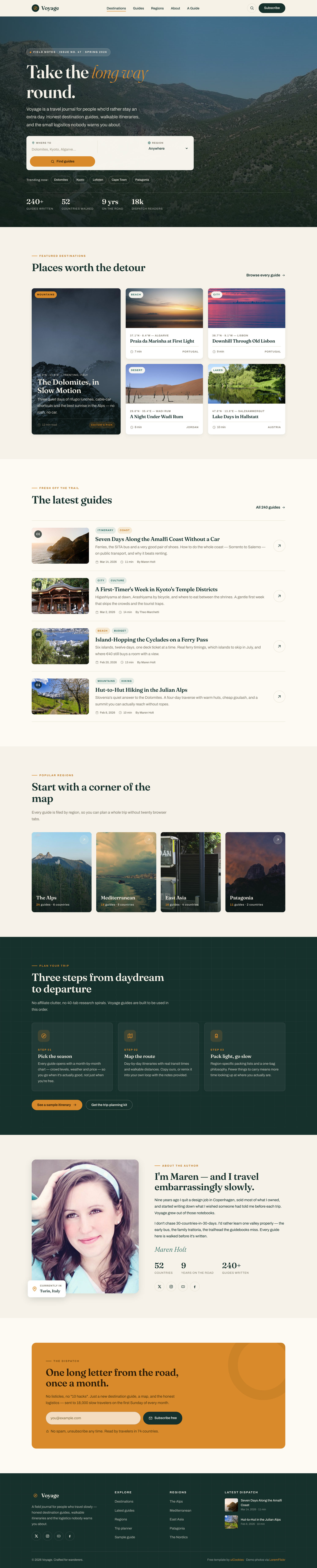
Voyage is a free Bootstrap 5 travel guide and blog template built for storytelling rather than booking. It ships two complete pages — a magazine-style homepage and a fully built destination-guide article with a day-by-day itinerary — wrapped in a field-journal look of fir green and golden ochre with a Fraunces display face. Instead of a reservation form, it leads with a destination search and an editorial featured grid, all rendered with inline SVG icons and vanilla JavaScript.
Key features
- Destination-guide page with a day-by-day itinerary timeline
- Hero destination search card (keyword + region) with trending chips
- Asymmetric featured grid with tags, coordinates, and read-time meta
- Inline SVG icon system — zero icon fonts, zero CDN calls
- Vanilla-JS sticky header, mobile drawer, scrollspy, and reveals
- Guide page tips callout, photo gallery, and CSS static-map placeholder
- Two complete pages: homepage plus destination guide (index + post)
- Accessible: skip link, ARIA labels, focus states, reduced-motion
- Latest-guides feed, popular-regions cards, and plan-your-trip band
Best for
- Travel bloggers and slow-travel storytellers
- Destination-guide and itinerary sites
- Freelance travel writers' portfolios
- Editorial travel publications, not booking engines
- Client projects needing a non-blue travel look
At a glance
- Framework: Bootstrap 5
- License: Free for personal and commercial use
- Pages: 2 (homepage + destination guide)
- Responsive: Yes
- Style: Wanderlust editorial / field-journal, fir green + golden ochre
How to use it
Download the ZIP, unzip it, and open index.html — no build step, nothing to install. Edit the text and images, point any forms at your backend or a form service, and deploy the folder to any static host. Colours and fonts live in css/style.css; the interactions are in js/main.js.
Frequently asked questions
Is Voyage really free, even for client work?
Yes. Voyage is free for both personal and commercial use, including paid client projects, at no cost. A credit link back to uiCookies is appreciated but not required. There is no separate license tier to buy.
Can I edit it without a build tool or knowing much code?
Yes. Voyage is plain static HTML, CSS, and JavaScript with no build step — no npm, gulp, or compiling. Each destination card and guide section is a self-contained HTML block you can copy, paste, and edit in any text editor. If you can edit text between tags, you can update the whole site.
How do I change the colours and fonts?
The fir-green and golden-ochre palette is defined as CSS custom properties near the top of the main stylesheet, so a couple of edits recolour the whole template. The Fraunces display face loads from the Google Fonts stylesheet linked in the page head — swap that link and the matching CSS variable to use a different typeface. No preprocessor is involved.
Is it responsive and mobile-friendly?
Yes. Voyage is built on the Bootstrap 5 grid and is fully responsive from phones to large screens. The navigation collapses into a vanilla-JS mobile drawer, and the asymmetric featured grid and itinerary timeline reflow cleanly on small screens. No extra setup is needed for mobile.
Which browsers does it support?
Voyage targets modern evergreen browsers — recent Chrome, Firefox, Safari, and Edge. All interactions use standard vanilla JavaScript (querySelector, classList, IntersectionObserver), so there are no jQuery or polyfill dependencies. It is not built for legacy Internet Explorer.
Does the destination search actually work?
No — Voyage is a static front-end template, so the hero search card is markup and styling only, with no backend behind it. There is no live search, database, or payment processing included. To make it functional, wire the form up to your own search service, static-site search, or CMS. The same applies to any contact or newsletter fields you add.
How do I add my own destinations and photos, and are images optimised?
Duplicate a destination or guide HTML block, replace the copy, and adjust the coordinate and read-time labels. Drop your own JPEGs into the img/ folder using the existing filenames and they appear automatically. All images are served locally with no CDN, so optimise your files (resize and compress before export) to keep pages fast.
What's the destination-guide page and what's included?
Voyage ships two complete pages: the homepage (index.html) and a full destination-guide article (post.html). The guide page is the standout — it includes a cover, a day-by-day itinerary timeline, a tips callout, a photo gallery, and a pure-CSS static-map placeholder with no external embed. That makes it a ready editorial layout for real long-form travel guides, not just a blog list.