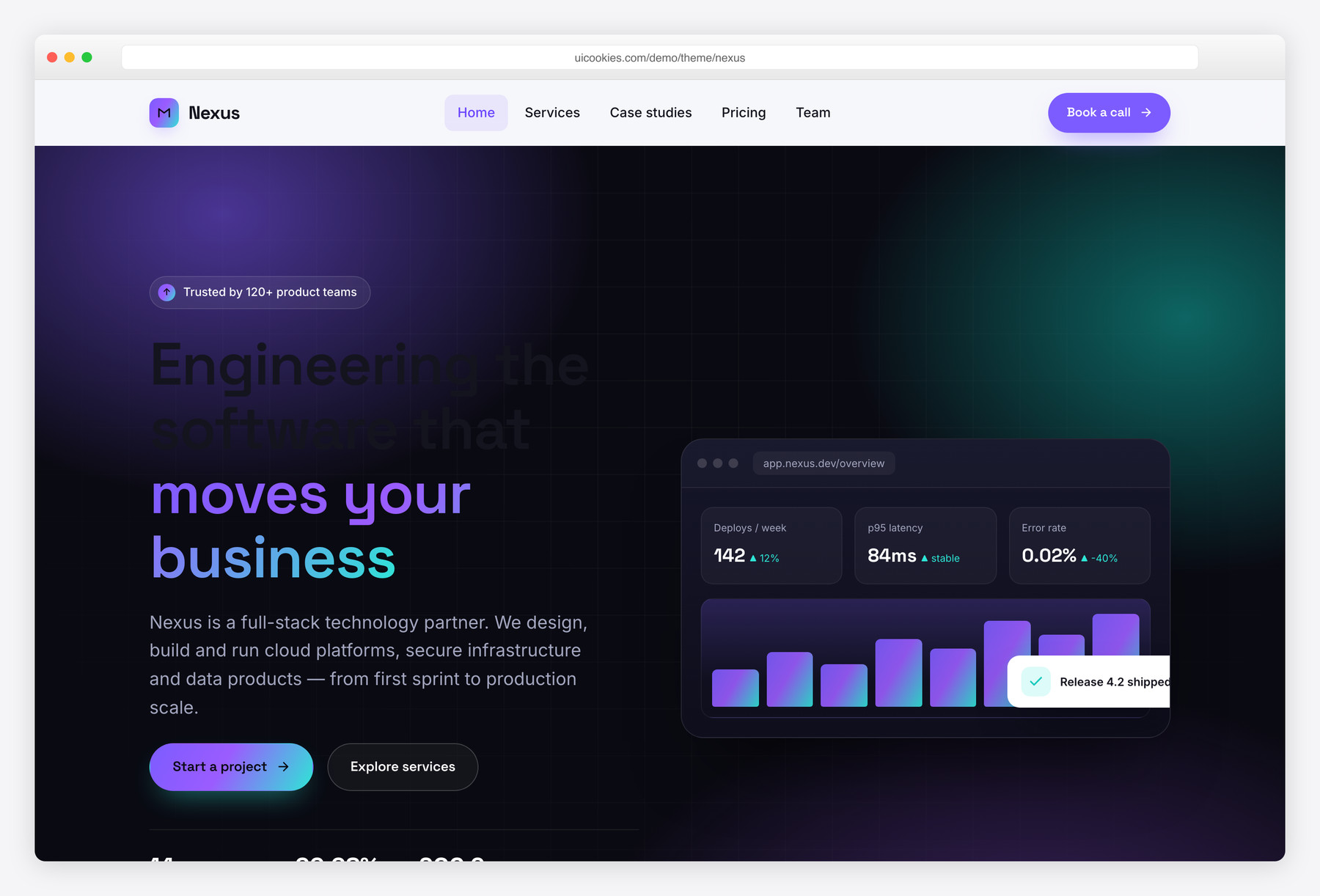

Nexus — Free IT & Software Company Website Template
Nexus is a free Bootstrap 5 website template for IT companies, software agencies and tech startups. It ships with two complete pages — a multi-section homepage and a detailed services and process page — built around a deep indigo-ink palette with electric violet and cyan accents. Every interaction is powered by vanilla JavaScript with no jQuery, and all CSS and JS assets are self-hosted.
Key features
- Two full pages: homepage plus a detailed Services & Process page
- Dark gradient-mesh hero and CTA bands with a pure-CSS product-UI mockup
- Six-card services grid and a four-step 'How we work' process
- Count-up metrics band driven by IntersectionObserver
- Case-studies grid, tech-stack chips, team row and testimonial slider
- Three-tier pricing / engagement models with a featured plan
- Sticky glassy navbar with a vanilla off-canvas mobile drawer
- Accessible contact form with inline validation and success state
- Built on Bootstrap 5, vanilla JS only, honours prefers-reduced-motion
Best for
- IT companies and managed service providers
- Software development agencies
- Tech startups and SaaS teams
- Cloud, DevOps and cybersecurity consultancies
- Freelance engineers presenting services
At a glance
- Framework: Bootstrap 5 (self-hosted)
- Pages: index.html, services.html
- Scripting: vanilla JavaScript, no jQuery
- Fonts: Space Grotesk (display) + Inter (body) via Google Fonts
- Palette: near-black indigo ink with electric violet and cyan accents
- Accessibility: semantic landmarks, ARIA on widgets, visible focus, keyboard support
- Responsive: mobile-first, collapses to an off-canvas drawer
- License: free for personal and commercial use

How to use it
Download the ZIP, unzip it, and open index.html — no build step, nothing to install. Edit the text and images, point any forms at your backend or a form service, and deploy the folder to any static host. Colours and fonts live in css/style.css; the interactions are in js/main.js.
Frequently asked questions
Is the Nexus template free to use?
Yes. Nexus is free for both personal and commercial projects. You can use it for your own company site or a client build without a licence fee. There is no attribution requirement baked into the markup, though a link back is always appreciated.
Is Nexus built on Bootstrap 5?
Yes. Nexus is built on Bootstrap 5, using its grid and utility classes as a foundation and layering a heavily customised design system on top. The Bootstrap CSS and JavaScript bundle are self-hosted in the css/vendor and js/vendor folders, so the template works without any external framework CDN.
Does the template use jQuery?
No. Every interaction — the mobile drawer, sticky-header state, count-up metrics, testimonial slider, reveal-on-scroll animations, smooth scrolling and form validation — is written in plain vanilla JavaScript. This keeps the template lightweight, fast and free of legacy dependencies.
How many pages are included?
Nexus includes two complete, production-ready pages. The homepage (index.html) covers hero, services, process, metrics, case studies, team, pricing, testimonials and a contact section. The services page (services.html) goes deeper with a detailed service catalogue, a five-stage delivery timeline, engagement models and an FAQ.
Can I change the colours and fonts?
Easily. The entire palette is defined as CSS custom properties in the :root block of css/style.css, so you can re-theme the whole template by editing a handful of variables. The type pairing (Space Grotesk for display and Inter for body) is loaded from Google Fonts and can be swapped by changing one link tag and two font-family variables.
Is the template responsive and accessible?
Yes to both. The layout is mobile-first and collapses to a full-screen off-canvas navigation drawer on smaller screens. Accessibility features include semantic landmarks, descriptive alt text, ARIA attributes on interactive widgets, visible focus outlines, full keyboard support for the slider and drawer, and respect for the prefers-reduced-motion setting.
Where do the images come from?
The template references local image files in the img folder for case studies, team portraits and testimonial avatars, each with descriptive alt text, explicit width and height, and lazy loading. The hero and CTA visuals are built entirely in HTML and CSS, so no stock photography is required to get a polished result.
Does the contact form actually send messages?
The included contact form is a front-end implementation with inline validation and a success confirmation message, but it is not wired to a backend by default. To receive submissions, connect the form to your own endpoint, a form service, or your CRM by updating the form action and the submit handler in js/main.js.