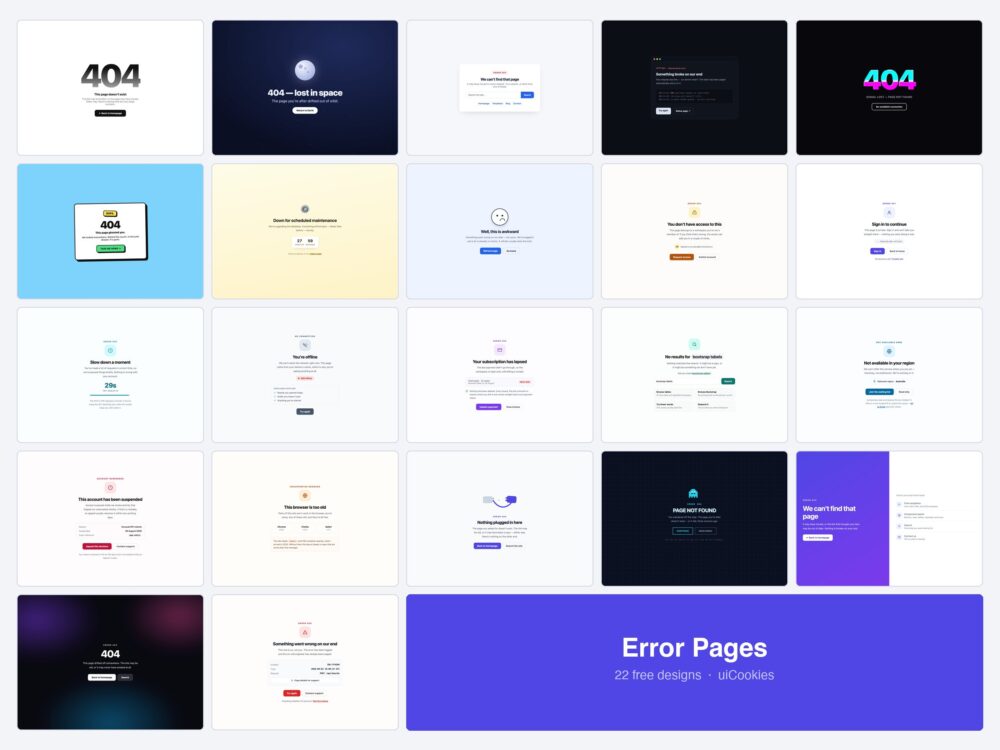
Twenty-two error and status pages, all designed and coded in-house by uiCookies. Each is a single self-contained HTML file with the CSS inline — which for an error page is not a stylistic choice but a requirement, since the thing that broke might be the thing that serves your stylesheet.
The first eight cover 404, 500 and 503, the codes everyone builds. The other fourteen cover the ones people hit just as often and almost nobody designs: 403, 401, 429 and 402, plus offline, geo-blocked, suspended, unsupported browser, and the empty-search page — which is the same job without a status code attached.
Download all 22 (free) Browse live demos
Which page do you need?
| What went wrong | Use |
|---|---|
| A page that does not exist | 404 — Minimal (1), Split-Screen (20) or Unplugged (18) |
| Your server broke | 500 — Friendly (8), Terminal (4) or Incident ID (22) |
| Planned downtime | 503 Maintenance (7) |
| Signed in, but not allowed | 403 Forbidden (9) |
| Not signed in at all | 401 Sign In Required (10) |
| Too many requests | 429 Rate Limited (11) |
| Billing lapsed | 402 Subscription Required (13) |
| No network | Offline Fallback (12) |
| Search found nothing | No Search Results (14) |
| Blocked by licensing | Region Unavailable (15) |
| Account under review | Account Suspended (16) |
| Ancient browser | Unsupported Browser (17) |
| A brand with personality | Arcade (19), Neobrutalist (6) or Glitch (5) |
The original eight
404s, 500s and a maintenance page — the codes every site eventually needs.
1. Minimal 404
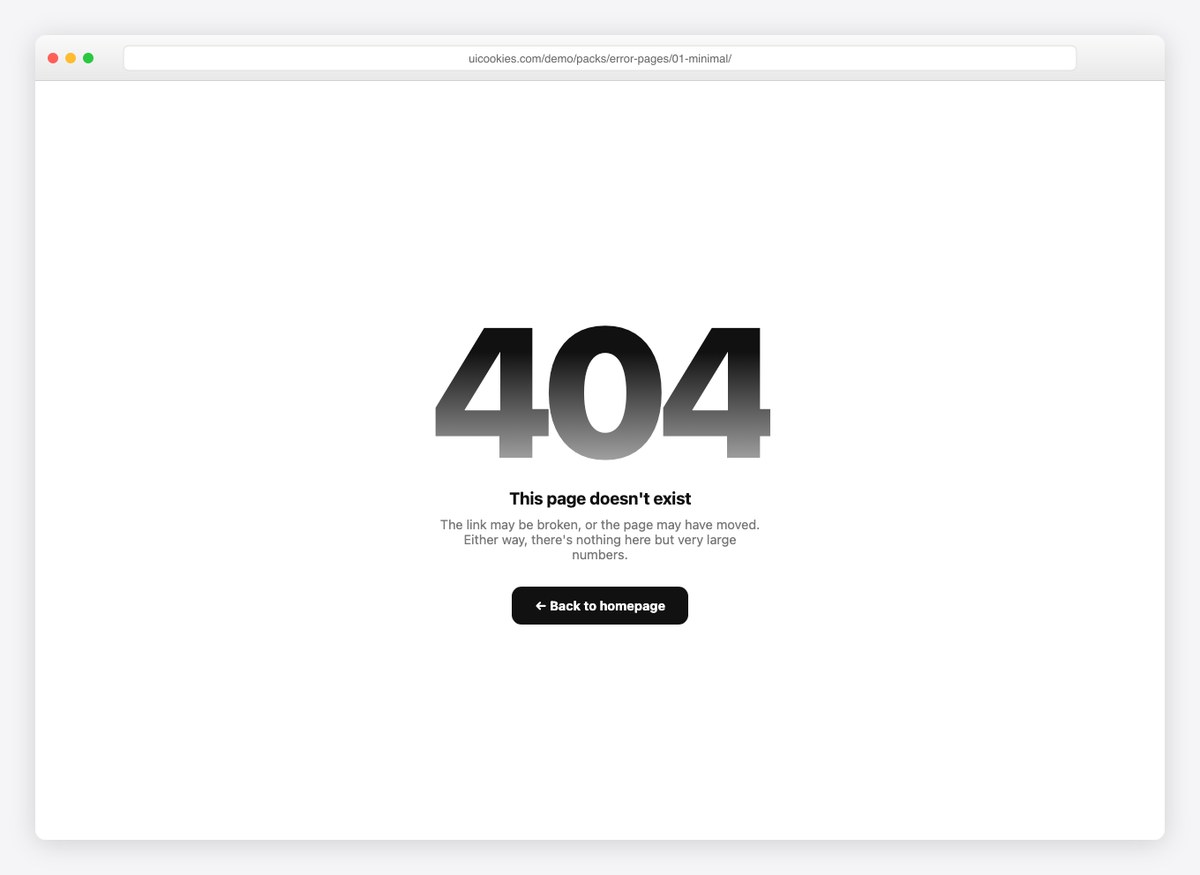
Giant gradient type, one line of explanation, one button home. When the error page should apologize quietly and get out of the way.
2. Lost in Space 404
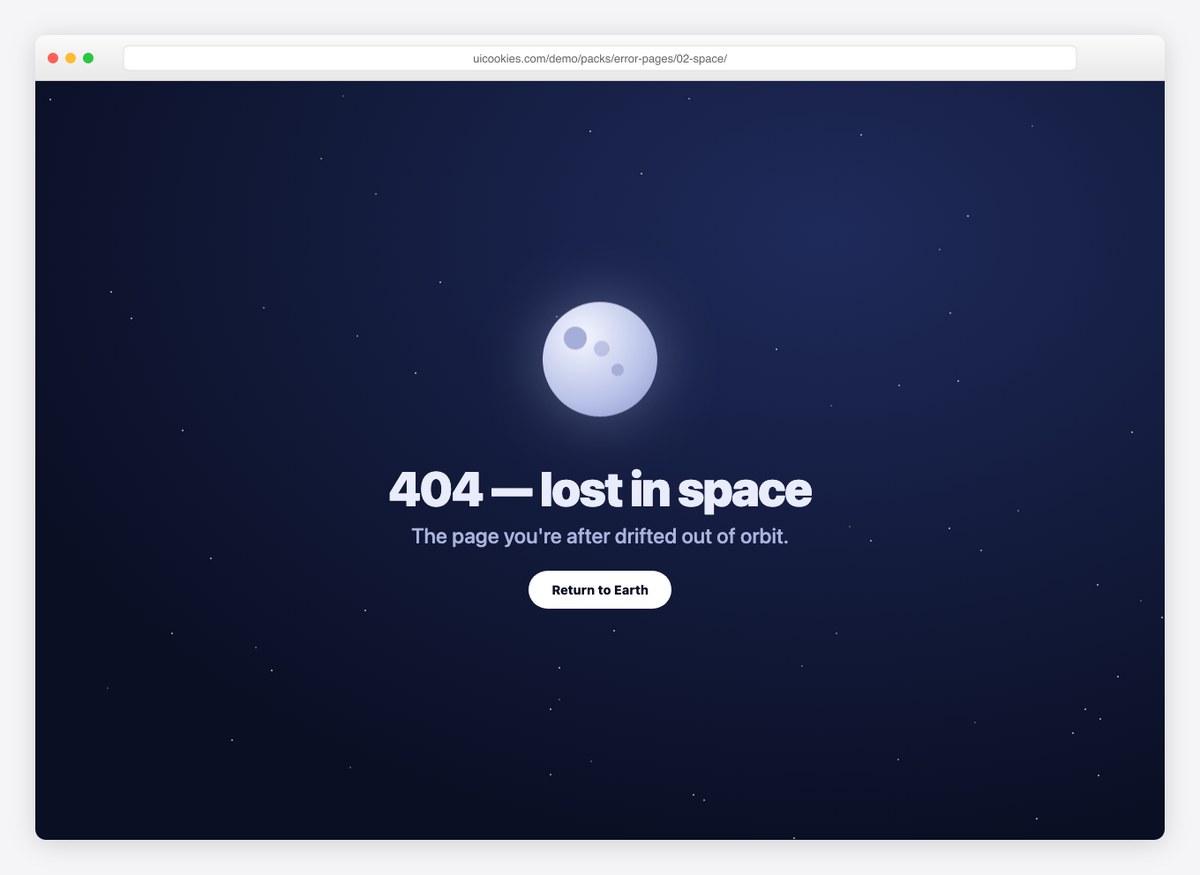
A floating CSS moon, sixty twinkling stars, and a “return to Earth” button. The illustration is pure CSS and a ten-line star script — no images.
3. Helpful 404 with Search
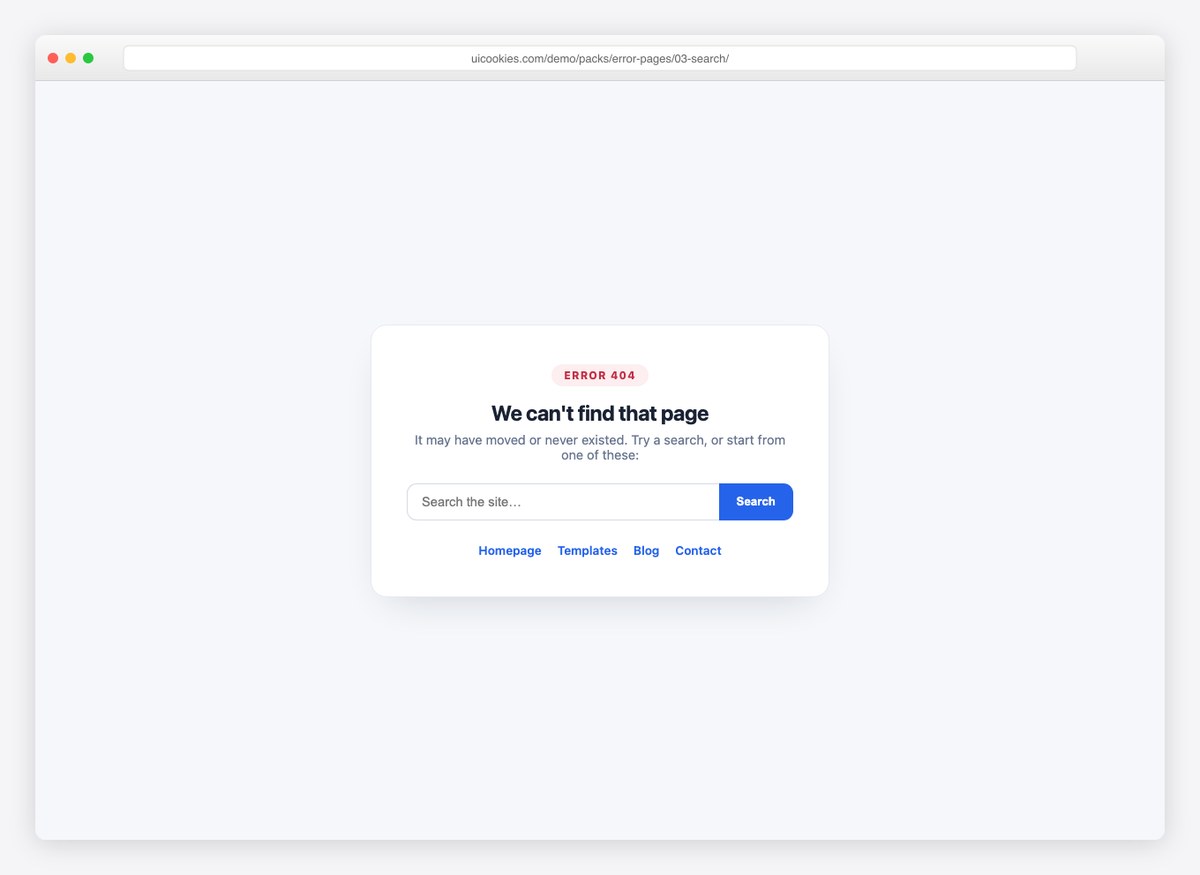
The recovery-focused pattern: an error badge, a search box, and quick links to the pages people were probably looking for. Best choice for content-heavy sites.
4. Terminal 500
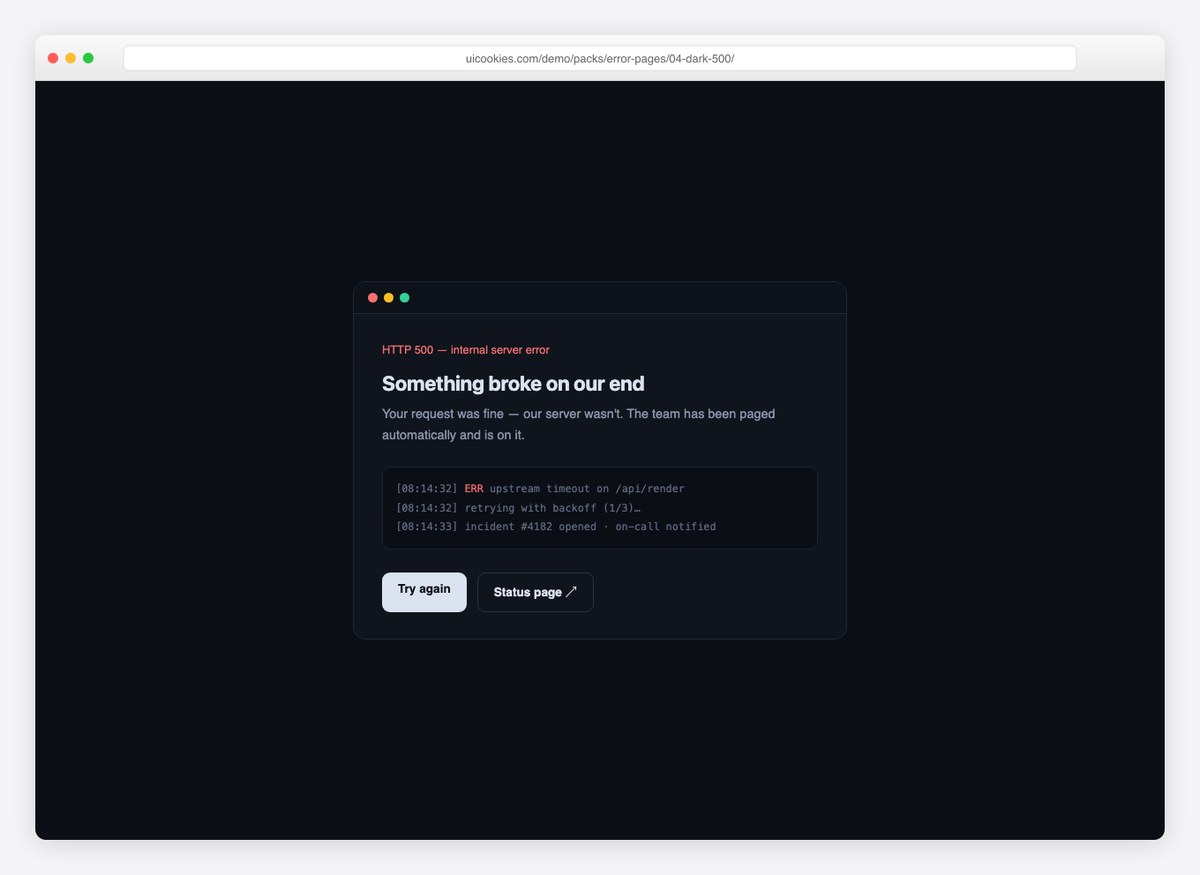
A terminal-window 500 with a fake log excerpt, a retry action, and a status-page link. Says “we know, we’re on it” in a way engineers trust.
5. Glitch 404
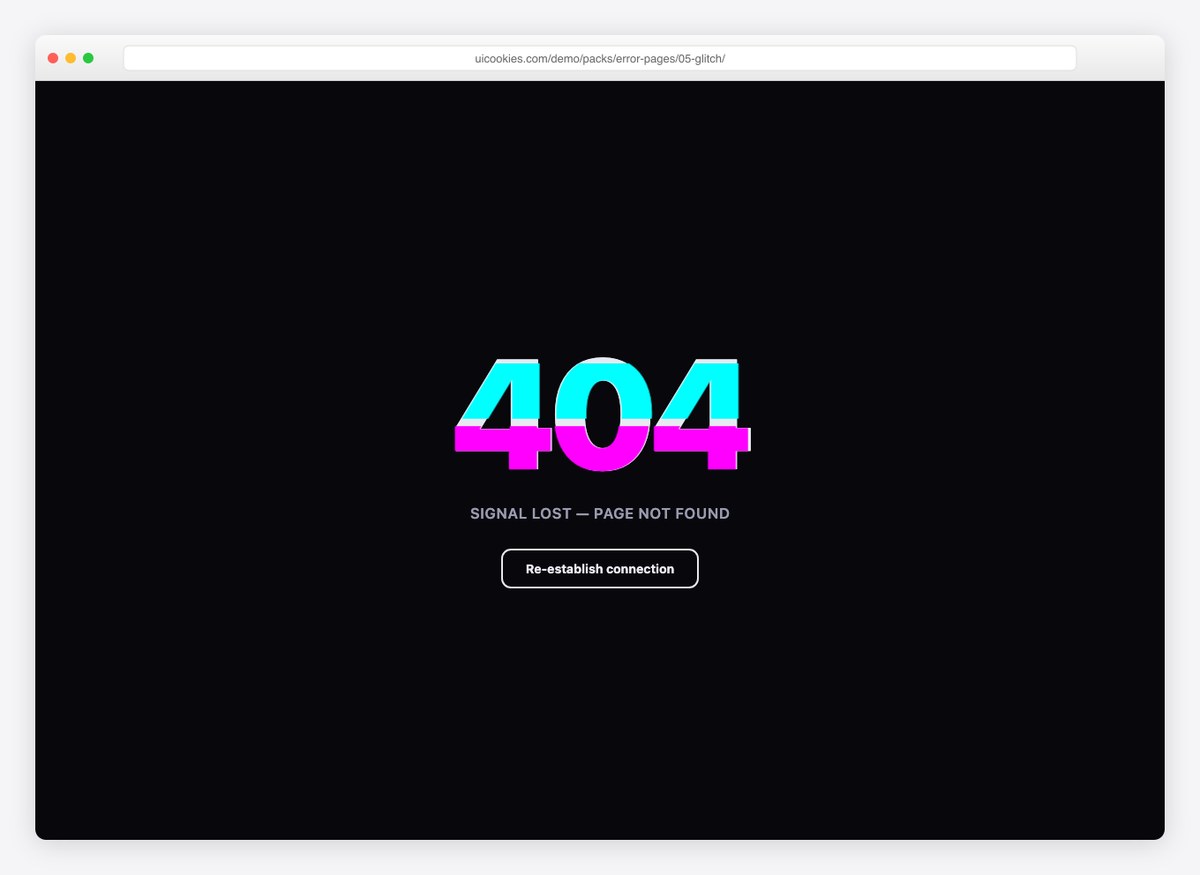
An RGB-split glitch animation on the 404 itself, done with clip-path and two keyframe tracks. Dark, loud, and dependency-free.
6. Neobrutalist 404
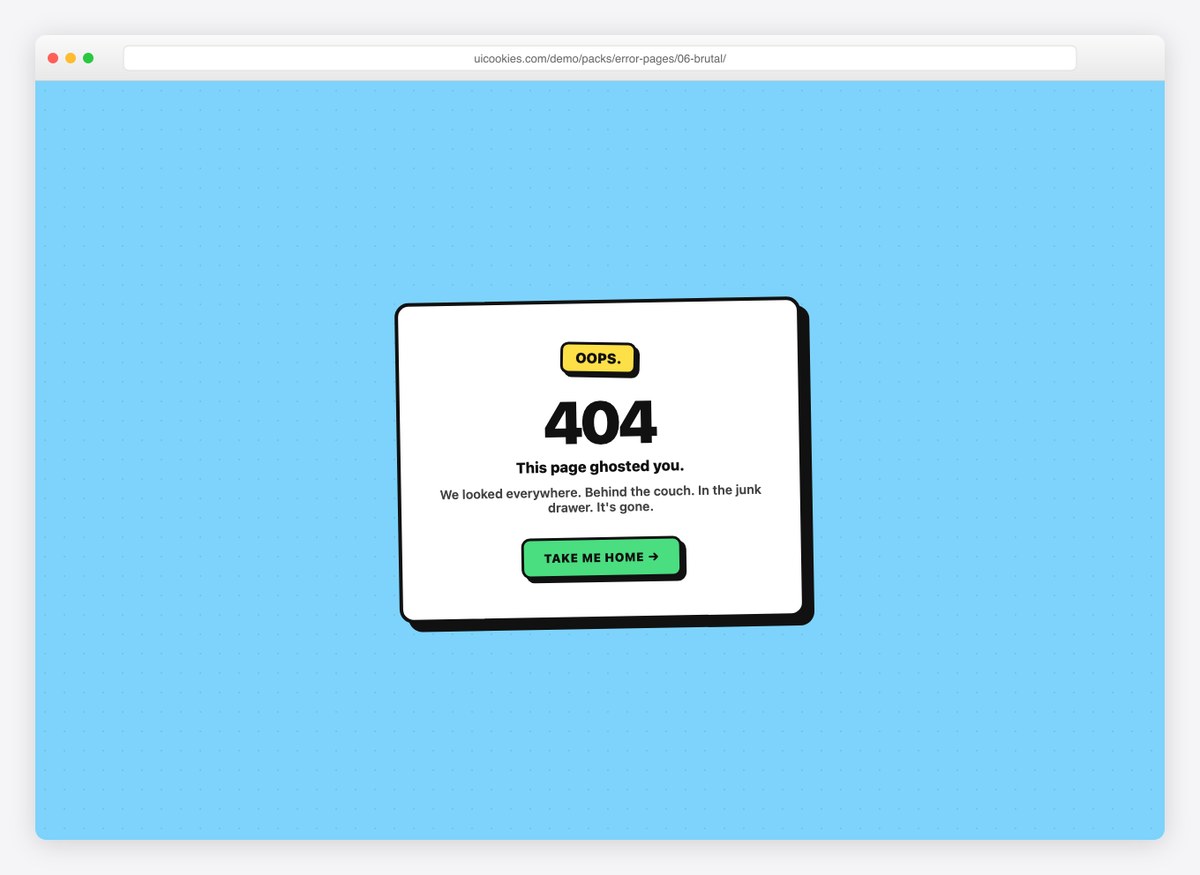
A tilted card, hard offset shadows, and copy with attitude. For brands that would rather make people smile than apologize.
7. 503 Maintenance
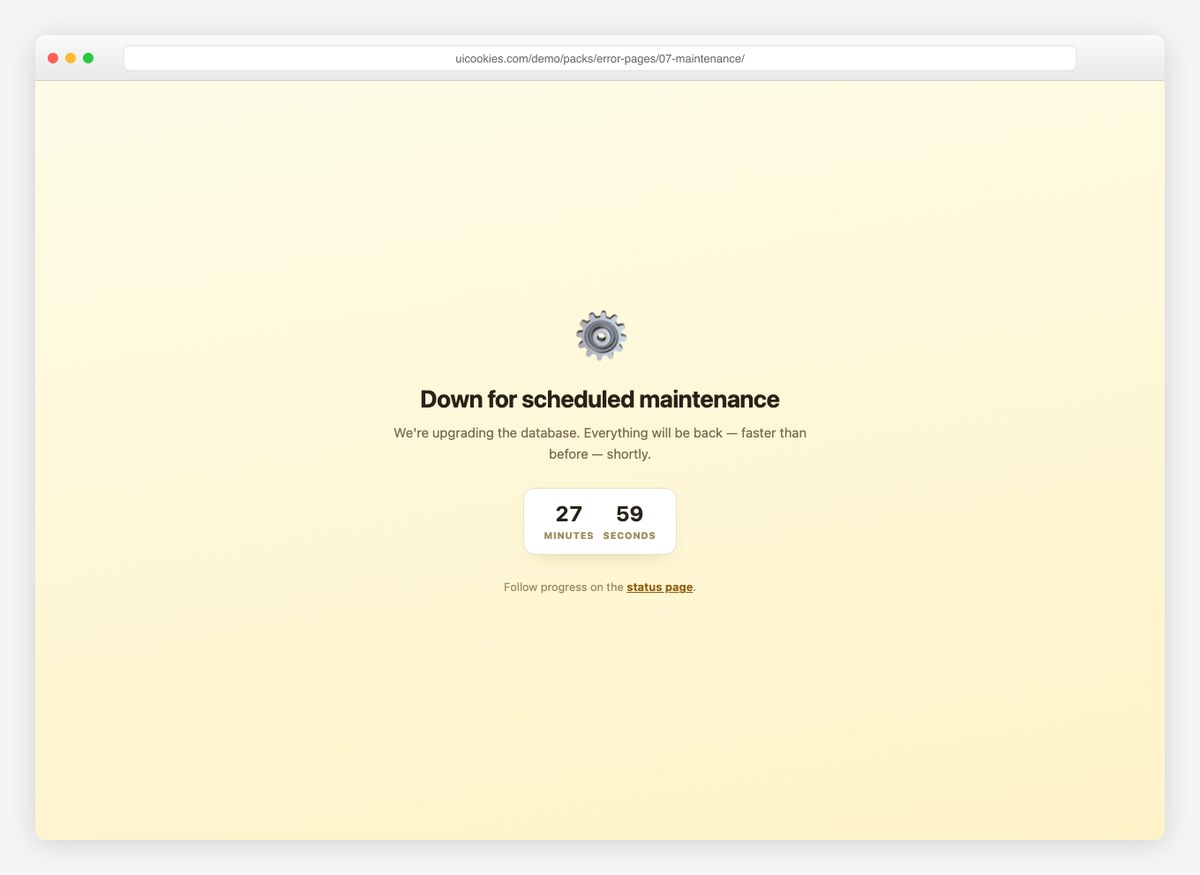
A scheduled-maintenance page with a spinning gear and a live countdown timer, plus a status-page link. Set the minutes in one variable.
8. Friendly 500
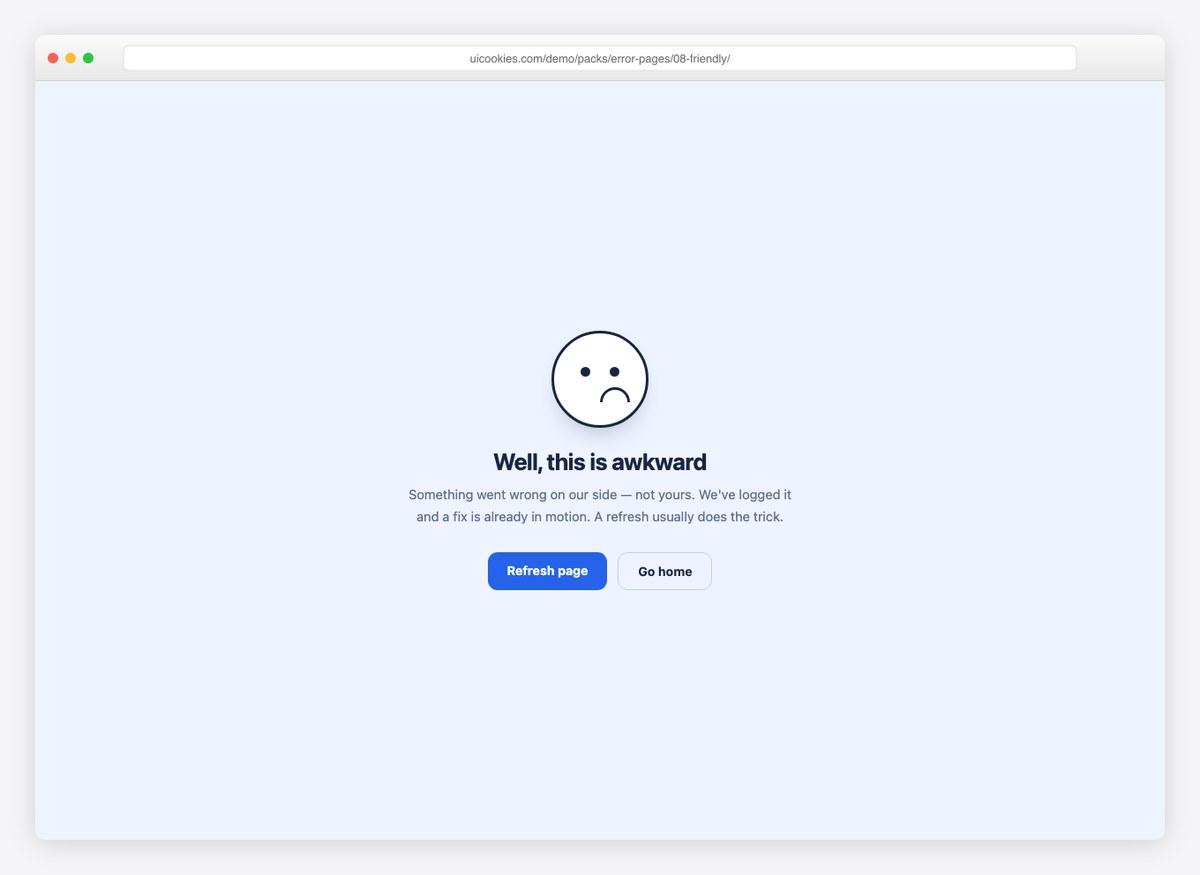
A blinking CSS face, calm reassuring copy, and refresh/home actions. The soft-landing option for consumer products.
Fourteen more
The status codes most packs skip, plus four more 404 treatments.
9. 403 Forbidden
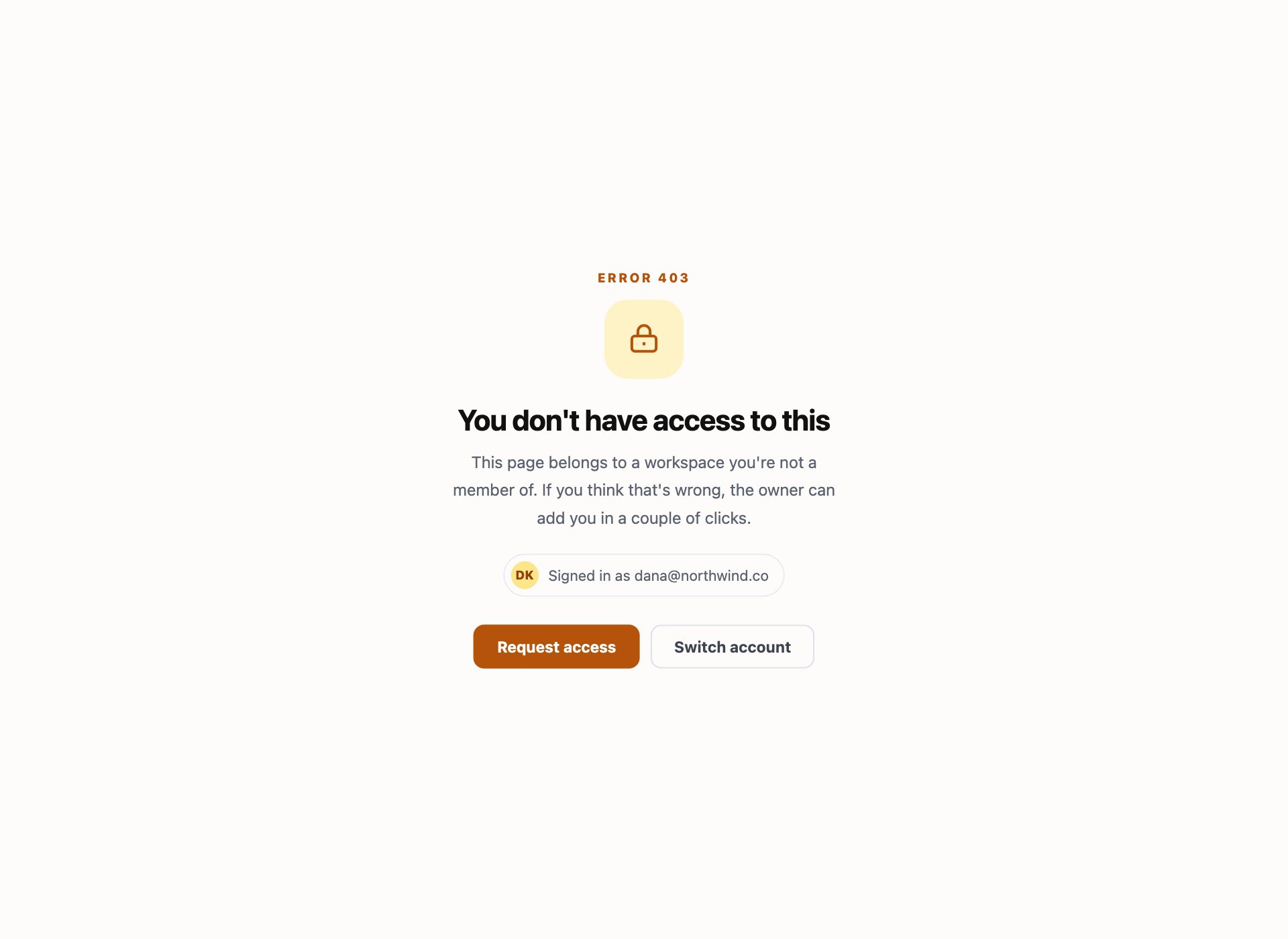
Access denied is a different problem from “not found” and needs different words. This one tells the person they are signed in as somebody without permission, names that account, and offers the two things that actually help: switch account, or request access.
10. 401 Sign In Required
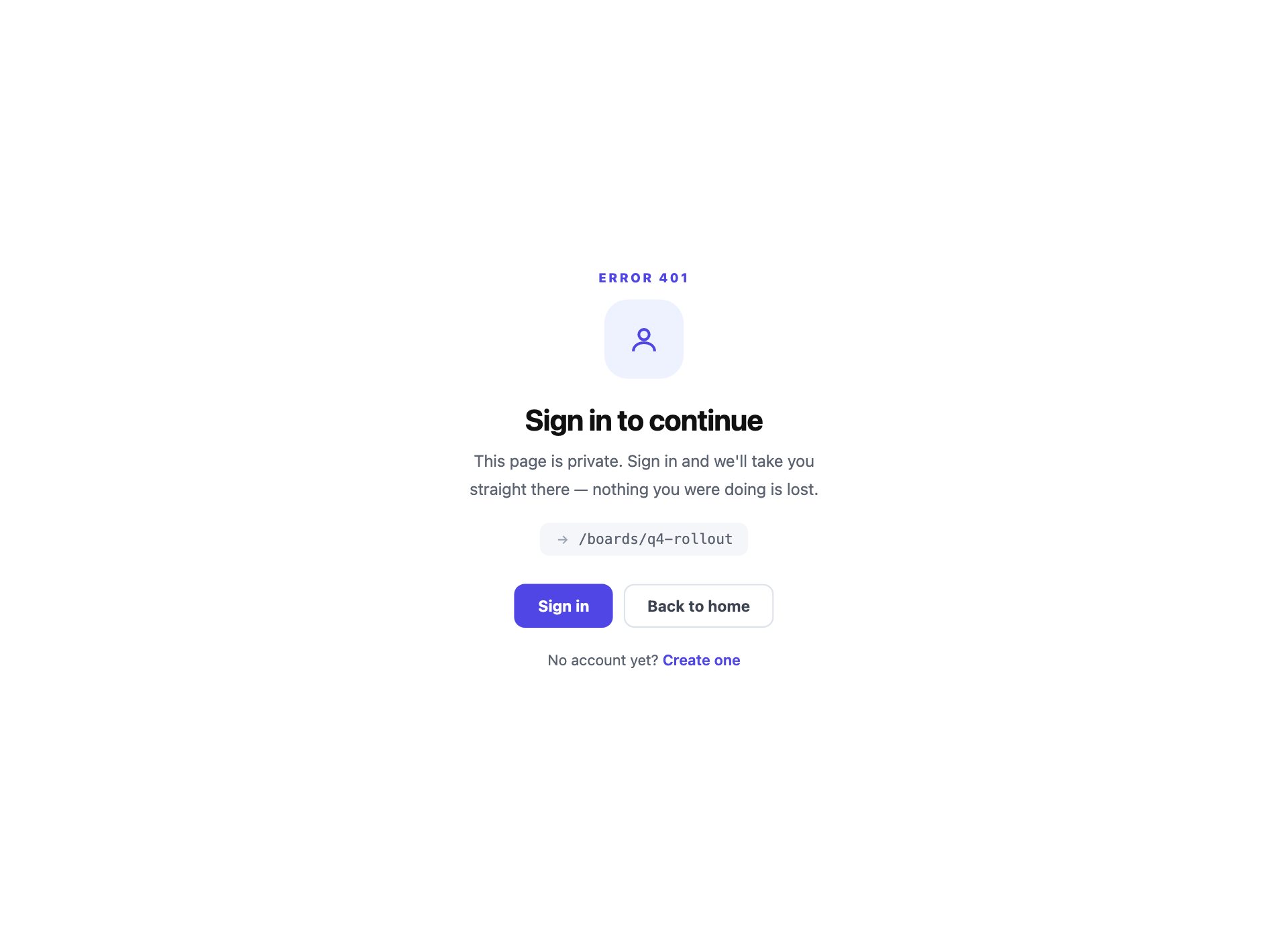
The page exists, it is just not theirs yet. The detail most sign-in walls miss is saying where the person will land afterwards — naming the destination stops signing in feeling like a detour and reduces the number who give up at the wall.
11. 429 Rate Limited
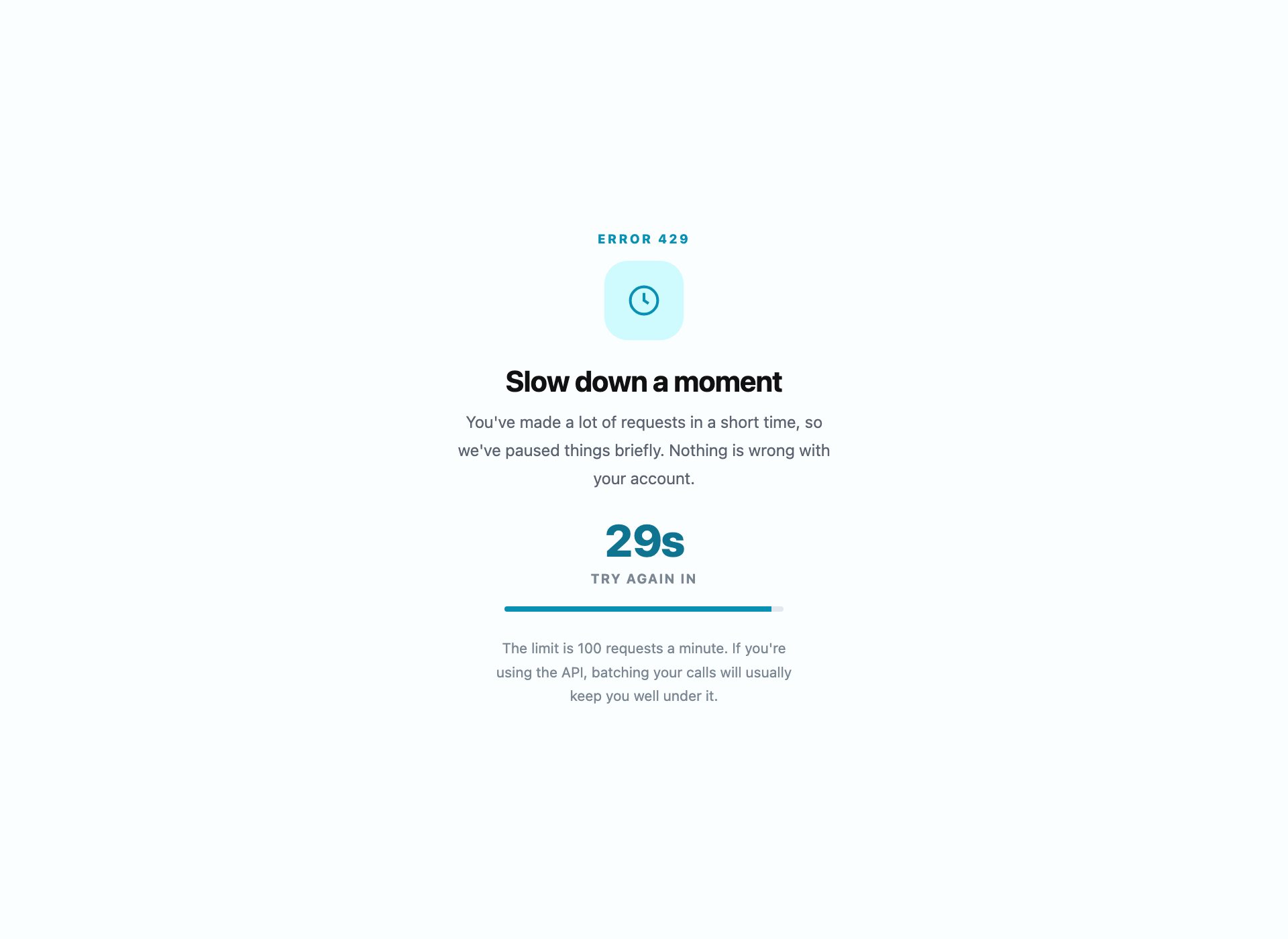
Too many requests, with the one thing a rate-limit page must have and almost never does: a countdown to exactly when to try again. Vagueness is what makes people hammer the button and stay limited.
12. Offline Fallback Page
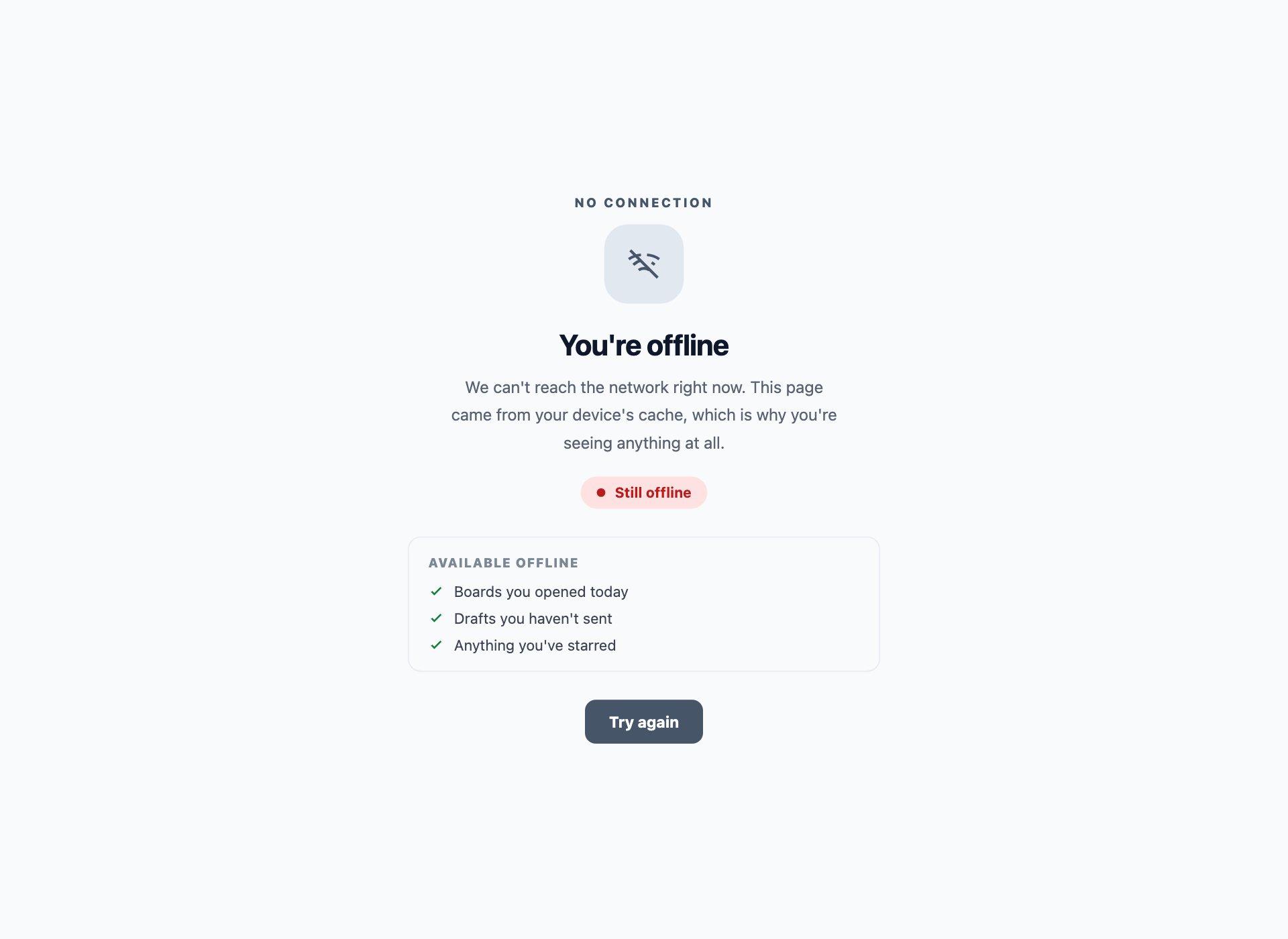
The page a service worker serves when the network is gone. It listens for the connection coming back and says so, rather than leaving someone tapping retry into the void, and it lists what still works offline instead of pretending nothing does.
13. 402 Subscription Required
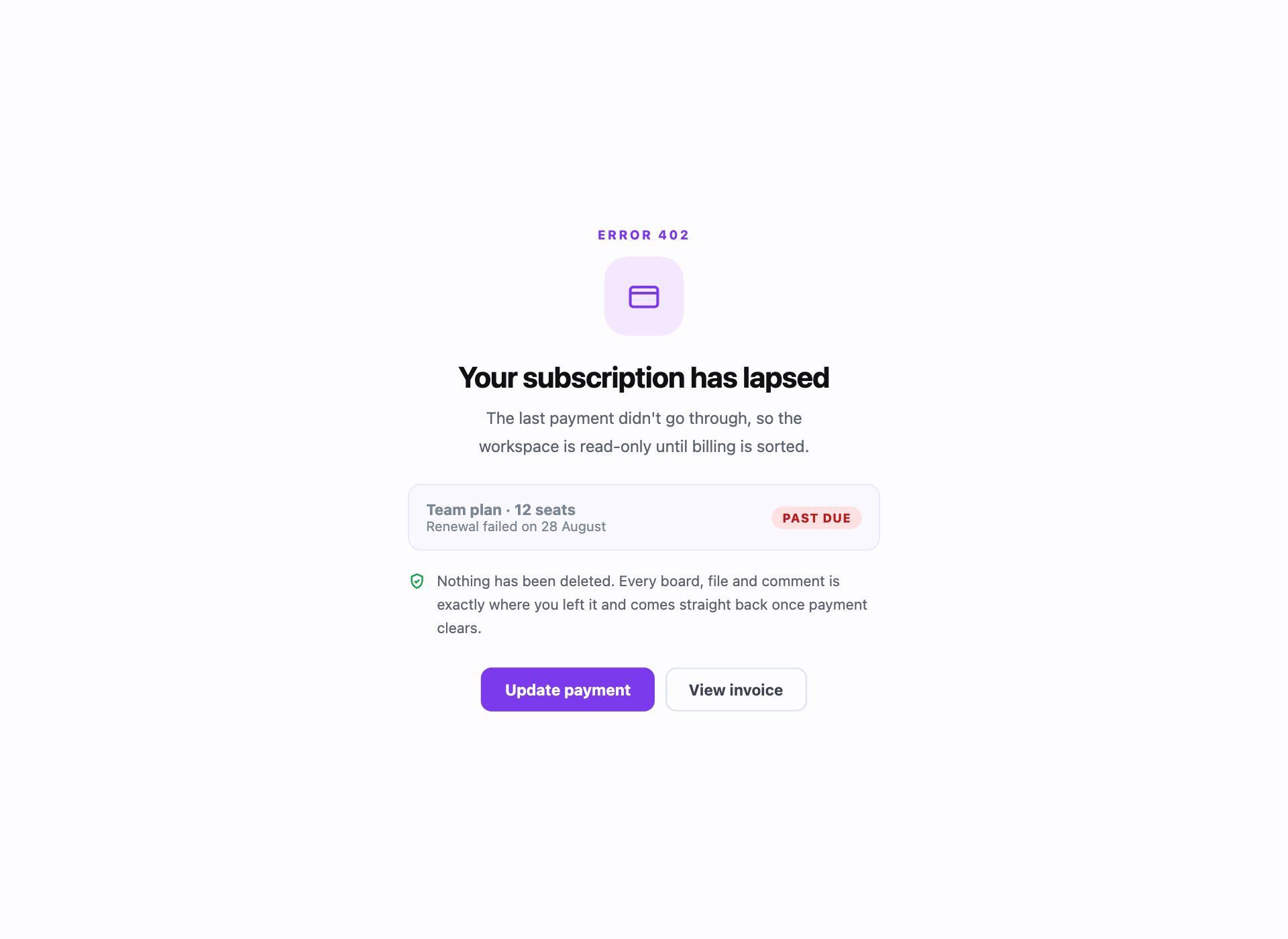
The billing wall. It names the plan and the date it lapsed, and promises in plain words that the data is untouched — which is the thing people are actually anxious about when they hit one of these.
14. No Search Results
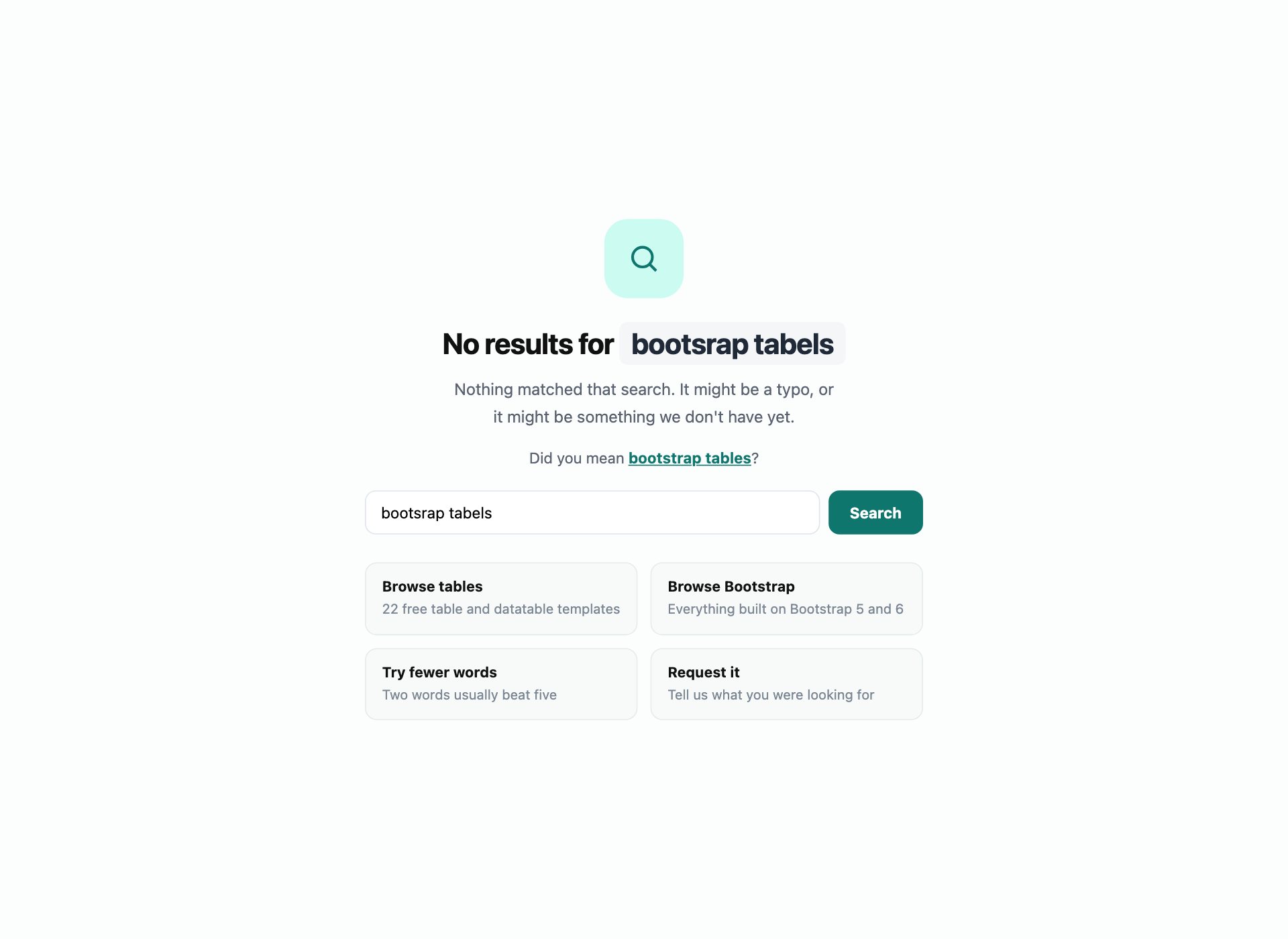
Not an HTTP code, but the same job and far more common than any of them. It repeats the query, offers the spelling correction people usually need, and gives real alternatives — an empty state that says “no results” and stops is a dead end.
15. Region Unavailable
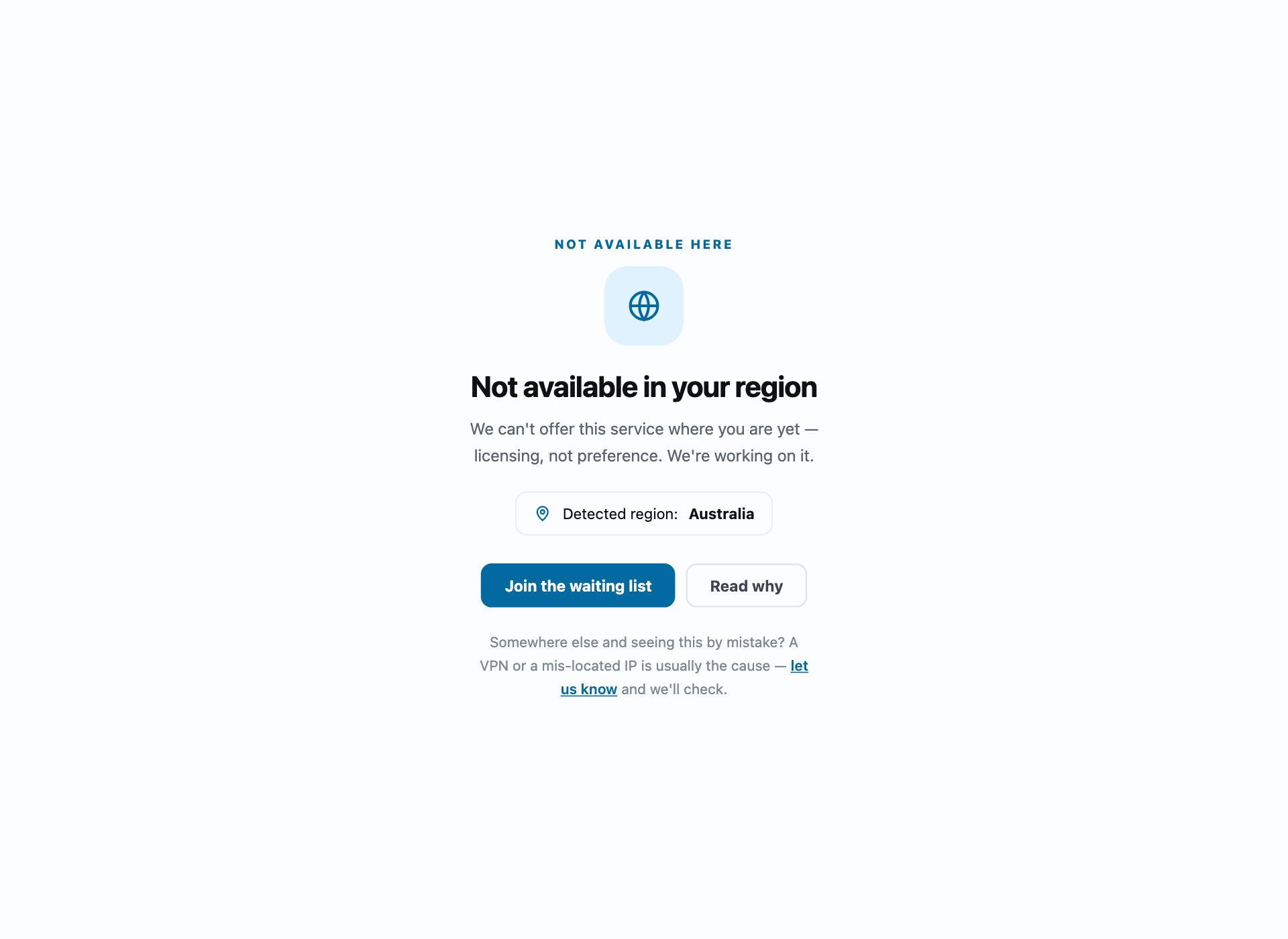
For licensing and compliance blocks. It says why rather than implying the visitor did something wrong, and names the region it detected so a false positive is obvious and reportable rather than baffling.
16. Account Suspended
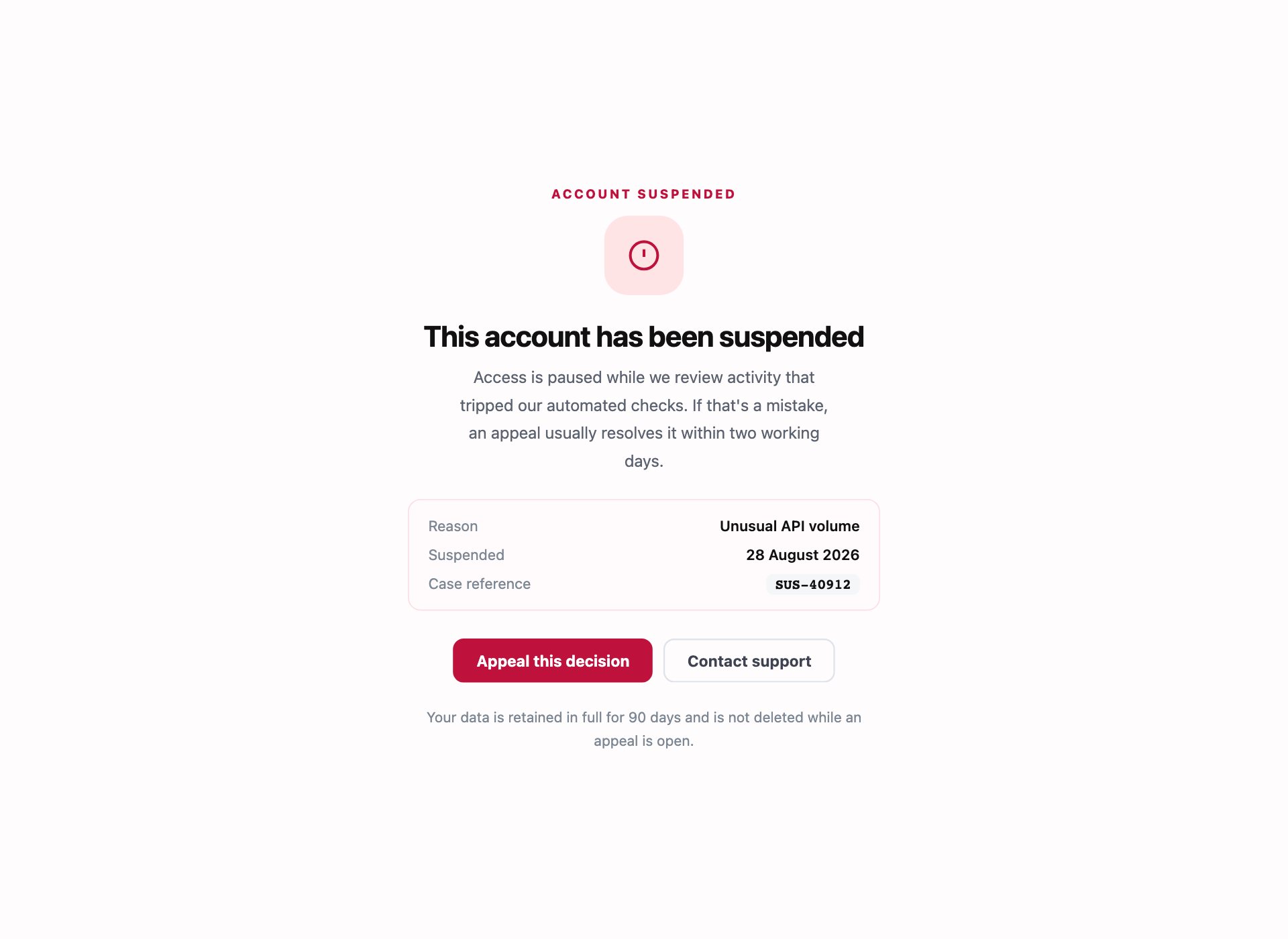
The hardest page here to write well. It states the reason and date plainly without accusation, gives a case reference so support does not start from zero, and makes appealing the primary action rather than a link in the footer.
17. Unsupported Browser
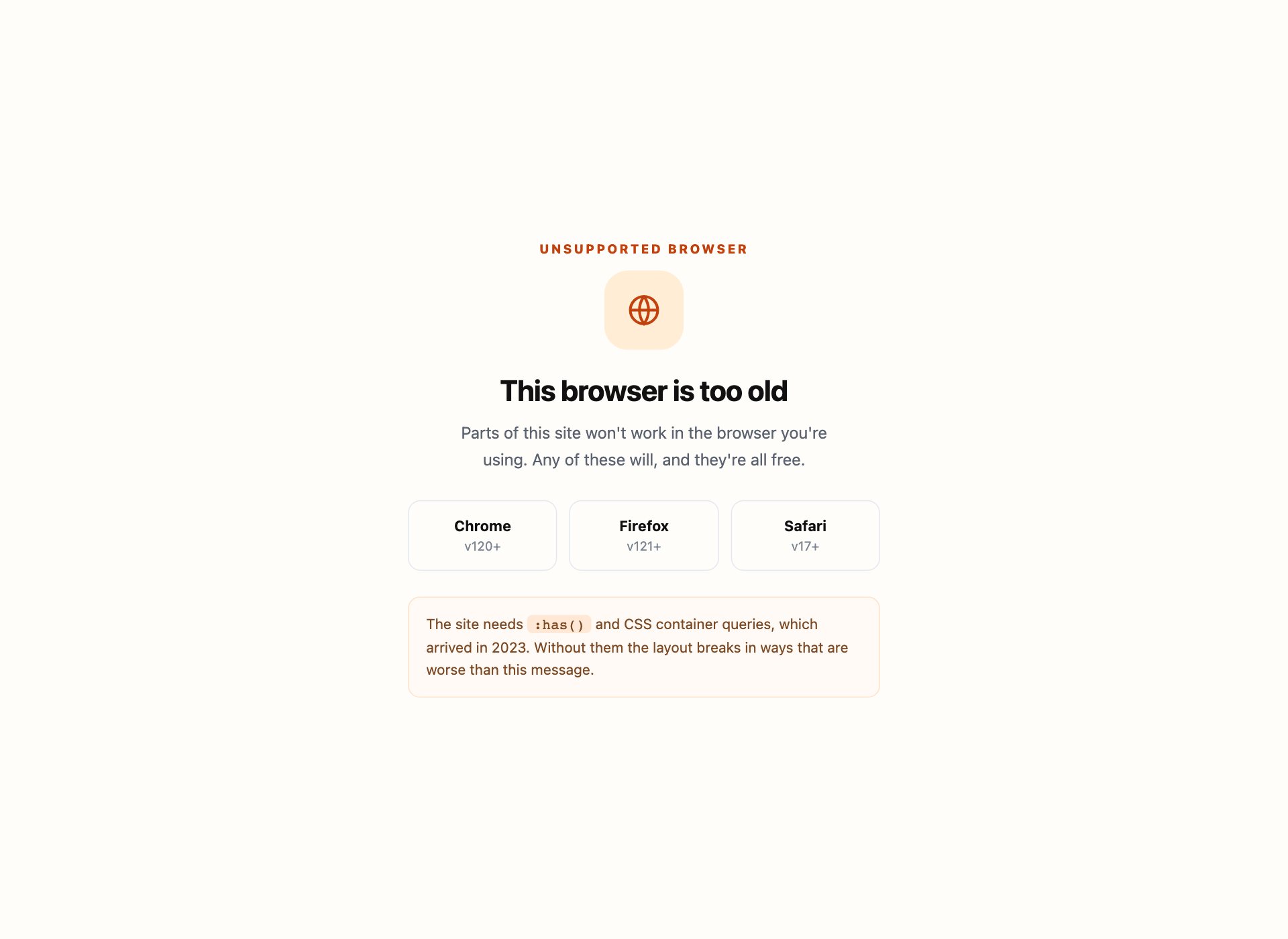
For a very old browser. It names the missing capability rather than the version number — more useful than “please upgrade” — and links three alternatives directly instead of leaving people to work it out.
18. 404 with a CSS Illustration
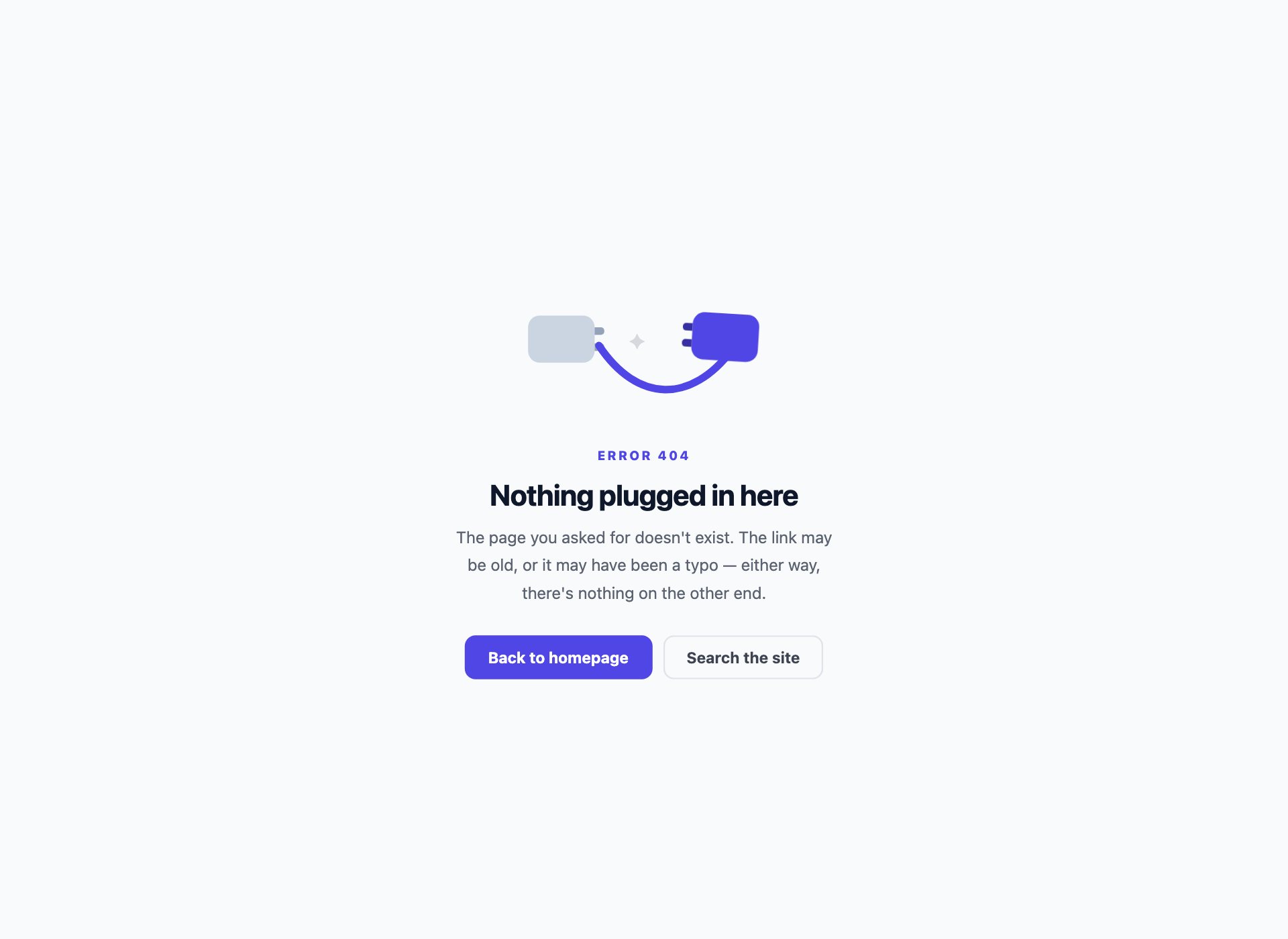
An illustrated 404 where the illustration is CSS: an unplugged cable built from two rounded blocks and a curved SVG lead, gently swinging. No image to load, nothing to go missing, and it recolours with the rest of the palette.
19. Arcade 404
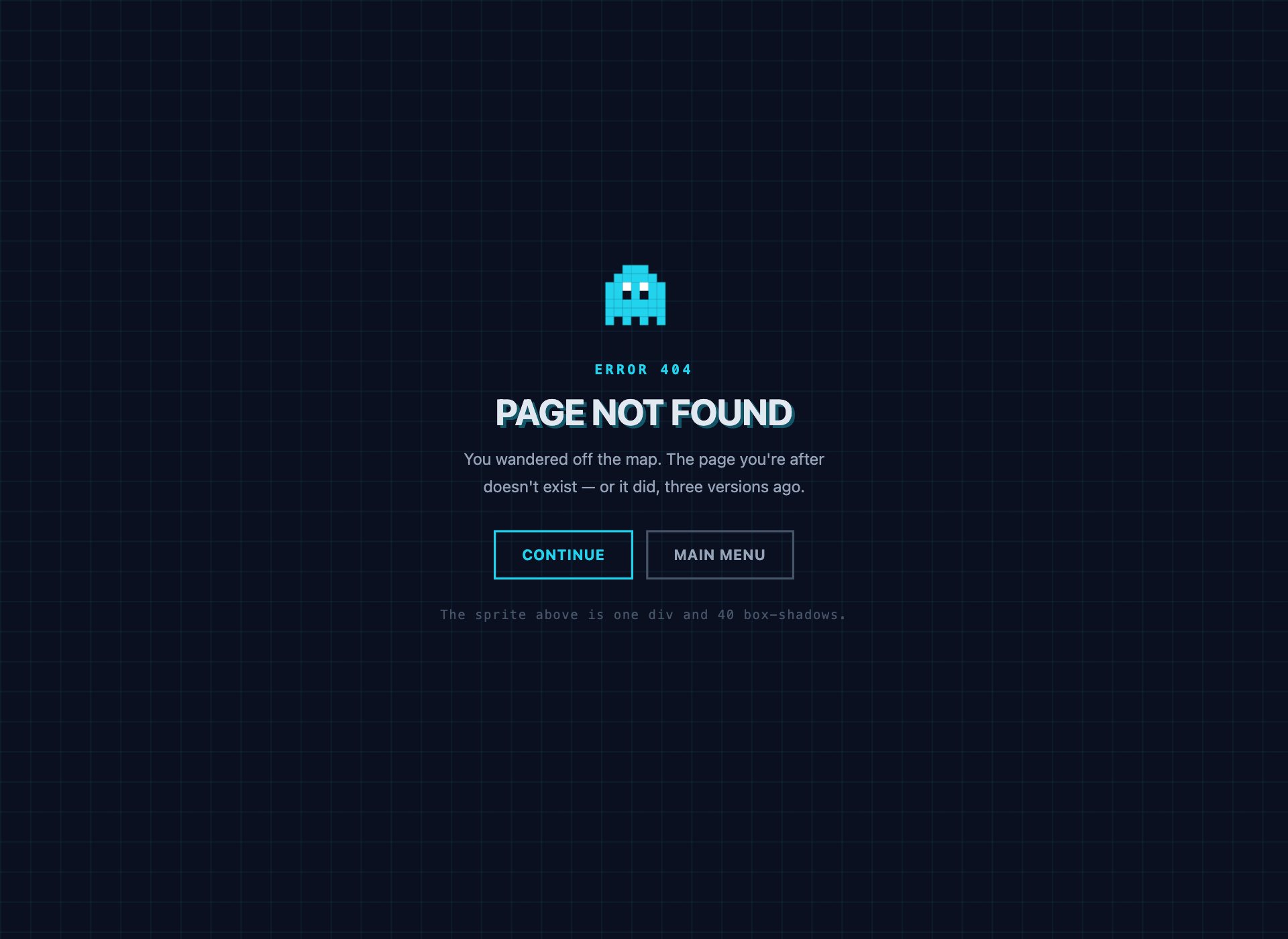
An 8-bit 404 for anything with a playful voice. The sprite is one element and forty box-shadow squares — a technique worth knowing, because it draws pixel art with no images and no SVG at all.
20. Split-Screen 404
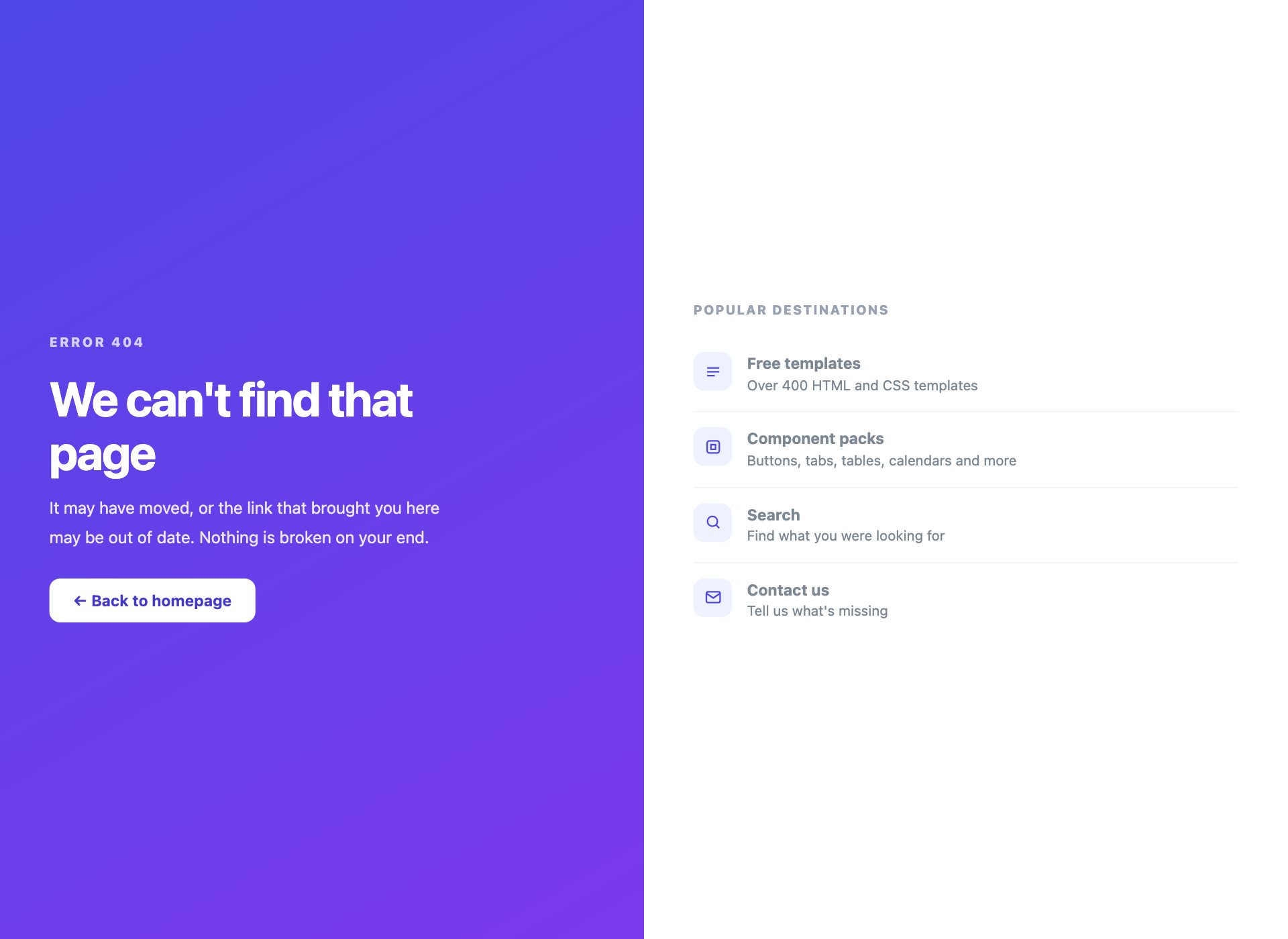
Two panels: the apology on one side, genuinely useful destinations on the other. This is the layout to reach for when you have somewhere specific to send people, which is nearly always better than a lone “go home” button.
21. Gradient Mesh 404
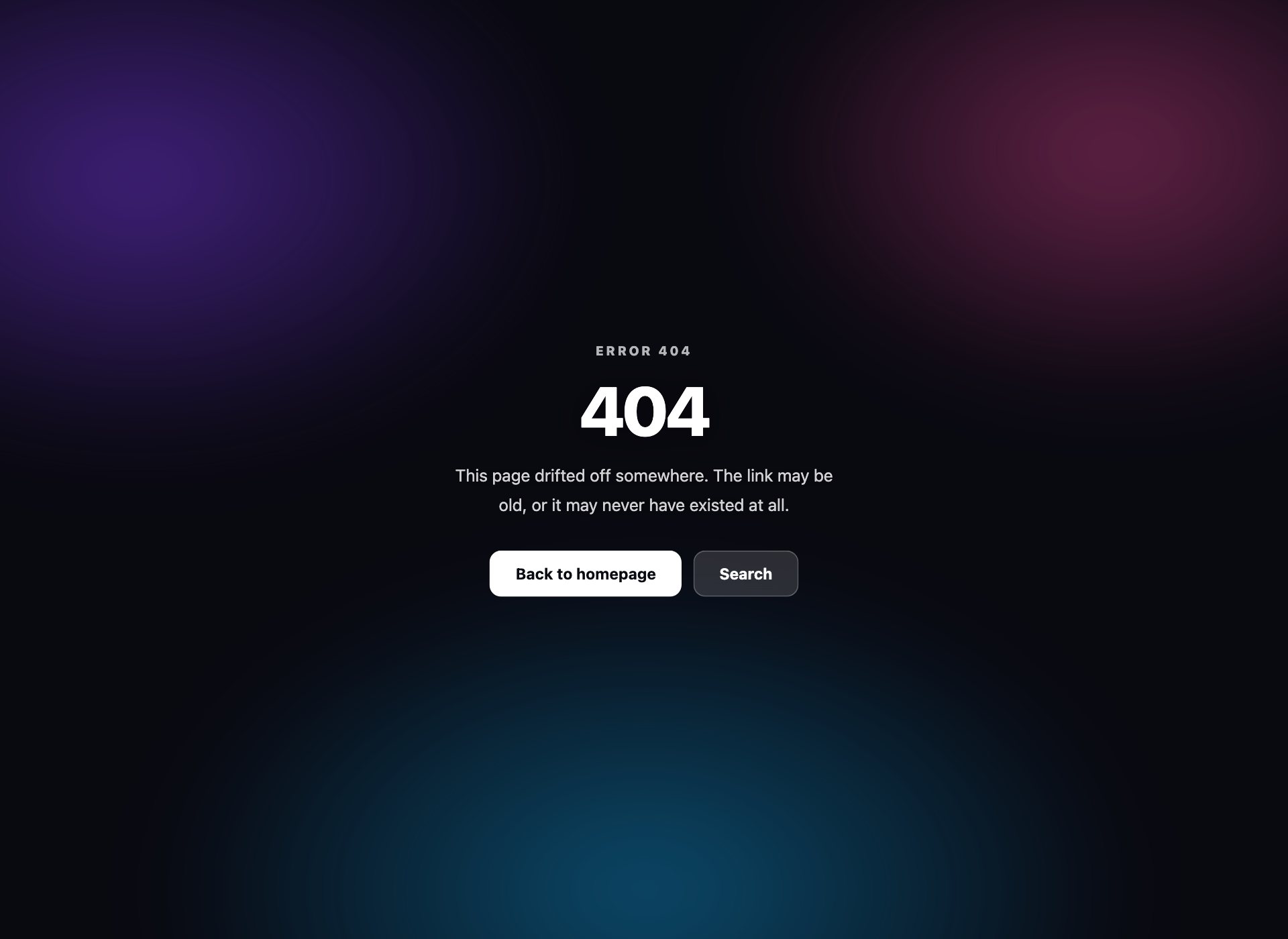
The soft aurora background people ask for by name, built from three overlapping radial gradients that drift slowly. No images, no canvas, and the text sits on a scrim so it stays readable wherever the colours happen to land.
22. 500 with an Incident ID
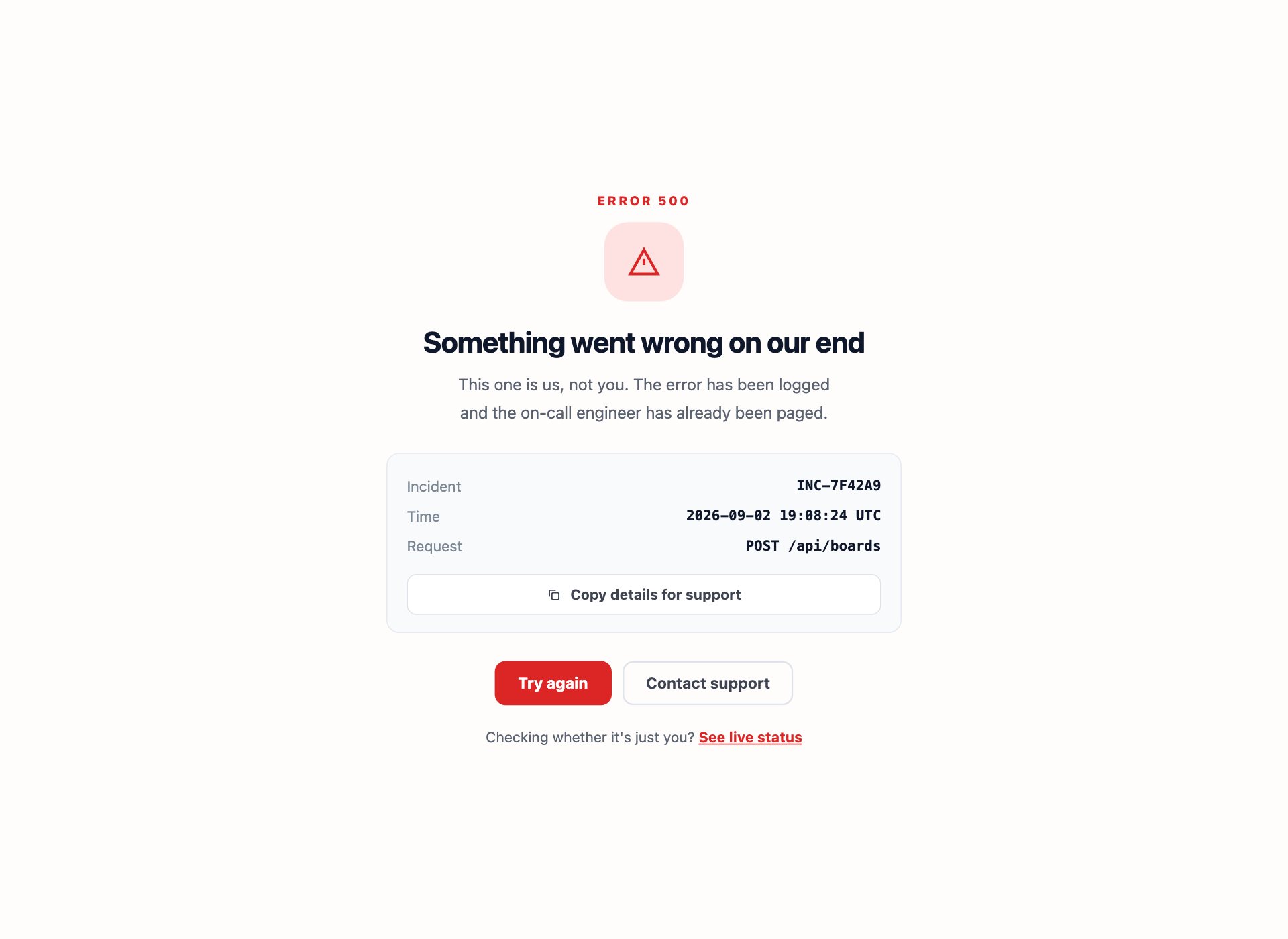
A server error that gives support something to work with: an incident reference, a timestamp and a button that copies the lot to the clipboard. Without an ID every support conversation opens with “roughly when was that?”
Serving them properly
The design is the easy half. The half that goes wrong is the status code.
# Apache — .htaccess
ErrorDocument 404 /404.html
ErrorDocument 500 /500.html

# nginx — inside the server block
error_page 404 /404.html;
error_page 500 502 503 504 /500.html;
On Netlify, Vercel and most static hosts a 404.html at the root is picked up automatically.
The mistake to avoid is the soft 404. If your error page is served with a 200 OK status — which happens by default in a lot of single-page applications that route errors client-side — you are telling Google the page exists and is fine. The result is that broken URLs stay in the index and the error page itself can start ranking. Serve the real status code and the problem disappears.
Writing error page copy
The design gets looked at for a second; the words decide whether someone stays. Four rules that hold across all of these:
- Say whose fault it is, accurately. A 404 is usually nobody’s fault and should not apologise as though the visitor did something wrong. A 500 is entirely yours and should say so plainly.
- Give a real next step, not just “go home”. The homepage is rarely what they wanted. Design 20 offers four actual destinations; design 14 offers a corrected search.
- Answer the anxious question. On a billing wall it is “have I lost my data” — design 13 answers it directly. On a suspension it is “can I appeal”. Address the fear, not just the fact.
- Skip the joke if the situation is not funny. A playful 404 is fine. A playful account-suspension page is not, and a playful 500 during an outage reads as contempt.
Accessibility and error pages
- The page still needs a sensible
<title>— “404 — Page not found” tells someone which tab is which. - Keep one
<h1>that states the problem in words, not just a giant number. “404” alone is not a heading. - Decorative illustrations get
aria-hidden="true"; the pixel sprite and the unplugged cable both do. - Do not auto-redirect after a countdown. It steals control from anyone reading slowly, and screen-reader users often lose the page mid-sentence.
- Motion respects
prefers-reduced-motion— the drifting aurora, the swinging plug and the arcade float all stand down.
Using the pages in your project
Download the pack and drop the file you want at the path your server expects. Each page is complete on its own with no dependencies — no stylesheet, no font, no script to fetch. Change the accent custom property, replace the copy, and it is done.
Frequently asked questions
Are these error page templates free?
Yes. All 22 are free for personal and commercial projects, including client work. No attribution required.
What is the difference between a 404, 500 and 503 page?
A 404 means the page does not exist — the visitor’s request was fine, the address was not. A 500 means your server broke while handling a request that was perfectly valid, so the apology belongs to you. A 503 means the service is temporarily unavailable, usually deliberately, and should say when it will be back. They are three different conversations and deserve different copy.
Which error pages do most sites forget?
403, 401, 429 and 402 — access denied, sign-in required, rate limited and billing lapsed. People hit them constantly and they are almost always the raw server default, which is jarring at exactly the moment someone is already frustrated. Designs 9 to 13 cover them.
Why should an error page be a single self-contained file?
Because when a 500 fires, the thing that broke might be the thing that serves your CSS. An error page with external stylesheets, fonts or scripts can fail to render at precisely the moment it is needed. Every design here is one HTML file with the CSS inline — nothing to fetch, nothing to fail.
How do I set up a custom error page?
It depends on the server. On Apache, ErrorDocument 404 /404.html in .htaccess. On nginx, error_page 404 /404.html; in the server block. On Netlify or Vercel, a 404.html at the root is picked up automatically. The important part is the status code: the page must be served with a real 404 or 500 header, not a 200, or search engines treat the error page as legitimate content.
Should an error page return a 200 status?
No, and this is the most common technical mistake. A “soft 404” — an error page served with a 200 status — tells Google the page exists and is fine, so the error page itself gets indexed and the broken URLs stay in the index. Serve the real status code and the problem disappears.
Can I customise the copy and colours?
That is the intention. Every design uses a small set of custom properties for its accent colour, and the copy is deliberately written to be replaced — it is there to show the tone each page calls for rather than to be shipped verbatim.
Download all 22 error pages (free) Browse live demos