Admin dashboards are the hardest interface to fake. A marketing page can hide behind big type and a hero image, but a backend UI has to survive dense tables, live charts, deep navigation and forms that people use for hours a day. Everything on this page is designed and maintained in-house by uiCookies, so what you see in the demo is the same considered, data-first UI you download — not a stock theme with our name on it.
Need only the building blocks? Our dashboard widgets include KPI cards, SVG charts with data tables, progress rings and activity feeds in CSS, Bootstrap 5 and Tailwind 4.
A good admin template earns its keep on the details: a sidebar that collapses cleanly and still makes sense on a phone, charts and tables built to hold real data instead of three tidy placeholder rows, a light/dark mode that actually remembers your choice, and a component set you can extend without fighting the markup. We build for that day-to-day reality rather than the screenshot.
Every dashboard here is free to download and free to use in commercial work. Each one comes with a live demo plus a direct download — no sign-up wall, no locked ‘pro’ half hiding the parts you need. Our own ten are static and jQuery-free: Repflow, Registrar, Homeroom, Gradebook, Rounds, Frontdesk and Console run on Bootstrap 5, and Northstar, Cadence and Helm on the Bootstrap 6 alpha.
The templates
Repflow
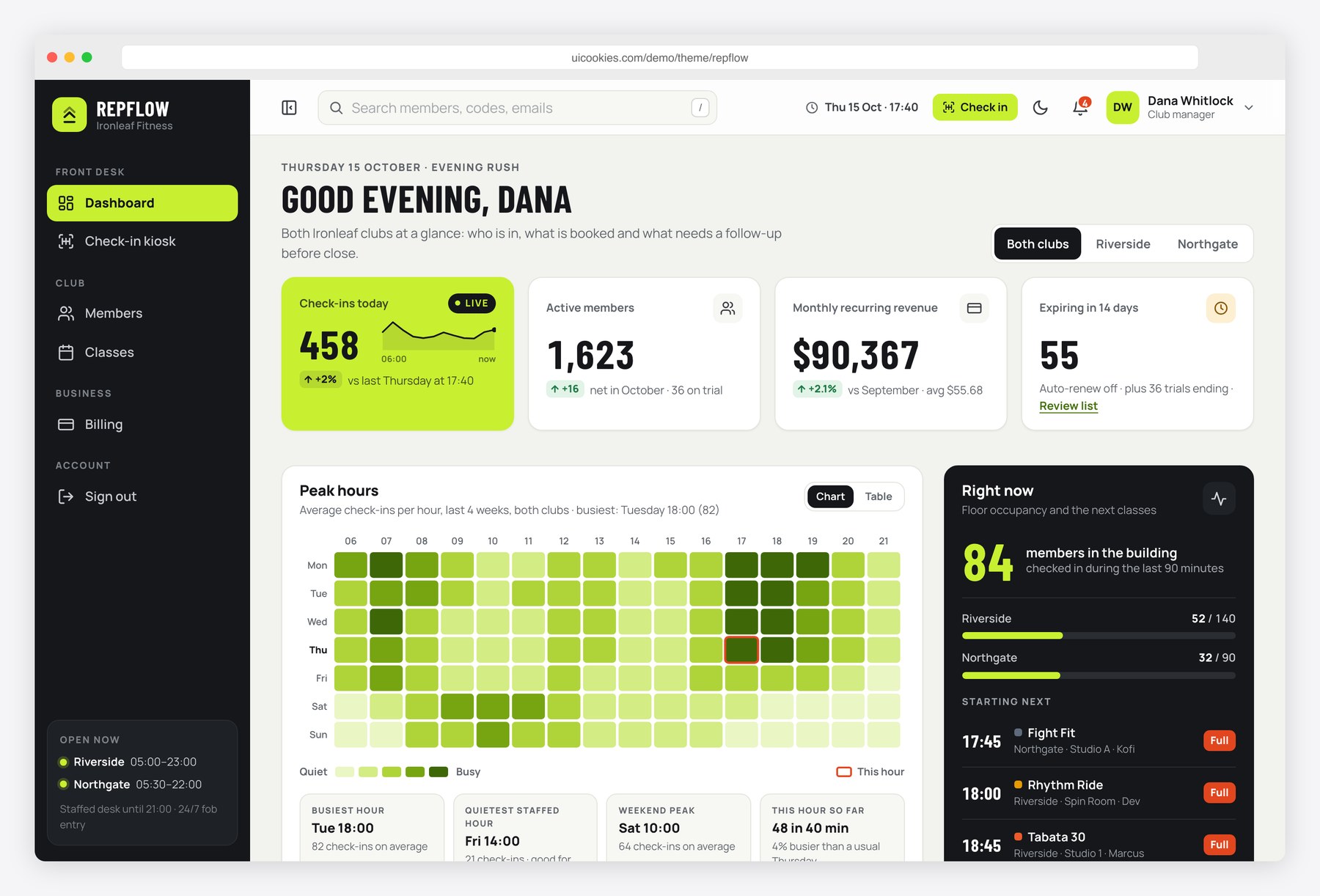
Repflow is a gym management system, shown for a fictional two-club gym with 1,846 members. The dashboard tracks check-ins today, active members, monthly recurring revenue and memberships ending soon, with a peak-hours heatmap, a class occupancy chart and a revenue trend, all drawn in SVG from small data arrays with a table view for each chart.
Its seven pages add a member directory with filters, sorting, pagination and CSV export, member profiles with freeze and renew dialogs, a class timetable, billing with failed-payment retries, a check-in kiosk and staff sign-in. Bootstrap 5, vanilla JavaScript, no jQuery, with a collapsible sidebar and light and dark modes.
Registrar
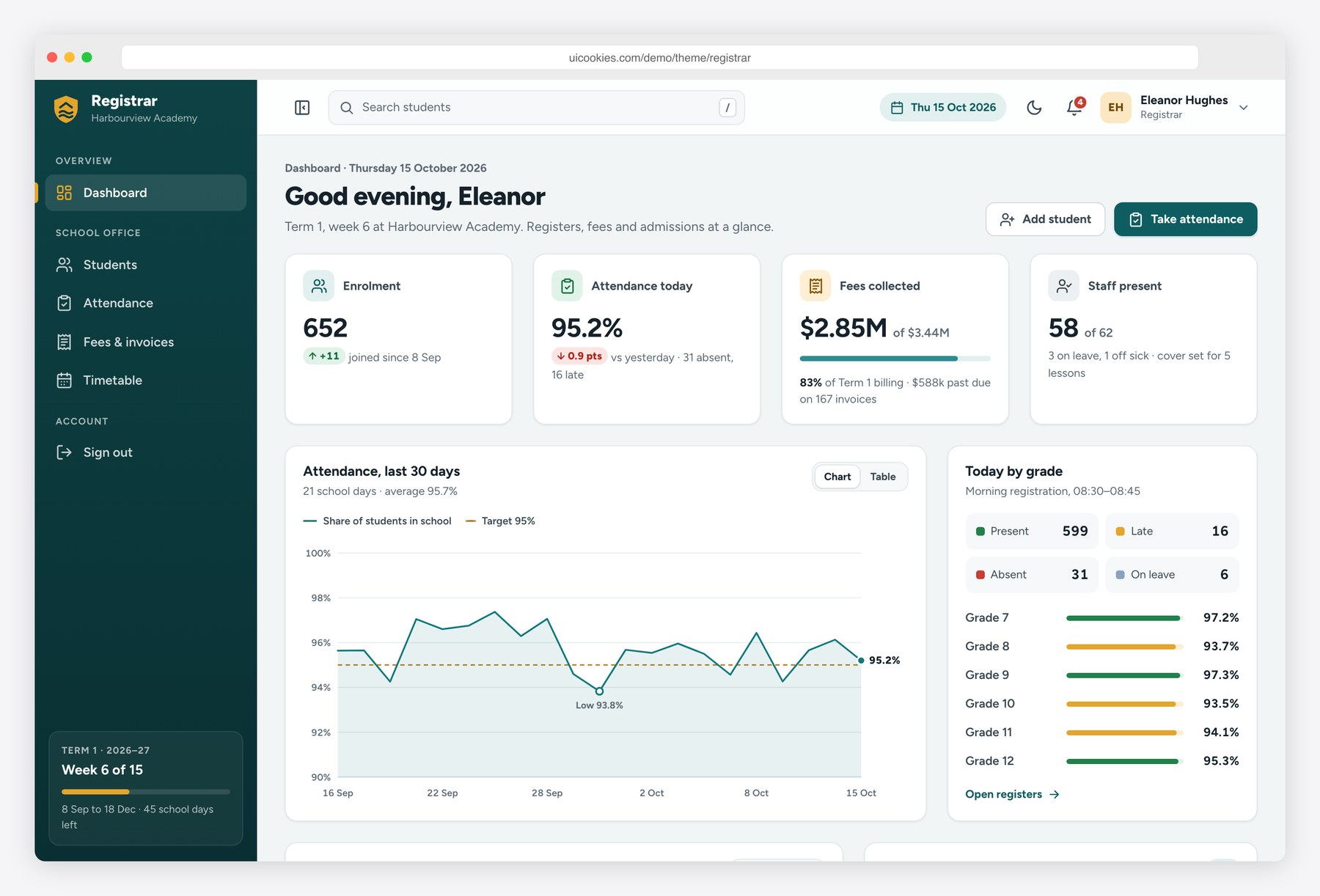
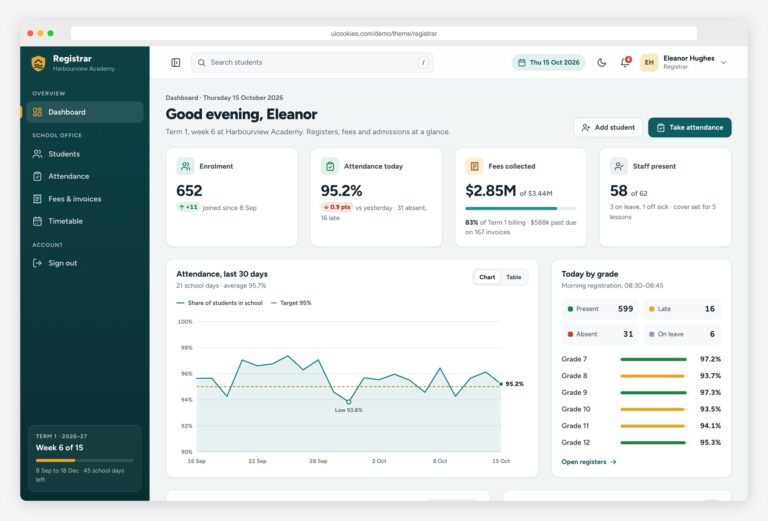
Registrar is a school management system front end for the office staff who handle enrollment, attendance and fees, and the first of five industry-specific dashboards here. The fictional Harbourview Academy gives it realistic volume, 652 students in 24 classes, across seven pages: a dashboard with enrollment, attendance, fees collected and staff present, a student directory, individual profiles with guardians, grades and a fee ledger, a morning register, fee invoices, a weekly timetable by class or teacher, and a staff sign-in page. It suits developers prototyping a student information system or school ERP.
The register marks each pupil Present, Absent or Late with a live summary, and saved registers persist in localStorage; new students and payments last only for the open tab until you connect a back end. The timetable never books a teacher twice. Demo data comes from small arrays in js/main.js you can swap for API calls. Bootstrap 5, vanilla JavaScript, no jQuery, SVG charts.
Homeroom
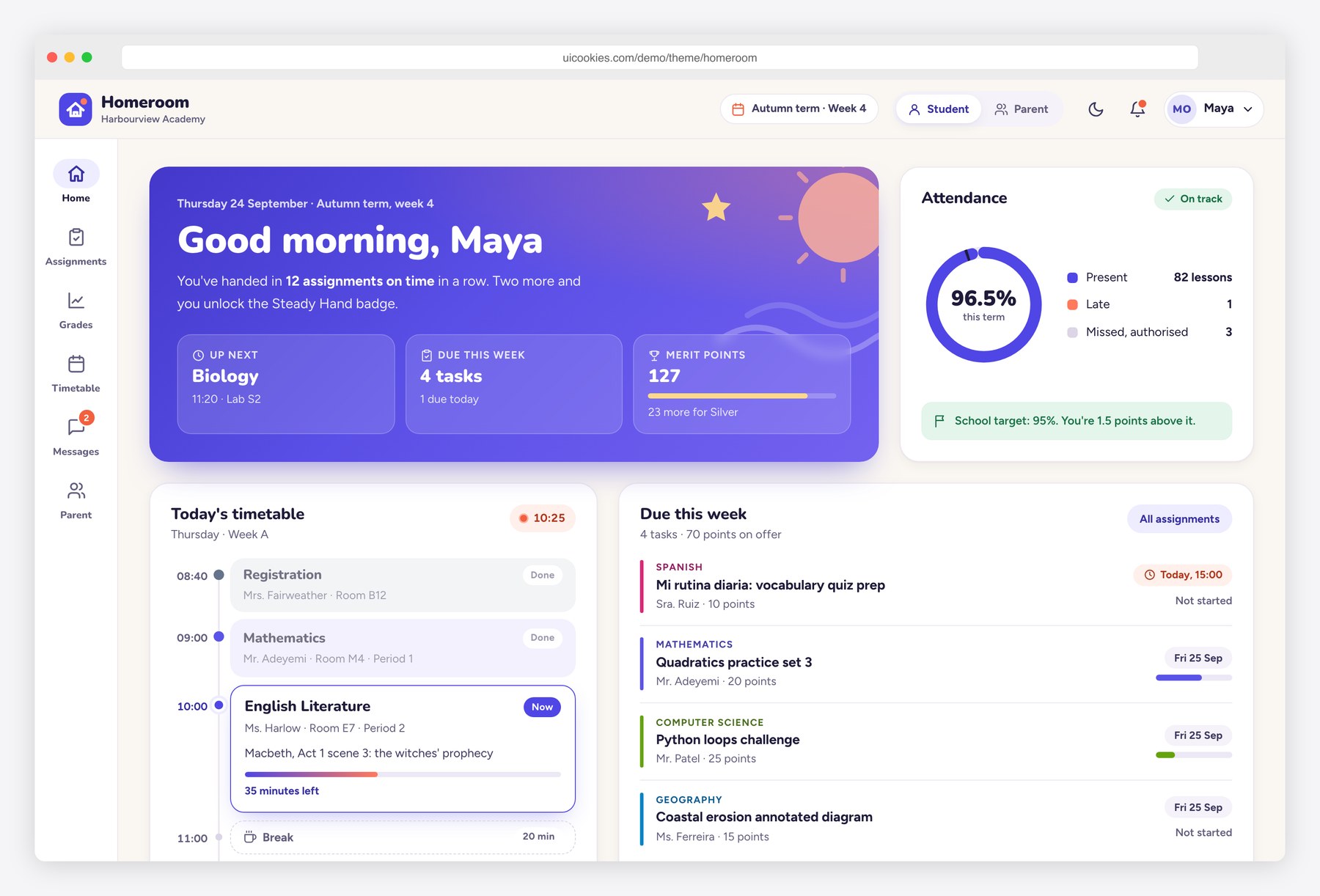
Homeroom covers the other side of a school system: the portal students and parents sign in to, rather than the back office. Six pages follow a student's week. The home screen shows today's lessons on a timeline, an attendance ring, recent grades and announcements; assignments sort into To do, Submitted and Graded with a detail drawer and rubric; a report card has term tabs and a grade-trend chart; then come a weekly timetable, a two-pane messages inbox, and a parent view that switches between two children to show fees, permission slips and attendance alerts.
The timeline reads the device clock to mark finished, current and next lessons, and outside school hours the demo fixes the time so a live lesson still shows. On phones the side rail becomes a bottom tab bar. Submissions, payments and messages are front-end only, so nothing uploads or charges. Warm indigo and coral with rounded Nunito headings. Bootstrap 5, vanilla JavaScript, no jQuery.
Gradebook
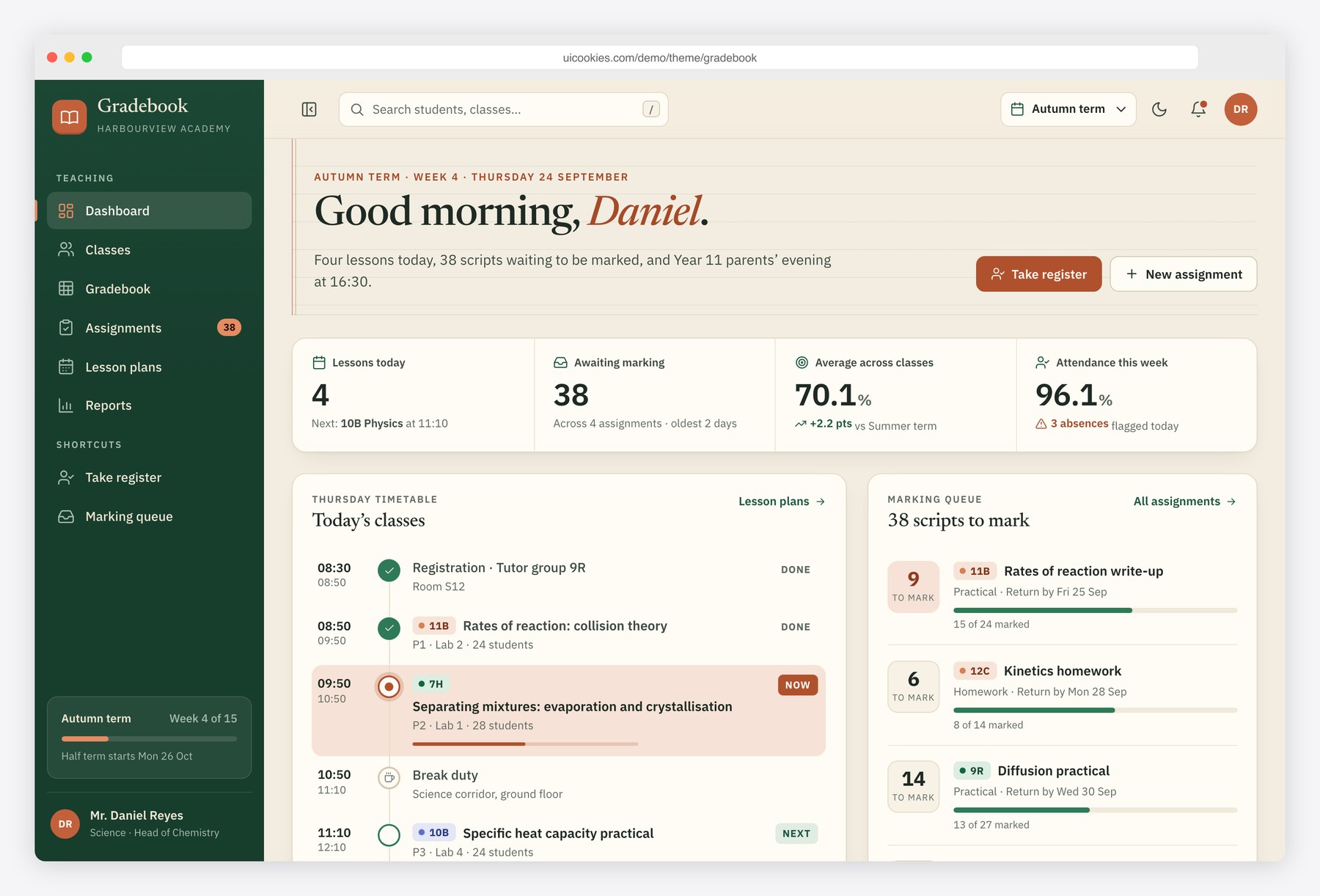
Gradebook is the teacher's view, for a school management system, LMS or tutoring platform that needs a marking front end. It has six pages: a daily dashboard with the timetable, a marking queue, a class averages chart and a quick register; class cards showing averages and next lessons; the markbook grid itself; assignments with a rubric builder; a Monday-to-Friday lesson plan board; and a class performance report with a grade histogram, top and at-risk students and a comparison across classes. Every class, student and mark comes from one small data set in js/main.js.
The markbook behaves like a spreadsheet: type marks into cells, move with the arrow keys, Enter and Tab, undo with Ctrl+Z, and watch averages recalculate, with sticky headers and a color scale you can switch off. Edits persist in the browser and export to CSV, but nothing reaches a server until you connect one. Bootstrap 5, vanilla JavaScript, no jQuery.
Rounds
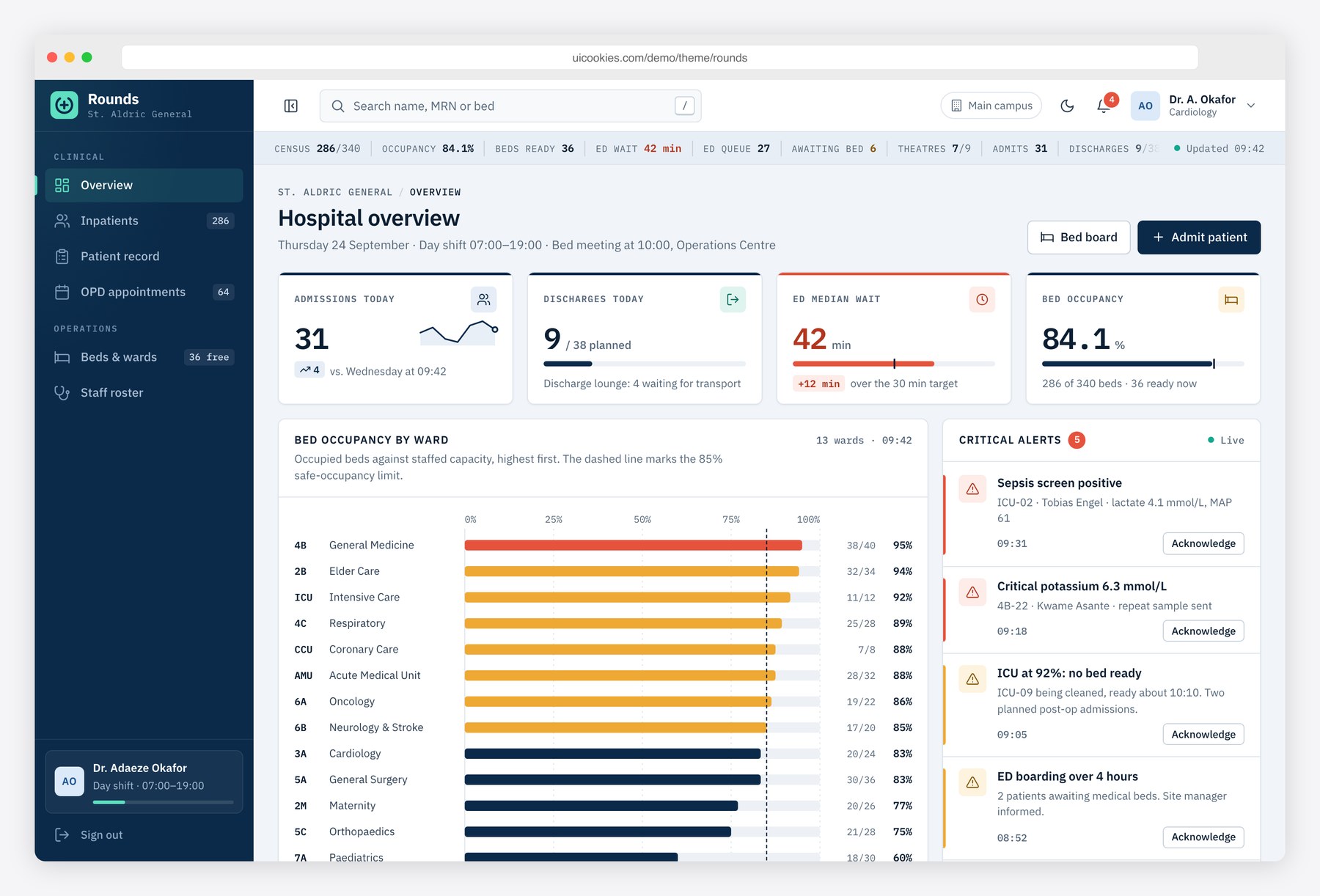
Rounds takes the same approach into healthcare as a hospital management system template. Seven pages mirror a hospital's day: an overview for the bed meeting, with occupancy by ward, patient flow, emergency department triage, critical alerts and staff on duty; an inpatient list with filters, CSV export and an admit-patient form; a patient record; an outpatient appointment board by doctor and 30-minute slot; a ward bed map; a weekly staff roster covering early, late, night and on-call shifts; and a sign-in page. Healthcare startups can use it to design an admin panel before a backend exists.
The patient record is the most detailed screen, with a wristband-style header, an allergy banner, a 72-hour vitals chart styled like a bedside monitor and lab results with range bars and abnormal flags. Charts are keyboard accessible with data-table fallbacks. Every form updates the page only, and all records are fictional. Bootstrap 5, vanilla JavaScript, no jQuery.
Frontdesk
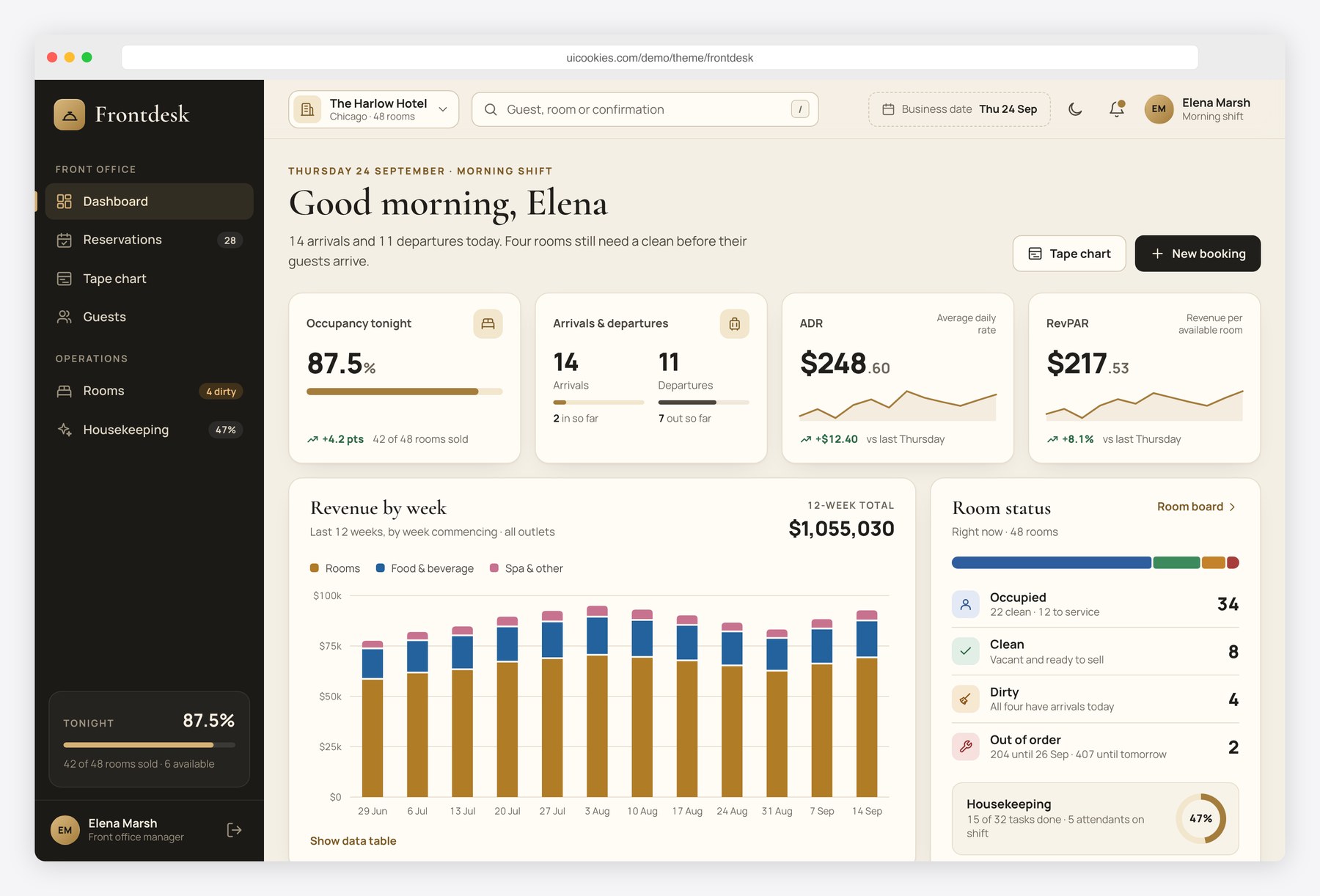
Frontdesk brings the same thinking to hospitality: a hotel management system for the front office of a fictional 48-room property, The Harlow Hotel. Its seven pages cover a dashboard with occupancy, arrivals and departures, ADR, RevPAR and a stacked weekly revenue chart; a reservations table with search, source and date-range filters and CSV export; a 14-night tape chart; a room status board by floor; guest profiles with preferences and stay history; housekeeping tasks with attendant workloads; and a sign-in page. It fits inns, hostels and serviced apartments as well as hotels.
Staff can check guests in from today's arrivals list and watch the counts update, flip rooms between clean and dirty, and price a new booking with tax, extras and deposit as they type. The tape chart renders from a JSON block you can replace with PMS data. Forms change the page only. Charcoal, ivory and brass in light and dark themes. Bootstrap 5, vanilla JavaScript, no jQuery.
Northstar
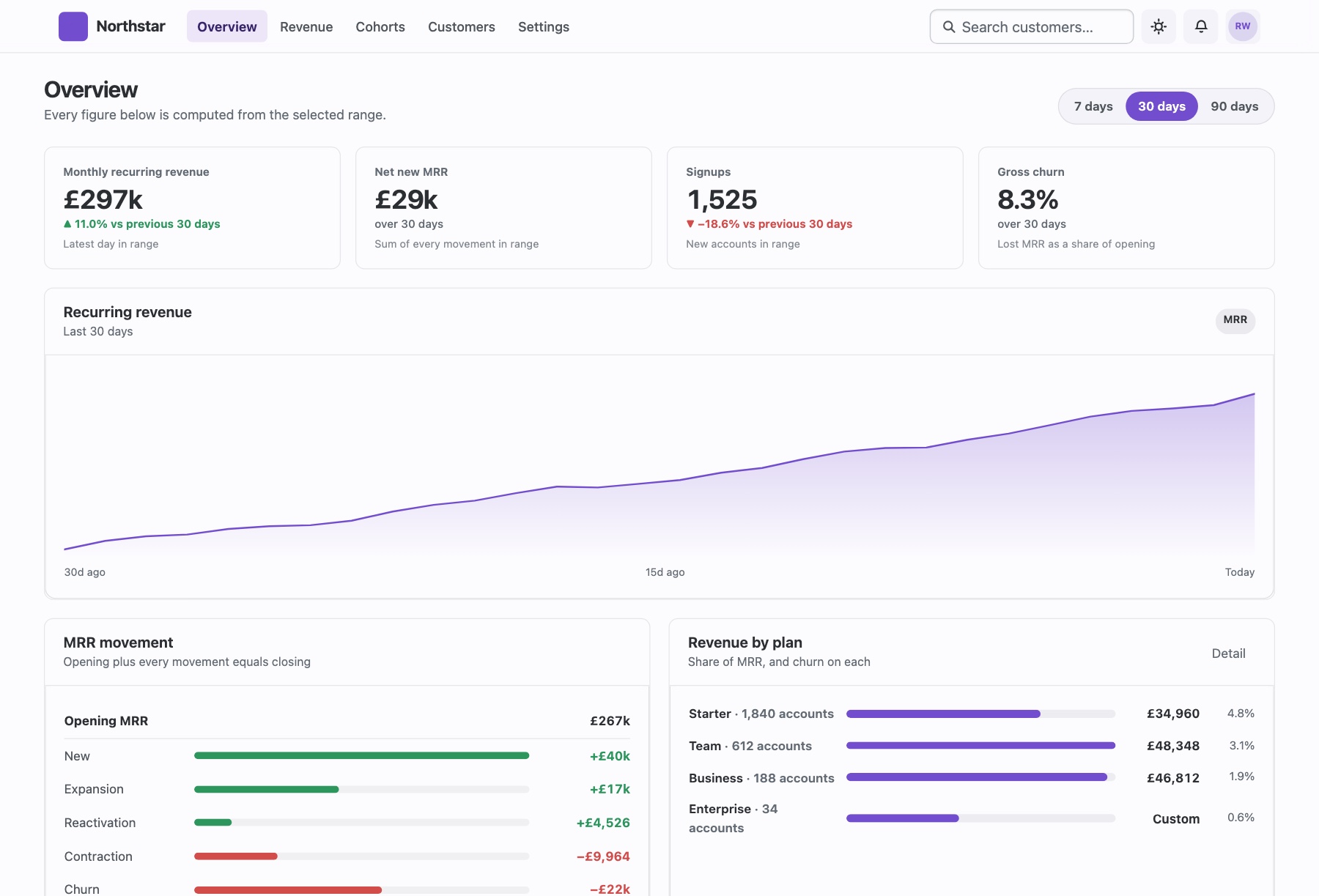
Northstar is a five-page SaaS analytics dashboard (overview, revenue, cohorts, customers and settings) for teams that report on subscription revenue. It uses a top bar rather than a sidebar, and its 7, 30 and 90-day range control really does recalculate the page: KPIs, deltas against the preceding period of equal length, the SVG revenue chart and the MRR movement waterfall all come from one 90-day dataset. The revenue page adds annual run rate, quick ratio and a plan table, cohorts shows retention as a heat map, and customers is a filterable table with health scores.
The numbers are built to stay honest: at 90 days, with no earlier window to compare, the delta card says so instead of showing 0%, and the waterfall states that opening plus movements equals closing. Settings exposes the MRR counting rules. Charts are hand-built SVG with no library to remove. Bootstrap 6 (alpha, pinned build), vanilla ESM JavaScript, light and dark modes.
Cadence
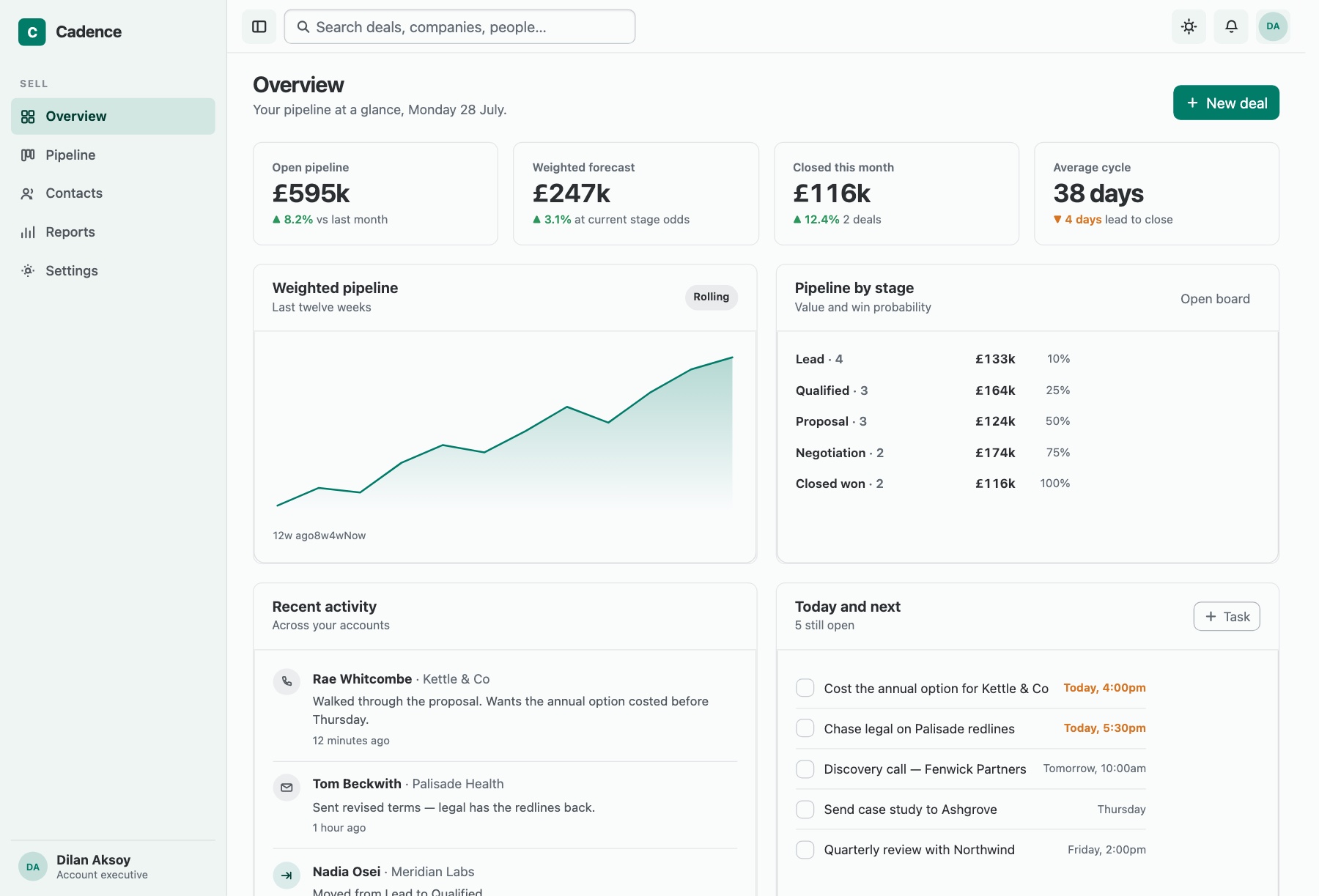
Cadence is a CRM admin template across five pages: overview, pipeline, contacts, reports and settings. The overview shows four KPIs, a twelve-week weighted-pipeline chart, a stage funnel, recent activity and a task list with a live open count. The pipeline board runs from lead through qualified, proposal and negotiation to closed won, and each stage declares a win probability and an expected deal age. Contacts is a filterable table that stacks on phones, reports break the pipeline down by owner and stage conversion, and settings holds editable stages, profile details and notification switches.
Move a deal by dragging, with the arrow buttons on its card or with the arrow keys, and the open pipeline, weighted forecast, deal count and stalled count update together; closed-won deals stay out of the open total. The sidebar collapses to an icon rail it remembers and becomes a drawer on phones. Bootstrap 6 (alpha, pinned build), vanilla ESM JavaScript, SVG and CSS charts.
Helm
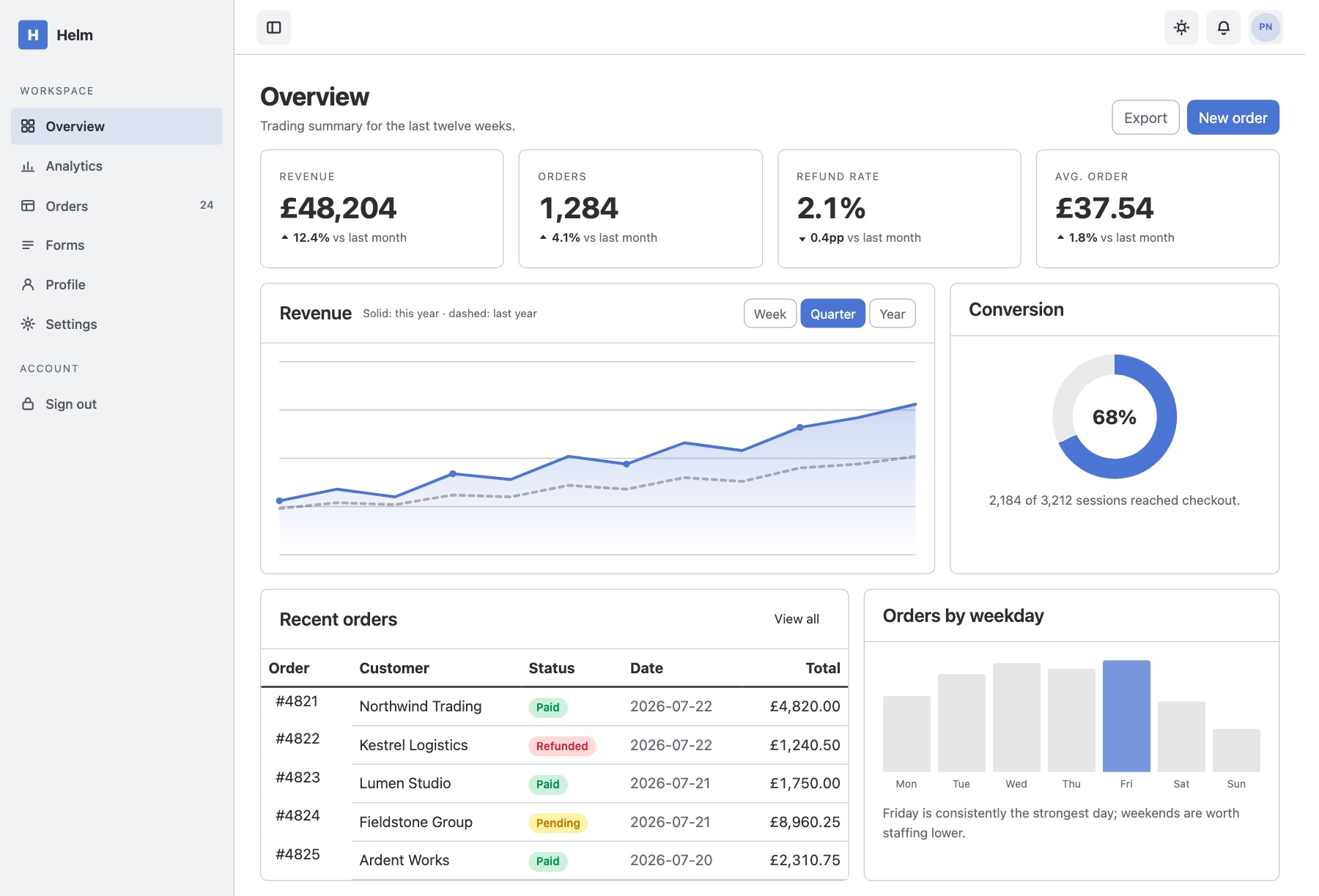
Helm is the broadest of the Bootstrap 6 dashboards, an eight-page admin shell for SaaS back-offices, internal tools, store administration and analytics panels. The overview combines stat tiles, an SVG revenue chart, a conic-gradient conversion donut, a weekday bar chart and recent orders. Analytics adds sessions, an acquisition breakdown and top pages; orders is a searchable table with an indeterminate select-all and a bulk-action bar; forms exercises Combobox, Datepicker, OTP, password strength and range controls. Profile, tabbed settings, a sign-in screen and a 404 page complete the set.
Tables use Bootstrap 6's new stacked style, reflowing into blocks with labels on a phone instead of scrolling sideways, and the mobile menu is a native dialog Drawer. There is no chart library: lines are inline SVG and bars are CSS. The forms and sign-in screen are front-end only until you wire them to your backend. Bootstrap 6 (alpha, pinned build), vanilla ESM JavaScript, light and dark modes.
Console
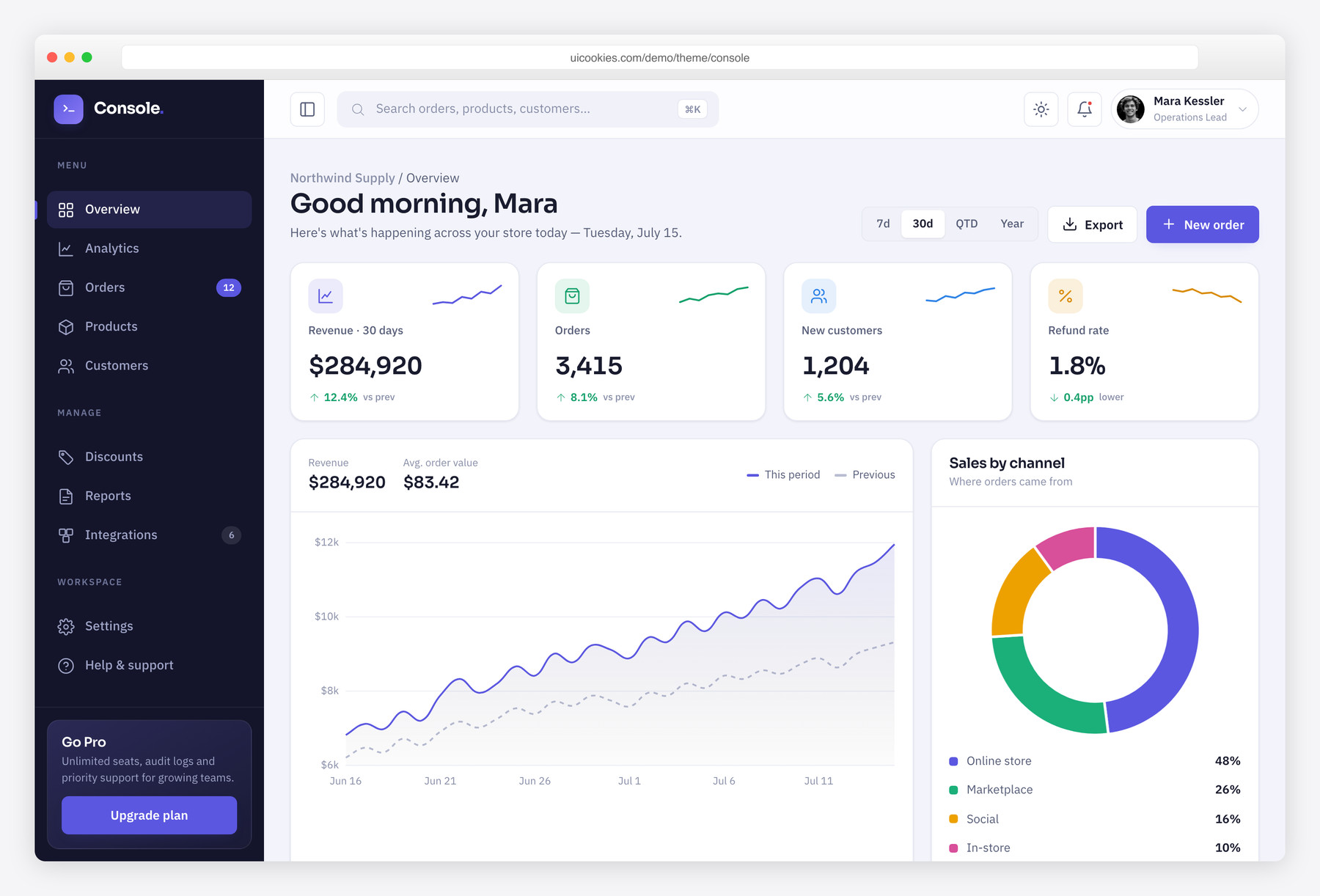
Unlike the recycled 2015-era themes that still fill most 'free dashboard' results, Console is built to look like the ops panel a modern SaaS actually ships. It pairs a fixed, collapsible sidebar with a command-bar topbar and a full set of working widgets — KPI stat cards with inline sparklines, two live Chart.js graphs, a sortable orders table, an activity feed and a task tracker — so you inherit real components, not empty boxes. It's aimed at teams standing up an internal tool or product backend who want a genuinely data-dense starting point, and its vanilla-JS light/dark theme remembers each visitor's choice with no framework in the way.
More free admin dashboards from the family
The nine dashboards above are ours. These five are not — they come from our sister sites, AdminLTE.io and DashboardPack, and they are listed here because between them they cover the stacks a static Bootstrap template cannot. All five are free, and all five are maintained rather than abandoned at launch.
AdminLTE 4
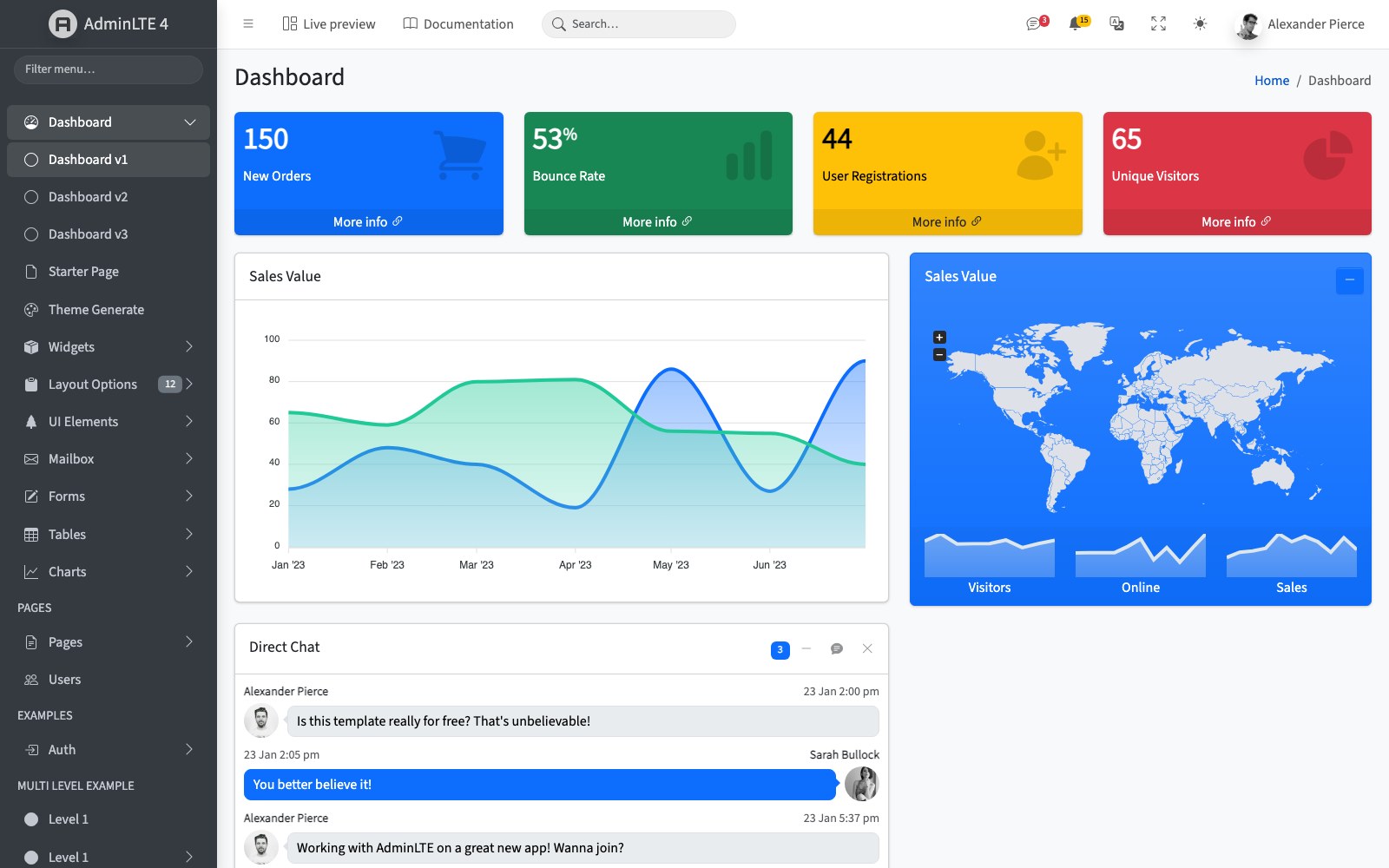
The longest-running free admin template there is, and still the reference point most others are measured against. Version 4 is a Bootstrap 5 rebuild: no jQuery, a filterable sidebar, three dashboard variants, and the deep set of UI elements, form layouts, tables and chart pages that made the original worth using.
It is the right pick when you want breadth — mailbox screens, auth pages, multi-level navigation and widget pages already built, rather than a handsome dashboard and nothing behind it. MIT licensed, maintained on GitHub by our team at AdminLTE.io.
ArchitectUI Dashboard HTML
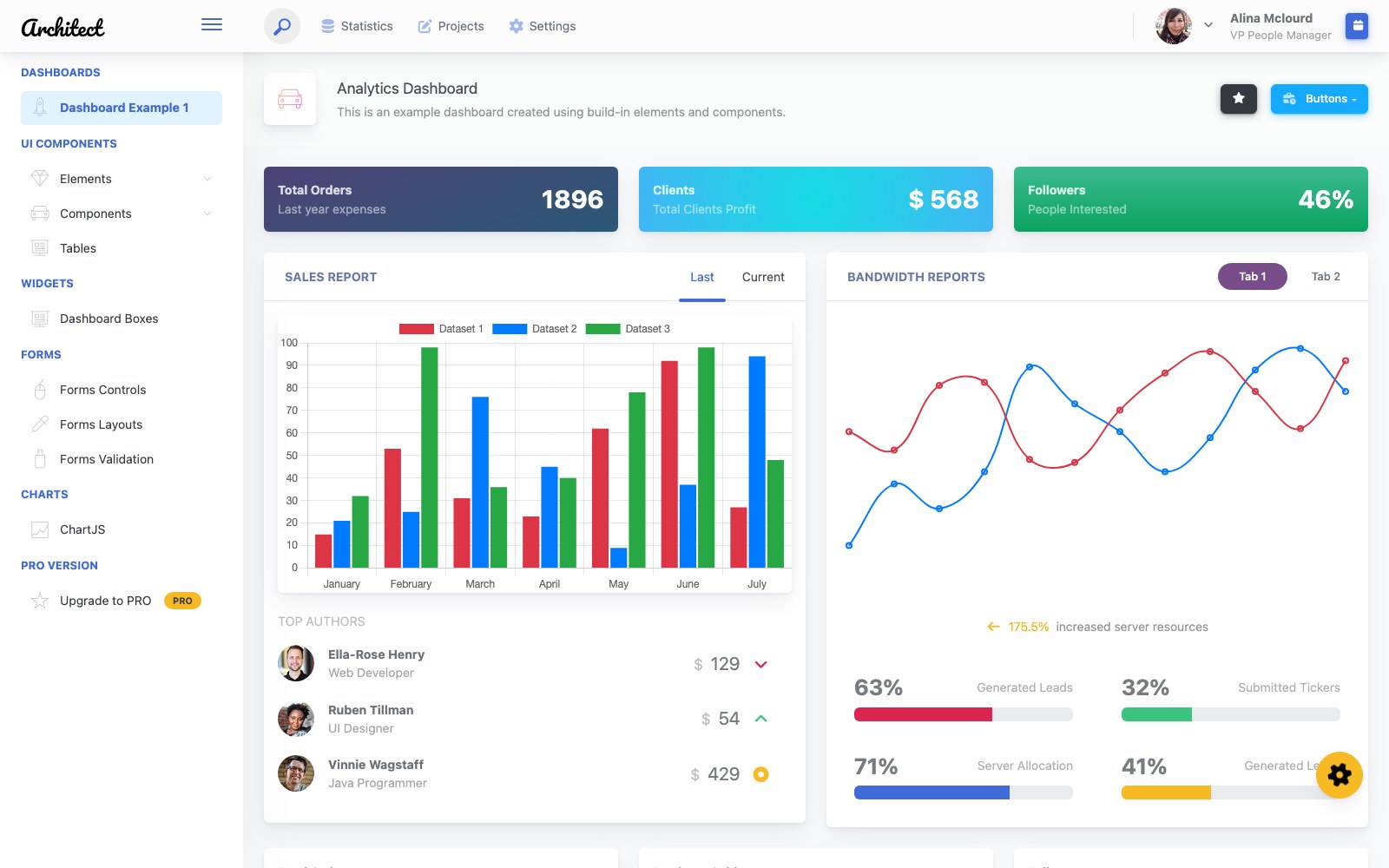
A denser, more application-like take than most free dashboards: a fixed sidebar with grouped navigation, a stacked header, and an analytics page carrying real widget variety — performance cards, an agents table with inline status pills and progress bars, a helpdesk panel and a timeline.
Plain HTML, CSS and Bootstrap, so it drops into a Blade, Django or Express view with no build step. From DashboardPack, our sister site; a paid Pro edition exists, so check which pages are in the free tier before you plan around one.
ArchitectUI Dashboard React
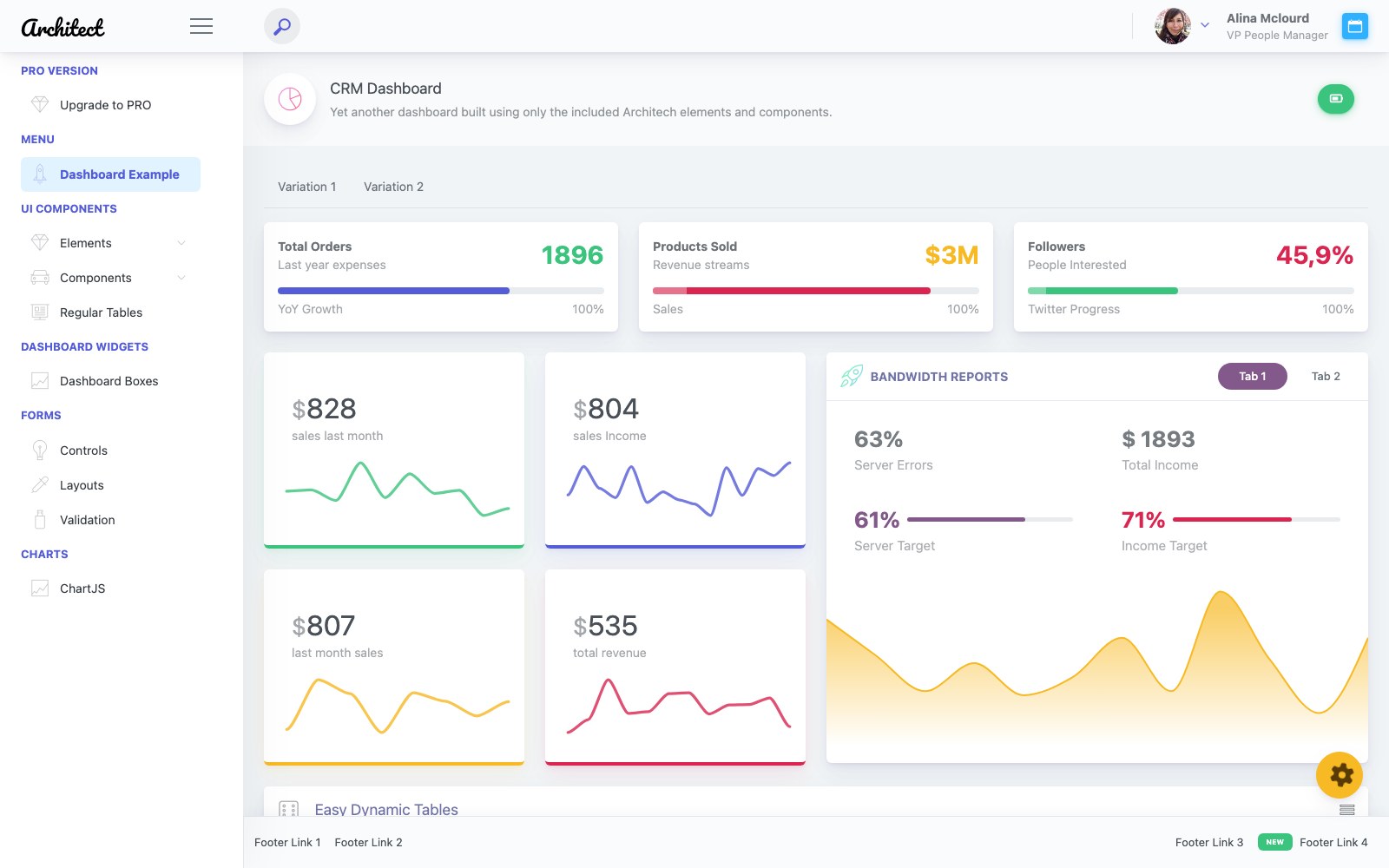
The same design system as the HTML edition, rebuilt as React components with routing already wired and a CRM dashboard as the landing view. Useful if your front end is React and you would rather start from components than convert static markup by hand.
This one does need Node and a build step, unlike the HTML edition — worth knowing if the point of choosing a free template was avoiding a toolchain. From DashboardPack.
ArchitectUI Dashboard Vue
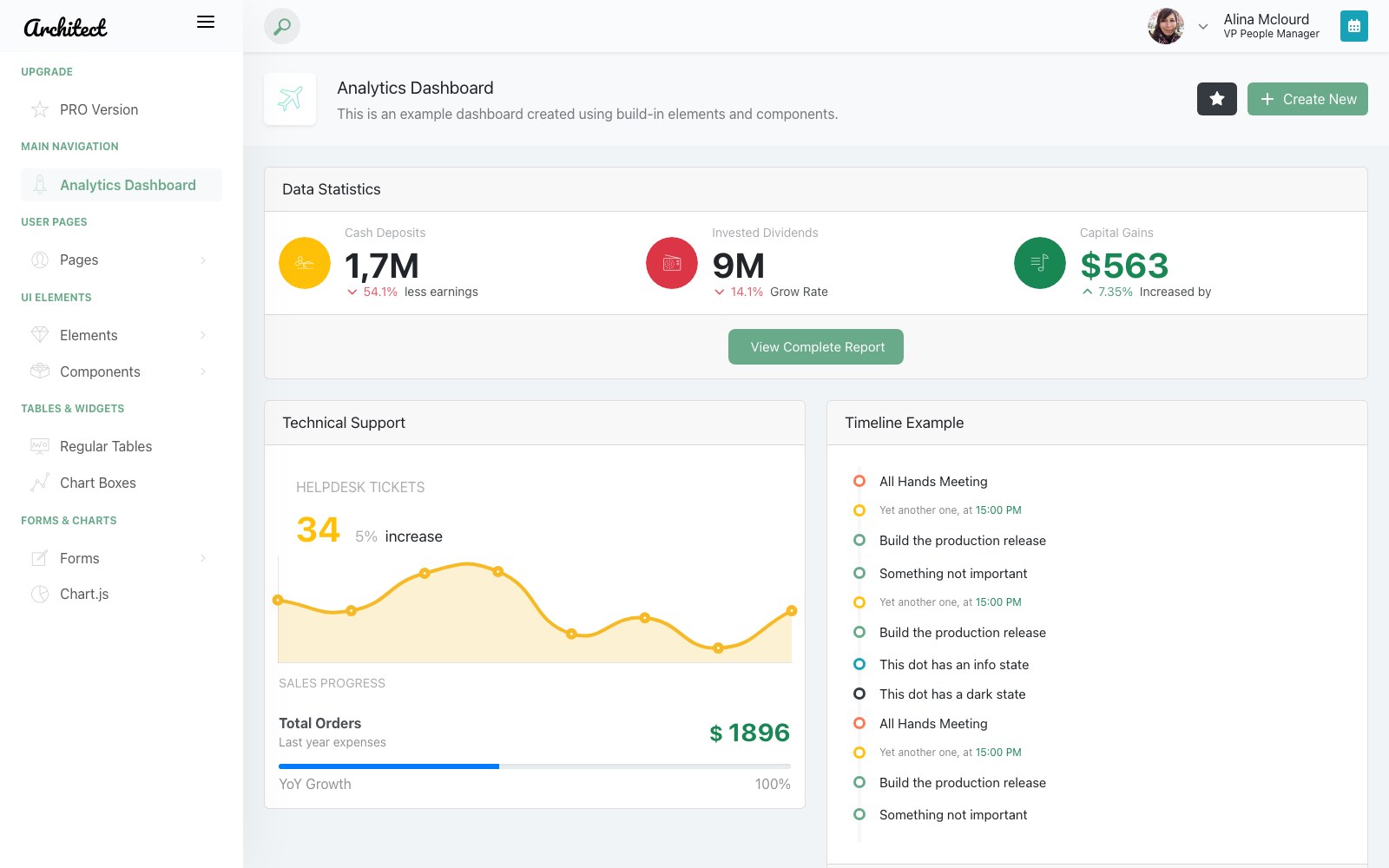
ArchitectUI as Vue single-file components, with the analytics dashboard, the sidebar navigation and the shared element library carried across so a project can move between the HTML and Vue editions without a redesign.
Pick it when the backend team wants markup they recognise and the front end is already on Vue. From DashboardPack.
ArchitectUI Dashboard Angular
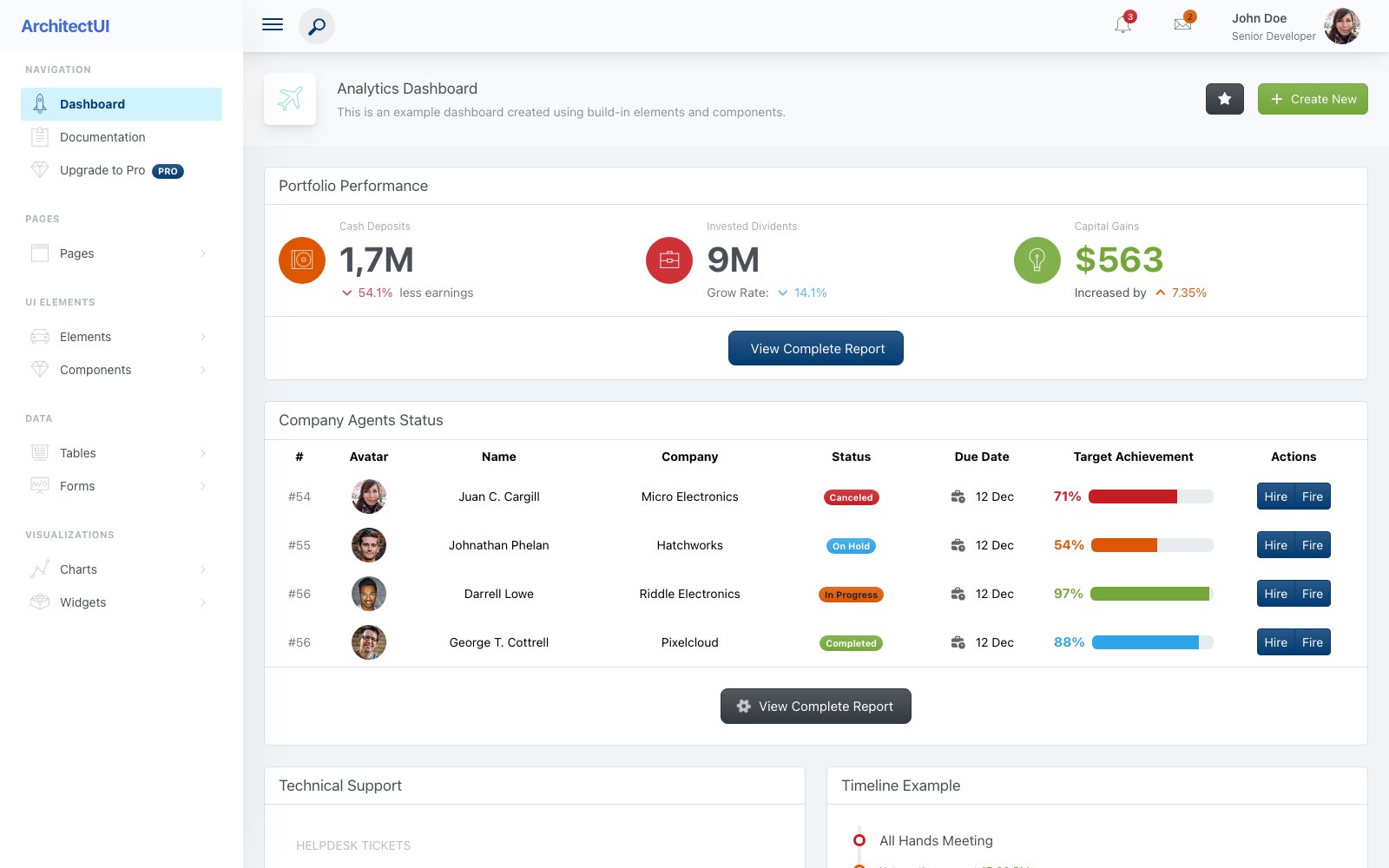
The Angular edition, kept current with recent Angular releases rather than left on whichever version it launched with — the usual failure mode for free Angular admin themes. Same analytics dashboard, tables, forms, charts and widget pages as the rest of the family.
Angular templates age faster than static ones, so an actively updated free option is worth more here than in any other stack. From DashboardPack.
How to choose
Judge an admin template by its components under load, not its screenshot. The parts that decide whether you keep or delete it are the unglamorous ones: does the data table sort, paginate and stay readable at 200 rows; do the charts redraw on resize and in dark mode; does the sidebar navigation handle nested sections and collapse without breaking the layout on mobile. Open the live demo, resize the window, toggle the theme and imagine your own messy data in every widget before you commit — a dashboard that only looks good with placeholder content is a liability the day you plug in production numbers.
Watch for two traps that are common in 'free dashboard' searches. The first is the framework lock-in: many free admin kits are really React or Vue starters that need a Node toolchain and a build step before you can change a heading. The second is the jQuery-era theme dressed up in a new thumbnail — bloated, plugin-dependent and awkward to maintain. A static, jQuery-free Bootstrap build sidesteps both. Because it's just HTML, CSS and vanilla JS, you can drop the markup straight into a Laravel Blade layout, a Django template, a Rails view or a Node/Express partial with no compile step, and your backend team can wire it up without learning the front-end's tooling first.
Once you've picked one, plan for the customization work up front. Prefer templates that theme through CSS custom properties so your brand colors are a few variable changes rather than a find-and-replace across every file, and confirm the dark mode persists via localStorage so it survives a reload. For performance, keep charts lazy — initialize them when their panel is visible rather than all at once on page load — and swap the demo's hard-coded data arrays for a small fetch to your API, which is usually the only JavaScript you need to touch. Finally, check the basics that get skipped: keyboard-navigable menus, labelled form controls and enough color contrast in both themes, since a dashboard is a tool people live in, not a page they glance at.
The three Bootstrap 6 dashboards sit alongside Console rather than replacing it. Helm is the nearest match, a general admin shell with orders, analytics and forms pages, while Console stays the choice for a stable Bootstrap 5 base with Chart.js graphs already wired. Northstar and Cadence are narrower, built for SaaS revenue reporting and a sales pipeline respectively. All three depend on a Bootstrap 6 alpha build for current browsers, so treat them as a head start on v6; AdminLTE and ArchitectUI cover other stacks.
Repflow, Registrar, Homeroom, Gradebook, Rounds and Frontdesk are industry-specific rather than general-purpose. Where Helm and Console are admin shells you adapt to any product, these arrive with a sector's screens already built: the school office, the student and parent portal and the teacher's markbook, a hospital's beds and patient records, a hotel's reservations and housekeeping, and a gym's members, classes and check-in desk. All six run on stable Bootstrap 5 with vanilla JavaScript, like Console, but draw their charts as inline SVG rather than with Chart.js.
Frequently asked questions
Are these admin templates really free for commercial projects?
Yes. Every dashboard here is free to download and free to use in commercial and client work, including internal SaaS tools and paid products. There's no separate 'pro' version withholding the components you actually need.
Do I need Node, React or a build step to use them?
No. They're static Bootstrap 5 with vanilla JavaScript, so you can edit the HTML and CSS directly and open the files in a browser. There's nothing to compile, and no framework toolchain to install first.
Are the dashboards responsive on tablets and phones?
Yes. The layouts are mobile-first Bootstrap 5, so the sidebar collapses, tables scroll and cards reflow down to small screens. Admin UIs get used on the go, so this is tested rather than assumed.
How do I connect a template to my own backend or data?
The demo widgets are driven by plain JavaScript data, so you replace the sample arrays with a fetch to your API and the charts and tables render your real values. Because the markup is framework-agnostic, it also drops cleanly into Laravel, Django, Rails or Node views as partials.
Do they include a dark mode?
Console ships a built-in light/dark theme toggle written in vanilla JavaScript, and it remembers each visitor's choice between visits via localStorage. The charts and components are styled for both modes, not just the light one. Registrar, Homeroom, Gradebook, Rounds and Frontdesk also come with light and dark themes, and Northstar, Cadence and Helm have light and dark modes too.
Will an admin template like this slow my app down?
It shouldn't. Dropping jQuery for vanilla JS removes a common dependency, and the only heavier piece is the chart library, which you can lazy-load when a panel becomes visible. Keeping the front end static also means your server does less work per request.
Related templates
Free Finance & Fintech Website Templates · Free E-commerce Website Templates · All free HTML website templates · Free IT & Software Company Website Templates · Free School Management System Templates