Every template on this page was designed and maintained in-house by uiCookies — these are our own healthcare layouts, not links to other people's work. A medical website has a harder job than most: it has to reassure an anxious visitor, prove a practice is credible, and move someone from "I have a symptom" to "I have an appointment" in as few taps as possible.
That makes the fundamentals matter more here than almost anywhere else. A good clinic site leads with a calm, uncluttered layout and an obvious way to book or call; it introduces the doctors and departments so patients know who they'll actually see; and it works flawlessly on a phone, where most symptom searches and after-hours bookings really happen. Speed and accessibility aren't optional extras either — a slow, hard-to-read page loses a patient to the next result, and healthcare audiences carry genuine accessibility expectations.
All of our medical templates are free to download and use, built on Bootstrap 5 (Meridian on the Bootstrap 6 alpha) with no jQuery, so the markup is clean, current, and easy to hand to a developer or edit yourself. Each one has a live demo you can click through and a direct download — no sign-up wall, and no build step required to get started.
The templates
Meridian
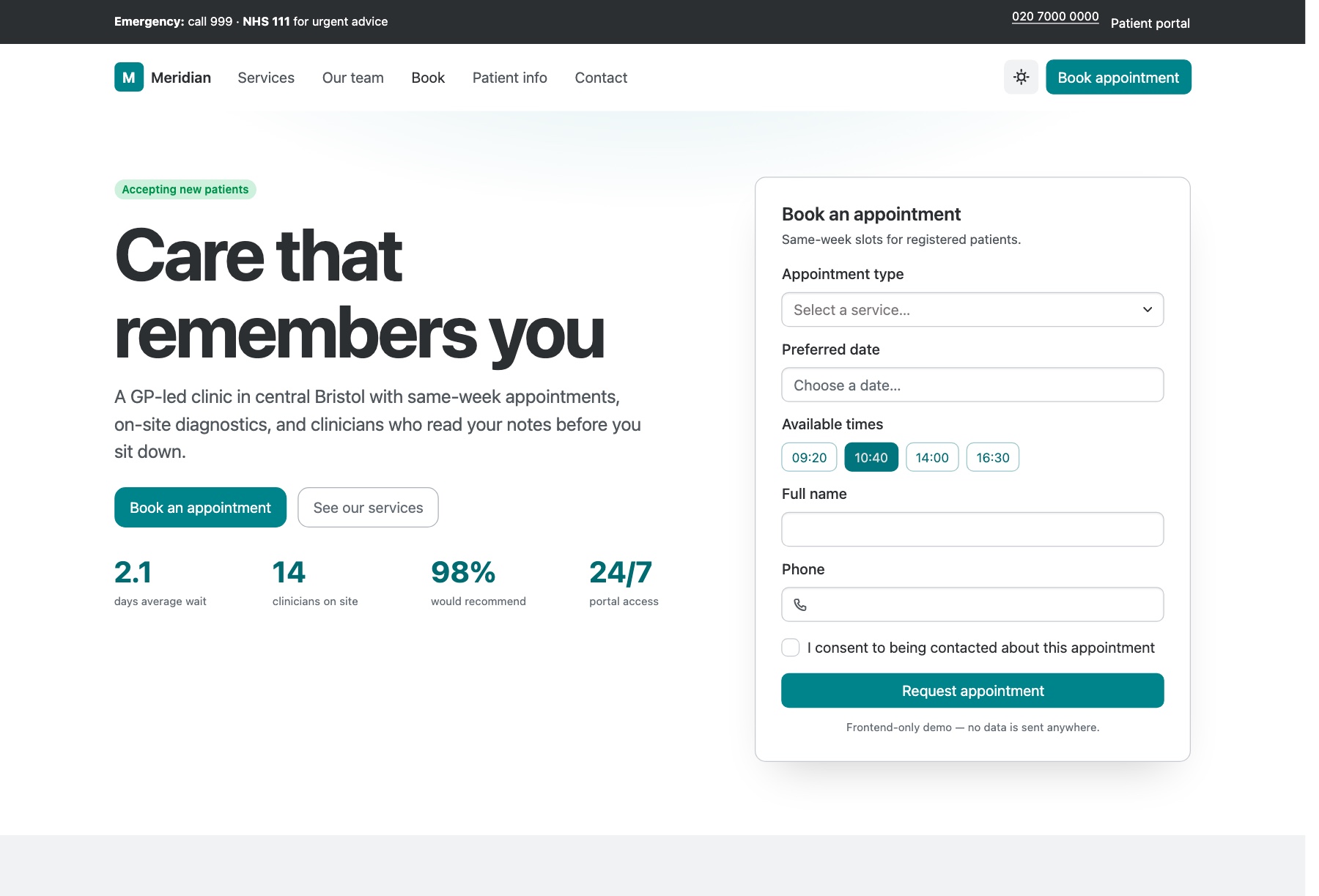
Meridian is for a GP surgery, multi-specialty clinic or private healthcare provider that wants booking, clinicians and practical information on one homepage. An emergency information bar sits above the header; below it come an inline appointment card, service cards (the demo lists general practice, cardiology, diagnostics, women's health, physiotherapy and mental health), clinician profiles tagged with their specialisms, an insurers strip, opening hours and an FAQ. A second page gives one service room to explain what to expect, the tests offered, how to prepare and what it costs, with a sticky booking rail alongside.
Booking uses a Datepicker, a searchable Combobox for the service and time-slot toggles, and a patient-portal dialog demonstrates two-factor OTP sign-in and a password strength meter. All of it is front-end only: nothing is booked, sent or stored until you connect real systems. Bootstrap 6 alpha, ESM-only vanilla JavaScript and no build step, with a remembered dark mode.
Restore
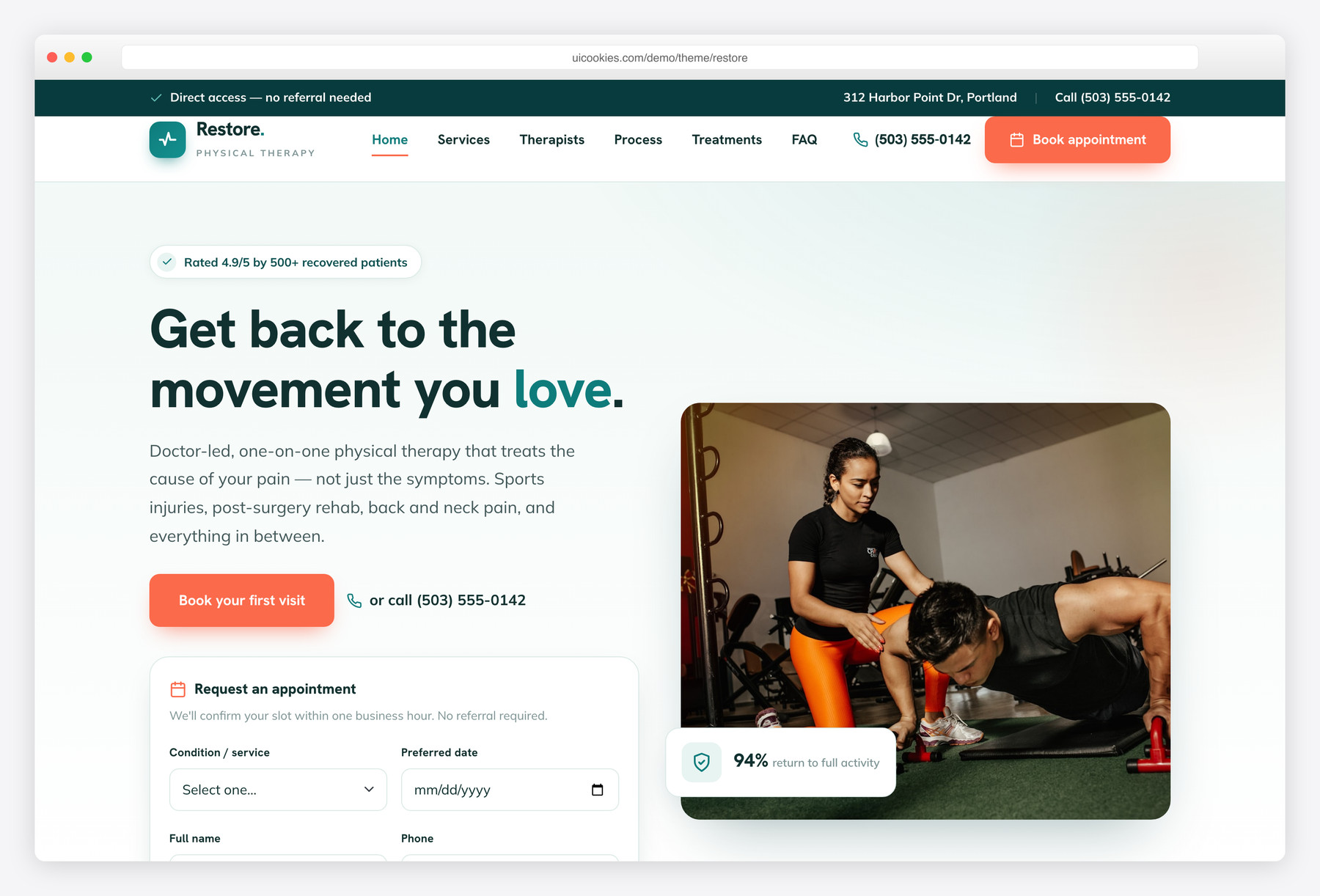
Restore is the physical-therapy specialist here — a two-page template for PT and physiotherapy clinics with an inline hero appointment form, a conditions and services grid (sports injuries, post-surgery rehab, back & neck pain, manual therapy, dry needling, performance), meet-the-therapists cards with DPT credentials, a four-step recovery-journey timeline and a full booking page.
A deep-teal-and-coral identity keeps it professional and motivating rather than clinical, and every interaction — the appointment form, count-up stats, testimonials slider and treatment filter — is vanilla JavaScript on self-hosted Bootstrap 5, no jQuery, progressively enhanced.
Pearl
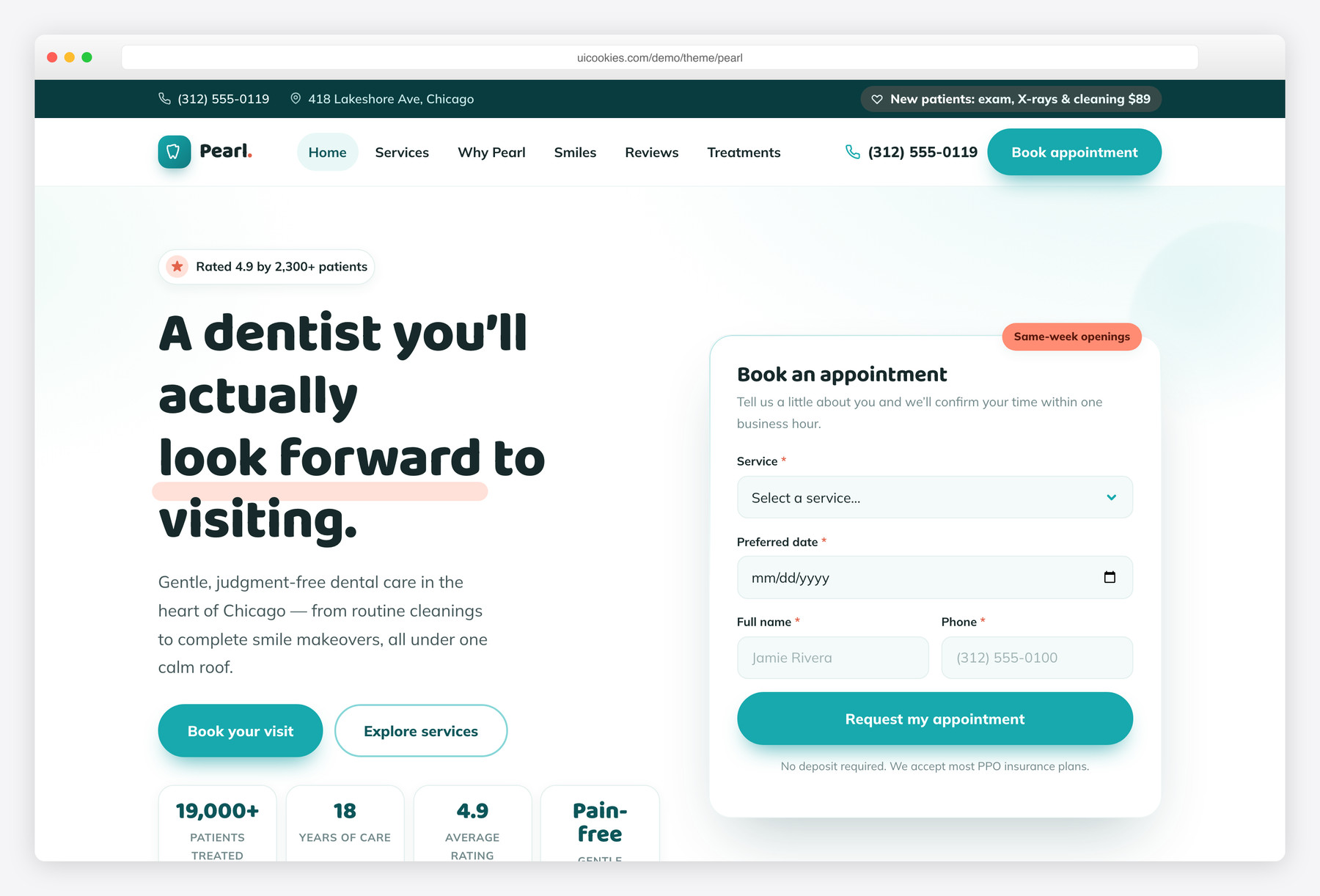
Pearl is the dental specialist in this lineup — a two-page template for dental clinics and cosmetic dentists with an inline hero appointment form, a services grid (general, cosmetic, orthodontics, implants, emergency and kids), a working before/after smile slider, a four-step "your first visit" timeline and a full booking page.
Its fresh teal-and-coral identity with soft rounded cards reads reassuring rather than clinical, and every interaction — the appointment form, count-up stats, before/after slider and testimonials — is vanilla JavaScript on self-hosted Bootstrap 5, no jQuery, progressively enhanced.
Vitals
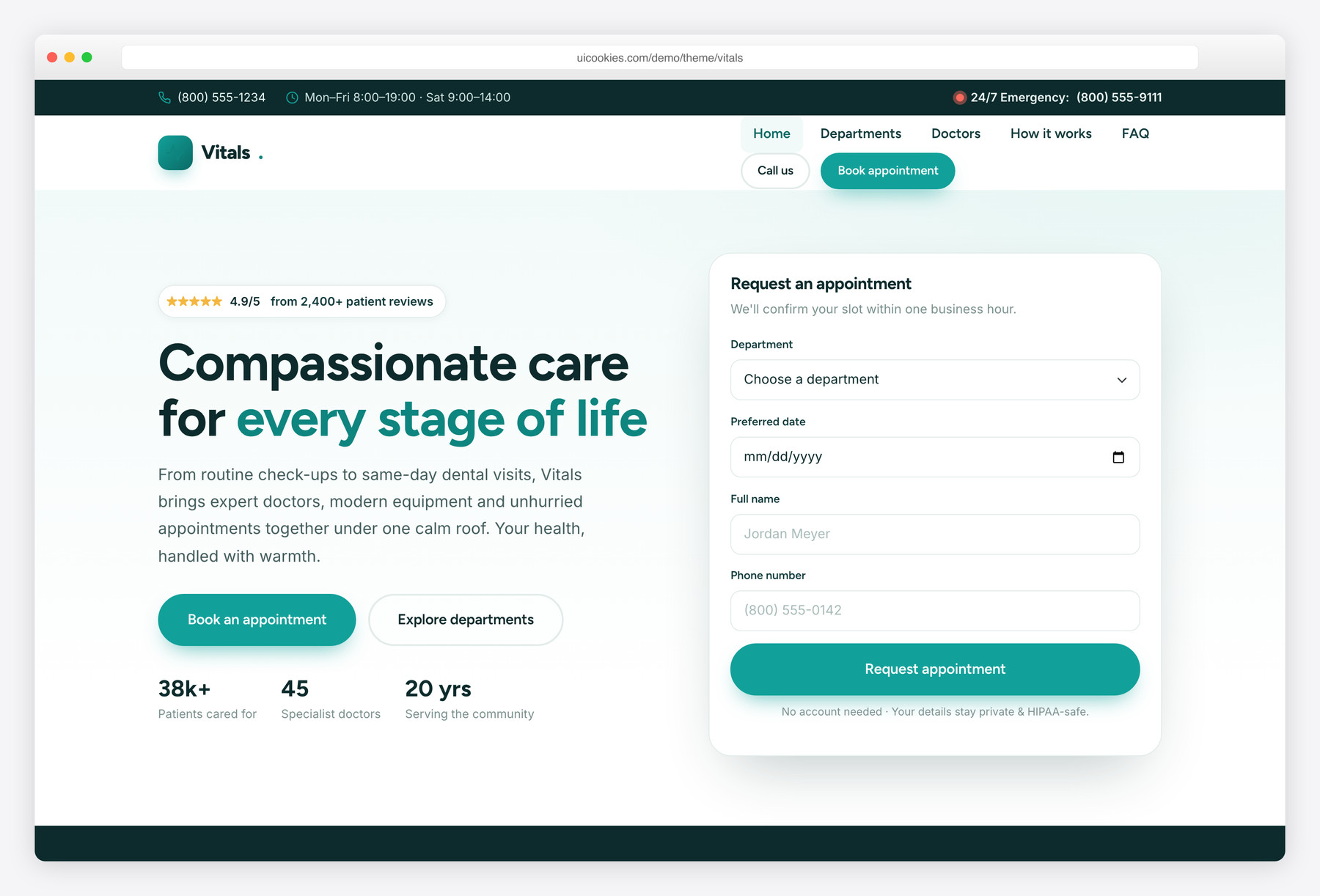
Vitals is built for clinics, doctors and dental practices: an inline hero appointment form, a departments grid, meet-the-doctors cards, a booking-steps timeline, a testimonials slider and an FAQ across a home page and a Departments page.
A calm clinical palette over self-hosted Bootstrap 5 keeps it reassuring rather than sterile, and every interaction — the appointment form, count-up stats and slider — is vanilla JavaScript with no jQuery.
Health
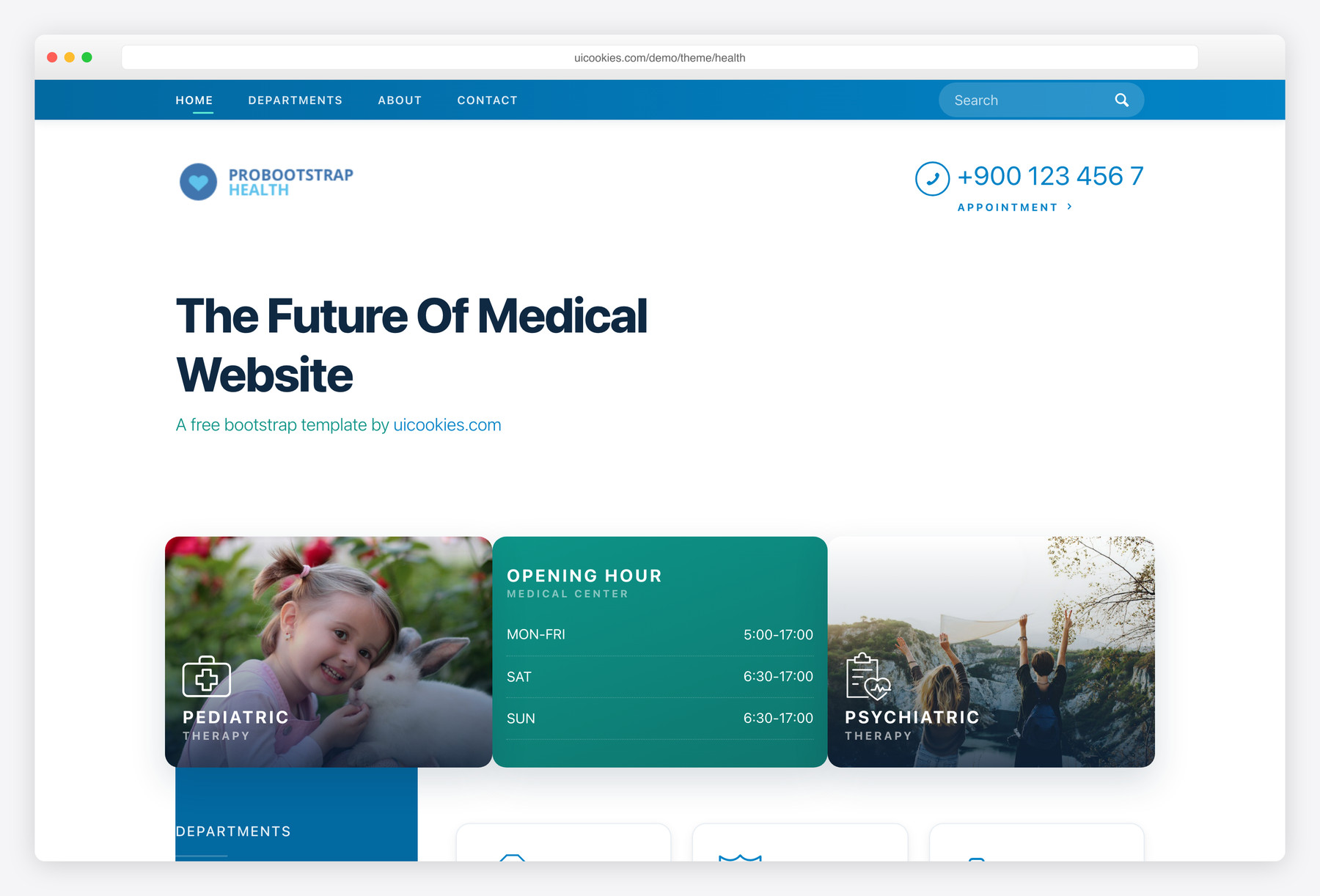
Health is our all-rounder for a working practice — the one to reach for when a clinic needs departments, doctor profiles, and an appointment section without any fuss. Its calm, reassuring layout suits family practices, dental and physio clinics, and small health services that want a professional presence patients trust on the first visit. Bootstrap 5 and jQuery-free, it’s also one of the easiest here to restructure around whatever mix of services and staff pages you offer.
Pulse
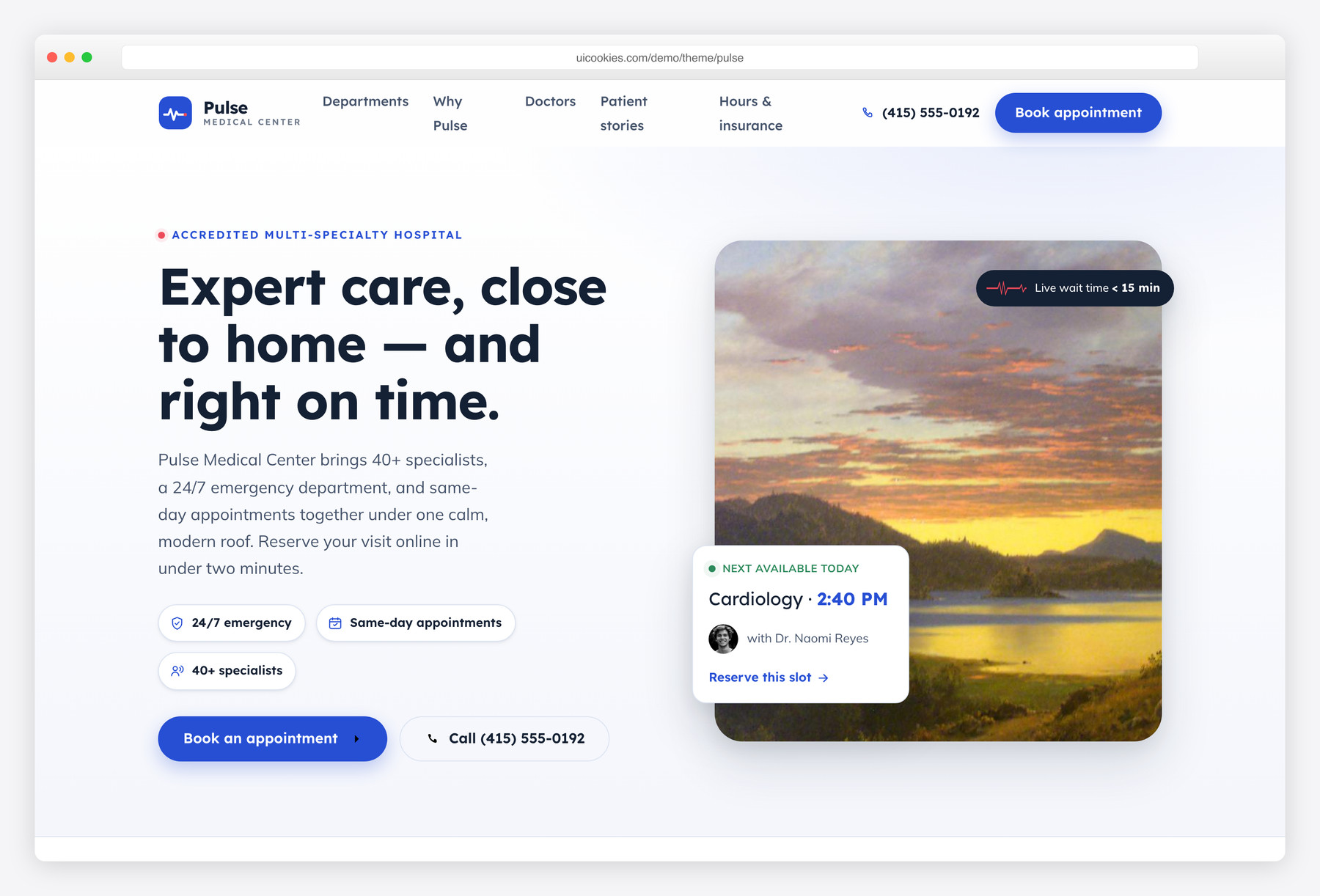
Pulse is built around booking — a bright, trust-first design for multi-specialty clinics and hospitals whose main goal is getting patients to schedule online without friction. A cobalt-indigo palette with a coral pulse accent and a subtle ECG heartbeat motif gives it clinical energy, and it's wrapped around a real appointment-booking form rather than a decorative placeholder. Self-hosted with no jQuery or icon fonts, it's the pick when online scheduling is the whole point of the site.
Remedy
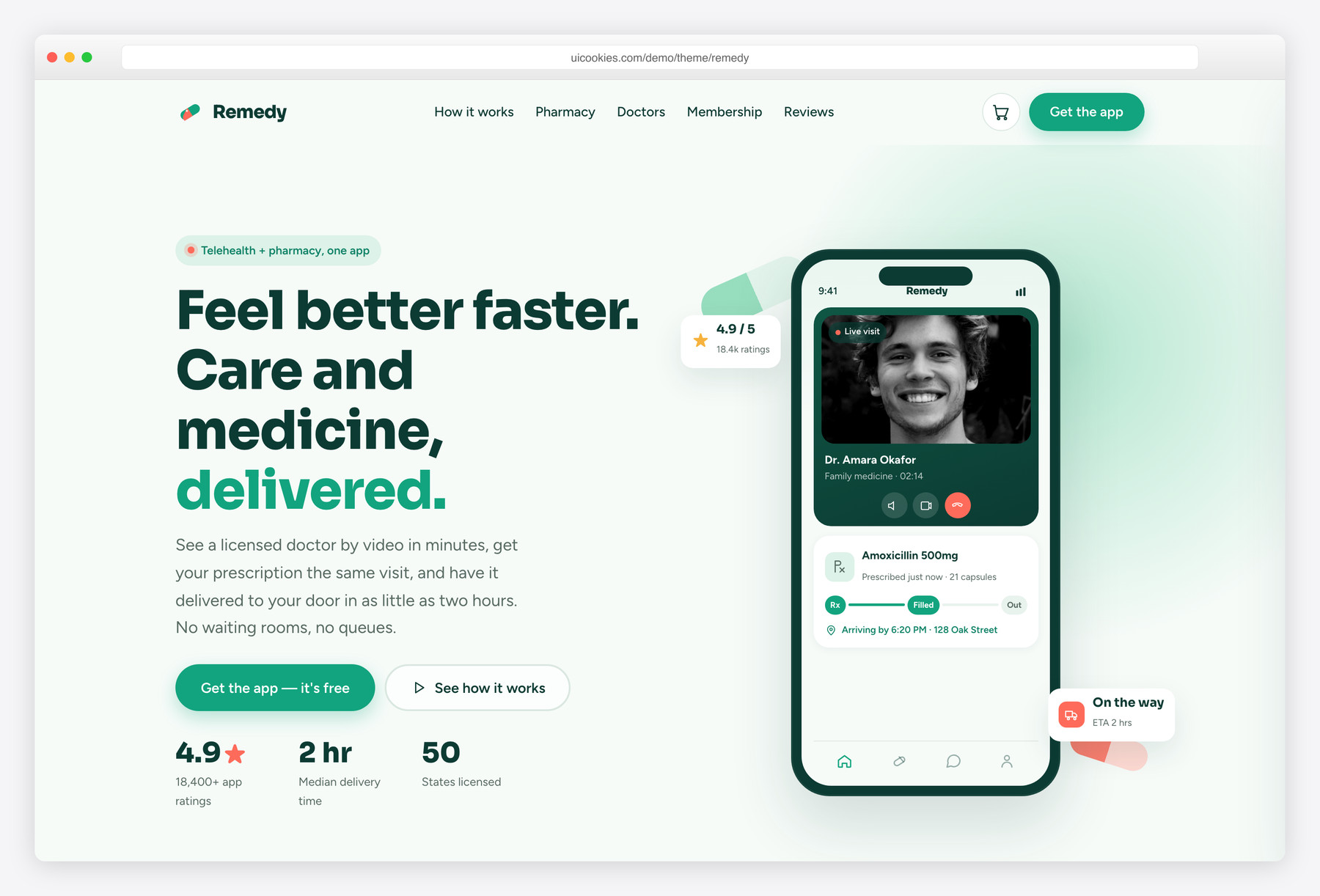
Remedy is the outlier that sells a product, not a practice — a consumer health-tech template built around a hand-crafted phone mockup and a live add-to-basket pharmacy, so it reads like a shippable app rather than a brochure. Its fresh remedy-green and warm coral break deliberately from clinical blues, making it right for a health app, DTC supplement brand, or online pharmacy. Bootstrap 5 with zero jQuery, it's the one to choose when a visitor is meant to buy or download something.
Rounds
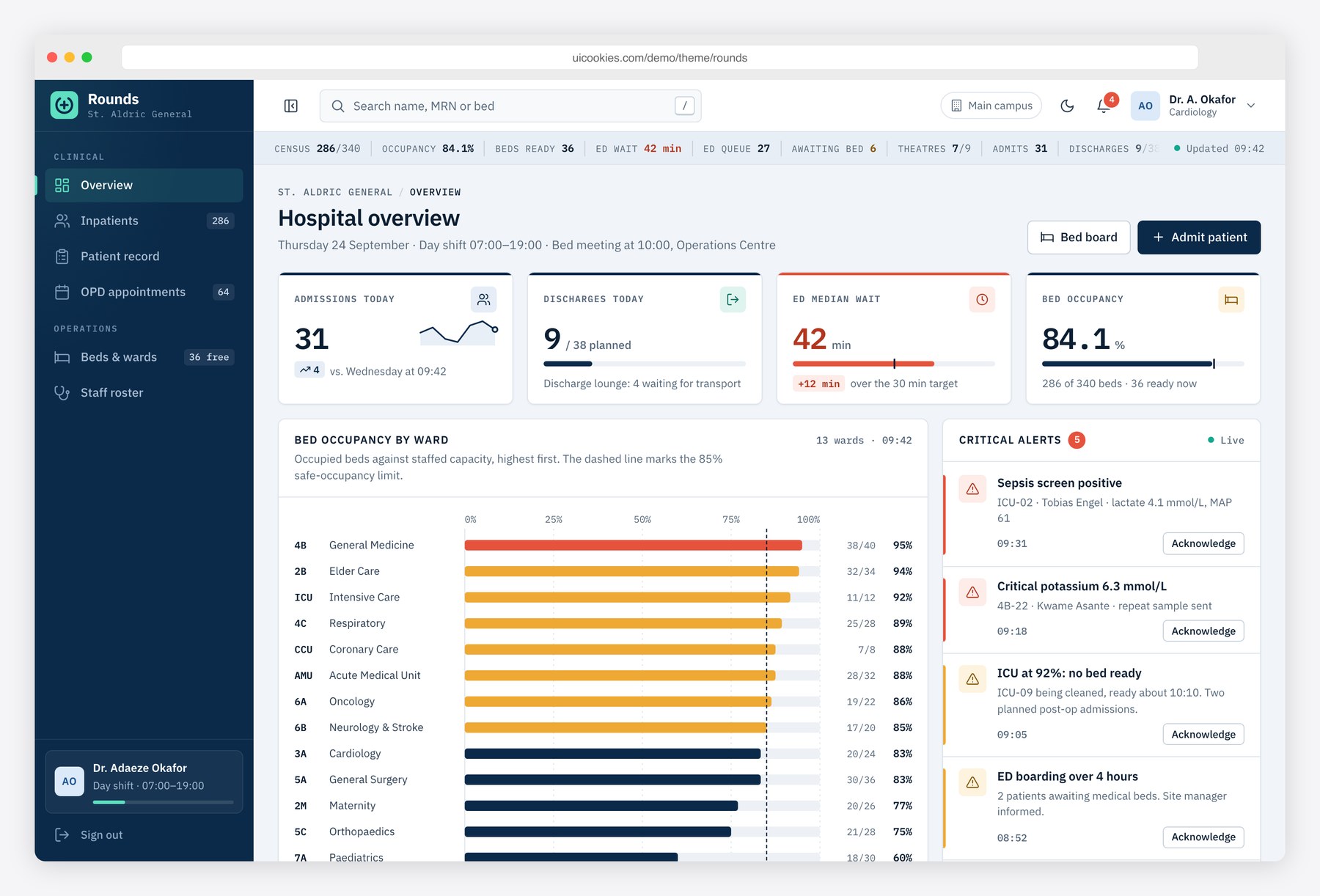
Rounds is not a clinic website but the staff side that sits behind one: a hospital management system template for a hospital or clinic whose public site already exists, whether it started from one of the templates above or not. Its seven pages follow the working day: an overview with bed occupancy by ward, patient flow, emergency department status, critical alerts and staff on duty; an inpatient list with an admit-patient form; a patient record with allergies, medications, lab results and clinical notes; an OPD appointment board; a ward bed map; a weekly staff roster; and a sign-in page.
Colour carries meaning, with coral for critical alerts and allergies, amber for warnings and teal for free beds. The appointment board checks slot availability before booking and the bed map can assign a bed or mark it clean, but every form only updates the page; nothing is saved, and all patient records are fictional. Bootstrap 5, vanilla JavaScript, no jQuery, SVG charts with data-table fallbacks.
Compare at a glance
| Template | Best for | Layout | Standout feature |
|---|---|---|---|
| Meridian | GP surgeries & multi-specialty clinics | Clinic homepage + service detail page with costs | Inline Datepicker booking + patient-portal sign-in demo |
| Restore | Physical therapy & physiotherapy clinics | Two pages: hero appointment form, conditions grid + booking page | Four-step recovery-journey timeline + treatment filter |
| Pearl | Dental clinics & cosmetic dentists | Two pages: hero appointment form, services grid + booking page | Working before/after smile slider |
| Vitals | Clinics, doctors & dental practices | Home + Departments page with hero appointment form | Booking-steps timeline + meet-the-doctors cards |
| Health | Clinics & private practices | Departments, doctor profiles, appointment sections | Calm, reassuring, easy to restructure |
| Pulse | Multi-specialty clinics & hospitals | Booking-led, built around a real appointment form | ECG motif + friction-free online scheduling |
| Remedy | Health apps & online pharmacies | Product landing with phone mockup + live shop | Add-to-basket flow, non-clinical green palette |
| Rounds | Hospital & clinic staff (back office) | Seven-page admin dashboard | Ward bed map + patient record with vitals chart |
How to choose
Start by being honest about what the site has to sell. If you run a clinic or practice and the win is a booked appointment or a phone call, Health or Pulse will fit — choose Pulse when online scheduling is the primary conversion and you want the booking form front and centre, and Health when you need a fuller site with departments and doctor bios where booking is one goal among several. If you're marketing an app, a supplement, or an online pharmacy, Remedy's product-led layout will do far more for you than a clinic template ever could.
Whichever you pick, plan the appointment flow before you launch. The forms in these templates are front-end only — they don't process bookings or store data on their own — so wire them to a scheduling service like Calendly, SimplyBook, or Acuity, or into your practice-management system. Never collect symptoms, insurance numbers, or other patient details through a plain form that just emails itself: that's both a privacy risk and, in many regions, a compliance problem. Keep real phone numbers as tap-to-call links, put hours and location where a rushed visitor finds them without scrolling, and don't strip out the accessibility basics — legible contrast, visible focus styles, and alt text on staff photos — because healthcare audiences skew toward people who need them.
On the practical side, these are static Bootstrap 5 files, so you can host them almost anywhere — Netlify, Cloudflare Pages, or a folder on shared hosting — and edit the HTML directly with no build step or Node install required. Swap the placeholder doctor and facility photos for real ones early, since stock medical imagery reads as generic and quietly erodes trust, and compress those images so the page stays fast on the kind of mobile connection a patient uses in a waiting room. If you later move onto WordPress or another CMS, the clean, jQuery-free markup ports over without a fight — the layout logic isn't tangled up in a framework you'd have to unpick first.
Meridian sits with Vitals and Health among the general clinic templates. Choose it when each service needs its own page with preparation notes and published costs, or when you want to show patients what a portal sign-in will look like. Restore and Pearl remain the specialist picks for physiotherapy and dentistry, and Pulse for booking-first clinics. Meridian runs on the Bootstrap 6 alpha and targets only recent browsers (Safari 16.4+, Chrome 111+, Firefox 113+), so Vitals or Health are steadier for a site you must maintain today.
Rounds meets a different need from everything above. Meridian, Vitals, Health and the rest are what patients see; Rounds is what ward and outpatient staff would work in behind them, with an inpatient list, patient records, a bed map, an OPD board and a shift roster. Choose it when you are prototyping a hospital management system, or offering a clinic an admin panel alongside its public site. Like the booking forms on the clinic templates, it stores nothing until connected to a backend, and every demo record is fictional.
Frequently asked questions
Are these medical templates really free to use commercially?
Yes — every uiCookies medical template is free to download and use, including on paid client and commercial projects like real clinic and health-product sites. Attribution is optional but always welcome, and the full terms are at uicookies.com/license.
Do the appointment and contact forms actually book patients?
The forms are front-end markup only; they don't process or store bookings by themselves. Connect them to a scheduling tool or your practice-management backend, and avoid collecting sensitive patient data through an unsecured form.
Are the templates mobile responsive?
Yes. They're built mobile-first on Bootstrap 5's responsive grid, which matters here because most symptom searches and after-hours bookings happen on a phone rather than a desktop.
Can I edit them without a build step or special tooling?
Yes — they're plain HTML, CSS, and vanilla JavaScript, so you can open the files and change text, images, and colours directly. No jQuery, Node, or compiler is needed to get a site live.
Will these work with WordPress or another CMS?
They ship as static files rather than a WordPress theme, but the clean Bootstrap 5 markup is straightforward to convert into a theme or drop into a CMS. Many teams launch on the static version first and port it later.
Are they fast and accessible enough for a healthcare site?
The markup is lightweight and jQuery-free, so pages load quickly once you compress your own images. Accessibility fundamentals like readable contrast and keyboard focus are already in place — keep them intact and add descriptive alt text as you swap in real content.
Related templates
Free Sports & Fitness Website Templates · Free School & Education Website Templates · All free HTML website templates · Free Pet & Animal Website Templates