
Remedy — Free Telehealth & Online Pharmacy Website Template
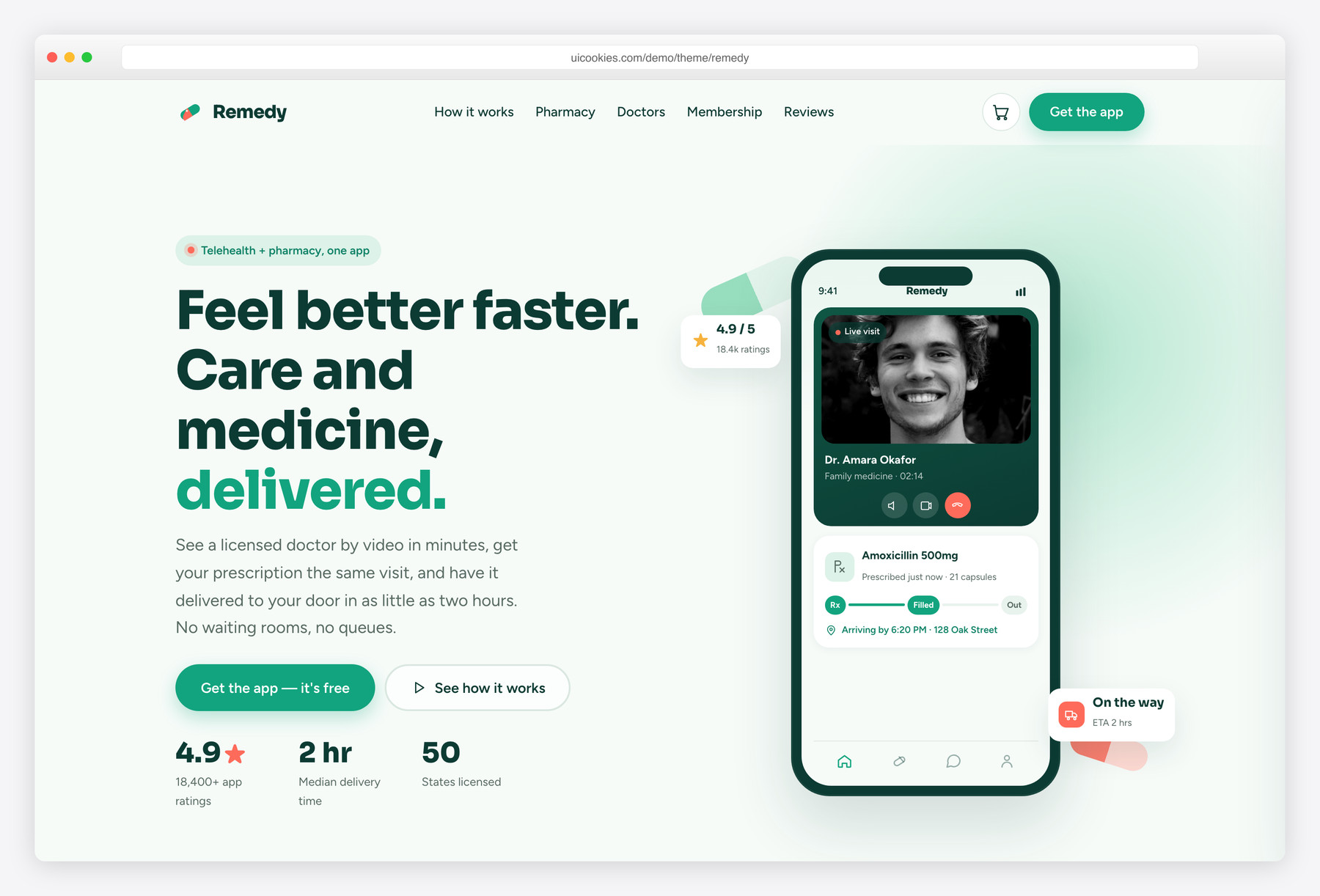
Remedy is a free single-page Bootstrap 5 template for a consumer health-tech brand — a telehealth app paired with an online pharmacy. What sets it apart is a hand-drawn CSS/SVG phone mockup and a live "add to basket" pharmacy, so the whole page behaves like a real product instead of a brochure, with zero stock photos to source.
Key features
- Signature CSS/SVG phone mockup with live video-visit and prescription tracker
- Working mini-cart: Add buttons update basket count, subtotal, list and toast
- Doctors-on-demand grid with one-tap specialty filter and "available now" pills
- Six CSS-illustrated pharmacy packshots — no stock photography needed
- Membership pricing with a monthly/annual switch that recalculates every plan
- Three-step consult, prescription, delivery flow with a connecting dotted rail
- Autoplaying, swipe- and keyboard-friendly testimonial slider with dot navigation
- Download-app section: app-store badges, QR facade and validated capture form
- Skip link, semantic landmarks, ARIA, focus rings and reduced-motion support
Best for
- Telehealth and virtual-care apps
- Online pharmacies and prescription-delivery services
- Wellness and health-tech startups
- A consumer product landing page, not a clinic brochure
- Client projects that want a photo-free medical site
At a glance
- Framework: Bootstrap 5
- License: Free for personal and commercial use
- Pages: 1
- Responsive: Yes
- Style: Friendly health-tech — remedy-green + coral on green-white, Sora + Figtree, capsule motif

How to use it
Download the ZIP, unzip it, and open index.html — no build step, nothing to install. Edit the text and images, point any forms at your backend or a form service, and deploy the folder to any static host. Colours and fonts live in css/style.css; the interactions are in js/main.js.
Frequently asked questions
Is Remedy free for commercial projects?
Yes. It is free for both personal and commercial use, so you can launch a real telehealth service, online pharmacy, wellness app, or client project at no cost. There is no purchase, license key, or sign-up required. A credit link back to uiCookies is appreciated but not required.
Can I edit it without coding skills or a build tool?
Mostly. It is a single HTML page with self-hosted Bootstrap 5 and hand-written vanilla JavaScript — no build step, no Sass to compile, and no npm install. Swapping text, links, and images is straightforward in any code editor, and you just refresh the browser to see changes. Reworking the interactive parts like the cart or filter does take some HTML/JS comfort.
How do I change the colours and fonts?
The remedy-green and coral palette is defined as CSS custom properties (variables) near the top of the stylesheet, so you rebrand by editing those values in one place. The fonts are Sora for headings and Figtree for body text, loaded from Google Fonts — change the font <link> and the matching font-family variables to use your own. Google Fonts is the only thing the page loads from a CDN.
Is it responsive and mobile-friendly?
Yes. It is mobile-first and built on the Bootstrap 5 grid, so it reflows cleanly from phone to desktop. The navigation collapses into a hand-written vanilla-JS mobile menu, and the testimonial slider responds to swipe gestures on touch screens. The phone mockup and pharmacy cart work the same on small screens.
Which browsers does it support?
It works in all modern evergreen browsers, including current Chrome, Firefox, Safari, and Edge. The design leans on CSS custom properties and CSS/SVG illustrations, which those browsers handle natively. It also ships full prefers-reduced-motion support, so animations quiet down for visitors who ask their OS to reduce motion.
Can I connect the cart and app form to a real backend?
Yes, though the template itself is a static front-end with no backend or payment processing built in. The mini-cart keeps its state in plain JavaScript, so you can read that and post it to your own checkout. The "text me the link" app form validates on the front end, then you wire its action attribute to a service like Twilio, Mailchimp, or your own endpoint. Real payments and SMS are not included out of the box.
Why are the products and phone drawn in CSS instead of using photos?
Real health-tech brands tend to render clean product tiles rather than lean on stock photography, and this template follows that look. The phone mockup, the six pharmacy packshots, and the app screens are all pure CSS and SVG, so there are no heavy image files to load or swap. That keeps the page fast, visually consistent, and free of image-licensing headaches.
What does the phone mockup and pharmacy cart actually do?
The hand-crafted phone mockup shows a live video-visit screen alongside a real-time prescription tracker, so the hero reads like a working app. The pharmacy below it is a real mini-cart: every Add button updates the header basket count, subtotal, and item list, and fires a confirmation toast. The doctors grid adds a one-tap specialty filter with live availability pills, so the whole page demos like a product rather than a brochure.