
Every storefront on this page was designed and maintained in-house by uiCookies. This is our own work, not a roundup of other people's themes scraped off the web. We build e-commerce templates because a shop is the hardest kind of site to fake: a pretty hero and a grid of product cards look finished in a screenshot but fall apart the moment you need a real product page, a variant picker that responds, or a buy path a shopper can actually follow.
For the checkout itself, our shopping cart and checkout pack has cart pages, drawers, order summaries and one-page or multi-step checkouts whose totals add up, each in CSS, Bootstrap 5 and Tailwind 4.
Adding a shop section to a site you already have? Our product cards come with swatches, quick view and quantity steppers, each in CSS, Bootstrap 5 and Tailwind 4.
A good online store lives or dies on the product-detail page, the one screen where a browser decides to buy. That means a gallery that shows the item properly, colour and size selectors that work, an obvious add-to-cart, and honest detail like specs, reviews and comparisons. It also means fast, image-heavy pages that stay quick on a phone, since most storefront traffic is mobile. Each template below is built around that reality instead of stopping at a landing mockup.
All of them are free to download and use, built on Bootstrap 5 (Commerce on the Bootstrap 6 alpha) with plain vanilla JavaScript and no jQuery, so there is no build step to fight. Every one ships with a live demo you can click through and a direct download. Pick the shape that matches your catalog and wire it to the cart or checkout of your choice.
The templates
Folio
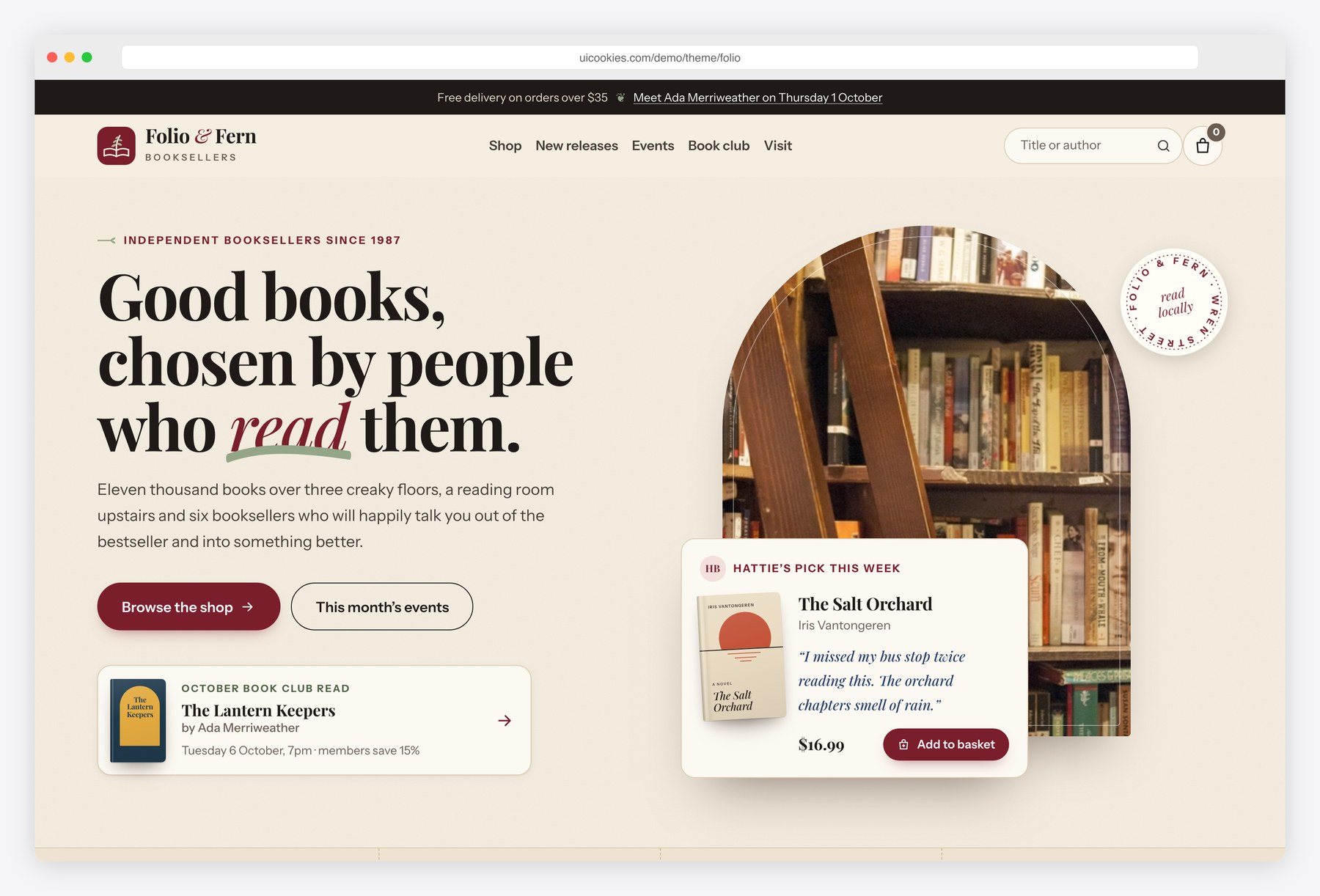
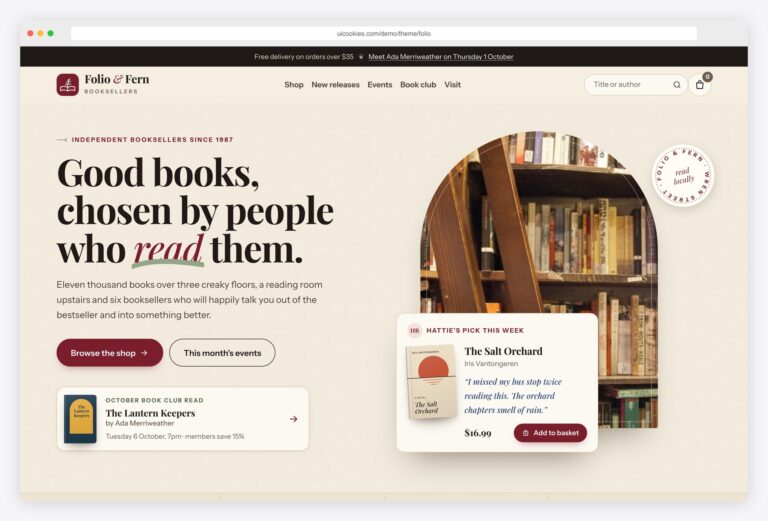
Folio applies the storefront pattern to an independent bookshop, shown in the demo as the fictional Folio & Fern Booksellers. It has three pages. The shop lists 30 titles and narrows them by genre, format, price range, stock and staff picks, with sort, search and removable filter chips. The book page adds a format picker, quantity stepper, synopsis, a details table with ISBN and publisher, a review summary and related titles. The home page carries the local side of the business: a new-releases shelf, staff picks, author events, a book club and opening hours beside a map. Small presses selling direct can use it too.
Every cover is built in HTML and CSS from the book data in js/main.js, so adding a title needs no image file. The basket opens as a drawer with quantity controls, a subtotal and a free-delivery progress bar, and it survives reloads via localStorage. Checkout takes no payment, and the event and newsletter forms only validate in the browser. Bootstrap 5, vanilla JavaScript, no jQuery.
Commerce
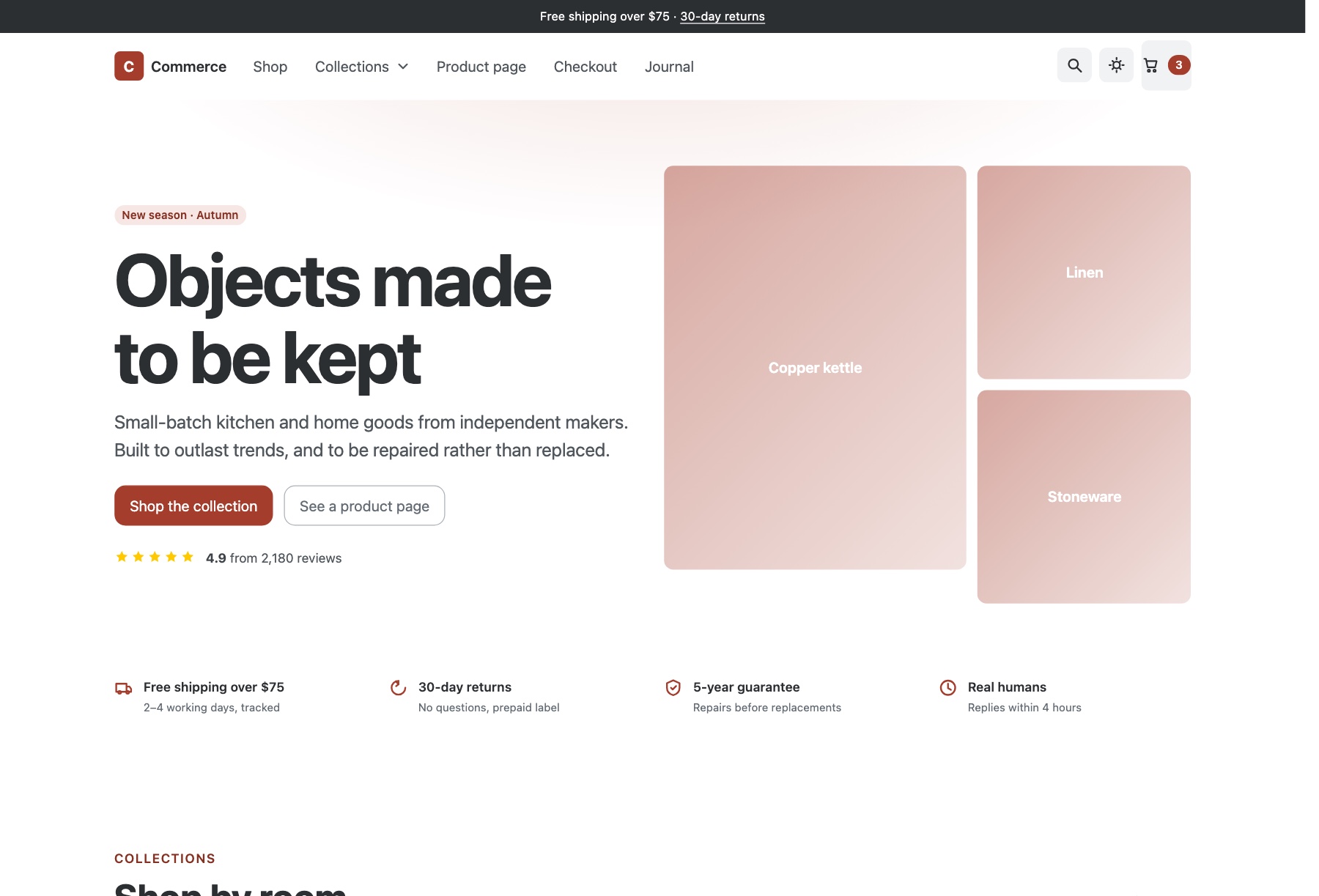
Commerce covers the full buying journey in three pages, which suits small-batch and direct-to-consumer shops that want the checkout designed as carefully as the storefront. The demo is stocked like a homeware brand: shop-by-room tiles, an in-stock grid you can sort and filter by category, price, material and availability, reviews, a care-and-repair journal strip and a newsletter. The product page has gallery thumbnails, variant options, a quantity stepper, tabbed details, a what's-in-the-box list and matching items, and checkout runs through delivery, payment and confirmation beside an order summary.
The filters use Bootstrap 6's new Combobox, a Range slider with a value bubble and Chip input; checkout is driven by the new Stepper, with an OTP step for payment verification. Cart and search open in native dialog drawers, and dark mode is remembered. Bootstrap 6 is still in alpha and vendored here at a pinned commit, with vanilla JavaScript. Taking real payments still needs a checkout provider.
Fleur
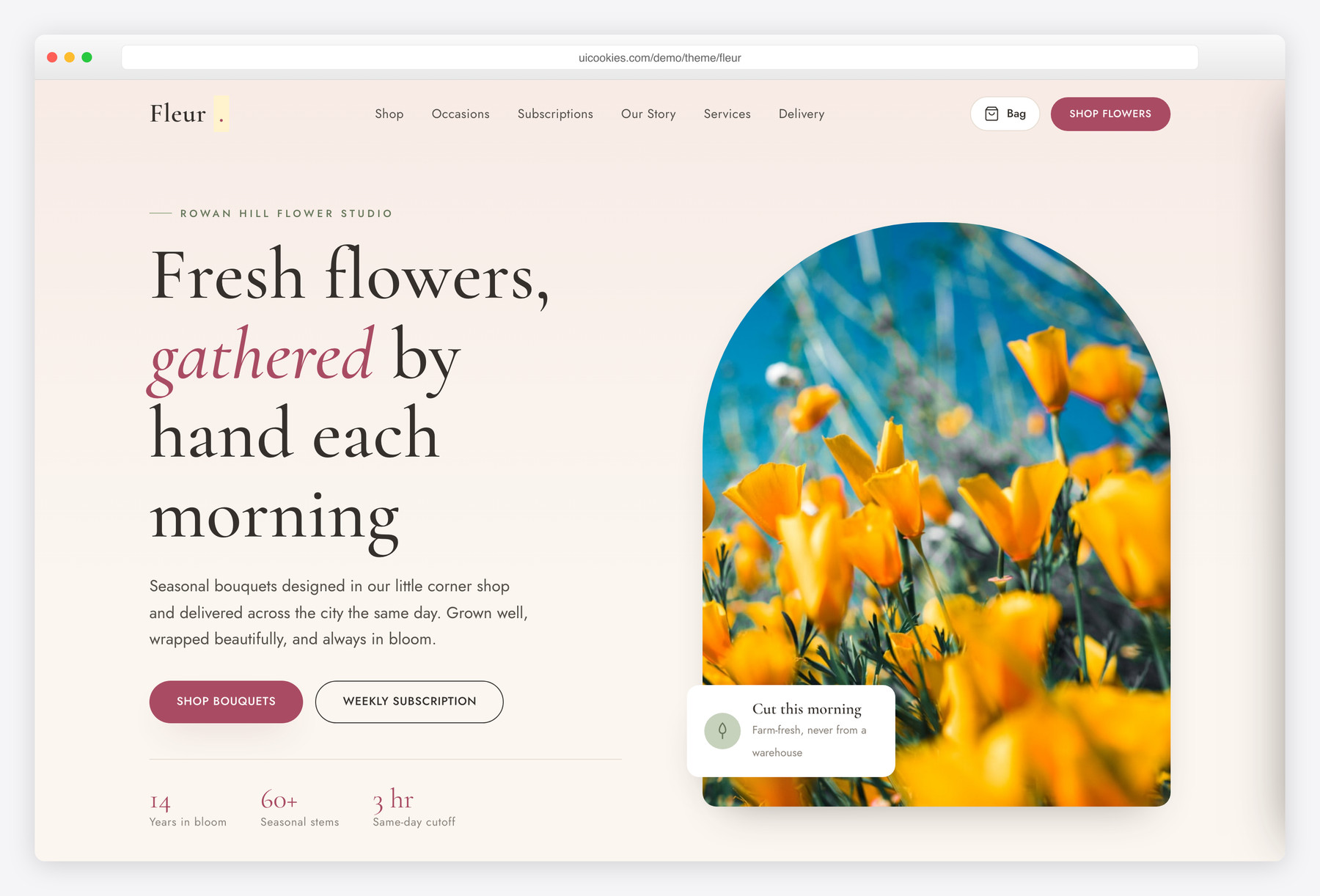
Fleur is a florist's storefront, pairing an editorial homepage with a filterable bouquet shop for independent florists, flower studios and delivery or subscription services. The homepage offers six shop-by-occasion tiles from birthday to sympathy, a featured-bouquets grid with a one-click occasion filter, a three-tier weekly subscription band, the studio's story, services for weddings, same-day delivery and corporate clients, a gallery, reviews, delivery areas and a newsletter. The shop page lists fourteen bouquets beside a sidebar of filters.
Filters for occasion, colour and price update a live result count alongside a sort control, and slide in as a panel on phones. The cart drawer handles quantities and a running subtotal that persists across page loads, with checkout left as a placeholder for Stripe, Snipcart or WooCommerce. Cream, blush, sage and dusty rose in Cormorant Garamond and Jost. Self-hosted Bootstrap 5, vanilla JavaScript, no jQuery.
Emporium
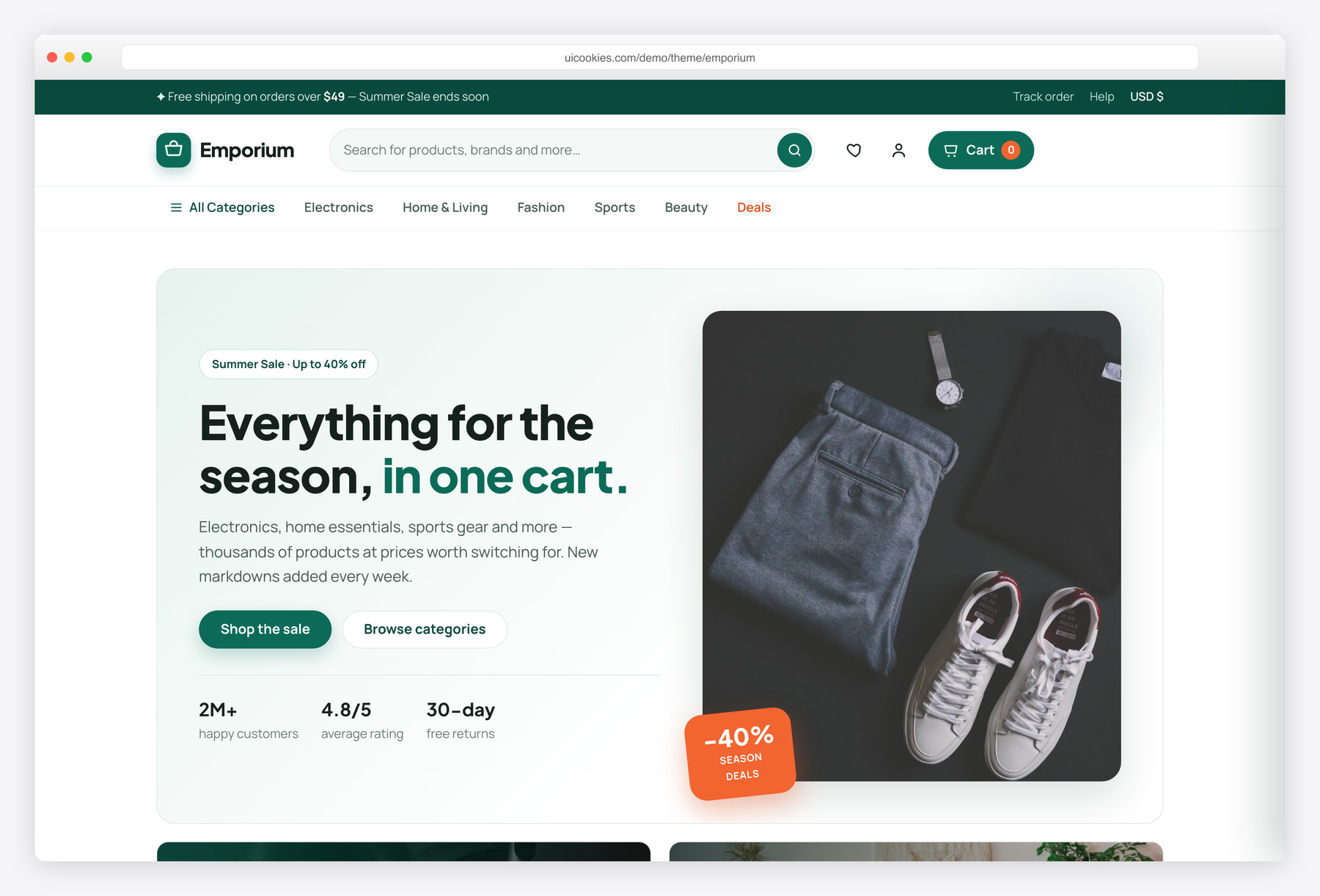
Emporium is a broad multi-category storefront — electronics, home, fashion, sports, beauty and deals — with a full product-detail page (gallery, variant options, quantity stepper and Description/Specs/Reviews tabs) and a slide-in cart drawer, all in vanilla JavaScript.
Its deep-emerald-and-coral identity reads like a mainstream marketplace rather than a single boutique. Instant category filtering, a live deal countdown and a best-sellers rail round it out. Free, Bootstrap 5, no jQuery.
Vesta
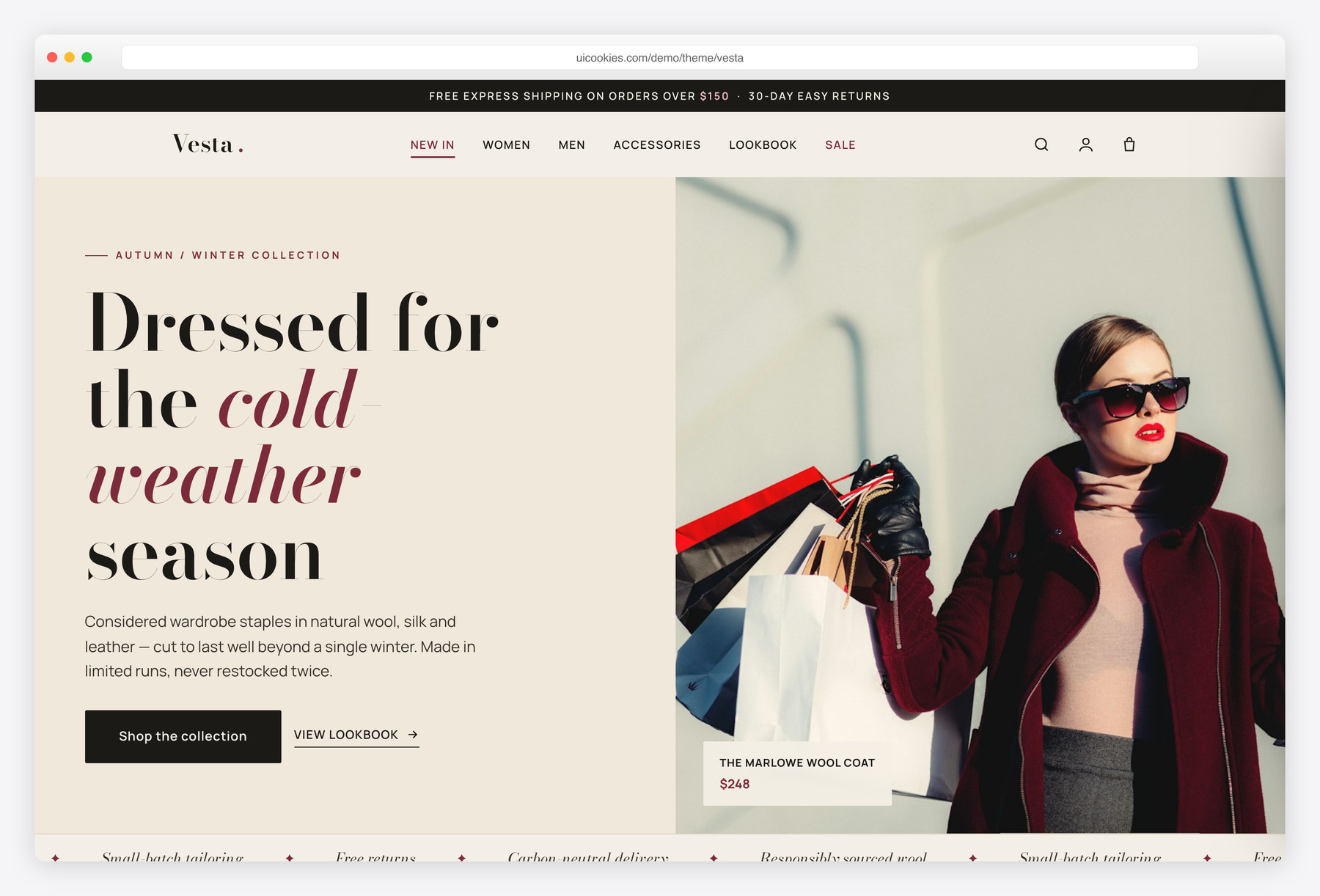
Vesta is a premium fashion storefront with a complete product-detail page — thumbnail gallery, colour and size pickers, a quantity stepper, and Description/Size/Reviews tabs — plus a slide-in cart drawer and instant category filtering, all in vanilla JavaScript.
Its editorial identity pairs a Bodoni display serif with a clean sans over a warm off-white and deep oxblood palette, so it reads like a considered boutique rather than a stock shop. Wire it to Shopify, WooCommerce or any headless cart.
Shopfront
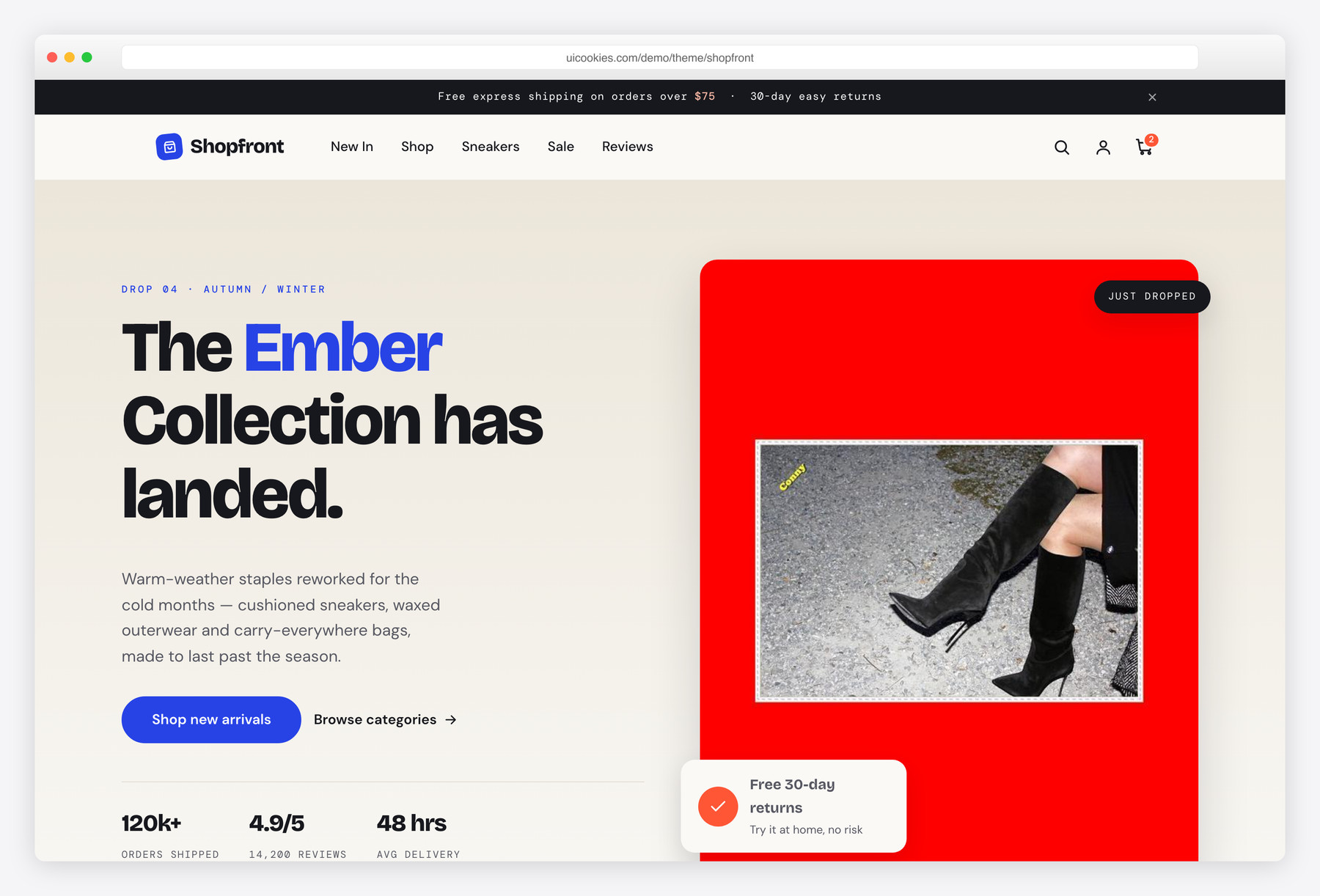
Unlike a landing page dressed up as a shop, Shopfront ships a real, fully wired product-detail page: an image gallery, colour and size selectors, a quantity stepper and detail/review tabs, all working in plain vanilla JavaScript. It is the right starting point for a small single-brand boutique that needs a genuine product page to build on, not just a marketing front. An electric cobalt accent and a flame-orange sale highlight sit over warm bone and ink neutrals, so the storefront reads premium out of the box.
Bazaar
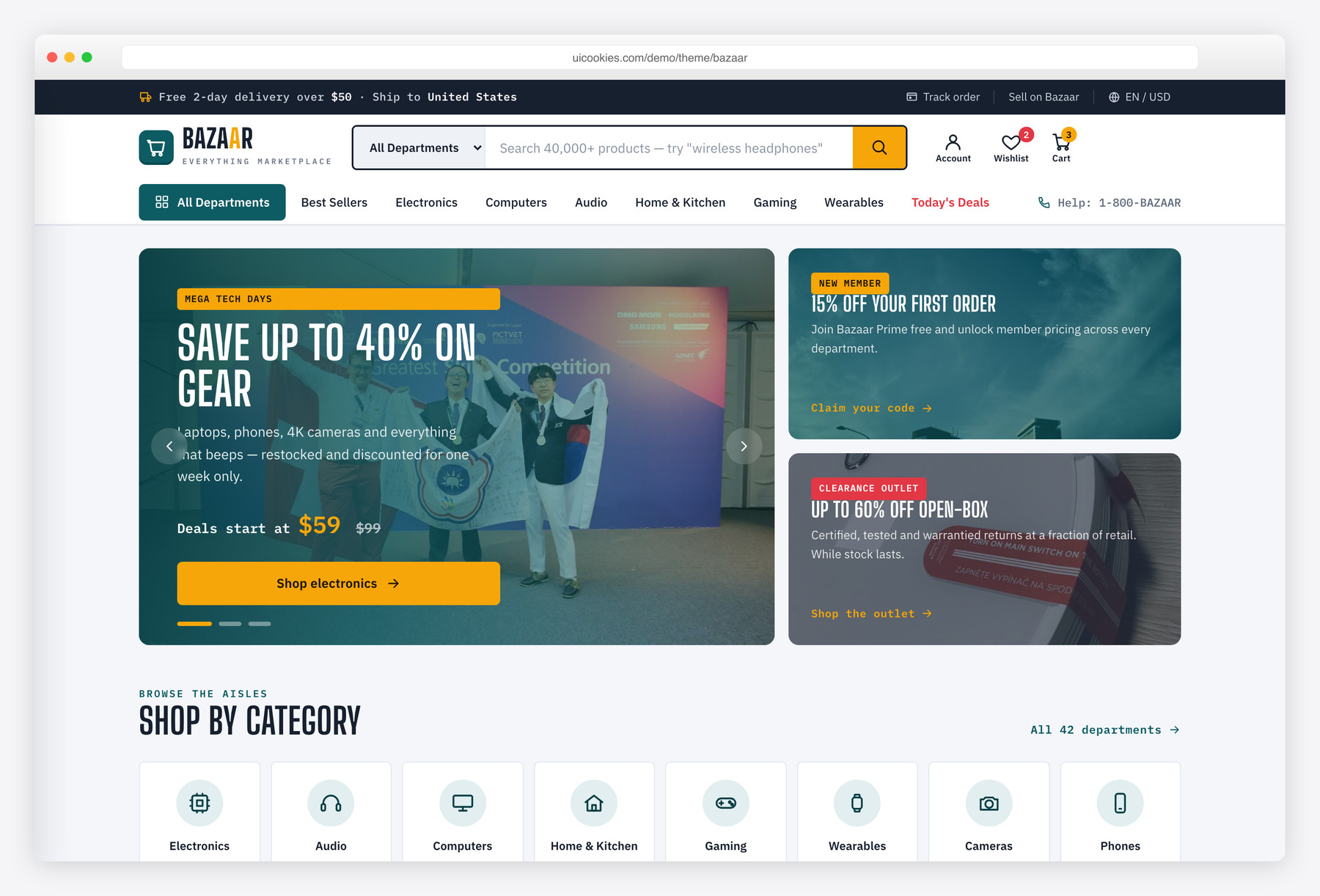
Bazaar is the busy everything-store, a search-forward superstore for electronics, home, audio and gaming rather than a single-brand boutique. It packs a department-organised storefront with a live deal carousel, a flash-sale countdown and a twelve-item best-seller grid, backed by a real product-detail page, so it suits catalog-heavy or marketplace-style shops. Dependency-free vanilla JavaScript and inline SVG icons keep the whole thing light despite the density.
Thread
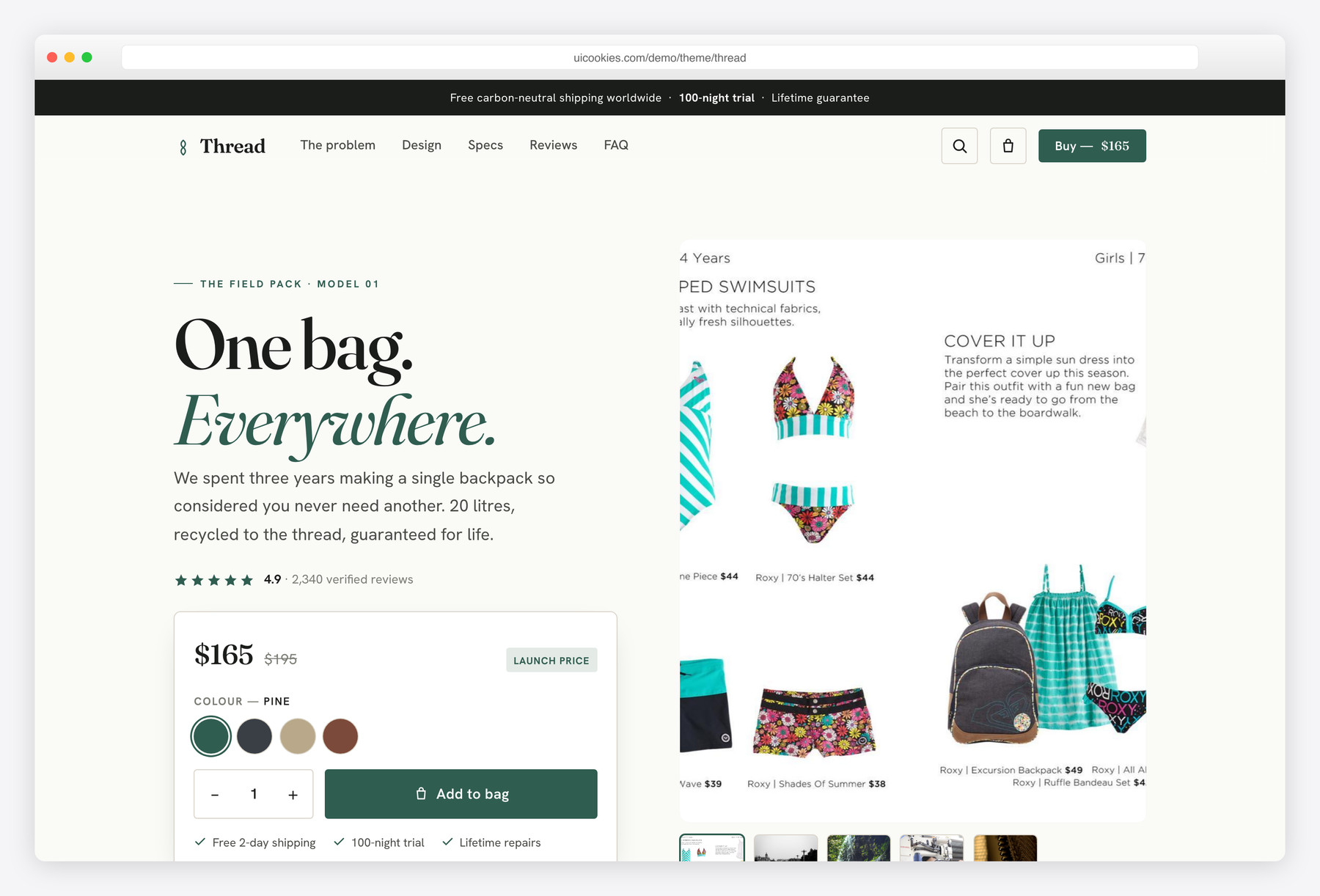
Thread does the opposite of a crowded catalog: it is a single-product landing built for one hero product and one buy path. It reads like a real direct-to-consumer brand, with a cinematic hero, a problem/solution narrative, alternating feature rows, a full spec sheet, an honest comparison table and a sticky buy bar that follows the shopper down the page. Reach for it when you are launching one product and want the whole page working to sell it.
Compare at a glance
| Template | Best for | Layout | Standout feature |
|---|---|---|---|
| Folio | Independent bookshops | Home + filterable shop + book page | HTML-and-CSS book covers + saved basket drawer |
| Commerce | Small-batch DTC shops | Storefront + product page + checkout | Three-step checkout with Stepper and OTP |
| Fleur | Florists & flower shops | Editorial home + filterable shop | Occasion, colour & price filters + cart drawer |
| Emporium | Multi-category general stores | Multi-department storefront + product page | Deal countdown + instant category filtering |
| Vesta | Fashion boutiques | Storefront + full product page | Colour and size pickers + slide-in cart |
| Shopfront | Single-brand boutiques | Storefront + full product page | Working variant selectors and review tabs |
| Bazaar | Multi-department superstores | Search-led catalog + product page | Deal carousel and flash-sale countdown |
| Thread | One-product DTC launches | Single-product landing | Sticky buy bar and comparison table |
How to choose
Start by matching the template shape to the size of your catalog, because the navigation and merchandising assumptions are baked in and awkward to reverse. Launching one hero product? Thread's single-product landing puts the whole page behind one buy path. Running a curated brand line? Shopfront gives you a storefront plus one strong product page you can duplicate per item. Selling across many departments? Bazaar's search bar, department nav and deal modules are built for a sprawling catalog. Forcing a superstore layout onto a single product, or a one-product page onto a real catalog, creates more work than it saves.
The feature that actually matters is the product-detail page, not the homepage, so judge a store template there first. Check that the variant selectors, quantity stepper and image gallery genuinely function rather than being visual-only, which is where a lot of free store templates quietly stop. Watch image weight too: product photography is the biggest performance drain, so lean on responsive AVIF or WebP images, lazy-load anything below the fold, and keep the hero light. A clear add-to-cart and a sticky buy bar reduce friction, while a hidden or ambiguous buy button is the single most common conversion killer.
Remember that a template is the storefront, not the store; it cannot take payments or track inventory on its own. Because these are static HTML on Bootstrap 5 with vanilla JavaScript, you edit the markup directly with no build step and drop them on any static host like Netlify, Cloudflare Pages or GitHub Pages. To actually sell, wire the buy buttons to a hosted checkout such as Snipcart, a Shopify Buy Button or Stripe Payment Links, or port the layout into a WooCommerce or headless CMS theme if you need a full backend. Swap in your own product data and photography early, since real content is what exposes the layout problems a polished demo tends to hide.
Commerce and Fleur fill two gaps in that range. Commerce suits a curated brand line, as Shopfront does, but adds a three-step checkout page, so it is the one to start from if you want the whole buy path designed; it runs on Bootstrap 6 alpha, so Shopfront and Vesta remain the stable Bootstrap 5 choices. Fleur is a niche storefront for florists, with occasion filters and flower subscriptions built in rather than adapted from a general store like Emporium or Bazaar.
Folio adds a bookshop to the range. Like Fleur, it is a niche storefront rather than a general store in the mould of Emporium or Bazaar, and its shop page filters by genre, format and price with a basket drawer that remembers what was added. Unlike Commerce, it has no checkout page: the Checkout button is a placeholder for your shop platform or payment provider. Choose it when author events, a book club and staff picks matter as much as the product grid. It runs on stable Bootstrap 5.
Frequently asked questions
Are these really free, and can I use them for a commercial store?
Yes. Every template here is free to download and use, including for real paid storefronts. They are our own in-house work, so there is no third-party licensing to untangle.
Can a template like this process payments or hold inventory?
No. A template is the storefront layout, not the shop engine. Connect the buy buttons to a hosted checkout such as Snipcart, a Shopify Buy Button or Stripe to take payments and track stock.
Are the templates mobile-responsive?
Yes. All are built mobile-first on Bootstrap 5's grid, so the storefront, product pages and buy bar reflow cleanly from phone to desktop, which matters because most store traffic is mobile.
Can I edit them without a build step or npm?
Yes. They are plain HTML, CSS and vanilla JavaScript with no jQuery and no build tooling, so you open the files, change the markup and styles, and refresh the browser.
How do I keep an image-heavy store fast?
Serve product photography as AVIF or WebP, size images to their display dimensions, and lazy-load anything below the fold. The templates ship lean JavaScript and inline SVG icons, so images are the main thing left to optimise.
Can I connect one to WordPress, WooCommerce or another CMS?
Yes. The markup is framework-agnostic, so you can port the layout into a WooCommerce or headless CMS theme, or keep it static and pull products from a commerce API. Nothing locks you to a specific backend.
Related templates
Free Fashion Website Templates · Free Interior Design & Furniture Website Templates · All free HTML website templates · Free Book, Author & Bookstore Website Templates

Thank you for sharing such a nice and informative Blog.