
This page has two halves. First, five portfolio and résumé templates designed and maintained in-house by uiCookies — free to download, live to preview, and editable in any code editor with no build step and no signup. Then four open-source portfolios from GitHub that we rate but did not build, for when a different stack or approach suits you better.
Our own templates are built on Bootstrap 5 with the old jQuery dependency removed, so they load fast, stay responsive, and are simple to customise. Swap the placeholder text and images and you have a personal site or online CV ready to publish anywhere.
Our templates
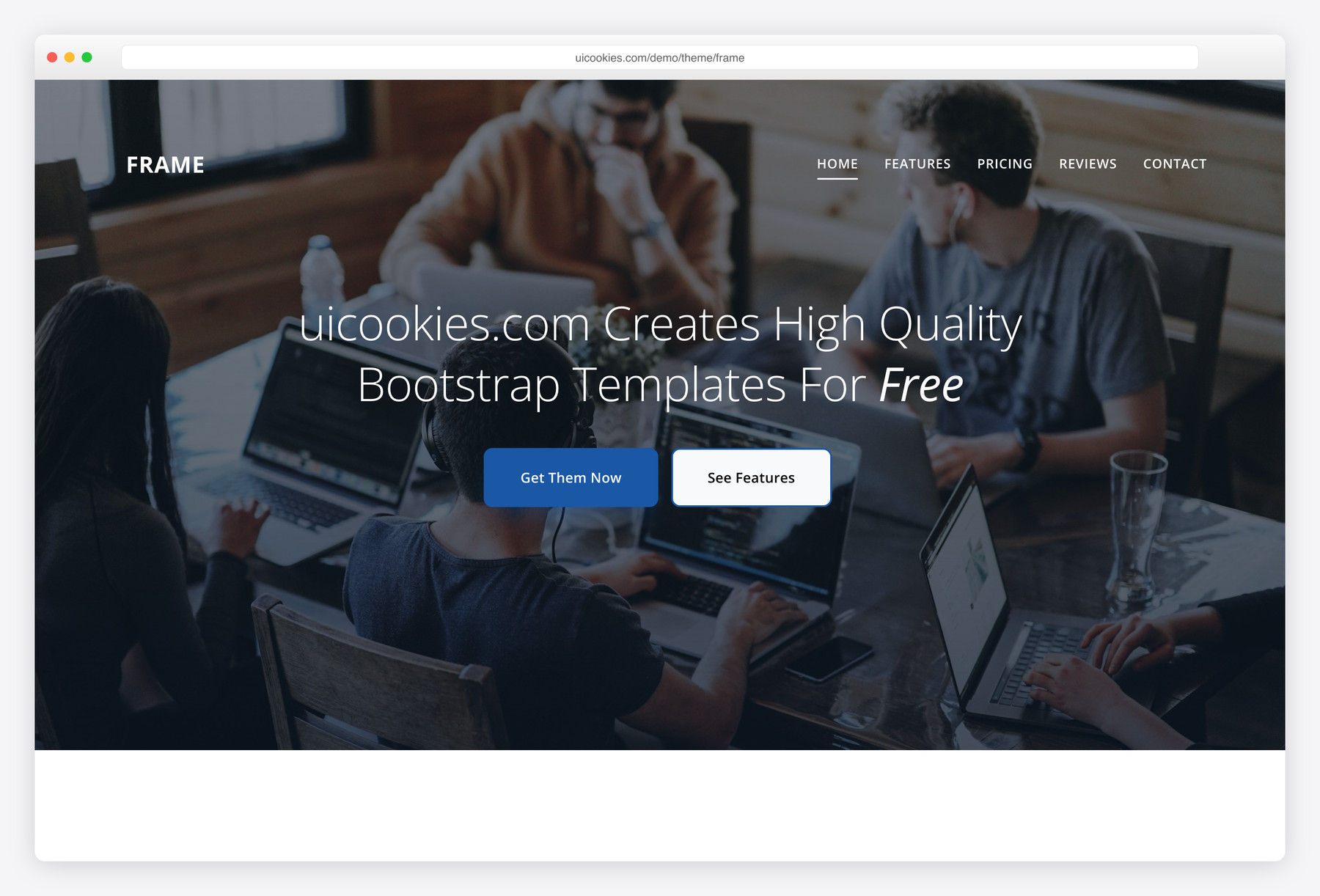
Frame
Frame is our most-downloaded template: a single-page layout that carries a hero, about, services, portfolio grid, and contact section on one smooth scroll. It is the fastest way to stand up a clean personal or one-page portfolio site.
The navigation scroll-spies as you move down the page, the portfolio grid filters by category, and every interaction is plain vanilla JavaScript — no jQuery, no page reloads.
Online CV
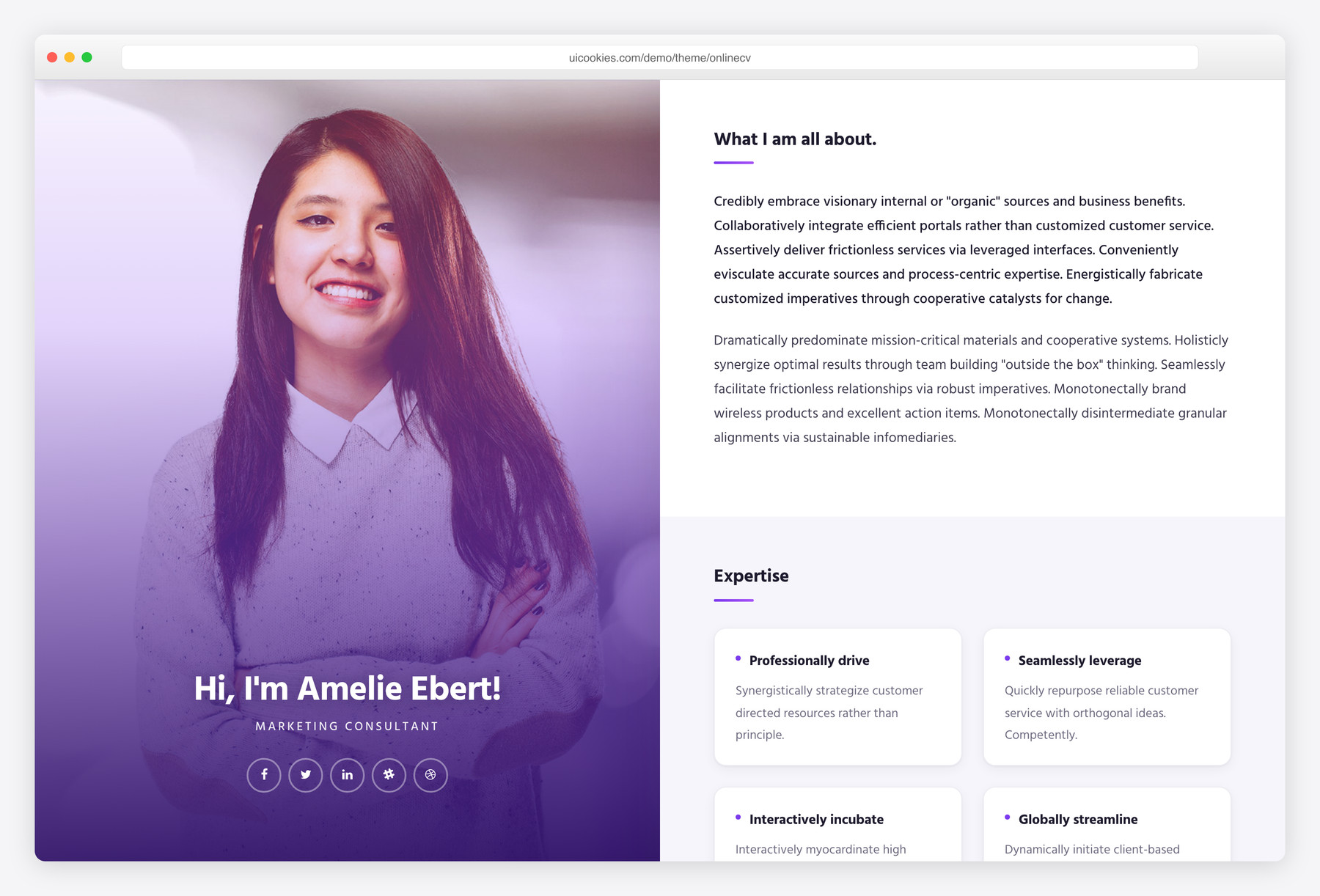
Online CV turns a traditional résumé into a proper web page: a fixed profile sidebar with your photo, contact details, and skill bars sits beside a main column for your experience timeline, education, and work samples.
It reads like a document but behaves like a site, which makes it a strong choice for a shareable online CV you can send instead of a PDF.
Resumex
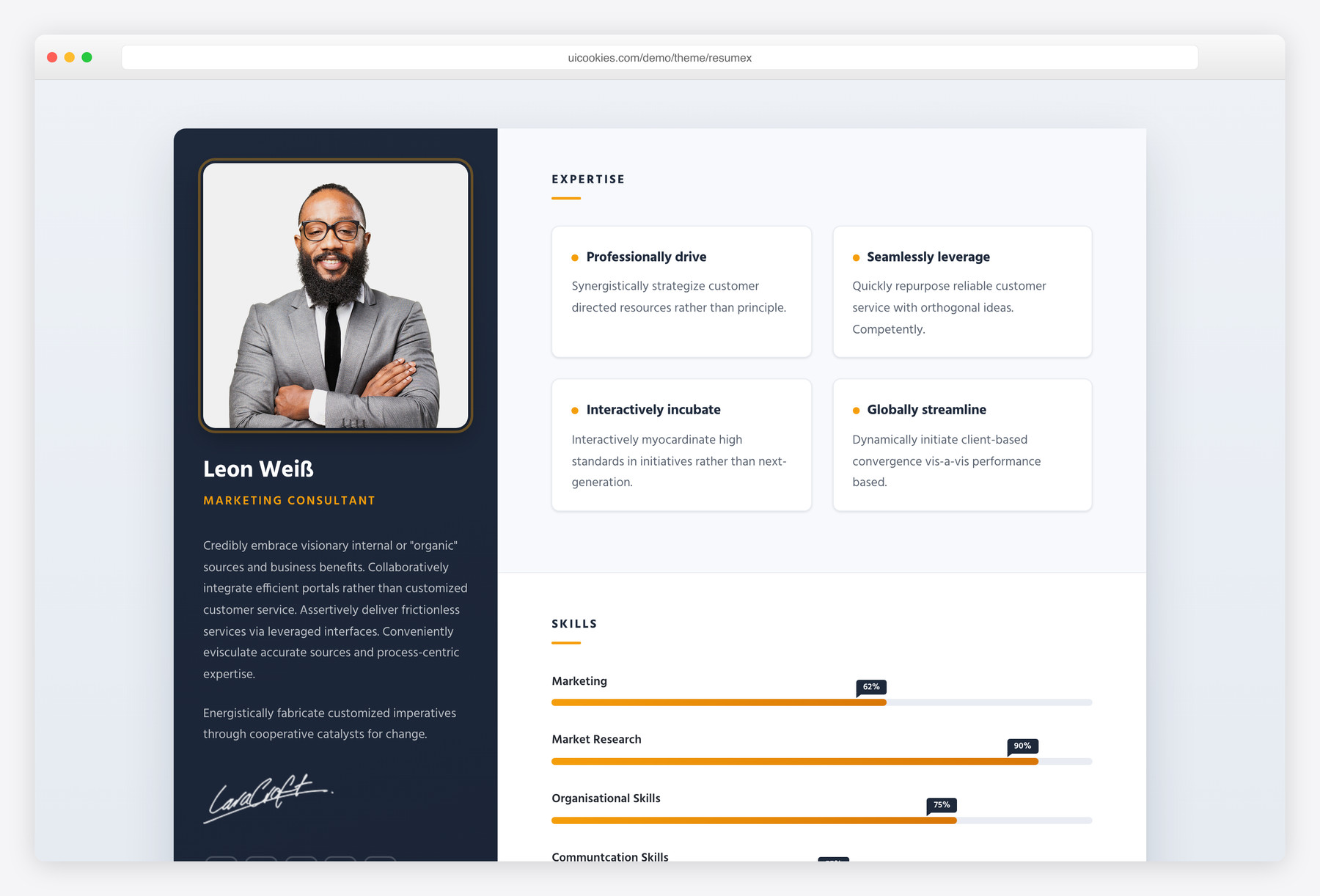
Resumex is a résumé-portfolio hybrid built for developers and designers. A sticky profile sidebar stays in view while the main column scrolls through animated skill meters, an experience and education timeline, and a project gallery.
The sticky behaviour is native CSS rather than a plugin, so it stays smooth on long pages and small screens alike.
Profile
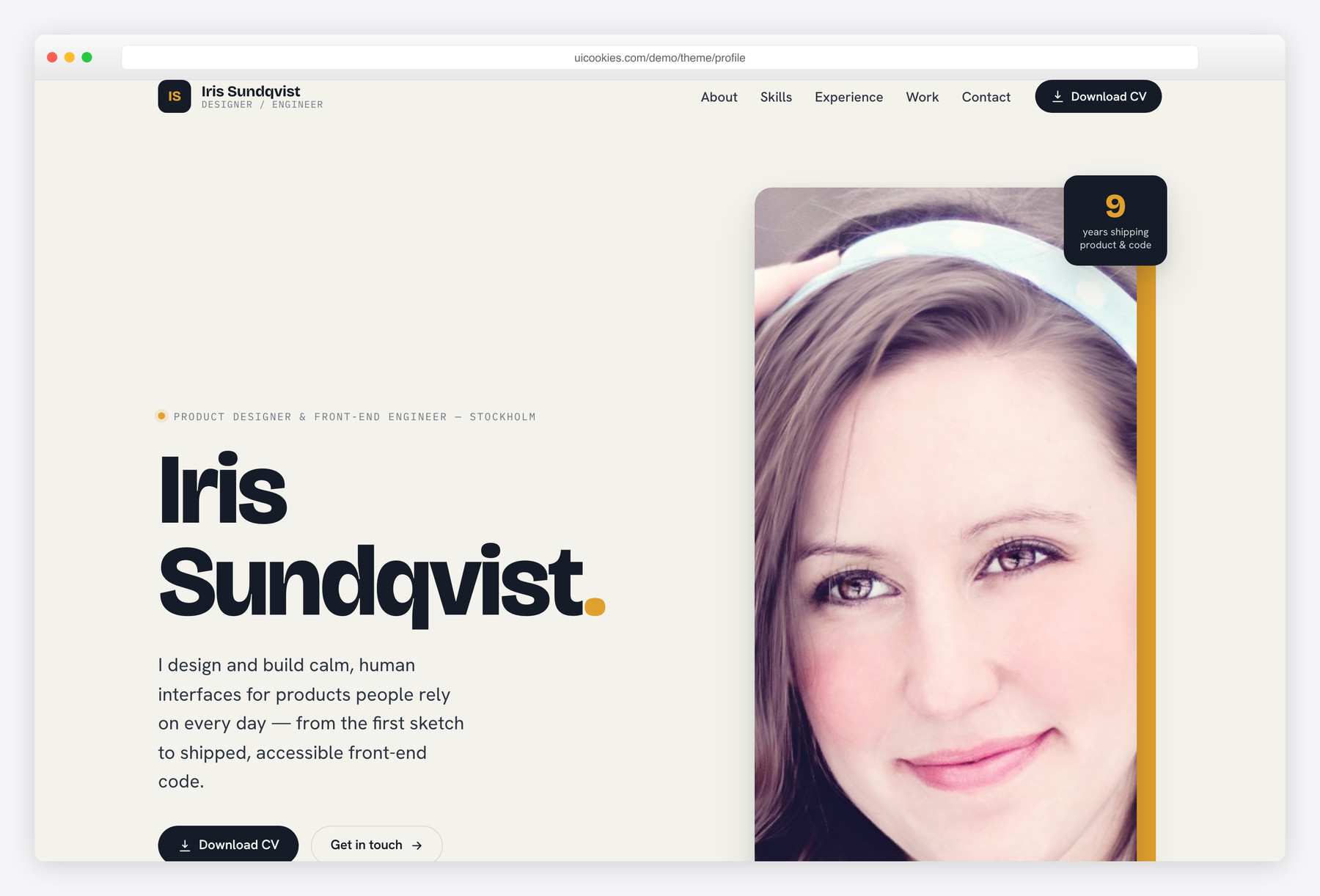
Profile is a single-page résumé and personal site for a working professional — a split hero, a skills section, an experience timeline, and a small portfolio grid, all on one clean scroll. Ideal for a shareable online CV that reads better than a PDF.
Persona
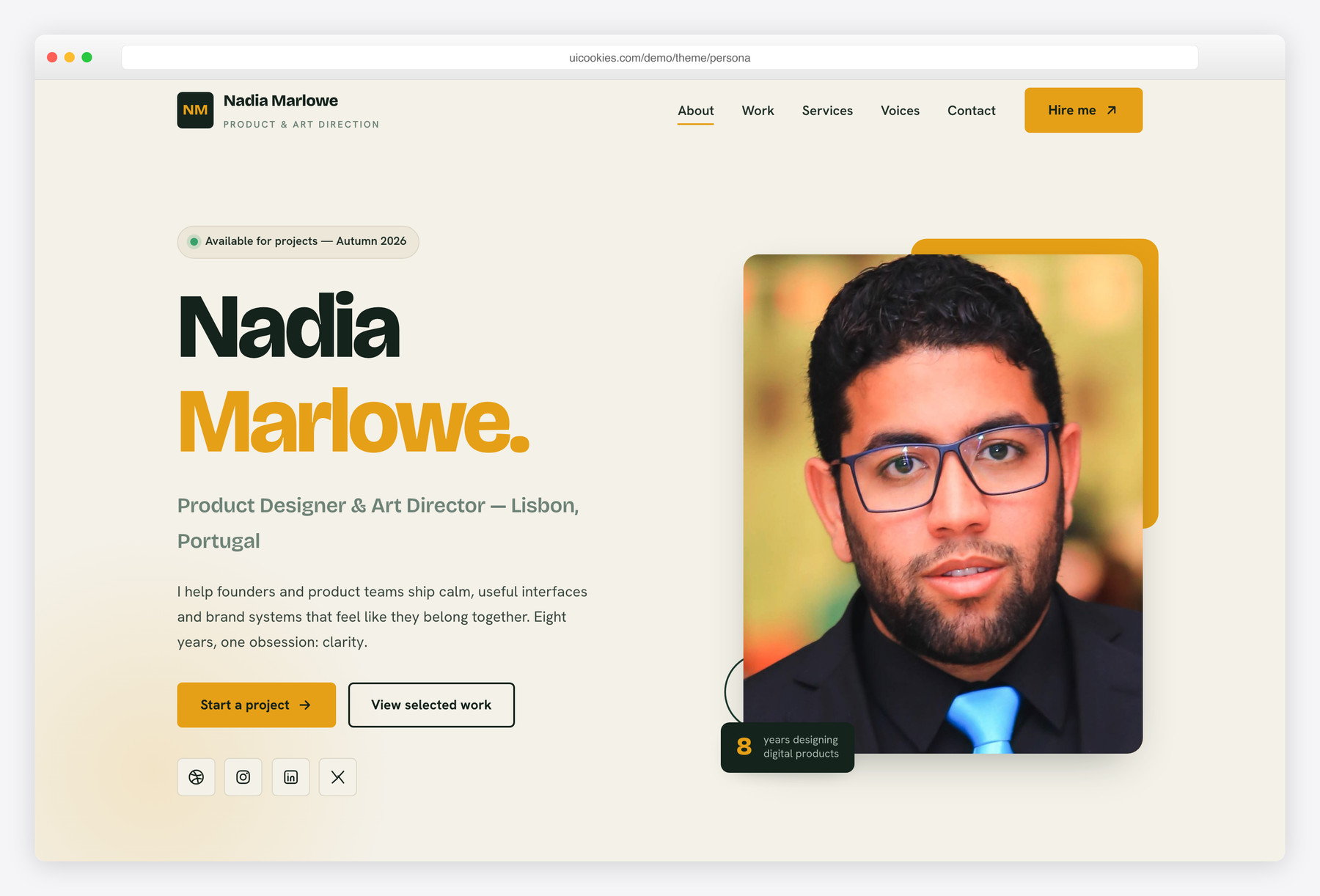
Persona is a freelancer and personal vCard site with a bold split hero, a services grid, a portfolio with hover overlays, and a testimonials slider. Personable and distinctive, it suits designers, developers, and creatives selling their own work.
Compare at a glance
| Template | Best for | Layout | Standout feature |
|---|---|---|---|
| Frame | One-page personal portfolio | Sectioned single page | Scroll-spy nav + filterable grid |
| Online CV | Shareable online résumé | Sidebar profile + main column | Skill bars and experience timeline |
| Resumex | Developer / designer CV | Sticky sidebar | Animated skill meters |
| Profile | Résumé / personal site | Split hero + timeline | Experience timeline |
| Persona | Freelancer / vCard | Split hero + portfolio | Testimonials slider |
Open-source portfolios worth a look
These four are not ours. They are MIT-licensed projects on GitHub that we checked in August 2026 — each one actively maintained, not archived, with a working live demo. We list them because a portfolio is personal, and the right starting point depends on how you like to work more than on who made the template. If you want to edit HTML directly, our templates and Portfolio HTML fit. If you would rather run a modern build, devportfolio is the better answer.
MIT licensing means you can use, change and publish them commercially, including for client work, as long as you keep the licence file. Because they are community projects rather than ours, support comes from their GitHub issues rather than from us.
Portfolio HTML
The closest match to our own templates: no framework, no build step, just HTML, CSS and JavaScript you can open and edit. It is maintained as a community project, so it keeps getting small fixes rather than being abandoned after launch. Pick this one if you want something familiar to edit but would rather start from a community codebase than ours.
Stack: Plain HTML, CSS & JavaScript · Licence: MIT · 675 stars on GitHub
Live demo · Source on GitHub
Simplefolio
The most-starred developer portfolio template on GitHub by a wide margin. It is a single scrolling page — hero, about, projects, contact — with SCSS source and a Parcel build. You get a compile step in exchange for tidier stylesheets, which is a fair trade if you already work that way.
Stack: SCSS + Parcel · Licence: MIT · 14.2k stars on GitHub
Live demo · Source on GitHub
devportfolio
A modern Astro and Tailwind build with a timeline layout for experience and skills. Astro ships almost no JavaScript by default, so this stays fast without much tuning. Choose it if you want a current stack and are comfortable running npm install.
Stack: Astro + Tailwind CSS · Licence: MIT · 4.9k stars on GitHub
Live demo · Source on GitHub
GitProfile
Different in kind from everything else here: instead of writing your own project list, you give it your GitHub username and it builds the portfolio from the API. Your repositories, languages and stars stay current on their own. The trade-off is less control over the page in exchange for never updating it again.
Stack: React + TypeScript · Licence: MIT · 2.3k stars on GitHub
Live demo · Source on GitHub
| Project | Stack | Best for | Stars |
|---|---|---|---|
| Portfolio HTML | Plain HTML, CSS & JavaScript | Editing by hand, zero tooling | 675 |
| Simplefolio | SCSS + Parcel | A proven, widely-used starting point | 14.2k |
| devportfolio | Astro + Tailwind CSS | A modern stack with great performance | 4.9k |
| GitProfile | React + TypeScript | A portfolio that maintains itself | 2.3k |
How to choose
Choosing between them comes down to what you are presenting. If you want a full personal site — work, services, and a way to get in touch — Frame gives you the most room. If the goal is a digital version of your résumé, Online CV and Resumex are both purpose-built for it; pick Online CV for a document-style layout and Resumex if you want the animated skills and project gallery.
All three are one-page templates, so there is nothing to wire up between pages. Start from the demo closest to your content, replace the copy and images, and adjust the accent colour in the stylesheet to match your brand.
Frequently asked questions
Are these portfolio and resume templates free?
Yes. Every template here is free to download and use for personal and commercial projects. There is no signup, paywall, or trial — you get the full HTML, CSS, and JavaScript.
Do I need to know how to code to use them?
A little HTML helps, but you do not need to write code from scratch. The files are plain HTML and CSS, so you can open them in any editor, change the text and images, and publish. Everything you edit is clearly laid out in the markup.
Are the templates mobile responsive?
Yes. They are all built on Bootstrap 5 with responsive layouts, so they adapt to phones, tablets, and desktops without extra work.
Can I host my portfolio anywhere?
Yes. Because these are static HTML templates with no server-side code, you can host them on any web host, GitHub Pages, Netlify, Cloudflare Pages, or your own server.
Are the open-source templates on this page yours?
No. The five in the first section are ours. The four under “Open-source portfolios worth a look” are MIT-licensed community projects hosted on GitHub — we verified their licence, activity and demos, but we did not build them and we cannot support them. Their GitHub issue trackers are the right place for questions about them.
Related templates
Photography website templates · All free HTML website templates

