
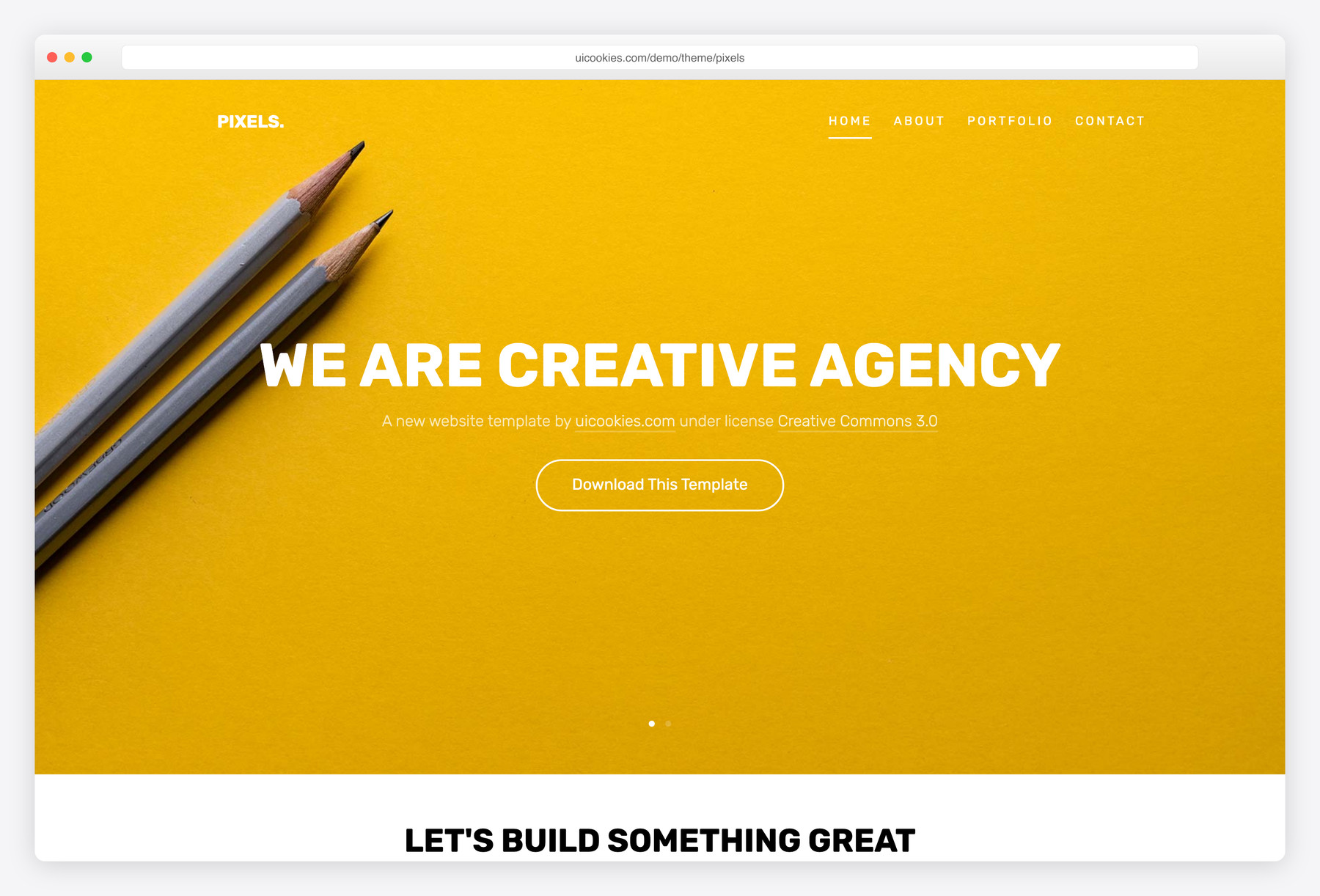

Pixels — Free Creative Agency Portfolio Website Template
Pixels is a four-page portfolio website template for a creative or digital agency. The home page introduces the studio (“We Are Creative Agency”), a project highlight, the team and a What We Do block covering interface design, user experience, development and product strategy. An About page adds team profiles, a Portfolio page lists selected works such as a watch app, a Shopify e-commerce site and creative ads, and a Contact page has a message form and contact information. The demo uses placeholder copy you will replace. It is an older Bootstrap 3 build that still uses jQuery; fine for a quick static site, but not a modern base.
Key features
- Four pages: home, about, portfolio and contact
- Home page agency intro with “Award Winning Agency” and “Let’s Build Something Great” blocks
- What We Do services: interface design, user experience, development and product strategy
- Meet The Team section, with team profiles on the About page
- Selected Works portfolio page with sample projects
- Contact page with a front-end form and a Contact Information block
- Footer sections for About Us, Services and “Connect with us”
Best for
- Small design and digital agencies
- Freelance UI/UX designers and developers
- Studios that want a short portfolio site with a team page
At a glance
- Stack: an older Bootstrap 3 build that still uses jQuery, bundled into minified scripts
- Pages (4): index.html, about.html, portfolio.html, contact.html
- Form: contact form on contact.html, front-end only; it sends nothing until you connect a form service or backend
- Files: styles-merged.css, style.min.css and custom.css; scripts.min.js, main.min.js and custom.js
- Content: the demo uses placeholder copy
- Licence: free for personal and commercial use, including client work; attribution optional but always welcome; no paid tiers. Full terms: uicookies.com/license
How to use it
Download the zip, unzip it and open index.html in a browser. Edit the text and images in index.html, about.html, portfolio.html and contact.html. The bundled styles are minified in styles-merged.css and style.min.css, so put your own rules in custom.css and small script changes in custom.js. The contact form sends nothing until you connect it to a form service or backend. Upload the folder to any static host. The template relies on jQuery, which comes inside the minified scripts rather than as a separate file.
Frequently asked questions
Can I use Pixels for commercial or client projects?
Yes. Pixels is free for personal and commercial use, including client work, and there are no paid tiers. Attribution is optional but always welcome, so you can keep or remove the footer credit. Full terms: uicookies.com/license
Does Pixels use jQuery?
Yes. Pixels is an older Bootstrap 3 build that still depends on jQuery, which ships inside its minified scripts. That is fine for a quick static site, but not a modern base for a larger project.
Is Pixels only for agencies, or can a freelancer use it?
The demo is written for a creative agency, with a team section and a What We Do block. A freelancer can remove the team blocks and keep the services, selected works and contact pages.
How do I add projects to the portfolio?
portfolio.html holds the Selected Works list. Copy an existing project block, then replace its image and title with your own; there is no project detail page, so add one or link out to a full case study.

best in bootstrap 4