These are the restaurant, cafe and dining templates we design and maintain in-house at uiCookies. Nothing here is scraped from a marketplace or wrapped around someone else's theme — every menu block, reservation form and gallery on this page was built and is supported by the same studio, so what you download is exactly what we can help you edit.
A good restaurant site has one job: make a hungry visitor decide to eat with you, then make booking or finding you effortless. That means a menu that reads cleanly on a phone at the table and is painless to reprice, food photography given room to breathe, a clear path to reserve, and your hours and location where an in-a-hurry diner spots them fast. We designed each template around those moments rather than around a generic 'business' layout.
All of them are free for personal and commercial use, hand-built on Bootstrap 5 (Tavola on the Bootstrap 6 alpha) with zero jQuery, and come with a live demo plus a direct download. There's no build step and no framework to learn — it’s plain HTML, CSS and vanilla JavaScript you edit directly.
The templates
Tavola
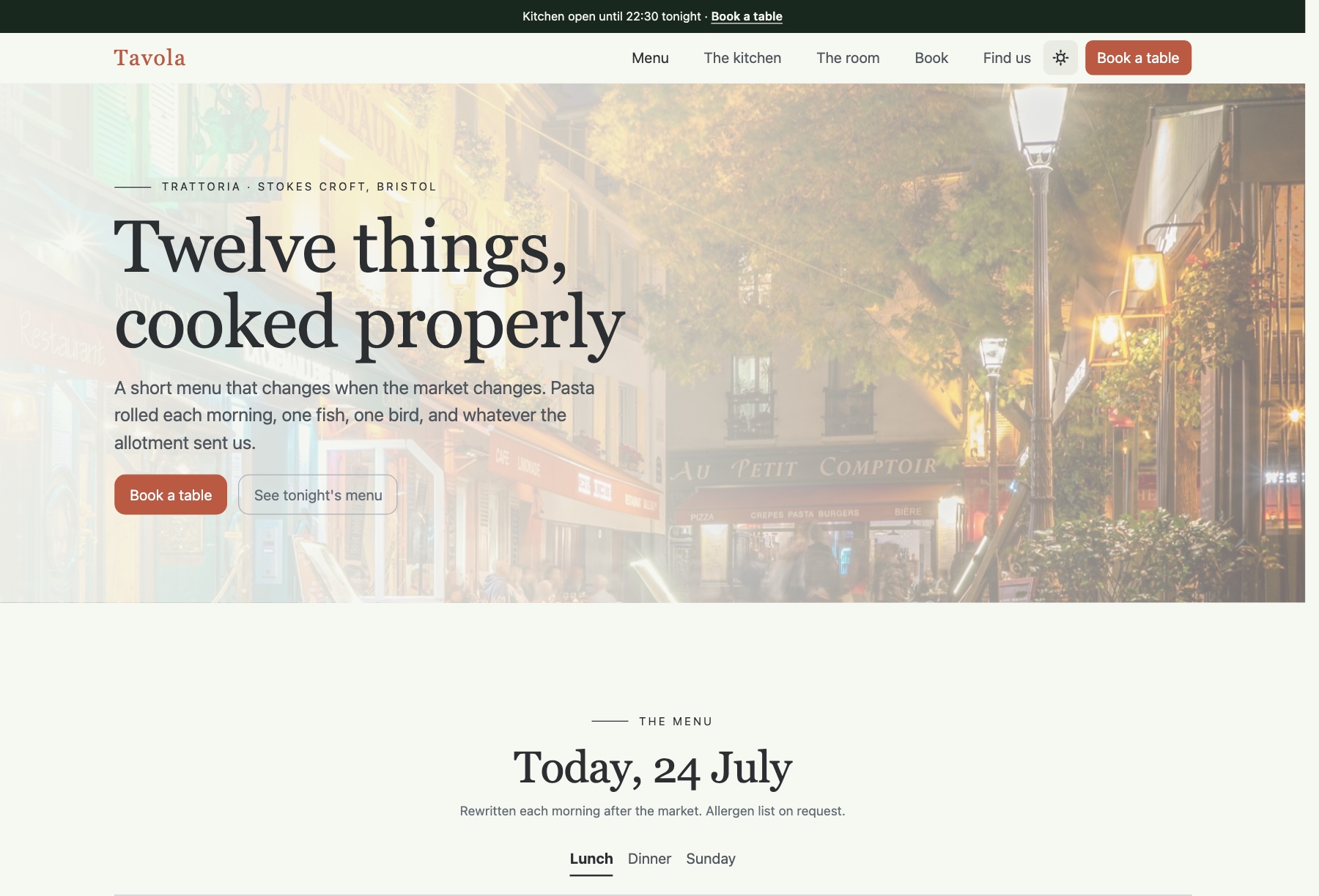
Tavola is a two-page restaurant template for bistros, trattorias, cafes and gastropubs that treat the menu as the main event. The homepage puts a menu tabbed by service time (lunch, dinner, Sunday) straight after the photographic hero, then moves through the kitchen with a pull quote, a mosaic of the dining room, a booking form beside the opening hours and a getting-here section with an FAQ on allergies, private hire and service charge. The menu page sets out the full card over four courses, plus wines by the glass and by the bottle.
Each dish row uses printed-menu leader dots that stretch to fit any gap, with V, VG and GF tags inline, and the hours panel highlights today. Booking pairs a Datepicker with time and party-size Comboboxes, but needs a booking service or backend before it sends. Deep green with terracotta, serif dish names, light and dark modes. Built on Bootstrap 6, still in alpha, with vanilla JavaScript.
TheGrill
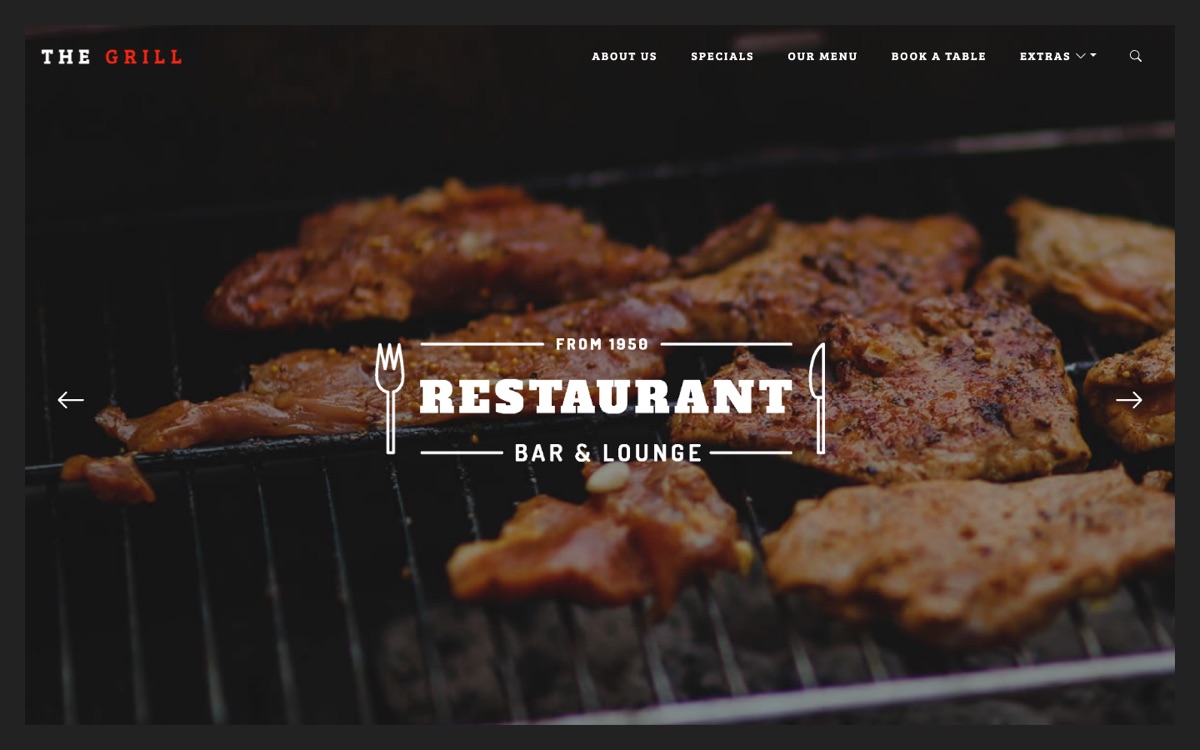
TheGrill is aimed at steakhouses, grills and BBQ joints. Its single-page layout opens on a fullscreen crossfading photo hero, then runs through an about section, a split specials banner, tabbed upcoming events (steak night, curry club, Sunday roast), a priced menu running from pizza and ribs to dry-aged ribeye, chef and testimonial carousels, a table-booking form with opening hours and a dark-styled map. The download also includes an alternate video-hero home page, a blog post with threaded comments and a playful 404 page.
The video-hero version falls back to an animated Ken Burns effect, and the Google Maps embed needs no API key. First released on TemplateMag, it has been rebuilt on Bootstrap 5 with vanilla JavaScript and no jQuery, using Swiper carousels, AOS scroll reveals, AVIF images with JPEG fallbacks and inline SVG icons. The booking form validates but sends nothing until it is connected.
Tonic
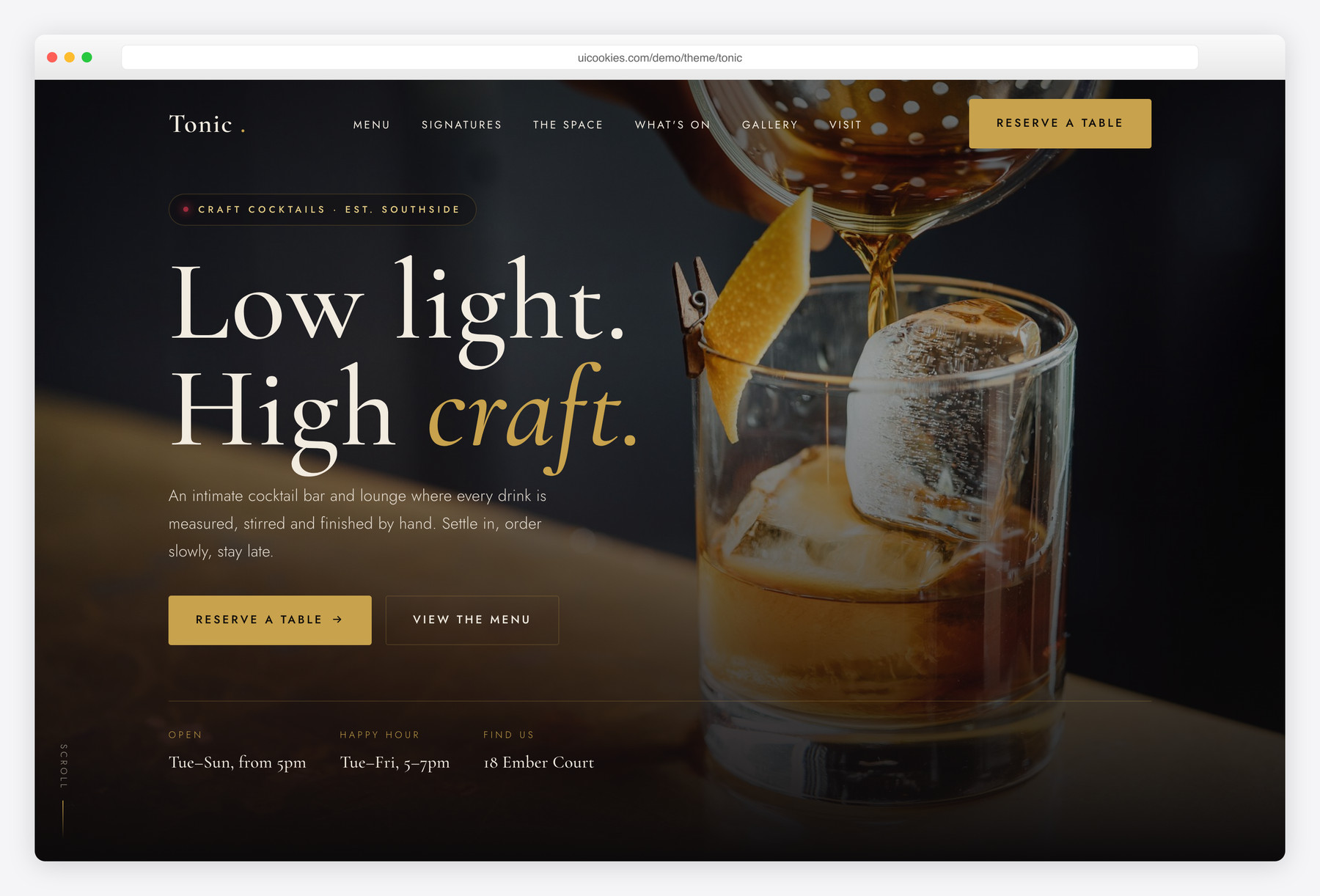
Tonic takes the hub from the dining room to the bar, built for cocktail bars, speakeasies, lounges and hotel or rooftop bars. The home page covers a grouped drinks menu (signatures, classics, zero-proof, wine and beer), six signature cocktails with photo, spirits and price, the space and the people pouring, an events strip for live jazz, DJ nights and happy hour, a reservation-request form, a gallery, hours and location, and a newsletter. A separate menu page adds filter tabs by category plus bar snacks.
Menu rows combine dot-leader prices with tasting notes, the hours block recognises the current day, and the gallery lightbox and menu tabs take arrow keys. Near-black and antique brass, set in Cormorant Garamond and Jost. Self-hosted Bootstrap 5, vanilla JavaScript, no jQuery. The reservation form checks for a future date and a sensible party size, then needs a booking service or backend to receive requests.
Cellar
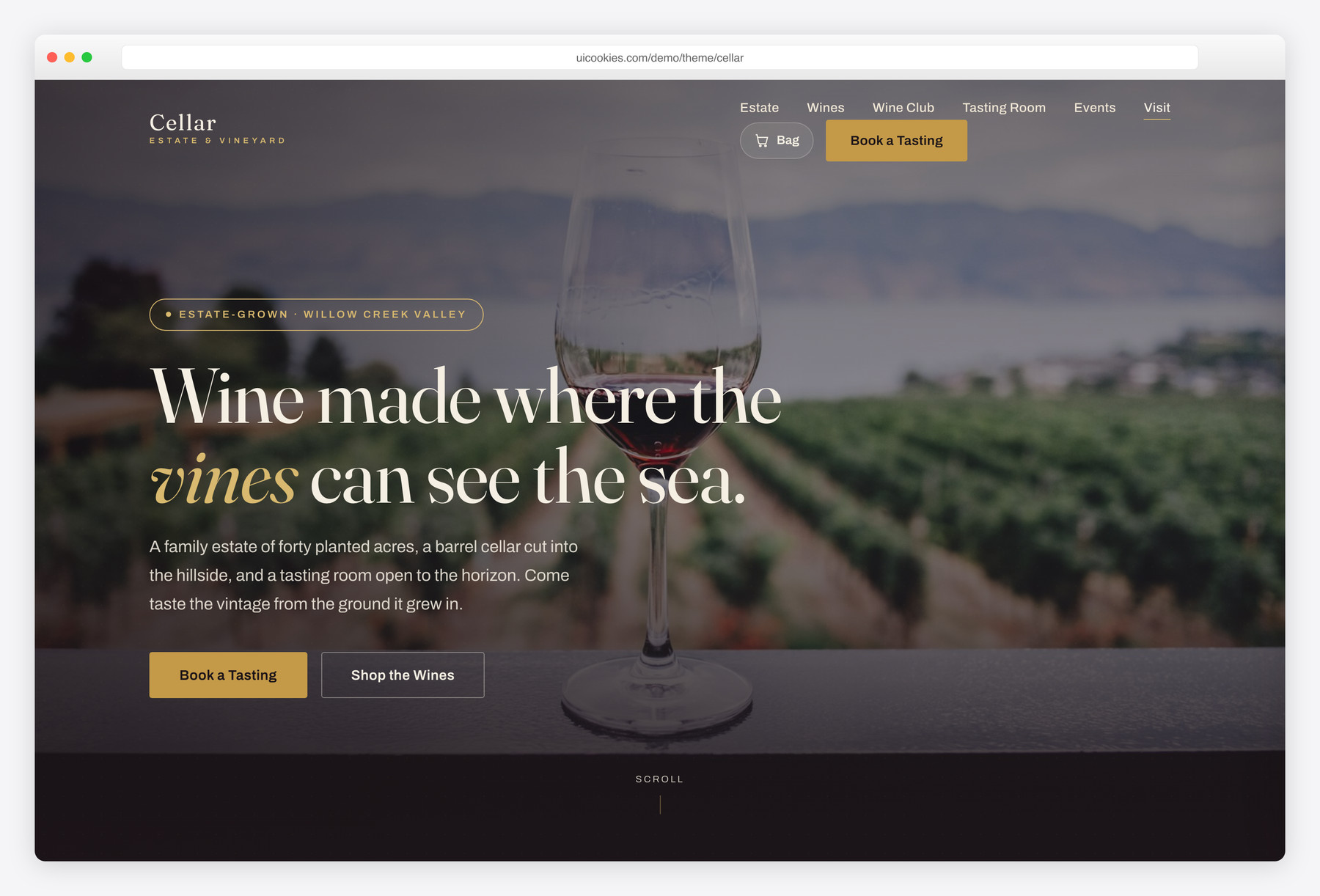
Cellar serves estate wineries, vineyards and tasting rooms that sell bottles as well as pour them. The long homepage covers the estate, an eight-bottle collection filterable by red, white, rosé and sparkling, a three-tier wine club, tabbed tasting experiences with prices and hours, the making of the vintage in four steps, a dated events strip, a gallery, a find-us section and a book-a-tasting form. The wines page lists all twelve estate wines and shares the same navigation, cart and footer.
Adding a bottle opens a slide-in cart with quantity controls and a live subtotal that persists between visits through localStorage. Checkout is a placeholder for Shopify, WooCommerce, Stripe or your own backend, and the tasting form likewise needs somewhere to send. Bordeaux and gold styling on self-hosted Bootstrap 5, vanilla JavaScript, no jQuery.
Feast
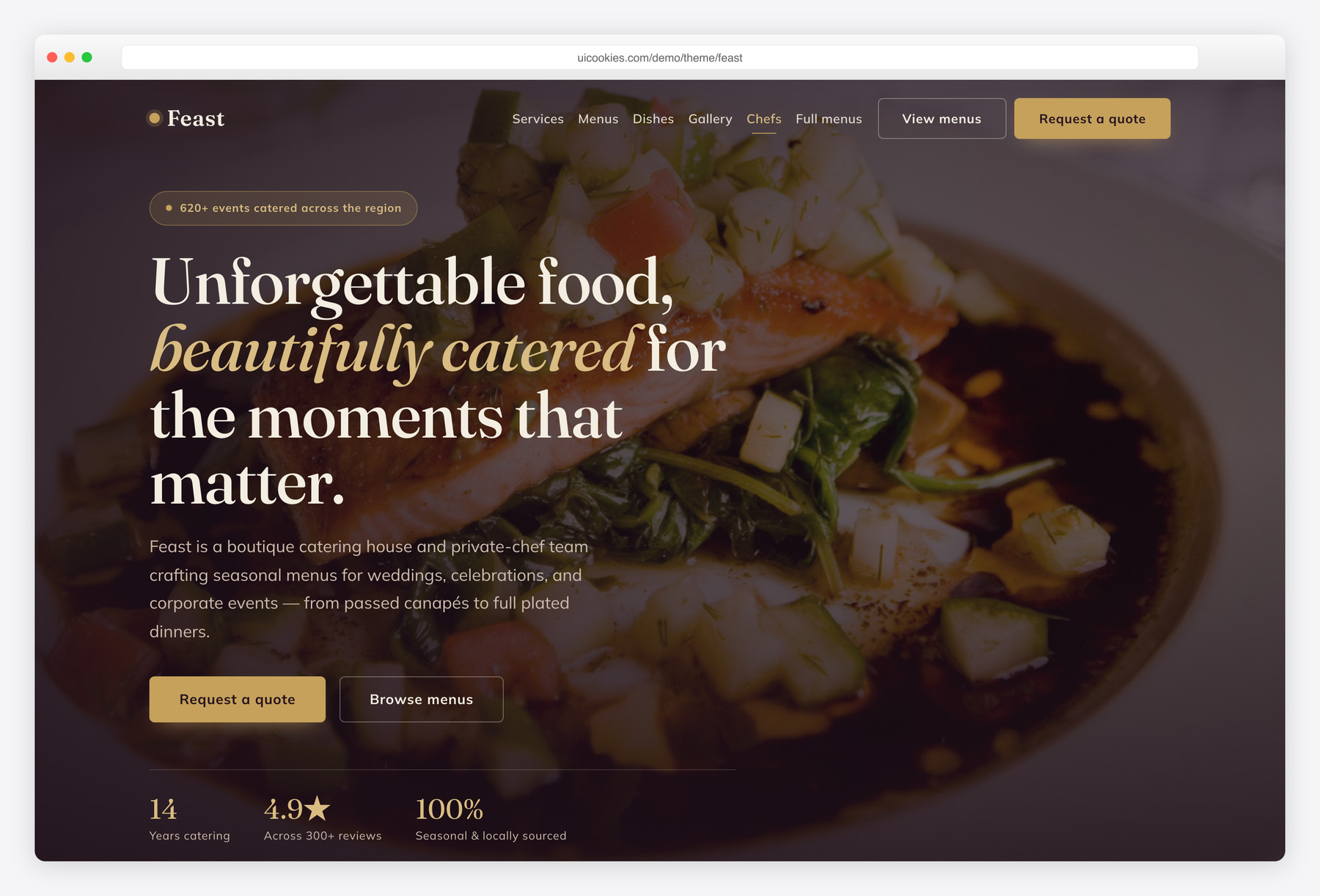
Feast is aimed at catering companies and private-event chefs rather than a sit-down restaurant: a landing page plus a dedicated menus-and-packages page, with a six-card event-services grid (weddings, corporate, cocktail receptions, buffets, plated dinners), tabbed sample menus using classic dot-leader per-person pricing, a filterable signature-dishes grid with V / VG / GF tags, and a quote-request form wired to a live cost estimator.
Its deep-aubergine and antique-gold identity with a Fraunces and Mulish type pairing gives it an upscale, celebratory feel that reads clearly as an event caterer. The gallery lightbox, testimonials slider and count-up stats are all vanilla JavaScript on self-hosted Bootstrap 5 — no jQuery, no build step, and progressively enhanced so every menu and dish stays visible with scripts off.
Hops
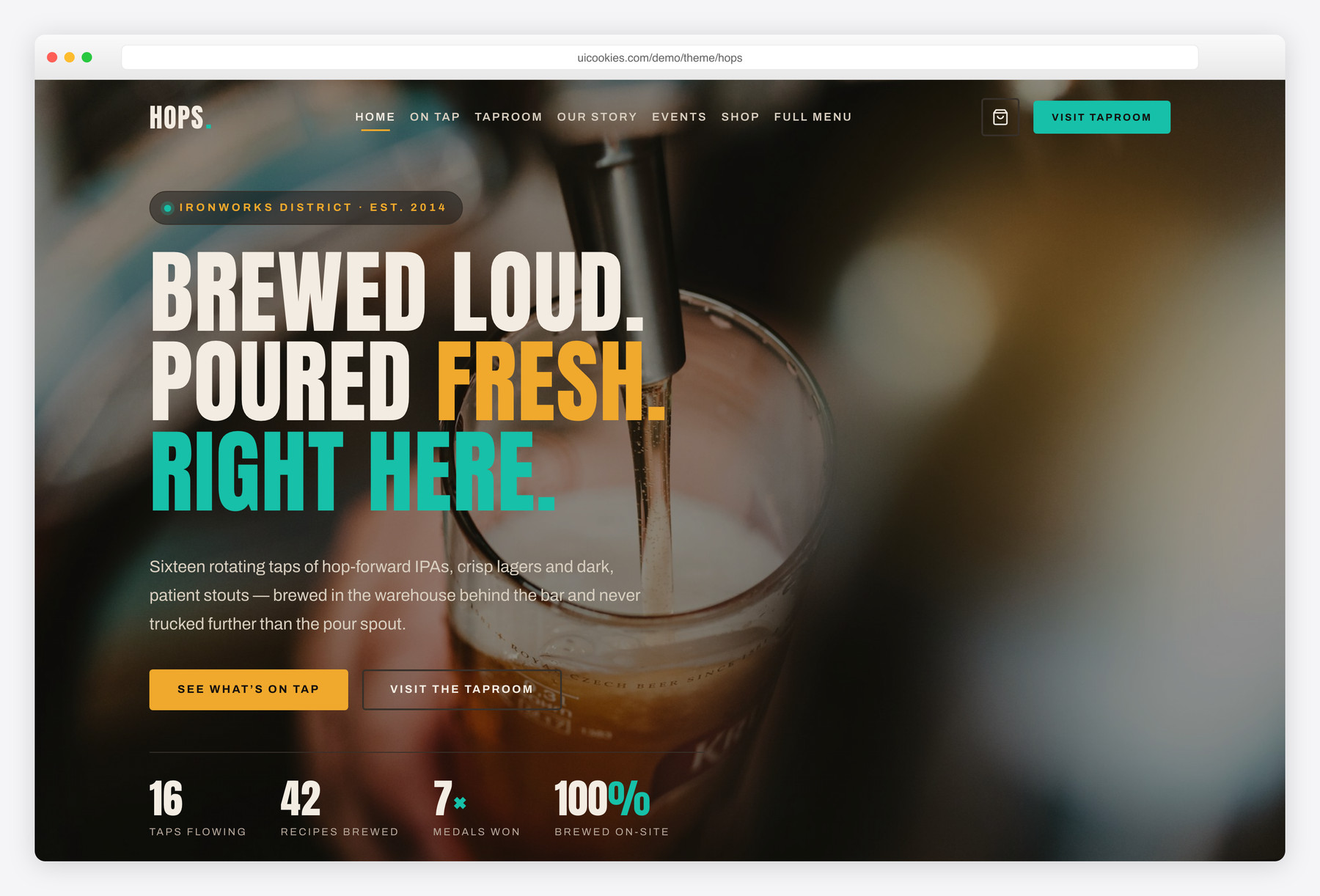
Hops is a bold template for craft breweries and taprooms: an 'on tap' beer grid (style, ABV, IBU, tasting notes) with style filtering, a taproom section, an events strip, a merch/growler shop and a gallery, across a home and a full beer-list page.
Dark, industrial charcoal-and-amber styling gives it a rugged, hand-crafted feel. Built on Bootstrap 5 with vanilla JavaScript, no jQuery.
Crumb
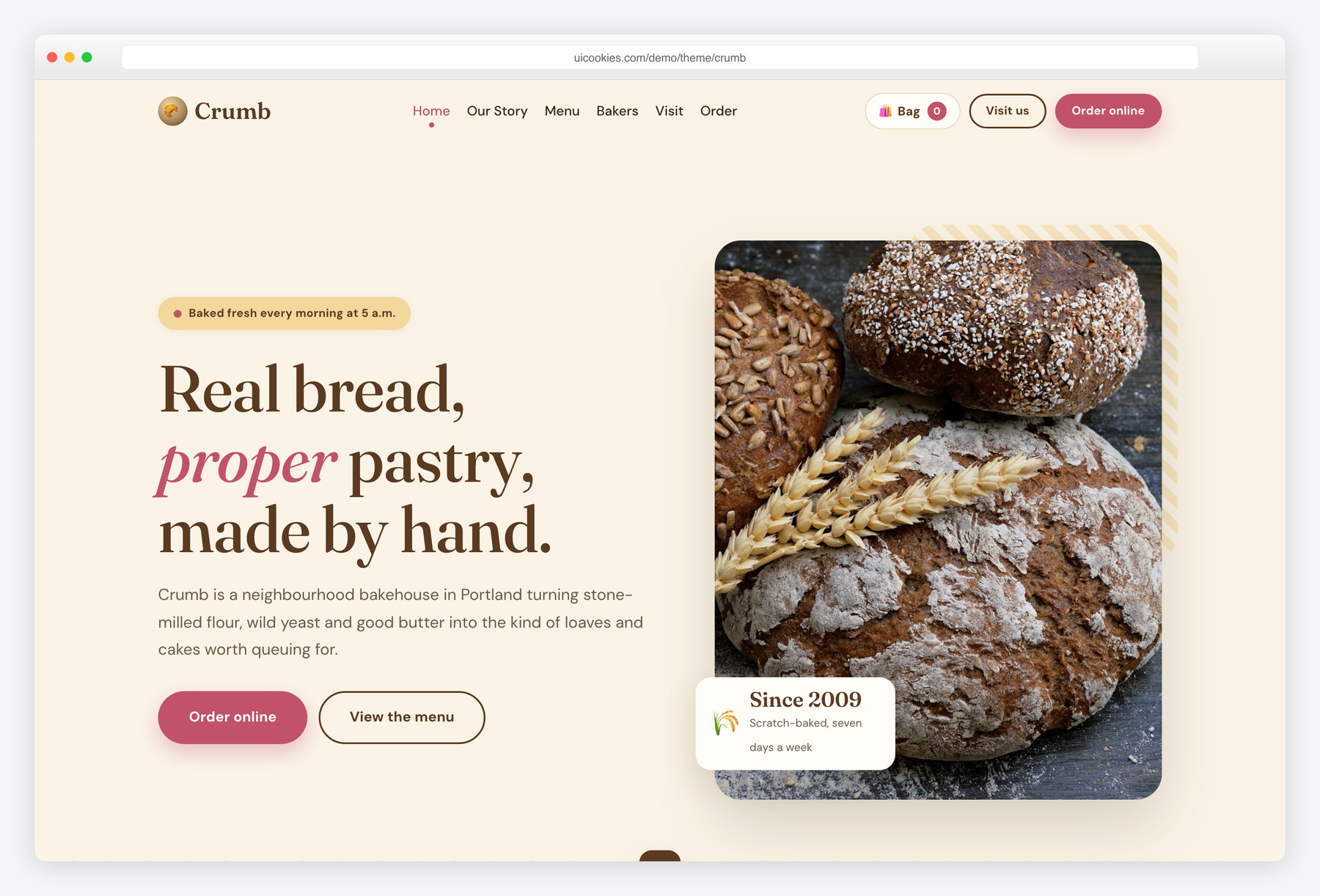
Crumb is a warm, appetising template for bakeries and patisseries: a tabbed menu with dotted-leader pricing, a featured-products grid with a working add-to-bag interaction, a custom-cakes order-ahead flow, two shop locations with today's-hours highlighting, and a gallery lightbox across a home and a menu page.
Cream-and-crust styling with a rose accent gives it a hand-made, cosy feel. Bootstrap 5, vanilla JavaScript, no jQuery.
Roast
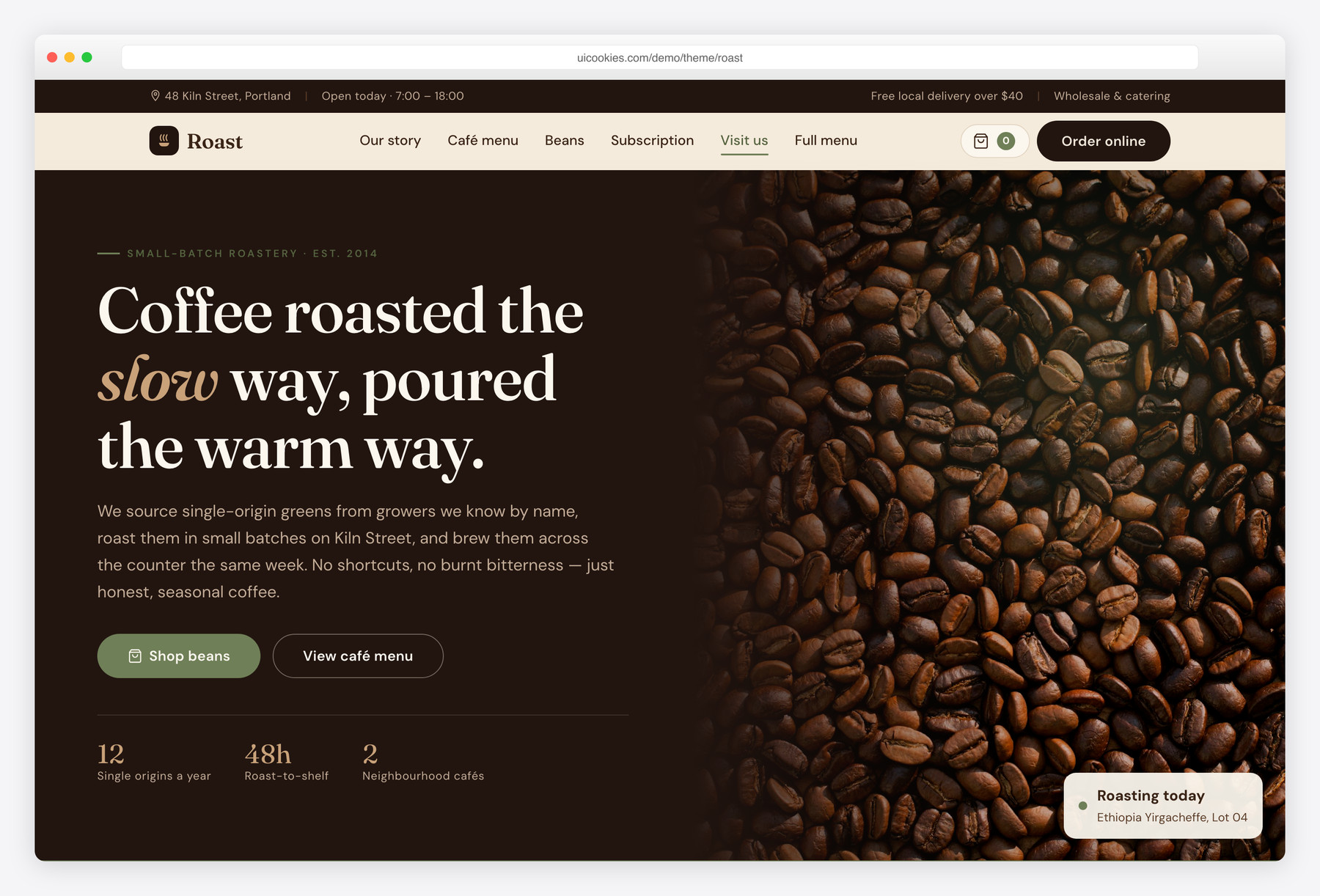
Roast is a warm, craft-focused template for specialty coffee shops and roasteries: a full cafe menu with dotted-leader pricing, a single-origin bean shop with a working add-to-bag cart, a monthly-subscription section, a bean-to-cup process and a photo gallery, across a home and a menu page.
Espresso browns over cream give it a cozy, artisanal feel rather than a corporate one. Vanilla JavaScript throughout, Bootstrap 5, no jQuery, no build step.
Resto
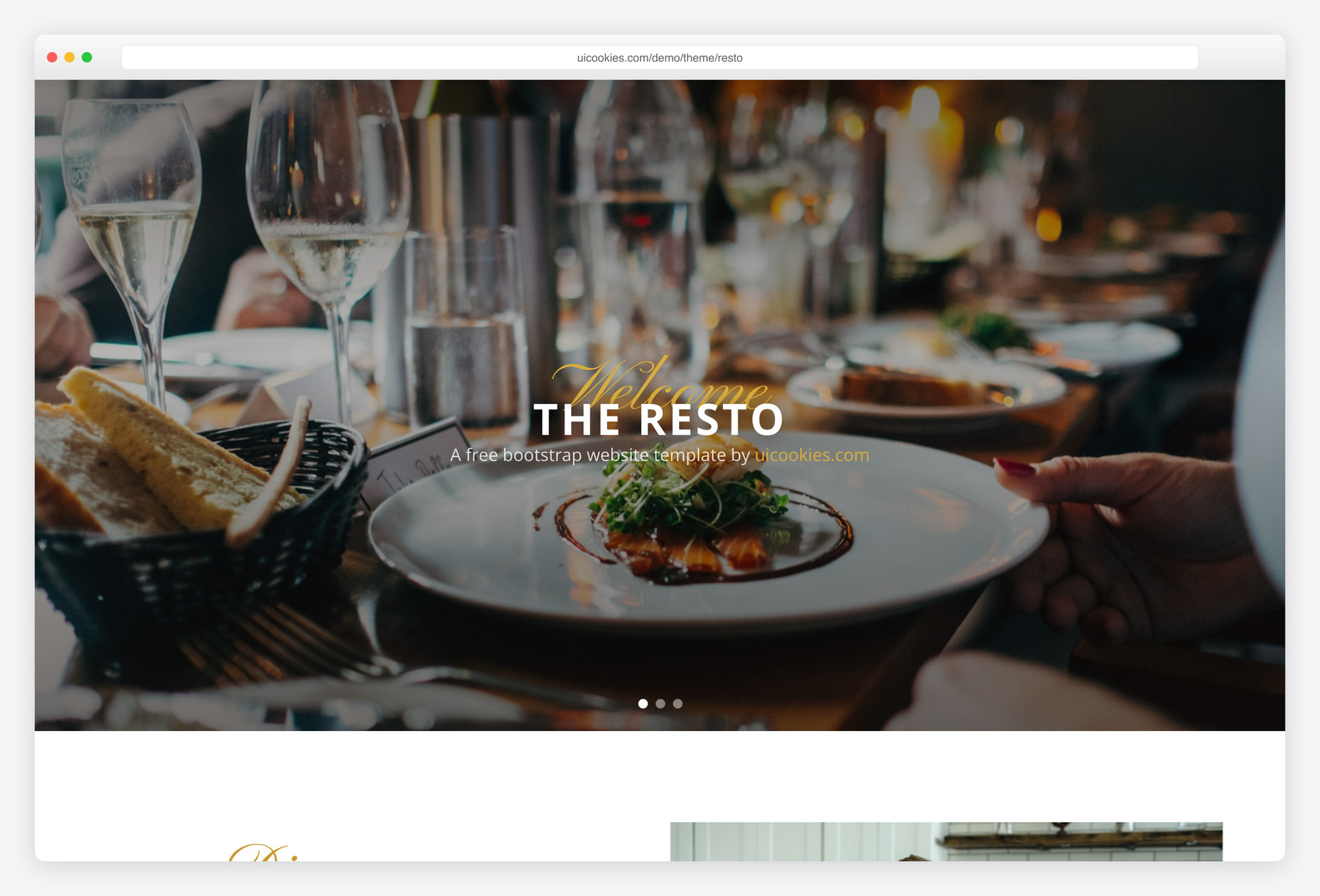
The most classic and approachable option here: a warm, photo-led single-page layout that opens on a rotating hero slider and flows through a full menu, a gallery, an upcoming-events board and a booking form with native date and time pickers. It's the natural fit for a cafe, casual eatery or neighbourhood restaurant that wants an inviting, familiar feel without much setup. Its standout is the events section — handy for venues running brunches, live music or seasonal specials.
Gusto
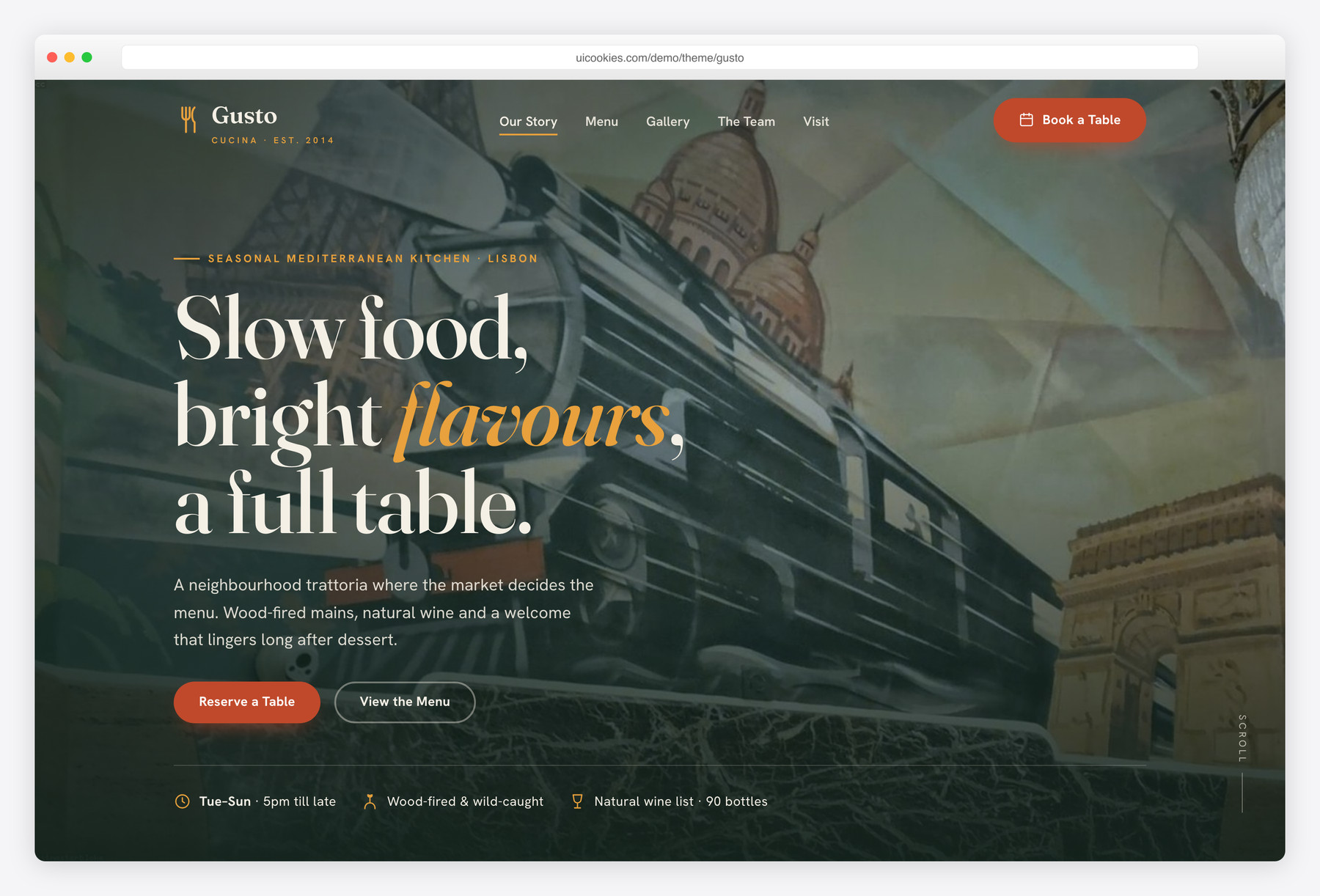
Where Resto keeps things classic, Gusto goes moody and food-forward: a spruce-green dining room lit by brass that hands the spotlight to your photography. Its signature is a printed-menu tabbed layout — Starters, Mains, Desserts, Drinks — with dotted price leaders and Chef's-pick and vegetarian tags, so a long a-la-carte menu stays readable. Best for a full-service restaurant, bar or bakery with a sizeable menu organised by course, plus a validating reservation form and a scroll-snap testimonial slider.
Harvest
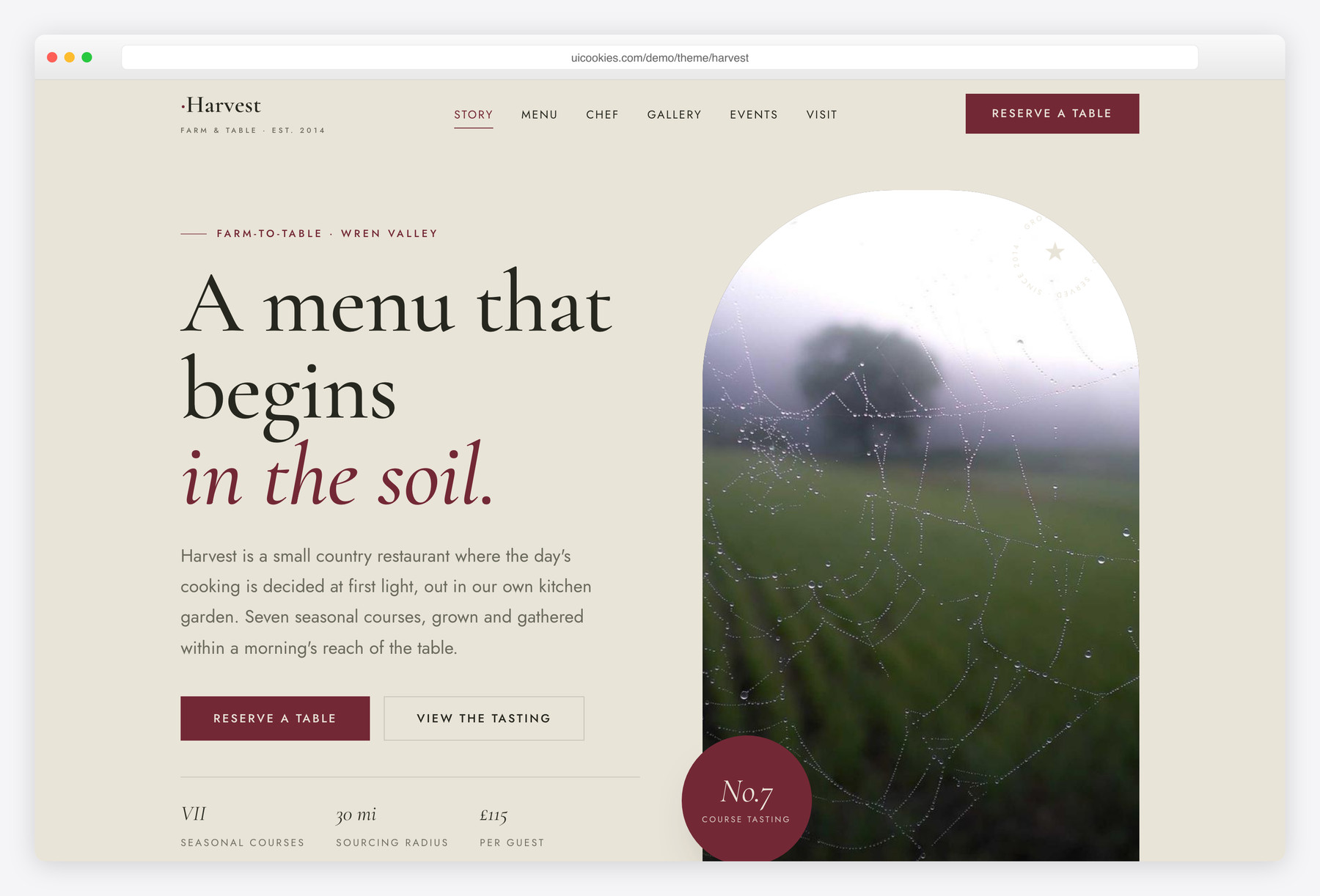
Harvest is the fine-dining choice, trading bistro warmth for quiet editorial luxury: a claret-and-loam palette, Cormorant Garamond serif over Jost, and a dark tasting-menu card that numbers each course in roman numerals like a printed carte. It carries a farm story, a chef-and-sommelier lineup, and a dedicated private-events block alongside the validating reservation form and lightbox gallery. Built for tasting-menu restaurants, farm-to-table kitchens, supper clubs and private-dining rooms that want to look considered and expensive.
Compare at a glance
| Template | Best for | Layout | Standout feature |
|---|---|---|---|
| Tavola | Bistros, trattorias & gastropubs | Homepage + full menu & wine-list page | Service-time menu tabs with leader dots |
| TheGrill | Steakhouses, grills & BBQ | Single-page long-scroll + video-hero variant | Crossfading hero + tabbed weekly events |
| Tonic | Cocktail bars & lounges | Home + filterable full-menu page | Signature-cocktails grid + tasting notes |
| Cellar | Wineries & tasting rooms | Home + wine-shop page | Filterable wine shop with slide-in cart |
| Feast | Caterers & private-event chefs | Landing page + menus-and-packages page | Quote form with live cost estimator |
| Hops | Craft breweries & taprooms | Home + full beer-list page | Style-filterable on-tap beer grid |
| Crumb | Bakeries & patisseries | Home + menu page | Add-to-bag products + custom-cakes order-ahead |
| Roast | Coffee shops & roasteries | Home + menu page | Bean shop cart + monthly subscription |
| Resto | Cafes & casual restaurants | Hero-slider single-page long-scroll | Rotating photo hero + upcoming-events board |
| Gusto | Full-service restaurants & bars | Tabbed-menu single-page long-scroll | Course-tabbed menu with dotted price leaders |
| Harvest | Fine dining & tasting menus | Editorial single-page long-scroll | Dark roman-numeral tasting-menu card |
How to choose
Start with how your menu behaves, because that's the decision you'll live with. A short menu that shifts with the season is happiest as a simple scrollable list (Resto); a large menu split by course reads far better as tabs so nobody scrolls past the mains to reach dessert (Gusto); a fixed, chef-driven tasting menu wants the editorial card treatment (Harvest). Whichever you pick, remember you will be editing this menu constantly — prices and dishes change weekly — so choose the one whose menu markup you're genuinely comfortable opening and editing by hand.
Sort out reservations before you launch. The forms validate in the browser and show a confirmation, but they don't send anywhere until you wire them up, so decide early whether bookings go to an OpenTable or Resy widget, a form endpoint like Formspree, or your own script, and point the form action there — a form that silently drops bookings is worse than no form. Just as important, put a tap-to-call phone number, your hours and a maps link somewhere a rushed visitor sees them immediately; on mobile those three beat a contact form nearly every time.
Finally, treat photography as the performance decision it is. Restaurant sites live or die on their food shots, but oversized hero images are the number-one cause of a slow first load — the exact moment a diner is deciding whether to bother. Use your own real photography (stock plates read as fake and quietly erode trust), compress it to AVIF or WebP with fallbacks, and size hero images sensibly. Every template here is static HTML with no database and no PHP, so you can host it almost anywhere — Netlify, Cloudflare Pages or plain shared hosting — which keeps it fast and cheap to run.
The four newer templates follow the same menu-first logic. Tavola sits beside Gusto but tabs its menu by service time rather than by course, adds a wine-list page and runs on Bootstrap 6 alpha. TheGrill suits steak and BBQ menus with weekly events, where Resto suits a lighter cafe. Tonic and Cellar join Hops on the drinks side, for cocktail bars and wineries, and Cellar's cart, like Crumb's and Roast's, is a front end you connect to a real checkout.
Frequently asked questions
Are these really free to use for a real, paying restaurant?
Yes. Every template here is free for both personal and commercial use, so you can launch a real restaurant, cafe, bar or supper club on one at no cost. Attribution is optional but always welcome, and the full terms are at uicookies.com/license.
Will they work on phones?
Yes, and that matters more here than in most niches — the bulk of restaurant traffic is people on a phone hunting for your hours, menu or a table. Every layout is responsive and built so the menu and reservation form stay comfortable to use one-handed.
Do I need to know Bootstrap or run a build step to edit one?
No. Each is plain HTML with a single CSS file and a single vanilla-JavaScript file — no npm, no compiling. You swap the copy and the photos in the img folder and adjust a few colour variables at the top of the stylesheet.
How do the reservation forms actually receive bookings?
The forms validate entirely in the browser (required fields, valid email, no past dates, party-size and time checks) and show a confirmation message. To collect real bookings, point the form's action at your booking provider, a form endpoint, or your own backend script.
Can I connect one to WordPress or another CMS?
They're standalone static templates, not WordPress themes, but the markup is clean and conventional, so porting sections into a CMS or a static-site generator is straightforward. Many small restaurants skip a CMS entirely and just edit the HTML when the menu changes.
Will the site load quickly?
It should — there's no jQuery and no heavy plugin stack, just vanilla JavaScript. The biggest lever on speed is your own imagery, so compress your food photos to AVIF or WebP before uploading and your load times stay fast.
Related templates
Free Travel Website Templates · Free Wedding Website Templates · All free HTML website templates