Every template on this page is our own work — designed, built and maintained in-house by uiCookies, then given away free. This isn't a roundup of other people's themes; it's a small, deliberate collection aimed at one corner of the web that most template libraries treat as an afterthought: movies, streaming and film.
A film site lives or dies on its artwork. The layout's job is to get out of the way of a poster or a piece of key art, hold contrast in a dark room without turning muddy, and handle the awkward structural bits — season and episode lists, festival schedules, cast grids, where-to-watch links — without feeling like a spreadsheet. Autoplaying trailers, competing neon accents and hero images that arrive late are the usual ways these sites go wrong, so we've designed around them.
All three are built on Bootstrap 5 with plain, jQuery-free JavaScript, and self-hosted so nothing phones home. Each ships with a live demo and a direct download — no account, and no build step required to open the files and start editing.
The templates
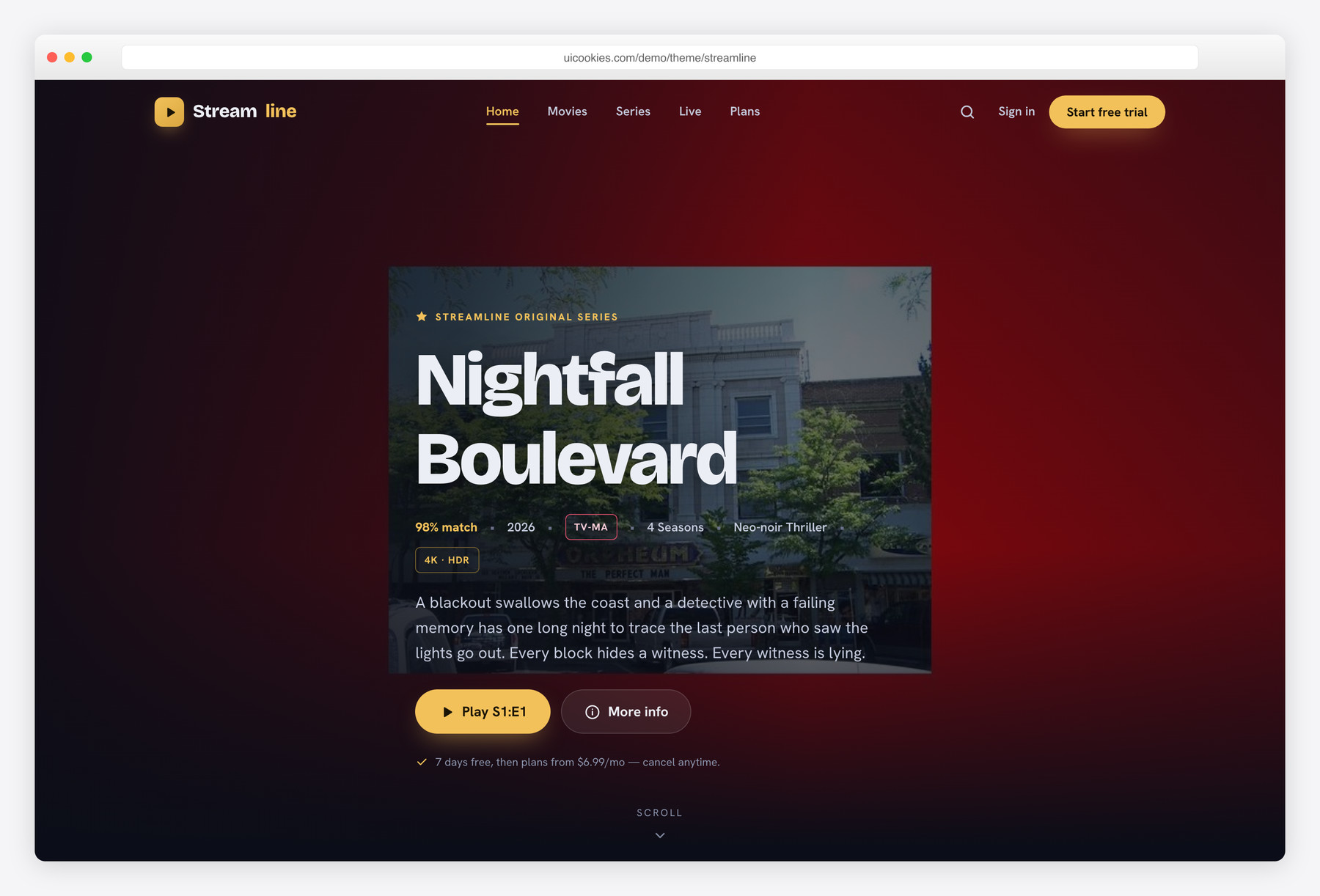
Streamline
The only template here built for a catalogue: Streamline pairs a long-scroll OTT landing page with a fully built title-detail page, complete with a season switcher and episode list — the screen most streaming templates quietly skip. Its dark UI treats night as a colour, staging poster art on deep midnight-navy lit by a single marquee-gold accent instead of the usual black-plus-neon glare. Best for VOD services, streaming platforms and anyone shipping a browsable library.
Reel
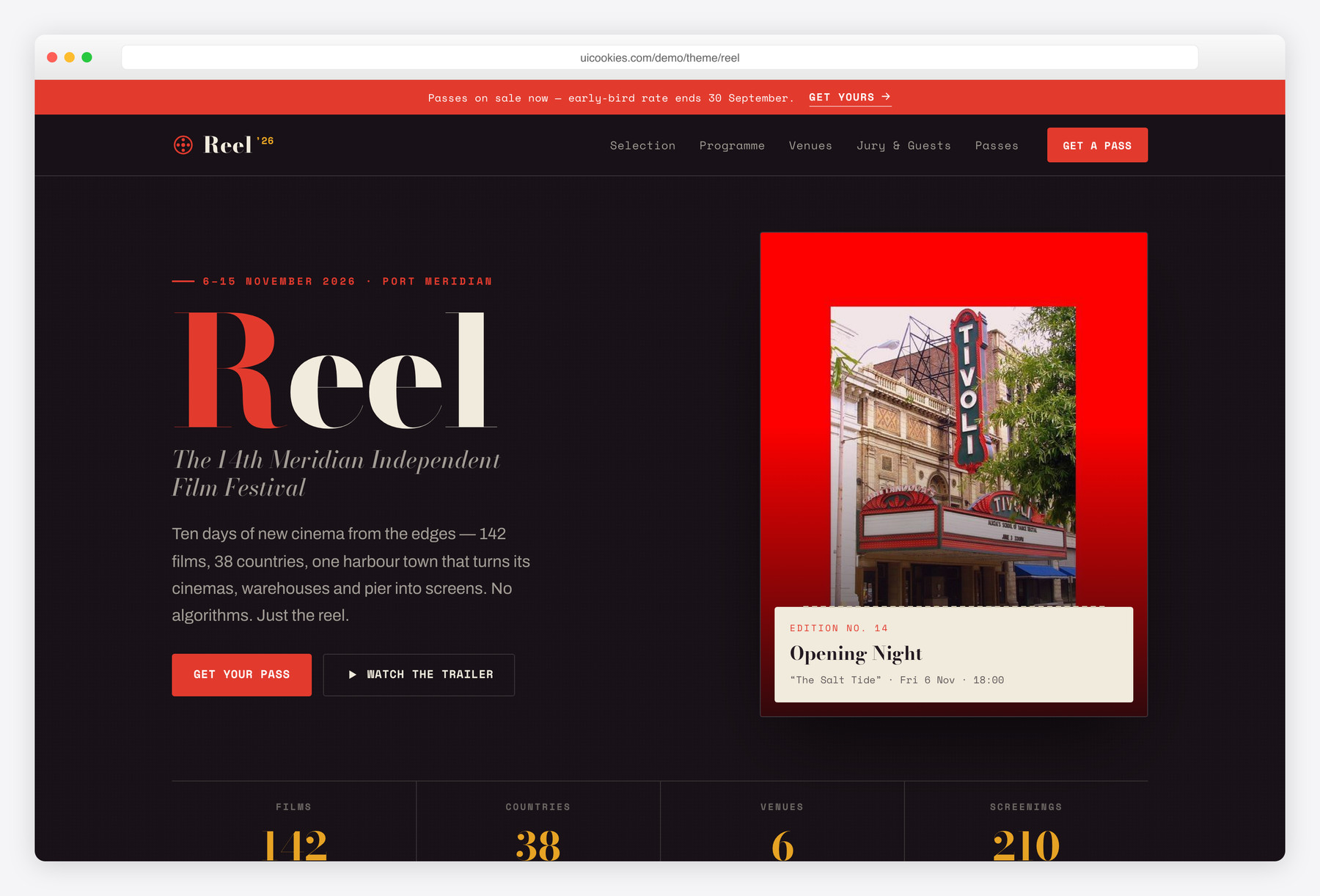
Reel is the one that looks nothing like a streaming app — it dresses a film festival like a printed programme, with high-contrast Bodoni headlines, a torn-ticket motif and a riso-inspired scarlet-and-petrol palette on warm paper. Under the editorial styling sit the working parts a festival actually needs: an official-selection poster grid you filter by strand, a day-by-day schedule with calendar tabs, venue listings, tiered passes and a jury lineup. Made for film festivals, screening series and repertory seasons.
Premiere
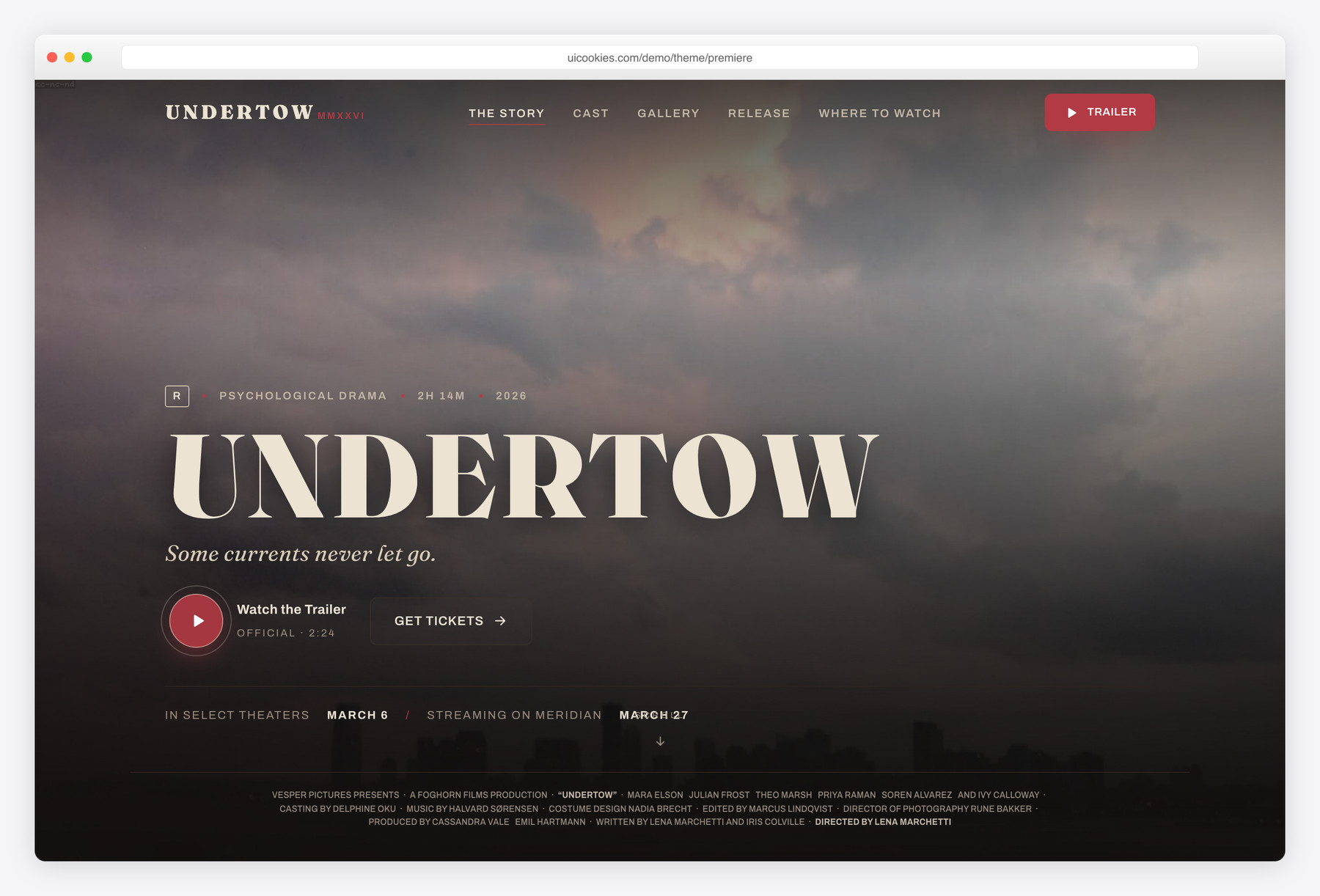
Premiere throws out the catalogue entirely and gives one film the whole site. It opens on a full-bleed key-art hero with a click-to-reveal trailer, then scrolls like a press kit — synopsis, cast, stills, behind-the-scenes, regional release dates, where-to-watch links and festival laurels. Reach for it when you're launching or marketing a single title and want every pixel serving the poster.
Compare at a glance
| Template | Best for | Layout | Standout feature |
|---|---|---|---|
| Streamline | Streaming / OTT services | Landing page + title-detail page | Season switcher & episode list |
| Reel | Film festivals & screening series | Programme grid + day-by-day schedule | Filter-by-strand poster grid |
| Premiere | Single-film promo & launch sites | Full-bleed, press-kit scroll | Key-art hero + trailer facade |
How to choose
Start with the shape of your content, because that's what really separates these three. If you're promoting one film, Premiere's single-focus press-kit scroll is the right tool and a catalogue layout would only dilute it. If you're running an event with dates, venues and a lineup, Reel's programme-and-schedule structure saves you from bending a streaming layout into a shape it was never meant to hold. And if you genuinely have a library to browse, Streamline is the only one here with a real title-detail page — the season switcher and episode list are the parts you'd otherwise have to build from scratch.
Whatever you pick, treat the imagery as the design. Movie sites fail most often on dark UI done carelessly: text that drops below readable contrast, and a stack of neon accents all fighting the poster for attention. Our dark template stages art on a neutral deep background with a single restrained accent for exactly this reason — keep it that way when you recolour. Your hero poster or key art is almost always the largest element to load, so export it properly (compressed and sized for the breakpoint) and it becomes your biggest performance win rather than your worst.
Handle video with the same care. Both trailer sections here use a click-to-reveal facade instead of a heavy autoplaying embed, which keeps the first paint fast and the page quiet until a visitor asks for sound — resist swapping that back to an autoplay iframe. Finally, think about where your data lives: episode lists, schedules and where-to-watch rows are all repeating content, and while the static HTML is perfectly fine to launch and edit by hand, that repeating structure is also the natural seam to wire into a CMS or headless backend once the catalogue grows. And because every poster, still and trailer in the demos is placeholder art, swapping in imagery you hold the rights to is step one, not an afterthought.
Frequently asked questions
Can I use these for a commercial or client project?
Yes. They're free to use for personal, commercial and client work, including sites you build and hand off. The one thing you can't do is resell or redistribute the template itself as a template.
Are they mobile-responsive?
Every layout is fully responsive on Bootstrap 5's grid, from phone up to large desktop. Poster grids, festival schedules and episode lists all reflow cleanly, and the dark UI holds its contrast at every breakpoint.
Do I need Node or a build step to edit them?
No. These are plain HTML, CSS and vanilla JavaScript — open the files, change the markup, and refresh the browser. There's no jQuery, no bundler and no compile step to customise the content.
Can I connect the episode lists or festival schedule to a CMS?
Yes. The repeating blocks — episodes, sessions, cast, where-to-watch rows — are clean, predictable markup, so they map neatly onto a loop in WordPress, a headless CMS or any backend. You can launch static and wire in a data source when you're ready.
Won't the trailer video slow the page down?
Not the way we've built it. The trailer areas use a lightweight click-to-reveal facade, so the actual video only loads when a visitor presses play — the initial page stays fast and light. Optimising your hero poster is the other half of keeping it quick.
Do the templates come with movie posters and stills?
The demos use placeholder artwork to show the layouts off; it's there for design, not for you to ship. Drop in posters, key art and stills you own or have licensed before you go live.
Related templates
Free Music Website Templates · Free Blog Website Templates · All free HTML website templates