// Mini cart: [data-add] buttons put a product into the cart list or raise its quantity, [data-remove] buttons
// take it out, and every [data-badge], [data-count] and [data-subtotal] in the [data-cart] is refreshed. The
// polite [data-announce] region says what changed, so the new count is heard as well as seen.
document.querySelectorAll('[data-cart]').forEach(function (cart) {
  var money = new Intl.NumberFormat('en-US', { style: 'currency', currency: 'USD' });
  var list = cart.querySelector('[data-lines]'), tpl = cart.querySelector('template[data-line-template]');
  var status = cart.querySelector('[data-announce]');
  function put(sel, text) { cart.querySelectorAll(sel).forEach(function (el) { el.textContent = text; }); }
  function render() {
    var sub = 0, count = 0;
    list.querySelectorAll('[data-line]').forEach(function (line) {
      var qty = +line.dataset.qty, price = Math.round(parseFloat(line.dataset.price) * 100);
      sub += price * qty; count += qty;
      line.querySelector('[data-line-qty]').textContent = qty + ' \u00d7 ' + money.format(price / 100);
      line.querySelector('[data-line-total]').textContent = money.format(price * qty / 100);
    });
    put('[data-badge]', String(count));
    put('[data-count]', count + (count === 1 ? ' item' : ' items'));
    put('[data-subtotal]', money.format(sub / 100));
    cart.querySelectorAll('[data-filled]').forEach(function (el) { el.hidden = !count; });
    cart.querySelectorAll('[data-empty]').forEach(function (el) { el.hidden = !!count; });
    return { sub: sub, count: count };
  }
  function bump() {
    cart.querySelectorAll('[data-bump]').forEach(function (el) { el.classList.remove('is-bumped'); void el.offsetWidth; el.classList.add('is-bumped'); });
  }
  function say(text) { if (status) status.textContent = text; }
  cart.addEventListener('click', function (e) {
    var add = e.target.closest('[data-add]'), rm = e.target.closest('[data-remove]'), r;
    if (add) {
      var line = list.querySelector('[data-id="' + add.dataset.add + '"]');
      if (line) line.dataset.qty = Math.min(10, +line.dataset.qty + 1);
      else {
        line = tpl.content.firstElementChild.cloneNode(true);
        line.dataset.id = add.dataset.add; line.dataset.name = add.dataset.name; line.dataset.price = add.dataset.price; line.dataset.qty = 1;
        line.querySelector('[data-line-name]').textContent = add.dataset.name;
        line.querySelector('[data-line-img]').src = add.dataset.img;
        line.querySelector('[data-remove]').setAttribute('aria-label', 'Remove ' + add.dataset.name);
        list.appendChild(line);
      }
      r = render(); bump();
      say('Added ' + add.dataset.name + '. ' + r.count + (r.count === 1 ? ' item' : ' items') + ' in your cart, subtotal ' + money.format(r.sub / 100) + '.');
    } else if (rm) {
      var gone = rm.closest('[data-line]'), next = gone.nextElementSibling || gone.previousElementSibling;
      gone.remove(); r = render(); bump();
      say('Removed ' + gone.dataset.name + '. ' + (r.count ? r.count + (r.count === 1 ? ' item' : ' items') + ' left, subtotal ' + money.format(r.sub / 100) + '.' : 'Your cart is empty.'));
      var target = next ? next.querySelector('[data-remove]') : cart.querySelector('[data-empty][tabindex="-1"]');
      if (target) target.focus();
    }
  });
  render();
});

// Dropdown: the cart button opens and closes its panel and keeps aria-expanded in step. Escape closes it and
// returns focus to the button; a click anywhere outside closes it.
document.querySelectorAll('[data-dropdown]').forEach(function (btn) {
  var panel = document.getElementById(btn.getAttribute('aria-controls'));
  function set(open) { btn.setAttribute('aria-expanded', open); panel.hidden = !open; }
  btn.addEventListener('click', function () { set(btn.getAttribute('aria-expanded') !== 'true'); });
  document.addEventListener('keydown', function (e) {
    if (e.key === 'Escape' && !panel.hidden) { set(false); btn.focus(); }
  });
  document.addEventListener('click', function (e) {
    var path = e.composedPath();
    if (!panel.hidden && path.indexOf(panel) < 0 && path.indexOf(btn) < 0) set(false);
  });
});
About this set
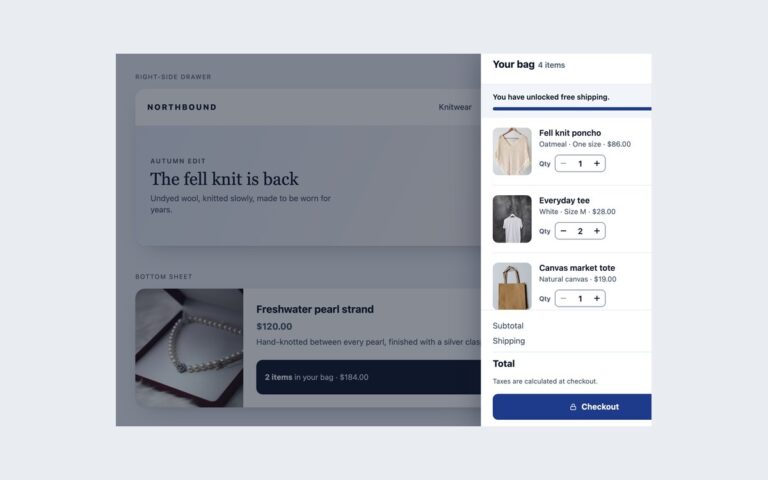
A mini cart for a tea shop header and five ways to show the cart count. Mini-cart dropdown is a cart icon with a red count badge that opens a panel under the header with each item, its quantity and price, a remove button, the subtotal and View cart and Checkout buttons; it starts open so you can see it. Below it, Add to cart buttons on three product cards put an item in the panel or raise its quantity. Header badge styles shows the same count as a bubble on the icon, a dot, a pill with the running total, a plain text link and a tab bar icon, all updated together. The plain and Tailwind versions use a disclosure button with aria-expanded and aria-controls that closes on Escape or an outside click; the Bootstrap version uses Bootstrap’s dropdown plugin with auto-close set to outside, so remove buttons inside the panel do not close it. A short script clones a template line for new products, recalculates the subtotal in cents and makes the badge pop briefly. Each change is announced through a polite status region, so the new count is heard as well as seen.
What’s included
Cart dropdown with lines, remove buttons, subtotal and two actions
Add to cart buttons that add a line or raise its quantity
Five badge styles: bubble, dot, total pill, text and tab bar
Badge text is the real count, plus a polite announcement for every change
Short pop animation on the badge that respects reduced motion
Accessibility
Every cart link and button includes the count in its accessible name, for example Cart, 3 items, and where a badge is purely visual it is hidden from assistive technology. The dropdown button reports its state with aria-expanded, Escape closes it and returns focus, and each remove button is named for its product. Additions and removals are announced through a polite role="status" region, and the badge animation stops under prefers-reduced-motion.
Customise it
Change --mc-accent and --mc-badge on .mc for the button and badge colours, and the width on .mc-panel. In Bootstrap the panel is .dropdown-menu with the same variables; in Tailwind edit the mc-* colours in @theme and the mc-bump keyframes.