// Link shelf: turn a link dropped from outside into a new item, built from the <template>.
document.addEventListener('dd:external', e => {
  const { list, url } = e.detail, u = new URL(url), host = u.hostname.replace(/^www\./, '');
  const li = e.target.querySelector('template').content.firstElementChild.cloneNode(true);
  e.detail.name = host + (u.pathname.length > 1 ? u.pathname.replace(/\/$/, '') : '');
  li.dataset.url = url; li.querySelector('a').href = url;
  li.querySelector('[data-dd-name]').textContent = e.detail.name;
  li.querySelector('[data-letter]').textContent = host[0].toUpperCase();
  list.prepend(li);
});
// No library: the native HTML Drag and Drop API (draggable="true", dragstart / dragover / drop, dataTransfer) for the mouse,
// pointer events for touch and pen (mobile browsers start native drags only after a long press, and not all of them),
// and a keyboard mode on every handle: Space or Enter picks up, arrow keys move, Space or Enter drops, Escape cancels.
document.querySelectorAll('[data-dd]').forEach(root => {
  const live = root.querySelector('[data-dd-live]');
  const items = l => [...l.children].filter(c => c.hasAttribute('data-dd-item'));
  const lists = l => [...root.querySelectorAll(`[data-dd-list="${l.dataset.ddList}"]`)];
  const name = el => el.querySelector('[data-dd-name]').textContent.trim();
  const label = l => l.getAttribute('aria-label');
  const pos = el => { const l = el.parentElement, all = items(l);
    return (lists(l).length > 1 ? label(l) + ', ' : '') + 'position ' + (all.indexOf(el) + 1) + ' of ' + all.length; };
  const say = msg => { live.textContent = ''; setTimeout(() => { live.textContent = msg; }, 60); };
  const over = l => root.querySelectorAll('[data-dd-list]').forEach(x => x.toggleAttribute('data-over', x === l));
  const changed = () => {
    root.querySelectorAll('[data-dd-list]').forEach(l => { const n = items(l).length, c = root.querySelector(`[data-dd-count="${l.id}"]`); l.toggleAttribute('data-empty', !n); if (c) c.textContent = n; });
    root.querySelectorAll('[data-dd-item]').forEach(it => it.querySelector('[data-dd-handle]').setAttribute('aria-label', 'Move ' + name(it)));
  };
  const commit = () => { changed(); root.dispatchEvent(new Event('dd:change', { bubbles: true })); }; // after every finished move
  const target = (hit, group) => { const sel = group ? `[data-dd-list="${group}"]` : '[data-dd-list]';
    const l = hit && hit.closest && (hit.closest(sel) || hit.closest('[data-dd-zone]')?.querySelector(sel)); return l && root.contains(l) ? l : null; };
  // Put the dragged item before or after the item under the pointer, or at the end of an empty list.
  const place = (list, hit, y) => {
    const o = items(list).find(c => c !== drag && c.contains(hit));
    if (o) { const r = o.getBoundingClientRect(), ref = y > r.top + r.height / 2 ? o.nextSibling : o; if (ref !== drag && ref !== drag.nextSibling) list.insertBefore(drag, ref); }
    else if (list !== drag.parentElement && !drag.contains(hit)) list.append(drag);
    changed();
  };
  let drag, home, ghost, kb, kbh, pid, sx, sy, oy, ox, moving;
  const putBack = el => home[0].insertBefore(el, home[1] && home[1].parentNode === home[0] ? home[1] : null);
  const start = el => { drag = el; home = [el.parentElement, el.nextSibling]; root.setAttribute('data-dd-active', ''); };
  const stop = () => { drag.removeAttribute('data-dragging'); root.removeAttribute('data-dd-active'); over(null); commit(); drag = null; };

  // 1. Mouse: native drag and drop. dataTransfer also carries the item out to other apps as text and a link.
  root.addEventListener('dragstart', e => {
    const item = e.target.closest && e.target.closest('[data-dd-item]');
    if (!item || kb || ghost) return e.preventDefault();
    start(item);
    e.dataTransfer.effectAllowed = 'copyMove';
    e.dataTransfer.setData('text/plain', item.dataset.url ? name(item) + ' ' + item.dataset.url : name(item));
    if (item.dataset.url) e.dataTransfer.setData('text/uri-list', item.dataset.url);
    requestAnimationFrame(() => drag && drag.setAttribute('data-dragging', '')); // after the browser has taken its drag image
  });
  root.addEventListener('dragover', e => {
    const list = target(e.target, drag && home[0].dataset.ddList);
    if (drag && !list) return e.preventDefault(); // between lists: keep the item where it last landed
    if (!list || (!drag && !('ddAccept' in list.dataset))) return; // outside drops only where data-dd-accept allows them
    e.preventDefault(); e.dataTransfer.dropEffect = drag ? 'move' : 'copy'; over(list);
    if (drag) place(list, e.target, e.clientY);
  });
  root.addEventListener('dragleave', e => { if (!root.contains(e.relatedTarget)) over(null); });
  root.addEventListener('drop', e => {
    if (drag) { e.preventDefault(); return say(name(drag) + ' moved to ' + pos(drag) + '.'); }
    const list = target(e.target); if (!list || !('ddAccept' in list.dataset)) return;
    e.preventDefault();
    const url = (e.dataTransfer.getData('text/uri-list') || e.dataTransfer.getData('text/plain')).split(/\s+/).find(s => /^https?:\/\//.test(s));
    over(null);
    if (!url) return say('Only links can be dropped here.');
    const detail = { list, url, name: '' }; root.dispatchEvent(new CustomEvent('dd:external', { detail, bubbles: true })); commit();
    say('Added ' + (detail.name || 'a link') + ' to ' + label(list) + '.');
  });
  root.addEventListener('dragend', e => { if (!drag) return; if (e.dataTransfer.dropEffect === 'none') { putBack(drag); say('Move cancelled.'); } stop(); });

  // 2. Touch and pen: pointer events from the handle, with a floating copy of the item under the finger.
  root.addEventListener('pointerdown', e => {
    const h = e.target.closest('[data-dd-handle]');
    if (e.pointerType === 'mouse' || !h || kb) return;
    pid = e.pointerId; sx = e.clientX; sy = e.clientY; ghost = null; start(h.closest('[data-dd-item]'));
  });
  root.addEventListener('pointermove', e => {
    if (!drag || e.pointerId !== pid) return;
    if (!ghost) {
      if (Math.hypot(e.clientX - sx, e.clientY - sy) < 6) return;
      const r = drag.getBoundingClientRect(); ox = sx - r.left; oy = sy - r.top; root.setPointerCapture(pid);
      ghost = drag.cloneNode(true); ghost.removeAttribute('data-dd-item'); ghost.setAttribute('data-dd-ghost', ''); ghost.setAttribute('aria-hidden', 'true'); ghost.inert = true;
      Object.assign(ghost.style, { position: 'fixed', left: 0, top: 0, width: r.width + 'px', margin: 0, zIndex: 999, pointerEvents: 'none' });
      drag.after(ghost); drag.setAttribute('data-dragging', '');
    }
    ghost.style.translate = `${e.clientX - ox}px ${e.clientY - oy}px`;
    const hit = document.elementFromPoint(e.clientX, e.clientY), list = target(hit, home[0].dataset.ddList);
    over(list); if (list) place(list, hit, e.clientY);
  });
  const end = e => {
    if (!drag || e.pointerId !== pid) return;
    if (ghost) { ghost.remove(); ghost = null; if (e.type === 'pointercancel') putBack(drag); else say(name(drag) + ' moved to ' + pos(drag) + '.'); }
    stop();
  };
  root.addEventListener('pointerup', end); root.addEventListener('pointercancel', end);

  // 3. Keyboard and screen readers: the handle is a toggle button (aria-pressed) that picks the item up.
  const finish = msg => { kb.removeAttribute('data-grabbed'); kbh.setAttribute('aria-pressed', 'false'); root.removeAttribute('data-dd-active'); over(null); kb = null; commit(); say(msg); };
  const move = fn => { moving = true; fn(); kbh.focus(); moving = false; kbh.scrollIntoView({ block: 'nearest' }); over(kb.parentElement); commit(); say(name(kb) + ' moved to ' + pos(kb) + '.'); };
  root.addEventListener('click', e => {
    const h = e.target.closest('[data-dd-handle]'); if (!h) return;
    const item = h.closest('[data-dd-item]');
    if (kb === item) return finish(name(item) + ' dropped, ' + pos(item) + '.');
    if (kb) finish(name(kb) + ' dropped, ' + pos(kb) + '.');
    kb = item; kbh = h; home = [item.parentElement, item.nextSibling];
    item.setAttribute('data-grabbed', ''); h.setAttribute('aria-pressed', 'true'); root.setAttribute('data-dd-active', ''); over(item.parentElement); h.focus();
    say(name(item) + ' picked up, ' + pos(item) + '. Use the arrow keys to move it, Space to drop it, Escape to cancel.');
  });
  root.addEventListener('keydown', e => {
    if (!kb || e.target !== kbh) return;
    if (e.key === 'Escape') { e.preventDefault(); moving = true; putBack(kb); kbh.focus(); moving = false; return finish('Move cancelled. ' + name(kb) + ' returned to ' + pos(kb) + '.'); }
    const d = { ArrowUp: -1, ArrowLeft: -1, ArrowDown: 1, ArrowRight: 1 }[e.key]; if (!d) return;
    e.preventDefault();
    const l = kb.parentElement, all = items(l), i = all.indexOf(kb), ls = lists(l);
    if ((e.key === 'ArrowLeft' || e.key === 'ArrowRight') && ls.length > 1) {
      const t = ls[ls.indexOf(l) + d];
      if (!t) return say(name(kb) + ' is already in ' + label(l) + '.');
      return move(() => t.insertBefore(kb, items(t)[i] || null));
    }
    if (!all[i + d]) return say(name(kb) + ' is already ' + (d < 0 ? 'first' : 'last') + '.');
    move(() => l.insertBefore(kb, d > 0 ? all[i + d].nextSibling : all[i + d]));
  });
  root.addEventListener('focusout', e => { if (kb && !moving && e.target === kbh) finish(name(kb) + ' dropped, ' + pos(kb) + '.'); });
  commit();
});
About this set
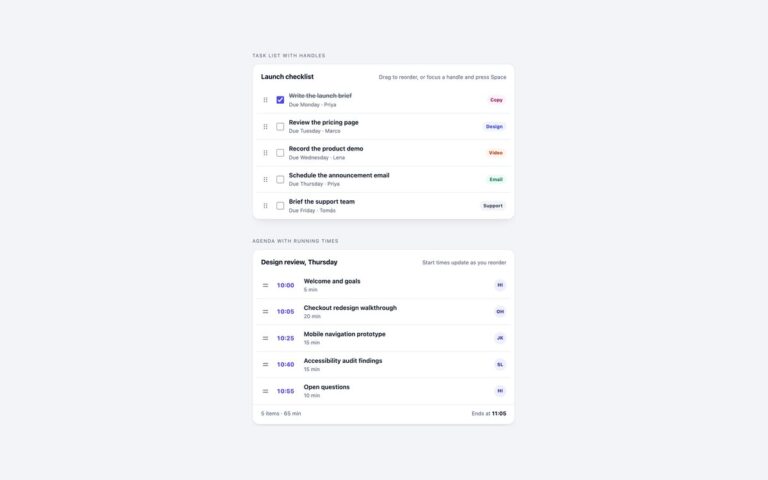
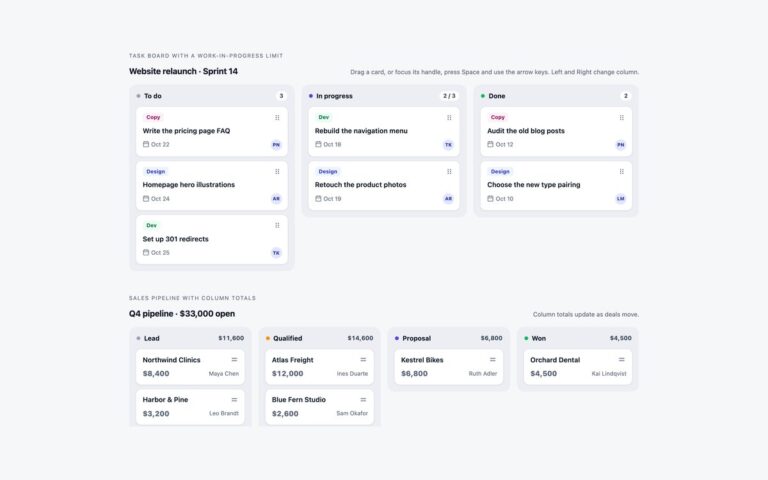
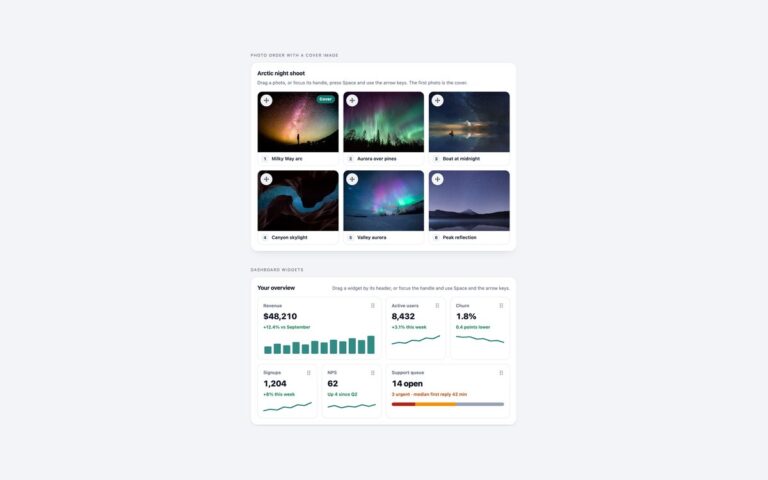
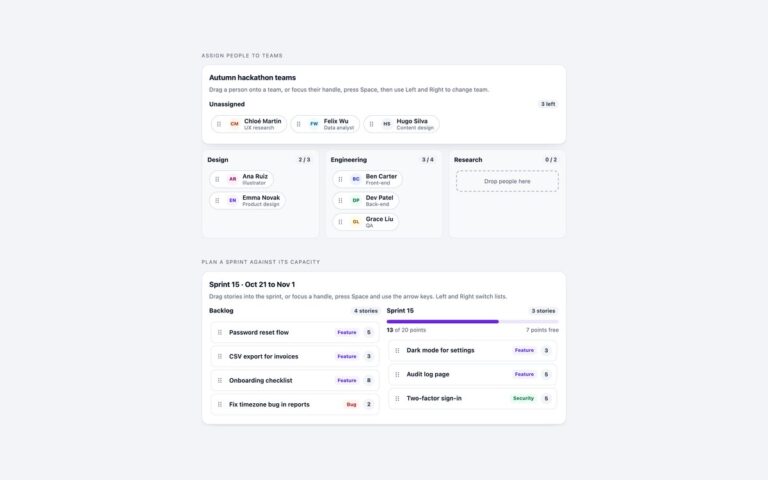
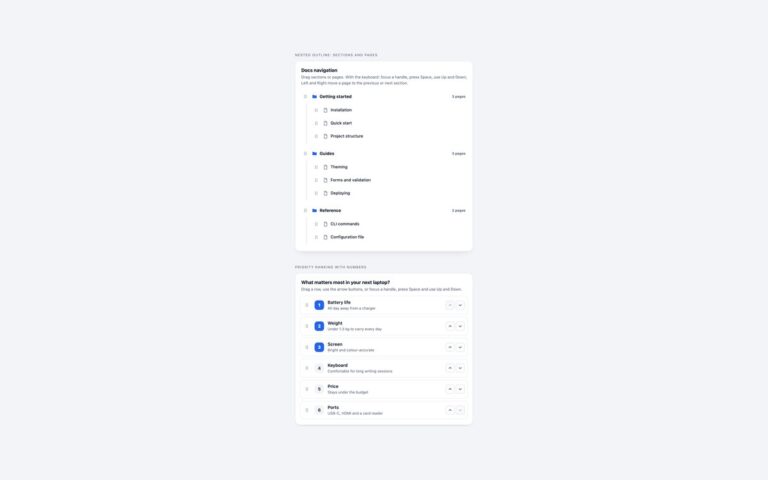
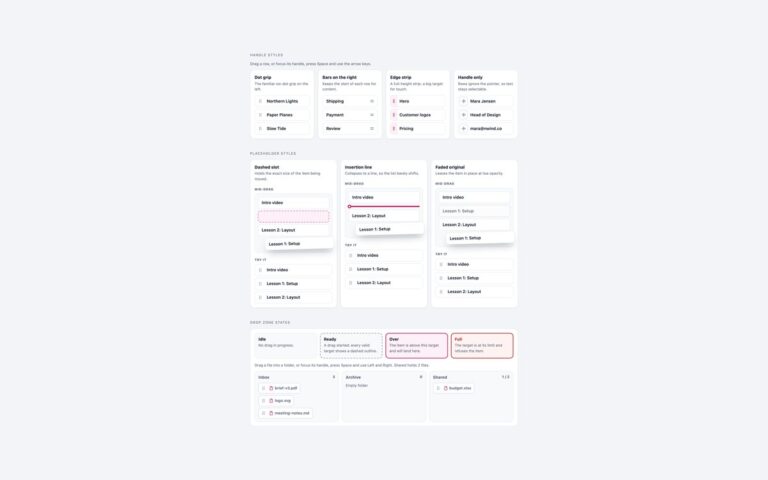
The no-library route, built on the browser’s own HTML Drag and Drop API, with notes on how it works. Native sortable reading list is a weekend reading list of five articles; items have draggable=”true”, and because dragstart writes the title and link into dataTransfer, an article can also be dragged out into an email, a document or another tab. Link shelf that accepts links from other tabs has Pinned and Saved lists; links move between them, and dropping a link from another tab or the address bar onto Saved adds it as a new item, read from text/uri-list and faded in with @starting-style. The native API covers the mouse, but mobile browsers start native drags only after a long press and not consistently, so the handle switches to pointer events for touch and pen, with touch-action: none so the page does not scroll. The keyboard mode is the same as in the other sets, a drop outside the component puts the item back, and the notes below the demo explain each part.
What’s included
HTML Drag and Drop API with dataTransfer
Items can be dragged out to other apps as links
Accepts links dropped in from other tabs
Pointer events fallback for touch and pen
Keyboard mode and live announcements as in every set
Accessibility
Every handle is a toggle button named Move plus the item name, with aria-pressed and the visible instructions joined through aria-describedby. Space or Enter picks the item up, the arrow keys move it, Space or Enter drops it and Escape puts it back, and each step is announced in an assertive aria-live region, for example "Designing calm notifications moved to position 2 of 5.". Links dropped in from another tab are announced as they are added. Handles show a visible focus outline, and the tilt of the dragged copy and any transitions switch off under prefers-reduced-motion.
Customise it
Change --nv-accent and --nv-tint on .nv; add data-dd-accept to a list to let it take links from outside, and edit the <template> for new items. Bootstrap uses .list-group rows; Tailwind uses the nv colours in @theme.