<div><span class="lbl">Vertical slider, top to bottom</span>
<figure>
  <div class="ic ic-v" data-compare data-vertical>
    <img src="https://images.unsplash.com/photo-1493246507139-91e8fad9978e?auto=format&fit=crop&w=640&h=800&q=70" srcset="https://images.unsplash.com/photo-1493246507139-91e8fad9978e?auto=format&fit=crop&w=400&h=500&q=70 400w, https://images.unsplash.com/photo-1493246507139-91e8fad9978e?auto=format&fit=crop&w=640&h=800&q=70 640w, https://images.unsplash.com/photo-1493246507139-91e8fad9978e?auto=format&fit=crop&w=960&h=1200&q=70 960w" sizes="(min-width: 760px) 474px, calc(100vw - 32px)" width="960" height="1200" class="ic-base" loading="lazy" alt="Before: Moraine Lake below jagged peaks, hazy and low in contrast">
    <div class="ic-top"><img src="https://images.unsplash.com/photo-1493246507139-91e8fad9978e?auto=format&fit=crop&w=640&h=800&q=70" srcset="https://images.unsplash.com/photo-1493246507139-91e8fad9978e?auto=format&fit=crop&w=400&h=500&q=70 400w, https://images.unsplash.com/photo-1493246507139-91e8fad9978e?auto=format&fit=crop&w=640&h=800&q=70 640w, https://images.unsplash.com/photo-1493246507139-91e8fad9978e?auto=format&fit=crop&w=960&h=1200&q=70 960w" sizes="(min-width: 760px) 474px, calc(100vw - 32px)" width="960" height="1200" loading="lazy" alt="After: the same lake with the haze removed, peaks lit pink at sunrise and a clear turquoise reflection"></div>
    <span class="ic-tag ic-tag-b" aria-hidden="true">Hazy</span><span class="ic-tag ic-tag-a" aria-hidden="true">Dehazed</span>
    <input class="ic-range" type="range" min="0" max="100" value="50" aria-label="Compare the hazy and dehazed photo of Moraine Lake" aria-valuetext="50% after" aria-orientation="vertical" data-compare-range>
    <span class="ic-handle" aria-hidden="true"><span class="ic-knob"><svg viewBox="0 0 24 24"><path d="M6 9l6-6 6 6M6 15l6 6 6-6" fill="none" stroke="currentColor" stroke-width="2" stroke-linecap="round" stroke-linejoin="round"/></svg></span></span>
  </div>
  <figcaption class="ic-cap"><strong>Moraine Lake, dehaze</strong><span>Drag up or down, or use the arrow keys</span></figcaption>
</figure></div>

<div><span class="lbl">Hover to compare, keyboard still works</span>
<figure>
  <div class="ic ic-h" data-compare data-hover>
    <img src="https://images.unsplash.com/photo-1477959858617-67f85cf4f1df?auto=format&fit=crop&w=640&h=800&q=70" srcset="https://images.unsplash.com/photo-1477959858617-67f85cf4f1df?auto=format&fit=crop&w=400&h=500&q=70 400w, https://images.unsplash.com/photo-1477959858617-67f85cf4f1df?auto=format&fit=crop&w=640&h=800&q=70 640w, https://images.unsplash.com/photo-1477959858617-67f85cf4f1df?auto=format&fit=crop&w=960&h=1200&q=70 960w" sizes="(min-width: 760px) 474px, calc(100vw - 32px)" width="960" height="1200" class="ic-base" loading="lazy" alt="After: downtown towers by the lake regraded as a deep blue evening scene"><span class="ic-tint" aria-hidden="true"></span>
    <div class="ic-top"><img src="https://images.unsplash.com/photo-1477959858617-67f85cf4f1df?auto=format&fit=crop&w=640&h=800&q=70" srcset="https://images.unsplash.com/photo-1477959858617-67f85cf4f1df?auto=format&fit=crop&w=400&h=500&q=70 400w, https://images.unsplash.com/photo-1477959858617-67f85cf4f1df?auto=format&fit=crop&w=640&h=800&q=70 640w, https://images.unsplash.com/photo-1477959858617-67f85cf4f1df?auto=format&fit=crop&w=960&h=1200&q=70 960w" sizes="(min-width: 760px) 474px, calc(100vw - 32px)" width="960" height="1200" loading="lazy" alt="Before: an aerial view of dense downtown towers running to the edge of a lake on a clear afternoon"></div>
    <span class="ic-tag ic-tag-b" aria-hidden="true">Day</span><span class="ic-tag ic-tag-a" aria-hidden="true">Blue hour</span>
    <input class="ic-range" type="range" min="0" max="100" value="50" aria-label="Compare the city by day and in the blue hour grade" aria-valuetext="50% after" data-compare-range>
    <span class="ic-handle" aria-hidden="true"><span class="ic-knob">Move to compare</span></span>
  </div>
  <figcaption class="ic-cap"><strong>Lakefront, day to blue hour</strong><span>Point at the photo, or tab to it and use the arrow keys</span></figcaption>
</figure></div>
CSS
/* Shared stage. --v (0–100) comes from the range input; --thumb keeps the divider on the native thumb. */
.ic{--v:50;--thumb:44px;--ic-focus:#1d4ed8;
  position:relative;display:block;aspect-ratio:4/5;overflow:hidden;border-radius:16px;background:#d8d3ca;isolation:isolate;user-select:none;-webkit-user-select:none}
.ic img{position:absolute;inset:0;width:100%;height:100%;object-fit:cover;display:block;pointer-events:none}
.ic-top{position:absolute;inset:0}
.ic-tag{position:absolute;padding:5px 11px;border-radius:999px;background:rgba(15,17,21,.78);color:#fff;
  font-size:.72rem;font-weight:700;letter-spacing:.08em;text-transform:uppercase;pointer-events:none;transition:opacity .2s}
.ic-range{position:absolute;inset:0;z-index:2;width:100%;height:100%;margin:0;opacity:0;-webkit-appearance:none;appearance:none;background:none}
.ic-handle{position:absolute;pointer-events:none;z-index:1}
.ic-handle::before{content:"";position:absolute;background:#fff;box-shadow:0 0 10px rgba(0,0,0,.35)}
.ic-knob{position:absolute;display:grid;place-items:center;width:46px;height:46px;translate:-50% -50%;border-radius:50%;
  background:#fff;color:#16181d;box-shadow:0 4px 16px rgba(0,0,0,.3)}
.ic-knob svg{width:22px;height:22px}
.ic-range:focus-visible ~ .ic-handle .ic-knob{outline:3px solid var(--ic-focus);outline-offset:3px;box-shadow:0 0 0 3px #fff,0 4px 16px rgba(0,0,0,.3)}
.ic-cap{margin-top:14px;font-size:.92rem}
.ic-cap strong{display:block;font-weight:600}
.ic-cap span{display:block;margin-top:3px;color:#5f5a52}

/* 1. Vertical: the range is turned upright with writing-mode, so Up arrow reveals more of the "after" layer */
.ic-v{--y:calc(var(--thumb) / 2 + (100% - var(--thumb)) * var(--v) / 100)}
.ic-v .ic-top{clip-path:inset(calc(100% - var(--y)) 0 0 0)}
.ic-v .ic-base{filter:brightness(1.12) contrast(.7) saturate(.55)}
.ic-v .ic-range{writing-mode:vertical-lr;direction:rtl;cursor:ns-resize}
.ic-v .ic-range::-webkit-slider-runnable-track{width:100%}
.ic-v .ic-range::-webkit-slider-thumb{-webkit-appearance:none;width:100%;height:var(--thumb)}
.ic-v .ic-range::-moz-range-thumb{width:100%;height:var(--thumb);border:0}
.ic-v .ic-handle{left:0;right:0;bottom:var(--y);height:0}
.ic-v .ic-handle::before{left:0;right:0;top:-1.5px;height:3px}
.ic-v .ic-knob{left:50%;top:0}
.ic-v .ic-tag-b{top:14px;left:14px;opacity:clamp(0,calc((86 - var(--v)) / 8),1)}
.ic-v .ic-tag-a{bottom:14px;left:14px;opacity:clamp(0,calc((var(--v) - 14) / 8),1)}

/* 2. Hover to compare: the divider follows a mouse pointer; touch drags and keyboard use the range as usual */
.ic-h{--x:calc(var(--thumb) / 2 + (100% - var(--thumb)) * var(--v) / 100)}
.ic-h .ic-top{clip-path:inset(0 calc(100% - var(--x)) 0 0)}
.ic-h .ic-base{filter:brightness(.85) contrast(1.2) saturate(.75)}
.ic-tint{position:absolute;inset:0;background:linear-gradient(#4a5cc4,#1d2a78 70%);mix-blend-mode:multiply;pointer-events:none}
.ic-h .ic-range{cursor:col-resize}
.ic-h .ic-range::-webkit-slider-runnable-track{height:100%}
.ic-h .ic-range::-webkit-slider-thumb{-webkit-appearance:none;width:var(--thumb);height:100%}
.ic-h .ic-range::-moz-range-thumb{width:var(--thumb);height:100%;border:0}
.ic-h .ic-handle{top:0;bottom:0;left:var(--x);width:0}
.ic-h .ic-handle::before{top:0;bottom:0;left:-1px;width:2px}
.ic-h .ic-knob{top:auto;bottom:18px;left:0;width:auto;height:auto;padding:6px 12px;translate:-50% 0;border-radius:999px;font-size:.75rem;font-weight:700;white-space:nowrap}
.ic-h .ic-tag-b{top:14px;left:14px;opacity:clamp(0,calc((var(--v) - 14) / 8),1)}
.ic-h .ic-tag-a{top:14px;right:14px;opacity:clamp(0,calc((86 - var(--v)) / 8),1)}
@media (prefers-reduced-motion:reduce){.ic-tag{transition:none}}
JavaScript
// Before/after slider: the range input is the control. This mirrors its value into --v and a
// readable aria-valuetext. [data-hover] also moves the divider with a mouse pointer, no click needed.
document.querySelectorAll('[data-compare]').forEach((root) => {
  const range = root.querySelector('[data-compare-range]');
  if (!range) return;
  const vertical = root.hasAttribute('data-vertical');
  const sync = () => {
    root.style.setProperty('--v', range.value);
    range.setAttribute('aria-valuetext', `${vertical ? range.value : 100 - range.value}% after`);
  };
  range.addEventListener('input', sync);
  if (root.hasAttribute('data-hover')) {
    root.addEventListener('pointermove', (e) => {
      if (e.pointerType !== 'mouse') return;
      const box = root.getBoundingClientRect();
      const thumb = parseFloat(getComputedStyle(root).getPropertyValue('--thumb')) || 0;
      range.value = Math.round(((e.clientX - box.left - thumb / 2) / (box.width - thumb)) * 100);
      sync();
    });
  }
  sync();
});
Bootstrap 5 code
Requires: Bootstrap 5.3.8 CSS
HTML
<div class="col"><span class="lbl">Vertical slider, top to bottom</span>
<figure class="figure d-block m-0">
  <div class="ic ic-v ratio rounded-4" data-compare data-vertical>
    <img src="https://images.unsplash.com/photo-1493246507139-91e8fad9978e?auto=format&fit=crop&w=640&h=800&q=70" srcset="https://images.unsplash.com/photo-1493246507139-91e8fad9978e?auto=format&fit=crop&w=400&h=500&q=70 400w, https://images.unsplash.com/photo-1493246507139-91e8fad9978e?auto=format&fit=crop&w=640&h=800&q=70 640w, https://images.unsplash.com/photo-1493246507139-91e8fad9978e?auto=format&fit=crop&w=960&h=1200&q=70 960w" sizes="(min-width: 768px) 466px, calc(100vw - 32px)" width="960" height="1200" class="ic-base" loading="lazy" alt="Before: Moraine Lake below jagged peaks, hazy and low in contrast">
    <div class="ic-top"><img src="https://images.unsplash.com/photo-1493246507139-91e8fad9978e?auto=format&fit=crop&w=640&h=800&q=70" srcset="https://images.unsplash.com/photo-1493246507139-91e8fad9978e?auto=format&fit=crop&w=400&h=500&q=70 400w, https://images.unsplash.com/photo-1493246507139-91e8fad9978e?auto=format&fit=crop&w=640&h=800&q=70 640w, https://images.unsplash.com/photo-1493246507139-91e8fad9978e?auto=format&fit=crop&w=960&h=1200&q=70 960w" sizes="(min-width: 768px) 466px, calc(100vw - 32px)" width="960" height="1200" class="w-100 h-100" loading="lazy" alt="After: the same lake with the haze removed, peaks lit pink at sunrise and a clear turquoise reflection"></div>
    <div class="pe-none"><span class="badge rounded-pill position-absolute ic-tag-b" aria-hidden="true">Hazy</span><span class="badge rounded-pill position-absolute ic-tag-a" aria-hidden="true">Dehazed</span></div>
    <input class="form-range" type="range" min="0" max="100" value="50" aria-label="Compare the hazy and dehazed photo of Moraine Lake" aria-valuetext="50% after" aria-orientation="vertical" data-compare-range>
    <span class="ic-handle" aria-hidden="true"><span class="ic-knob"><svg viewBox="0 0 24 24"><path d="M6 9l6-6 6 6M6 15l6 6 6-6" fill="none" stroke="currentColor" stroke-width="2" stroke-linecap="round" stroke-linejoin="round"/></svg></span></span>
  </div>
  <figcaption class="figure-caption ic-cap mt-3"><strong class="d-block fw-semibold text-body">Moraine Lake, dehaze</strong><span class="d-block mt-1">Drag up or down, or use the arrow keys</span></figcaption>
</figure></div>

<div class="col"><span class="lbl">Hover to compare, keyboard still works</span>
<figure class="figure d-block m-0">
  <div class="ic ic-h ratio rounded-4" data-compare data-hover>
    <img src="https://images.unsplash.com/photo-1477959858617-67f85cf4f1df?auto=format&fit=crop&w=640&h=800&q=70" srcset="https://images.unsplash.com/photo-1477959858617-67f85cf4f1df?auto=format&fit=crop&w=400&h=500&q=70 400w, https://images.unsplash.com/photo-1477959858617-67f85cf4f1df?auto=format&fit=crop&w=640&h=800&q=70 640w, https://images.unsplash.com/photo-1477959858617-67f85cf4f1df?auto=format&fit=crop&w=960&h=1200&q=70 960w" sizes="(min-width: 768px) 466px, calc(100vw - 32px)" width="960" height="1200" class="ic-base" loading="lazy" alt="After: downtown towers by the lake regraded as a deep blue evening scene"><span class="ic-tint" aria-hidden="true"></span>
    <div class="ic-top"><img src="https://images.unsplash.com/photo-1477959858617-67f85cf4f1df?auto=format&fit=crop&w=640&h=800&q=70" srcset="https://images.unsplash.com/photo-1477959858617-67f85cf4f1df?auto=format&fit=crop&w=400&h=500&q=70 400w, https://images.unsplash.com/photo-1477959858617-67f85cf4f1df?auto=format&fit=crop&w=640&h=800&q=70 640w, https://images.unsplash.com/photo-1477959858617-67f85cf4f1df?auto=format&fit=crop&w=960&h=1200&q=70 960w" sizes="(min-width: 768px) 466px, calc(100vw - 32px)" width="960" height="1200" class="w-100 h-100" loading="lazy" alt="Before: an aerial view of dense downtown towers running to the edge of a lake on a clear afternoon"></div>
    <div class="pe-none"><span class="badge rounded-pill position-absolute ic-tag-b" aria-hidden="true">Day</span><span class="badge rounded-pill position-absolute ic-tag-a" aria-hidden="true">Blue hour</span></div>
    <input class="form-range" type="range" min="0" max="100" value="50" aria-label="Compare the city by day and in the blue hour grade" aria-valuetext="50% after" data-compare-range>
    <span class="ic-handle" aria-hidden="true"><span class="ic-knob">Move to compare</span></span>
  </div>
  <figcaption class="figure-caption ic-cap mt-3"><strong class="d-block fw-semibold text-body">Lakefront, day to blue hour</strong><span class="d-block mt-1">Point at the photo, or tab to it and use the arrow keys</span></figcaption>
</figure></div>
CSS
/* Shared stage on .ratio; .form-range is the control. --v (0–100) comes from the range value. */
.ic{--v:50;--thumb:44px;--ic-focus:#1d4ed8;--bs-aspect-ratio:125%;overflow:hidden;background:#d8d3ca;isolation:isolate;user-select:none;-webkit-user-select:none}
.ic img{object-fit:cover;pointer-events:none}
.ic .badge{padding:5px 11px;background:rgba(15,17,21,.78);font-size:.72rem;letter-spacing:.08em;text-transform:uppercase;transition:opacity .2s}
.ic .form-range{z-index:2;opacity:0;-webkit-appearance:none;appearance:none}
.ic-handle{pointer-events:none;z-index:1}
.ic-handle::before{content:"";position:absolute;background:#fff;box-shadow:0 0 10px rgba(0,0,0,.35)}
.ic-knob{position:absolute;display:grid;place-items:center;width:46px;height:46px;translate:-50% -50%;border-radius:50%;
  background:#fff;color:#16181d;box-shadow:0 4px 16px rgba(0,0,0,.3)}
.ic-knob svg{width:22px;height:22px}
.ic .form-range:focus-visible ~ .ic-handle .ic-knob{outline:3px solid var(--ic-focus);outline-offset:3px;box-shadow:0 0 0 3px #fff,0 4px 16px rgba(0,0,0,.3)}
.ic-cap{font-size:.92rem;color:#5f5a52}

/* 1. Vertical: the range is turned upright with writing-mode, so Up arrow reveals more of the "after" layer */
.ic-v{--y:calc(var(--thumb) / 2 + (100% - var(--thumb)) * var(--v) / 100)}
.ic-v .ic-top{clip-path:inset(calc(100% - var(--y)) 0 0 0)}
.ic-v .ic-base{filter:brightness(1.12) contrast(.7) saturate(.55)}
.ic-v .form-range{writing-mode:vertical-lr;direction:rtl;cursor:ns-resize}
.ic-v .form-range::-webkit-slider-runnable-track{width:100%;height:100%}
.ic-v .form-range::-webkit-slider-thumb{width:100%;height:var(--thumb);margin:0}
.ic-v .form-range::-moz-range-thumb{width:100%;height:var(--thumb)}
.ic-v .ic-handle{top:auto;bottom:var(--y);height:0}
.ic-v .ic-handle::before{left:0;right:0;top:-1.5px;height:3px}
.ic-v .ic-knob{left:50%;top:0}
.ic-v .ic-tag-b{top:14px;left:14px;opacity:clamp(0,calc((86 - var(--v)) / 8),1)}
.ic-v .ic-tag-a{bottom:14px;left:14px;opacity:clamp(0,calc((var(--v) - 14) / 8),1)}

/* 2. Hover to compare: the divider follows a mouse pointer; touch drags and keyboard use the range as usual */
.ic-h{--x:calc(var(--thumb) / 2 + (100% - var(--thumb)) * var(--v) / 100)}
.ic-h .ic-top{clip-path:inset(0 calc(100% - var(--x)) 0 0)}
.ic-h .ic-base{filter:brightness(.85) contrast(1.2) saturate(.75)}
.ic-tint{background:linear-gradient(#4a5cc4,#1d2a78 70%);mix-blend-mode:multiply;pointer-events:none}
.ic-h .form-range{cursor:col-resize}
.ic-h .form-range::-webkit-slider-runnable-track{height:100%}
.ic-h .form-range::-webkit-slider-thumb{width:var(--thumb);height:100%;margin-top:0}
.ic-h .form-range::-moz-range-thumb{width:var(--thumb);height:100%}
.ic-h .ic-handle{left:var(--x);width:0}
.ic-h .ic-handle::before{top:0;bottom:0;left:-1px;width:2px}
.ic-h .ic-knob{top:auto;bottom:18px;left:0;width:auto;height:auto;padding:6px 12px;translate:-50% 0;border-radius:999px;font-size:.75rem;font-weight:700;white-space:nowrap}
.ic-h .ic-tag-b{top:14px;left:14px;opacity:clamp(0,calc((var(--v) - 14) / 8),1)}
.ic-h .ic-tag-a{top:14px;right:14px;opacity:clamp(0,calc((86 - var(--v)) / 8),1)}
@media (prefers-reduced-motion:reduce){.ic .badge{transition:none}}
JavaScript
// Before/after slider: the range input is the control. This mirrors its value into --v and a
// readable aria-valuetext. [data-hover] also moves the divider with a mouse pointer, no click needed.
document.querySelectorAll('[data-compare]').forEach((root) => {
  const range = root.querySelector('[data-compare-range]');
  if (!range) return;
  const vertical = root.hasAttribute('data-vertical');
  const sync = () => {
    root.style.setProperty('--v', range.value);
    range.setAttribute('aria-valuetext', `${vertical ? range.value : 100 - range.value}% after`);
  };
  range.addEventListener('input', sync);
  if (root.hasAttribute('data-hover')) {
    root.addEventListener('pointermove', (e) => {
      if (e.pointerType !== 'mouse') return;
      const box = root.getBoundingClientRect();
      const thumb = parseFloat(getComputedStyle(root).getPropertyValue('--thumb')) || 0;
      range.value = Math.round(((e.clientX - box.left - thumb / 2) / (box.width - thumb)) * 100);
      sync();
    });
  }
  sync();
});
Tailwind 4 code
Requires: Tailwind CSS 4
HTML
<div><span class="mb-4 block text-[.72rem] tracking-[.12em] text-[#5f5a52] uppercase">Vertical slider, top to bottom</span>
<figure>
  <div class="compare-y relative isolate block aspect-[4/5] overflow-hidden rounded-2xl bg-[#d8d3ca] select-none [--thumb:44px] [--v:50]" data-compare data-vertical>
    <img src="https://images.unsplash.com/photo-1493246507139-91e8fad9978e?auto=format&fit=crop&w=640&h=800&q=70" srcset="https://images.unsplash.com/photo-1493246507139-91e8fad9978e?auto=format&fit=crop&w=400&h=500&q=70 400w, https://images.unsplash.com/photo-1493246507139-91e8fad9978e?auto=format&fit=crop&w=640&h=800&q=70 640w, https://images.unsplash.com/photo-1493246507139-91e8fad9978e?auto=format&fit=crop&w=960&h=1200&q=70 960w" sizes="(min-width: 760px) 474px, calc(100vw - 32px)" width="960" height="1200" class="pointer-events-none absolute inset-0 block size-full object-cover brightness-112 contrast-70 saturate-55" loading="lazy" alt="Before: Moraine Lake below jagged peaks, hazy and low in contrast">
    <div class="clip-bottom absolute inset-0"><img src="https://images.unsplash.com/photo-1493246507139-91e8fad9978e?auto=format&fit=crop&w=640&h=800&q=70" srcset="https://images.unsplash.com/photo-1493246507139-91e8fad9978e?auto=format&fit=crop&w=400&h=500&q=70 400w, https://images.unsplash.com/photo-1493246507139-91e8fad9978e?auto=format&fit=crop&w=640&h=800&q=70 640w, https://images.unsplash.com/photo-1493246507139-91e8fad9978e?auto=format&fit=crop&w=960&h=1200&q=70 960w" sizes="(min-width: 760px) 474px, calc(100vw - 32px)" width="960" height="1200" class="pointer-events-none absolute inset-0 block size-full object-cover" loading="lazy" alt="After: the same lake with the haze removed, peaks lit pink at sunrise and a clear turquoise reflection"></div>
    <span class="pointer-events-none absolute top-3.5 left-3.5 rounded-full bg-[rgba(15,17,21,.78)] px-[11px] py-[5px] text-[.72rem] font-bold tracking-[.08em] text-white uppercase opacity-[clamp(0,calc((86_-_var(--v))/8),1)] transition-opacity duration-200 motion-reduce:transition-none" aria-hidden="true">Hazy</span>
    <span class="pointer-events-none absolute bottom-3.5 left-3.5 rounded-full bg-[rgba(15,17,21,.78)] px-[11px] py-[5px] text-[.72rem] font-bold tracking-[.08em] text-white uppercase opacity-[clamp(0,calc((var(--v)_-_14)/8),1)] transition-opacity duration-200 motion-reduce:transition-none" aria-hidden="true">Dehazed</span>
    <input class="compare-range-y peer absolute inset-0 z-2 m-0 size-full cursor-ns-resize opacity-0" type="range" min="0" max="100" value="50" aria-label="Compare the hazy and dehazed photo of Moraine Lake" aria-valuetext="50% after" aria-orientation="vertical" data-compare-range>
    <span class="pointer-events-none absolute inset-x-0 bottom-(--y) z-1 h-[3px] translate-y-1/2 bg-white shadow-[0_0_10px_rgba(0,0,0,.35)]" data-handle aria-hidden="true"></span>
    <span class="pointer-events-none absolute bottom-(--y) left-1/2 z-1 grid size-[46px] -translate-x-1/2 translate-y-1/2 place-items-center rounded-full bg-white text-[#16181d] shadow-[0_4px_16px_rgba(0,0,0,.3)] peer-focus-visible:shadow-[0_0_0_3px_#fff,0_4px_16px_rgba(0,0,0,.3)] peer-focus-visible:outline-3 peer-focus-visible:outline-offset-3 peer-focus-visible:outline-[#1d4ed8]" aria-hidden="true"><svg class="size-[22px]" viewBox="0 0 24 24"><path d="M6 9l6-6 6 6M6 15l6 6 6-6" fill="none" stroke="currentColor" stroke-width="2" stroke-linecap="round" stroke-linejoin="round"/></svg></span>
  </div>
  <figcaption class="mt-3.5 text-[.92rem]"><strong class="block font-semibold">Moraine Lake, dehaze</strong><span class="mt-[3px] block text-[#5f5a52]">Drag up or down, or use the arrow keys</span></figcaption>
</figure></div>

<div><span class="mb-4 block text-[.72rem] tracking-[.12em] text-[#5f5a52] uppercase">Hover to compare, keyboard still works</span>
<figure>
  <div class="compare-x relative isolate block aspect-[4/5] overflow-hidden rounded-2xl bg-[#d8d3ca] select-none [--thumb:44px] [--v:50]" data-compare data-hover>
    <img src="https://images.unsplash.com/photo-1477959858617-67f85cf4f1df?auto=format&fit=crop&w=640&h=800&q=70" srcset="https://images.unsplash.com/photo-1477959858617-67f85cf4f1df?auto=format&fit=crop&w=400&h=500&q=70 400w, https://images.unsplash.com/photo-1477959858617-67f85cf4f1df?auto=format&fit=crop&w=640&h=800&q=70 640w, https://images.unsplash.com/photo-1477959858617-67f85cf4f1df?auto=format&fit=crop&w=960&h=1200&q=70 960w" sizes="(min-width: 760px) 474px, calc(100vw - 32px)" width="960" height="1200" class="pointer-events-none absolute inset-0 block size-full object-cover brightness-85 contrast-120 saturate-75" loading="lazy" alt="After: downtown towers by the lake regraded as a deep blue evening scene"><span class="pointer-events-none absolute inset-0 bg-linear-to-b from-[#4a5cc4] to-[#1d2a78] to-70% mix-blend-multiply" aria-hidden="true"></span>
    <div class="clip-left absolute inset-0"><img src="https://images.unsplash.com/photo-1477959858617-67f85cf4f1df?auto=format&fit=crop&w=640&h=800&q=70" srcset="https://images.unsplash.com/photo-1477959858617-67f85cf4f1df?auto=format&fit=crop&w=400&h=500&q=70 400w, https://images.unsplash.com/photo-1477959858617-67f85cf4f1df?auto=format&fit=crop&w=640&h=800&q=70 640w, https://images.unsplash.com/photo-1477959858617-67f85cf4f1df?auto=format&fit=crop&w=960&h=1200&q=70 960w" sizes="(min-width: 760px) 474px, calc(100vw - 32px)" width="960" height="1200" class="pointer-events-none absolute inset-0 block size-full object-cover" loading="lazy" alt="Before: an aerial view of dense downtown towers running to the edge of a lake on a clear afternoon"></div>
    <span class="pointer-events-none absolute top-3.5 left-3.5 rounded-full bg-[rgba(15,17,21,.78)] px-[11px] py-[5px] text-[.72rem] font-bold tracking-[.08em] text-white uppercase opacity-[clamp(0,calc((var(--v)_-_14)/8),1)] transition-opacity duration-200 motion-reduce:transition-none" aria-hidden="true">Day</span>
    <span class="pointer-events-none absolute top-3.5 right-3.5 rounded-full bg-[rgba(15,17,21,.78)] px-[11px] py-[5px] text-[.72rem] font-bold tracking-[.08em] text-white uppercase opacity-[clamp(0,calc((86_-_var(--v))/8),1)] transition-opacity duration-200 motion-reduce:transition-none" aria-hidden="true">Blue hour</span>
    <input class="compare-range peer absolute inset-0 z-2 m-0 size-full cursor-col-resize opacity-0" type="range" min="0" max="100" value="50" aria-label="Compare the city by day and in the blue hour grade" aria-valuetext="50% after" data-compare-range>
    <span class="pointer-events-none absolute inset-y-0 left-(--x) z-1 w-0.5 -translate-x-1/2 bg-white shadow-[0_0_10px_rgba(0,0,0,.35)]" data-handle aria-hidden="true"></span>
    <span class="pointer-events-none absolute bottom-[18px] left-(--x) z-1 -translate-x-1/2 rounded-full bg-white px-3 py-1.5 text-xs font-bold whitespace-nowrap text-[#16181d] shadow-[0_4px_16px_rgba(0,0,0,.3)] peer-focus-visible:shadow-[0_0_0_3px_#fff,0_4px_16px_rgba(0,0,0,.3)] peer-focus-visible:outline-3 peer-focus-visible:outline-offset-3 peer-focus-visible:outline-[#1d4ed8]" aria-hidden="true">Move to compare</span>
  </div>
  <figcaption class="mt-3.5 text-[.92rem]"><strong class="block font-semibold">Lakefront, day to blue hour</strong><span class="mt-[3px] block text-[#5f5a52]">Point at the photo, or tab to it and use the arrow keys</span></figcaption>
</figure></div>
// Before/after slider: the range input is the control. This mirrors its value into --v and a
// readable aria-valuetext. [data-hover] also moves the divider with a mouse pointer, no click needed.
document.querySelectorAll('[data-compare]').forEach((root) => {
  const range = root.querySelector('[data-compare-range]');
  if (!range) return;
  const vertical = root.hasAttribute('data-vertical');
  const sync = () => {
    root.style.setProperty('--v', range.value);
    range.setAttribute('aria-valuetext', `${vertical ? range.value : 100 - range.value}% after`);
  };
  range.addEventListener('input', sync);
  if (root.hasAttribute('data-hover')) {
    root.addEventListener('pointermove', (e) => {
      if (e.pointerType !== 'mouse') return;
      const box = root.getBoundingClientRect();
      const thumb = parseFloat(getComputedStyle(root).getPropertyValue('--thumb')) || 0;
      range.value = Math.round(((e.clientX - box.left - thumb / 2) / (box.width - thumb)) * 100);
      sync();
    });
  }
  sync();
});
About this set
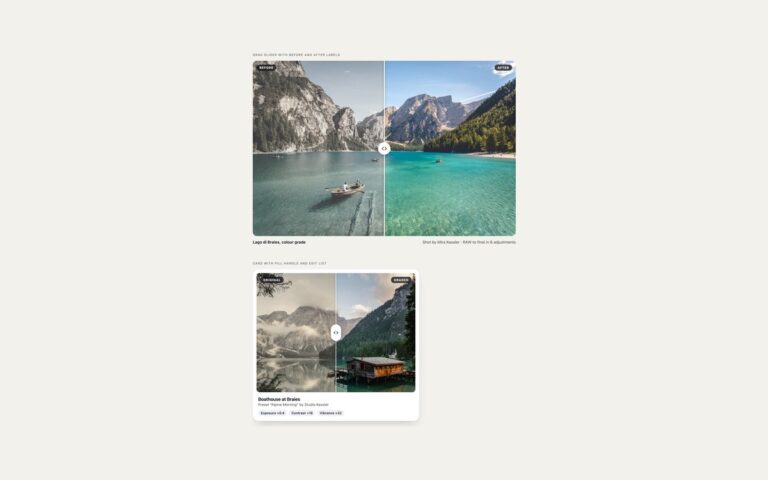
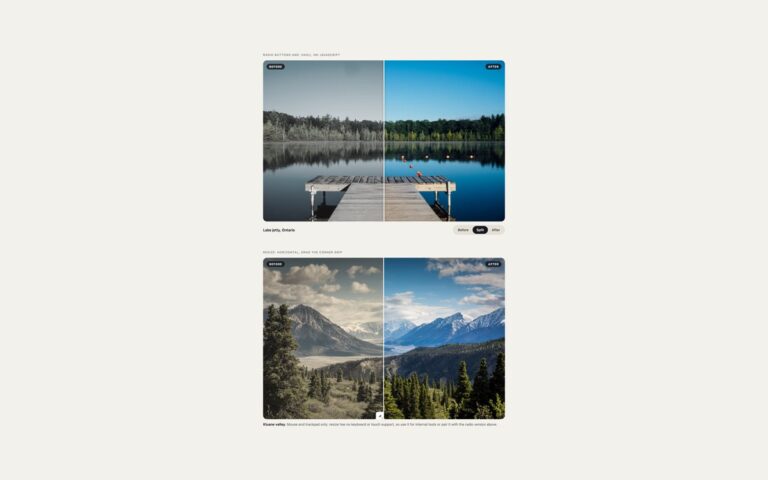
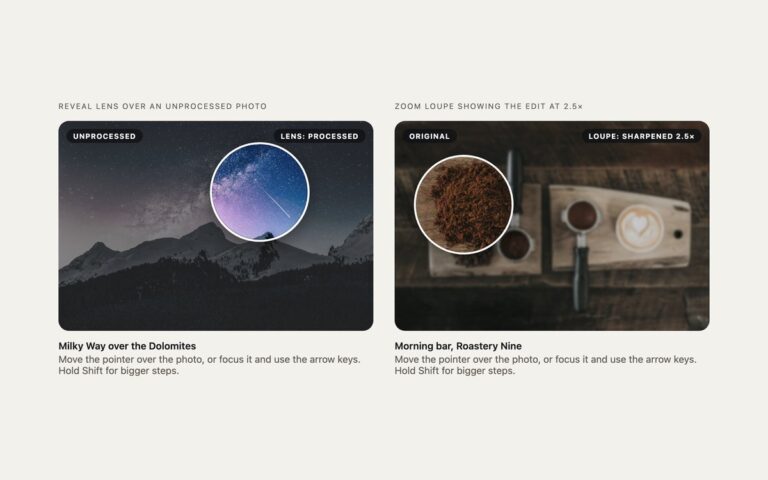
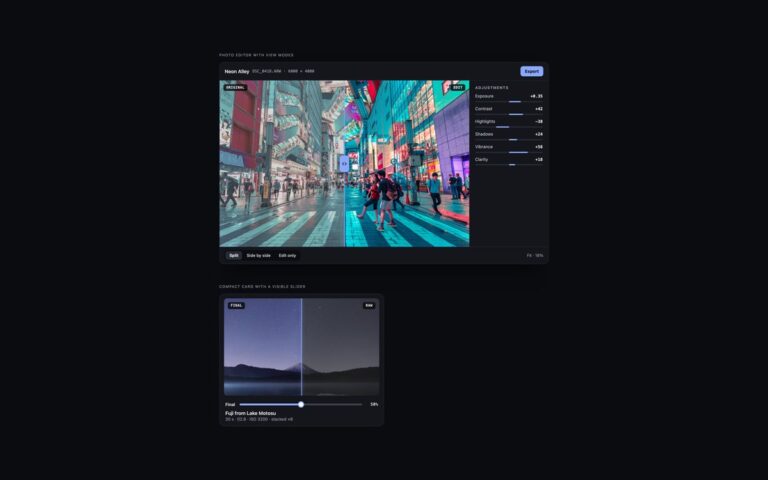
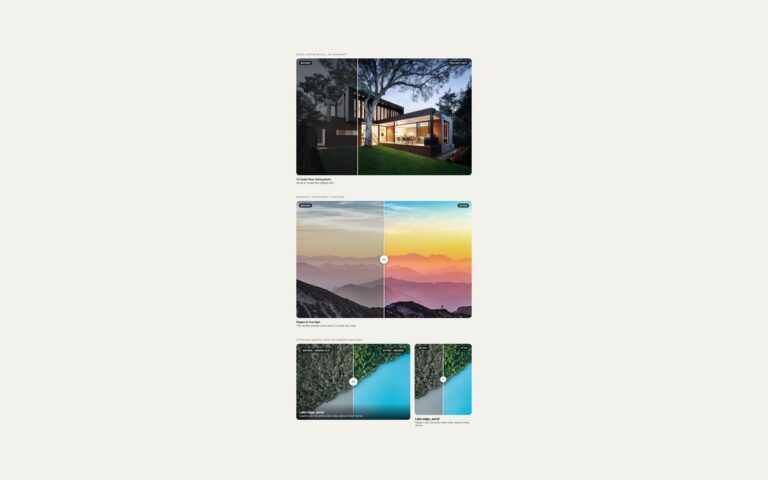
Two variations on the drag slider for layouts where a left and right split is not the best fit. Vertical slider, top to bottom compares a hazy and a dehazed photo of a mountain lake in a 4:5 frame: the divider runs across the photo and the dehazed version rises from the bottom. The range input is turned upright with writing-mode: vertical-lr and direction: rtl, so the Up arrow reveals more of the after photo and the value reads as the share of after, for example 62% after. Hover to compare follows a mouse pointer with no click: moving across a city photo slides between the original day shot and a blue hour grade, which suits product pages and galleries where people only skim. On touch screens the same element is a normal drag slider, and keyboard users tab to it and use the arrow keys, because the invisible range input is still the real control. A small pointermove listener maps the pointer position to the range value and ignores touch and pen, so scrolling on phones is not hijacked. The blue hour look is a CSS filter plus a multiply gradient over the same photo, so both layers line up exactly.
What’s included
Vertical comparison with an upright native range input
Hover-to-compare that follows a mouse pointer without clicking
Keyboard and touch still work on the hover version
Labels fade as the divider passes them
Day to blue hour grade made from one photo with a filter and a blend layer
Accessibility
Both sliders are native range inputs with an aria-label and an aria-valuetext that states the share of the after photo; the vertical one also has aria-orientation set to vertical. Keyboard users get the arrow keys, Home and End, and a blue outline on the handle when it has focus. The hover behaviour only adds to the range, and the label fade is switched off under prefers-reduced-motion.
Customise it
Change --thumb on .ic, the .ic-v .ic-base filter for the hazy look and the .ic-tint gradient for the blue hour grade. In Bootstrap the stage is a .ratio with --bs-aspect-ratio: 125%; in Tailwind change aspect-[4/5], the filter utilities and the bg-linear-to-b colours.