
Kinetic — Free Gym & Fitness Studio Website Template
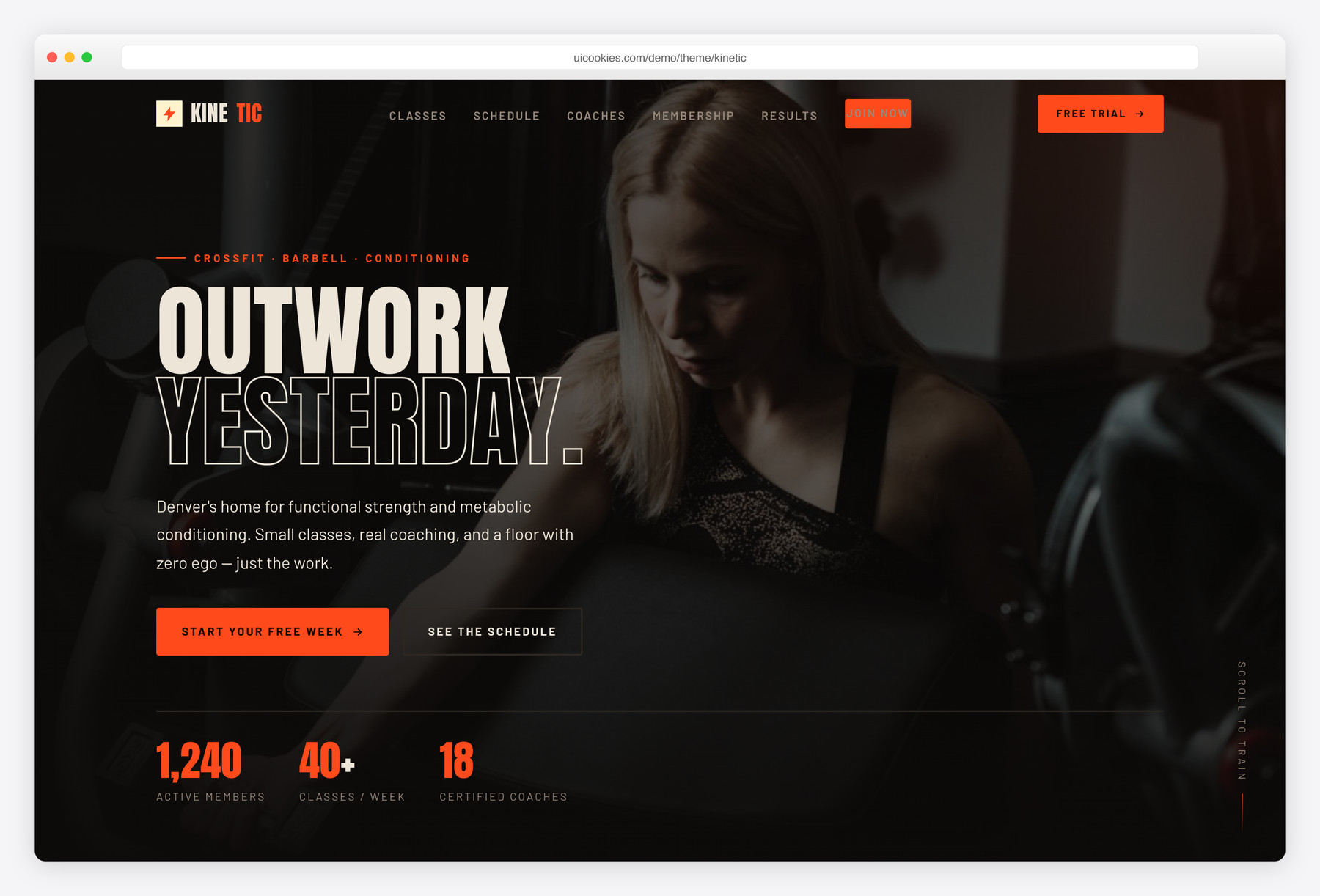
Kinetic is a free, dark single-page Bootstrap 5 template for CrossFit boxes, strength gyms, and fitness studios. Its standout is an interactive weekly class schedule that switches by day through keyboard-accessible tabs, backed by programs, coaches, honest membership pricing, and a filterable member-results gallery. It's built with zero jQuery and inline-SVG icons, so it stays fast and deploys cleanly even on strict-CSP hosts.
Key features
- Interactive weekly class schedule with keyboard-accessible day tabs (Mon–Sat)
- Poster-style hero with animated member/class/coach stat counters
- Four-up programs grid: CrossFit, Barbell, Hyrox/Metcon, Mobility
- Three-tier membership pricing with a highlighted "most popular" plan
- Filterable transformation gallery (Strength / Fat loss / Performance)
- Auto-advancing member testimonials that pause on hover
- Coaches section with certifications, specialties, and inline-SVG socials
- Free-trial CTA band plus footer with hours, address, and newsletter capture
- Zero jQuery — vanilla JS, inline-SVG icons, self-hosted Bootstrap 5
Best for
- CrossFit boxes and strength gyms
- Boutique fitness and HIIT studios
- Personal trainers showcasing member results
- New gyms needing one fast landing page
- Class-based memberships with a weekly timetable
At a glance
- Framework: Bootstrap 5
- License: Free for personal and commercial use
- Pages: 1
- Responsive: Yes
- Style: Dark, muscular, high-energy — obsidian ink with a molten-orange accent

How to use it
Download the ZIP, unzip it, and open index.html — no build step, nothing to install. Edit the text and images, point any forms at your backend or a form service, and deploy the folder to any static host. Colours and fonts live in css/style.css; the interactions are in js/main.js.
Frequently asked questions
Is Kinetic really free to use, even for a real gym or paying client?
Yes. Kinetic is free for both personal and commercial use, so you can launch it for your own box, a studio, or a paying client at no cost. Attribution is optional but always welcome, so the footer credit is yours to keep or remove.
What is it built on — any jQuery or icon fonts?
Kinetic runs on Bootstrap 5 with all interactivity written in vanilla JavaScript in js/main.js, so there is no jQuery anywhere. Every icon is inline SVG rather than an icon font, and the only bundled library is a self-hosted copy of Bootstrap 5. That keeps the template light and lets it deploy cleanly even on strict-CSP hosts.
Do I need a build tool or coding skills to edit it?
No. Kinetic is a static front-end — plain HTML, CSS, and JavaScript with no build step, bundler, or npm install. Open index.html in any editor, change the text and images directly, then refresh the browser to see your edits. Basic HTML knowledge is enough to get a real gym online.
How do I change the colours and fonts?
The dark ink and molten-orange accent are defined as CSS custom properties in the :root block at the top of the stylesheet, so recolouring the whole template means editing a few variables. Fonts are set with the font-family declaration in the same file — swap it, or the web-font link in the head, for your own typeface. No preprocessor or recompile is needed.
Is it responsive, and which browsers does it support?
Yes — Kinetic is fully responsive and built on Bootstrap 5's mobile-first grid, so the hero, programs, pricing, and schedule reflow cleanly from phones up to large desktops. It works in all current versions of Chrome, Firefox, Safari, and Edge, targeting modern evergreen browsers rather than legacy ones like Internet Explorer.
Do the membership and newsletter forms actually submit anywhere?
The template is a static front-end, so the free-trial CTA and footer newsletter capture are styled, ready-to-wire markup — they do not include a backend or send email on their own. Point each form's action at your own handler, form service, or email/CMS provider to start collecting sign-ups. There is also no payment processing built into the pricing tiers; connect a checkout link or your own system for that.
Are the photos included, and how do I use my own?
The demo ships with placeholder gym photography and coach avatar headshots in the img/ folder. Swap them for your own studio and team photos at the same file paths and the layout stays intact — no CSS changes needed. For the fastest-loading site, export replacements at similar dimensions and compress them before uploading.
How do I edit the class schedule?
Each day is a .sched__panel inside the schedule section of index.html, and each class is a .sched__row with a time, class name, coach, and level pill. Copy a row to add a class or edit the fields in place, and the day tabs wire up automatically through their aria-controls IDs. The tabs are keyboard-accessible, so you never need to touch JavaScript to update the timetable.