
Repflow — Free Gym Management System Template
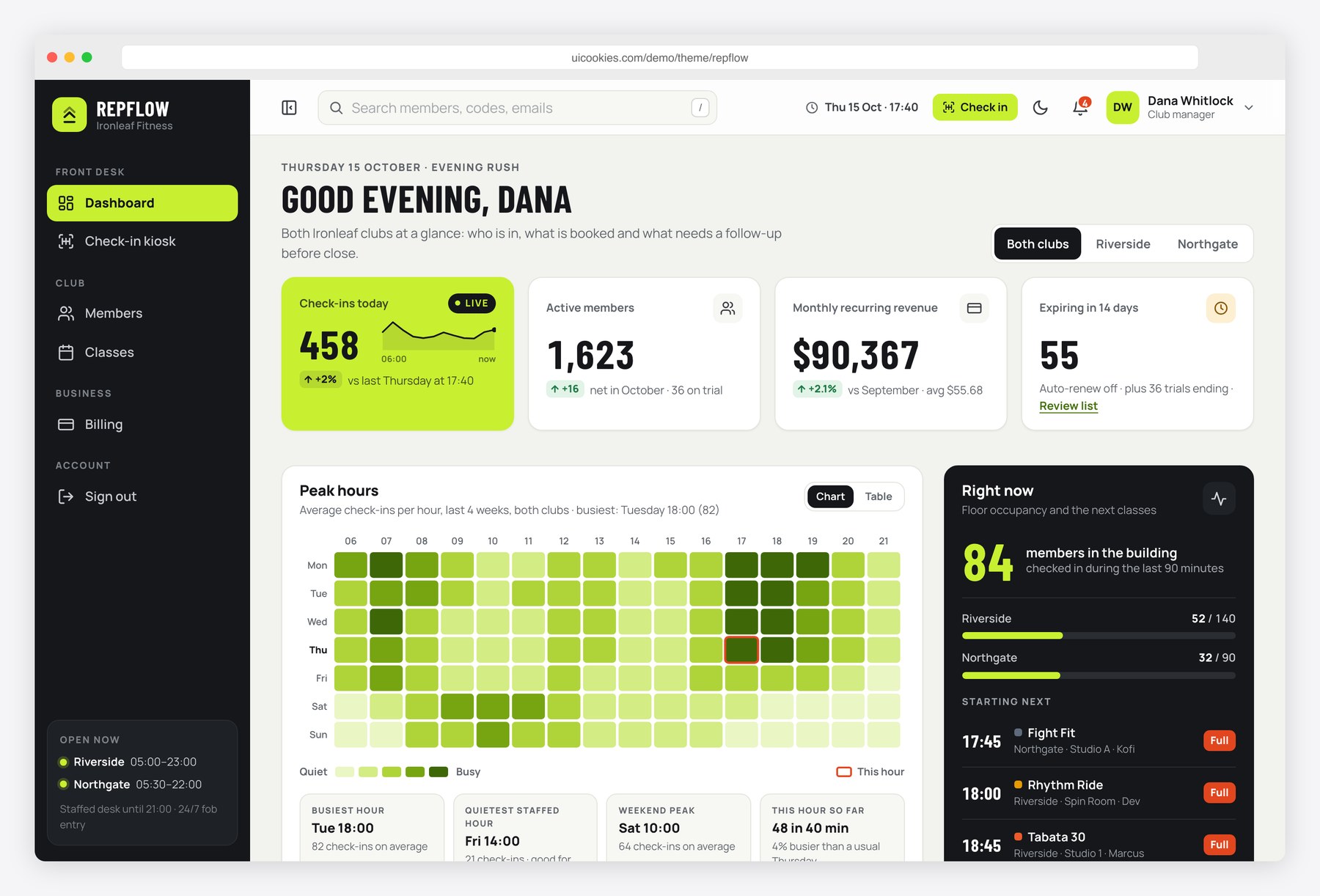
Repflow gives a gym or fitness studio a complete admin interface to start from. Managers see who is in the building, how full tonight’s classes are and which memberships end soon. Front-desk staff check members in by code or name and get a clear answer when a membership has expired or is frozen. Members, classes, plans and invoices all come from small data arrays in one JavaScript file, and every chart is drawn as inline SVG, so you can swap in your own API without a chart library.
Key features
- Dashboard with check-ins today, active members, monthly recurring revenue and memberships ending in 14 days, switchable between two clubs
- Peak-hours heatmap (7 days by 16 hours) and class occupancy chart in inline SVG, with hover and arrow-key tooltips and a table view
- Recent activity feed, people-in-the-building gauge, next classes and an ending-soon list with renewal reminders
- Member directory with search, status filter (active, trial, frozen, expired, ending soon), plan and club filters, sortable columns, pagination and CSV export
- Add-member drawer with browser validation, trial option and waiver check
- Member profile with plan and renewal cycle, weekly visit chart, body composition trend, payments, staff notes, and working freeze and renew dialogs
- Weekly class timetable for HIIT, spin, yoga, strength, pilates, boxing and mobility with coach, room, capacity bar and waitlist, filterable by club, coach and class type
- Billing page with plan cards, failed payments with retry and card-update actions, and a filterable invoice list
- Front-desk check-in kiosk with code keypad, name search, and success, expired, frozen, off-peak and not-found states plus a live check-in log
- Collapsible sidebar, off-canvas menu on phones, and light and dark mode remembered in localStorage
Best for
- Gyms, fitness studios and CrossFit or boxing boxes that need an internal management front end
- Developers prototyping gym membership, class booking or access-control software
- Fitness startups building an admin panel or a front-desk check-in screen
- Anyone learning dashboard patterns with realistic data and no back end
At a glance
- Bootstrap 5.3.8 with vanilla JavaScript, no jQuery
- 7 pages: index.html, members.html, member.html, classes.html, billing.html, checkin.html, login.html
- Charts and heatmap drawn as inline SVG from small data arrays, no chart library
- Light and dark mode, responsive down to 375px, keyboard accessible
- Free for personal and commercial use; attribution optional but welcome. Full terms: uicookies.com/license
How to use it
Unzip the folder and open index.html in a browser. Edit the page copy in the HTML files and the demo gym, plans, coaches and members at the top of js/main.js, or replace those arrays with calls to your API. Colours and fonts live as custom properties at the top of css/style.css. The forms and actions work in the browser only, so connect a back end or form service before launch. Deploy to any static host.
Frequently asked questions
Is Repflow free for commercial projects?
Yes. You can use it for personal and commercial projects, including client work for a gym or studio. Attribution is optional but always welcome. The full terms are at uicookies.com/license.
What is it built with?
Bootstrap 5.3.8 for layout and components, one stylesheet for the design layer and one vanilla JavaScript file. There is no jQuery and no chart library; the heatmap, occupancy, revenue and visit charts are inline SVG drawn from small data arrays.
Which pages are included?
Seven: a dashboard, a member directory, a member profile, a weekly class timetable, billing and plans, a front-desk check-in kiosk and a staff sign-in page. The profile opens for any member you pick in the directory.
Do check-ins, freezes and payment retries save anywhere?
Only in the open browser tab. They show how each action should behave, including success and error states, but nothing is sent to a server. Connect the forms and buttons to your own back end or gym software API to store records for real.
Can the check-in screen run on a tablet at the front desk?
Yes. The kiosk page has its own full-screen layout with a large code field, an on-screen number pad and big result states, and it works at phone and tablet widths. For real door access you would connect it to your key-fob or QR scanning system.