
Torque — Free Auto Repair & Mechanic Website Template
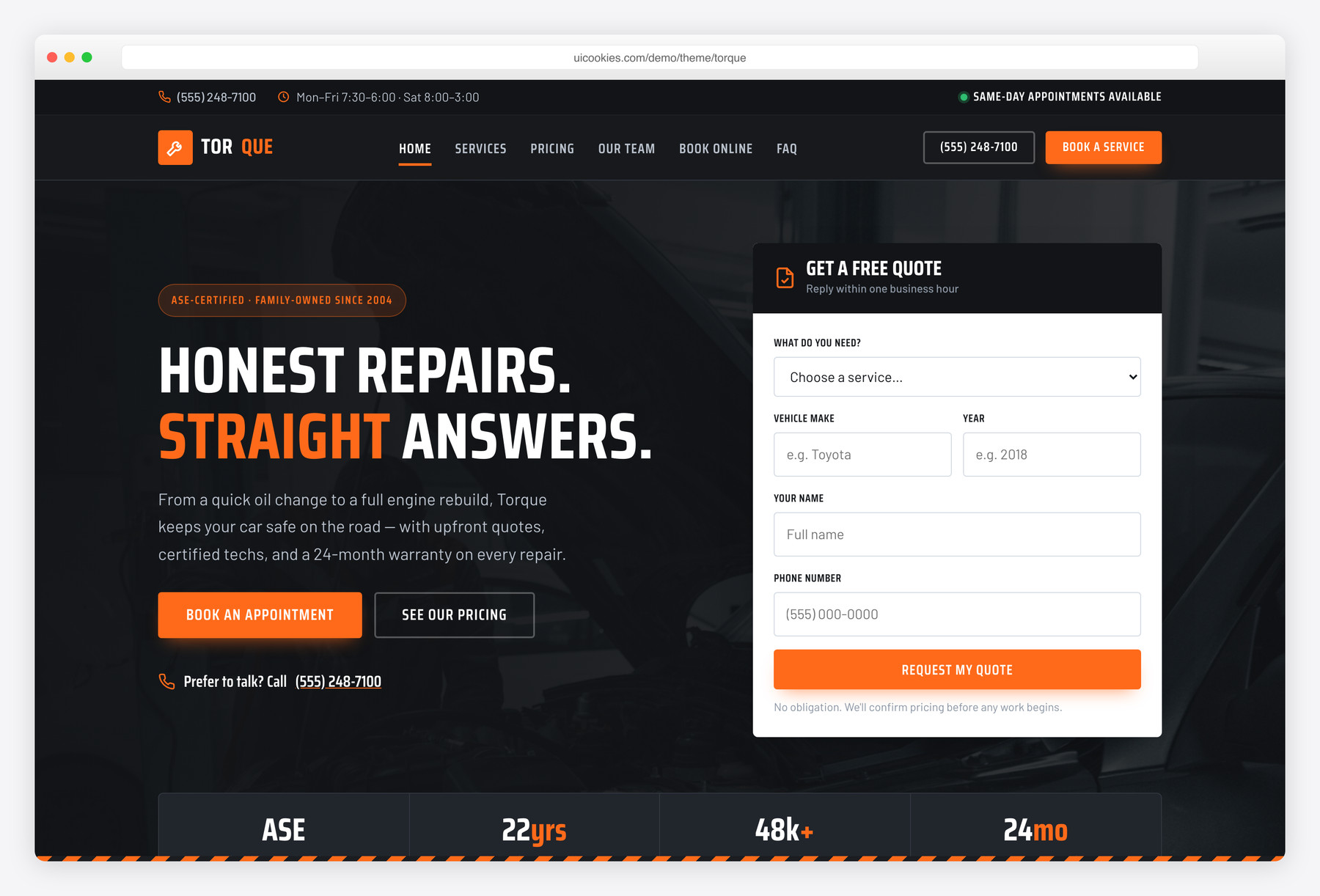
Torque is a free, two-page Bootstrap 5 website template for auto repair shops, garages, and independent mechanics, built and maintained in-house by uiCookies. It pairs a rugged charcoal-and-safety-orange design with a hero quick-quote form, a full services grid with honest from-pricing, an instant cost estimator, and an online appointment booking form. Every interaction is plain vanilla JavaScript with no jQuery, and content stays fully visible when JavaScript is disabled.
Key features
- Two pages: home plus a services & online-booking page with shared header and footer
- Hero quick-quote mini-form (service, vehicle make & year, name, phone)
- Services grid and detailed service menu with from-pricing and turnaround times
- Vanilla-JS cost estimator that ranges price by service and vehicle type
- Filterable services with maintenance, repair, tires and inspection categories
- Auto-advancing testimonials slider with keyboard controls and hover-pause
- Count-up trust stats, click-to-copy coupon codes, and a native <details> FAQ
- 100% vanilla JavaScript — no jQuery, no plugin dependencies
- Accessible and progressive: ARIA widgets, visible focus, reduced-motion, JS-off safe
Best for
- Auto repair shops and garages
- Independent and mobile mechanics
- Tire, brake, and quick-lube service centers
- Any local service business needing online quotes and booking
At a glance
- Bootstrap 5 with no jQuery and no plugin dependencies
- Two pages: index.html + services.html, shared header/footer
- Vanilla JavaScript: mobile nav, slider, count-up, filter, estimator, validation, copy-to-clipboard
- Progressive enhancement: full content visible with JS off
- Accessible: landmarks, ARIA on widgets, visible focus, keyboard support, reduced-motion
- Rugged charcoal/graphite palette with a committed safety-orange accent; Saira Condensed + Barlow

How to use it
Download the ZIP, unzip it, and open index.html — no build step, nothing to install. Edit the text and images, point any forms at your backend or a form service, and deploy the folder to any static host. Colours and fonts live in css/style.css; the interactions are in js/main.js.
Frequently asked questions
Is Torque free to use for a real business, including commercially?
Yes. Torque is free and follows the standard uiCookies license, which covers commercial use, so you can launch it as a real auto shop website. Attribution is optional but always welcome, and the full terms are at uicookies.com/license. There is no paid tier or locked version — the download is the complete two-page template.
Do the quote and booking forms actually send appointments?
Not on their own. Torque is a static front-end template, so the hero quick-quote form and the appointment booking form are fully marked up and validated but have no backend attached. To make them live, point the form action at a form-handling service like Formspree or Basin, or wire it to your own server-side script. Until then, submissions show the built-in success message without sending anything.
How does the cost estimator work, and are the prices real?
The estimator on the services page is a small vanilla-JavaScript calculator that multiplies a base price range for each service by a vehicle-type factor to produce a ballpark figure. The demo numbers are realistic placeholders you should replace with your own pricing in js/main.js, where the service ranges and vehicle multipliers are plain objects. It is meant as a guide that encourages a booking, not a binding quote.
Does Torque use jQuery or any plugins?
No. Every interaction — the mobile menu, testimonials slider, scroll-reveal animations, count-up stats, service filter, cost estimator, coupon copy-to-clipboard, and form validation — is written in plain vanilla JavaScript. The only dependencies are Bootstrap 5 for the grid and base components, and Google Fonts for the type. That keeps the template light and removes the plugin maintenance you would otherwise carry.
Will the content still show if a visitor has JavaScript disabled?
Yes. Torque is built with progressive enhancement, so all sections render at full opacity with JavaScript off. The scroll-reveal hidden states are scoped under a .js class that is only added when JavaScript runs, the FAQ uses the native HTML <details> element that opens without scripting, and the forms fall back to standard browser submission. Nothing important is hidden behind JavaScript.
How do I change the colors, fonts, and shop details?
The palette lives in CSS custom properties at the top of css/style.css, so you can recolor the whole template — including the safety-orange accent — by editing a handful of variables. Fonts are set through the Google Fonts link in each page head and the display and body font variables. Shop-specific content like the phone number, hours, address, prices, team members, and testimonials is plain HTML you edit directly in index.html and services.html.
Is Torque responsive and accessible?
Yes on both counts. The layout is mobile-first and built on the Bootstrap 5 grid, collapsing to a working slide-in mobile menu on small screens. For accessibility it uses semantic landmarks, alt text on every image, ARIA attributes on the custom slider, filter, and copy controls, visible keyboard focus styles, a skip link, and full keyboard support, and it honors the visitor's reduced-motion preference.
What's included in the download and how do I add my own photos?
You get two HTML pages (index.html and services.html), the custom css/style.css design layer, a self-hosted copy of Bootstrap 5, and js/main.js with all the vanilla-JavaScript behavior. Images are referenced from the img/ folder with descriptive alt text plus width and height attributes to prevent layout shift; drop your own optimized garage, team, and customer photos in using the same filenames, or update the src paths. Team and customer photos are square, and the hero uses a wide landscape image.