About this set
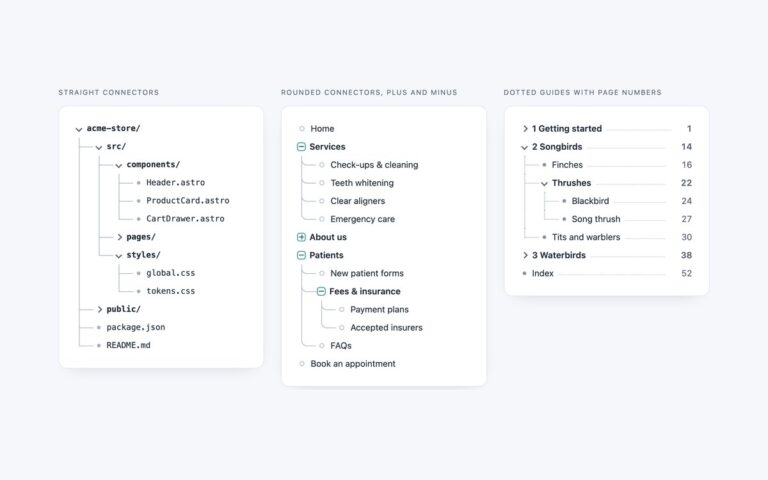
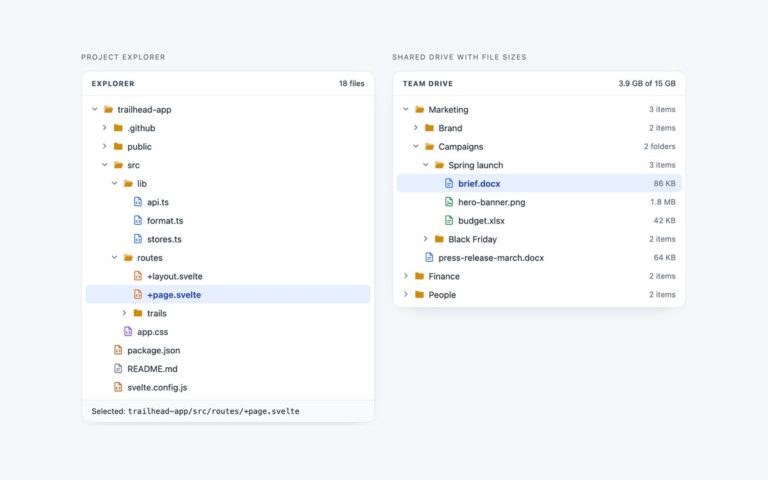
Two dark trees in the style of a code editor’s side panel. IDE explorer with git status and indent guides shows an API project with modified and untracked markers, a problem count on a file with errors, dots on folders that contain changes and a status bar with the branch name. Symbol outline lists the classes, methods, properties and variables in a TypeScript file, each with its own icon and a line number. Both follow the WAI-ARIA tree view pattern with the same short script as the light file explorer: one tab stop per tree, arrow keys to move, open and close, Home and End, type-ahead, and Enter or Space to select. Every nested group draws a thin indent guide with a pseudo-element, and :has() brightens the guide of the group that holds the selected item and colours file names by their git state, so no extra classes are needed. Status letters such as M and U are hidden from screen readers and replaced with words like modified and untracked. Colours were checked against the dark panel at 4.5:1.
What’s included
- Dark editor panel with indent guides on every level
- Git markers, change dots and problem counts
- Symbol outline with class, method, property and variable icons
- WAI-ARIA tree keyboard model with roving tabindex and type-ahead
- Bootstrap version runs in data-bs-theme dark
Accessibility
Each tree has an aria-label, items use the tree, treeitem and group roles, and the selection is exposed with aria-selected. Git letters and counts have visually hidden text such as modified, untracked and 2 problems. The focused row has a 1px blue outline inside the row, all text meets 4.5:1 on the dark panel, and the chevron rotation stops under prefers-reduced-motion.
Customise it
Set --ide-sel, --ide-hover, --ide-focus, --ide-guide, --ide-guide-on and --ide-indent on .ide, and the .c-* classes for icon colours. The git colours are the three .ide-row:has() rules; in Tailwind they are has-[.git-m]: and similar utilities on the row.