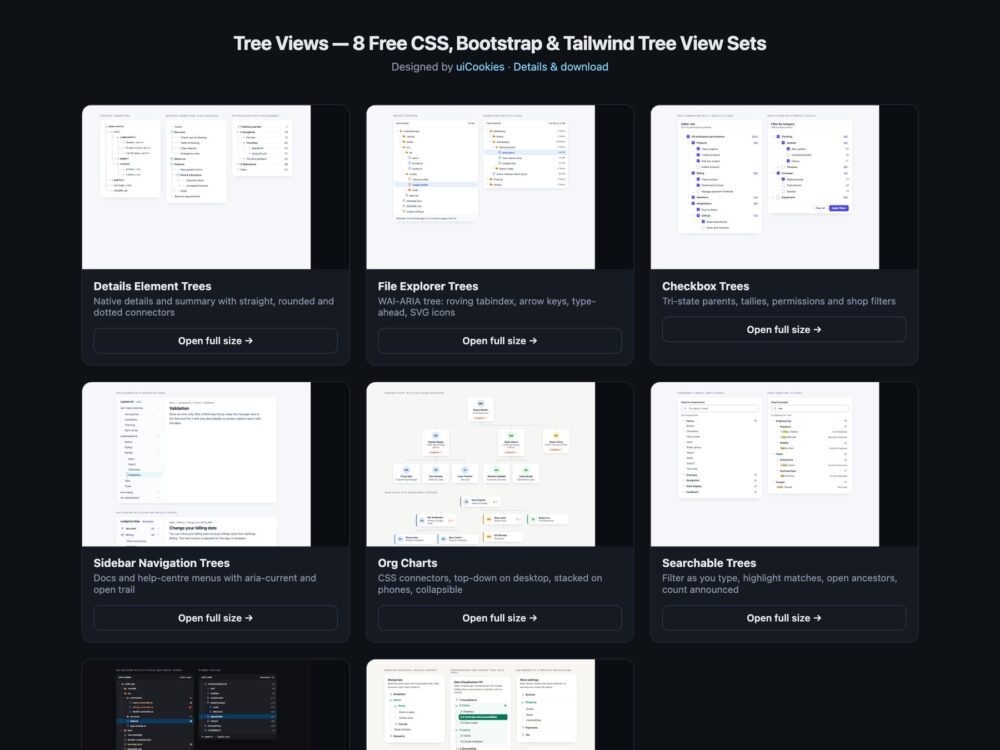
Tree Views is a pack of eight sets of tree components, designed and maintained in-house by uiCookies. Every set comes in three versions that look the same: plain HTML and CSS, Bootstrap 5 using .card, .nav, .badge, .breadcrumb and .form-check-input where they fit, and Tailwind CSS 4. The sets cover pure CSS trees built on details and summary with connector lines, file explorers that follow the WAI-ARIA tree pattern, checkbox trees with tri-state parents, documentation and help-centre sidebars, org charts that turn from a top-down chart into an indented list on phones, searchable trees, a dark code-editor set and a modern CSS set built on nesting, :has(), ::details-content and the details name attribute. Four sets need no JavaScript; the other four use a short block of vanilla JavaScript and no libraries.
A good tree view lets people see where they are and move without a mouse. Use the simplest structure that does the job: a nested list of links with details and summary is right for navigation and site maps, while a role="tree" widget is for app-like explorers where items are selected, and then it has to implement the whole keyboard model, with one tab stop, arrow keys, Home and End and type-ahead. Each branch should say whether it is open, the current page should carry aria-current, and parent checkboxes should show a mixed state when only some children are checked. Indentation alone is easy to lose in a deep tree, so guides or connector lines help, and on a phone a wide chart should become an indented list instead of scrolling sideways.
Free download Browse live demos All snippets
The sets
1. Details Element Tree Views
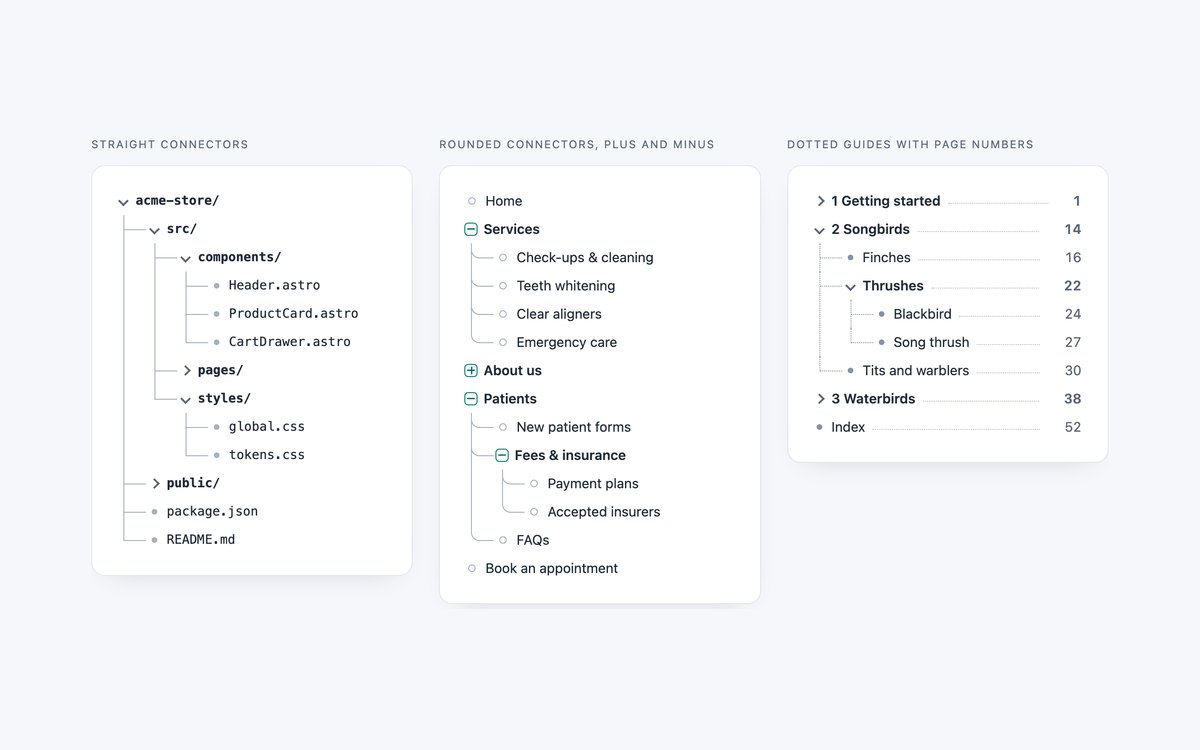
A project folder with straight connectors, a dental practice site map with rounded elbows and plus and minus boxes, and a book contents tree with dotted guides and page numbers.
Use it for file structures, site maps and tables of contents. Every branch is a native details element and the lines are pseudo-elements, so it works without JavaScript.
Live Demo CSS, Bootstrap & Tailwind code
2. File Explorer Tree Views
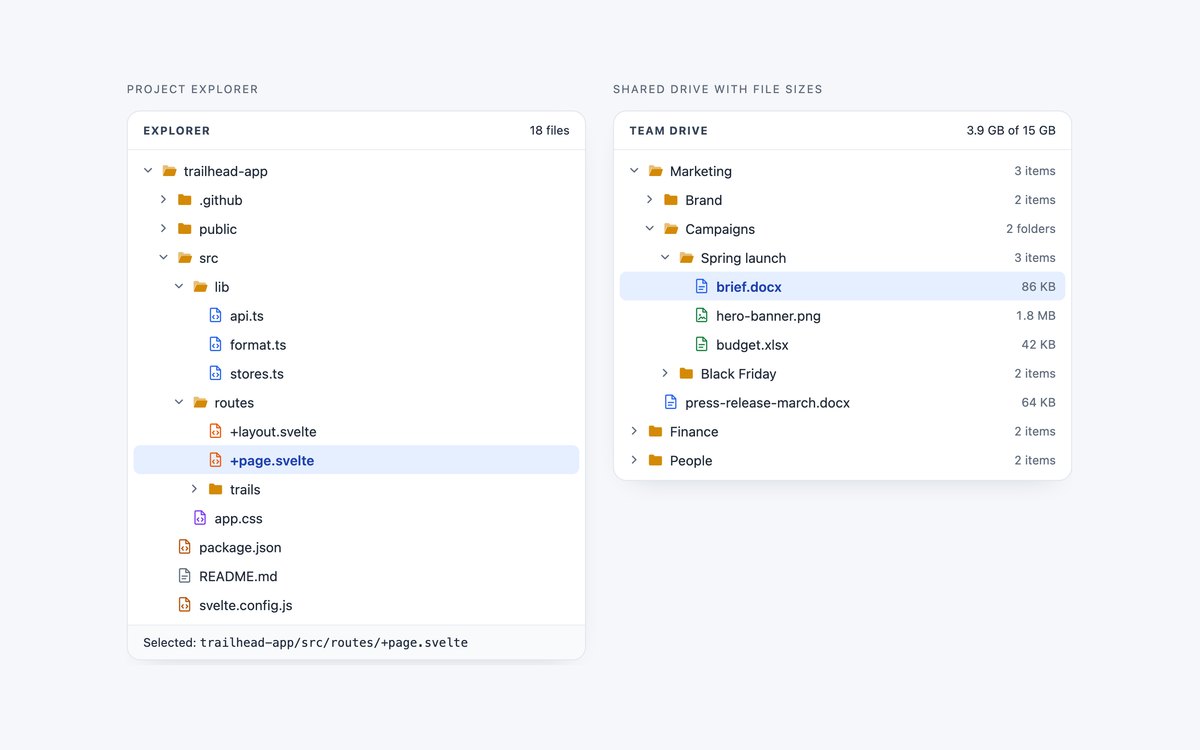
A project explorer with open and closed folder icons, coloured file icons and the selected path in a footer, and a shared drive with item counts and file sizes.
It follows the WAI-ARIA tree pattern with a roving tabindex, arrow keys, Home and End, type-ahead and Enter or Space, in a short block of vanilla JavaScript.
Live Demo CSS, Bootstrap & Tailwind code
3. Checkbox Tree Views
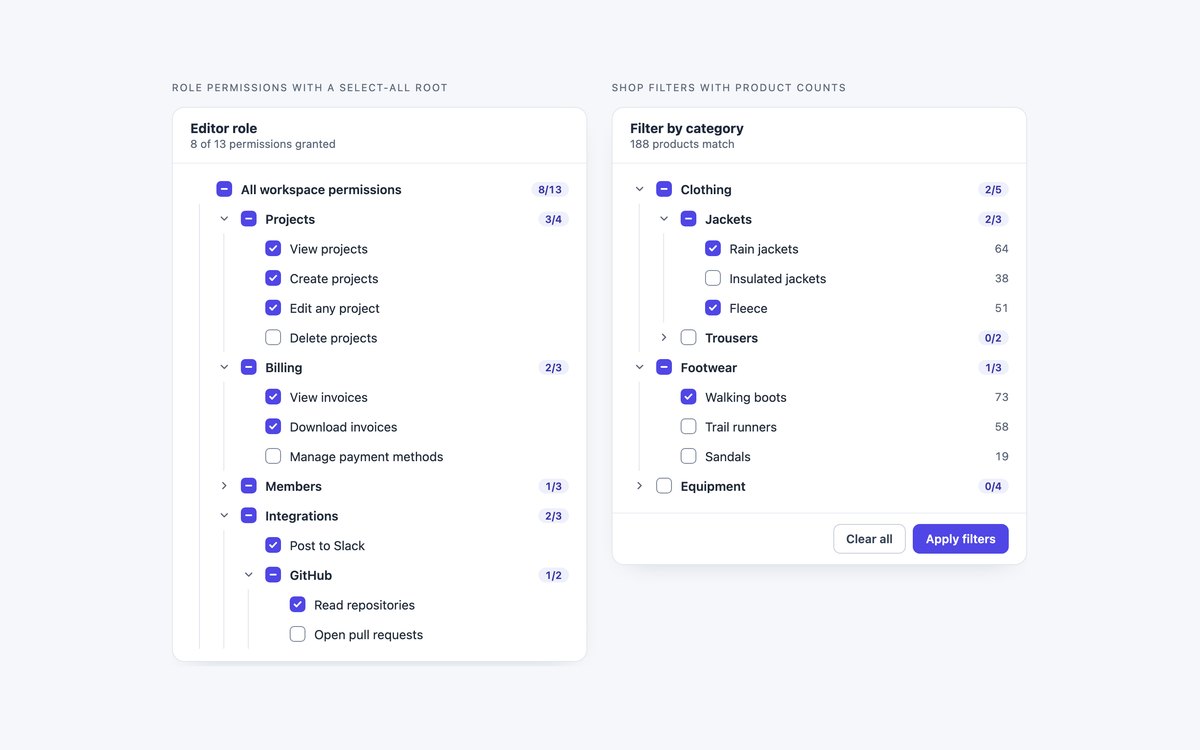
A role permissions tree with a select-all root and checked-of-total tallies, and a shop category filter with product counts, a running total and Clear all.
Checking a parent sets every child, and parents show the native indeterminate state, announced as mixed, when only some children are checked.
Live Demo CSS, Bootstrap & Tailwind code
4. Sidebar Navigation Trees
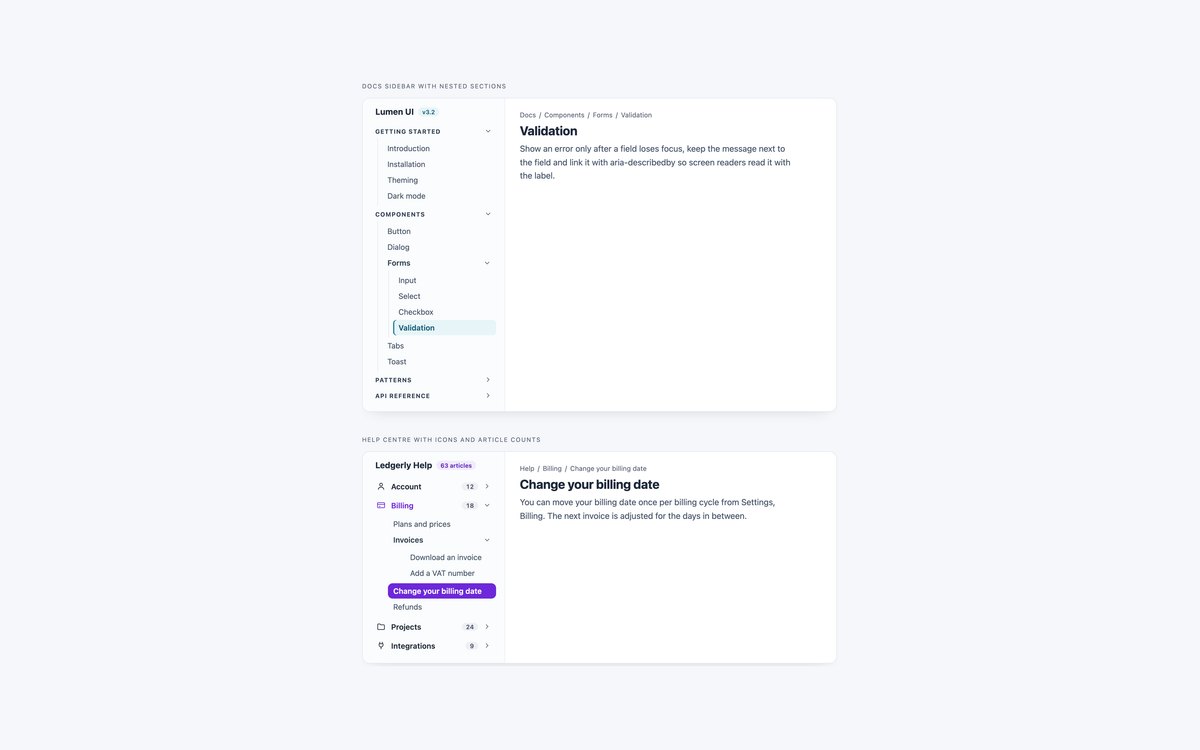
A design-system docs sidebar with section headings and rails, and a help-centre menu with topic icons, article counts and a filled current article.
Sections are details elements, so they fold without JavaScript. The current link has aria-current="page" and every section on its path is rendered open.
Live Demo CSS, Bootstrap & Tailwind code
5. Org Chart Tree Views
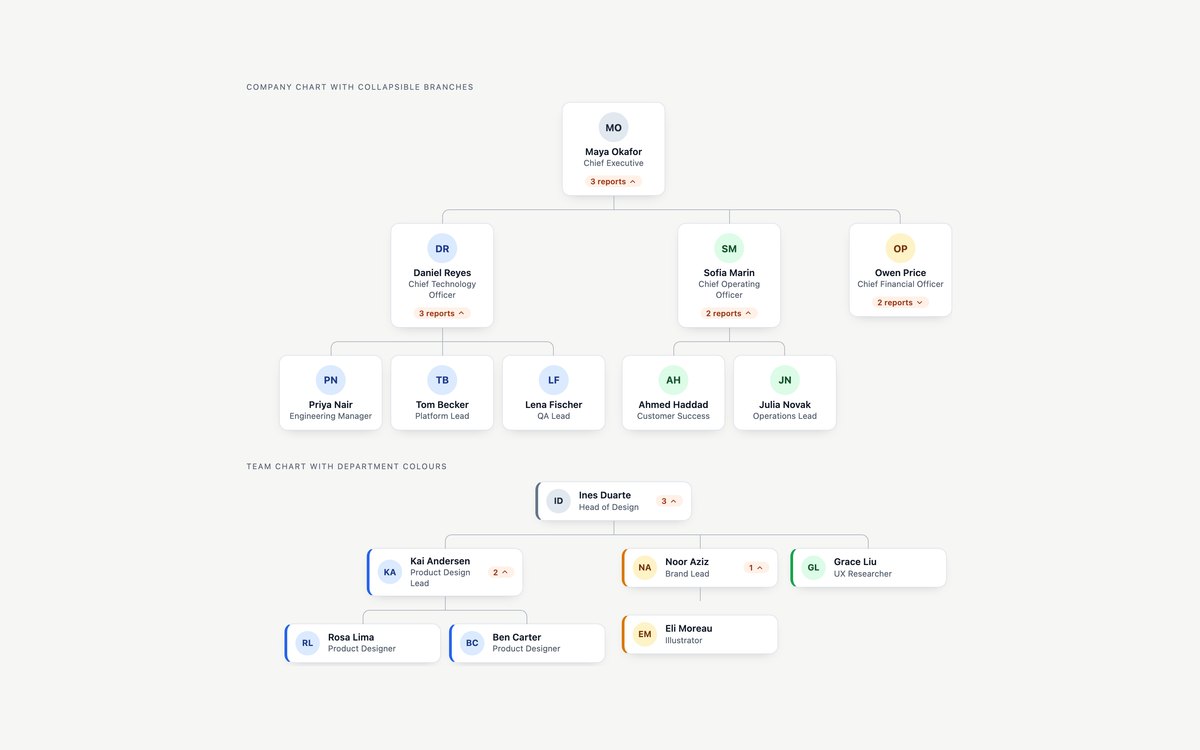
A company chart with avatar cards and a folded finance branch, and a team chart with department colours and compact report counts.
From 1100px it lays out top-down with CSS connectors; below that the same markup becomes an indented list, and every manager card folds its branch.
Live Demo CSS, Bootstrap & Tailwind code
6. Searchable Tree Views
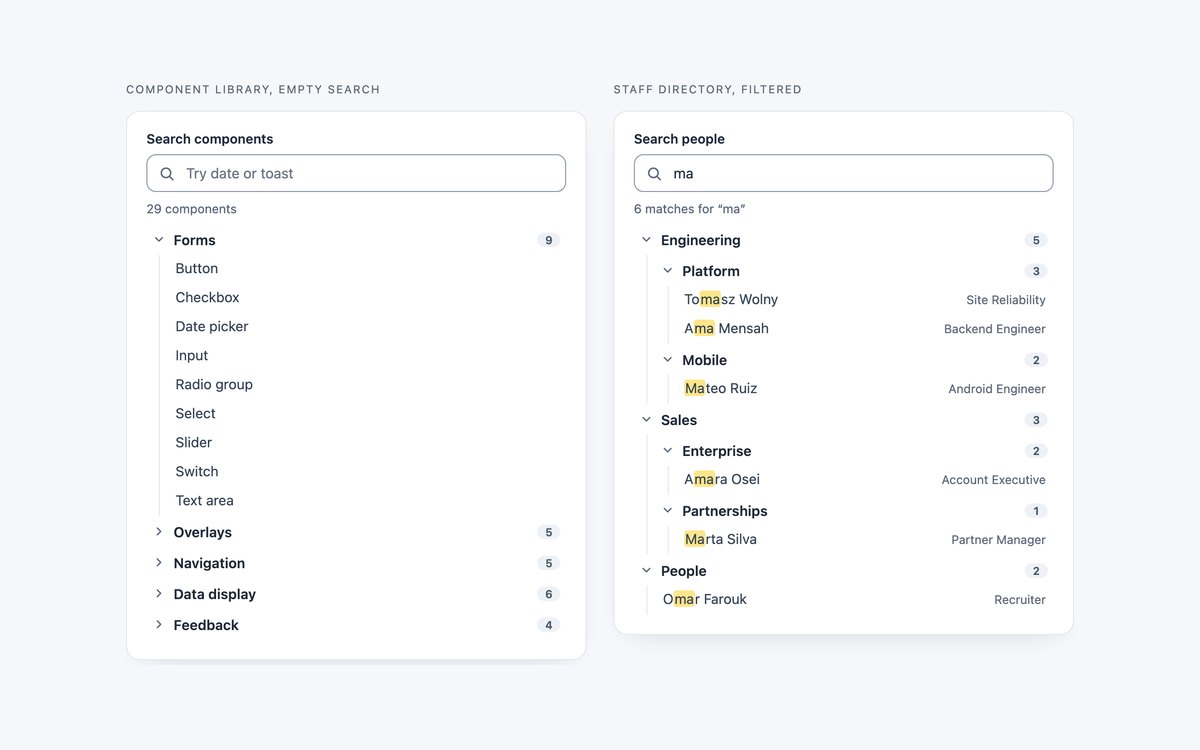
A component library tree with an empty search field and a staff directory shown with a query already applied.
Typing hides branches without a match, opens the ancestors of every match, highlights the letters with mark and announces the count in a polite status line. Escape restores the tree.
Live Demo CSS, Bootstrap & Tailwind code
7. Dark IDE Tree Views
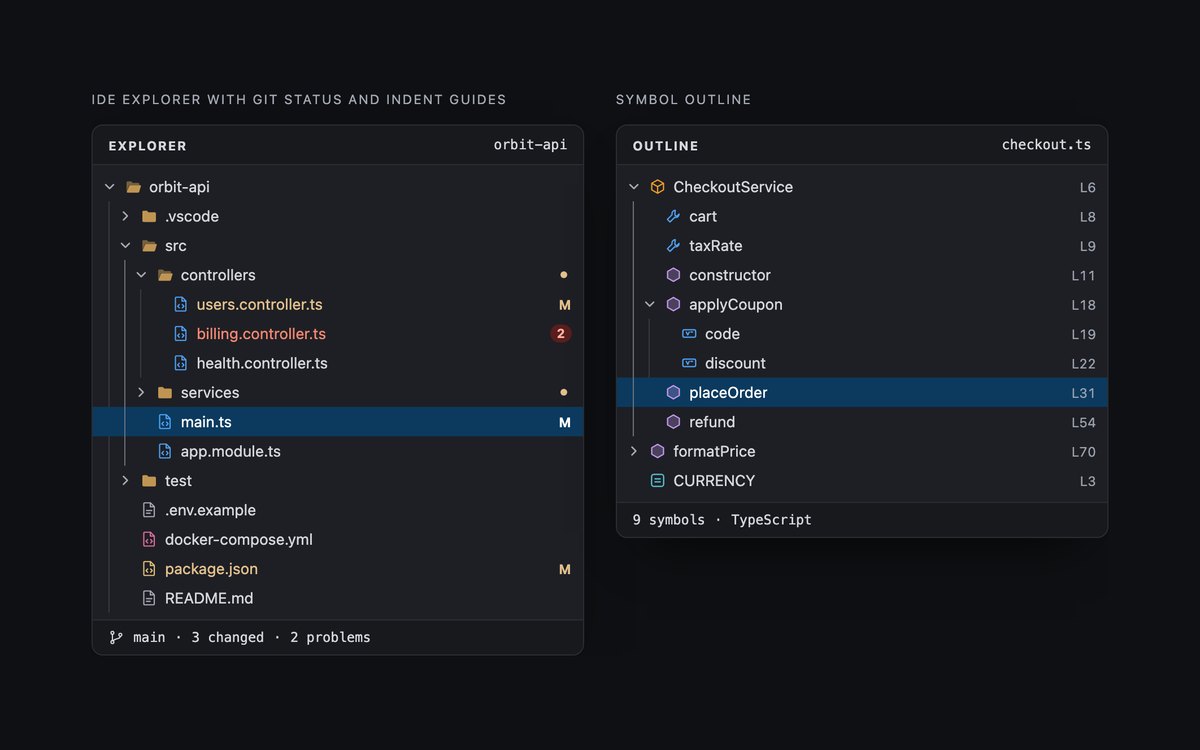
A dark editor explorer with git markers, change dots, a problem count and indent guides, and a symbol outline with class, method and property icons.
Both use the WAI-ARIA tree keyboard model. :has() brightens the guide around the selected file and colours names by git state, and the Bootstrap version runs in data-bs-theme="dark".
Live Demo CSS, Bootstrap & Tailwind code
8. Modern CSS Tree Views
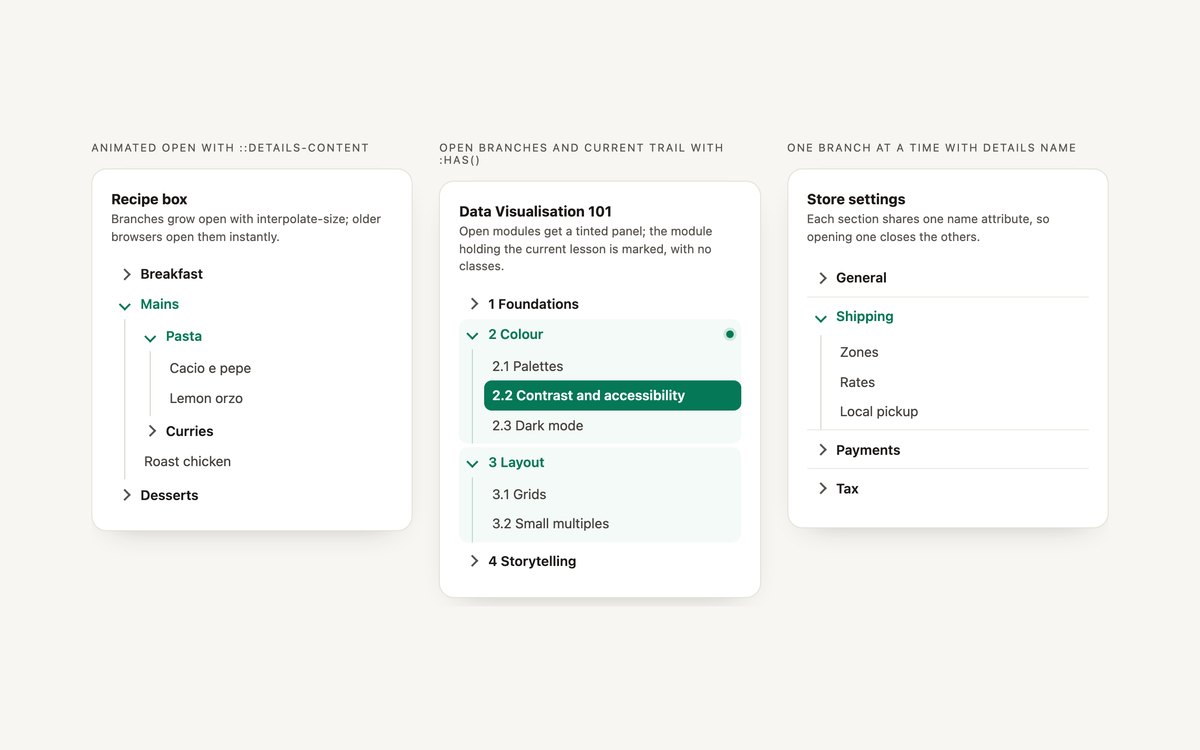
A recipe tree whose branches animate open, a course syllabus that styles open branches and the current lesson’s module with :has(), and a settings menu where only one section opens at a time.
The animation uses ::details-content with interpolate-size inside @supports, so other browsers open instantly. The single-open menu is the details name attribute, with no JavaScript.
Live Demo CSS, Bootstrap & Tailwind code
Frequently asked questions
Are these tree views free for commercial projects?
Yes. Every set is free for personal and commercial projects, including client work and products you sell. Attribution is optional but always welcome. The licence is at uicookies.com/license/.
Do these tree views need JavaScript?
Four sets need none: the details trees, the sidebar menus, the org charts and the modern CSS set run on details, summary and CSS. The file explorer, dark IDE, checkbox and searchable trees use a short block of vanilla JavaScript for the keyboard model, tri-state logic or filtering, with no libraries. The Bootstrap versions load only Bootstrap’s CSS, not its JavaScript bundle.
Are the tree views accessible?
The explorer sets implement the WAI-ARIA tree pattern with tree, treeitem and group roles, aria-expanded, aria-selected, a roving tabindex and the full set of arrow, Home, End and type-ahead keys. The other sets use native details, links and checkboxes, so state and keyboard access come from the browser, with aria-current on current pages and a polite status line for search results. Every set has a visible keyboard focus style, respects prefers-reduced-motion and passes an automated axe-core WCAG 2.1 AA check.
Which frameworks are included?
Every set has three files that look the same: plain HTML and CSS, Bootstrap 5.3.8 and Tailwind CSS 4. The Bootstrap files use .card, .nav, .nav-link, .badge, .breadcrumb, .btn, .form-control and .form-check-input where they fit, with a small style block for connector lines and tree states. The Tailwind files use utility classes, including arbitrary variants for the ARIA states, with a style block only for connector pseudo-elements and the modern CSS rules.
When should I use role tree instead of a nested list?
Use a nested list of links, with details and summary for collapsible sections, for site navigation, documentation menus and site maps; screen readers already know how to read lists and links. Use role="tree" only for app-like widgets where people select items, such as a file explorer, and then implement the whole keyboard model so arrow keys move between items and Tab leaves the tree. Sets 02 and 07 show that pattern, and set 04 shows the navigation one.