
Filegrove — Free File Management Dashboard Template
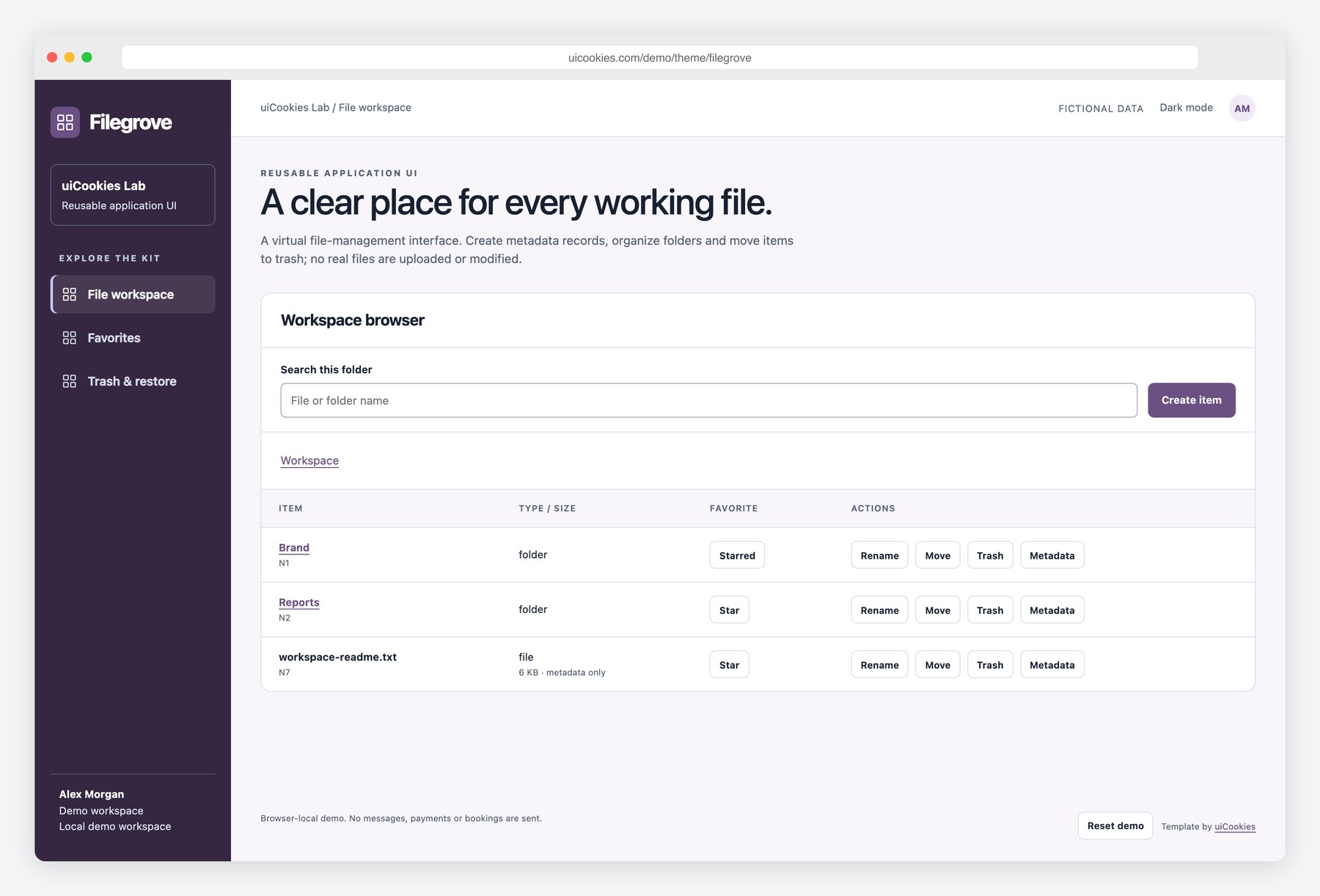
Filegrove demonstrates what happens after a file tree is drawn. The browser connects names, parent folders, favorites and move rules, while trash keeps a reversible batch rather than silently erasing a record. Restore checks the destination before changing anything, including the case where a parent must be restored first. These screens are useful front-end starting points for a document library or team workspace. All items are fictional metadata stored locally, without binary files, storage accounts or shared permissions. Connect your own authenticated storage service before managing real content.
Key features
- Three pages: folder browser, favorites and trash batches
- Create virtual folders and file metadata records
- Unique sibling names with invalid-path name rejection
- Folder moves reject self and descendant destinations
- Per-folder search, breadcrumbs and metadata JSON export
- Favorites hide while trashed and return after restoration
- Folder trash retains active descendants as a reversible batch
- Restore validates original parent and active name collisions
- Local metadata only, keyboard controls and light/dark themes
Best for
- Developers building application interfaces
- Designers prototyping real user workflows
- Teams creating reusable UI patterns
At a glance
- Bootstrap 5.3.8 and vanilla JavaScript; no jQuery
- 3 pages: index.html, favorites.html, trash.html
- Browser-local demo records; no backend, authentication or server writes
- Responsive layouts, keyboard controls, light and dark modes
- Free for personal and commercial use; attribution optional but welcome. Full terms: uicookies.com/license
How to use it
Unzip filegrove and open index.html in a browser. Edit the HTML copy, the demo arrays in js/main.js and the palette in css/style.css. The supplied Bootstrap files are self-hosted, so there is no build step or external script dependency. Changes are stored only in this browser; connect your own authenticated API before using real records. Deploy the folder to any static host.
Frequently asked questions
Is Filegrove free for commercial use?
Yes. Free for personal and commercial use, including client work. Attribution is optional but always welcome. Full terms: uicookies.com/license
What does the download include?
3 HTML pages (index.html, favorites.html, trash.html), Bootstrap 5.3.8, one design stylesheet and one vanilla JavaScript file. No npm installation or build command is required.
Does it connect to a backend?
No. All people and records are fictional, and changes are saved in localStorage in this browser only. No emails, payments or real bookings are sent. Replace the data and persistence helpers with your own authenticated API for production.
How do I customize the template?
Change colors and typography using the custom properties at the top of css/style.css. Edit content in the HTML pages and the initial data arrays in js/main.js. Reset demo clears only this template’s saved demo records.
Is this a production backend?
No. The download contains front-end source and fictional browser-local records. Connect your own authenticated API and validate operations on your server before using real data.