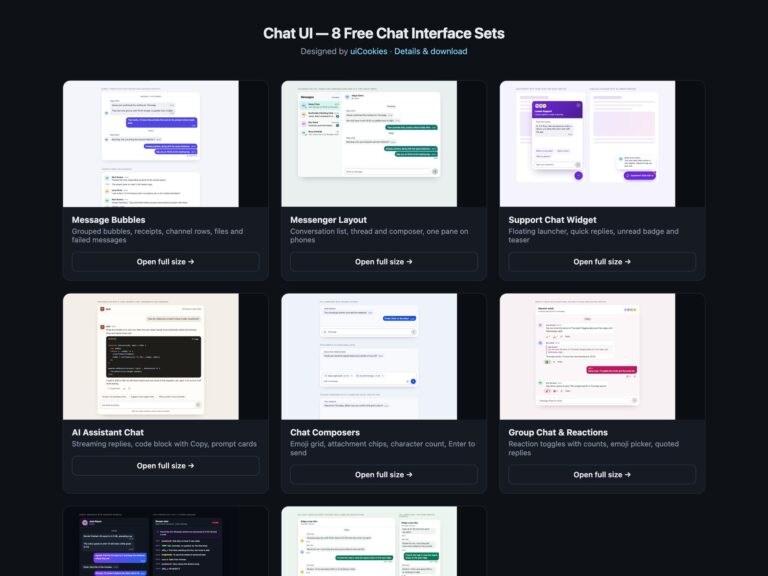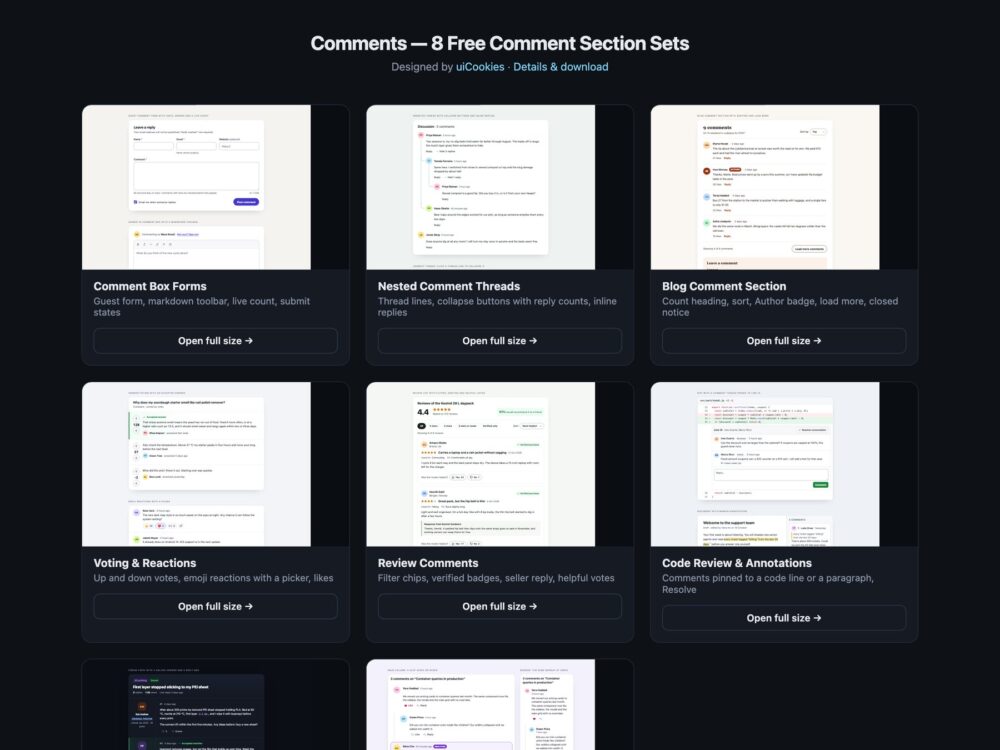
Comments is a pack of eight sets of comment sections, designed and maintained in-house by uiCookies. Every set comes in three versions that look the same: plain HTML and CSS, Bootstrap 5 using .card, .btn, .badge, .form-control, .form-select, .form-check, .spinner-border and .alert where they fit, and Tailwind CSS 4. The sets cover comment box forms with a live character count and a markdown toolbar, nested comment threads with collapsible branches and inline replies, a blog comment section with sorting and Load more, voting and emoji reactions, review-style comments with helpful votes, comments pinned to a line of code or a paragraph, a dark forum topic and a modern CSS set built on :has(), container queries and field-sizing. Avatars are initials, and everything runs in the browser with no backend.
A good comment section makes the conversation easy to follow and easy to join. Replies belong in nested lists so the structure survives without the indentation, every comment needs an author and a time element a machine can read, and a collapsed branch should say how many replies it hides. Forms need visible labels, errors written next to the field and a character count that warns before the limit rather than after. Votes, likes and reactions are toggle buttons that say whether they are pressed and whose comment they apply to, and score changes are announced quietly rather than read out on every key. Load more and new replies should move focus to the first new comment, so keyboard users do not have to hunt for it.
Free download Browse live demos All snippets
The sets
1. Comment Box Forms
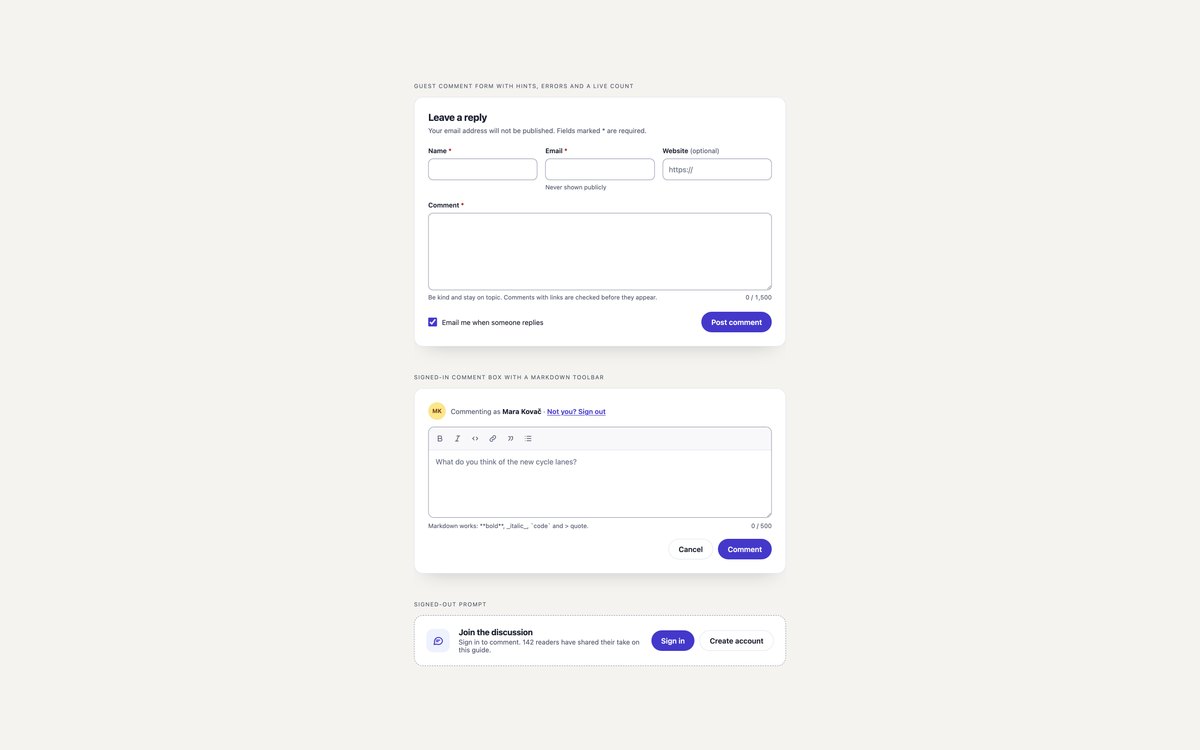
A guest comment form with hints, inline errors and a live character count, a signed-in comment box with a markdown toolbar, and a signed-out prompt with Sign in and Create account links.
Validation focuses the first problem field and the submit button moves through Posting and Posted states. The count is announced only when it nears or passes the limit.
Live Demo CSS, Bootstrap & Tailwind code
2. Nested Comment Threads
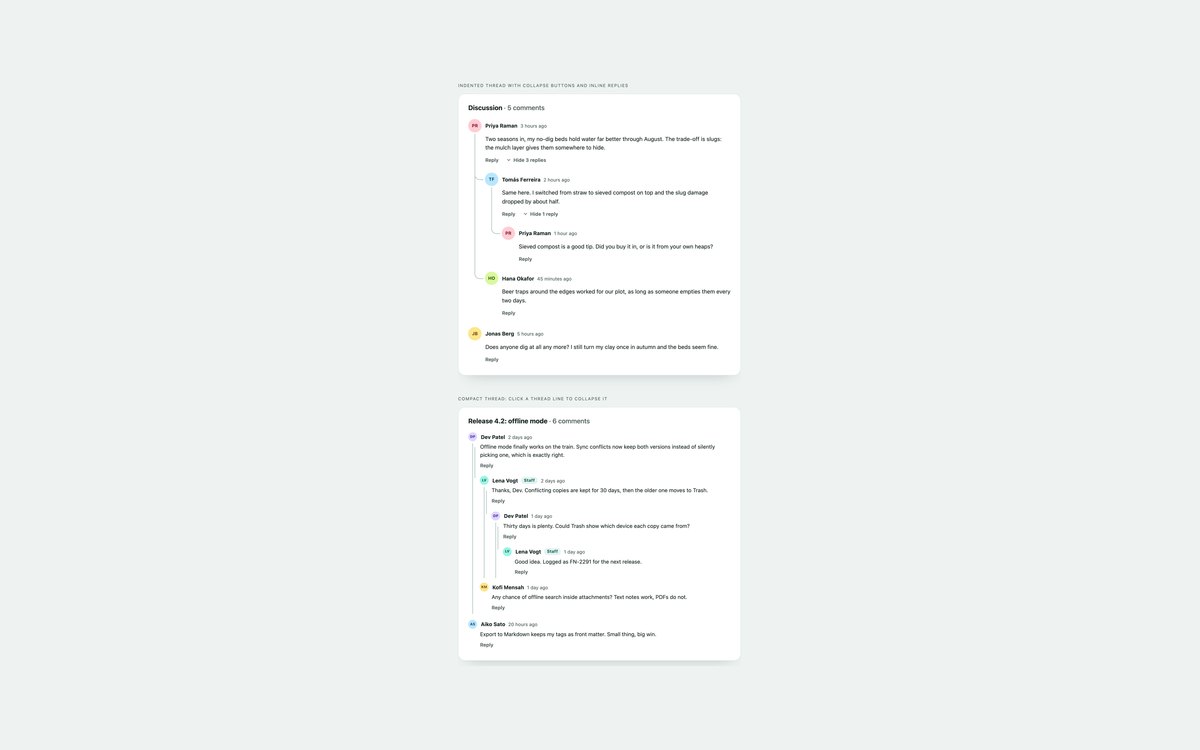
An indented thread with rails and curved connectors drawn in CSS, and a compact thread whose thread lines are collapse buttons. Both have an inline reply form under any comment.
Collapse buttons use aria-expanded and say how many replies they hide, such as Hide 3 replies. A posted reply lands in the right branch and receives focus.
Live Demo CSS, Bootstrap & Tailwind code
3. Blog Comment Section
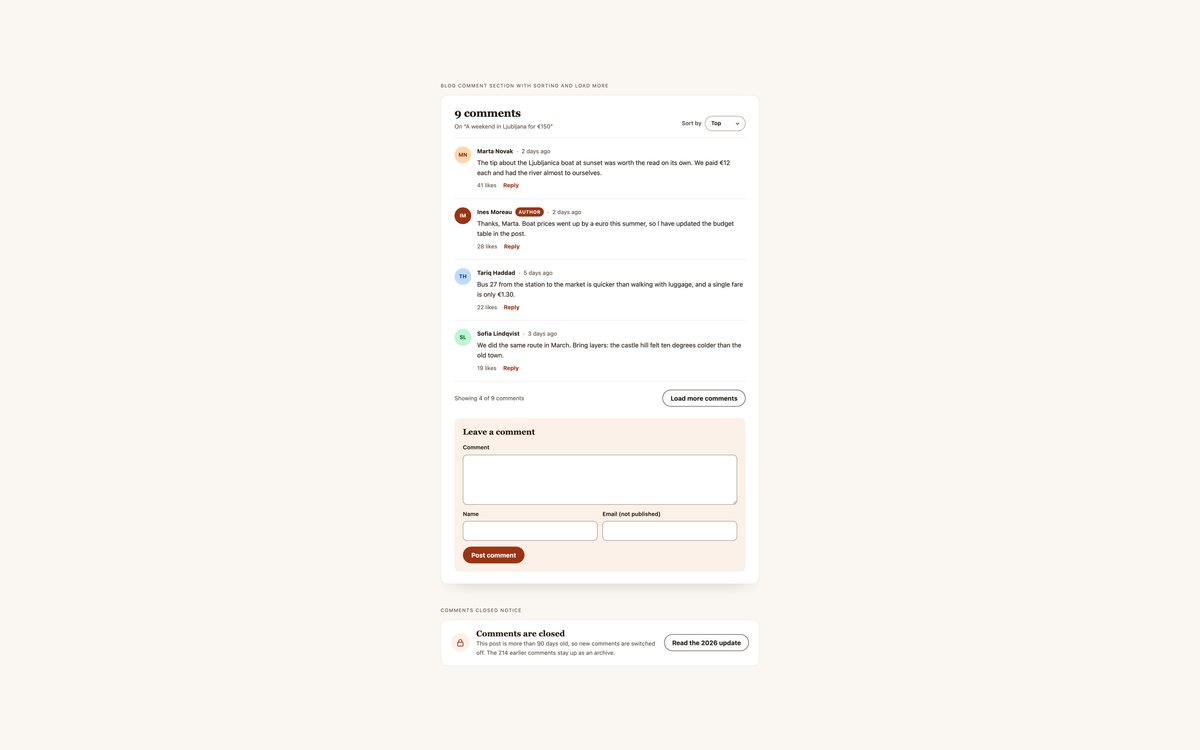
A blog comment section with a count heading, a Top, Newest and Oldest sort, an Author badge, time elements, Load more and a Leave a comment form, plus a comments closed notice.
Load more reveals three comments at a time and moves focus to the first new one. Without JavaScript every comment is shown.
Live Demo CSS, Bootstrap & Tailwind code
4. Comment Voting and Reactions
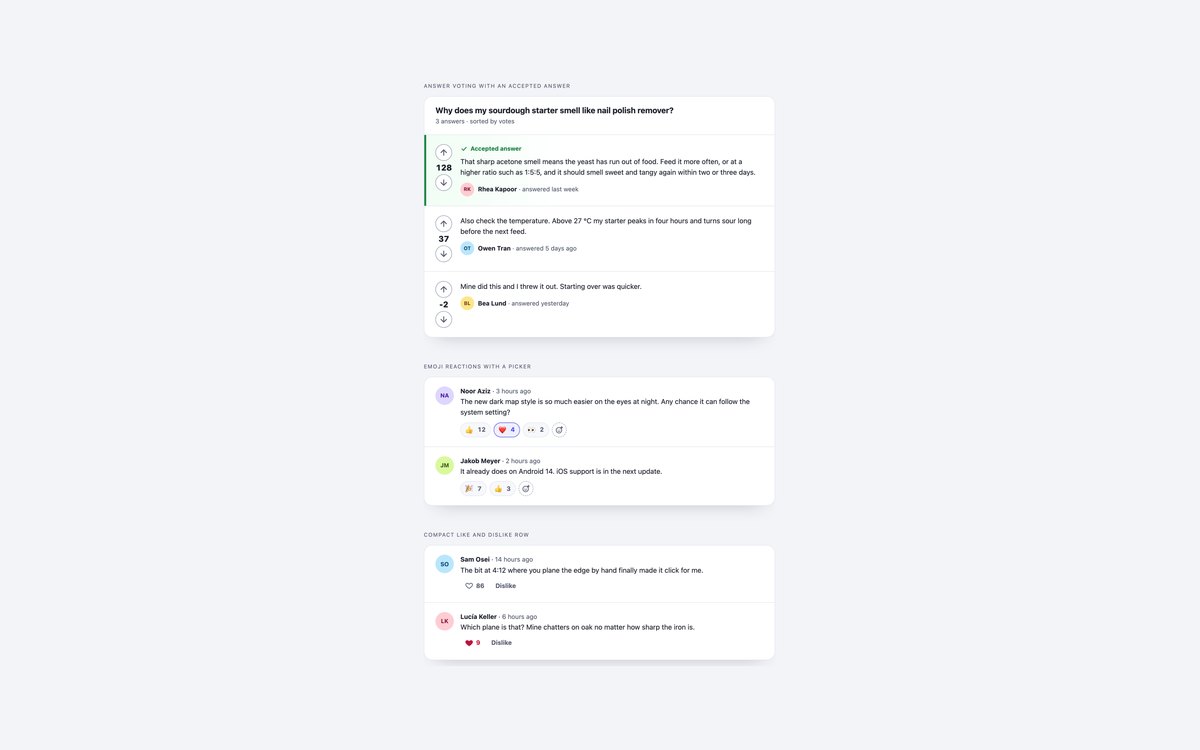
Answer voting with up and down arrows and an accepted answer, emoji reaction chips with an Add reaction picker, and a compact heart like and dislike row.
Every control is an aria-pressed toggle named after the comment it applies to, and each change is announced through a polite status region.
Live Demo CSS, Bootstrap & Tailwind code
5. Product Review Comments
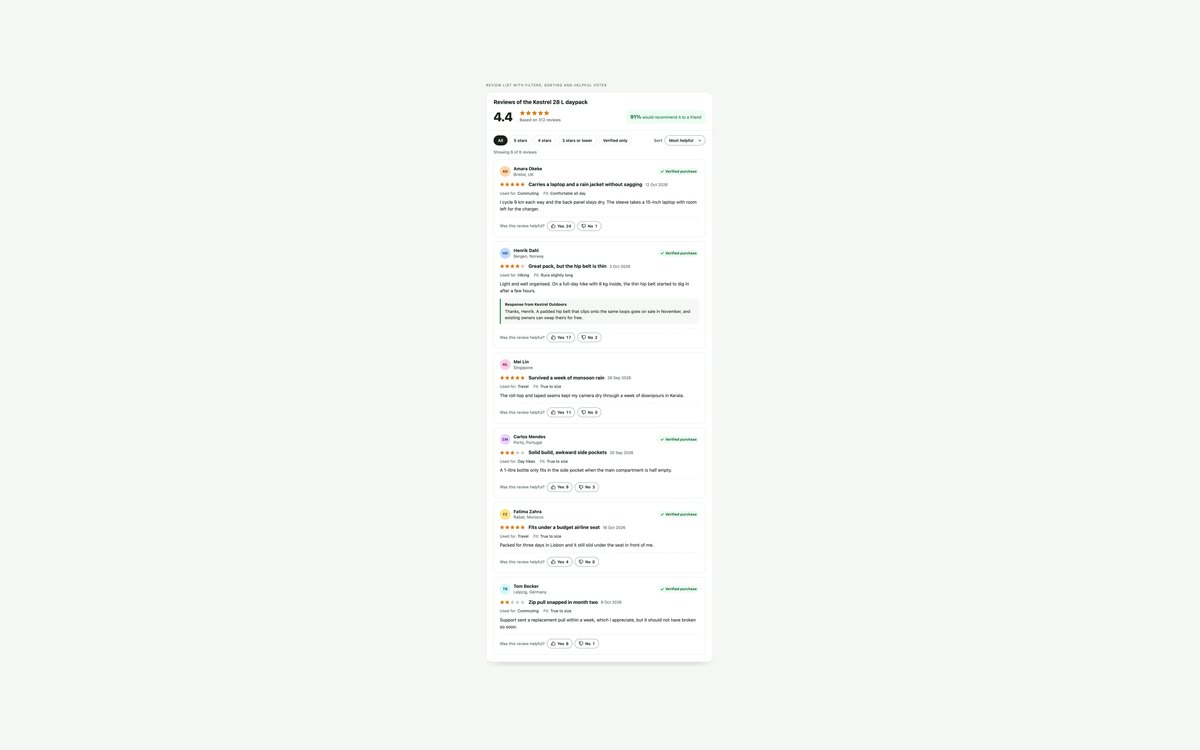
A review list with a compact rating summary, filter chips, a sort select, verified purchase badges, usage details, a seller response and Was this review helpful? votes.
It focuses on reading and judging reviews rather than rating input. The stars are labelled images drawn with one custom property, so fractional ratings work.
Live Demo CSS, Bootstrap & Tailwind code
6. Inline Code Review Comments
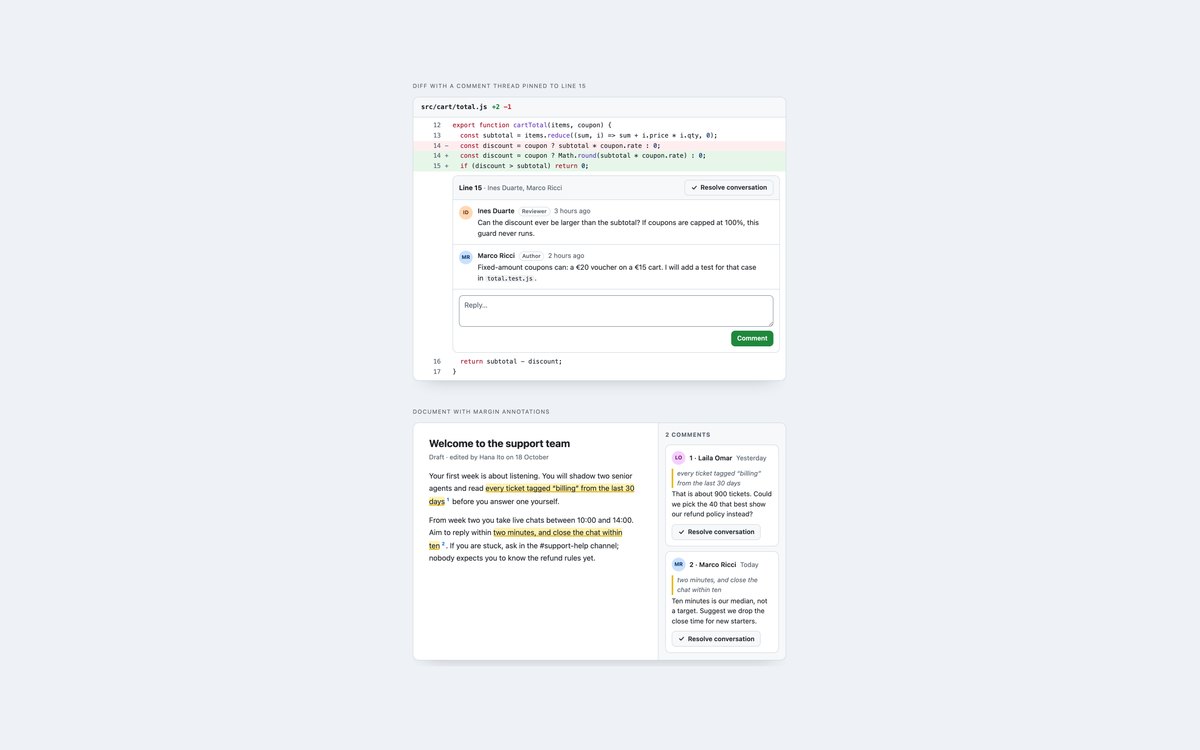
A diff with a conversation pinned under a line and a plus button to comment on any other line, and a document whose highlighted passages link to numbered margin comments.
Resolve collapses a conversation or clears a passage’s highlight, and Unresolve brings it back. On phones the margin comments move below the text.
Live Demo CSS, Bootstrap & Tailwind code
7. Dark Forum Comments
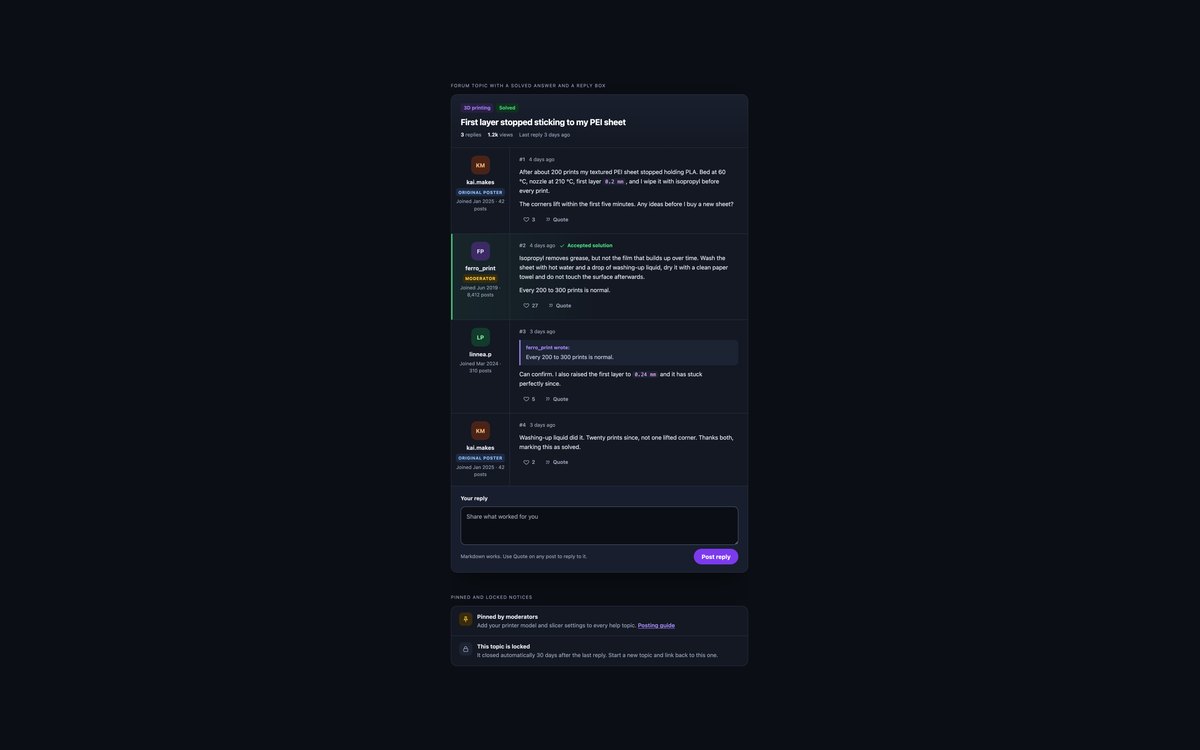
A dark forum topic with category and Solved tags, a user column with role badges, an accepted solution, a quoted reply, likes and a reply box, plus pinned and locked notices.
Quote copies an excerpt of a post into the reply box as a markdown quote. The Bootstrap version runs in data-bs-theme="dark".
Live Demo CSS, Bootstrap & Tailwind code
8. Modern CSS Comment Section
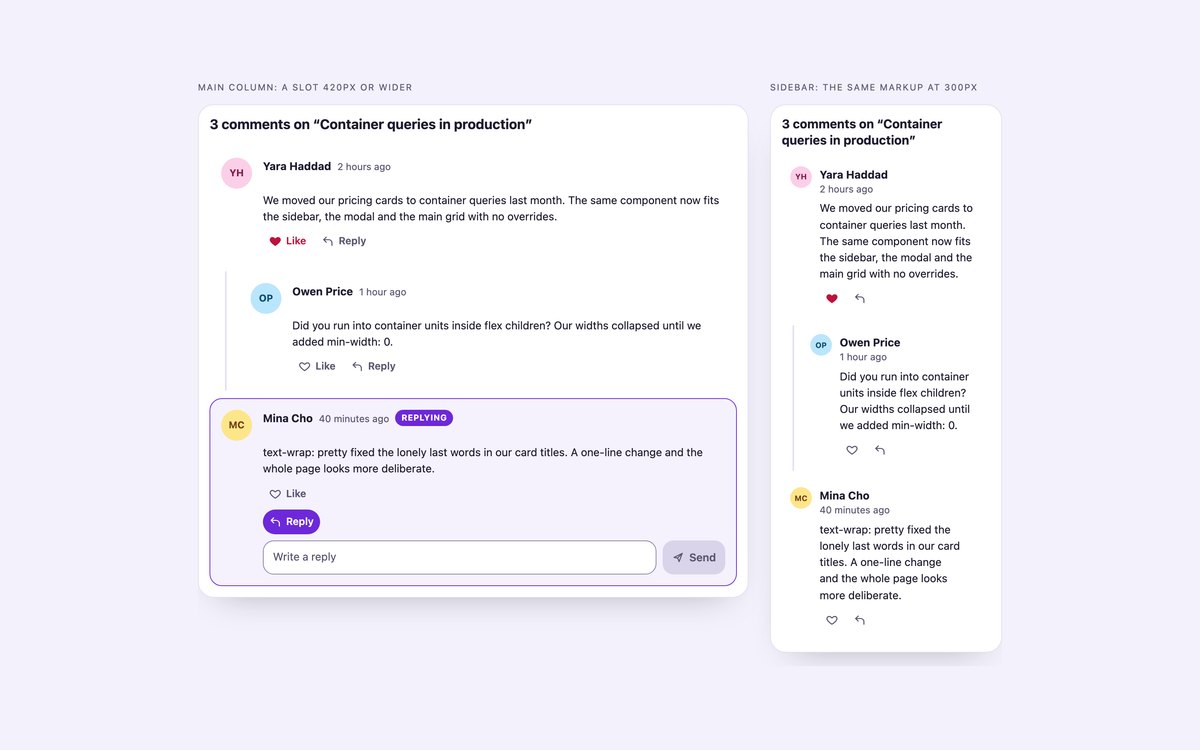
One comment thread shown in a wide slot and a 300px sidebar slot, laid out by a container query, with native details reply forms and checkbox likes.
:has() shows the Replying state and the pressed heart, field-sizing: content grows the textarea with a fallback, and text-wrap: pretty tidies the comment text. A few lines of JavaScript only handle sending and Esc.
Live Demo CSS, Bootstrap & Tailwind code
Frequently asked questions
Are these comment sections free for commercial projects?
Yes. Every set is free for personal and commercial projects, including client work and products you sell. Attribution is optional but always welcome. The licence is at uicookies.com/license/.
Do the comment sections need JavaScript or a backend?
They are frontend only, so no backend is included. Most sets use a short vanilla JavaScript block, with no library, for posting, collapsing, sorting, voting or validation, and each script marks the place to call your own server. Set 08 does most of its work in CSS, and the Bootstrap versions do not load Bootstrap’s JavaScript bundle.
Are the comment sections accessible?
Replies are nested lists, timestamps are time elements and every comment is named by its author. Toggles use aria-pressed or aria-expanded, form fields have visible labels with errors linked by aria-describedby, and counts, votes and new replies are announced through polite live regions. Every control has a visible focus style, motion stops under prefers-reduced-motion, and every set passes an automated axe-core WCAG 2.1 AA check.
Which frameworks are included?
Every set has three files that look the same: plain HTML and CSS, Bootstrap 5.3.8 and Tailwind CSS 4. The Bootstrap files use .card, .btn, .badge, .form-control, .form-select, .form-check, .spinner-border and .alert where they fit, with a small style block for thread lines and states. The Tailwind files use utility classes in the markup, with a style block for theme colours and the few pseudo-element rules utilities cannot express. The same script runs all three, because it hooks onto data attributes.
How should nested comments be marked up?
Put each comment in a list item and its replies in a nested ordered list inside that item, so screen readers announce the depth and the structure survives without CSS. Draw thread lines with borders or pseudo-elements on the lists rather than extra markup, and give each collapse control aria-expanded, aria-controls and text that says how many replies it hides. Set 02 follows this pattern in all three versions.