Open demo

CSS code

HTML
<div><span class="lbl">Reveal lens over an unprocessed photo</span>
<figure>
  <div class="lz" style="--lx:64;--ly:34" tabindex="0" role="group" aria-label="Night sky photo with a reveal lens" aria-describedby="lz1-hint" data-lens>
    <img src="https://images.unsplash.com/photo-1519681393784-d120267933ba?auto=format&fit=crop&w=900&h=600&q=70" srcset="https://images.unsplash.com/photo-1519681393784-d120267933ba?auto=format&fit=crop&w=600&h=400&q=70 600w, https://images.unsplash.com/photo-1519681393784-d120267933ba?auto=format&fit=crop&w=900&h=600&q=70 900w, https://images.unsplash.com/photo-1519681393784-d120267933ba?auto=format&fit=crop&w=1200&h=800&q=70 1200w" sizes="(min-width: 760px) 474px, calc(100vw - 32px)" width="1200" height="800" class="lz-base-raw" loading="lazy" alt="Unprocessed: the Milky Way and a shooting star over snowy mountains, dark and grey">
    <img src="https://images.unsplash.com/photo-1519681393784-d120267933ba?auto=format&fit=crop&w=900&h=600&q=70" srcset="https://images.unsplash.com/photo-1519681393784-d120267933ba?auto=format&fit=crop&w=600&h=400&q=70 600w, https://images.unsplash.com/photo-1519681393784-d120267933ba?auto=format&fit=crop&w=900&h=600&q=70 900w, https://images.unsplash.com/photo-1519681393784-d120267933ba?auto=format&fit=crop&w=1200&h=800&q=70 1200w" sizes="(min-width: 760px) 474px, calc(100vw - 32px)" width="1200" height="800" class="lz-reveal" loading="lazy" alt="Processed: the same night sky with a bright, purple-tinted Milky Way and crisp stars">
    <span class="lz-ring" aria-hidden="true"></span>
    <span class="lz-tag lz-tag-l" aria-hidden="true">Unprocessed</span><span class="lz-tag lz-tag-r" aria-hidden="true">Lens: processed</span>
  </div>
  <figcaption class="lz-hint"><strong>Milky Way over the Dolomites</strong><span id="lz1-hint">Move the pointer over the photo, or focus it and use the arrow keys. Hold Shift for bigger steps.</span></figcaption>
</figure></div>

<div><span class="lbl">Zoom loupe showing the edit at 2.5×</span>
<figure>
  <div class="lz lz-zoom" style="--lx:22;--ly:40" tabindex="0" role="group" aria-label="Coffee board photo with a 2.5 times zoom loupe" aria-describedby="lz2-hint" data-lens>
    <img src="https://images.unsplash.com/photo-1497935586351-b67a49e012bf?auto=format&fit=crop&w=900&h=600&q=70" srcset="https://images.unsplash.com/photo-1497935586351-b67a49e012bf?auto=format&fit=crop&w=600&h=400&q=70 600w, https://images.unsplash.com/photo-1497935586351-b67a49e012bf?auto=format&fit=crop&w=900&h=600&q=70 900w, https://images.unsplash.com/photo-1497935586351-b67a49e012bf?auto=format&fit=crop&w=1200&h=800&q=70 1200w" sizes="(min-width: 760px) 474px, calc(100vw - 32px)" width="1200" height="800" class="lz-base-soft" loading="lazy" alt="Original: a wooden board with ground coffee, beans, a tamper and a latte, soft and dull">
    <span class="lz-ring lz-loupe" aria-hidden="true"><img src="https://images.unsplash.com/photo-1497935586351-b67a49e012bf?auto=format&fit=crop&w=1200&h=800&q=70" srcset="https://images.unsplash.com/photo-1497935586351-b67a49e012bf?auto=format&fit=crop&w=900&h=600&q=70 900w, https://images.unsplash.com/photo-1497935586351-b67a49e012bf?auto=format&fit=crop&w=1200&h=800&q=70 1200w, https://images.unsplash.com/photo-1497935586351-b67a49e012bf?auto=format&fit=crop&w=1600&h=1067&q=70 1600w" sizes="(min-width: 760px) 1185px, 250vw" width="1600" height="1067" loading="lazy" alt=""></span>
    <span class="lz-tag lz-tag-l" aria-hidden="true">Original</span><span class="lz-tag lz-tag-r" aria-hidden="true">Loupe: sharpened 2.5×</span>
  </div>
  <figcaption class="lz-hint"><strong>Morning bar, Roastery Nine</strong><span id="lz2-hint">Move the pointer over the photo, or focus it and use the arrow keys. Hold Shift for bigger steps.</span></figcaption>
</figure></div>
CSS
/* Shared stage: --lx / --ly (0–100) place the lens. The script sets them from the pointer or arrow keys. */
.lz{--lx:50;--ly:50;--lens:150px;position:relative;display:block;aspect-ratio:3/2;overflow:hidden;border-radius:16px;background:#1b1d24;
  cursor:none;touch-action:none;container-type:inline-size;user-select:none;-webkit-user-select:none}
.lz:focus-visible{outline:3px solid #1d4ed8;outline-offset:3px}
.lz > img{position:absolute;inset:0;width:100%;height:100%;object-fit:cover;display:block;pointer-events:none}
.lz-tag{position:absolute;top:12px;z-index:2;padding:4px 10px;border-radius:999px;background:rgba(15,17,21,.78);color:#fff;font-size:.68rem;font-weight:700;letter-spacing:.08em;text-transform:uppercase;pointer-events:none}
.lz-tag-l{left:12px}.lz-tag-r{right:12px}
.lz-ring{position:absolute;left:calc(var(--lx) * 1%);top:calc(var(--ly) * 1%);width:var(--lens);height:var(--lens);translate:-50% -50%;border-radius:50%;
  border:3px solid #fff;box-shadow:0 8px 28px rgba(0,0,0,.45),inset 0 0 0 1px rgba(0,0,0,.25);pointer-events:none;z-index:1}
.lz-hint{margin-top:14px;font-size:.92rem}
.lz-hint strong{display:block;font-weight:600}
.lz-hint span{display:block;margin-top:3px;color:#5f5a52}

/* 1. Reveal lens: the processed photo is clipped to a circle that follows the pointer */
.lz-base-raw{filter:brightness(.55) contrast(.8) saturate(.35)}
.lz-reveal{clip-path:circle(calc(var(--lens) / 2) at calc(var(--lx) * 1%) calc(var(--ly) * 1%))}

/* 2. Zoom loupe: the lens holds the edited photo at 2.5×, offset so the point under the pointer stays centred */
.lz-zoom{--z:2.5}
.lz-base-soft{filter:blur(1.5px) brightness(.9) saturate(.7)}
.lz-loupe{overflow:hidden;background:#1b1d24}
.lz-loupe img{position:absolute;max-width:none;width:calc(100cqw * var(--z));height:auto;
  left:calc(var(--lens) / 2 - var(--lx) * 1cqw * var(--z));top:calc(var(--lens) / 2 - var(--ly) * 1cqw * var(--z) * 2 / 3)}
JavaScript
// Lens compare: the pointer or the arrow keys set --lx / --ly (percent of the stage).
document.querySelectorAll('[data-lens]').forEach((stage) => {
  const css = getComputedStyle(stage);
  let x = parseFloat(css.getPropertyValue('--lx')) || 50;
  let y = parseFloat(css.getPropertyValue('--ly')) || 50;
  const clamp = (n) => Math.min(100, Math.max(0, n));
  const set = () => { stage.style.setProperty('--lx', x); stage.style.setProperty('--ly', y); };
  const follow = (e) => {
    const box = stage.getBoundingClientRect();
    x = clamp(((e.clientX - box.left) / box.width) * 100);
    y = clamp(((e.clientY - box.top) / box.height) * 100);
    set();
  };
  stage.addEventListener('pointermove', follow);
  stage.addEventListener('pointerdown', follow);
  stage.addEventListener('keydown', (e) => {
    const s = e.shiftKey ? 12 : 4;
    const d = { ArrowLeft: [-s, 0], ArrowRight: [s, 0], ArrowUp: [0, -s], ArrowDown: [0, s] }[e.key];
    if (!d) return;
    e.preventDefault();
    x = clamp(x + d[0]);
    y = clamp(y + d[1]);
    set();
  });
});

Bootstrap 5 code

Requires: Bootstrap 5.3.8 CSS

HTML
<div class="col"><span class="lbl">Reveal lens over an unprocessed photo</span>
<figure class="figure d-block m-0">
  <div class="lz ratio rounded-4" style="--lx:64;--ly:34" tabindex="0" role="group" aria-label="Night sky photo with a reveal lens" aria-describedby="lzb1-hint" data-lens>
    <img src="https://images.unsplash.com/photo-1519681393784-d120267933ba?auto=format&fit=crop&w=900&h=600&q=70" srcset="https://images.unsplash.com/photo-1519681393784-d120267933ba?auto=format&fit=crop&w=600&h=400&q=70 600w, https://images.unsplash.com/photo-1519681393784-d120267933ba?auto=format&fit=crop&w=900&h=600&q=70 900w, https://images.unsplash.com/photo-1519681393784-d120267933ba?auto=format&fit=crop&w=1200&h=800&q=70 1200w" sizes="(min-width: 768px) 466px, calc(100vw - 32px)" width="1200" height="800" class="lz-base-raw" loading="lazy" alt="Unprocessed: the Milky Way and a shooting star over snowy mountains, dark and grey">
    <img src="https://images.unsplash.com/photo-1519681393784-d120267933ba?auto=format&fit=crop&w=900&h=600&q=70" srcset="https://images.unsplash.com/photo-1519681393784-d120267933ba?auto=format&fit=crop&w=600&h=400&q=70 600w, https://images.unsplash.com/photo-1519681393784-d120267933ba?auto=format&fit=crop&w=900&h=600&q=70 900w, https://images.unsplash.com/photo-1519681393784-d120267933ba?auto=format&fit=crop&w=1200&h=800&q=70 1200w" sizes="(min-width: 768px) 466px, calc(100vw - 32px)" width="1200" height="800" class="lz-reveal" loading="lazy" alt="Processed: the same night sky with a bright, purple-tinted Milky Way and crisp stars">
    <span class="lz-ring" aria-hidden="true"></span>
    <div class="pe-none"><span class="badge rounded-pill position-absolute lz-tag-l" aria-hidden="true">Unprocessed</span><span class="badge rounded-pill position-absolute lz-tag-r" aria-hidden="true">Lens: processed</span></div>
  </div>
  <figcaption class="figure-caption lz-hint mt-3"><strong class="d-block fw-semibold text-body">Milky Way over the Dolomites</strong><span class="d-block mt-1" id="lzb1-hint">Move the pointer over the photo, or focus it and use the arrow keys. Hold Shift for bigger steps.</span></figcaption>
</figure></div>

<div class="col"><span class="lbl">Zoom loupe showing the edit at 2.5×</span>
<figure class="figure d-block m-0">
  <div class="lz lz-zoom ratio rounded-4" style="--lx:22;--ly:40" tabindex="0" role="group" aria-label="Coffee board photo with a 2.5 times zoom loupe" aria-describedby="lzb2-hint" data-lens>
    <img src="https://images.unsplash.com/photo-1497935586351-b67a49e012bf?auto=format&fit=crop&w=900&h=600&q=70" srcset="https://images.unsplash.com/photo-1497935586351-b67a49e012bf?auto=format&fit=crop&w=600&h=400&q=70 600w, https://images.unsplash.com/photo-1497935586351-b67a49e012bf?auto=format&fit=crop&w=900&h=600&q=70 900w, https://images.unsplash.com/photo-1497935586351-b67a49e012bf?auto=format&fit=crop&w=1200&h=800&q=70 1200w" sizes="(min-width: 768px) 466px, calc(100vw - 32px)" width="1200" height="800" class="lz-base-soft" loading="lazy" alt="Original: a wooden board with ground coffee, beans, a tamper and a latte, soft and dull">
    <span class="lz-ring lz-loupe" aria-hidden="true"><img src="https://images.unsplash.com/photo-1497935586351-b67a49e012bf?auto=format&fit=crop&w=1200&h=800&q=70" srcset="https://images.unsplash.com/photo-1497935586351-b67a49e012bf?auto=format&fit=crop&w=900&h=600&q=70 900w, https://images.unsplash.com/photo-1497935586351-b67a49e012bf?auto=format&fit=crop&w=1200&h=800&q=70 1200w, https://images.unsplash.com/photo-1497935586351-b67a49e012bf?auto=format&fit=crop&w=1600&h=1067&q=70 1600w" sizes="(min-width: 768px) 1165px, 250vw" width="1600" height="1067" loading="lazy" alt=""></span>
    <div class="pe-none"><span class="badge rounded-pill position-absolute lz-tag-l" aria-hidden="true">Original</span><span class="badge rounded-pill position-absolute lz-tag-r" aria-hidden="true">Loupe: sharpened 2.5×</span></div>
  </div>
  <figcaption class="figure-caption lz-hint mt-3"><strong class="d-block fw-semibold text-body">Morning bar, Roastery Nine</strong><span class="d-block mt-1" id="lzb2-hint">Move the pointer over the photo, or focus it and use the arrow keys. Hold Shift for bigger steps.</span></figcaption>
</figure></div>
CSS
/* Shared stage on .ratio: --lx / --ly (0–100) place the lens. The script sets them from the pointer or arrow keys. */
.lz{--lx:50;--ly:50;--lens:150px;--bs-aspect-ratio:66.6667%;overflow:hidden;background:#1b1d24;cursor:none;touch-action:none;container-type:inline-size;user-select:none;-webkit-user-select:none}
.lz:focus-visible{outline:3px solid #1d4ed8;outline-offset:3px}
.lz > img{object-fit:cover;pointer-events:none}
.lz .badge{top:12px;z-index:2;padding:4px 10px;background:rgba(15,17,21,.78);font-size:.68rem;letter-spacing:.08em;text-transform:uppercase}
.lz-tag-l{left:12px}.lz-tag-r{right:12px}
.lz-ring{left:calc(var(--lx) * 1%);top:calc(var(--ly) * 1%);width:var(--lens);height:var(--lens);translate:-50% -50%;border-radius:50%;
  border:3px solid #fff;box-shadow:0 8px 28px rgba(0,0,0,.45),inset 0 0 0 1px rgba(0,0,0,.25);pointer-events:none;z-index:1}
.lz-hint{font-size:.92rem;color:#5f5a52}

/* 1. Reveal lens */
.lz-base-raw{filter:brightness(.55) contrast(.8) saturate(.35)}
.lz-reveal{clip-path:circle(calc(var(--lens) / 2) at calc(var(--lx) * 1%) calc(var(--ly) * 1%))}

/* 2. Zoom loupe at 2.5× */
.lz-zoom{--z:2.5}
.lz-base-soft{filter:blur(1.5px) brightness(.9) saturate(.7)}
.lz-loupe{overflow:hidden;background:#1b1d24}
.lz-loupe img{position:absolute;max-width:none;width:calc(100cqw * var(--z));height:auto;
  left:calc(var(--lens) / 2 - var(--lx) * 1cqw * var(--z));top:calc(var(--lens) / 2 - var(--ly) * 1cqw * var(--z) * 2 / 3)}
JavaScript
// Lens compare: the pointer or the arrow keys set --lx / --ly (percent of the stage).
document.querySelectorAll('[data-lens]').forEach((stage) => {
  const css = getComputedStyle(stage);
  let x = parseFloat(css.getPropertyValue('--lx')) || 50;
  let y = parseFloat(css.getPropertyValue('--ly')) || 50;
  const clamp = (n) => Math.min(100, Math.max(0, n));
  const set = () => { stage.style.setProperty('--lx', x); stage.style.setProperty('--ly', y); };
  const follow = (e) => {
    const box = stage.getBoundingClientRect();
    x = clamp(((e.clientX - box.left) / box.width) * 100);
    y = clamp(((e.clientY - box.top) / box.height) * 100);
    set();
  };
  stage.addEventListener('pointermove', follow);
  stage.addEventListener('pointerdown', follow);
  stage.addEventListener('keydown', (e) => {
    const s = e.shiftKey ? 12 : 4;
    const d = { ArrowLeft: [-s, 0], ArrowRight: [s, 0], ArrowUp: [0, -s], ArrowDown: [0, s] }[e.key];
    if (!d) return;
    e.preventDefault();
    x = clamp(x + d[0]);
    y = clamp(y + d[1]);
    set();
  });
});

Tailwind 4 code

Requires: Tailwind CSS 4

HTML
<div><span class="mb-4 block text-[.72rem] tracking-[.12em] text-[#5f5a52] uppercase">Reveal lens over an unprocessed photo</span>
<figure>
  <div class="@container relative block aspect-[3/2] cursor-none touch-none overflow-hidden rounded-2xl bg-[#1b1d24] select-none [--lens:150px] focus-visible:outline-3 focus-visible:outline-offset-3 focus-visible:outline-[#1d4ed8] [--lx:64] [--ly:34]" tabindex="0" role="group" aria-label="Night sky photo with a reveal lens" aria-describedby="lzt1-hint" data-lens>
    <img src="https://images.unsplash.com/photo-1519681393784-d120267933ba?auto=format&fit=crop&w=900&h=600&q=70" srcset="https://images.unsplash.com/photo-1519681393784-d120267933ba?auto=format&fit=crop&w=600&h=400&q=70 600w, https://images.unsplash.com/photo-1519681393784-d120267933ba?auto=format&fit=crop&w=900&h=600&q=70 900w, https://images.unsplash.com/photo-1519681393784-d120267933ba?auto=format&fit=crop&w=1200&h=800&q=70 1200w" sizes="(min-width: 760px) 474px, calc(100vw - 32px)" width="1200" height="800" class="pointer-events-none absolute inset-0 block size-full object-cover brightness-55 contrast-80 saturate-35" loading="lazy" alt="Unprocessed: the Milky Way and a shooting star over snowy mountains, dark and grey">
    <img src="https://images.unsplash.com/photo-1519681393784-d120267933ba?auto=format&fit=crop&w=900&h=600&q=70" srcset="https://images.unsplash.com/photo-1519681393784-d120267933ba?auto=format&fit=crop&w=600&h=400&q=70 600w, https://images.unsplash.com/photo-1519681393784-d120267933ba?auto=format&fit=crop&w=900&h=600&q=70 900w, https://images.unsplash.com/photo-1519681393784-d120267933ba?auto=format&fit=crop&w=1200&h=800&q=70 1200w" sizes="(min-width: 760px) 474px, calc(100vw - 32px)" width="1200" height="800" class="pointer-events-none absolute inset-0 block size-full object-cover [clip-path:circle(calc(var(--lens)/2)_at_calc(var(--lx)*1%)_calc(var(--ly)*1%))]" loading="lazy" alt="Processed: the same night sky with a bright, purple-tinted Milky Way and crisp stars">
    <span class="pointer-events-none absolute top-[calc(var(--ly)*1%)] left-[calc(var(--lx)*1%)] z-1 size-(--lens) -translate-1/2 rounded-full border-3 border-white shadow-[0_8px_28px_rgba(0,0,0,.45),inset_0_0_0_1px_rgba(0,0,0,.25)]" data-ring aria-hidden="true"></span>
    <span class="pointer-events-none absolute top-3 z-2 rounded-full bg-[rgba(15,17,21,.78)] px-2.5 py-1 text-[.68rem] font-bold tracking-[.08em] text-white uppercase left-3" aria-hidden="true">Unprocessed</span><span class="pointer-events-none absolute top-3 z-2 rounded-full bg-[rgba(15,17,21,.78)] px-2.5 py-1 text-[.68rem] font-bold tracking-[.08em] text-white uppercase right-3" aria-hidden="true">Lens: processed</span>
  </div>
  <figcaption class="mt-3.5 text-[.92rem]"><strong class="block font-semibold">Milky Way over the Dolomites</strong><span class="mt-[3px] block text-[#5f5a52]" id="lzt1-hint">Move the pointer over the photo, or focus it and use the arrow keys. Hold Shift for bigger steps.</span></figcaption>
</figure></div>

<div><span class="mb-4 block text-[.72rem] tracking-[.12em] text-[#5f5a52] uppercase">Zoom loupe showing the edit at 2.5×</span>
<figure>
  <div class="@container relative block aspect-[3/2] cursor-none touch-none overflow-hidden rounded-2xl bg-[#1b1d24] select-none [--lens:150px] focus-visible:outline-3 focus-visible:outline-offset-3 focus-visible:outline-[#1d4ed8] [--lx:22] [--ly:40] [--z:2.5]" tabindex="0" role="group" aria-label="Coffee board photo with a 2.5 times zoom loupe" aria-describedby="lzt2-hint" data-lens>
    <img src="https://images.unsplash.com/photo-1497935586351-b67a49e012bf?auto=format&fit=crop&w=900&h=600&q=70" srcset="https://images.unsplash.com/photo-1497935586351-b67a49e012bf?auto=format&fit=crop&w=600&h=400&q=70 600w, https://images.unsplash.com/photo-1497935586351-b67a49e012bf?auto=format&fit=crop&w=900&h=600&q=70 900w, https://images.unsplash.com/photo-1497935586351-b67a49e012bf?auto=format&fit=crop&w=1200&h=800&q=70 1200w" sizes="(min-width: 760px) 474px, calc(100vw - 32px)" width="1200" height="800" class="pointer-events-none absolute inset-0 block size-full object-cover blur-[1.5px] brightness-90 saturate-70" loading="lazy" alt="Original: a wooden board with ground coffee, beans, a tamper and a latte, soft and dull">
    <span class="pointer-events-none absolute top-[calc(var(--ly)*1%)] left-[calc(var(--lx)*1%)] z-1 size-(--lens) -translate-1/2 rounded-full border-3 border-white shadow-[0_8px_28px_rgba(0,0,0,.45),inset_0_0_0_1px_rgba(0,0,0,.25)] overflow-hidden bg-[#1b1d24]" data-ring aria-hidden="true"><img src="https://images.unsplash.com/photo-1497935586351-b67a49e012bf?auto=format&fit=crop&w=1200&h=800&q=70" srcset="https://images.unsplash.com/photo-1497935586351-b67a49e012bf?auto=format&fit=crop&w=900&h=600&q=70 900w, https://images.unsplash.com/photo-1497935586351-b67a49e012bf?auto=format&fit=crop&w=1200&h=800&q=70 1200w, https://images.unsplash.com/photo-1497935586351-b67a49e012bf?auto=format&fit=crop&w=1600&h=1067&q=70 1600w" sizes="(min-width: 760px) 1185px, 250vw" width="1600" height="1067" class="absolute top-[calc(var(--lens)/2_-_var(--ly)*1cqw*var(--z)*2/3)] left-[calc(var(--lens)/2_-_var(--lx)*1cqw*var(--z))] h-auto w-[calc(100cqw*var(--z))] max-w-none" loading="lazy" alt=""></span>
    <span class="pointer-events-none absolute top-3 z-2 rounded-full bg-[rgba(15,17,21,.78)] px-2.5 py-1 text-[.68rem] font-bold tracking-[.08em] text-white uppercase left-3" aria-hidden="true">Original</span><span class="pointer-events-none absolute top-3 z-2 rounded-full bg-[rgba(15,17,21,.78)] px-2.5 py-1 text-[.68rem] font-bold tracking-[.08em] text-white uppercase right-3" aria-hidden="true">Loupe: sharpened 2.5×</span>
  </div>
  <figcaption class="mt-3.5 text-[.92rem]"><strong class="block font-semibold">Morning bar, Roastery Nine</strong><span class="mt-[3px] block text-[#5f5a52]" id="lzt2-hint">Move the pointer over the photo, or focus it and use the arrow keys. Hold Shift for bigger steps.</span></figcaption>
</figure></div>
JavaScript
// Lens compare: the pointer or the arrow keys set --lx / --ly (percent of the stage).
document.querySelectorAll('[data-lens]').forEach((stage) => {
  const css = getComputedStyle(stage);
  let x = parseFloat(css.getPropertyValue('--lx')) || 50;
  let y = parseFloat(css.getPropertyValue('--ly')) || 50;
  const clamp = (n) => Math.min(100, Math.max(0, n));
  const set = () => { stage.style.setProperty('--lx', x); stage.style.setProperty('--ly', y); };
  const follow = (e) => {
    const box = stage.getBoundingClientRect();
    x = clamp(((e.clientX - box.left) / box.width) * 100);
    y = clamp(((e.clientY - box.top) / box.height) * 100);
    set();
  };
  stage.addEventListener('pointermove', follow);
  stage.addEventListener('pointerdown', follow);
  stage.addEventListener('keydown', (e) => {
    const s = e.shiftKey ? 12 : 4;
    const d = { ArrowLeft: [-s, 0], ArrowRight: [s, 0], ArrowUp: [0, -s], ArrowDown: [0, s] }[e.key];
    if (!d) return;
    e.preventDefault();
    x = clamp(x + d[0]);
    y = clamp(y + d[1]);
    set();
  });
});

About this set

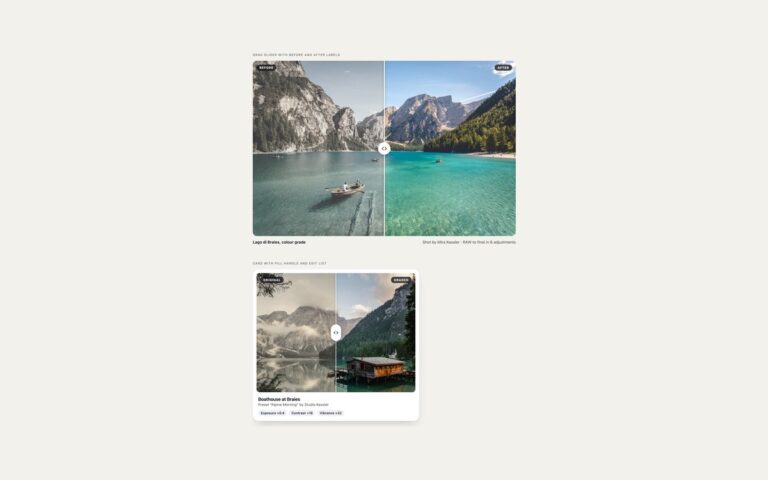
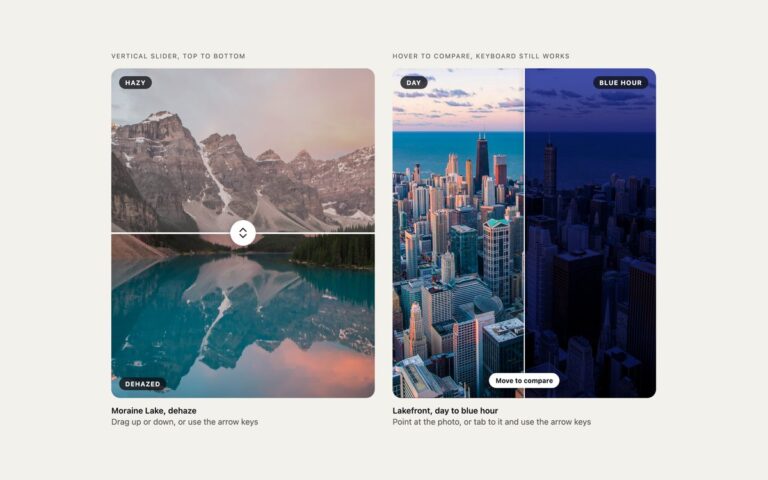
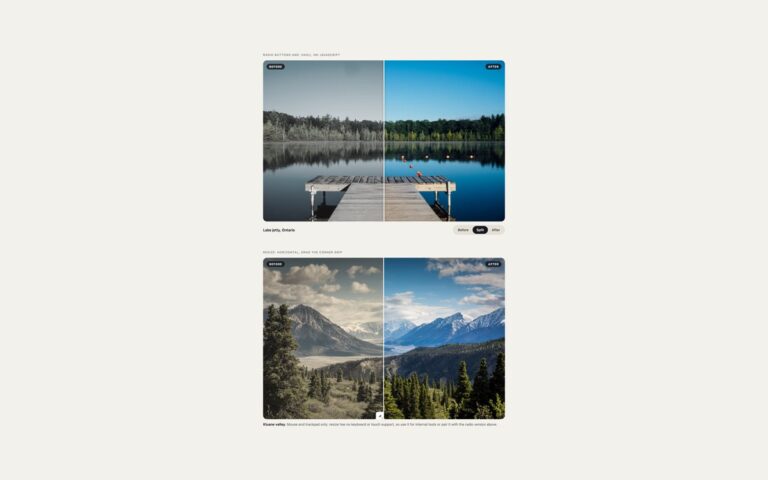
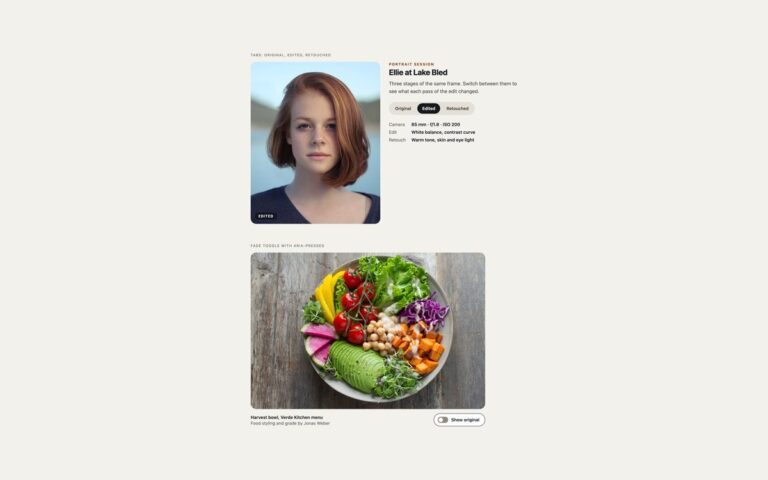
Two lens-style comparisons, where the second version appears only inside a circle that follows the pointer. Reveal lens over an unprocessed photo shows a dark, grey night sky with a ring that reveals the processed Milky Way at the same scale. The processed photo sits on top with clip-path: circle() positioned by two custom properties, –lx and –ly, so the lens is a single CSS rule and the ring is drawn separately for the border and shadow. Zoom loupe showing the edit at 2.5 times shows a soft, dull coffee board, and the loupe shows the sharpened version magnified, with the point under the pointer kept in the centre. The loupe image is sized with container query units, 100cqw times the zoom, so it needs no measuring in JavaScript. A short script sets –lx and –ly from the pointer, mouse or touch, and from the arrow keys when the photo has keyboard focus, with Shift for bigger steps, so the lens is usable without a mouse. Use the reveal lens for astrophotography, retouching and restoration, and the loupe for detail work such as sharpening, fabric, food or print quality.

What’s included

  • Reveal lens built with clip-path: circle()
  • Zoom loupe at 2.5 times that keeps the pointed spot centred
  • Loupe sized with container query units, no measuring script
  • Arrow keys move the lens, Shift for larger steps
  • Starting position set with --lx and --ly in CSS

Accessibility

Each photo area is a focusable group with an aria-label and an aria-describedby hint explaining the pointer and arrow-key controls, and it shows a 3px blue outline on keyboard focus. Both versions of each photo are described in alt text, so the comparison is not only visual; the zoomed copy inside the loupe is decorative and has empty alt. Nothing moves on its own, so there is no motion to reduce.

Customise it

Change --lens for the lens size, --z for the zoom factor, the starting --lx and --ly, and the filters on .lz-base-raw and .lz-base-soft. In Bootstrap the stage is a .ratio with .badge labels; in Tailwind edit [--lens:150px], [--z:2.5] and the clip-path arbitrary value.