About this set
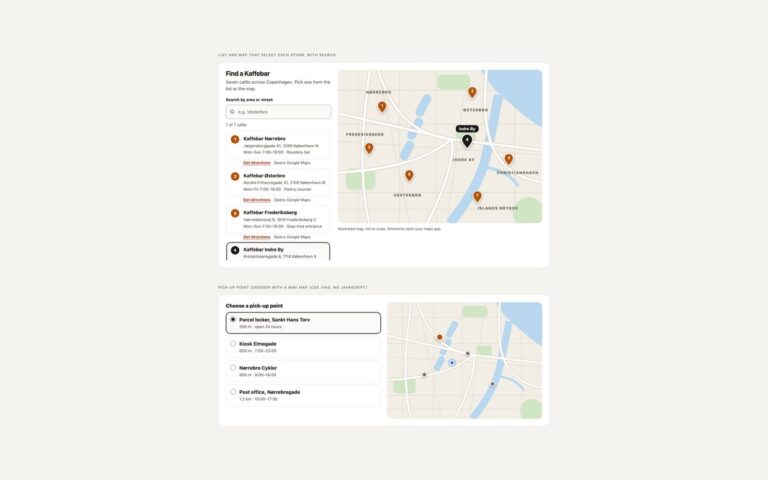
Three ways to show where a place is on a contact or about page without loading a third-party map up front. The contact card pairs an illustrated map, drawn in inline SVG with a centred pin and a name tag, with the studio address in an address element, opening hours in a definition list, phone and email links and two actions: Get directions and Open in OpenStreetMap. The office cards repeat the idea at a smaller size for three offices, each with a mini map, address, hours and a link to the exact spot on OpenStreetMap. The third variant is a privacy-friendly embed facade: a blurred preview with a short notice that the map comes from OpenStreetMap and will receive the visitor’s IP address, a Load map button and a link to open the map in a new tab. Nothing is requested from OpenStreetMap until the button is pressed; a few lines of JavaScript then swap the preview for the OpenStreetMap embed iframe with a descriptive title and move focus to it. Use the static cards when the address is enough and the facade when visitors need to pan and zoom.
What’s included
- Illustrated SVG map with a centred pin, no tiles or API key
- Address, opening hours and contact links in semantic markup
- Directions and OpenStreetMap links with exact coordinates
- Click-to-load OpenStreetMap iframe that loads nothing until asked
- Same drawing reused for three office cards
Accessibility
Decorative maps are hidden from assistive technology, so the address text carries the meaning. Links that open a new tab say so in visually hidden text, the Load map control is a real button, and the embedded iframe gets a descriptive title and receives focus once loaded. Every link and button has a visible focus outline.
Customise it
Pass your own colours to the map drawing or change the fills in the SVG, and update the coordinates in the OpenStreetMap links and the data-src embed URL (bbox and marker). Button colours are set in the .lc-btn rules, the Bootstrap .btn variables or the Tailwind classes.