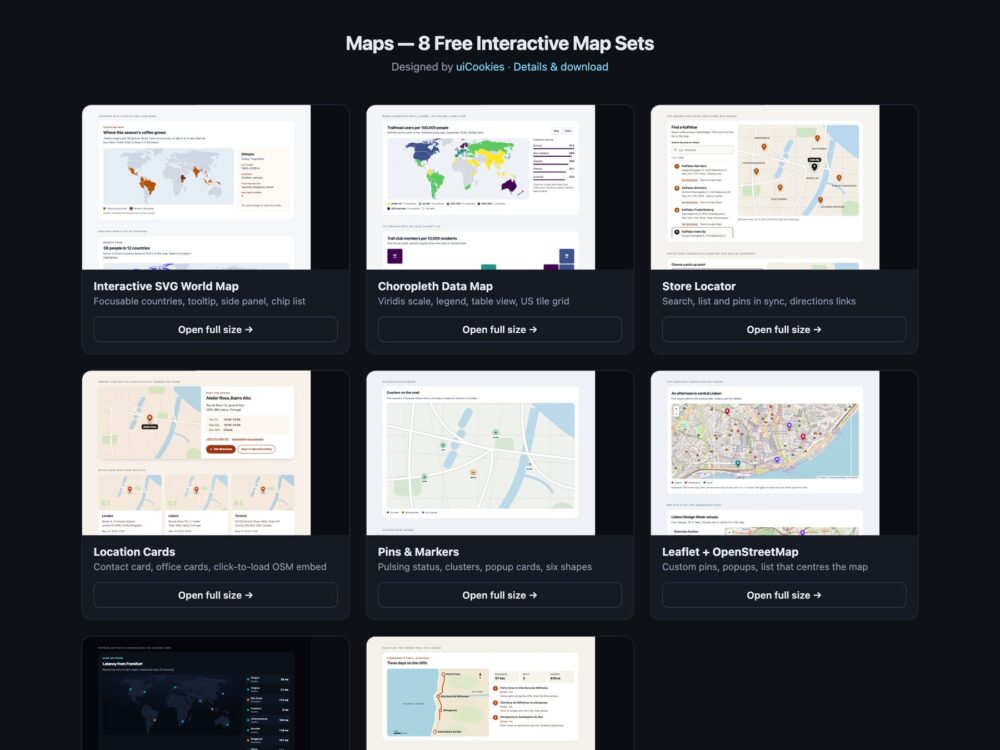
Maps is a pack of eight sets of lightweight interactive maps, designed and maintained in-house by uiCookies. Every set comes in three versions that look the same: plain HTML and CSS, Bootstrap 5 using its cards, buttons, list groups, form controls, tables and grid, and Tailwind CSS 4. The sets cover an SVG world map with focusable countries, a choropleth with a colour-blind-safe scale and a table view, a store locator with search and directions links, contact and location cards with a click-to-load OpenStreetMap embed, pin and marker styles, a Leaflet and OpenStreetMap set, a dark set and illustrated route and floor plan maps. None of them needs an API key, and only the Leaflet set loads a map library; the rest use inline SVG, CSS and at most a few lines of vanilla JavaScript.
A good web map starts with what the visitor needs to find, not with the biggest map library. A store page usually needs an address, opening hours and a directions link more than a draggable map, and a world map of twelve countries does not need 300 KB of tiles and scripts. Whatever the map shows should also be available as text: a list of locations, a table of values or a written route, because many visitors cannot use a map by pointer and screen readers cannot read one at all. Interactive regions and pins need to be real buttons with names and a visible focus style, colour scales should stay readable for colour-blind visitors and be backed by numbers, and embeds from third parties are best loaded only when the visitor asks for them.
Free download Browse live demos All snippets
The sets
1. Interactive SVG World Map
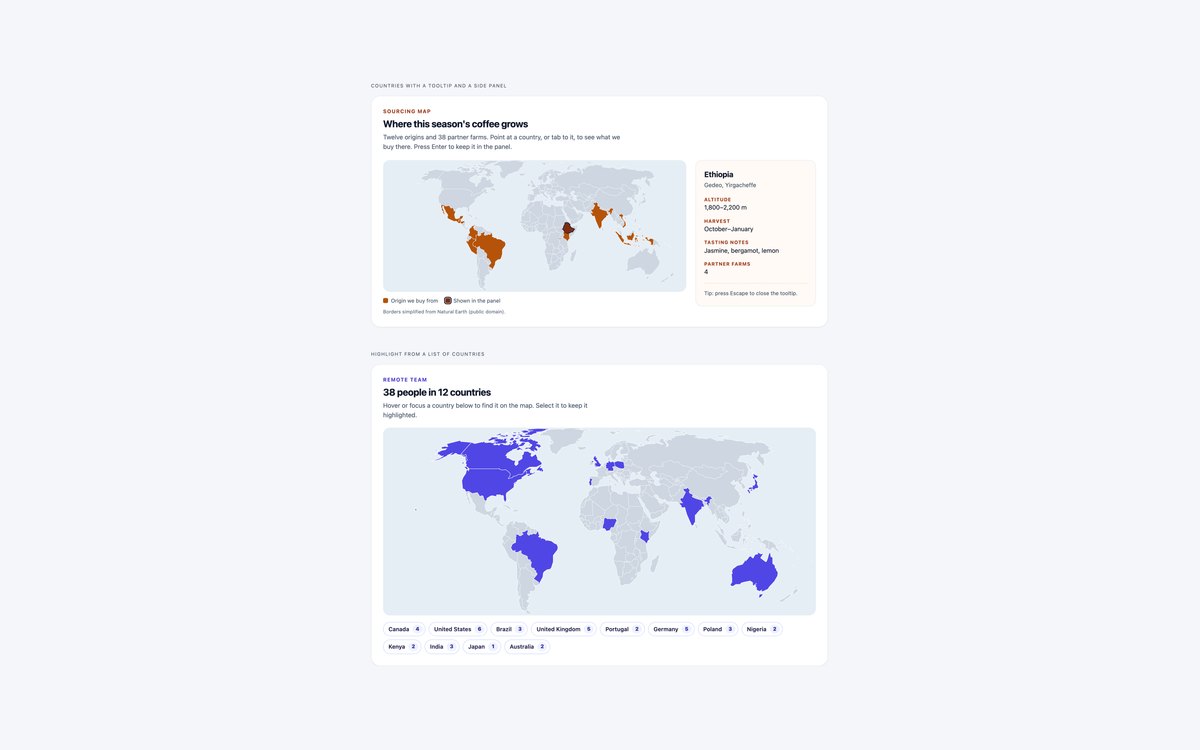
A coffee sourcing world map where twelve countries are focusable buttons with a tooltip and a side panel, and a remote team map highlighted from a row of country chips.
The geometry is public-domain Natural Earth data simplified to about 19 KB per map. Use the first pattern when the map is the content and the second when a list is the easier way in.
Live Demo CSS, Bootstrap & Tailwind code
2. Choropleth Data Map
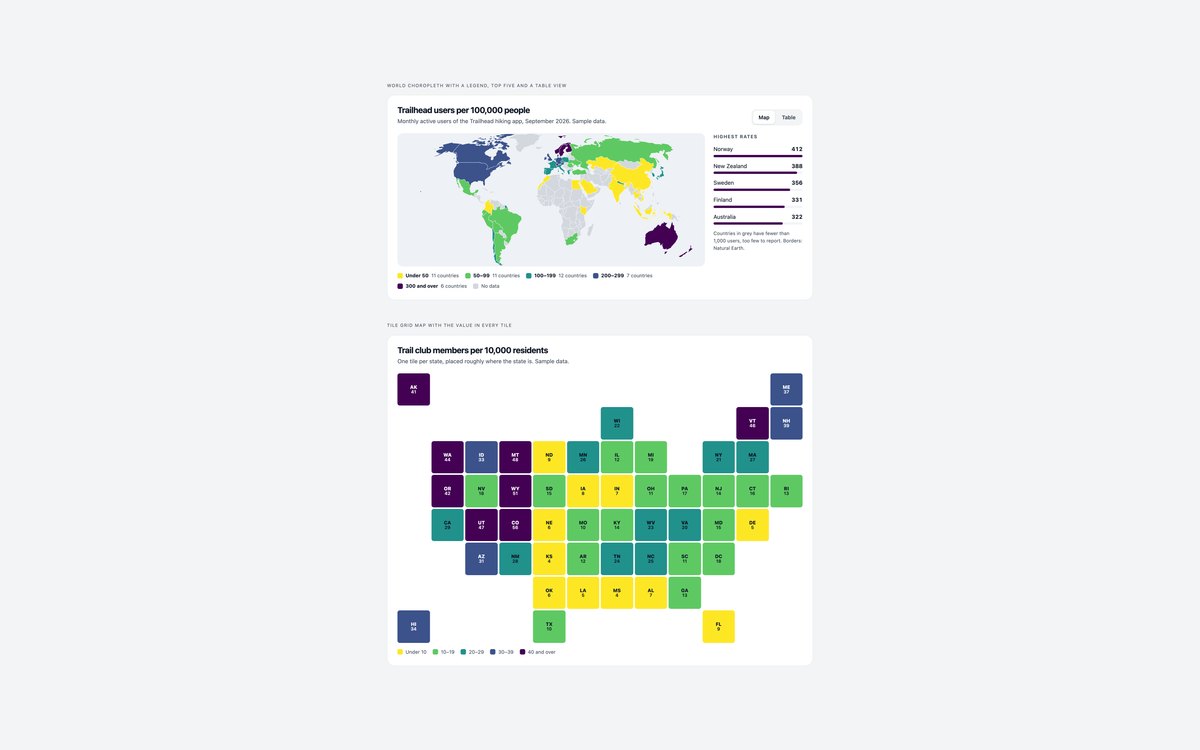
A world choropleth on a five-step viridis scale with a labelled legend, a top-five list and a Map and Table switch, and a US tile grid map with the value printed in each tile.
Every value is available as text, so the colour scale is a summary rather than the only way to read the data.
Live Demo CSS, Bootstrap & Tailwind code
3. Store Locator Map
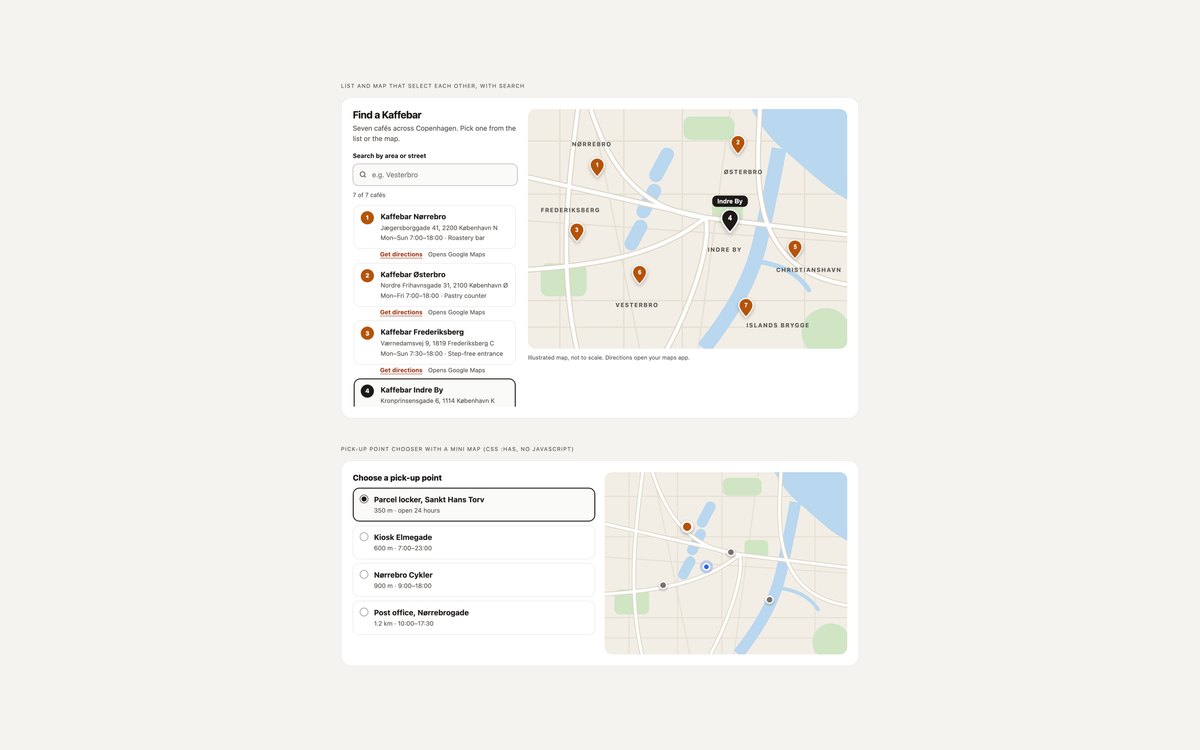
A café locator with search, a result list and numbered pins on an illustrated city map, plus a pick-up point chooser with a mini map.
Choosing a list item highlights its pin and choosing a pin selects the list item. The chooser highlights its point with :has() and no JavaScript.
Live Demo CSS, Bootstrap & Tailwind code
4. Location Map Cards
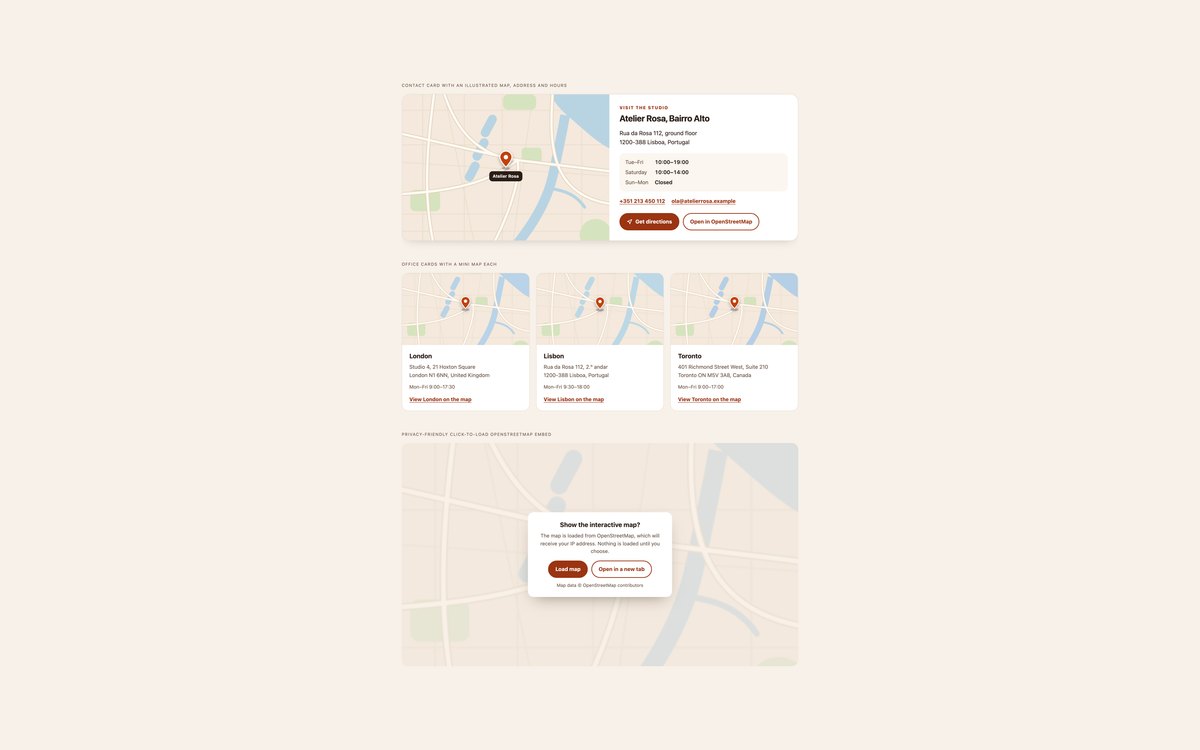
A contact card with an illustrated map, address, hours and directions, three office cards with mini maps, and a click-to-load OpenStreetMap embed.
The embed facade requests nothing from OpenStreetMap until the visitor presses Load map, which keeps the page fast and private.
Live Demo CSS, Bootstrap & Tailwind code
5. Map Pin and Marker Styles
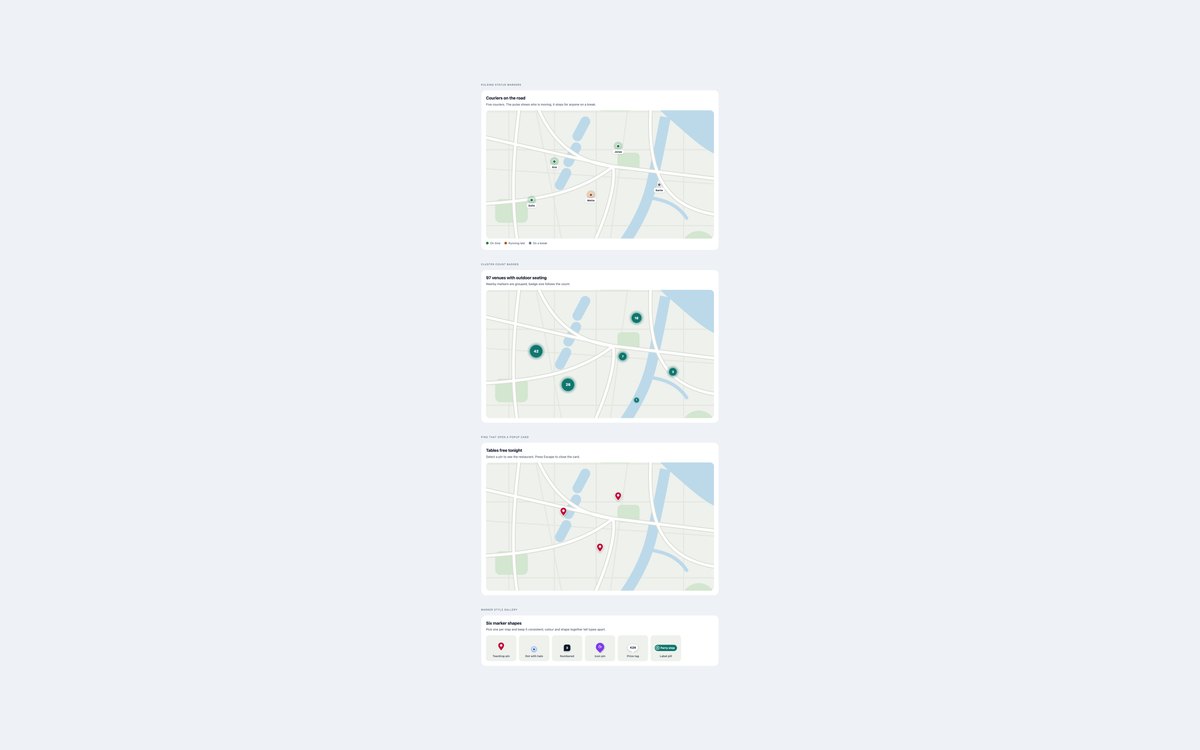
Pulsing courier markers, cluster count badges, pins that open popup cards and a gallery of six marker shapes, shown over an illustrated map.
Status is always written in text as well as shown in colour, popups close with Escape and return focus to their pin, and pulses stop for reduced motion.
Live Demo CSS, Bootstrap & Tailwind code
6. Leaflet OpenStreetMap Map
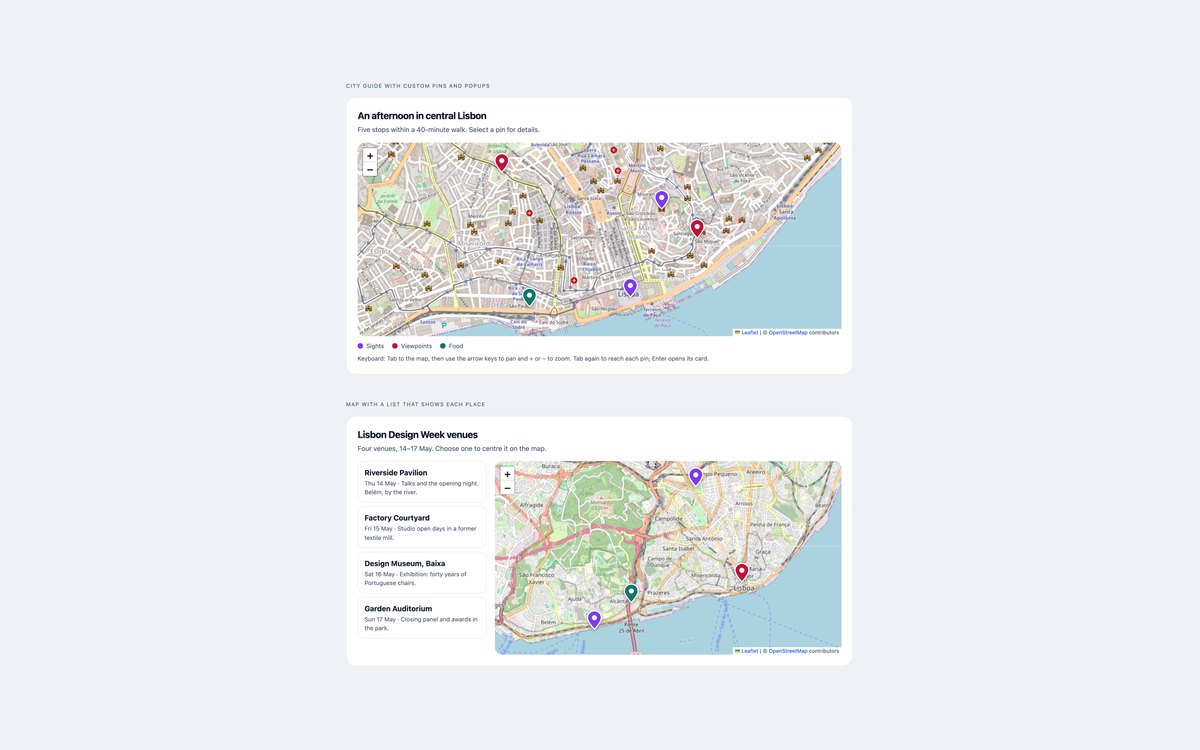
A Lisbon city guide and an event venue map built with Leaflet 1.9.4 and OpenStreetMap tiles, using custom pins in the style of set 05.
It is the only set with a library. Leaflet is pinned with subresource integrity, places are read from editable JSON, and a venue list centres the map for keyboard users.
Live Demo CSS, Bootstrap & Tailwind code
7. Dark Map Styles
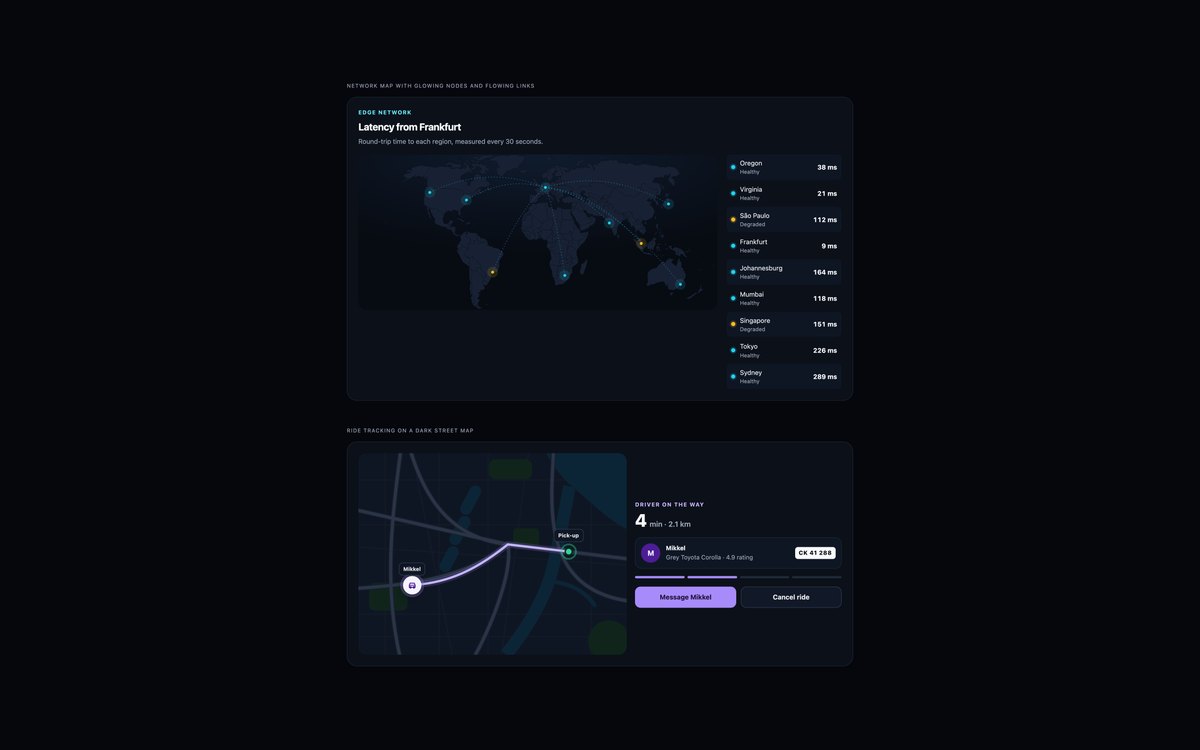
An edge network world map with glowing nodes and flowing arcs beside a status list, and a ride tracking card with a route on a dark street map.
Both are inline SVG and CSS with no JavaScript, and the Bootstrap version runs in data-bs-theme="dark".
Live Demo CSS, Bootstrap & Tailwind code
8. Illustrated Route Maps
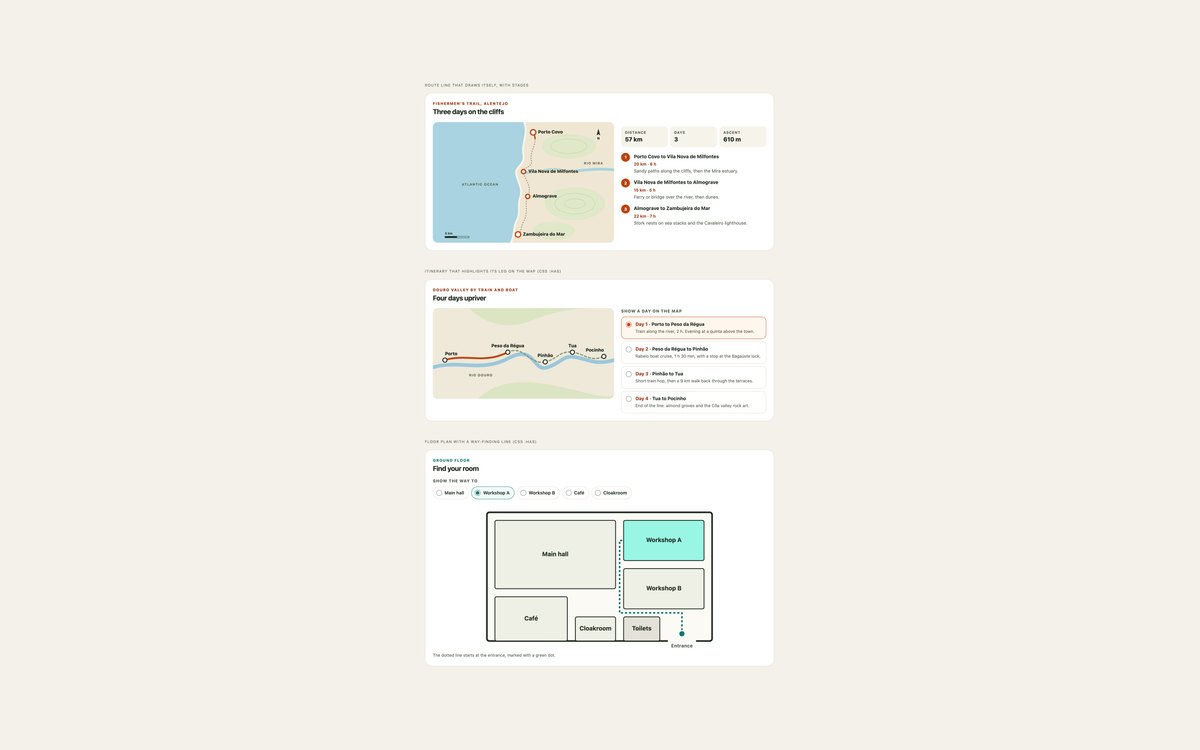
A coastal trail whose route line draws itself, a Douro valley itinerary that highlights each day’s leg, and a floor plan with a way-finding line.
All three use only SVG and CSS; the itinerary and floor plan use radio buttons and :has() to connect the list to the map.
Live Demo CSS, Bootstrap & Tailwind code
Frequently asked questions
Are these maps free for commercial projects?
Yes. Every set is free for personal and commercial projects, including client work and products you sell. Attribution is optional but always welcome. The licence is at uicookies.com/license/. The world geometry comes from Natural Earth, which is public domain, and the Leaflet set must keep the OpenStreetMap attribution shown on the map.
Do these maps need JavaScript or an API key?
None of them needs an API key. Sets 07 and 08 use no JavaScript at all, and sets 01 to 05 use a few lines of vanilla JavaScript for tooltips, selection, search, popups and the click-to-load embed. Only set 06 loads a library, Leaflet 1.9.4, with OpenStreetMap tiles.
Are the maps accessible?
Interactive countries, pins and list items are real buttons with accessible names and a visible focus style, and the facts on each map are repeated as text in a panel, list or table. The choropleth uses a colour-blind-safe scale with values in text and a table view. Motion stops under prefers-reduced-motion, and every set passes an automated axe-core WCAG 2.1 AA check.
Which frameworks are included?
Every set has three files that look the same: plain HTML and CSS, Bootstrap 5.3.8 and Tailwind CSS 4. The Bootstrap files use .card, .btn, .list-group, .form-control, .form-check, .table, .progress and the grid where they fit, and the Tailwind files use utility classes for layout. The CSS that draws the maps themselves is shared between the three versions.
When should I use an SVG map instead of Leaflet or Google Maps?
Use an SVG or illustrated map when you show a fixed set of places or regions, such as countries you ship to or rooms in a venue: it is small, loads instantly, matches your design and needs no third-party requests. Use a tiled map such as Leaflet with OpenStreetMap when visitors need real streets, panning and zooming. For a single address, a card with a directions link, or a click-to-load embed, is usually enough.