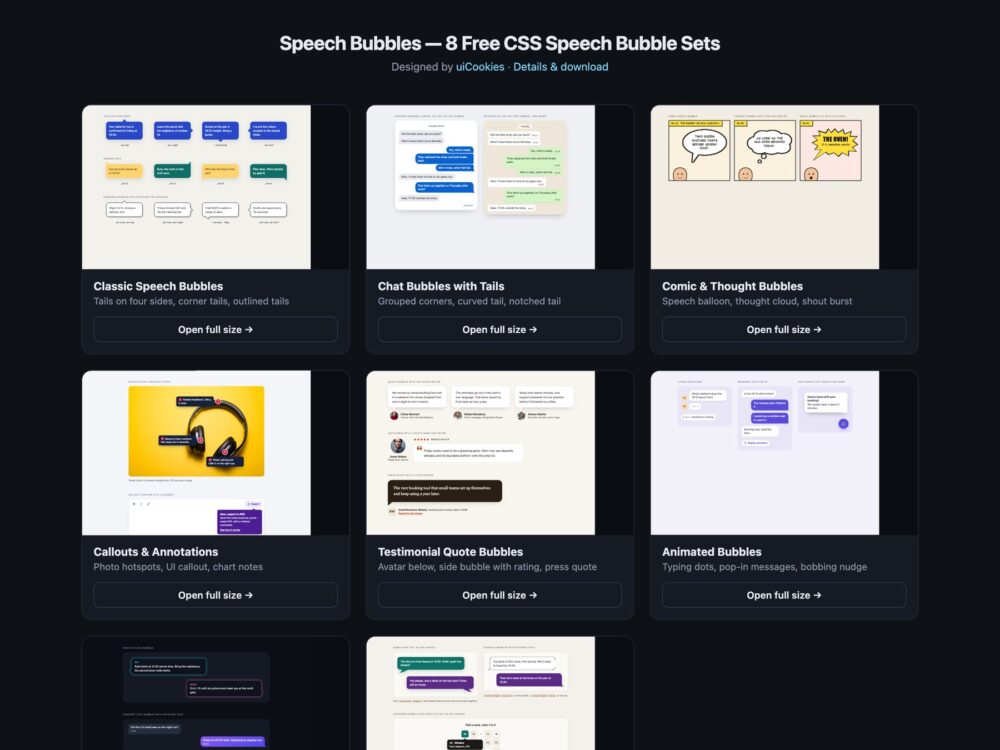
Speech Bubbles is a pack of eight sets of CSS speech bubbles, designed and maintained in-house by uiCookies. Every set comes in three versions that look the same: plain HTML and CSS, Bootstrap 5 using .card, .figure, .blockquote, .btn, .btn-check and its flex and grid utilities where they fit, and Tailwind CSS 4. The sets cover classic bubbles with tails on all four sides and corners, chat bubbles with grouped corners, comic speech, thought and shout balloons, callouts that point at a photo hotspot, a button or a chart bar, testimonial quote bubbles, animated typing indicators and pop-in messages, a dark set, and a modern CSS set built on clip-path: shape(), corner-shape and anchor positioning. The tails are pseudo-elements, gradients and clip-paths rather than images, and only one set uses JavaScript, for a replay button.
Need a bubble shape these sets don’t cover? Draw it in the free clip-path & blob generator.
A good speech bubble makes it obvious who is speaking and never hides what it points at. The tail should land on its speaker or target, not near it, and it should keep the bubble’s border and shadow, which is where most quick CSS bubbles show a seam or a missing outline. Text inside needs 4.5:1 contrast against the bubble colour, not the page, and a bubble over a photo needs a plan for small screens, where it can cover the very thing it describes. The bubble’s shape is invisible to screen readers, so who said or thought a line belongs in the text, visible or visually hidden, and decorative tails and quote marks should stay out of the accessibility tree. Anything that animates should finish quickly and stay still for people who ask for reduced motion.
Free download Browse live demos All snippets
The sets
1. Classic Speech Bubbles
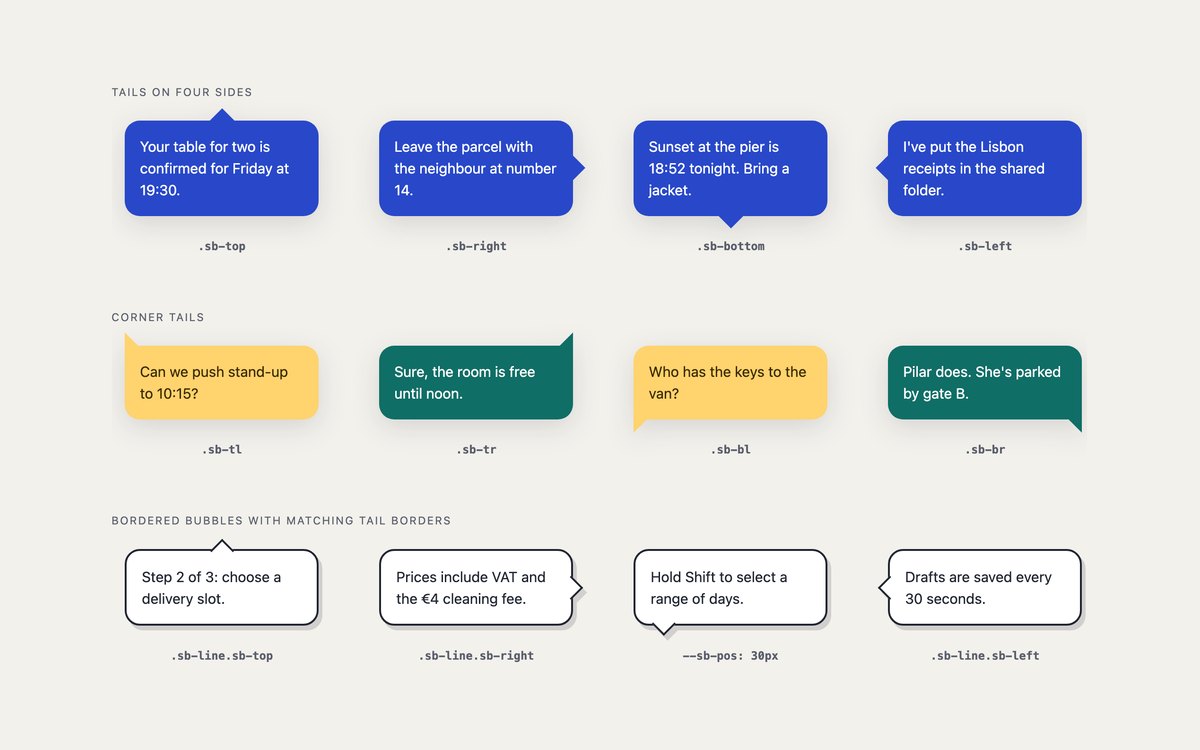
Twelve bubbles with tails on the top, right, bottom and left edges, on each of the four corners, and outlined bubbles whose tail carries the same border as the box.
Use them for any pointer or caption. Each one is a paragraph and a class, and –sb-c, –sb-t and –sb-pos set the colour, tail size and tail position.
Live Demo CSS, Bootstrap & Tailwind code
2. Chat Bubbles with Tails
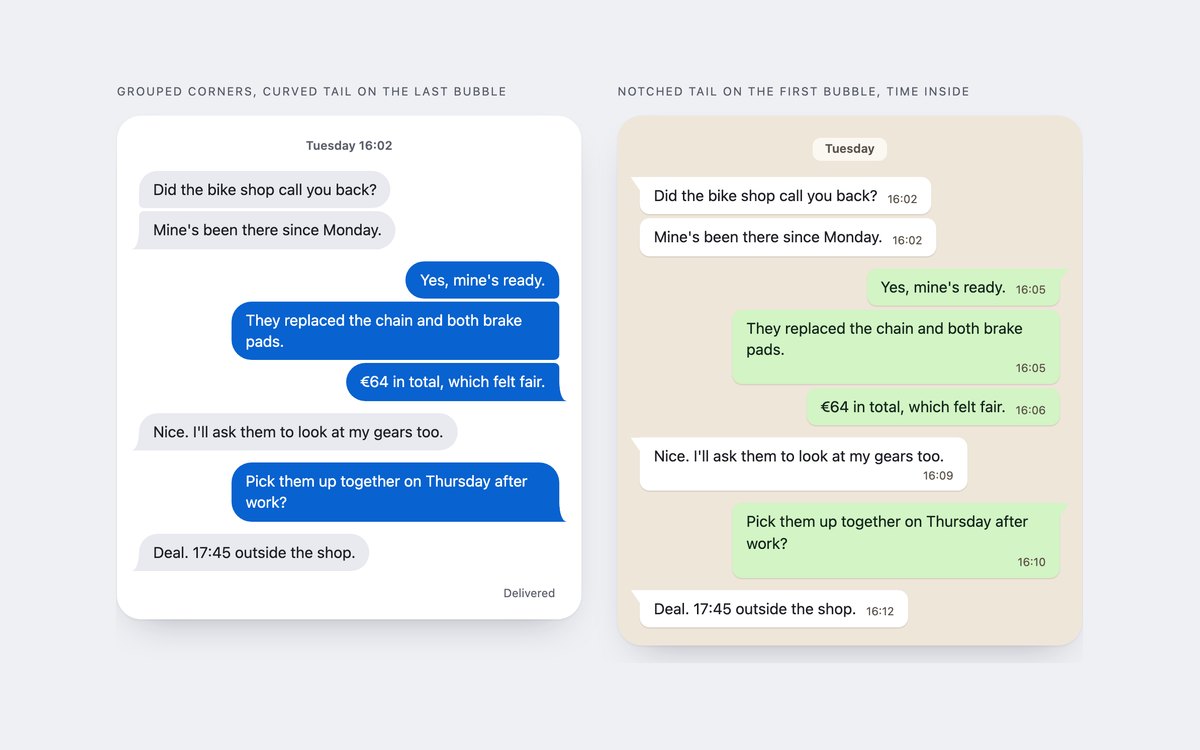
One conversation styled two ways: grouped corners with a curved tail on the last bubble of each group, and a notched tail on the first bubble with the time inside.
The curved tail is a radial-gradient cut-out, so it works over any background colour or image. Each sender group starts with a visually hidden name.
Live Demo CSS, Bootstrap & Tailwind code
3. Comic & Thought Bubbles
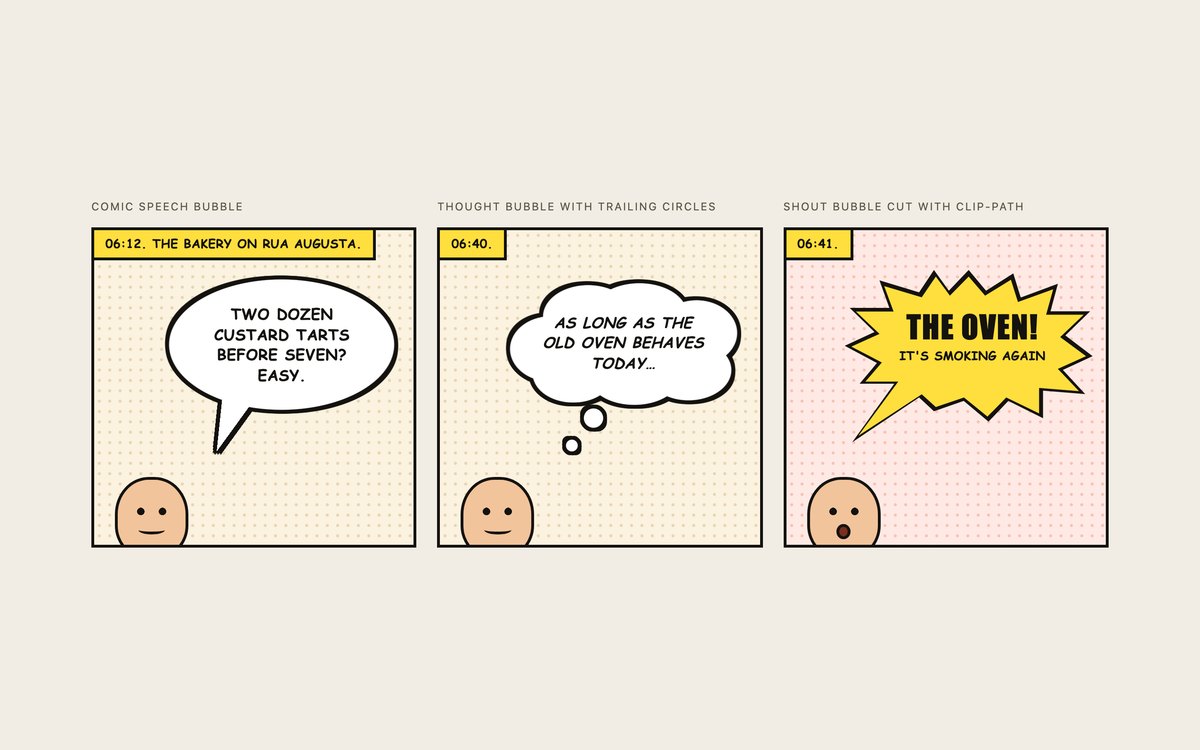
A three-panel comic strip with an outlined speech balloon, a cloud thought bubble with trailing circles and a jagged shout bubble cut with clip-path.
Hard drop-shadows outline the merged balloon and tail with no seam. The lettering uses Comic Sans MS, Chalkboard SE and Impact as system fallbacks, ready for a self-hosted comic font.
Live Demo CSS, Bootstrap & Tailwind code
4. Callout & Annotation Bubbles
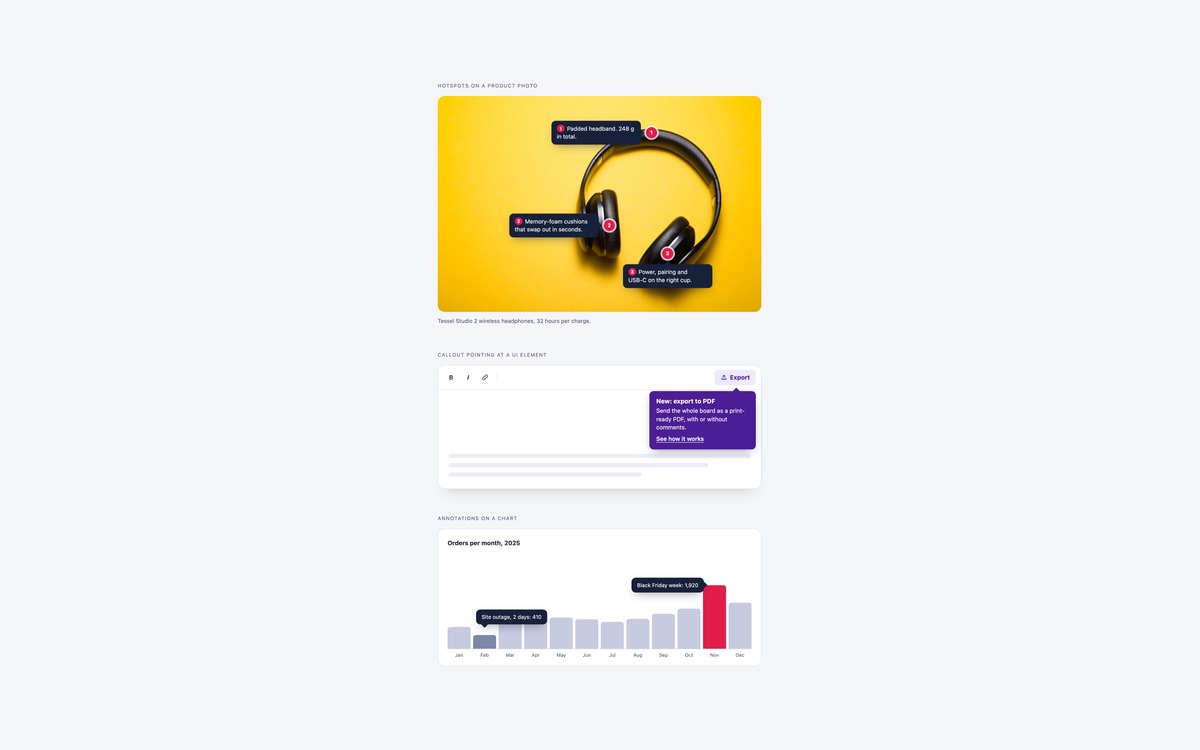
Numbered hotspot notes on a product photo, a new-feature callout under a toolbar button and annotations pinned to the bars of a chart.
Each bubble hangs from a zero-size pin, so its tail always lands on the point. On phones the photo notes turn into a numbered list under the image.
Live Demo CSS, Bootstrap & Tailwind code
5. Testimonial Quote Bubbles
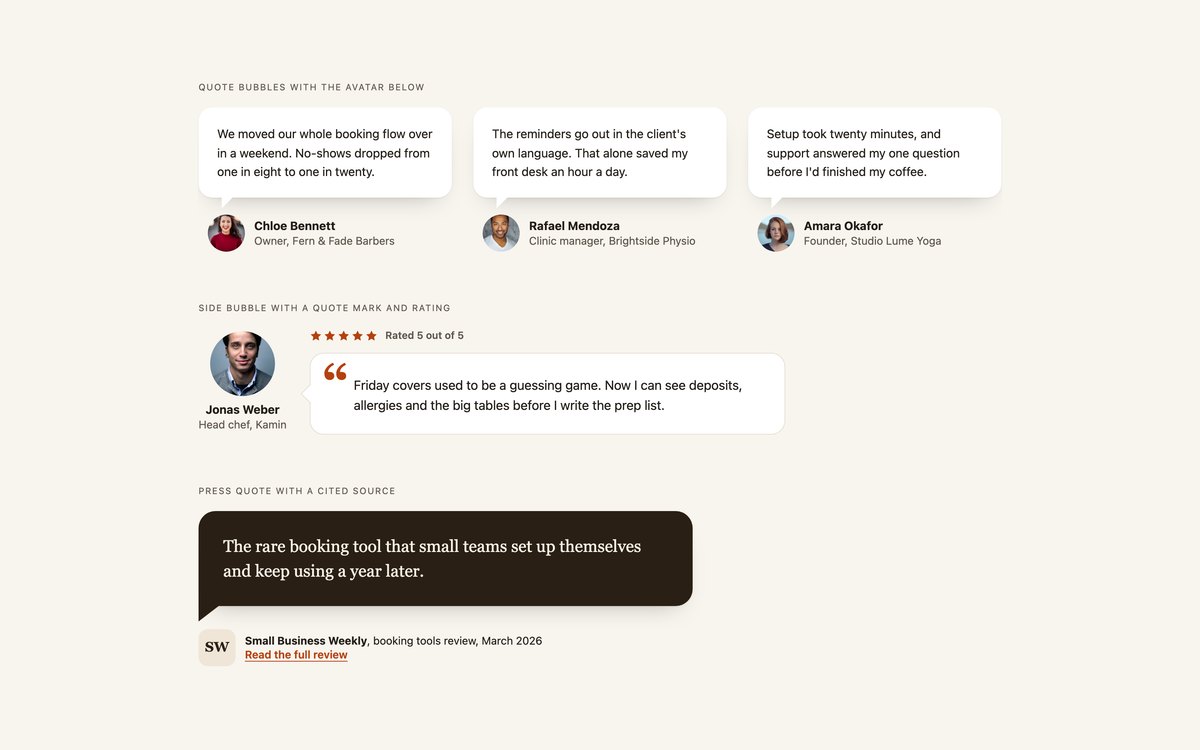
Customer quotes with the avatar below the tail, a featured side bubble with a quote mark and a written-out rating, and a press quote with a cited source.
Each testimonial is a figure with a blockquote and a figcaption, and the tail points from the words to the person who said them.
Live Demo CSS, Bootstrap & Tailwind code
6. Animated Speech Bubbles
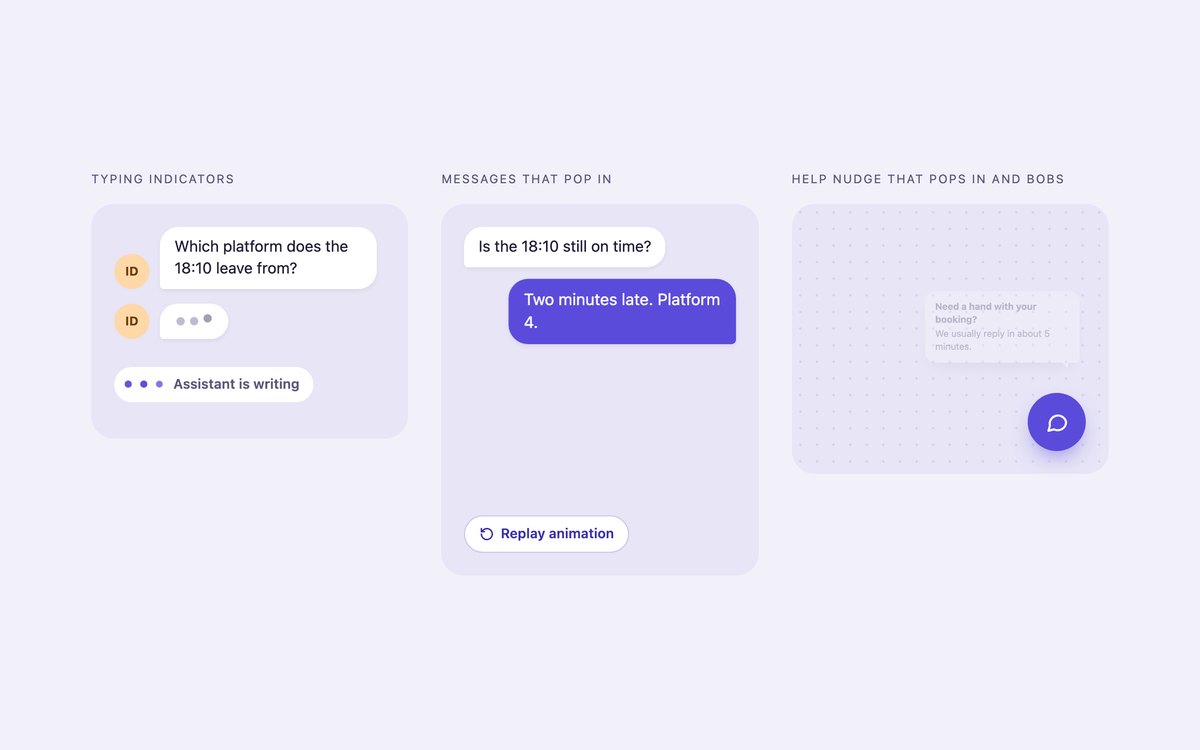
Bouncing and pulsing typing indicators, a conversation whose bubbles pop in from their tail one after another, and a help nudge that pops in and bobs twice.
It is all CSS keyframes apart from a six-line replay button. Under prefers-reduced-motion every bubble is shown still, in its final state.
Live Demo CSS, Bootstrap & Tailwind code
7. Dark Speech Bubbles
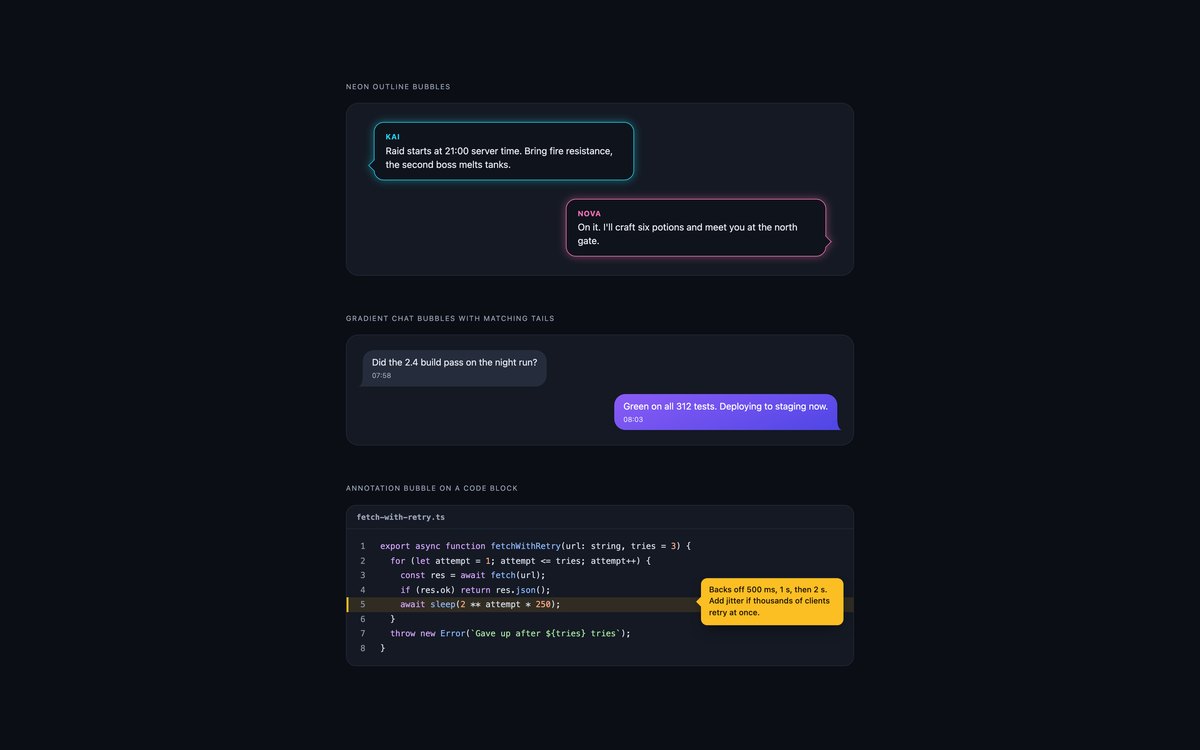
Neon outline bubbles with a glow that follows the tail, gradient chat bubbles with matching tails, and an amber note pinned to a line of code.
Colours were checked against each bubble, not the page. The Bootstrap version runs in data-bs-theme="dark".
Live Demo CSS, Bootstrap & Tailwind code
8. Modern CSS Speech Bubbles
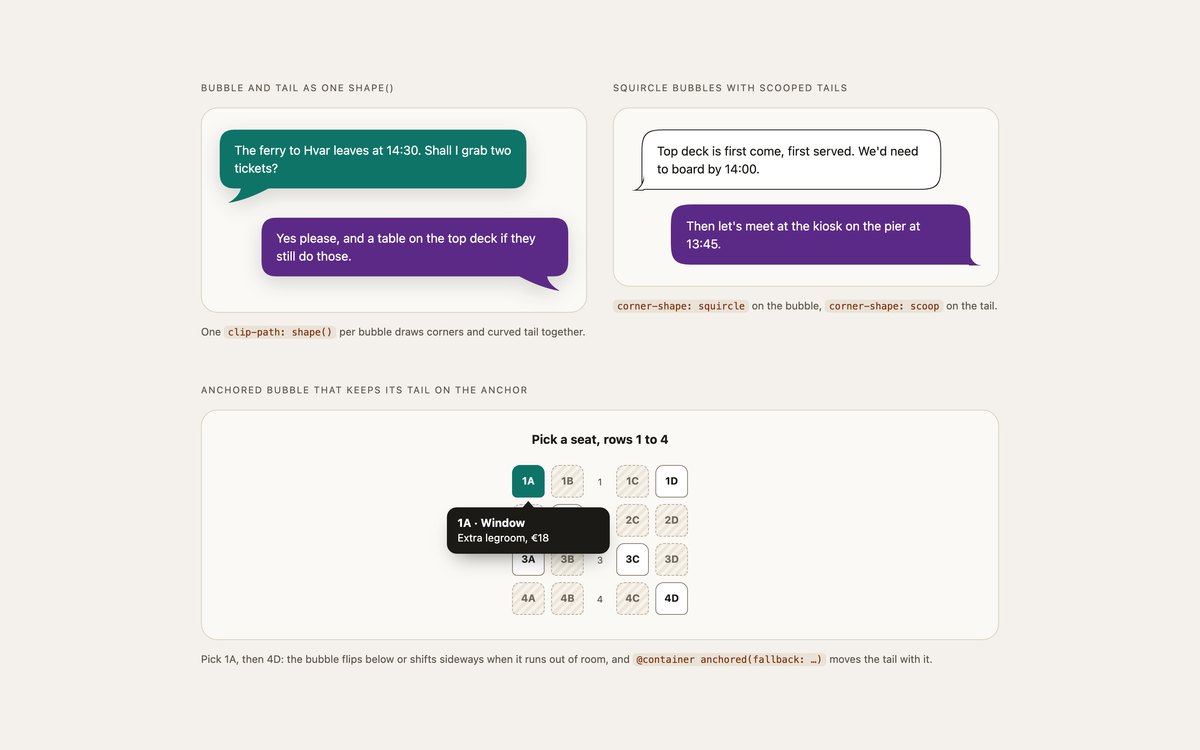
A bubble and tail drawn as one clip-path: shape() path, squircle bubbles with corner-shape: scoop tails, and a seat picker whose anchor-positioned bubble keeps its tail on the chosen seat.
Anchored container queries move the tail when the bubble flips or shifts. Each technique sits behind @supports with a classic bubble as the fallback.
Live Demo CSS, Bootstrap & Tailwind code
Frequently asked questions
Are these speech bubbles free for commercial projects?
Yes. Every set is free for personal and commercial projects, including client work and products you sell. Attribution is optional but always welcome. The licence is at uicookies.com/license/.
Do these speech bubbles need JavaScript?
No. Tails, comic balloons, callouts and the anchored seat bubble are CSS only, and the animations are CSS keyframes. The only script is about six lines in the animated set that restart the pop-in sequence when you press Replay; without it the messages still pop in once on load.
Are the speech bubbles accessible?
Bubbles are ordinary text elements, so screen readers read the words and skip the decorative tails. Who is speaking or thinking is written into the text, visibly or with visually hidden labels, testimonials use blockquote and figcaption, and typing indicators are status regions with text. Every set passes an automated axe-core WCAG 2.1 AA check, text reaches 4.5:1 against its own bubble, and animations stop under prefers-reduced-motion.
Which frameworks are included?
Every set has three files that look the same: plain HTML and CSS, Bootstrap 5.3.8 and Tailwind CSS 4. The Bootstrap files use .card, .figure, .blockquote, .btn, .btn-check, .rounded-circle and the grid and flex utilities, with a small style block for the tails. The Tailwind files use utility classes in the markup and keep only the repeated tail pseudo-elements, keyframes and modern CSS rules in a style block.
How do I make a CSS speech bubble tail with a border?
The usual trick of stacking two border triangles leaves the outline slightly thinner along the tail’s slopes. Set 01 instead uses a small square rotated 45 degrees, with the bubble’s background and a border on its two outer sides only, laid over the bubble’s own border so the outline runs unbroken into the point. For curved tails, set 08 shapes the tail with corner-shape: scoop so the border follows the curve, and set 03 outlines the bubble and tail together with hard drop-shadows.