
Importbench — Free CSV Import Workflow UI Kit
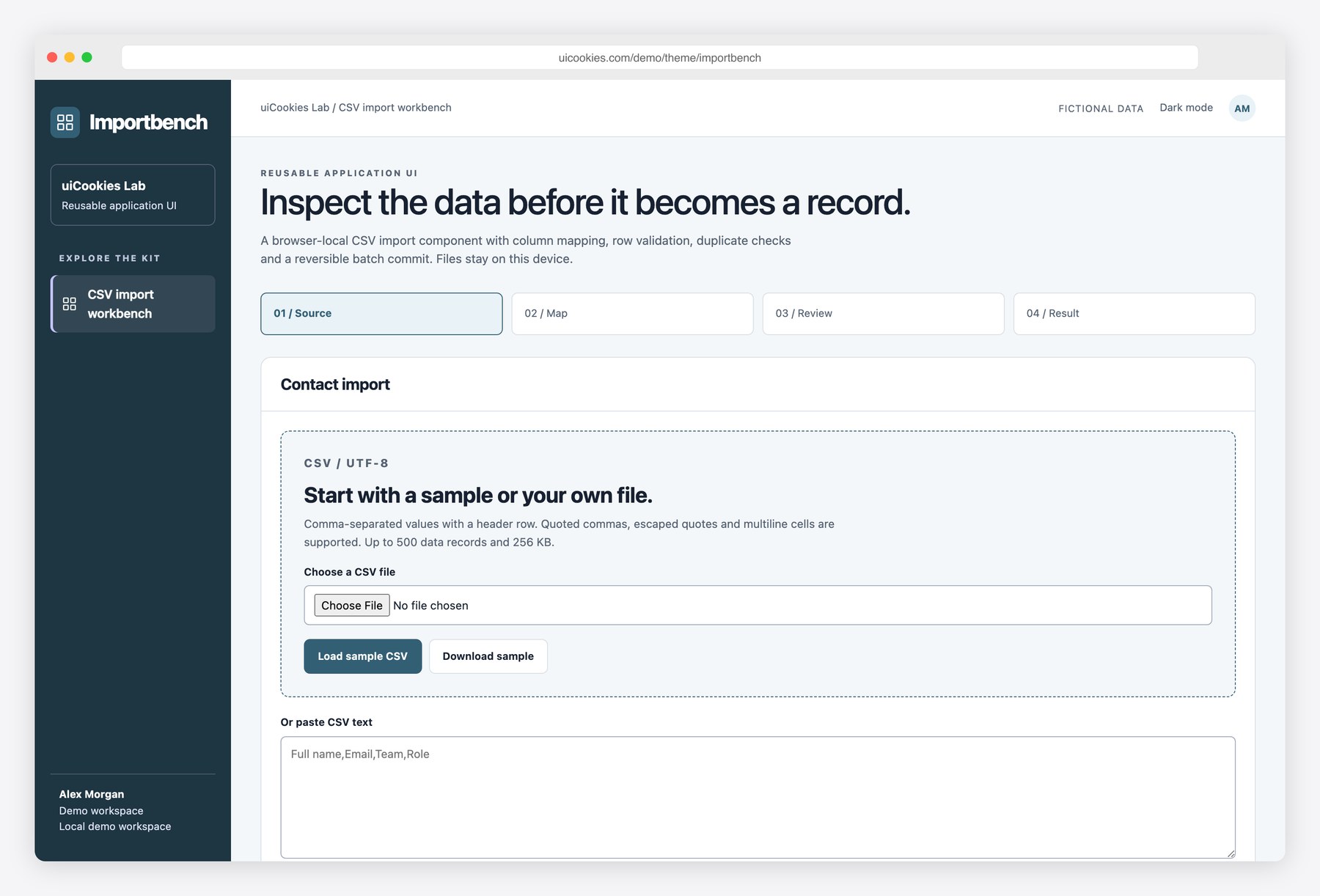
Importbench fills the gap between selecting a CSV file and trusting the records it creates. Every column is mapped explicitly, every record has a visible validation status, and a confirmation step explains which records will be skipped. The local contact register makes the result inspectable, while batch history supports one-step rollback of the latest import. This is a reusable interface and parser example for prototypes and front-end integration, with a 500-record limit and fictional seed contacts. Add authenticated server validation and durable transactions before connecting it to a production contact database.
Key features
- Choose a UTF-8 CSV file, paste text or load a supplied sample
- Parser supports quoted commas, escaped quotes, multiline cells and BOM
- Limits files to 256 KB and 500 data records with consistent columns
- Column mapping enforces required and unique source assignments
- Name, email, team-length and Viewer/Editor role validation
- Existing emails and later file duplicates skipped without overwrites
- Explicit review and confirmation before local batch commit
- Formula-neutralized CSV exports for rejected records and contacts
- Latest-batch rollback preserves existing records and keeps batch history
Best for
- Developers building application interfaces
- Designers prototyping real user workflows
- Teams creating reusable UI patterns
At a glance
- Bootstrap 5.3.8 and vanilla JavaScript; no jQuery
- 1 pages: index.html
- Browser-local demo records; no backend, authentication or server writes
- Responsive layouts, keyboard controls, light and dark modes
- Free for personal and commercial use; attribution optional but welcome. Full terms: uicookies.com/license
How to use it
Unzip importbench and open index.html in a browser. Edit the HTML copy, the demo arrays in js/main.js and the palette in css/style.css. The supplied Bootstrap files are self-hosted, so there is no build step or external script dependency. Changes are stored only in this browser; connect your own authenticated API before using real records. Deploy the folder to any static host.
Frequently asked questions
Is Importbench free for commercial use?
Yes. Free for personal and commercial use, including client work. Attribution is optional but always welcome. Full terms: uicookies.com/license
What does the download include?
1 HTML pages (index.html), Bootstrap 5.3.8, one design stylesheet and one vanilla JavaScript file. No npm installation or build command is required.
Does it connect to a backend?
No. All people and records are fictional, and changes are saved in localStorage in this browser only. No emails, payments or real bookings are sent. Replace the data and persistence helpers with your own authenticated API for production.
How do I customize the template?
Change colors and typography using the custom properties at the top of css/style.css. Edit content in the HTML pages and the initial data arrays in js/main.js. Reset demo clears only this template’s saved demo records.
Is this a production backend?
No. The download contains front-end source and fictional browser-local records. Connect your own authenticated API and validate operations on your server before using real data.