
Vesper — Free Church Website Template
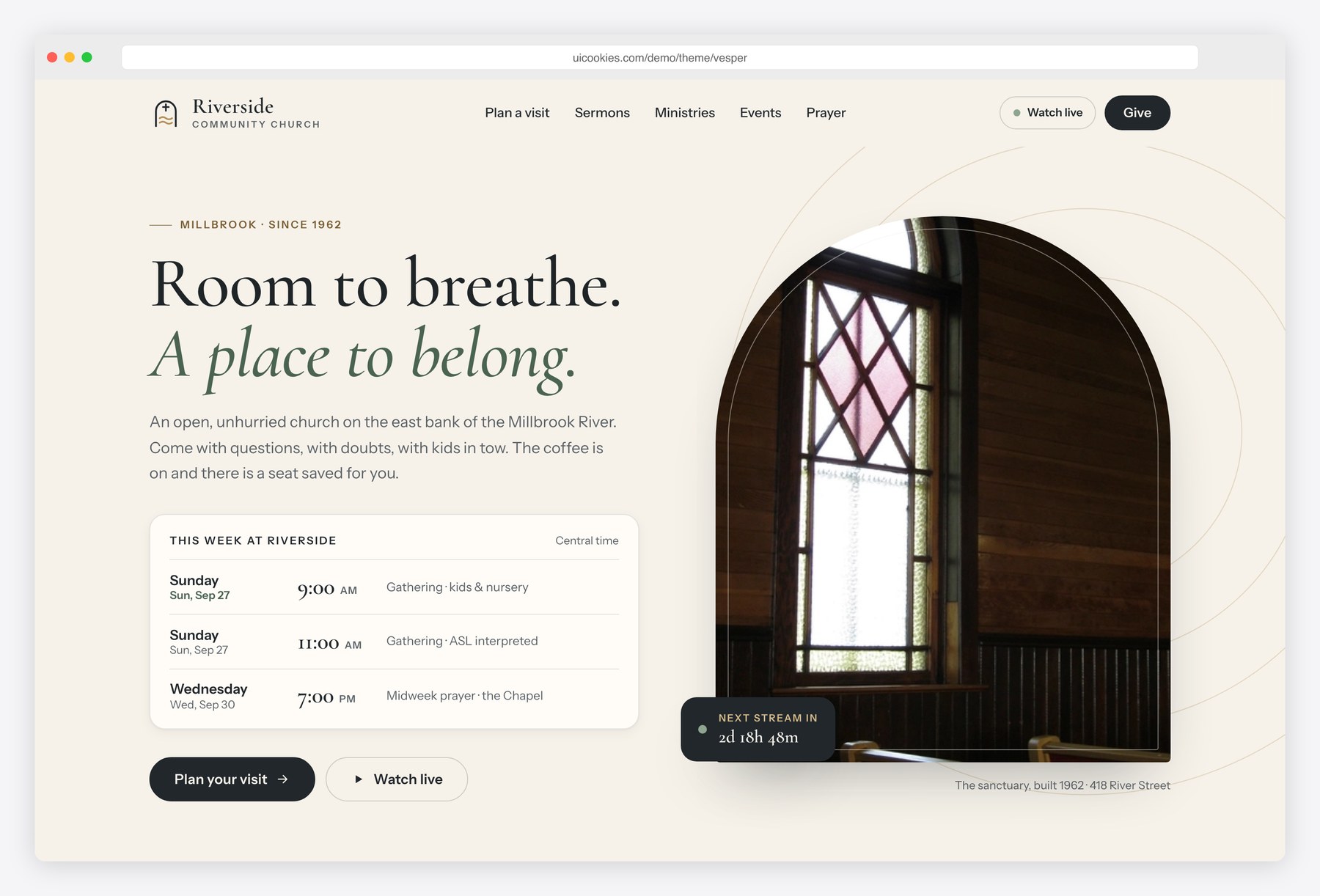
Vesper gives a church a calm, modern website in charcoal, sage and warm off-white, with Cormorant Garamond headings and a brass accent. The service schedule lives in the HTML and drives the Watch live countdown, the dates shown for this week and a calendar reminder download. Newcomers get a full plan-your-visit page with a Sunday morning timeline, kids check-in, accessibility, parking and a visit form, and the giving page has amount chips, a frequency toggle, a fund select and a summary that updates as you choose.
Key features
- Watch live block that reads the service schedule and shows a live state or a countdown to the next service, in the church’s own time zone
- This week’s service times with dates filled in automatically, plus a downloadable calendar reminder for the next service
- Sermon series cards with a week-by-week progress bar
- Ministries grid for kids, youth, groups, care and music
- Events list with category filters and an Add to calendar (.ics) button on every event
- Prayer request form with privacy options and conditional email validation
- Location and office hours card over an inline SVG map illustration, no map embed
- Plan-your-visit page with a Sunday morning timeline, kids check-in steps, accessibility details, a parking diagram and a native details/summary FAQ
- Giving page with amount chips, custom amount, one-time/weekly/monthly toggle, fund select, optional fee cover and a live summary card
- Budget breakdown donut chart drawn as inline SVG from a small data list
Best for
- Churches and congregations of 150 to 1,000 people
- Church plants that want a welcoming first-visit page
- Parishes and chapels that stream their services
- Developers who want a jQuery-free Bootstrap 5 church starter
At a glance
- Bootstrap 5.3.8 with vanilla JavaScript, no jQuery
- 3 pages: index.html, visit.html, give.html
- Palette and type set as CSS custom properties in css/style.css
- Cormorant Garamond headings with Instrument Sans body text
- Inline SVG icons, map illustration and chart; no icon fonts or chart libraries
- Free for personal and commercial use; attribution optional but welcome. Full terms: uicookies.com/license
How to use it
Unzip the folder and open index.html in a browser. Edit the copy in the three HTML files and replace the photos in img/ with your own. Colours and fonts are CSS custom properties at the top of css/style.css. Service times are data attributes on the schedule list, so the countdown follows your edits. The prayer, visit and giving forms are front-end only: connect a form service and a payment provider before launch, then upload the folder to any static host.
Frequently asked questions
Is Vesper free for a church or commercial project?
Yes. Vesper is free for personal and commercial use, including a live church website or a client project. Attribution to uiCookies is optional but always welcome, and the full terms are on the uiCookies license page.
What is Vesper built with?
Vesper uses Bootstrap 5.3.8, self-hosted, with one vanilla JavaScript file and no jQuery or other libraries. Icons, the map illustration, the parking diagram and the budget chart are inline SVG, and all content stays visible if JavaScript is turned off.
Which pages and sections are included?
There are three pages. The home page has the hero with service times, Watch live, a newcomer strip, sermon series, ministries, events, a giving call to action, a prayer form and a location card. The visit page covers a Sunday timeline, kids check-in, accessibility, parking, an FAQ and a visit form, and the giving page holds the giving form, live summary, budget chart and other ways to give.
Do the forms and the giving page work out of the box?
The prayer, visit and newsletter forms validate in the browser and show a confirmation, but they need a form service or your own backend to deliver submissions. The giving page handles amounts, frequency, funds and the summary, and says clearly that a payment provider must be connected to its Continue button. Colours and fonts are CSS custom properties at the top of css/style.css.
How does the Watch live countdown work?
Each service in the schedule list has data attributes for the day, start time and length, and the list carries the church’s time zone. The script compares the current time in that zone with the schedule, shows a live state while a service is running and otherwise counts down to the next one. Change the attributes and the countdown, this week’s dates and the calendar reminder all follow.