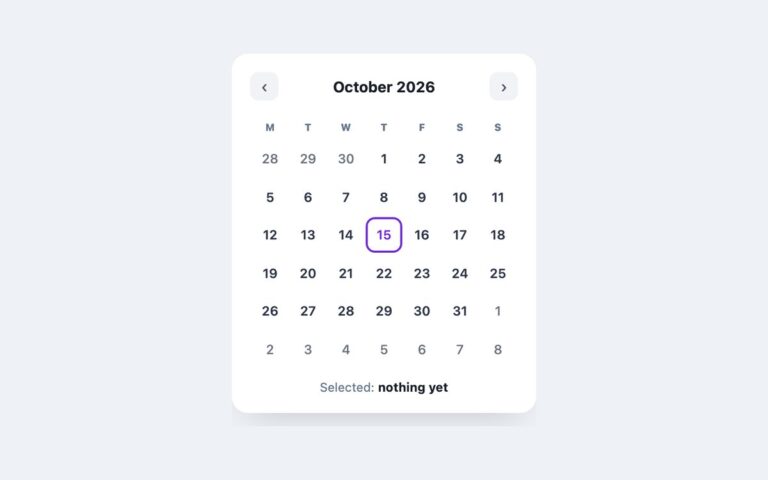
Open demo

CSS code

HTML
<div class="cal" data-cal>
  <div class="cal-head">
    <h2 class="cal-title" id="cal-title" aria-live="polite"></h2>
    <div class="cal-nav">
      <button type="button" data-move="-1" aria-label="Previous month">‹</button>
      <button type="button" data-move="1" aria-label="Next month">›</button>
    </div>
  </div>
  <div class="cal-scroll" tabindex="0" role="region" aria-labelledby="cal-title">
    <table class="cal-grid" aria-labelledby="cal-title">
      <thead><tr>
        <th scope="col"><span aria-hidden="true">Mon</span><span class="sr-only">Monday</span></th>
        <th scope="col"><span aria-hidden="true">Tue</span><span class="sr-only">Tuesday</span></th>
        <th scope="col"><span aria-hidden="true">Wed</span><span class="sr-only">Wednesday</span></th>
        <th scope="col"><span aria-hidden="true">Thu</span><span class="sr-only">Thursday</span></th>
        <th scope="col"><span aria-hidden="true">Fri</span><span class="sr-only">Friday</span></th>
        <th scope="col"><span aria-hidden="true">Sat</span><span class="sr-only">Saturday</span></th>
        <th scope="col"><span aria-hidden="true">Sun</span><span class="sr-only">Sunday</span></th>
      </tr></thead>
      <tbody></tbody>
    </table>
  </div>
</div>
CSS
/* Month grid: a real <table> with weekday column headers. The script fills <tbody> for the shown month. */
.cal{--cal-accent:#2563eb;--cal-line:#f1f4f8;--cal-muted:#64748b;
  position:relative;width:100%;max-width:760px;background:#fff;border:1px solid #e6eaf1;border-radius:16px;overflow:hidden;
  box-shadow:0 16px 38px -22px rgba(20,30,55,.2);color:#1b2433}
.cal-head{display:flex;align-items:center;justify-content:space-between;padding:18px 22px;border-bottom:1px solid #eef1f6}
.cal-title{font-size:1.05rem;letter-spacing:-.01em}
.cal-nav{display:flex;gap:6px}
.cal-nav button{width:32px;height:32px;border:1px solid #dde3ec;background:#fff;border-radius:8px;cursor:pointer;
  font:inherit;font-size:.9rem;color:#4c5a72;transition:background .15s}
.cal-nav button:hover{background:#f2f5fa}
.cal-nav button:focus-visible{outline:2px solid var(--cal-accent);outline-offset:2px}
/* below ~600px the grid scrolls sideways instead of crushing the event chips */
.cal-scroll{overflow-x:auto}
.cal-scroll:focus-visible{outline:2px solid var(--cal-accent);outline-offset:-2px}
.cal-grid{width:100%;min-width:560px;border-collapse:collapse;table-layout:fixed}
.cal-grid th{padding:10px 0;text-align:center;font-size:.7rem;font-weight:800;letter-spacing:.06em;
  text-transform:uppercase;color:var(--cal-muted);border-bottom:1px solid #eef1f6}
.cal-grid td{height:86px;padding:8px;vertical-align:top;border-bottom:1px solid var(--cal-line);
  border-right:1px solid var(--cal-line);font-size:.8rem}
.cal-grid td:last-child{border-right:0}
.cal-grid td.dim{color:#66728a;background:#fafbfd}
.cal-n{font-weight:700}
.cal-grid [aria-current="date"] .cal-n{display:inline-flex;align-items:center;justify-content:center;width:24px;height:24px;
  border-radius:50%;background:var(--cal-accent);color:#fff}
.cal-ev{margin-top:5px;font-size:.68rem;font-weight:700;padding:3px 7px;border-radius:6px;white-space:nowrap;
  overflow:hidden;text-overflow:ellipsis}
.cal-ev.e1{background:#e7edff;color:#2b4acb}.cal-ev.e2{background:#e5f7ee;color:#177a45}.cal-ev.e3{background:#fdeef2;color:#c2255c}
.sr-only{position:absolute;width:1px;height:1px;padding:0;margin:-1px;overflow:hidden;clip:rect(0,0,0,0);white-space:nowrap;border:0}
@media (prefers-reduced-motion:reduce){.cal-nav button{transition:none}}
JavaScript
/* Builds six weeks (Monday first) for the shown month. Each day cell carries its full date as hidden text,
   today gets aria-current="date", and the month title is a polite live region so paging is announced. */
(() => {
  const root = document.querySelector('[data-cal]'); if (!root) return;
  const title = root.querySelector('.cal-title'), body = root.querySelector('tbody');
  // Events keyed by day of the shown month: [text, colour class]
  const EVENTS = { 3: [['Sprint review', 'e1']], 8: [['Team lunch', 'e2']], 14: [['v4.3 release', 'e1'], ['Retro', 'e3']],
    22: [['Board deck due', 'e3']], 27: [['Offsite', 'e2']] };
  const cur = new Date(); cur.setDate(1);
  const full = d => d.toLocaleDateString('en-GB', { weekday: 'long', day: 'numeric', month: 'long', year: 'numeric' });
  function render() {
    const y = cur.getFullYear(), m = cur.getMonth(), today = new Date().toDateString();
    title.textContent = cur.toLocaleDateString('en-US', { month: 'long', year: 'numeric' });
    const start = new Date(y, m, 1 - (new Date(y, m, 1).getDay() + 6) % 7);
    let html = '';
    for (let i = 0; i < 42; i++) {
      const d = new Date(start.getFullYear(), start.getMonth(), start.getDate() + i);
      if (i % 7 === 0) html += '<tr>';
      if (d.getMonth() !== m) html += `<td class="dim"><span class="cal-n" aria-hidden="true">${d.getDate()}</span></td>`;
      else {
        const evs = (EVENTS[d.getDate()] || []).map(([t, c]) => `<p class="cal-ev ${c}">${t}</p>`).join('');
        html += `<td${d.toDateString() === today ? ' aria-current="date"' : ''}><span class="sr-only">${full(d)}</span>` +
          `<span class="cal-n" aria-hidden="true">${d.getDate()}</span>${evs}</td>`;
      }
      if (i % 7 === 6) html += '</tr>';
    }
    body.innerHTML = html;
  }
  root.querySelectorAll('[data-move]').forEach(b => b.addEventListener('click', () => {
    cur.setMonth(cur.getMonth() + Number(b.dataset.move)); render();
  }));
  render();
})();

Bootstrap 5 code

Requires: Bootstrap 5.3.8 CSS

HTML
<div class="card cal w-100" data-cal>
  <div class="card-header d-flex align-items-center justify-content-between">
    <h2 class="cal-title fw-bold mb-0" id="cal-title" aria-live="polite"></h2>
    <div class="d-flex gap-1">
      <button type="button" class="btn cal-btn" data-move="-1" aria-label="Previous month">‹</button>
      <button type="button" class="btn cal-btn" data-move="1" aria-label="Next month">›</button>
    </div>
  </div>
  <div class="table-responsive" tabindex="0" role="region" aria-labelledby="cal-title">
    <table class="table cal-grid mb-0" aria-labelledby="cal-title">
      <thead><tr>
        <th scope="col"><span aria-hidden="true">Mon</span><span class="visually-hidden">Monday</span></th>
        <th scope="col"><span aria-hidden="true">Tue</span><span class="visually-hidden">Tuesday</span></th>
        <th scope="col"><span aria-hidden="true">Wed</span><span class="visually-hidden">Wednesday</span></th>
        <th scope="col"><span aria-hidden="true">Thu</span><span class="visually-hidden">Thursday</span></th>
        <th scope="col"><span aria-hidden="true">Fri</span><span class="visually-hidden">Friday</span></th>
        <th scope="col"><span aria-hidden="true">Sat</span><span class="visually-hidden">Saturday</span></th>
        <th scope="col"><span aria-hidden="true">Sun</span><span class="visually-hidden">Sunday</span></th>
      </tr></thead>
      <tbody></tbody>
    </table>
  </div>
</div>
CSS
/* Bootstrap .card + .table + .badge, recoloured through Bootstrap's CSS variables. */
.cal{--cal-accent:#2563eb;--bs-card-border-color:#e6eaf1;--bs-card-border-radius:16px;--bs-card-inner-border-radius:15px;
  --bs-card-cap-bg:#fff;--bs-card-cap-padding-y:18px;--bs-card-cap-padding-x:22px;--bs-border-color:#eef1f6;
  --bs-primary-bg-subtle:#e7edff;--bs-primary-text-emphasis:#2b4acb;--bs-success-bg-subtle:#e5f7ee;--bs-success-text-emphasis:#177a45;
  --bs-danger-bg-subtle:#fdeef2;--bs-danger-text-emphasis:#c2255c;
  max-width:760px;overflow:hidden;color:#1b2433;box-shadow:0 16px 38px -22px rgba(20,30,55,.2)}
.cal .card-header{border-bottom-color:#eef1f6}
.cal-title{font-size:1.05rem;letter-spacing:-.01em;line-height:normal}
.cal-btn{--bs-btn-padding-x:0;--bs-btn-padding-y:0;--bs-btn-font-size:.9rem;--bs-btn-color:#4c5a72;--bs-btn-border-color:#dde3ec;
  --bs-btn-hover-color:#4c5a72;--bs-btn-hover-bg:#f2f5fa;--bs-btn-hover-border-color:#dde3ec;--bs-btn-active-color:#4c5a72;
  --bs-btn-active-bg:#e9eef6;--bs-btn-active-border-color:#dde3ec;--bs-btn-border-radius:8px;--bs-btn-focus-shadow-rgb:37,99,235;
  width:32px;height:32px}
.cal .table-responsive:focus-visible{outline:2px solid var(--cal-accent);outline-offset:-2px}
.cal-grid{--bs-table-bg:#fff;--bs-table-border-color:#f1f4f8;min-width:560px;table-layout:fixed}
.cal-grid th{padding:10px 0;text-align:center;font-size:.7rem;font-weight:800;letter-spacing:.06em;text-transform:uppercase;
  color:#64748b;border-bottom-color:#eef1f6}
.cal-grid td{height:86px;padding:8px;vertical-align:top;font-size:.8rem;border-right:1px solid #f1f4f8}
.cal-grid td:last-child{border-right:0}
.cal-grid td.dim{--bs-table-bg:#fafbfd;color:#66728a}
.cal-grid [aria-current="date"] .cal-n{display:inline-flex;align-items:center;justify-content:center;width:24px;height:24px;
  border-radius:50%;background:var(--cal-accent);color:#fff}
.cal-grid .badge{font-size:.68rem;padding:3px 7px;border-radius:6px;margin-top:5px}
@media (prefers-reduced-motion:reduce){.cal-btn{transition:none}}
JavaScript
/* Builds six weeks (Monday first) for the shown month. Each day cell carries its full date as hidden text,
   today gets aria-current="date", and the month title is a polite live region so paging is announced. */
(() => {
  const root = document.querySelector('[data-cal]'); if (!root) return;
  const title = root.querySelector('.cal-title'), body = root.querySelector('tbody');
  // Events keyed by day of the shown month: [text, Bootstrap colour name]
  const EVENTS = { 3: [['Sprint review', 'primary']], 8: [['Team lunch', 'success']], 14: [['v4.3 release', 'primary'], ['Retro', 'danger']],
    22: [['Board deck due', 'danger']], 27: [['Offsite', 'success']] };
  const cur = new Date(); cur.setDate(1);
  const full = d => d.toLocaleDateString('en-GB', { weekday: 'long', day: 'numeric', month: 'long', year: 'numeric' });
  function render() {
    const y = cur.getFullYear(), m = cur.getMonth(), today = new Date().toDateString();
    title.textContent = cur.toLocaleDateString('en-US', { month: 'long', year: 'numeric' });
    const start = new Date(y, m, 1 - (new Date(y, m, 1).getDay() + 6) % 7);
    let html = '';
    for (let i = 0; i < 42; i++) {
      const d = new Date(start.getFullYear(), start.getMonth(), start.getDate() + i);
      if (i % 7 === 0) html += '<tr>';
      if (d.getMonth() !== m) html += `<td class="dim"><span class="cal-n fw-bold" aria-hidden="true">${d.getDate()}</span></td>`;
      else {
        const evs = (EVENTS[d.getDate()] || []).map(([t, c]) =>
          `<p class="badge d-block text-start text-truncate mb-0 bg-${c}-subtle text-${c}-emphasis">${t}</p>`).join('');
        html += `<td${d.toDateString() === today ? ' aria-current="date"' : ''}><span class="visually-hidden">${full(d)}</span>` +
          `<span class="cal-n fw-bold" aria-hidden="true">${d.getDate()}</span>${evs}</td>`;
      }
      if (i % 7 === 6) html += '</tr>';
    }
    body.innerHTML = html;
  }
  root.querySelectorAll('[data-move]').forEach(b => b.addEventListener('click', () => {
    cur.setMonth(cur.getMonth() + Number(b.dataset.move)); render();
  }));
  render();
})();

Tailwind 4 code

Requires: Tailwind CSS 4

HTML
<div class="relative w-full max-w-[760px] overflow-hidden rounded-2xl border border-[#e6eaf1] bg-white text-[#1b2433] shadow-[0_16px_38px_-22px_rgba(20,30,55,.2)]" data-cal>
  <div class="flex items-center justify-between border-b border-[#eef1f6] px-[22px] py-[18px]">
    <h2 class="text-[1.05rem] font-bold tracking-[-.01em]" id="cal-title" aria-live="polite"></h2>
    <div class="flex gap-1.5">
      <button type="button" data-move="-1" aria-label="Previous month" class="size-8 cursor-pointer rounded-lg border border-[#dde3ec] bg-white text-[.9rem] text-[#4c5a72] transition-colors duration-150 hover:bg-[#f2f5fa] focus-visible:outline-2 focus-visible:outline-offset-2 focus-visible:outline-cal-accent motion-reduce:transition-none">‹</button>
      <button type="button" data-move="1" aria-label="Next month" class="size-8 cursor-pointer rounded-lg border border-[#dde3ec] bg-white text-[.9rem] text-[#4c5a72] transition-colors duration-150 hover:bg-[#f2f5fa] focus-visible:outline-2 focus-visible:outline-offset-2 focus-visible:outline-cal-accent motion-reduce:transition-none">›</button>
    </div>
  </div>
  <div class="overflow-x-auto focus-visible:outline-2 focus-visible:-outline-offset-2 focus-visible:outline-cal-accent" tabindex="0" role="region" aria-labelledby="cal-title">
    <table class="w-full min-w-[560px] table-fixed border-collapse" aria-labelledby="cal-title">
      <thead class="text-[.7rem] font-extrabold tracking-[.06em] text-cal-muted uppercase"><tr>
        <th scope="col" class="border-b border-[#eef1f6] py-2.5"><span aria-hidden="true">Mon</span><span class="sr-only">Monday</span></th>
        <th scope="col" class="border-b border-[#eef1f6] py-2.5"><span aria-hidden="true">Tue</span><span class="sr-only">Tuesday</span></th>
        <th scope="col" class="border-b border-[#eef1f6] py-2.5"><span aria-hidden="true">Wed</span><span class="sr-only">Wednesday</span></th>
        <th scope="col" class="border-b border-[#eef1f6] py-2.5"><span aria-hidden="true">Thu</span><span class="sr-only">Thursday</span></th>
        <th scope="col" class="border-b border-[#eef1f6] py-2.5"><span aria-hidden="true">Fri</span><span class="sr-only">Friday</span></th>
        <th scope="col" class="border-b border-[#eef1f6] py-2.5"><span aria-hidden="true">Sat</span><span class="sr-only">Saturday</span></th>
        <th scope="col" class="border-b border-[#eef1f6] py-2.5"><span aria-hidden="true">Sun</span><span class="sr-only">Sunday</span></th>
      </tr></thead>
      <tbody></tbody>
    </table>
  </div>
</div>
CSS
@theme {
  --color-cal-accent: #2563eb;
  --color-cal-line: #f1f4f8;
  --color-cal-muted: #64748b;
}
JavaScript
/* Builds six weeks (Monday first) for the shown month. Each day cell carries its full date as hidden text,
   today gets aria-current="date", and the month title is a polite live region so paging is announced. */
(() => {
  const root = document.querySelector('[data-cal]'); if (!root) return;
  const title = root.querySelector('#cal-title'), body = root.querySelector('tbody');
  const CELL = 'group h-[86px] border-r border-b border-cal-line p-2 align-top text-[.8rem] last:border-r-0';
  const NUM = 'font-bold group-aria-[current=date]:inline-flex group-aria-[current=date]:size-6 group-aria-[current=date]:items-center group-aria-[current=date]:justify-center group-aria-[current=date]:rounded-full group-aria-[current=date]:bg-cal-accent group-aria-[current=date]:text-white';
  const EV = 'mt-[5px] truncate rounded-md px-[7px] py-[3px] text-[.68rem] font-bold';
  const TONE = { e1: 'bg-[#e7edff] text-[#2b4acb]', e2: 'bg-[#e5f7ee] text-[#177a45]', e3: 'bg-[#fdeef2] text-[#c2255c]' };
  // Events keyed by day of the shown month: [text, tone]
  const EVENTS = { 3: [['Sprint review', 'e1']], 8: [['Team lunch', 'e2']], 14: [['v4.3 release', 'e1'], ['Retro', 'e3']],
    22: [['Board deck due', 'e3']], 27: [['Offsite', 'e2']] };
  const cur = new Date(); cur.setDate(1);
  const full = d => d.toLocaleDateString('en-GB', { weekday: 'long', day: 'numeric', month: 'long', year: 'numeric' });
  function render() {
    const y = cur.getFullYear(), m = cur.getMonth(), today = new Date().toDateString();
    title.textContent = cur.toLocaleDateString('en-US', { month: 'long', year: 'numeric' });
    const start = new Date(y, m, 1 - (new Date(y, m, 1).getDay() + 6) % 7);
    let html = '';
    for (let i = 0; i < 42; i++) {
      const d = new Date(start.getFullYear(), start.getMonth(), start.getDate() + i);
      if (i % 7 === 0) html += '<tr>';
      if (d.getMonth() !== m) html += `<td class="${CELL} bg-[#fafbfd] text-[#66728a]"><span class="font-bold" aria-hidden="true">${d.getDate()}</span></td>`;
      else {
        const evs = (EVENTS[d.getDate()] || []).map(([t, c]) => `<p class="${EV} ${TONE[c]}">${t}</p>`).join('');
        html += `<td class="${CELL}"${d.toDateString() === today ? ' aria-current="date"' : ''}><span class="sr-only">${full(d)}</span>` +
          `<span class="${NUM}" aria-hidden="true">${d.getDate()}</span>${evs}</td>`;
      }
      if (i % 7 === 6) html += '</tr>';
    }
    body.innerHTML = html;
  }
  root.querySelectorAll('[data-move]').forEach(b => b.addEventListener('click', () => {
    cur.setMonth(cur.getMonth() + Number(b.dataset.move)); render();
  }));
  render();
})();

About this set

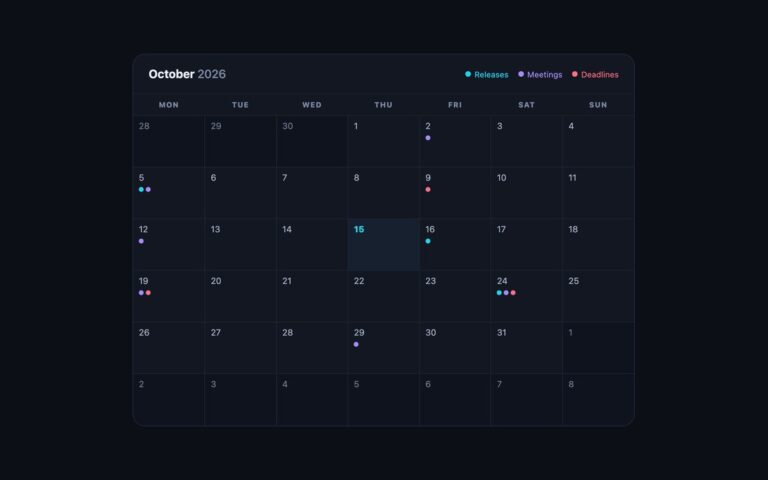
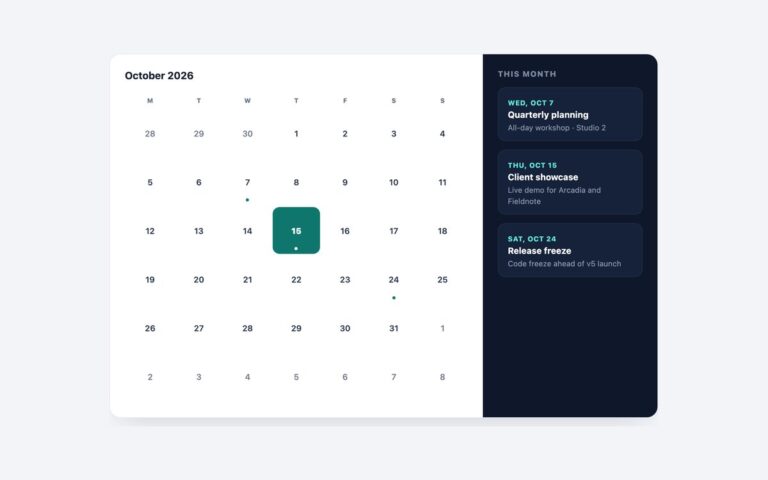
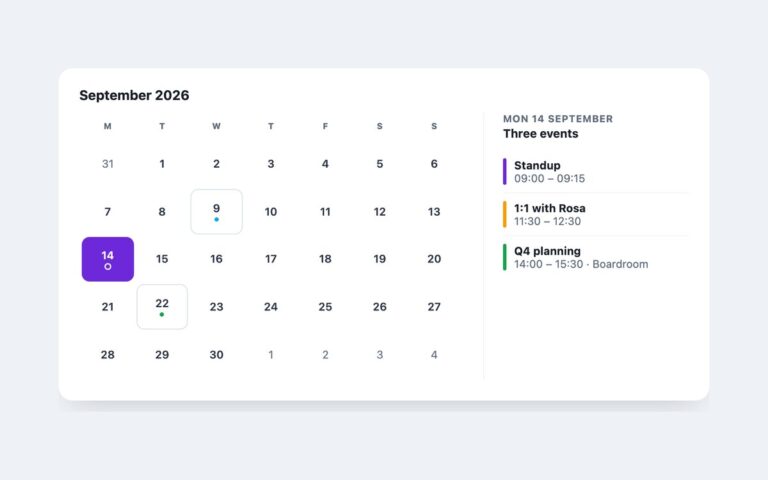
A full-width month calendar for dashboards, booking back offices and team planners. The header holds the month name and a pair of previous and next buttons; below it sits a seven-column grid, Monday first, always six weeks tall so the card never jumps in height when you page between months. Each day cell shows its number and any events as coloured chips: blue for releases and reviews, green for social events, pink for deadlines. Long event names are cut with an ellipsis instead of wrapping, and days from the previous and next month are shaded and greyed so the current month stands out. Today’s number sits in a filled blue circle. The grid is a real table with weekday column headers, generated by a short script from an EVENTS object keyed by day, so swapping in your own data means replacing one object. Under about 600 pixels the table scrolls sideways inside a labelled, keyboard-focusable region rather than squeezing the chips into unreadable slivers. The Bootstrap version builds the same layout from .card, .table and .badge, and the Tailwind version from utility classes.

What’s included

  • Six-week month table with weekday column headers, Monday first
  • Event chips in three tones, truncated with an ellipsis
  • Previous and next month buttons with a live month title
  • Today marked with a filled circle and aria-current="date"
  • Scrolls sideways in a focusable region on narrow screens

Accessibility

The grid is a table labelled by the month heading, with full weekday names in the column headers and the full date of every day as visually hidden text, so a cell reads as "Wednesday, 14 October 2026, v4.3 release, Retro". Today carries aria-current="date". The month buttons have aria-labels, the title is a polite live region so paging is announced, and buttons and the scroll region show a 2px blue focus outline.

Customise it

Change --cal-accent, --cal-line and --cal-muted on .cal and the .e1 to .e3 chip colours. In Bootstrap the chip tones come from the --bs-primary/success/danger-bg-subtle and -text-emphasis variables set on .cal; in Tailwind edit the --color-cal-* theme colours and the TONE map in the script.