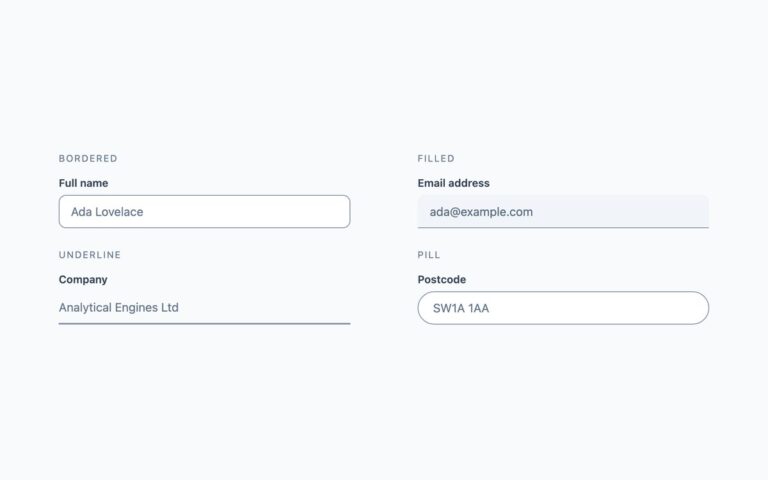
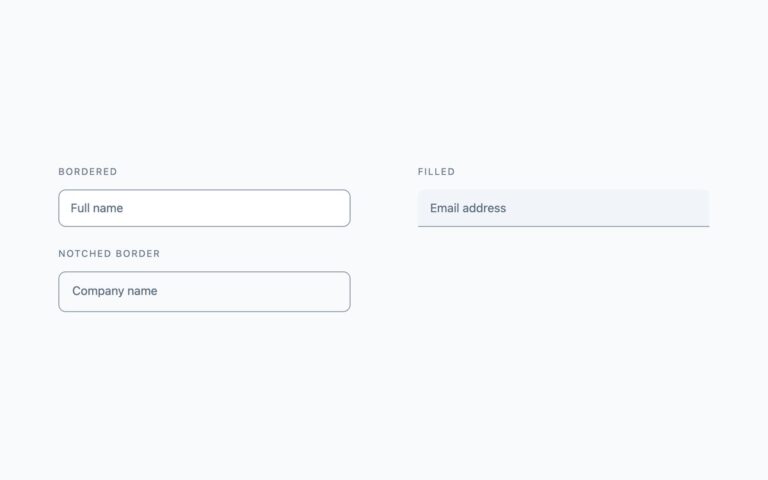
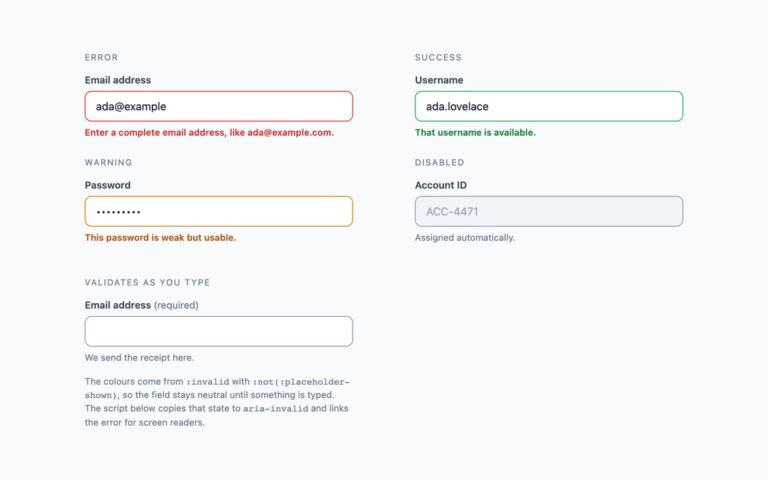
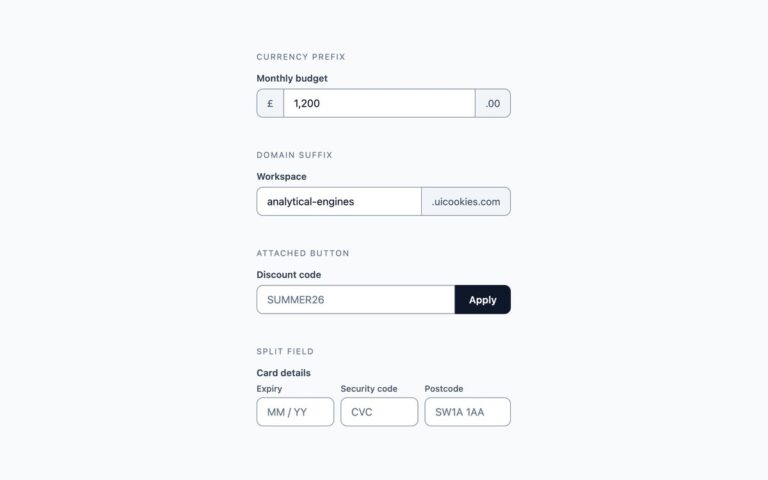
Open demo

CSS code

HTML
<div><span class="lbl">Search</span>
<div class="f">
<label for="p1">Search templates</label>
<div class="search"><input id="p1" name="q" type="search" autocomplete="off" placeholder="Try “dashboard”"></div>
</div>
</div>
<div><span class="lbl">Range</span>
<div class="f">
<label for="p2">Monthly budget <span aria-hidden="true">— <output id="p2-out" for="p2">£1,200</output></span></label>
<input id="p2" name="budget" type="range" min="0" max="5000" step="50" value="1200" aria-valuetext="£1,200" data-range-output="p2-out">
</div>
</div>
<div><span class="lbl">File drop area</span>
<div class="f">
<label for="p3">Project files</label>
<div class="drop" data-drop>
<input id="p3" name="files" type="file" multiple accept=".png,.jpg,.jpeg,.pdf" aria-describedby="p3-hint p3-files">
<b>Drop files here, or browse</b>
<span id="p3-hint">PNG, JPG or PDF up to 10MB</span>
<span id="p3-files" class="files" aria-live="polite"></span>
</div>
</div>
</div>
<div><span class="lbl">Number stepper</span>
<div class="f">
<label for="p4">Licence seats</label>
<div class="step" data-stepper>
<button type="button" data-step="-1" aria-controls="p4" aria-label="Remove a seat">−</button>
<input id="p4" name="seats" type="number" inputmode="numeric" min="1" max="50" value="3">
<button type="button" data-step="1" aria-controls="p4" aria-label="Add a seat">+</button>
</div>
<span class="sr-only" aria-live="polite" data-stepper-status></span>
</div>
</div>
CSS
/* Search, range, file drop and number stepper fields. */
.f{--f-text:#0f172a;--f-label:#334155;--f-hint:#64748b;--f-bg:#fff;--f-border:#8492a6;--f-focus:#2563eb;
  --f-ring:#dbeafe;--f-track:#cbd5e1;--f-radius:9px;display:flex;flex-direction:column;gap:7px;max-width:360px}
.f label{font-size:.82rem;font-weight:600;color:var(--f-label)}
.f input{box-sizing:border-box;width:100%;font:inherit;font-size:.92rem;padding:11px 14px;color:var(--f-text);
  background:var(--f-bg);border:1px solid var(--f-border);border-radius:var(--f-radius);transition:border-color .16s,box-shadow .16s}
.f input::placeholder{color:var(--f-hint)}
.f input:focus{outline:0;border-color:var(--f-focus);box-shadow:0 0 0 3px var(--f-ring)}
.sr-only{position:absolute;width:1px;height:1px;padding:0;margin:-1px;overflow:hidden;clip:rect(0,0,0,0);white-space:nowrap;border:0}
/* search: magnifier drawn with two pseudo-elements */
.search{position:relative}
.search input{padding-left:42px;border-radius:999px}
.search::before{content:"";box-sizing:border-box;position:absolute;left:16px;top:12px;width:13px;height:13px;
  border:2px solid var(--f-hint);border-radius:50%;pointer-events:none}
.search::after{content:"";position:absolute;left:27px;top:25px;width:7px;height:2px;background:var(--f-hint);
  transform:rotate(45deg);pointer-events:none}
/* range */
.f input[type=range]{-webkit-appearance:none;appearance:none;height:6px;padding:0;border:0;background:var(--f-track);border-radius:99px}
.f input[type=range]::-webkit-slider-thumb{-webkit-appearance:none;width:20px;height:20px;border-radius:50%;
  background:var(--f-focus);cursor:pointer;box-shadow:0 1px 4px rgba(15,23,42,.3)}
.f input[type=range]::-moz-range-thumb{width:20px;height:20px;border:0;border-radius:50%;background:var(--f-focus);cursor:pointer}
.f input[type=range]:focus{box-shadow:none}
.f input[type=range]:focus-visible::-webkit-slider-thumb{box-shadow:0 0 0 1px #fff,0 0 0 4px var(--f-focus)}
.f input[type=range]:focus-visible::-moz-range-thumb{box-shadow:0 0 0 1px #fff,0 0 0 4px var(--f-focus)}
/* file drop: the real file input covers the area, so clicking and dropping both reach it */
.drop{position:relative;border:2px dashed var(--f-border);border-radius:12px;padding:30px;text-align:center;
  background:var(--f-bg);transition:border-color .16s,background-color .16s,box-shadow .16s}
.drop input[type=file]{position:absolute;inset:0;width:100%;height:100%;padding:0;border:0;opacity:0;cursor:pointer}
.drop:hover,.drop.is-over{border-color:var(--f-focus);background:#eff6ff}
.drop:focus-within{border-color:var(--f-focus);box-shadow:0 0 0 3px var(--f-ring)}
.drop b{display:block;font-size:.92rem;margin-bottom:5px}
.drop span{font-size:.79rem;color:var(--f-hint)}
.drop .files{display:block;margin-top:8px;color:var(--f-text);font-weight:600;overflow-wrap:anywhere}
.drop .files:empty{display:none}
/* number stepper */
.step{display:flex;max-width:170px}
.step button{font:inherit;font-size:1.05rem;width:42px;flex:none;border:1px solid var(--f-border);background:#f8fafc;
  color:var(--f-label);cursor:pointer}
.step button:first-child{border-radius:var(--f-radius) 0 0 var(--f-radius);border-right:0}
.step button:last-child{border-radius:0 var(--f-radius) var(--f-radius) 0;border-left:0}
.step button:hover{background:#eef2f7}
.step button:focus-visible{position:relative;outline:2px solid var(--f-focus);outline-offset:2px}
.f .step input{min-width:0;text-align:center;border-radius:0;-moz-appearance:textfield;appearance:textfield}
.step input::-webkit-inner-spin-button,.step input::-webkit-outer-spin-button{-webkit-appearance:none;margin:0}
@media (prefers-reduced-motion:reduce){.f input,.drop{transition:none}}
JavaScript
// Range: show the value beside the label and give screen readers the same text.
document.querySelectorAll('input[data-range-output]').forEach(function (range) {
  var out = document.getElementById(range.dataset.rangeOutput);
  var update = function () {
    var text = '£' + Number(range.value).toLocaleString('en-GB');
    out.textContent = text; range.setAttribute('aria-valuetext', text);
  };
  range.addEventListener('input', update); update();
});
// File drop: list the chosen files, flag any over 10MB, highlight while dragging over.
document.querySelectorAll('[data-drop]').forEach(function (drop) {
  var input = drop.querySelector('input[type=file]'), list = drop.querySelector('.files');
  ['dragenter', 'dragover'].forEach(function (e) { drop.addEventListener(e, function () { drop.classList.add('is-over'); }); });
  ['dragleave', 'drop'].forEach(function (e) { drop.addEventListener(e, function () { drop.classList.remove('is-over'); }); });
  input.addEventListener('change', function () {
    var tooBig = false;
    list.textContent = Array.prototype.map.call(input.files, function (f) {
      if (f.size > 10485760) { tooBig = true; return f.name + ' (over 10MB)'; }
      return f.name;
    }).join(', ');
    input.setCustomValidity(tooBig ? 'Each file must be 10MB or smaller.' : '');
  });
});
// Stepper: the buttons use the input's own min, max and step, and announce the new value.
document.querySelectorAll('[data-stepper]').forEach(function (step) {
  var input = step.querySelector('input'), status = step.parentElement.querySelector('[data-stepper-status]');
  step.querySelectorAll('button[data-step]').forEach(function (btn) {
    btn.addEventListener('click', function () {
      if (btn.dataset.step > 0) input.stepUp(); else input.stepDown();
      input.dispatchEvent(new Event('input', { bubbles: true }));
      if (status) status.textContent = input.value + (input.value === '1' ? ' seat' : ' seats');
    });
  });
});

Bootstrap 5 code

Requires: Bootstrap 5.3.8 CSS

HTML
<div><span class="lbl">Search</span>
<div class="fx">
<label for="p1" class="form-label">Search templates</label>
<div class="search"><input id="p1" name="q" class="form-control rounded-pill" type="search" autocomplete="off" placeholder="Try “dashboard”"></div>
</div>
</div>
<div><span class="lbl">Range</span>
<div class="fx">
<label for="p2" class="form-label">Monthly budget <span aria-hidden="true">— <output id="p2-out" for="p2">£1,200</output></span></label>
<input id="p2" name="budget" class="form-range" type="range" min="0" max="5000" step="50" value="1200" aria-valuetext="£1,200" data-range-output="p2-out">
</div>
</div>
<div><span class="lbl">File drop area</span>
<div class="fx">
<label for="p3" class="form-label">Project files</label>
<div class="drop" data-drop>
<input id="p3" name="files" type="file" multiple accept=".png,.jpg,.jpeg,.pdf" aria-describedby="p3-hint p3-files">
<b>Drop files here, or browse</b>
<span id="p3-hint">PNG, JPG or PDF up to 10MB</span>
<span id="p3-files" class="files" aria-live="polite"></span>
</div>
</div>
</div>
<div><span class="lbl">Number stepper</span>
<div class="fx">
<label for="p4" class="form-label">Licence seats</label>
<div class="input-group step" data-stepper>
<button class="btn" type="button" data-step="-1" aria-controls="p4" aria-label="Remove a seat">−</button>
<input id="p4" name="seats" class="form-control" type="number" inputmode="numeric" min="1" max="50" value="3">
<button class="btn" type="button" data-step="1" aria-controls="p4" aria-label="Add a seat">+</button>
</div>
<span class="visually-hidden" aria-live="polite" data-stepper-status></span>
</div>
</div>
CSS
/* Bootstrap .form-control, .form-range and .input-group + .btn, restyled through --bs-* variables on .fx.
   The drop area is custom: Bootstrap has no drop-zone component. */
.fx{--bs-body-color:#0f172a;--bs-body-bg:#fff;--bs-border-color:#8492a6;--bs-border-radius:9px;
  --bs-secondary-color:#64748b;--f-label:#334155;--f-focus:#2563eb;--f-ring:#dbeafe;--f-track:#cbd5e1;max-width:360px}
.fx .form-label{display:block;margin-bottom:7px;font-size:.82rem;font-weight:600;color:var(--f-label)}
.fx .form-control{padding:11px 14px;font-size:.92rem;line-height:normal;transition:border-color .16s,box-shadow .16s}
.fx .form-control:focus{border-color:var(--f-focus);box-shadow:0 0 0 3px var(--f-ring)}
/* search: magnifier drawn with two pseudo-elements on the wrapper */
.fx .search{position:relative}
.fx .search .form-control{padding-left:42px}
.fx .search::before{content:"";position:absolute;z-index:1;left:16px;top:12px;width:13px;height:13px;
  border:2px solid var(--bs-secondary-color);border-radius:50%;pointer-events:none}
.fx .search::after{content:"";position:absolute;z-index:1;left:27px;top:25px;width:7px;height:2px;
  background:var(--bs-secondary-color);transform:rotate(45deg);pointer-events:none}
/* range */
.fx .form-range{display:block;height:6px}
.fx .form-range::-webkit-slider-runnable-track{height:6px;background:var(--f-track);border-radius:99px}
.fx .form-range::-moz-range-track{height:6px;background:var(--f-track);border-radius:99px}
.fx .form-range::-webkit-slider-thumb{width:20px;height:20px;margin-top:-7px;background:var(--f-focus);box-shadow:0 1px 4px rgba(15,23,42,.3);cursor:pointer}
.fx .form-range::-moz-range-thumb{width:20px;height:20px;background:var(--f-focus);cursor:pointer}
.fx .form-range:focus::-webkit-slider-thumb{box-shadow:0 1px 4px rgba(15,23,42,.3)}
.fx .form-range:focus::-moz-range-thumb{box-shadow:none}
.fx .form-range:focus-visible::-webkit-slider-thumb{box-shadow:0 0 0 1px #fff,0 0 0 4px var(--f-focus)}
.fx .form-range:focus-visible::-moz-range-thumb{box-shadow:0 0 0 1px #fff,0 0 0 4px var(--f-focus)}
/* file drop: the real file input covers the area, so clicking and dropping both reach it */
.fx .drop{position:relative;border:2px dashed var(--bs-border-color);border-radius:12px;padding:30px;text-align:center;
  background:var(--bs-body-bg);transition:border-color .16s,background-color .16s,box-shadow .16s}
.fx .drop input[type=file]{position:absolute;inset:0;width:100%;height:100%;opacity:0;cursor:pointer}
.fx .drop:hover,.fx .drop.is-over{border-color:var(--f-focus);background:#eff6ff}
.fx .drop:focus-within{border-color:var(--f-focus);box-shadow:0 0 0 3px var(--f-ring)}
.fx .drop b{display:block;font-size:.92rem;margin-bottom:5px}
.fx .drop span{font-size:.79rem;color:var(--bs-secondary-color)}
.fx .drop .files{display:block;margin-top:8px;color:var(--bs-body-color);font-weight:600;overflow-wrap:anywhere}
.fx .drop .files:empty{display:none}
/* stepper: .input-group with two .btn */
.fx .input-group.step{max-width:170px;flex-wrap:nowrap}
.fx .step .btn{--bs-btn-padding-x:0;--bs-btn-font-size:1.05rem;--bs-btn-color:var(--f-label);--bs-btn-bg:#f8fafc;
  --bs-btn-border-color:var(--bs-border-color);--bs-btn-hover-color:var(--f-label);--bs-btn-hover-bg:#eef2f7;
  --bs-btn-hover-border-color:var(--bs-border-color);--bs-btn-active-bg:#e2e8f0;--bs-btn-active-color:var(--f-label);
  --bs-btn-active-border-color:var(--bs-border-color);--bs-btn-focus-box-shadow:none;width:42px;flex:none}
.fx .step .btn:focus-visible{z-index:6;background-color:var(--bs-btn-bg);outline:2px solid var(--f-focus);outline-offset:2px}
.fx .step .form-control{min-width:0;text-align:center;-moz-appearance:textfield;appearance:textfield}
.fx .step .form-control::-webkit-inner-spin-button,.fx .step .form-control::-webkit-outer-spin-button{-webkit-appearance:none;margin:0}
@media (prefers-reduced-motion:reduce){.fx .form-control,.fx .drop,.fx .btn{transition:none}}
JavaScript
// Range: show the value beside the label and give screen readers the same text.
document.querySelectorAll('input[data-range-output]').forEach(function (range) {
  var out = document.getElementById(range.dataset.rangeOutput);
  var update = function () {
    var text = '£' + Number(range.value).toLocaleString('en-GB');
    out.textContent = text; range.setAttribute('aria-valuetext', text);
  };
  range.addEventListener('input', update); update();
});
// File drop: list the chosen files, flag any over 10MB, highlight while dragging over.
document.querySelectorAll('[data-drop]').forEach(function (drop) {
  var input = drop.querySelector('input[type=file]'), list = drop.querySelector('.files');
  ['dragenter', 'dragover'].forEach(function (e) { drop.addEventListener(e, function () { drop.classList.add('is-over'); }); });
  ['dragleave', 'drop'].forEach(function (e) { drop.addEventListener(e, function () { drop.classList.remove('is-over'); }); });
  input.addEventListener('change', function () {
    var tooBig = false;
    list.textContent = Array.prototype.map.call(input.files, function (f) {
      if (f.size > 10485760) { tooBig = true; return f.name + ' (over 10MB)'; }
      return f.name;
    }).join(', ');
    input.setCustomValidity(tooBig ? 'Each file must be 10MB or smaller.' : '');
  });
});
// Stepper: the buttons use the input's own min, max and step, and announce the new value.
document.querySelectorAll('[data-stepper]').forEach(function (step) {
  var input = step.querySelector('input'), status = step.parentElement.querySelector('[data-stepper-status]');
  step.querySelectorAll('button[data-step]').forEach(function (btn) {
    btn.addEventListener('click', function () {
      if (btn.dataset.step > 0) input.stepUp(); else input.stepDown();
      input.dispatchEvent(new Event('input', { bubbles: true }));
      if (status) status.textContent = input.value + (input.value === '1' ? ' seat' : ' seats');
    });
  });
});

Tailwind 4 code

Requires: Tailwind CSS 4

HTML
<div><span class="mb-4 block text-[.72rem] tracking-[.12em] text-[#64748b] uppercase">Search</span>
<div class="flex max-w-[360px] flex-col gap-[7px]">
<label for="p1" class="text-[.82rem] font-semibold text-[#334155]">Search templates</label>
<div class="relative before:pointer-events-none before:absolute before:top-3 before:left-4 before:size-[13px] before:rounded-full before:border-2 before:border-[#64748b] after:pointer-events-none after:absolute after:top-[25px] after:left-[27px] after:h-[2px] after:w-[7px] after:rotate-45 after:bg-[#64748b]"><input id="p1" name="q" type="search" autocomplete="off" placeholder="Try “dashboard”" class="w-full rounded-full border border-[#8492a6] bg-white py-[11px] pr-[14px] pl-[42px] text-[.92rem] text-[#0f172a] placeholder:text-[#64748b] transition-[border-color,box-shadow] duration-[160ms] focus:border-[#2563eb] focus:shadow-[0_0_0_3px_#dbeafe] focus:outline-none motion-reduce:transition-none"></div>
</div>
</div>
<div><span class="mb-4 block text-[.72rem] tracking-[.12em] text-[#64748b] uppercase">Range</span>
<div class="flex max-w-[360px] flex-col gap-[7px]">
<label for="p2" class="text-[.82rem] font-semibold text-[#334155]">Monthly budget <span aria-hidden="true">— <output id="p2-out" for="p2">£1,200</output></span></label>
<input id="p2" name="budget" type="range" min="0" max="5000" step="50" value="1200" aria-valuetext="£1,200" data-range-output="p2-out" class="h-[6px] w-full cursor-pointer appearance-none rounded-full bg-[#cbd5e1] focus:outline-none [&::-webkit-slider-thumb]:size-5 [&::-webkit-slider-thumb]:appearance-none [&::-webkit-slider-thumb]:rounded-full [&::-webkit-slider-thumb]:bg-[#2563eb] [&::-webkit-slider-thumb]:shadow-[0_1px_4px_rgba(15,23,42,.3)] [&::-moz-range-thumb]:size-5 [&::-moz-range-thumb]:rounded-full [&::-moz-range-thumb]:border-0 [&::-moz-range-thumb]:bg-[#2563eb] focus-visible:[&::-webkit-slider-thumb]:shadow-[0_0_0_1px_#fff,0_0_0_4px_#2563eb] focus-visible:[&::-moz-range-thumb]:shadow-[0_0_0_1px_#fff,0_0_0_4px_#2563eb]">
</div>
</div>
<div><span class="mb-4 block text-[.72rem] tracking-[.12em] text-[#64748b] uppercase">File drop area</span>
<div class="flex max-w-[360px] flex-col gap-[7px]">
<label for="p3" class="text-[.82rem] font-semibold text-[#334155]">Project files</label>
<div data-drop class="relative rounded-[12px] border-2 border-dashed border-[#8492a6] bg-white p-[30px] text-center transition-[border-color,background-color,box-shadow] duration-[160ms] hover:border-[#2563eb] hover:bg-[#eff6ff] focus-within:border-[#2563eb] focus-within:shadow-[0_0_0_3px_#dbeafe] motion-reduce:transition-none [&.is-over]:border-[#2563eb] [&.is-over]:bg-[#eff6ff]">
<input id="p3" name="files" type="file" multiple accept=".png,.jpg,.jpeg,.pdf" aria-describedby="p3-hint p3-files" class="absolute inset-0 size-full cursor-pointer opacity-0">
<b class="mb-[5px] block text-[.92rem]">Drop files here, or browse</b>
<span id="p3-hint" class="text-[.79rem] text-[#64748b]">PNG, JPG or PDF up to 10MB</span>
<span id="p3-files" class="files mt-2 block text-[.79rem] font-semibold [overflow-wrap:anywhere] text-[#0f172a] empty:hidden" aria-live="polite"></span>
</div>
</div>
</div>
<div><span class="mb-4 block text-[.72rem] tracking-[.12em] text-[#64748b] uppercase">Number stepper</span>
<div class="flex max-w-[360px] flex-col gap-[7px]">
<label for="p4" class="text-[.82rem] font-semibold text-[#334155]">Licence seats</label>
<div class="flex max-w-[170px]" data-stepper>
<button type="button" data-step="-1" aria-controls="p4" aria-label="Remove a seat" class="w-[42px] flex-none cursor-pointer rounded-l-[9px] border border-r-0 border-[#8492a6] bg-[#f8fafc] text-[1.05rem] text-[#334155] hover:bg-[#eef2f7] focus-visible:relative focus-visible:outline-2 focus-visible:outline-offset-2 focus-visible:outline-[#2563eb]">−</button>
<input id="p4" name="seats" type="number" inputmode="numeric" min="1" max="50" value="3" class="w-full min-w-0 [appearance:textfield] border border-[#8492a6] bg-white px-[14px] py-[11px] text-center text-[.92rem] text-[#0f172a] transition-[border-color,box-shadow] duration-[160ms] focus:border-[#2563eb] focus:shadow-[0_0_0_3px_#dbeafe] focus:outline-none motion-reduce:transition-none [&::-webkit-inner-spin-button]:m-0 [&::-webkit-inner-spin-button]:appearance-none [&::-webkit-outer-spin-button]:m-0 [&::-webkit-outer-spin-button]:appearance-none">
<button type="button" data-step="1" aria-controls="p4" aria-label="Add a seat" class="w-[42px] flex-none cursor-pointer rounded-r-[9px] border border-l-0 border-[#8492a6] bg-[#f8fafc] text-[1.05rem] text-[#334155] hover:bg-[#eef2f7] focus-visible:relative focus-visible:outline-2 focus-visible:outline-offset-2 focus-visible:outline-[#2563eb]">+</button>
</div>
<span class="sr-only" aria-live="polite" data-stepper-status></span>
</div>
</div>
JavaScript
// Range: show the value beside the label and give screen readers the same text.
document.querySelectorAll('input[data-range-output]').forEach(function (range) {
  var out = document.getElementById(range.dataset.rangeOutput);
  var update = function () {
    var text = '£' + Number(range.value).toLocaleString('en-GB');
    out.textContent = text; range.setAttribute('aria-valuetext', text);
  };
  range.addEventListener('input', update); update();
});
// File drop: list the chosen files, flag any over 10MB, highlight while dragging over.
document.querySelectorAll('[data-drop]').forEach(function (drop) {
  var input = drop.querySelector('input[type=file]'), list = drop.querySelector('.files');
  ['dragenter', 'dragover'].forEach(function (e) { drop.addEventListener(e, function () { drop.classList.add('is-over'); }); });
  ['dragleave', 'drop'].forEach(function (e) { drop.addEventListener(e, function () { drop.classList.remove('is-over'); }); });
  input.addEventListener('change', function () {
    var tooBig = false;
    list.textContent = Array.prototype.map.call(input.files, function (f) {
      if (f.size > 10485760) { tooBig = true; return f.name + ' (over 10MB)'; }
      return f.name;
    }).join(', ');
    input.setCustomValidity(tooBig ? 'Each file must be 10MB or smaller.' : '');
  });
});
// Stepper: the buttons use the input's own min, max and step, and announce the new value.
document.querySelectorAll('[data-stepper]').forEach(function (step) {
  var input = step.querySelector('input'), status = step.parentElement.querySelector('[data-stepper-status]');
  step.querySelectorAll('button[data-step]').forEach(function (btn) {
    btn.addEventListener('click', function () {
      if (btn.dataset.step > 0) input.stepUp(); else input.stepDown();
      input.dispatchEvent(new Event('input', { bubbles: true }));
      if (status) status.textContent = input.value + (input.value === '1' ? ' seat' : ' seats');
    });
  });
});

React code

Requires: React 19, Tailwind CSS 4

JSX
// Special inputs: search with an icon, a range slider that shows its value, a file drop area, and a number stepper.
// Usage: <RangeField label="Monthly budget" min={0} max={5000} step={50} value={budget} onChange={setBudget} format={(n) => '£' + n} />
//        <Stepper label="Licence seats" value={seats} onChange={setSeats} min={1} max={50} unit={['seat', 'seats']} />
import { useState, useId } from 'react';

const caption = 'mb-4 block text-[.72rem] tracking-[.12em] text-[#64748b] uppercase';
const labelCls = 'text-[.82rem] font-semibold text-[#334155]';
const focusField = 'focus:border-[#2563eb] focus:shadow-[0_0_0_3px_#dbeafe] focus:outline-none';
const MAX_BYTES = 10 * 1024 * 1024;
const gbp = (n) => '£' + n.toLocaleString('en-GB');

export function SearchField({ label, ...inputProps }) {
  const id = useId();
  return (
    <div className="flex max-w-[360px] flex-col gap-[7px]">
      <label htmlFor={id} className={labelCls}>{label}</label>
      {/* The magnifier is the wrapper's ::before (lens) and ::after (handle). */}
      <div className="relative before:pointer-events-none before:absolute before:top-3 before:left-4 before:size-[13px] before:rounded-full before:border-2 before:border-[#64748b] after:pointer-events-none after:absolute after:top-[25px] after:left-[27px] after:h-[2px] after:w-[7px] after:rotate-45 after:bg-[#64748b]">
        <input id={id} type="search" autoComplete="off" className={`w-full rounded-full border border-[#8492a6] bg-white py-[11px] pr-[14px] pl-[42px] text-[.92rem] text-[#0f172a] placeholder:text-[#64748b] transition-[border-color,box-shadow] duration-[160ms] motion-reduce:transition-none ${focusField}`} {...inputProps} />
      </div>
    </div>
  );
}

export function RangeField({ label, value, onChange, format = String, ...inputProps }) {
  const id = useId();
  const text = format(value);
  return (
    <div className="flex max-w-[360px] flex-col gap-[7px]">
      <label htmlFor={id} className={labelCls}>{label} <span aria-hidden="true">— <output htmlFor={id}>{text}</output></span></label>
      <input id={id} type="range" value={value} onChange={(e) => onChange(Number(e.target.value))} aria-valuetext={text} {...inputProps}
        className="h-[6px] w-full cursor-pointer appearance-none rounded-full bg-[#cbd5e1] focus:outline-none [&::-webkit-slider-thumb]:size-5 [&::-webkit-slider-thumb]:appearance-none [&::-webkit-slider-thumb]:rounded-full [&::-webkit-slider-thumb]:bg-[#2563eb] [&::-webkit-slider-thumb]:shadow-[0_1px_4px_rgba(15,23,42,.3)] [&::-moz-range-thumb]:size-5 [&::-moz-range-thumb]:rounded-full [&::-moz-range-thumb]:border-0 [&::-moz-range-thumb]:bg-[#2563eb] focus-visible:[&::-webkit-slider-thumb]:shadow-[0_0_0_1px_#fff,0_0_0_4px_#2563eb] focus-visible:[&::-moz-range-thumb]:shadow-[0_0_0_1px_#fff,0_0_0_4px_#2563eb]" />
    </div>
  );
}

export function FileDrop({ label, hint = 'PNG, JPG or PDF up to 10MB', maxBytes = MAX_BYTES, onFiles = () => {}, ...inputProps }) {
  const id = useId();
  const [over, setOver] = useState(false);
  const [names, setNames] = useState('');

  function handleChange(e) {
    const files = Array.from(e.target.files);
    const tooBig = files.some((f) => f.size > maxBytes);
    setNames(files.map((f) => (f.size > maxBytes ? `${f.name} (over 10MB)` : f.name)).join(', '));
    e.target.setCustomValidity(tooBig ? 'Each file must be 10MB or smaller.' : '');
    onFiles(files);
  }

  return (
    <div className="flex max-w-[360px] flex-col gap-[7px]">
      <label htmlFor={id} className={labelCls}>{label}</label>
      {/* The real file input covers the whole area, so clicking and dropping both work natively. */}
      <div data-over={over || undefined} onDragEnter={() => setOver(true)} onDragOver={() => setOver(true)} onDragLeave={() => setOver(false)} onDrop={() => setOver(false)}
        className="relative rounded-[12px] border-2 border-dashed border-[#8492a6] bg-white p-[30px] text-center transition-[border-color,background-color,box-shadow] duration-[160ms] hover:border-[#2563eb] hover:bg-[#eff6ff] focus-within:border-[#2563eb] focus-within:shadow-[0_0_0_3px_#dbeafe] data-over:border-[#2563eb] data-over:bg-[#eff6ff] motion-reduce:transition-none">
        <input id={id} type="file" aria-describedby={`${id}-hint ${id}-files`} onChange={handleChange} className="absolute inset-0 size-full cursor-pointer opacity-0" {...inputProps} />
        <b className="mb-[5px] block text-[.92rem]">Drop files here, or browse</b>
        <span id={`${id}-hint`} className="text-[.79rem] text-[#64748b]">{hint}</span>
        <span id={`${id}-files`} className="mt-2 block text-[.79rem] font-semibold [overflow-wrap:anywhere] text-[#0f172a] empty:hidden" aria-live="polite">{names}</span>
      </div>
    </div>
  );
}

export function Stepper({ label, value, onChange, min = 1, max = 50, unit = ['seat', 'seats'], name }) {
  const id = useId();
  const [status, setStatus] = useState('');
  const clamp = (n) => Math.min(max, Math.max(min, n));
  const step = (d) => {
    const next = clamp(value + d);
    onChange(next);
    setStatus(`${next} ${next === 1 ? unit[0] : unit[1]}`);
  };
  const btn = 'w-[42px] flex-none cursor-pointer border border-[#8492a6] bg-[#f8fafc] text-[1.05rem] text-[#334155] hover:bg-[#eef2f7] focus-visible:relative focus-visible:outline-2 focus-visible:outline-offset-2 focus-visible:outline-[#2563eb]';
  return (
    <div className="flex max-w-[360px] flex-col gap-[7px]">
      <label htmlFor={id} className={labelCls}>{label}</label>
      <div className="flex max-w-[170px]">
        <button type="button" aria-controls={id} aria-label={`Remove a ${unit[0]}`} onClick={() => step(-1)} className={`${btn} rounded-l-[9px] border-r-0`}>−</button>
        <input id={id} name={name} type="number" inputMode="numeric" min={min} max={max} value={value}
          onChange={(e) => onChange(e.target.value === '' ? min : clamp(Number(e.target.value)))}
          className={`w-full min-w-0 [appearance:textfield] border border-[#8492a6] bg-white px-[14px] py-[11px] text-center text-[.92rem] text-[#0f172a] transition-[border-color,box-shadow] duration-[160ms] motion-reduce:transition-none [&::-webkit-inner-spin-button]:m-0 [&::-webkit-inner-spin-button]:appearance-none [&::-webkit-outer-spin-button]:m-0 [&::-webkit-outer-spin-button]:appearance-none ${focusField}`} />
        <button type="button" aria-controls={id} aria-label={`Add a ${unit[0]}`} onClick={() => step(1)} className={`${btn} rounded-r-[9px] border-l-0`}>+</button>
      </div>
      <span className="sr-only" aria-live="polite">{status}</span>
    </div>
  );
}

export default function SpecialFields() {
  const [query, setQuery] = useState('');
  const [budget, setBudget] = useState(1200);
  const [seats, setSeats] = useState(3);
  return (
    <>
      <div><span className={caption}>Search</span>
        <SearchField label="Search templates" name="q" placeholder="Try “dashboard”" value={query} onChange={(e) => setQuery(e.target.value)} /></div>
      <div><span className={caption}>Range</span>
        <RangeField label="Monthly budget" name="budget" min={0} max={5000} step={50} value={budget} onChange={setBudget} format={gbp} /></div>
      <div><span className={caption}>File drop area</span>
        <FileDrop label="Project files" name="files" multiple accept=".png,.jpg,.jpeg,.pdf" /></div>
      <div><span className={caption}>Number stepper</span>
        <Stepper label="Licence seats" name="seats" value={seats} onChange={setSeats} min={1} max={50} /></div>
    </>
  );
}

About this set

Four fields that are more than a line of text. Search is a pill-shaped type=search input with a magnifier drawn from two pseudo-elements, so no icon font or image is needed. Range is a restyled slider with a blue thumb on a slate track; an output element beside the label shows the current budget and the same text is set as aria-valuetext, so screen readers hear pounds rather than a bare number. File drop area stretches the real file input, made transparent, over a dashed panel, so clicking anywhere opens the file picker and files dropped on the panel land in the input natively; a short script lists the chosen file names and flags any over the 10MB hint. Number stepper pairs a type=number input with minus and plus buttons that call stepUp and stepDown, so min, max and step come from the input itself, and a polite live region announces the new seat count. The Bootstrap version uses .form-control, .form-range and an .input-group with two .btn elements; the drop panel is custom in all three versions because Bootstrap has no drop-zone component.

What’s included

  • Search field with a CSS-drawn magnifier
  • Range slider with a live value readout and aria-valuetext
  • File drop panel that accepts both clicks and dropped files
  • Number stepper that respects the input's min, max and step
  • Bootstrap version uses .form-range and .input-group with .btn

Accessibility

Each field has a visible label. The range exposes its value in words through aria-valuetext, the file input's hint and chosen-file list are linked with aria-describedby, and the stepper buttons are labelled Remove a seat and Add a seat, with the result announced in a live region. The slider thumb shows a blue ring on keyboard focus, the drop panel a ring when its input is focused, and the stepper buttons a 2px outline. Transitions are removed under prefers-reduced-motion.

Customise it

In plain CSS change --f-focus (also the slider thumb), --f-track, --f-border and --f-radius on .f. In Bootstrap the same properties sit on .fx beside --bs-border-color, and the stepper buttons take --bs-btn-* variables; in Tailwind edit the bg-, border- and the [&::-webkit-slider-thumb] classes.