Open demo

CSS code

HTML
<div class="glass" data-glass>
  <h2 class="glass-head" id="glass-title"><b data-month></b> <span data-year></span></h2>
  <table class="glass-grid" aria-labelledby="glass-title">
    <thead><tr>
      <th scope="col"><span aria-hidden="true">M</span><span class="sr-only">Monday</span></th>
      <th scope="col"><span aria-hidden="true">T</span><span class="sr-only">Tuesday</span></th>
      <th scope="col"><span aria-hidden="true">W</span><span class="sr-only">Wednesday</span></th>
      <th scope="col"><span aria-hidden="true">T</span><span class="sr-only">Thursday</span></th>
      <th scope="col"><span aria-hidden="true">F</span><span class="sr-only">Friday</span></th>
      <th scope="col"><span aria-hidden="true">S</span><span class="sr-only">Saturday</span></th>
      <th scope="col"><span aria-hidden="true">S</span><span class="sr-only">Sunday</span></th>
    </tr></thead>
    <tbody></tbody>
  </table>
  <p class="glass-next"><b>Next up: Studio session</b><time data-next></time></p>
</div>
CSS
/* Glass widget: a frosted panel (backdrop-filter) holding a month <table>. A dark tint behind the glass keeps
   every label above 4.5:1 over the whole gradient. */
.glass{--glass-accent:#6d28d9;--glass-dot:#fde047;
  position:relative;width:330px;max-width:100%;border-radius:22px;padding:24px;color:#fff;background:rgba(20,12,50,.3);
  border:1px solid rgba(255,255,255,.22);-webkit-backdrop-filter:blur(20px);backdrop-filter:blur(20px);box-shadow:0 26px 60px rgba(0,0,0,.35)}
.glass-head{display:flex;justify-content:space-between;align-items:baseline;margin-bottom:16px;font-size:1.05rem}
.glass-head span{font-size:.78rem;font-weight:400;color:rgba(255,255,255,.85)}
.glass-grid{width:100%;border-collapse:separate;border-spacing:3px;table-layout:fixed;text-align:center}
.glass-grid th{font-size:.62rem;font-weight:800;text-transform:uppercase;color:rgba(255,255,255,.85);padding:0 0 6px}
.glass-grid td{padding:0}
.glass-d{aspect-ratio:1;display:flex;align-items:center;justify-content:center;font-size:.8rem;font-weight:600;border-radius:10px;
  color:rgba(255,255,255,.95);position:relative}
.glass-d.dim{color:rgba(255,255,255,.65);font-weight:500}
.glass-d[aria-current="date"]{background:#fff;color:var(--glass-accent);font-weight:900;box-shadow:0 6px 16px rgba(0,0,0,.25)}
.glass-d.glass-ev::after{content:"";position:absolute;bottom:5px;width:5px;height:5px;border-radius:50%;background:var(--glass-dot)}
.glass-next{margin-top:16px;border-top:1px solid rgba(255,255,255,.16);padding-top:14px;font-size:.8rem}
.glass-next b{display:block;font-size:.86rem}
.glass-next time{color:rgba(255,255,255,.85)}
.sr-only{position:absolute;width:1px;height:1px;padding:0;margin:-1px;overflow:hidden;clip:rect(0,0,0,0);white-space:nowrap;border:0}
JavaScript
/* Renders the current month, Monday first. Day cells hold the full date as hidden text, event days add the word
   "event" for screen readers (the dot is decorative), and today has aria-current="date". */
(() => {
  const root = document.querySelector('[data-glass]'); if (!root) return;
  const CLS = { day: 'glass-d', dim: 'glass-d dim', mark: 'glass-ev', sr: 'sr-only' };
  const MARK = [3, 9, 17, 21, 26]; // days with an event
  const now = new Date(), y = now.getFullYear(), m = now.getMonth();
  const full = d => d.toLocaleDateString('en-GB', { weekday: 'long', day: 'numeric', month: 'long', year: 'numeric' });
  root.querySelector('[data-month]').textContent = now.toLocaleDateString('en-US', { month: 'long' });
  root.querySelector('[data-year]').textContent = y;
  const start = new Date(y, m, 1 - (new Date(y, m, 1).getDay() + 6) % 7);
  let h = '';
  for (let i = 0; i < 42; i++) {
    const d = new Date(start.getFullYear(), start.getMonth(), start.getDate() + i), n = d.getDate();
    if (i % 7 === 0) h += '<tr>';
    if (d.getMonth() !== m) h += `<td><span class="${CLS.dim}" aria-hidden="true">${n}</span></td>`;
    else {
      const ev = MARK.includes(n);
      h += `<td><span class="${CLS.day}${ev ? ' ' + CLS.mark : ''}"${n === now.getDate() ? ' aria-current="date"' : ''}>` +
        `<span aria-hidden="true">${n}</span><span class="${CLS.sr}">${full(d)}${ev ? ', event' : ''}</span></span></td>`;
    }
    if (i % 7 === 6) h += '</tr>';
  }
  root.querySelector('tbody').innerHTML = h;
  const nx = new Date(y, m, MARK.find(d => d > now.getDate()) || MARK[0]);
  const t = root.querySelector('[data-next]');
  t.dateTime = `${y}-${String(m + 1).padStart(2, '0')}-${String(nx.getDate()).padStart(2, '0')}T15:00`;
  t.textContent = nx.toLocaleDateString('en-US', { weekday: 'long', month: 'long', day: 'numeric' }) + ' · 15:00';
})();

Bootstrap 5 code

Requires: Bootstrap 5.3.8 CSS

HTML
<div class="card glass" data-glass>
  <div class="card-body">
    <h2 class="glass-head d-flex justify-content-between align-items-baseline fw-bold mb-3" id="glass-title"><b data-month></b> <span data-year></span></h2>
    <table class="table table-borderless text-center glass-grid mb-0" aria-labelledby="glass-title">
      <thead><tr>
        <th scope="col"><span aria-hidden="true">M</span><span class="visually-hidden">Monday</span></th>
        <th scope="col"><span aria-hidden="true">T</span><span class="visually-hidden">Tuesday</span></th>
        <th scope="col"><span aria-hidden="true">W</span><span class="visually-hidden">Wednesday</span></th>
        <th scope="col"><span aria-hidden="true">T</span><span class="visually-hidden">Thursday</span></th>
        <th scope="col"><span aria-hidden="true">F</span><span class="visually-hidden">Friday</span></th>
        <th scope="col"><span aria-hidden="true">S</span><span class="visually-hidden">Saturday</span></th>
        <th scope="col"><span aria-hidden="true">S</span><span class="visually-hidden">Sunday</span></th>
      </tr></thead>
      <tbody></tbody>
    </table>
    <p class="glass-next mt-3 pt-3 mb-0"><b class="d-block">Next up: Studio session</b><time data-next></time></p>
  </div>
</div>
CSS
/* Bootstrap .card turned into frosted glass through --bs-card-* variables, with a borderless .table inside.
   A dark tint behind the glass keeps every label above 4.5:1 over the whole gradient. */
.glass{--glass-accent:#6d28d9;--glass-dot:#fde047;--bs-card-bg:rgba(20,12,50,.3);--bs-card-border-color:rgba(255,255,255,.22);
  --bs-card-border-radius:22px;--bs-card-spacer-x:24px;--bs-card-spacer-y:24px;--bs-card-color:#fff;width:330px;max-width:100%;
  -webkit-backdrop-filter:blur(20px);backdrop-filter:blur(20px);box-shadow:0 26px 60px rgba(0,0,0,.35)}
.glass-head{font-size:1.05rem;line-height:normal}
.glass-head span{font-size:.78rem;font-weight:400;color:rgba(255,255,255,.85)}
.glass-grid{--bs-table-bg:transparent;--bs-table-color:rgba(255,255,255,.95);border-collapse:separate;border-spacing:3px;table-layout:fixed}
.glass-grid>:not(caption)>*>*{padding:0}
.glass-grid th{font-size:.62rem;font-weight:800;text-transform:uppercase;color:rgba(255,255,255,.85);padding:0 0 6px}
.glass-d{aspect-ratio:1;font-size:.8rem;font-weight:600;border-radius:10px;position:relative}
.glass-d.dim{color:rgba(255,255,255,.65);font-weight:500}
.glass-d[aria-current="date"]{background:#fff;color:var(--glass-accent);font-weight:900;box-shadow:0 6px 16px rgba(0,0,0,.25)}
.glass-d.glass-ev::after{content:"";position:absolute;bottom:5px;width:5px;height:5px;border-radius:50%;background:var(--glass-dot)}
.glass-next{border-top:1px solid rgba(255,255,255,.16);font-size:.8rem}
.glass-next b{font-size:.86rem}
.glass-next time{color:rgba(255,255,255,.85)}
JavaScript
/* Renders the current month, Monday first. Day cells hold the full date as hidden text, event days add the word
   "event" for screen readers (the dot is decorative), and today has aria-current="date". */
(() => {
  const root = document.querySelector('[data-glass]'); if (!root) return;
  const CLS = { day: 'glass-d d-flex align-items-center justify-content-center', dim: 'glass-d dim d-flex align-items-center justify-content-center', mark: 'glass-ev', sr: 'visually-hidden' };
  const MARK = [3, 9, 17, 21, 26]; // days with an event
  const now = new Date(), y = now.getFullYear(), m = now.getMonth();
  const full = d => d.toLocaleDateString('en-GB', { weekday: 'long', day: 'numeric', month: 'long', year: 'numeric' });
  root.querySelector('[data-month]').textContent = now.toLocaleDateString('en-US', { month: 'long' });
  root.querySelector('[data-year]').textContent = y;
  const start = new Date(y, m, 1 - (new Date(y, m, 1).getDay() + 6) % 7);
  let h = '';
  for (let i = 0; i < 42; i++) {
    const d = new Date(start.getFullYear(), start.getMonth(), start.getDate() + i), n = d.getDate();
    if (i % 7 === 0) h += '<tr>';
    if (d.getMonth() !== m) h += `<td><span class="${CLS.dim}" aria-hidden="true">${n}</span></td>`;
    else {
      const ev = MARK.includes(n);
      h += `<td><span class="${CLS.day}${ev ? ' ' + CLS.mark : ''}"${n === now.getDate() ? ' aria-current="date"' : ''}>` +
        `<span aria-hidden="true">${n}</span><span class="${CLS.sr}">${full(d)}${ev ? ', event' : ''}</span></span></td>`;
    }
    if (i % 7 === 6) h += '</tr>';
  }
  root.querySelector('tbody').innerHTML = h;
  const nx = new Date(y, m, MARK.find(d => d > now.getDate()) || MARK[0]);
  const t = root.querySelector('[data-next]');
  t.dateTime = `${y}-${String(m + 1).padStart(2, '0')}-${String(nx.getDate()).padStart(2, '0')}T15:00`;
  t.textContent = nx.toLocaleDateString('en-US', { weekday: 'long', month: 'long', day: 'numeric' }) + ' · 15:00';
})();

Tailwind 4 code

Requires: Tailwind CSS 4

HTML
<div class="relative w-[330px] max-w-full rounded-[22px] border border-white/22 bg-[rgba(20,12,50,.3)] p-6 text-white shadow-[0_26px_60px_rgba(0,0,0,.35)] backdrop-blur-[20px]" data-glass>
  <h2 class="mb-4 flex items-baseline justify-between text-[1.05rem] font-bold" id="glass-title"><b data-month></b> <span data-year class="text-[.78rem] font-normal text-white/85"></span></h2>
  <table class="w-full table-fixed border-separate border-spacing-[3px] text-center" aria-labelledby="glass-title">
    <thead class="text-[.62rem] font-extrabold text-white/85 uppercase"><tr>
      <th scope="col" class="pb-1.5"><span aria-hidden="true">M</span><span class="sr-only">Monday</span></th>
      <th scope="col" class="pb-1.5"><span aria-hidden="true">T</span><span class="sr-only">Tuesday</span></th>
      <th scope="col" class="pb-1.5"><span aria-hidden="true">W</span><span class="sr-only">Wednesday</span></th>
      <th scope="col" class="pb-1.5"><span aria-hidden="true">T</span><span class="sr-only">Thursday</span></th>
      <th scope="col" class="pb-1.5"><span aria-hidden="true">F</span><span class="sr-only">Friday</span></th>
      <th scope="col" class="pb-1.5"><span aria-hidden="true">S</span><span class="sr-only">Saturday</span></th>
      <th scope="col" class="pb-1.5"><span aria-hidden="true">S</span><span class="sr-only">Sunday</span></th>
    </tr></thead>
    <tbody></tbody>
  </table>
  <p class="mt-4 border-t border-white/16 pt-3.5 text-[.8rem]"><b class="block text-[.86rem]">Next up: Studio session</b><time data-next class="text-white/85"></time></p>
</div>
CSS
@theme {
  --color-glass-accent: #6d28d9;
  --color-glass-dot: #fde047;
}
JavaScript
/* Renders the current month, Monday first. Day cells hold the full date as hidden text, event days add the word
   "event" for screen readers (the dot is decorative), and today has aria-current="date". */
(() => {
  const root = document.querySelector('[data-glass]'); if (!root) return;
  const CLS = { day: 'relative flex aspect-square items-center justify-center rounded-[10px] text-[.8rem] font-semibold text-white/95 aria-[current=date]:bg-white aria-[current=date]:font-black aria-[current=date]:text-glass-accent aria-[current=date]:shadow-[0_6px_16px_rgba(0,0,0,.25)]', dim: 'relative flex aspect-square items-center justify-center rounded-[10px] text-[.8rem] font-medium text-white/65', mark: 'after:absolute after:bottom-[5px] after:size-[5px] after:rounded-full after:bg-glass-dot', sr: 'sr-only' };
  const MARK = [3, 9, 17, 21, 26]; // days with an event
  const now = new Date(), y = now.getFullYear(), m = now.getMonth();
  const full = d => d.toLocaleDateString('en-GB', { weekday: 'long', day: 'numeric', month: 'long', year: 'numeric' });
  root.querySelector('[data-month]').textContent = now.toLocaleDateString('en-US', { month: 'long' });
  root.querySelector('[data-year]').textContent = y;
  const start = new Date(y, m, 1 - (new Date(y, m, 1).getDay() + 6) % 7);
  let h = '';
  for (let i = 0; i < 42; i++) {
    const d = new Date(start.getFullYear(), start.getMonth(), start.getDate() + i), n = d.getDate();
    if (i % 7 === 0) h += '<tr>';
    if (d.getMonth() !== m) h += `<td><span class="${CLS.dim}" aria-hidden="true">${n}</span></td>`;
    else {
      const ev = MARK.includes(n);
      h += `<td><span class="${CLS.day}${ev ? ' ' + CLS.mark : ''}"${n === now.getDate() ? ' aria-current="date"' : ''}>` +
        `<span aria-hidden="true">${n}</span><span class="${CLS.sr}">${full(d)}${ev ? ', event' : ''}</span></span></td>`;
    }
    if (i % 7 === 6) h += '</tr>';
  }
  root.querySelector('tbody').innerHTML = h;
  const nx = new Date(y, m, MARK.find(d => d > now.getDate()) || MARK[0]);
  const t = root.querySelector('[data-next]');
  t.dateTime = `${y}-${String(m + 1).padStart(2, '0')}-${String(nx.getDate()).padStart(2, '0')}T15:00`;
  t.textContent = nx.toLocaleDateString('en-US', { weekday: 'long', month: 'long', day: 'numeric' }) + ' · 15:00';
})();

About this set

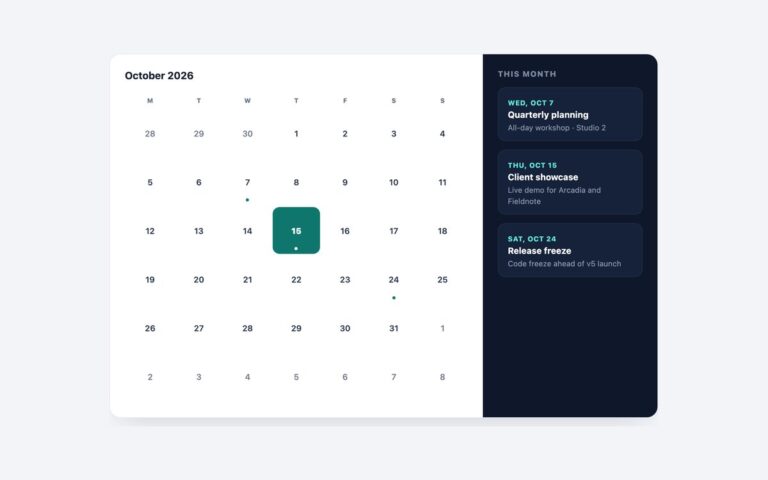
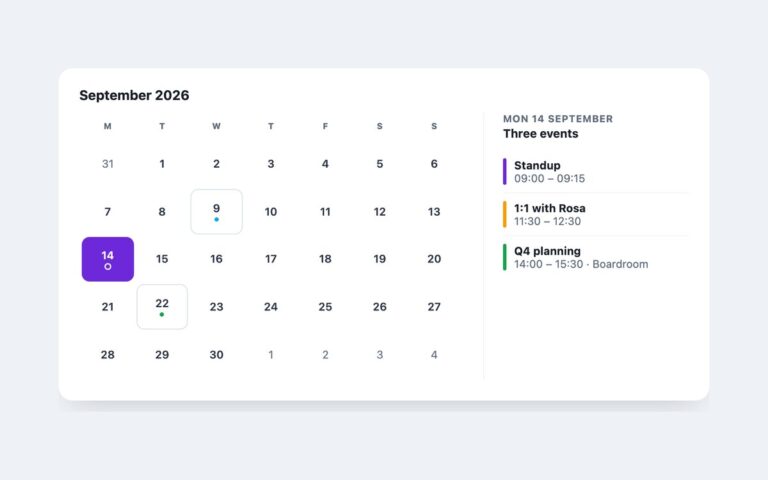
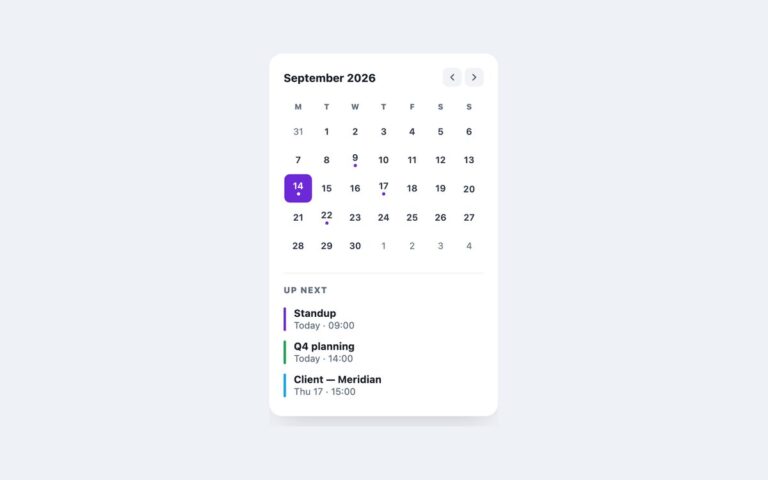
A frosted-glass calendar widget for hero sections, portfolio sites, music and event pages, or a personal dashboard laid over a colourful background. The card blurs whatever sits behind it with backdrop-filter, has a hairline translucent border and a deep shadow, and shows the month name with the year on the right, a compact month grid, and a footer that names the next event with its date and time. Today is a solid white tile with violet text, and days that have an event carry a small yellow dot under the number. The calendar and the next-event line are generated for the current month from a MARK list of event days, so the widget stays current without edits. To keep text readable over every part of a vivid gradient, the glass carries a dark translucent tint rather than a white one; weekday labels, out-of-month days and the footer details all reach at least 4.5:1 against it. Event dots are decorative, and each event day says “event” in hidden text so the information is not carried by colour alone. The Bootstrap version turns a .card into glass through –bs-card-* variables, and the Tailwind version uses backdrop-blur and white opacity utilities.

What’s included

  • Frosted glass card with backdrop-filter blur
  • Current month generated automatically
  • Today tile and event dots, with hidden text for events
  • Next-event footer with a machine-readable time
  • Dark glass tint keeps text above 4.5:1 on the gradient

Accessibility

The grid is a table labelled by the month heading with full weekday names as hidden header text. Each day reads its full date, with ", event" added on event days, and today has aria-current="date". The next event's date sits in a time element with a datetime attribute. The glass tint was changed from light to dark and the translucent text made more opaque so every label passes 4.5:1. There are no interactive controls.

Customise it

Change --glass-accent and --glass-dot on .glass and the rgba tint in its background. In Bootstrap the tint and border are --bs-card-bg and --bs-card-border-color on .glass; in Tailwind edit --color-glass-accent, --color-glass-dot and the bg-[rgba(...)] utility.