About this set
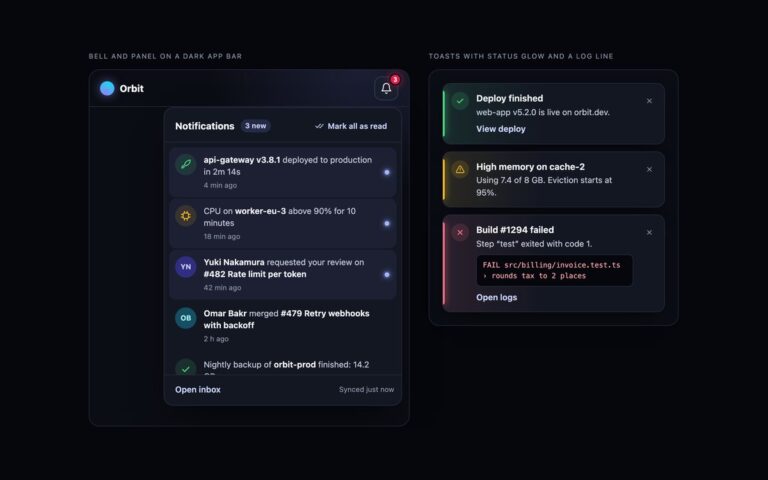
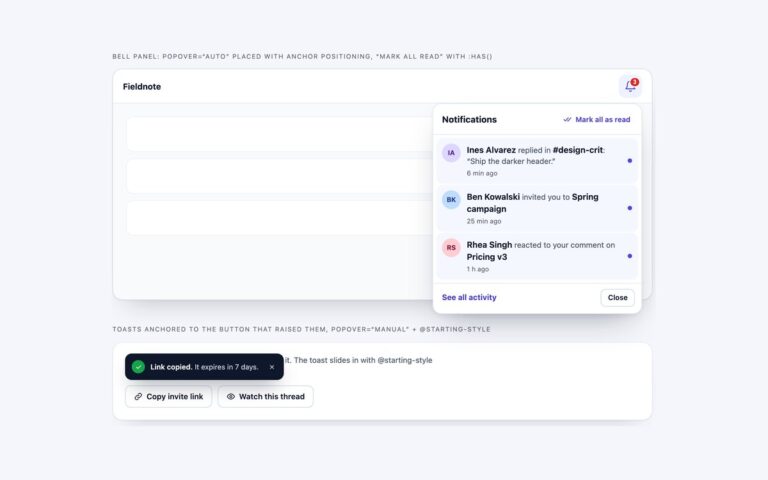
Two notification bells with dropdown panels. The first sits in an app header with a red count badge and opens a 400px panel with a 3 new pill, a Mark all as read button, notifications grouped under Today and Earlier headings, and a footer with View all notifications and a settings link. Each item shows an avatar with a small badge for the kind of event (comment, assignment, share) or an icon for system events such as a payout, plus the message, an optional quoted comment and the time. Unread items are tinted and carry a dot. The second bell sits on a narrow side rail with a dot badge instead of a count and opens a compact panel to its right. The count is real text inside the button followed by visually hidden text, so the bell reads Notifications 3 unread, and it updates as items are read and disappears at zero. Clicking an item marks it read; Mark all as read clears every item, disables itself and announces the change. The Bootstrap version uses the Dropdown plugin with data-bs-auto-close=”outside”, so clicks inside the panel do not close it and the arrow keys move between items.
What’s included
- Count badge read as part of the bell's name, updated as items are read
- Today and Earlier groups with real headings
- Mark all as read with a status announcement
- Header bell with a count and side rail bell with a dot
- Bootstrap .dropdown, .dropdown-item and .badge with arrow-key navigation
Accessibility
The bell has aria-expanded and aria-controls, and its name includes the unread count, for example Notifications 3 unread. The panel is a region named by its heading, groups are h3 headings over lists, unread items carry visually hidden (unread) text, and Mark all as read is announced through a polite status region. Esc closes the panel and returns focus to the bell, every control has a 2px focus outline, and the panel's open animation is off under prefers-reduced-motion.
Customise it
In plain CSS set --nf-brand, --nf-ink, --nf-text and --nf-line on .nf and .nf-topbar, the badge colour on .nf-count and the avatar tints on .nf-av.c1 to .c3. In Bootstrap the panel takes the --bs-dropdown-* variables; in Tailwind change the hex values in the bg-, text- and data-[unread]: utilities.