
Cellar — Free Winery & Vineyard Website Template
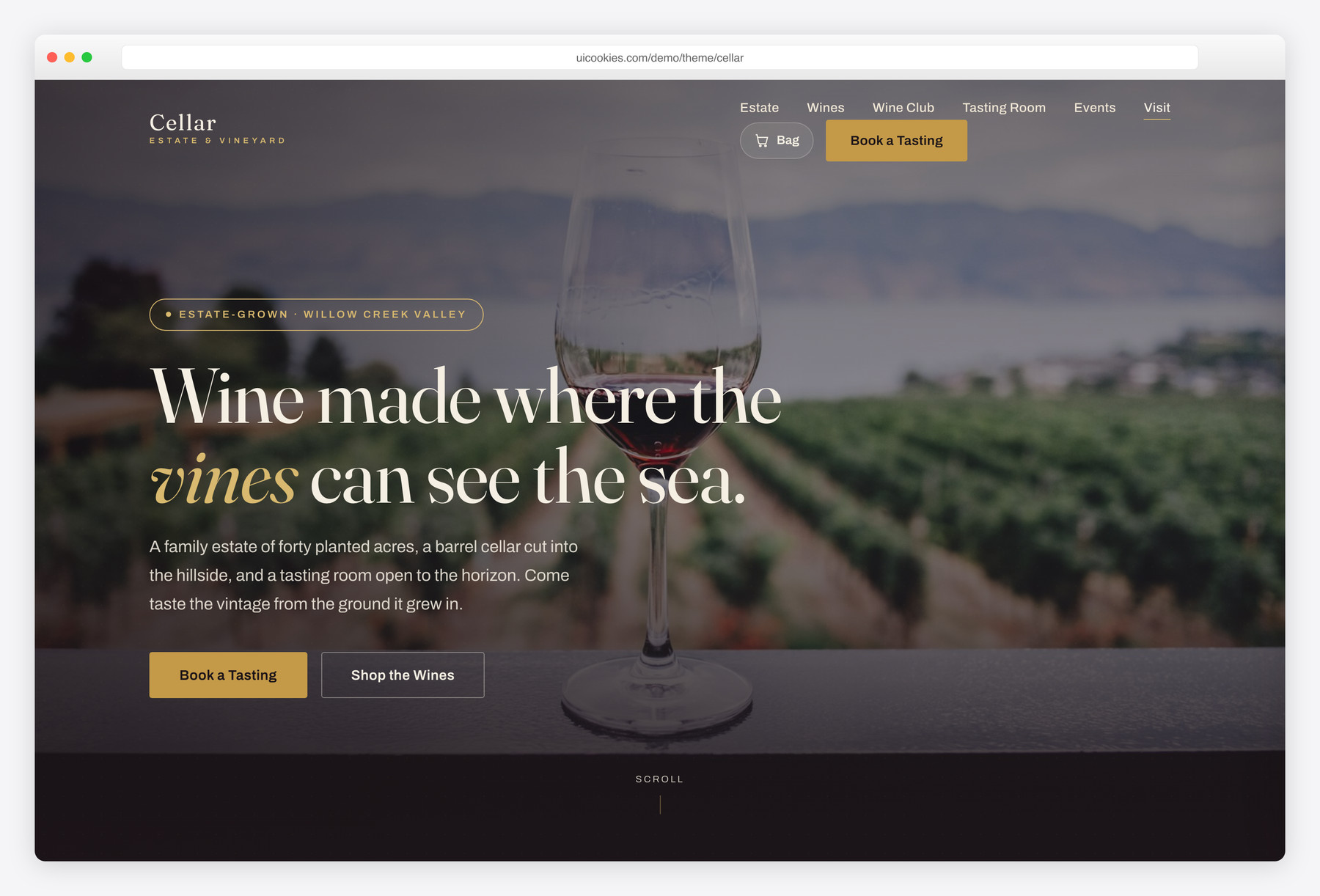
Cellar is a free, two-page Bootstrap 5 website template designed for estate wineries, vineyards and tasting rooms. It ships with a filterable, shoppable wine collection and a slide-in cart, a validated book-a-tasting form, a wine club, tabbed tasting experiences, a photo gallery with lightbox and a dated events strip. The build is jQuery-free, fully progressive-enhancement compliant, and styled in an upscale bordeaux-and-gold identity.
Key features
- Two pages: a long-form homepage plus a full wine-shop page
- Filterable wine cards by Red, White, Rosé and Sparkling (vanilla JS)
- Slide-in cart drawer with quantity controls, live subtotal and localStorage persistence
- Client-side validated book-a-tasting reservation form
- Accessible tabbed tasting experiences with prices and opening hours
- Three-tier wine club membership band
- Estate photo gallery with a keyboard-accessible lightbox
- Dated events strip, testimonial slider, count-up stats and newsletter form
- Self-hosted Bootstrap 5, no jQuery, reveal animations honour prefers-reduced-motion
Best for
- Estate wineries and vineyards
- Tasting rooms and cellar doors
- Wine clubs and subscription programs
- Small drinks and beverage brands
- Direct-to-consumer wine shops
At a glance
- Built with: Bootstrap 5, vanilla JavaScript (no jQuery)
- Pages:
index.html,wines.html - Fonts: Fraunces (display serif) + Archivo (sans), via Google Fonts
- Best for: wineries, vineyards, tasting rooms, cellar doors, wine clubs and small drinks brands
- License: Free for personal and commercial use

How to use it
Download the ZIP, unzip it, and open index.html — no build step, nothing to install. Edit the text and images, point any forms at your backend or a form service, and deploy the folder to any static host. Colours and fonts live in css/style.css; the interactions are in js/main.js.
Frequently asked questions
Is Cellar really free for commercial use?
Yes. Cellar is free for both personal and commercial projects, including a real winery or tasting-room site. You can customize the colours, fonts, copy and images to fit your own brand. There is no purchase required to use it in production.
Does the shopping cart actually work?
The cart is a fully working front-end demo. You can add bottles, change quantities, remove items and watch the subtotal update live, and the contents persist between visits using the browser's localStorage. It is not wired to a payment processor out of the box — the checkout button is a placeholder you connect to your own e-commerce or payment backend (Shopify, WooCommerce, Stripe, etc.).
Is Cellar built on Bootstrap 5 and does it use jQuery?
Cellar is built on Bootstrap 5, which is self-hosted in the template so it works offline and without a CDN. It uses no jQuery at all — every interaction, including the filtering, cart, tabs, lightbox, sliders and form validation, is written in plain vanilla JavaScript. That keeps the template lightweight and easy to maintain.
Will the content still show if JavaScript is disabled?
Yes. Cellar is built with progressive enhancement, so all content is fully visible without JavaScript. The reveal and fade animations are scoped behind a .js class that is only added when scripts run, meaning no section, wine card, tab or gallery item is ever hidden by default. Interactive-only widgets such as the cart still require JavaScript to function, as expected.
How many wines and pages does it include?
The homepage showcases a curated eight-bottle collection, and the dedicated wines page lists the full range of twelve estate wines across reds, whites, rosé and sparkling. Both pages share the same navbar, cart drawer and footer. You can add or remove wine cards by copying the existing markup and updating the data attributes.
Can I use my own photos and change the colours?
Absolutely. Every image references a local path in the img folder, so you drop in your own vineyard and bottle photography by replacing those files. The entire palette is defined as CSS custom properties at the top of style.css, so you can shift the bordeaux, gold, cream and vineyard-green accents by editing a handful of variables in one place.
Is the template accessible and mobile-friendly?
Yes. Cellar uses semantic landmarks, alt text on every image, ARIA attributes on custom widgets, visible focus styles and full keyboard support for the tabs, lightbox, cart and forms. The layout is mobile-first and responsive, and the navbar collapses into a working slide-in mobile menu on small screens.
What do I need to change before going live?
Replace the placeholder images in the img folder, swap in your real winery name, address, phone, hours and wine details, and connect the booking form, newsletter form and cart checkout to your own backend or third-party service. The estate name, prices and events in the demo are sample content meant to be edited. After that the template is production-ready.